How Does Shopify Work 2025: What Sellers Must Know
Choosing the right ecommerce platform is tougher than it looks.
WooCommerce demands constant plugin updates. Wix feels too restrictive for scaling. Magento? Built more for developers than first-time sellers.
That’s when Shopify shines. It continues to evolve into a clean, intuitive, beginner-friendly solution without skipping any serious selling power.
Still, one big question lingers: How does Shopify work exactly?
As a Shopify partner and expert, BSS Commerce will walk you through Shopify’s core features, pricing, and how you can confidently launch your first online store. Want to explore it yourself? Start with a free Shopify trial and follow along.
How Does Shopify Work: An Overview
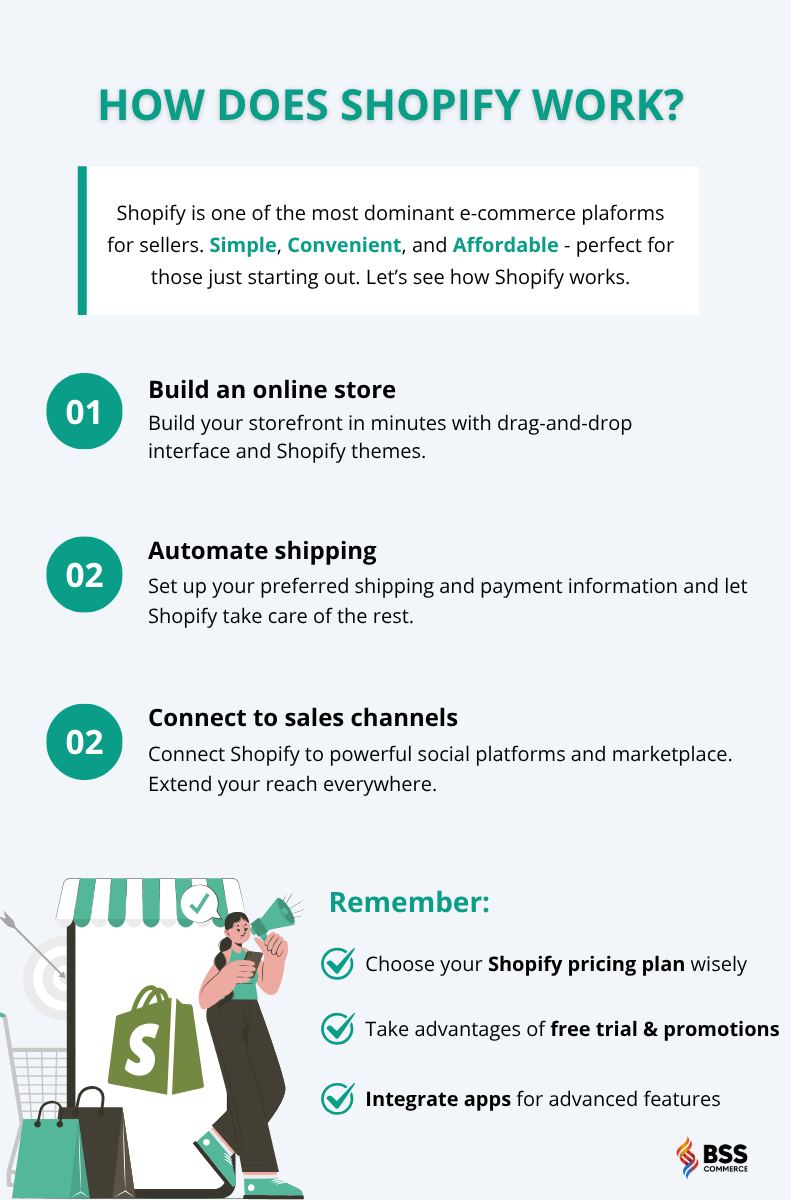
Before jumping into the in-depth breakdown, let’s take a moment to simplify how Shopify works, especially if you’re just getting started. This quick guide gives you a clear picture of how the platform helps you set up, run, and grow an online store.
What Is Shopify and Who Is It For?
Think of Shopify as your online website builder, manager, and assistant all rolled into one platform.
It lets you set up an online store without coding skills, manage inventory from a single dashboard, and accept payments in minutes. From physical products to digital services, Shopify can handle almost every type of e-commerce model.
In short, you can launch your dream online business using Shopify and its incredibly easy process.
What makes it stand out? Simplicity and convenience. With Shopify, you can:
- Drag and drop your design,
- Install apps to add new features
- Automate order processing
- Connect with marketing tools
It’s built to help entrepreneurs focus on growth, not get lost in tech hurdles.
Whether you’re starting solo or building a brand, Shopify scales with your ambition.
Shopify: Pricing & Features
Shopify Pricing Plans
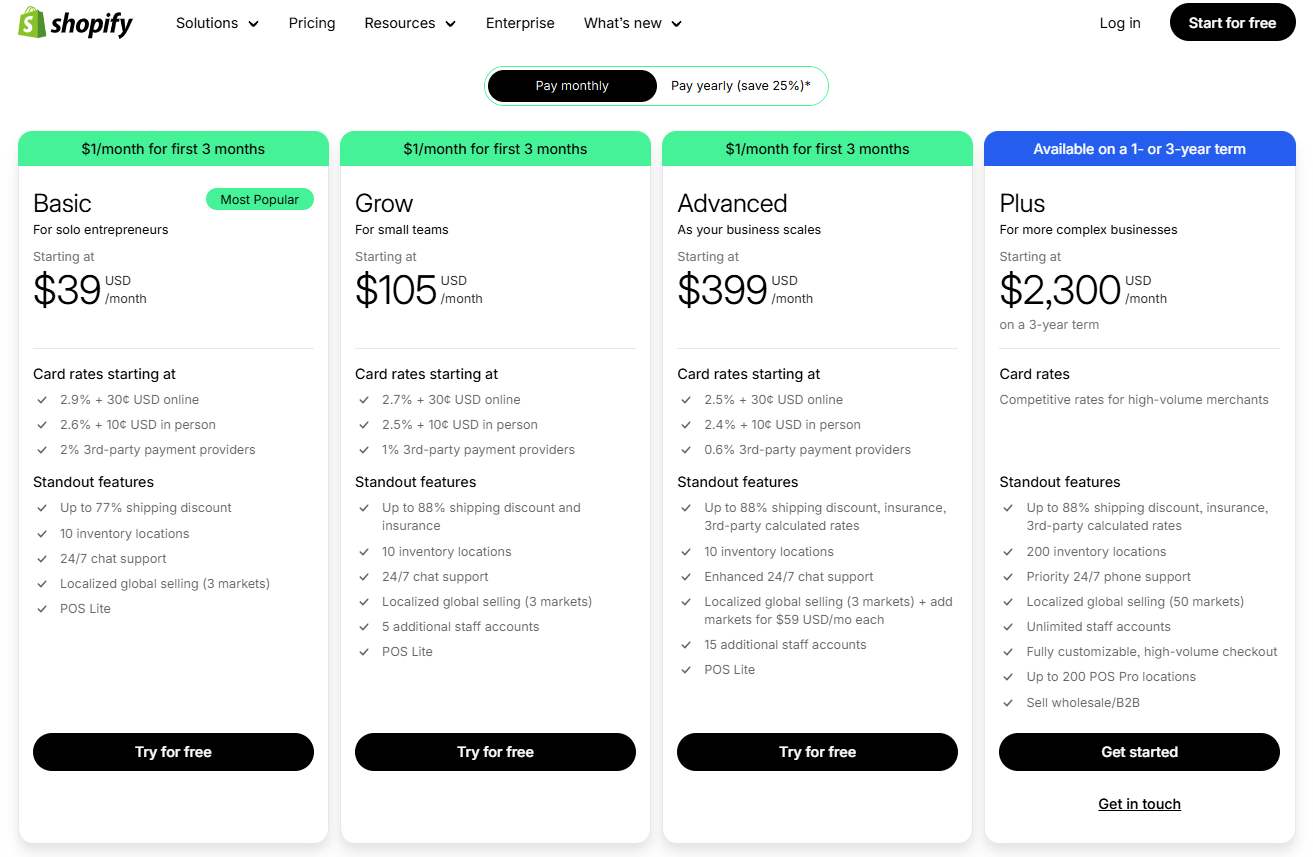
Worried that building an online store will cost a fortune? Shopify has options for nearly every budget. Take a look at all the available plans:
- Starter ($5/month): Ideal for those selling via messaging apps or social media without a full website.
- Basic ($39/month): Includes a full online storefront, 24/7 support, and basic reports—great for new businesses.
- Shopify ($105/month): Unlocks professional reports, better shipping discounts, and lower credit card fees.
- Advanced ($399/month): Best for scaling brands with advanced reporting, third-party shipping rate calculators, and priority support.
- Shopify Plus (from $2,000/month): Built for enterprises needing custom workflows, high-volume selling, and dedicated account support.
Each plan includes secure checkout, SSL certificates, and unlimited product uploads.
>>> See in-depth review: Shopify Pricing Plans Review: How Much Does Shopify Cost (2025)?
Shopify Key Features
No matter the plan, Shopify gives beginners and pros alike powerful ecommerce capabilities:
- Mobile-responsive themes: Customize your store with drag-and-drop functionality.
- Built-in payment processing: Use Shopify Payments or integrate over 100 gateways globally.
- Shopify App Store: Extend your store with thousands of apps for SEO, shipping, marketing, reviews, and more.
- Multichannel selling: Sell directly via Facebook, Instagram, Amazon, TikTok, or in-person using Shopify POS.
- Inventory and order management: Track stock, fulfill orders, and automate shipping from one dashboard.
- Marketing tools: Built-in email marketing, discount codes, and abandoned cart recovery.
One small heads-up: if you opt for third-party payment gateways, Shopify charges a transaction fee. However, most beginners start with Shopify Payments, which lowers additioal fee and streamlines checkout. See if you are eligible for Shopify Payments.
Overall, Shopify’s flexible pricing and rich feature set make it a smart choice for those just stepping into ecommerce, without compromising room to grow.
How Does Shopify Work (Step-by-Step Guide)
Step 1 – Sign Up and Choose a Plan
How does selling on Shopify work ?
First, start with Shopify’s 3-day trial, which doesn’t require a credit card. Choose a plan later when ready to launch.
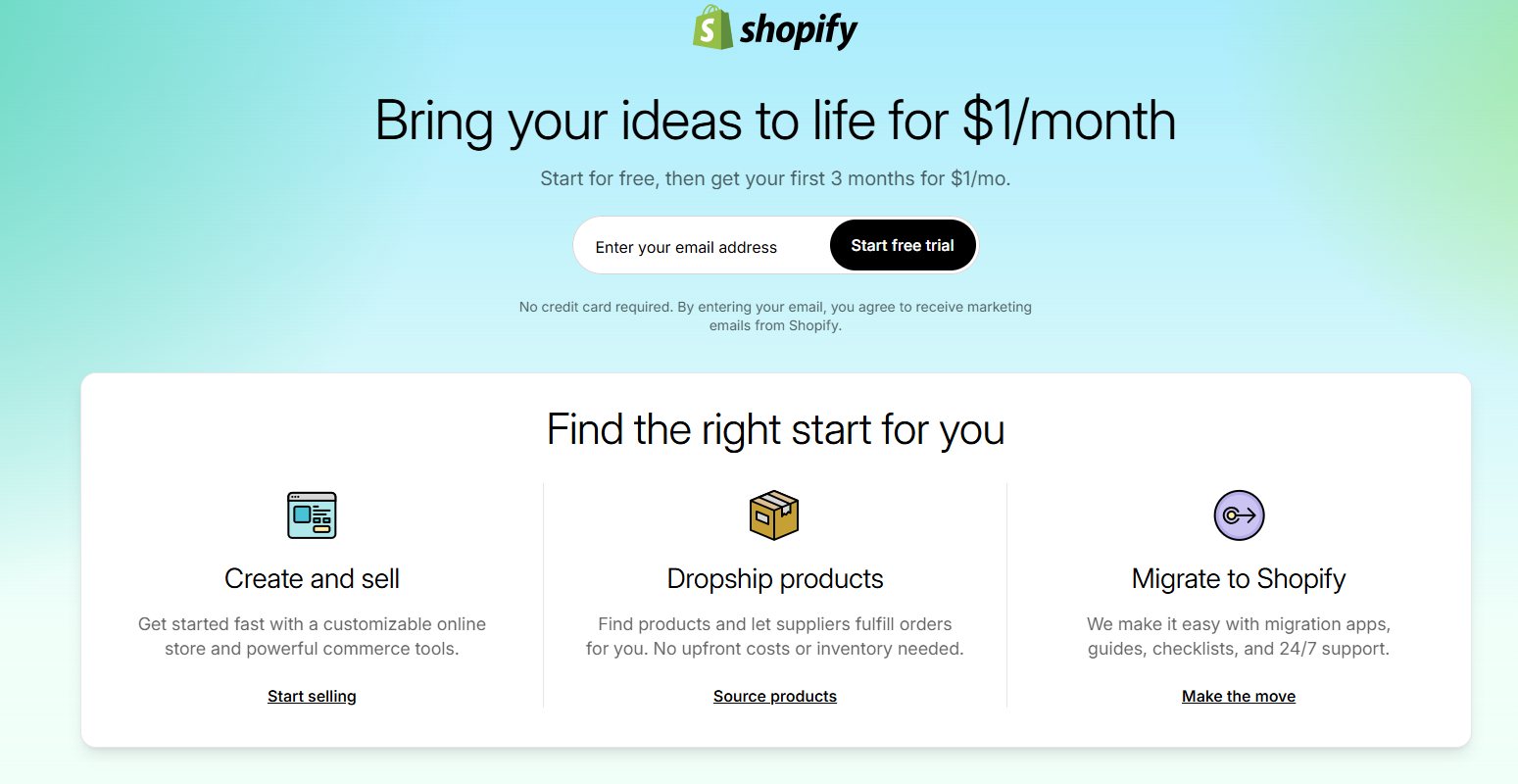
In 2025, Shopify lets new users pay only $1 per month for their first 3 months. This deal makes trying out Shopify’s full features easy and affordable. You can set up, customize, and start selling with minimal upfront costs.
Step 2 – Add Products
Inside the dashboard, navigate to Products and select Add Product. Add the title, description, price, inventory level, shipping weight, images, and variants. Use CSV imports for bulk uploads.
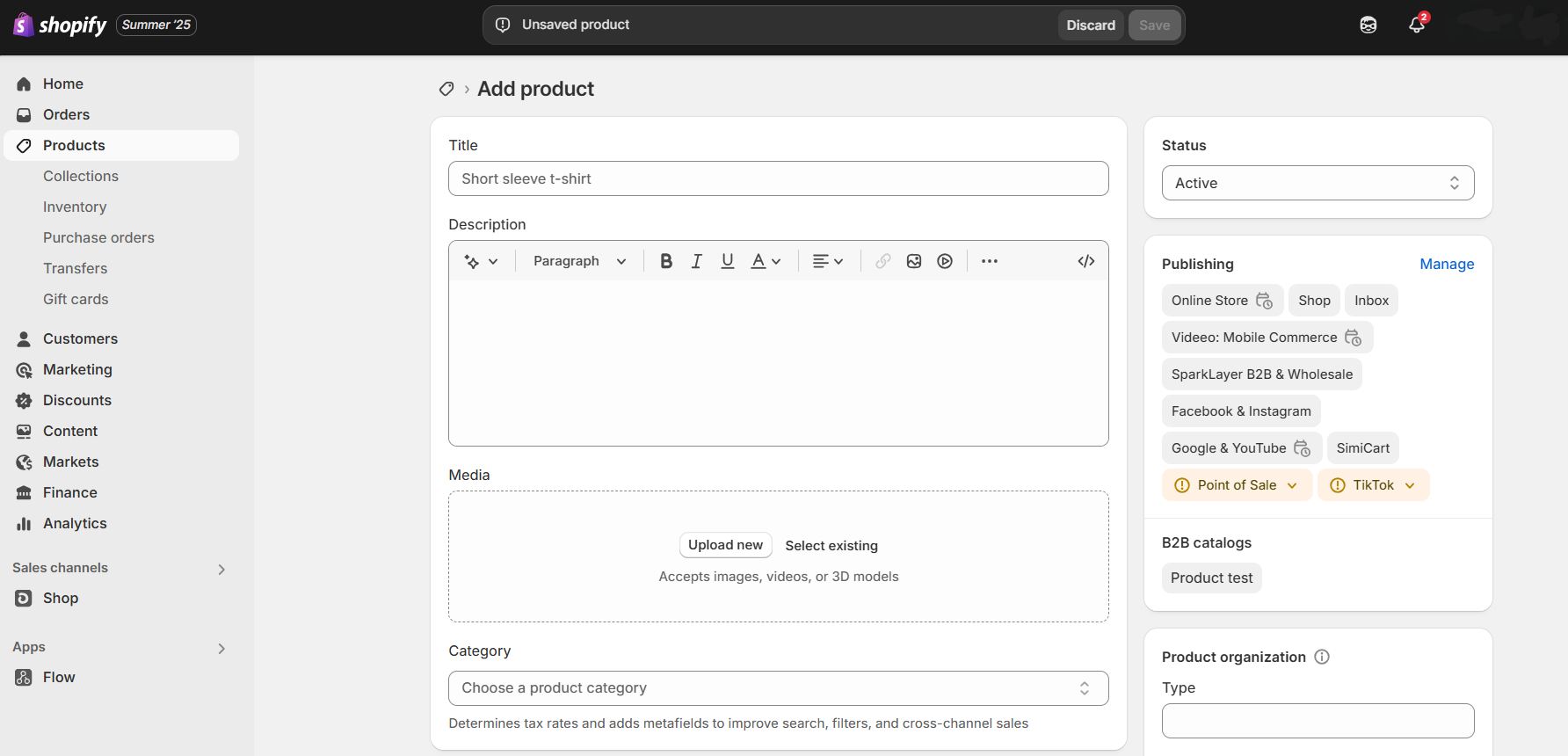
Want to skip manual entry? You can also import products from popular dropshipping suppliers like DSers, Zendrop, or Spocket. They are all available on Shopify App Store.
And if writing descriptions is too time-consuming, especially when you have hundreds of products, Shopify Magic can generate product copy with just a few clicks. Simply type a few keywords and the AI will whip up something in seconds.
Check out more AI tools such as chatbot and image generator on Shopify App Store.
Feeling lost with too many settings and apps on Shopify? Our Shopify Store Setup Service clears the confusion and delivers a store that is ready to sell from just $500. Learn more HERE and start confidently.
Step 3 – Choose and Customize Your Theme
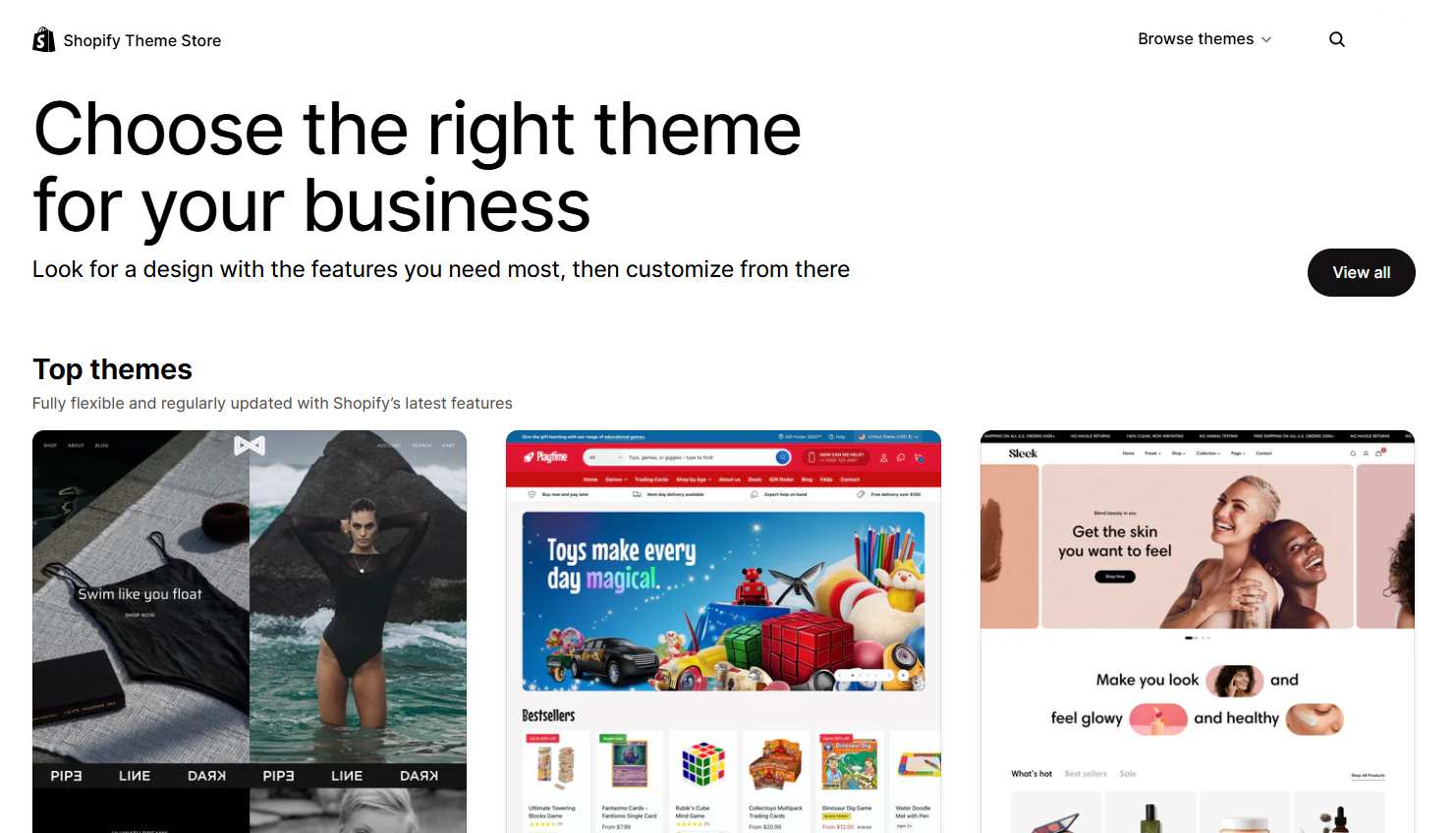
Your store’s look matters. It’s the first thing customers notice, so make it count.
In 2025, Shopify rolled out the Horizon update, which means there will be 25 free themes that are clean, modern, and optimized for mobile. For new and small businesses, free themes may be the best choice to save money!
On the other hand, if you want more unique layouts and advanced built-in features, premium themes are available ranging from $140 to $400. These often come with extra presets, animations, and conversion boosters that help increase your sales.
>>> Further reading: Shopify Horizon Theme in 2025: What Works, What Doesn’t, and How to Win
Step 4 – Set Up Payment and Shipping
Getting paid and delivering orders should be smooth, and Shopify makes sure it is. Go to Settings and click Payments or Shipping and delivery. Input your preferred information.
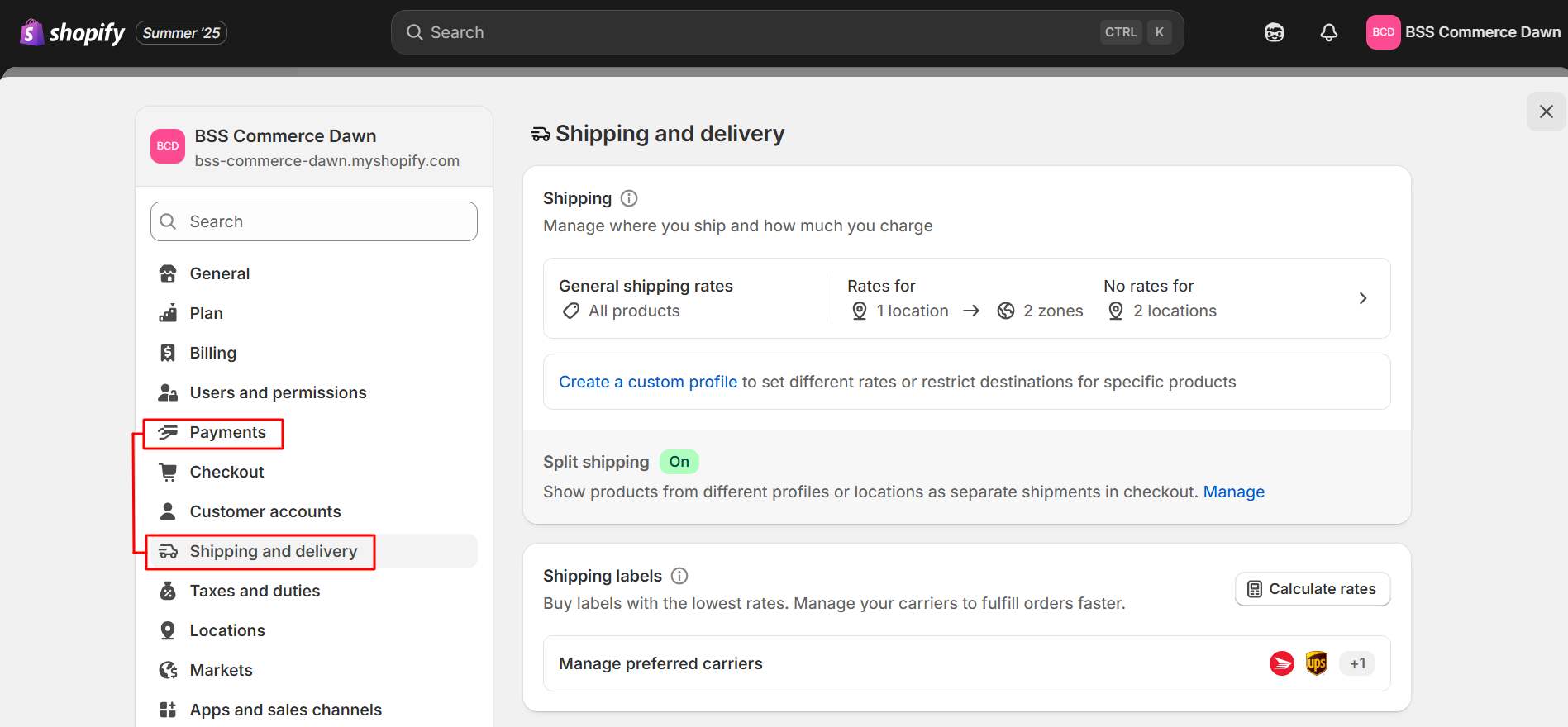
Start by activating Shopify Payments to accept credit cards without needing third-party processors. You can also connect to PayPal, Stripe, or regional gateways if needed.
Shipping is just as streamlined. Shopify lets you automatically generate labels, calculate import taxes, and give customers real-time tracking updates. You’ll also get up to 88% off shipping rates from top carriers, which helps keep your fulfillment fast and cost-effective.
And when it’s time for customers to check out, Shopify Checkout gives them a clean, secure experience that’s optimized to convert, whether they’re on desktop or mobile.
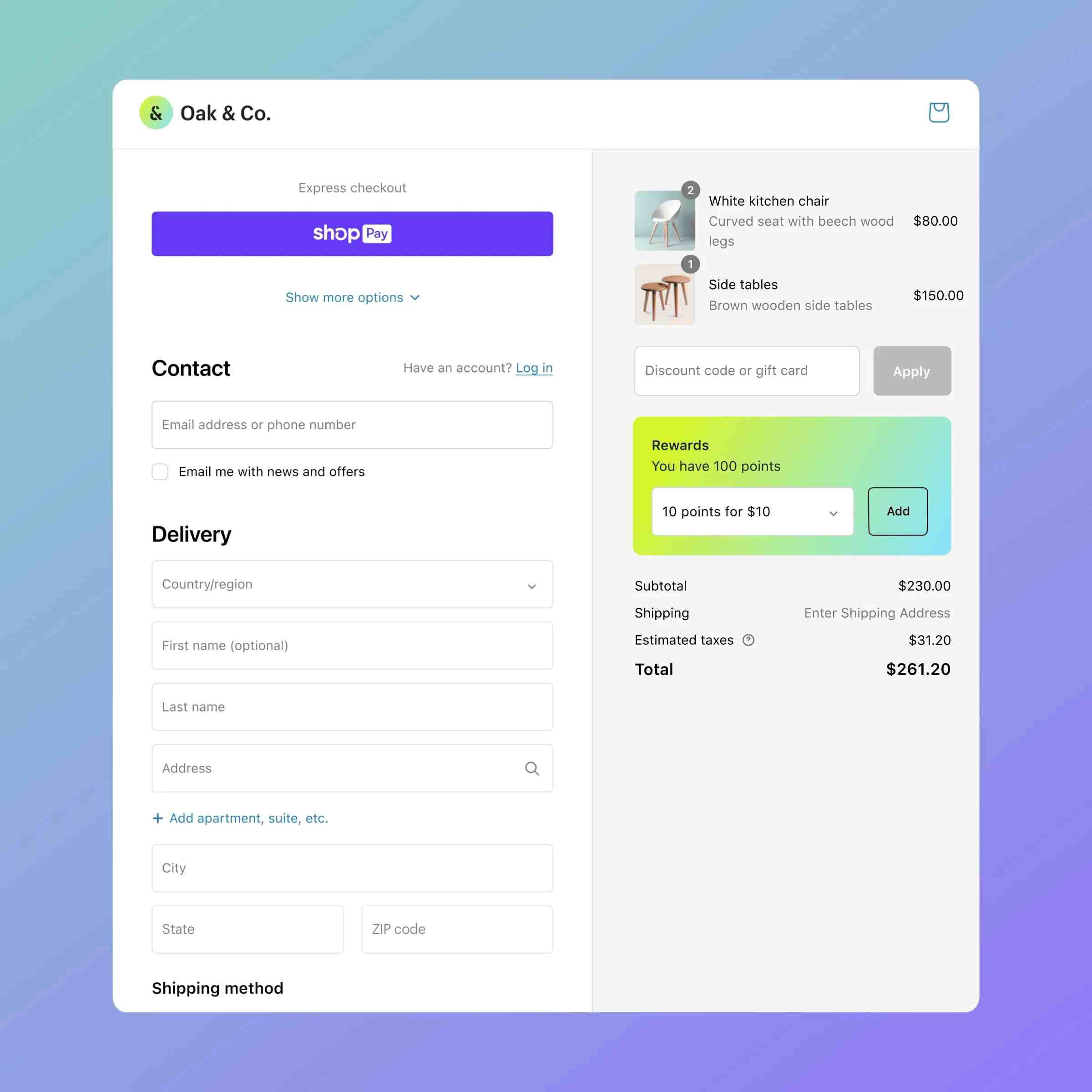
Source: Shopify Checkout
Step 5 – Launch Your Store
Purchase a custom domain or connect an existing one. In settings, remove the storefront password to make your site publicly accessible. Now your store is live.
>>> Relevant reading: Shopify Domain Checker: The Ultimate Tool for Choosing Your Domain Name
Tips to Enhance Your Shopify Stores
Growing your Shopify store doesn’t have to mean starting from scratch every time.
Shopify comes packed with tools that help you attract more customers, boost repeat sales, and simplify your day-to-day operations. Most of them are already built into your dashboard.
From in-person selling to social integrations and smart marketing tools, here are some of the most effective ways to level up your store and keep your business moving forward.
Use Shopify POS for In-Person Selling
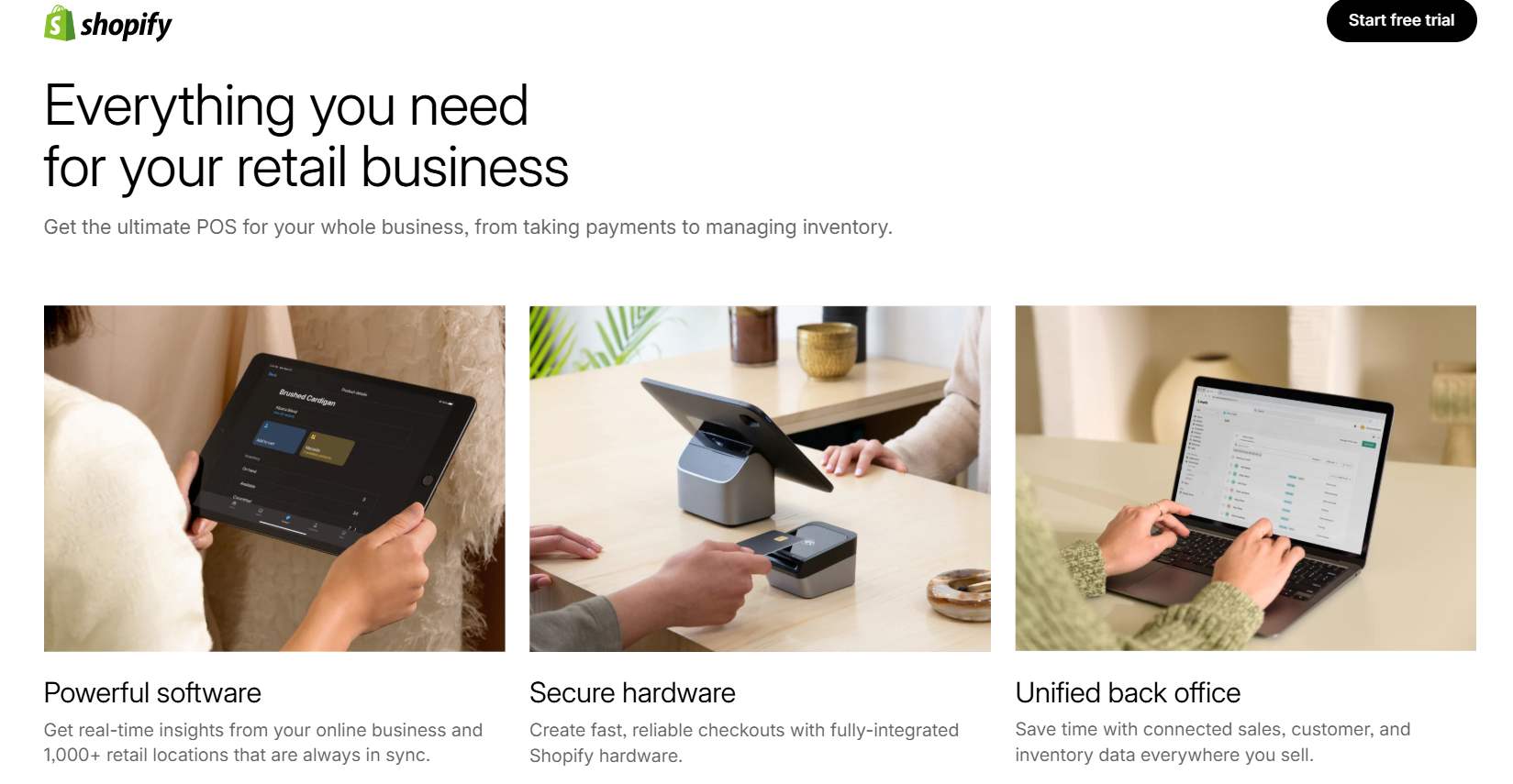
If you plan to sell at pop-up events, markets, or a physical store, Shopify POS helps you keep everything organized. It connects your online and offline sales, so inventory updates automatically, and you don’t have to track stock manually across different systems.
You can also use hardware like barcode scanners and card readers for faster checkout. Customers get a smooth buying experience, and you can keep accurate records without extra steps. Shopify POS is especially useful if you want to test retail before investing in a full store.
Luckily, Shopify POS is available right from the Basic plan. See detailed Shopify POS review.
Connect Your Store to Social Media
Shopify makes it easy to sell on platforms like Instagram, Facebook, and TikTok. You can tag products in your posts or videos, allowing customers to view details and check out without leaving the app.
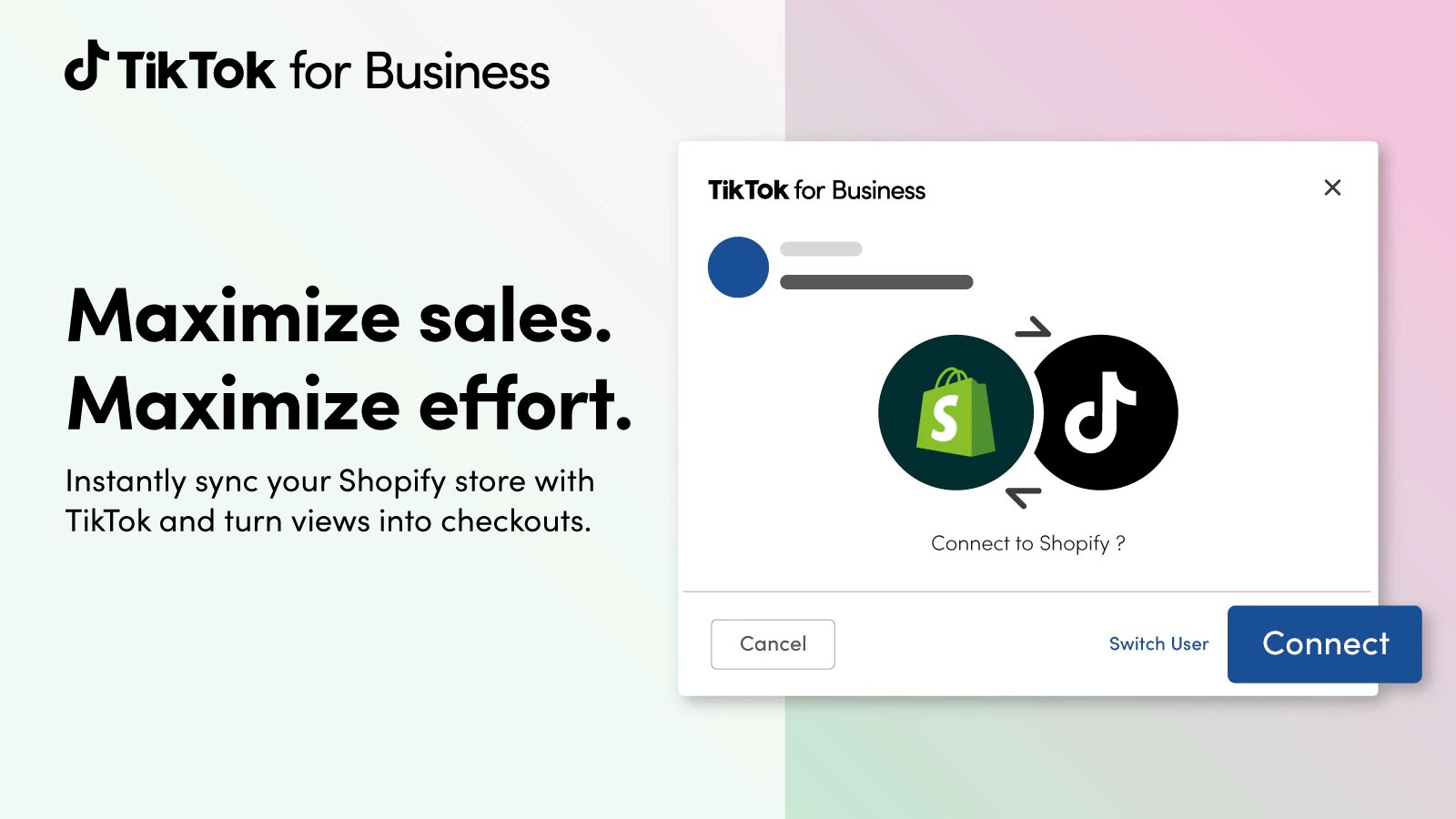
You can connect Shopify to TikTok and utilize TikTok’s built-in viral reach
This saves shoppers time and helps you reach people where they already spend time online. All orders, inventory, and customer data stay synced with your Shopify dashboard. It’s a simple way to add more sales channels without creating extra work.
List Your Products on Marketplaces
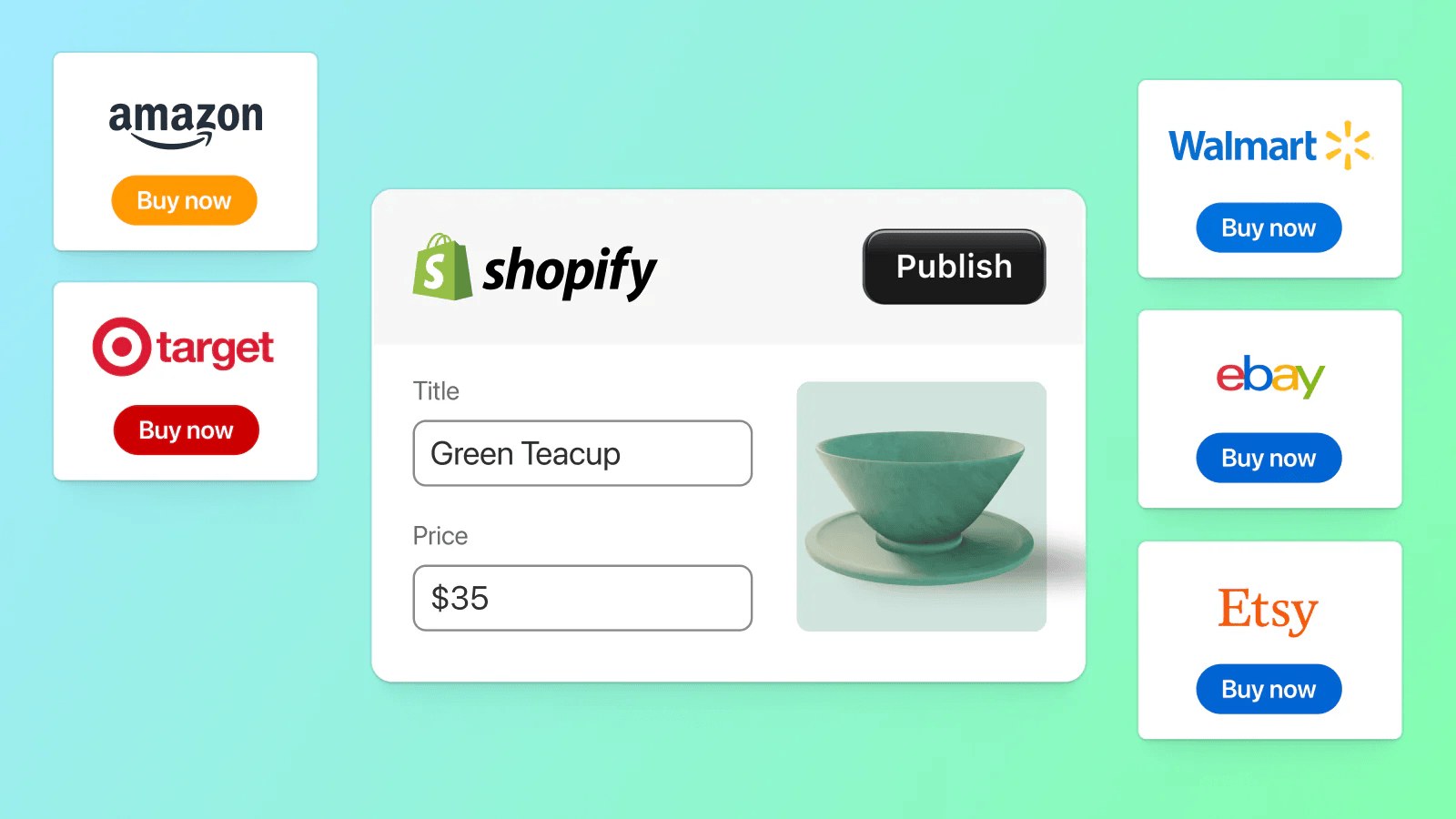
From the Shopify Marketplace Connect app
Many people search for products directly on marketplaces like Amazon or Walmart. Shopify helps you connect your store to these platforms and manage everything in one place.
Product listings, stock levels, and order tracking are all handled from your Shopify dashboard. This reduces the chances of mistakes and keeps your operations running smoothly. It’s a good way to increase visibility without building a separate store from scratch.
>>> Read more about how does Shopify work for beginners here:
- How to Start a Shopify Dropshipping Store Quickly & Effectively
- How to Add Products to Shopify
- How To Promote Your Shopify Store: 12 Winning Strategies
- Top 17 Inspirational Shopify Website Examples For Each Industry
- 14+ Best Products To Sell On Shopify For High Profit
FAQ – How Does Shopify Work for Special Use Cases?
Can Shopify Run a Dropshipping Store?
Yes. Shopify supports dropshipping through apps like DSers, Zendrop, and Spocket. These integrations let you import products, automate fulfillment, and run a store without holding inventory.
Does Shopify take a cut of every sale?
Not really. For each sale, you have to pay transaction fees. Using Shopify Payments eliminates part of the extra fee, so more of each sale goes to you.
Is Shopify worth it for beginners?
Yes. Shopify is beginner-friendly with its drag-and-drop builder, clean dashboard, and built-in tools. New sellers can launch quickly without coding or technical skills, while still having room to grow.
Can You Sell Digital Products?
Yes. Shopify allows you to sell digital products like eBooks, courses, and templates.. Apps like Digital Downloads allow delivery of files to customers automatically.
Final thought
One last thing to keep in mind: Shopify’s $1-for-3-months offer is the perfect chance to explore the platform with almost no risk. If you’re serious about starting or growing your business, there’s really no better time to dive in.
Once you’re in, take your time setting up products, customizing your storefront, and connecting all the tools that help drive sales. And if you ever feel stuck or need a second opinion, BSS Commerce is here with tips, updates, and support to make your journey easier.
Have a question? Reach out anytime, we’re always ready to help you move forward.

Finn Nguyen
Finn is a Shopify expert with 5+ years of experience helping new business owners launch and grow online stores. Specializing in store setup, theme selection, and optimization, he provides practical guidance to turn ideas into successful eCommerce businesses