Request a Quote and Quick Order for Shopify B2B Stores
4.9/5 from 193 reviews on
BSS B2B Quote lets wholesale buyers send quote requests, order by SKU on one Quick Order page and reorder past orders. You review each request and reply with a priced proposal.
Rated 4.9 out of 5(193 reviews on the Shopify App Store)Built for Shopifyas of Oct 10, 2026
Last updated
BSS B2B QUOTE
What is BSS B2B Quote?
BSS B2B Quote, listed on the Shopify App Store as BSS B2B Request a Quote, Order, is a Shopify app for B2B quotes and bulk ordering. Buyers request quotes or order in bulk on a Quick Order page with CSV upload, then you reply with a proposal. It is free on development stores; paid plans start at $19 per month.
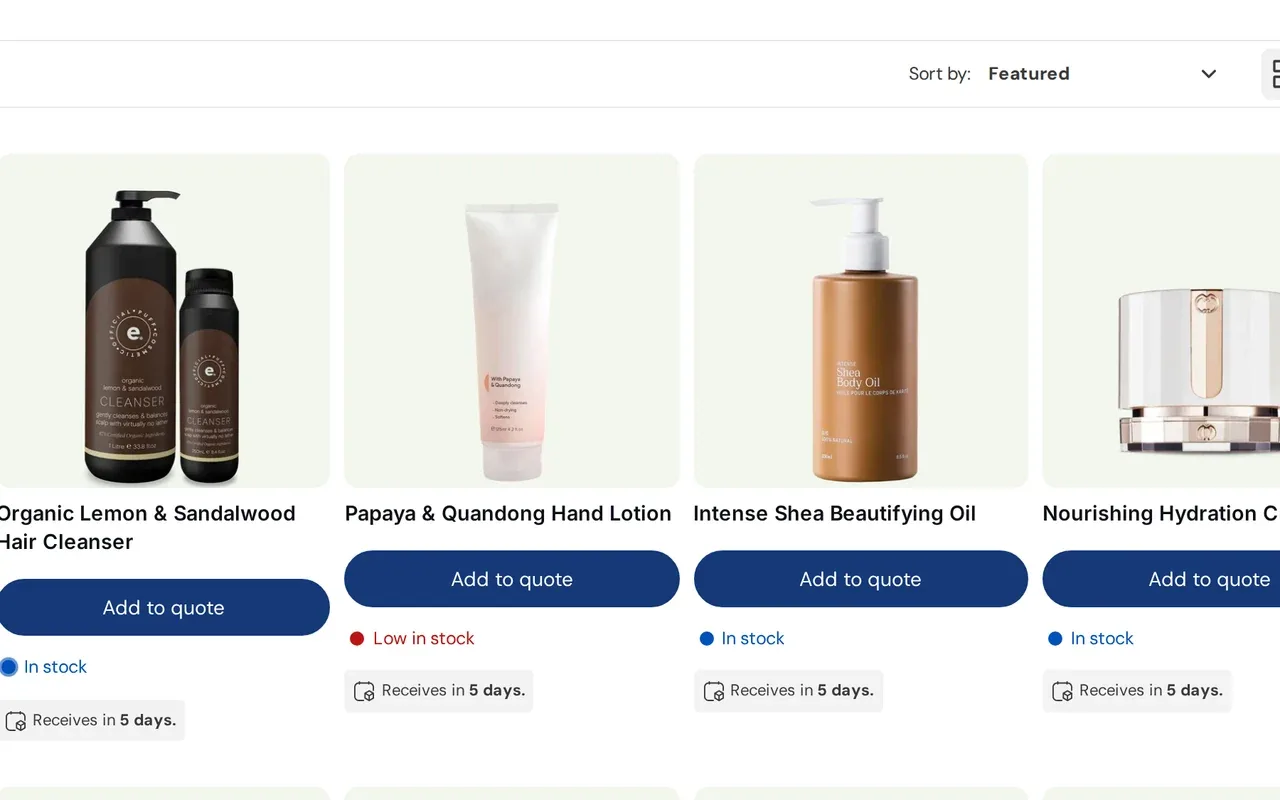
Buyers ask for a price from a product or collection page. You edit the numbers, send a proposal and the approved quote becomes a draft order.
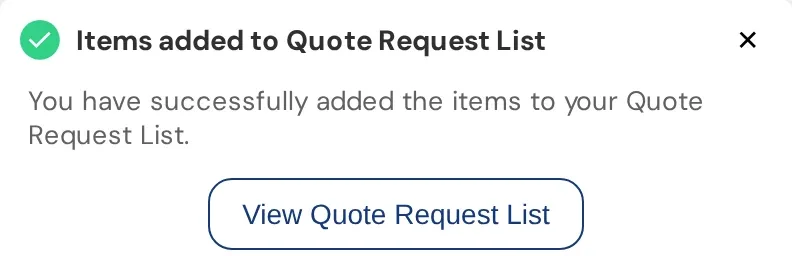
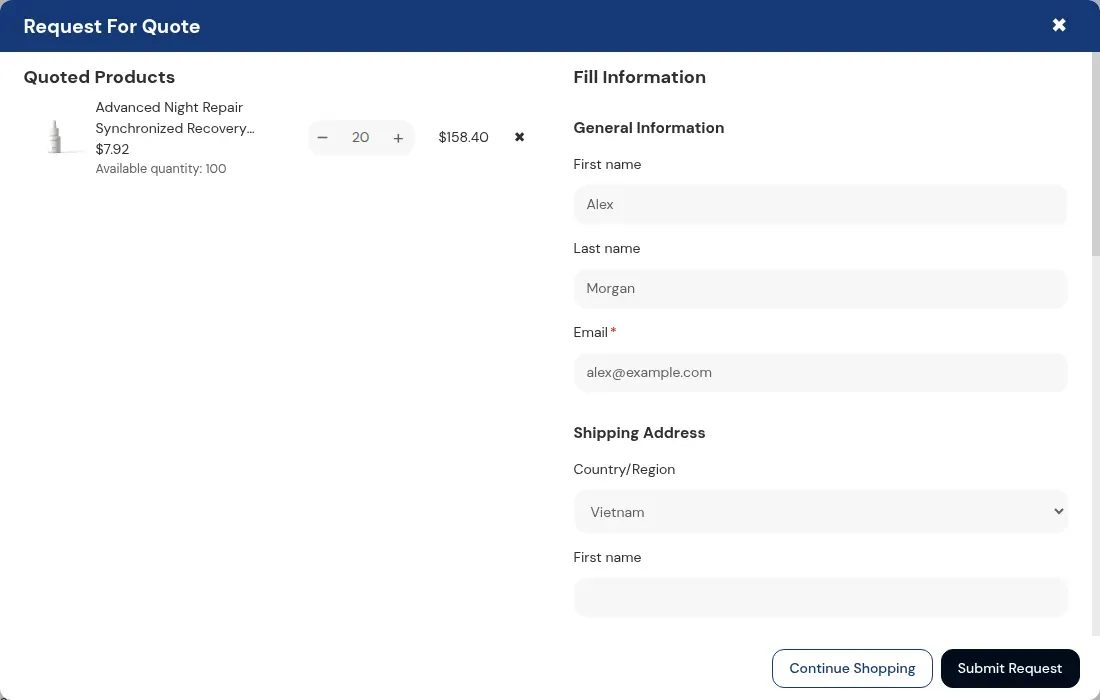
Add an Add to quote button to product pages and collections. The buyer collects products in a quote list, fills in your form and submits. Guests can send a request too, so a buyer does not need an account to ask for a price.
Default form: name, email and shipping address, with extra fields such as text, number, file and a PO number
Quote logic chooses which products and which customers see the quote form
Hide the price and Add to cart for those products and show the quote button instead
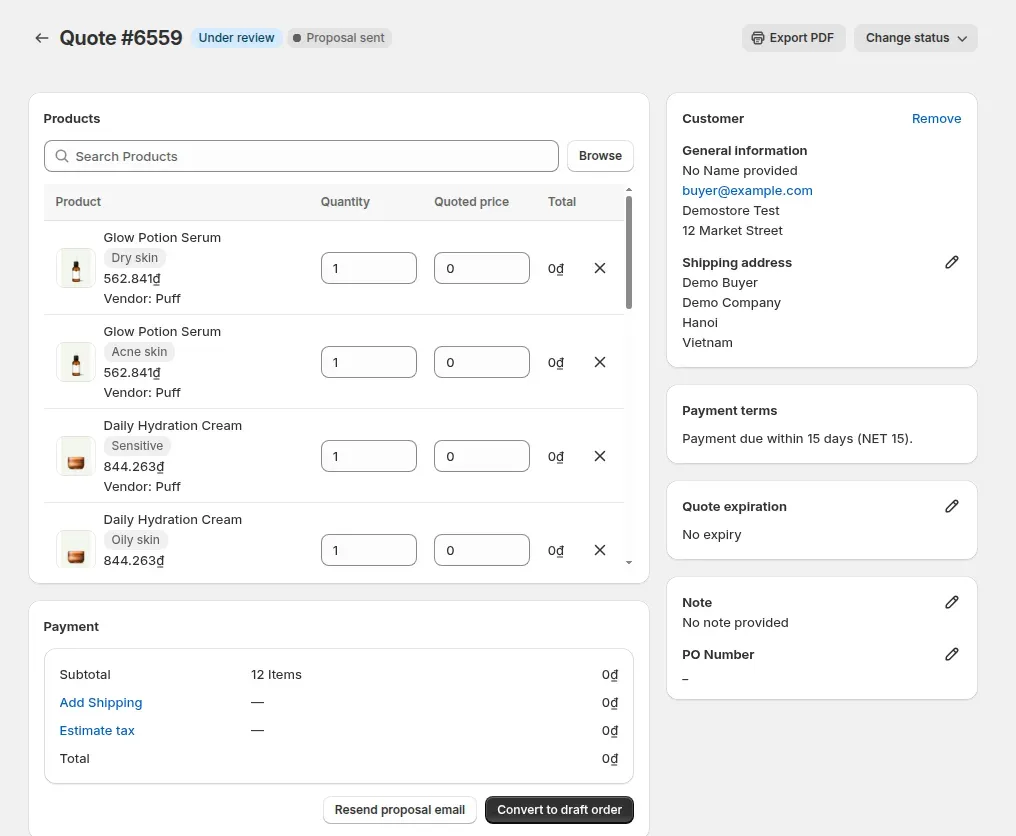
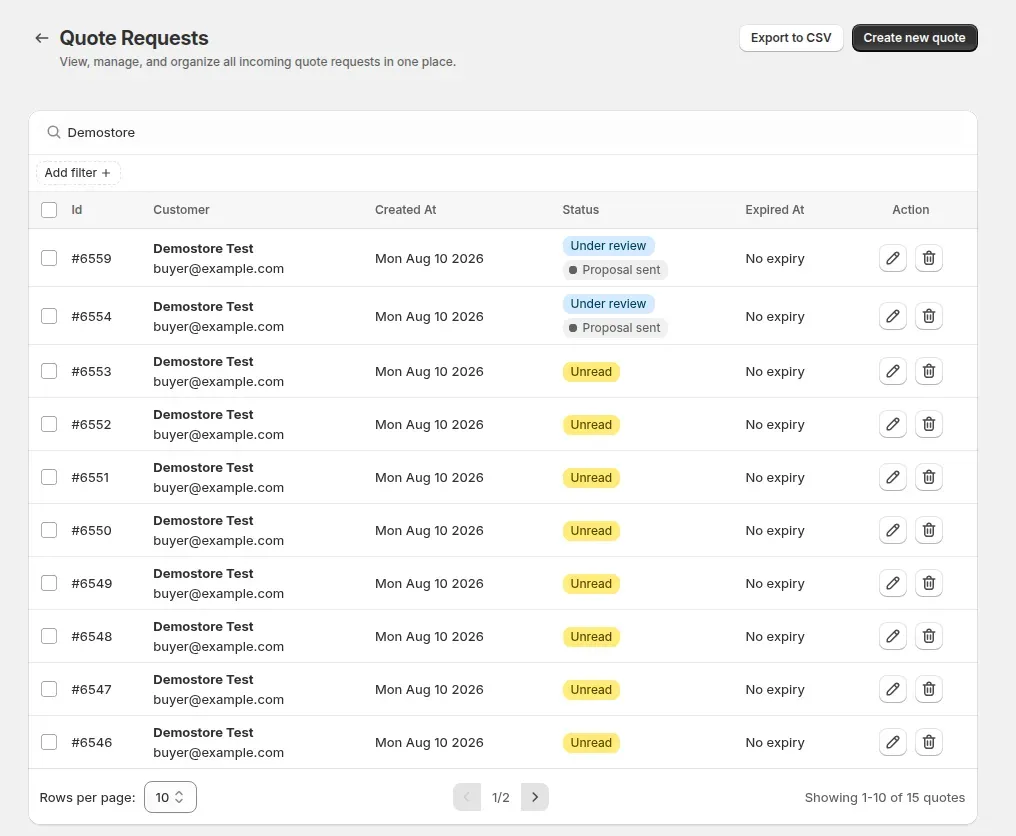
Open a request in the admin and set the quoted unit price for each line, the shipping charge and the expiry date, then send the proposal by email. A new request starts as Unread and moves to Under review when you open it.
Quote statuses: Unread, Under review, Converted and Rejected
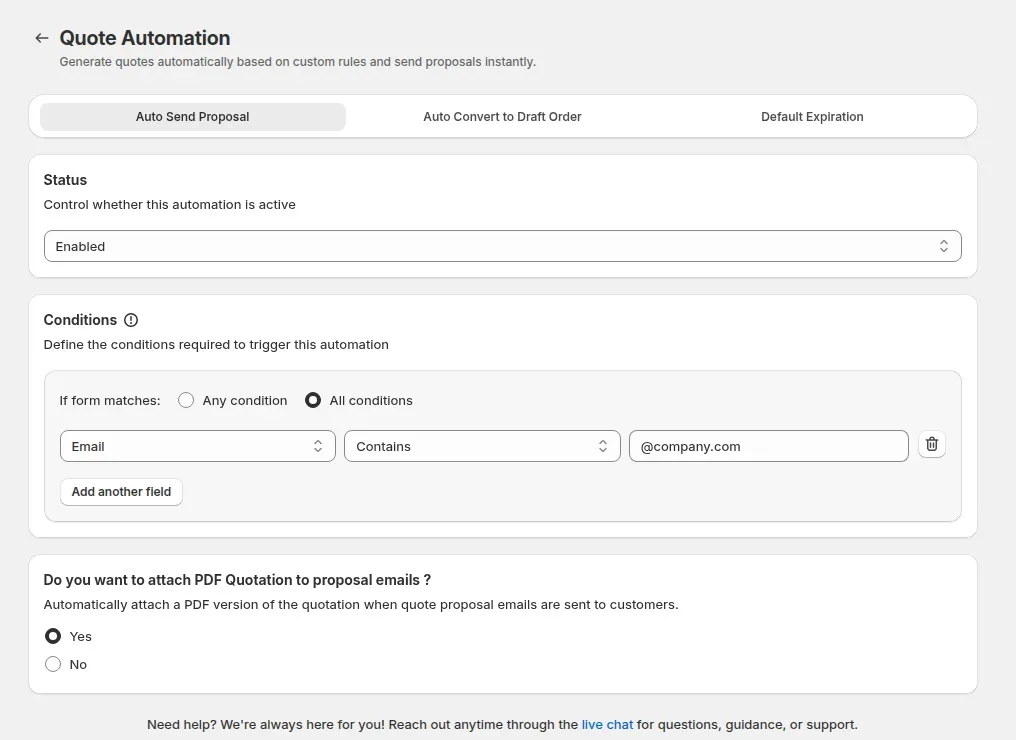
Optional rules send a proposal automatically when the form matches your conditions, with a link to a PDF quotation in the email
Merchant emails on new quotes need Growth; the thank-you email to the buyer needs Business
Growth and up for admin emails and converting to a draft order. Business and up for the buyer thank-you email and Create a similar quote.
When a logged-in buyer clicks Approve in the proposal email, the app creates a draft order with the quoted prices and shipping and sends the invoice. The buyer pays through the Shopify invoice link. Reject takes an optional reason.
Approve and Reject open the Quote History page, which needs a login. Guests can send a request but cannot approve by link
The email link works for 72 hours
You can also convert any quote to a draft order from the admin
Set an expiry date on each quote on any plan. Business and up can also set a default expiry in days for every new quote. The date is informational: the app marks the quote Expired but does not stop an approval, so reject or edit an old quote yourself.
Per-quote expiry date: all plans
Default expiry in days: Business and up
Reminders for your team need Business and up
QUICK ORDER
Let repeat buyers order by SKU
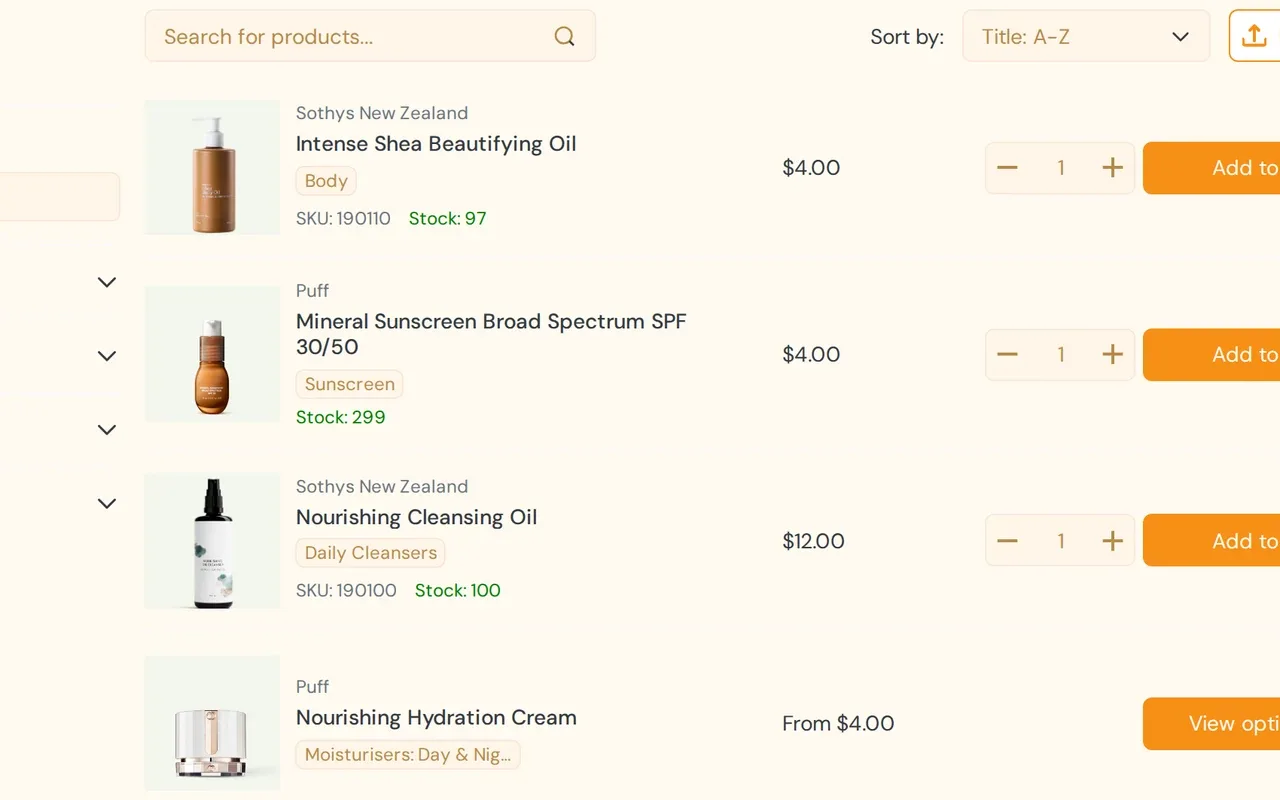
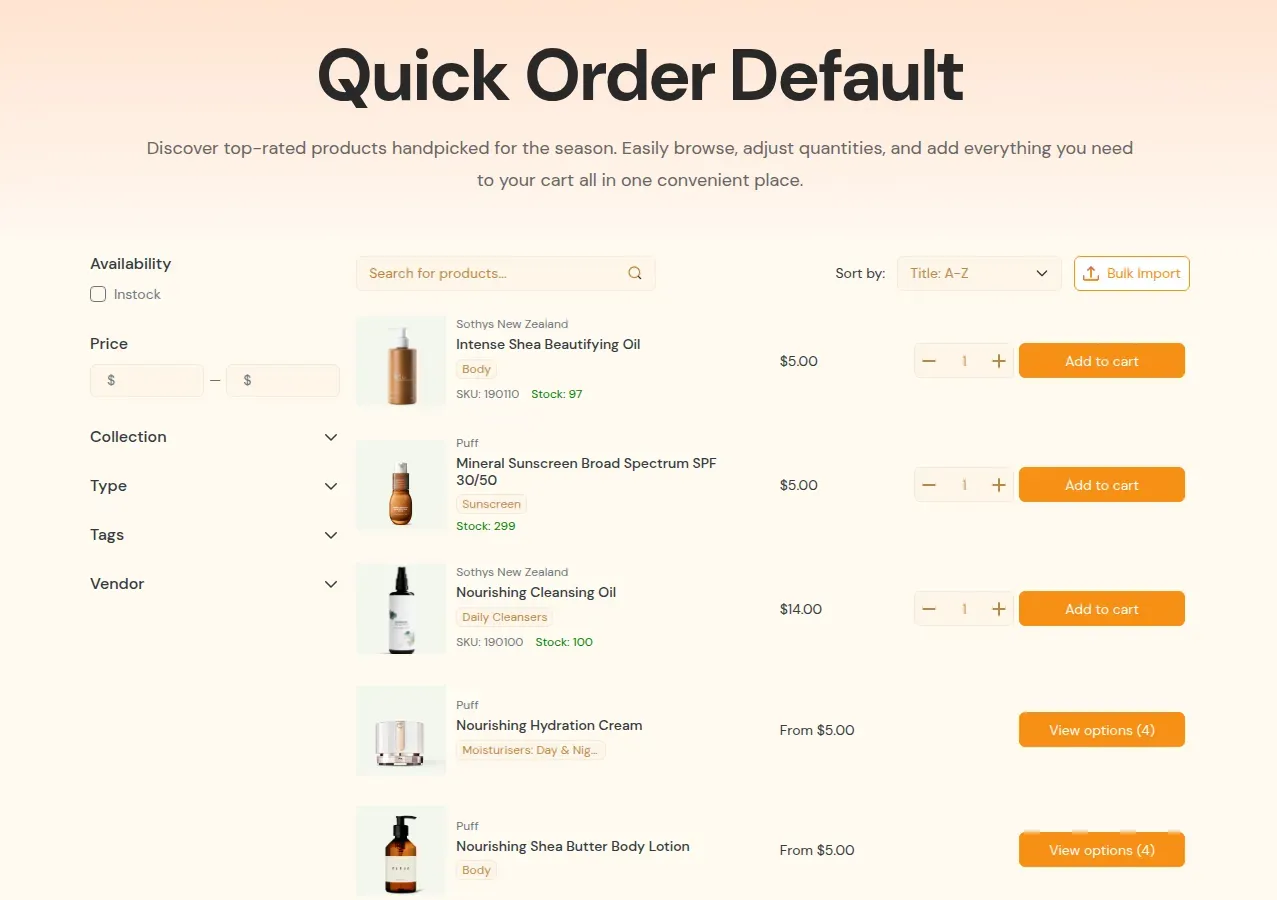
A Quick Order page replaces product-page browsing for buyers who know what they want. CSV upload, reorder and a variant grid cover the rest.
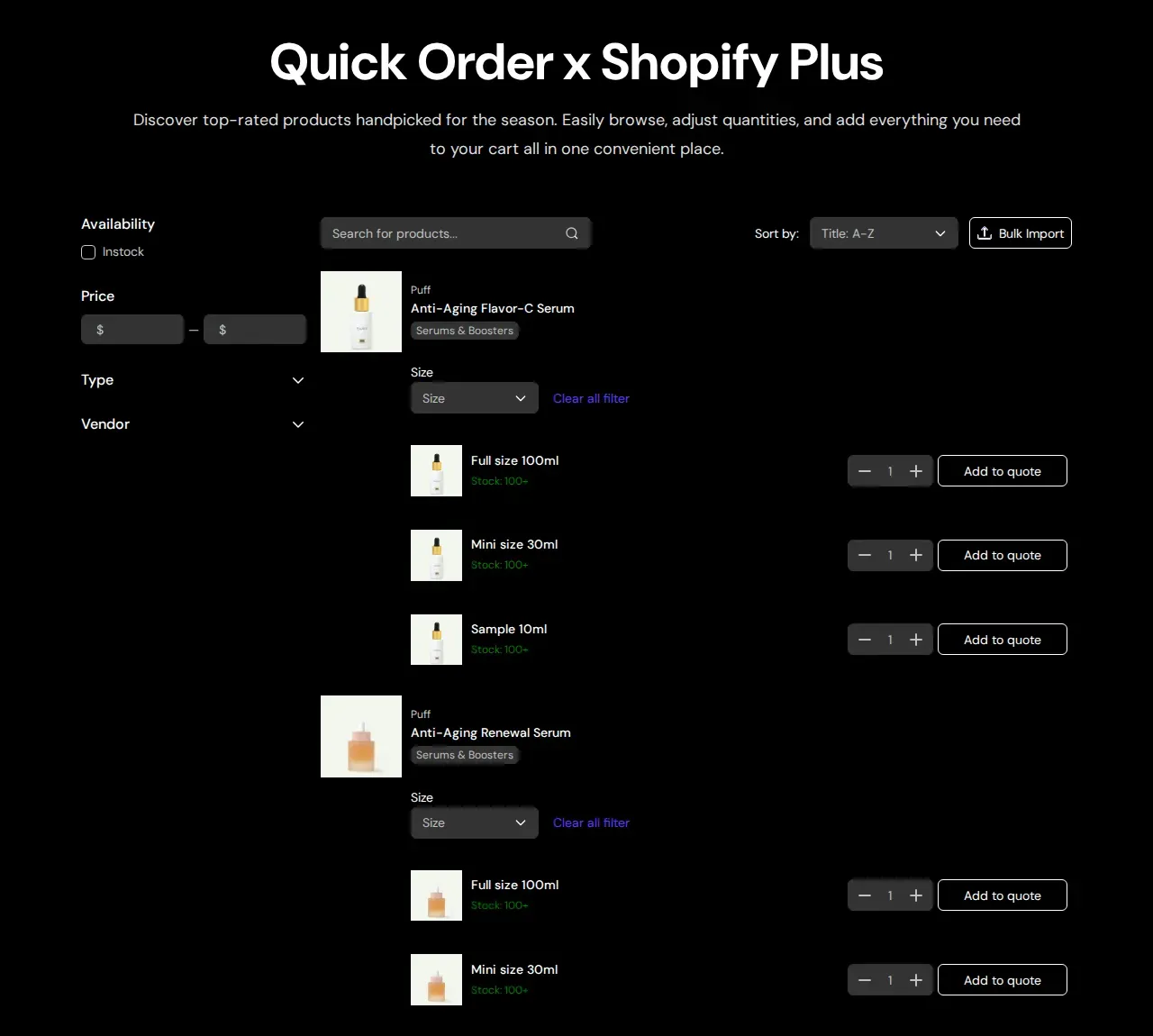
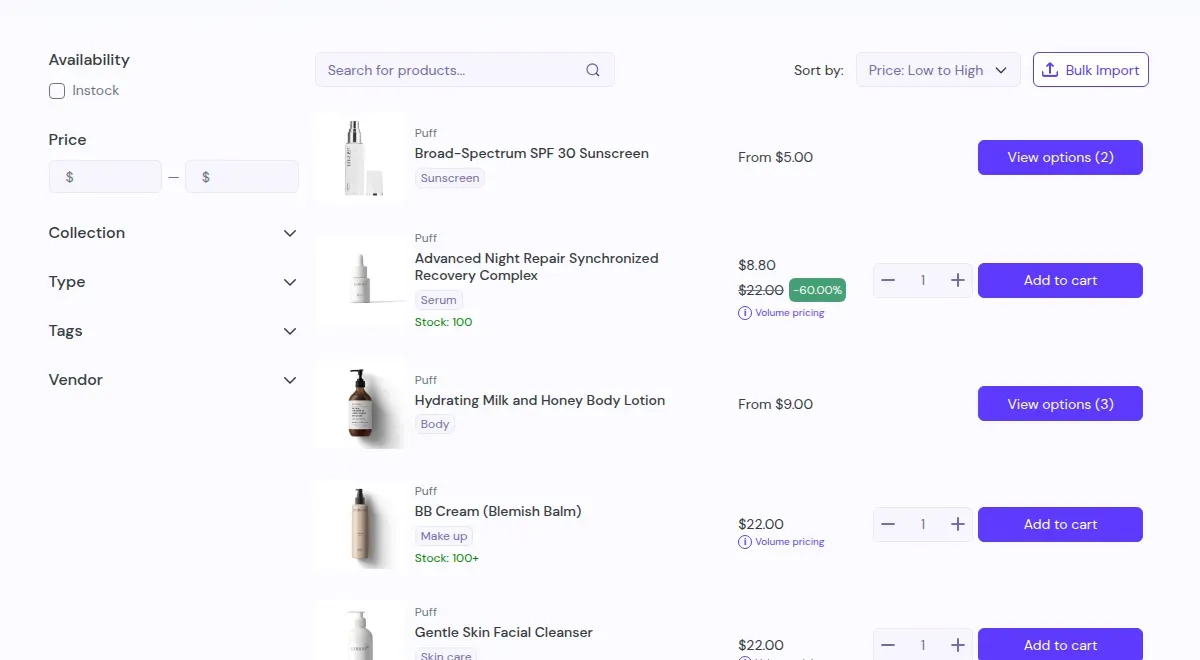
The app adds a Quick Order page to your Online Store 2.0 theme. Buyers search, filter, sort, enter quantities and add many products to the cart on one screen. Each row can also send the product to a quote request.
Show a page to everyone, logged-in customers, chosen customers or customer tags
Create several pages for different buyer groups
Buyers choose 10 to 100 rows per page, 40 by default
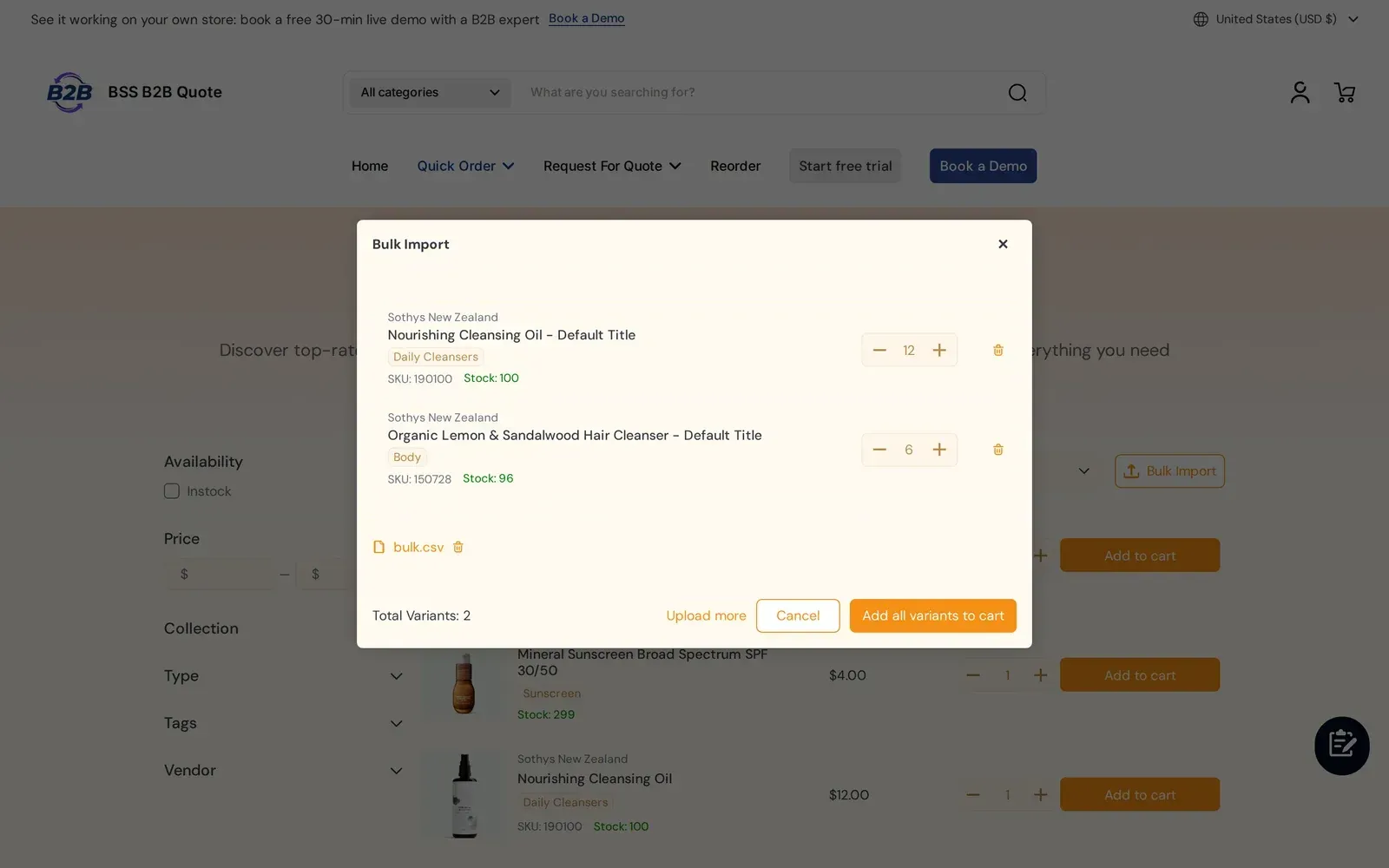
Buyers upload a file with SKU and quantity columns on the Quick Order page. Duplicate SKUs are added together, valid SKUs go to the cart and unknown SKUs are listed so the buyer can fix them. Items land in the cart, not straight in checkout.
Accepts .csv, .xls and .xlsx files
Column headers are not case sensitive
Rows with a quantity of zero are skipped, and out-of-stock variants are flagged before they go to the cart
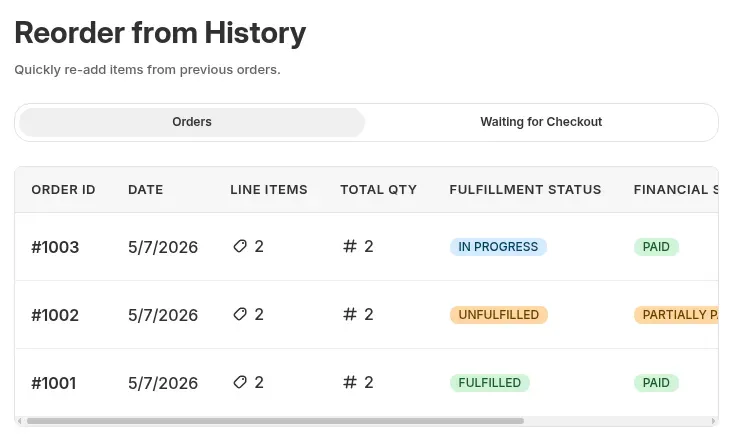
Logged-in buyers see their past orders on a Reorder page and send one back as a new draft order. The draft order uses current prices, not the prices of the old order, and the invoice is emailed if you choose that option.
Buyers must be logged in
The page is hidden until you publish it in your theme
A product page block lists every size and color in one grid with a quantity box per variant. Buyers add the whole matrix to the cart in one action, or add the rows to a quote request.
Needs an Online Store 2.0 product template
Uses Shopify prices only; Solution prices do not apply in the grid
Show your BSS B2B Solution prices in quotes and Quick Order
Run both apps and your buyers see the same prices on the product page, the Quick Order page and the quote cart.
For customers who do not use native Shopify B2B, Quick Order rows and the quote cart show BSS B2B Solution custom prices and quantity breaks, and check your quantity increments. Native B2B customers see their Shopify catalog prices instead.
Custom prices and quantity breaks shown on each row
Every feature, with the guide that shows how it works
Each feature links to a step-by-step use case, and each group links to its hub in the Shopify B2B guide. Plan names show where a feature needs a higher BSS plan.
Request for quote
Request a Quote buttonAdd a quote button to products or collections and replace the price and Add to cart for chosen products or customers.
Quote logic and proposalsSet which products and customers get a quote form, then edit prices, shipping and expiry and send a proposal.
Approve to draft orderA logged-in buyer approves by email, and the app creates a draft order and sends the invoice.
4.9 out of 5 from 193 reviews on the Shopify App Store, checked .
Built for Shopify
Yes
Free trial
14-day free trial on paid plans
Plans and prices
Free (development stores) $0 per month
Growth $19 per month, or $194.40 per year
Business $39 per month, or $398.40 per year
Enterprise $79 per month, or $806.40 per year
Yearly billing saves 15%. Prices in USD.
Free plan
The listing says every feature is free on development stores. Since June 14, 2026, a live store below Growth can view the app but not change it.
Plan-specific features
Growth: 100 quotes, admin email on a new quote, convert a quote to a draft order, Reorder. Business and up: unlimited quotes, variant table, default quote expiry in days, thank-you email to the buyer, Create a similar quote. Enterprise: quote logic and Quick Order pages for company customers.
Languages
20 languages listed on the Shopify App Store
Works on
Shopify stores with Online Store 2.0 themes: the Quick Order page and the product page variant table are theme sections. The app has presets for many themes.
Shopify plans
No minimum Shopify plan is stated for this app, and its own prices do not depend on your Shopify plan. Confirm compatibility on the Shopify App Store listing before you install.
Integrations
BSS B2B Solution. Quick Order rows and the quote cart show Solution prices (quantity breaks, custom prices and quantity increments) to customers who do not use native Shopify B2B.
Shopify draft orders. When a logged-in buyer approves a proposal by email, the app creates a draft order and sends the invoice. The buyer pays through the Shopify invoice link.
Shopify companies. On Enterprise, quote logic and Quick Order pages can target company customers; B2B forms use the company and location details.
Customer accounts. A customer account extension lists a buyer's quotes (read-only). Approve and reject happen from the email link on the Quote History page, which needs login.
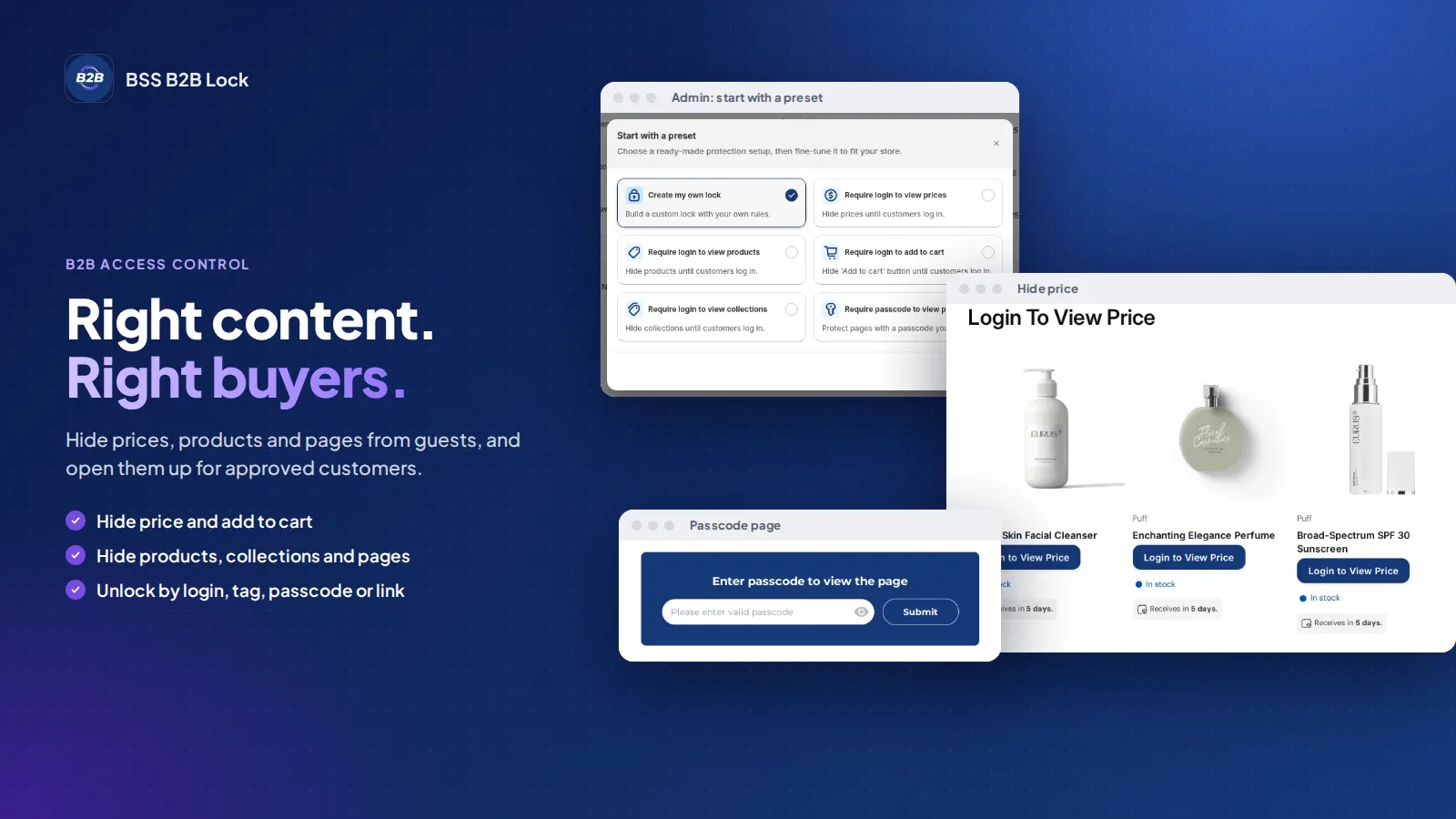
BSS B2B Lock. Only a cross-promotion in the admin. Use Lock to hide prices from guests while Quote shows a Request a Quote button.
They are quick to reply despite the time difference, sometimes even working over the weekend and was able to resolve everything for me within hours each time. If you're looking for an alterative way to run a retail site as well as a B2B site, this is the way to go!.”
Jenny ZAustralia
"Quick to set up, and refreshingly stable with no bugs in my experience. This has allowed me to turn a limited Shopify Basic store into a fully functional B2B wholesale platform, while still keeping the B2C customers. That’s no easy task”
Salah NashirCEO, Lift-Spares.se
Case studies
Stores using BSS B2B Quote
These merchants use BSS B2B Quote for quick order, reorder and request for quote. Results are reported by the merchants.
Short answers about quotes, quick order, CSV upload, price and plans.
What is BSS B2B Quote?
BSS B2B Quote is a Shopify app for B2B quotes and bulk ordering. Buyers send a quote request from a product or collection, order on a Quick Order page with CSV upload, and reorder past orders. You review each request and reply with a proposal.
Is BSS B2B Quote the same app as BSS B2B Request a Quote, Order?
Yes. BSS B2B Quote is the name used on this site. The Shopify App Store lists the same app as BSS B2B Request a Quote, Order.
How much does BSS B2B Quote cost?
The listing says every feature is free on development stores. Paid plans are Growth $19, Business $39 and Enterprise $79 per month, and yearly billing saves 15%. The listing shows a 14-day free trial on paid plans. Prices are from the Shopify App Store listing as of Oct 10, 2026 and can change.
Is there a free plan or a free trial?
Not for a live store. The listing says every feature is free on development stores. On a live store you need Growth or higher, and a live store below Growth can only view the app (since June 14, 2026). Paid plans have a 14-day free trial on paid plans.
How does a buyer request a quote, and what happens next?
The buyer adds products to a quote list and sends the form. Guests can send one too. You open the request in the admin, edit unit prices, shipping and the expiry date, and send a proposal by email. When a logged-in buyer approves from the email, the app creates a draft order and sends the invoice.
Does a quote expire, and does the app block an expired quote?
You can set an expiry date on each quote on any plan, and a default expiry in days on Business and up. An expired quote gets an Expired badge, but the app does not stop approval, so reject or edit it yourself if you do not want it honored.
Does a buyer need to log in to approve or reject a quote?
Yes. The Approve and Reject links open the Quote History page, and that page needs a logged-in customer. A guest can still send a request, and you can convert any quote to a draft order from the admin on Growth and up.
Can buyers upload a CSV file to order in bulk?
Yes. The Quick Order page accepts CSV, XLS and XLSX files with SKU and quantity columns. Duplicate SKUs are added together, valid SKUs go to the cart, and invalid ones are listed. Items go to the cart, not straight to checkout.
Can buyers reorder past orders?
Yes, on Growth and up. Logged-in buyers open the Reorder page, pick a past order and the app creates a draft order at current prices. Guests cannot reorder, and the page stays hidden until you publish it in your theme.
Does Quick Order use BSS B2B Solution prices?
Yes, for customers who do not use native Shopify B2B. Quick Order rows and the quote cart show BSS B2B Solution quantity breaks and custom prices and check quantity increments. Native B2B customers see the Shopify catalog prices instead.
Can I hide the price and show a Request a Quote button instead?
Yes. Quote logic lets you pick which products and which customers get the quote form, and you can hide the price and Add to cart for them. To hide prices from guests across the store, add BSS B2B Lock.
Which themes does BSS B2B Quote work with?
The Quick Order page and the product page variant table need an Online Store 2.0 theme. The app ships presets for many popular themes and falls back to a default preset on others. Check the user guide for the supported themes.
Ready to try BSS B2B Quote?
14-day free trial on paid plans. Install it from the Shopify App Store and try every feature on a development store.

 BSS B2B QUOTE