Wholesale pricing on Shopify, from sign-up to net terms
4.9/5 from 1,189 reviews on
BSS B2B Solution gives each approved buyer their own prices, quantity tiers, order limits, net terms and tax handling inside the Shopify store you already run.
Rated 4.9 out of 5(1,189 reviews on the Shopify App Store)Built for Shopifyas of Oct 10, 2026
Last updated
BSS B2B SOLUTION
What is BSS B2B Solution?
BSS B2B Solution, listed on the Shopify App Store as BSS B2B Wholesale Pricing, is a Shopify app that turns a store into a wholesale store. It adds custom pricing, volume pricing, price lists, registration forms with approval, net terms and tax exemption for B2B buyers. There is a free plan, and paid plans start at $29 per month.
Set prices by customer, tag or quantity. The app applies them in a fixed order, so you can predict the price each buyer sees.
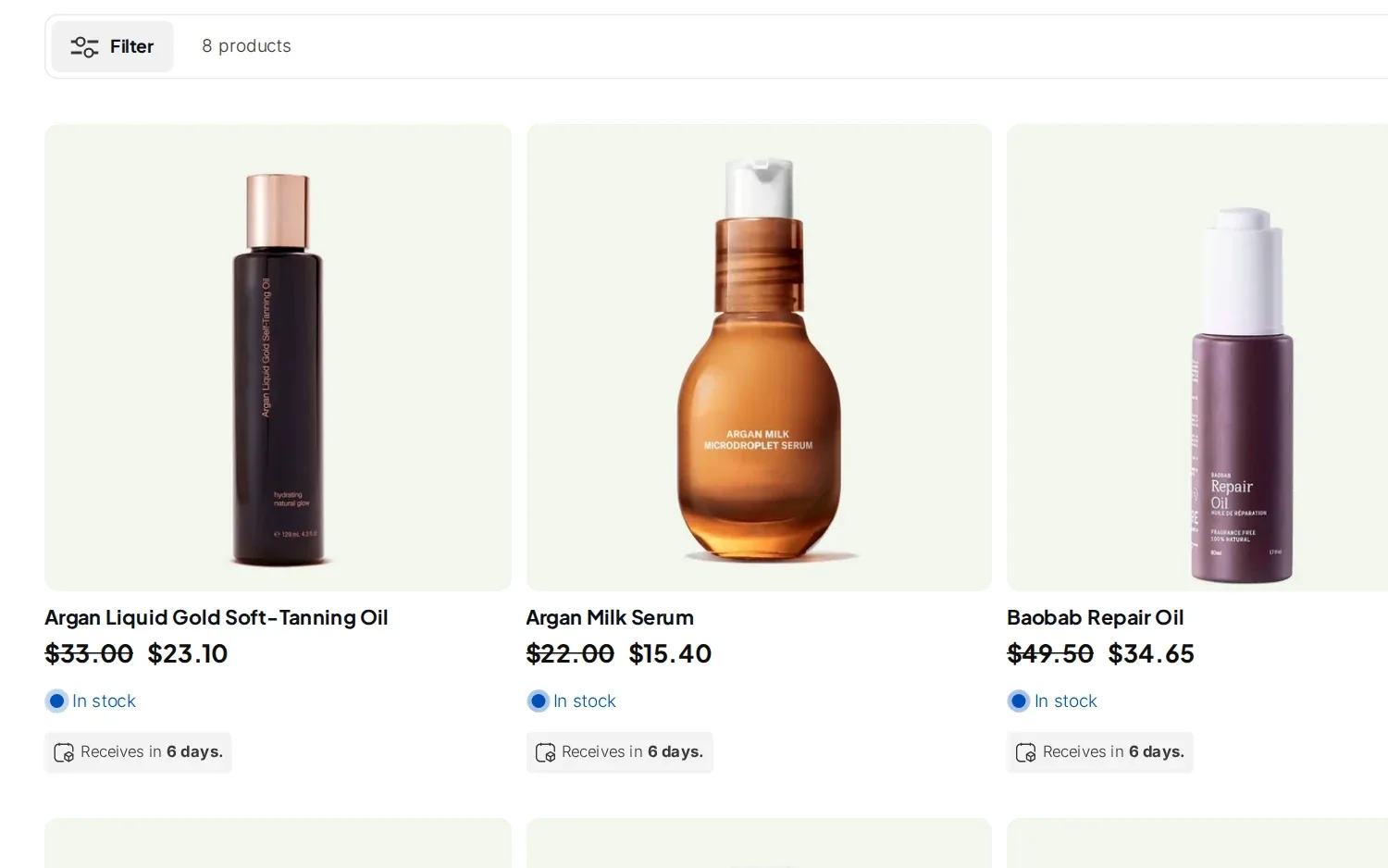
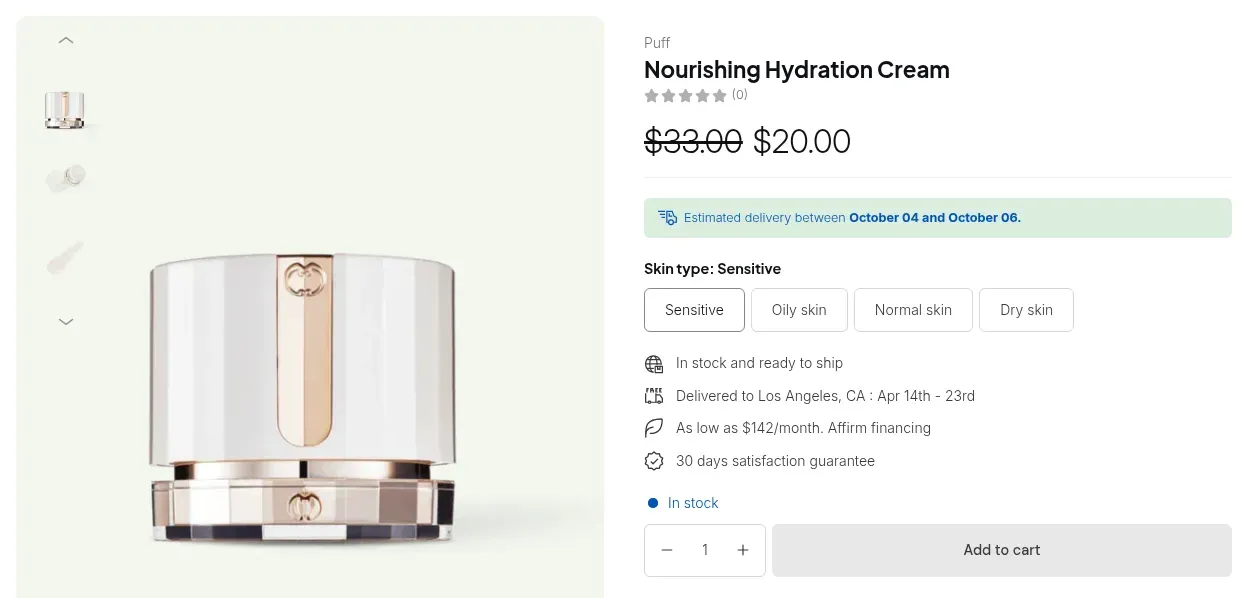
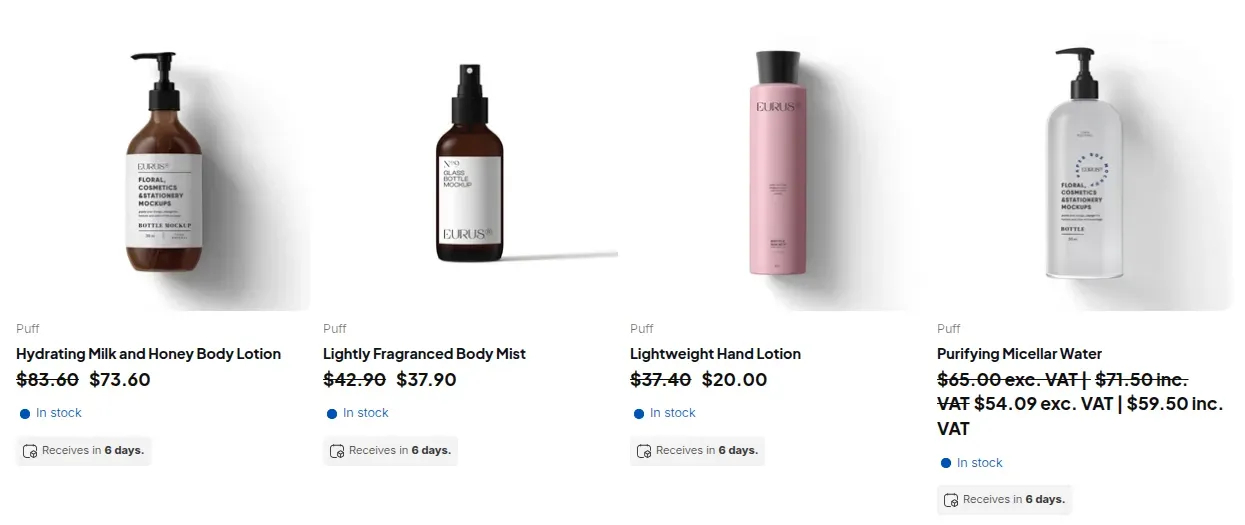
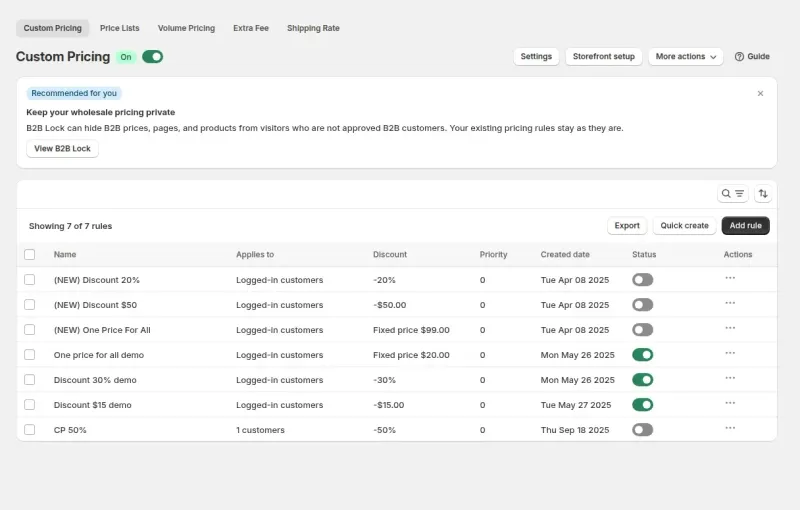
A custom pricing rule sets a percentage discount, a fixed price or a fixed amount off for the products you choose. Target it at one customer, a customer tag such as wholesale, or a group of customers. Buyers who match see the wholesale price next to the struck-through retail price. Everyone else sees your normal prices.
Target a customer, a customer tag, a Shopify Market or, on Advanced and up, a company location
Limit a rule to products, collections or variants (variant conditions: Platinum)
Schedule rules for a campaign; bulk CSV import and export on Platinum
Free plan: one rule. Essential and up: unlimited rules.
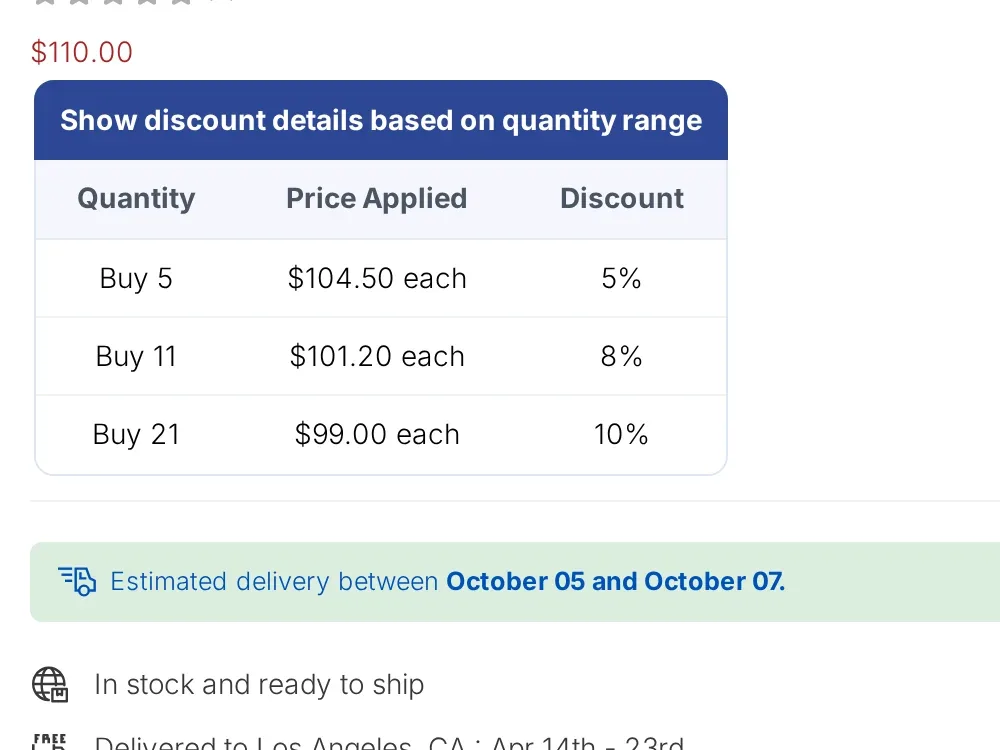
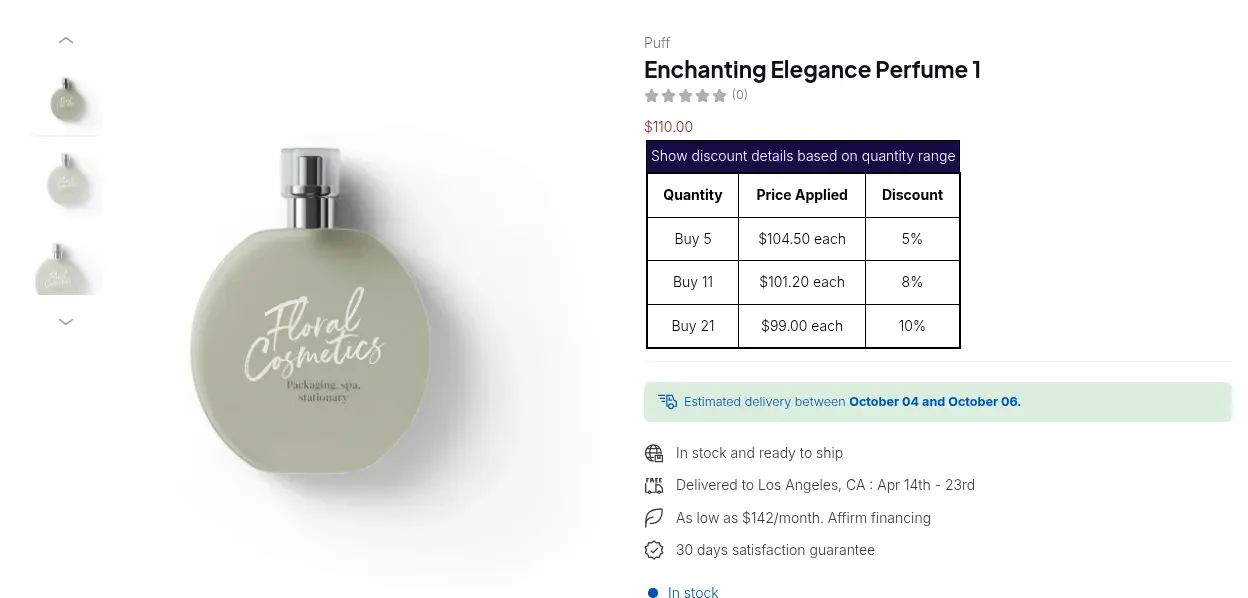
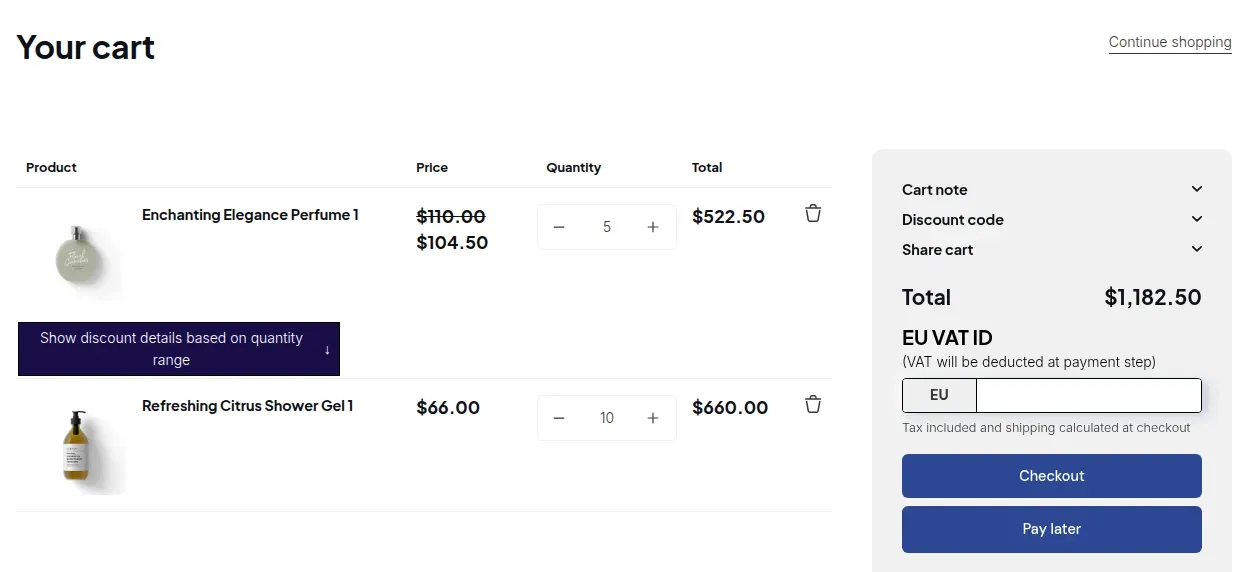
Volume pricing adds automatic discount tiers by quantity, for example buy 5, 11 or 21 for a lower price each. The tiers apply on top of the custom price or price list price, never on the original price. A table on the product page shows buyers what each tier costs, and the cart shows the discounted price.
Tiers stack on the custom pricing or price list price
Tier table on the product page and the discounted price in the cart
Applies at Shopify POS through the B2B Price tile (Platinum)
Free plan: one basic rule (the newest). Essential and up: unlimited rules.
A price list holds SKU-level prices for a buyer group. It is managed inside the app, separate from Shopify's native catalogs. When a price list and a custom pricing rule match the same variant, the price list wins. Logged-in buyers see the group price next to the struck-through retail price on collection pages.
Set prices SKU by SKU for each group
Move prices in bulk with CSV import and export
Wins over custom pricing when both match the same variant
When several rules match, the app applies them in a fixed order. A price list or custom pricing rule sets the base price. Volume tiers apply on top of it, then discount codes. A priority from 0 to 99 settles ties between rules of the same type, and the lower number wins. Example: an $80 list price with a 5% volume tier gives $76.
Price list beats custom pricing on the same variant
For custom pricing and price list rules, ties go to the lower priority number, then to the older rule
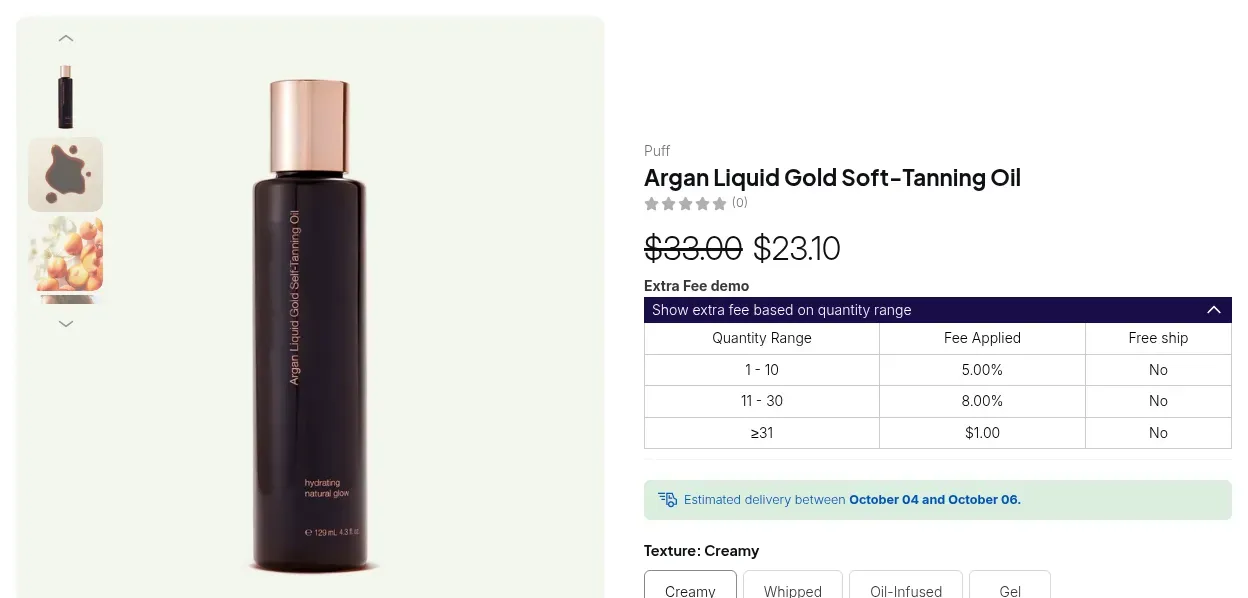
Extra fees show as a separate line and do not change the product price
Add a fee by order quantity or order amount, for example a handling fee on small orders, and set shipping rates that apply only to wholesale buyers. A fee appears as its own line, so the product price stays the same. Buyers see a fee table on the product page when a quantity-based fee applies.
Fees by order quantity or order amount
Shipping rates targeted at wholesale customers or tags
Approve wholesale buyers before they see wholesale prices
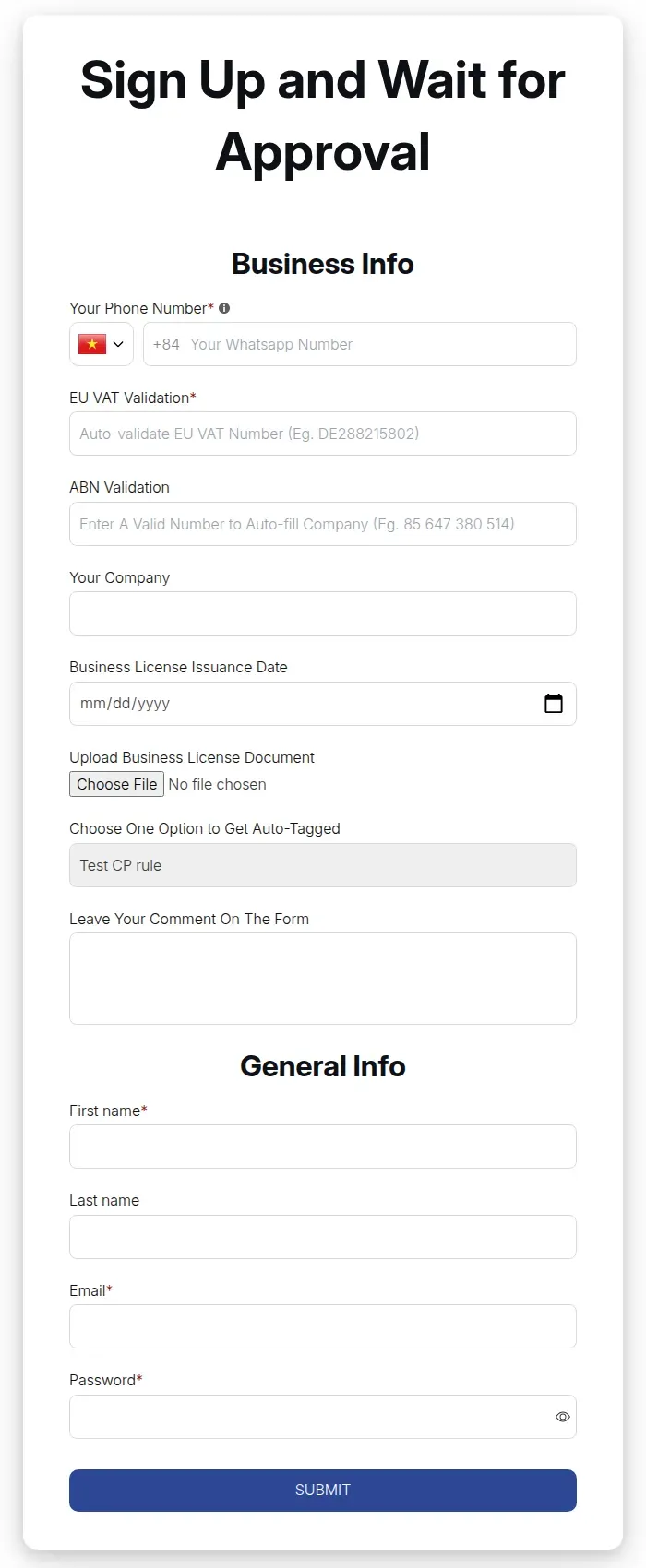
A registration form collects business details, you approve or reject each applicant, and tags let your pricing rules find the approved buyers.
Build a sign-up form with the fields you need: text, number, date, dropdown, checkbox, radio and file upload, plus phone, company and address. New applicants wait in a pending list. You approve or reject each one, or set the form to approve automatically, and the app sends the matching email when the form's email setting is on.
File upload up to 10 MB per file, for documents such as a business license
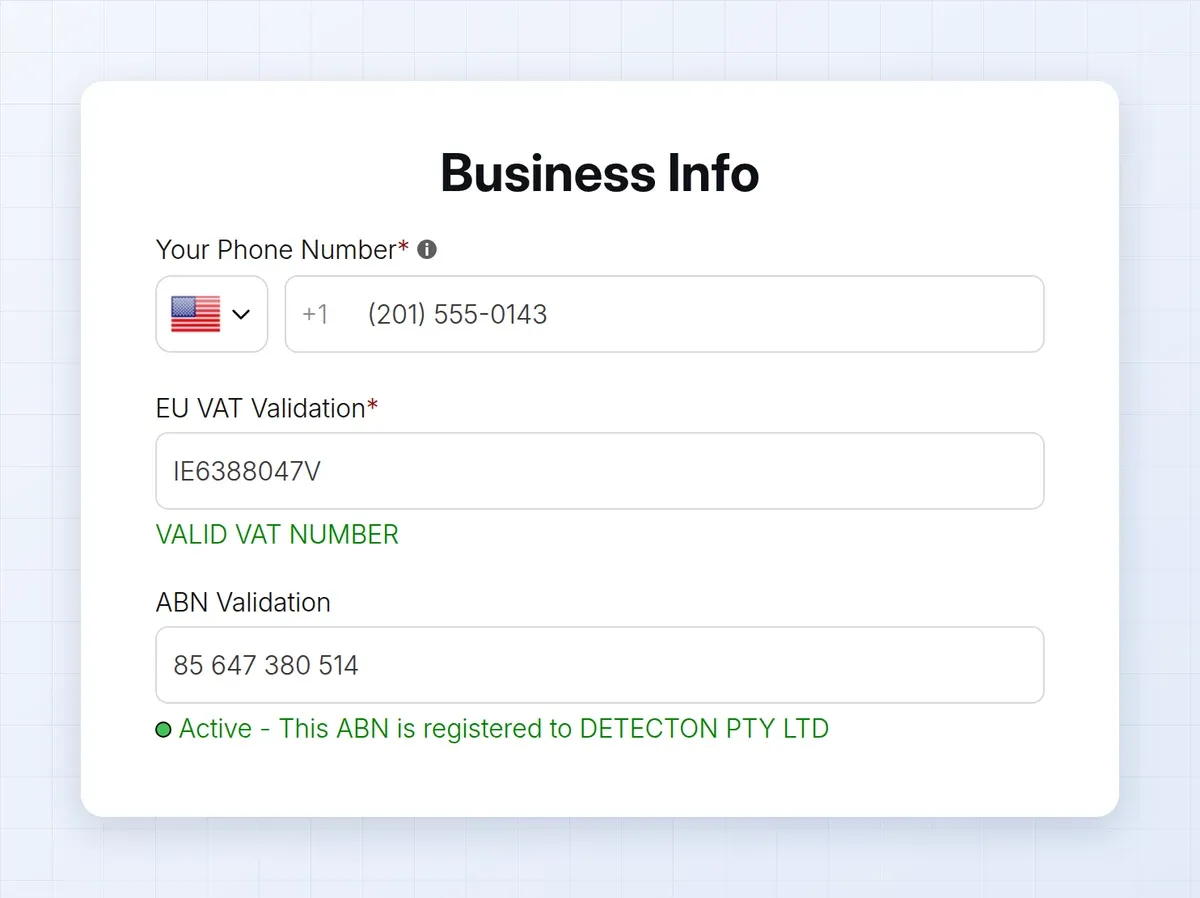
Add a tax ID field to the form and the app checks the number as the applicant types: EU VAT through VIES, UK VAT through HMRC, Australian ABN and India GST. A valid number shows a confirmation. If you mark the field required, an invalid number blocks submit. The check runs in the browser and is not repeated on the server, so review applicants as you normally would.
EU VAT, UK VAT, ABN and India GST fields on paid plans
US EIN numbers: Platinum
A required field blocks submit when the number is invalid
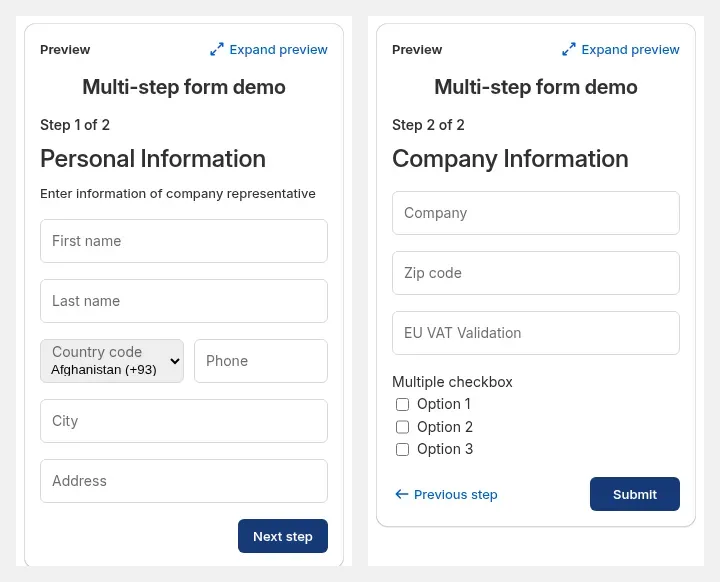
Split a long application into steps, such as personal information first and company information second, and show or hide fields based on earlier answers. Multi-step forms run inside Shopify new customer accounts. Conditional logic supports show or hide rules that match any or all conditions.
Steps keep a long application short for the applicant
Show or hide a field with any or all conditions
Multi-step forms run in Shopify new customer accounts
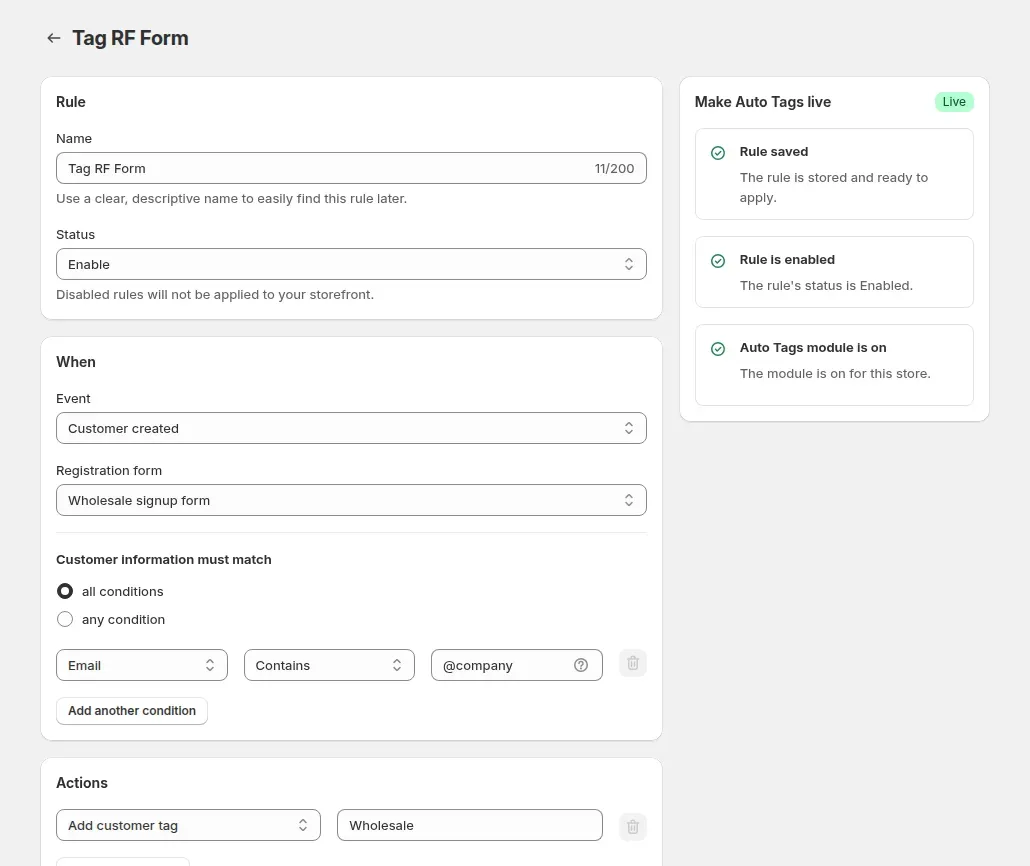
Auto-tag rules add a customer tag when a customer is created through the form, or after order events such as an order created or paid. Pricing rules and BSS B2B Lock can target those tags, so an approved buyer sees wholesale prices without manual work. Tags are not removed automatically when a customer stops matching a rule.
Conditions on email, total spent, order count and more
Actions: add or remove customer or order tags, add notes
Set minimums, pack sizes and payment terms, and place orders for buyers yourself when they call or email.
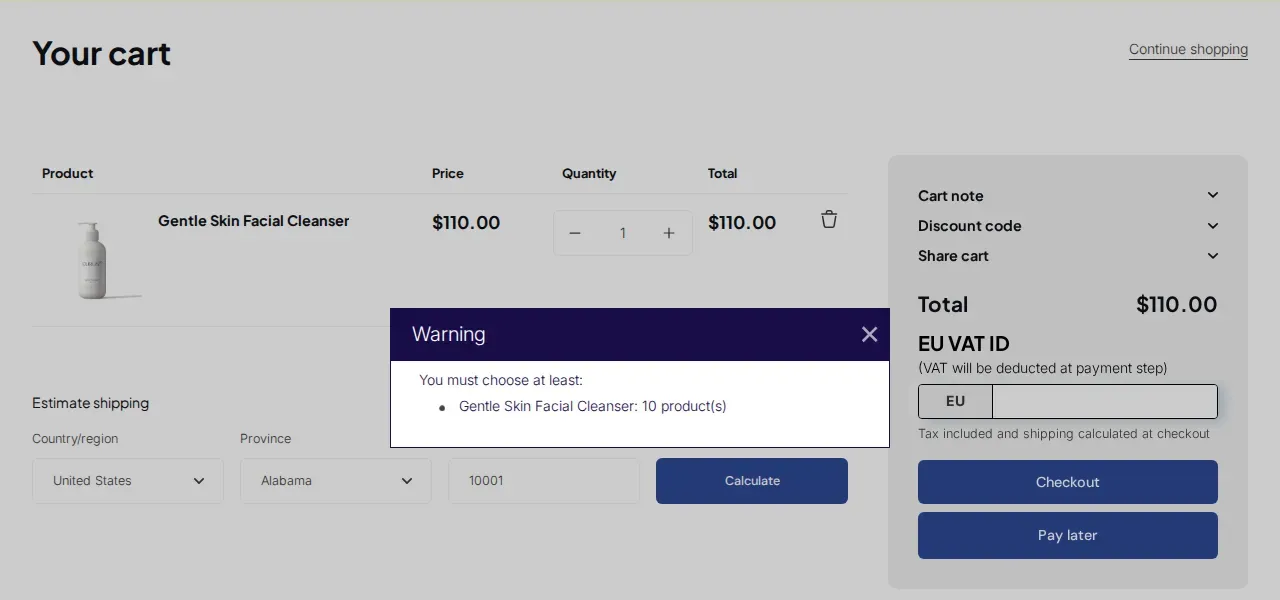
Set a minimum or maximum order quantity or amount for the buyers and products you choose. When a cart falls short, the buyer sees a warning in the cart. Amounts use the B2B price. Limits run in the cart and product page scripts of your theme, so a buyer who opens a direct checkout link skips them.
Four rule types: minimum or maximum quantity, minimum or maximum amount
Target by customer, product, variant or market, with exclusions
Count the total per variant, per product or across the whole cart
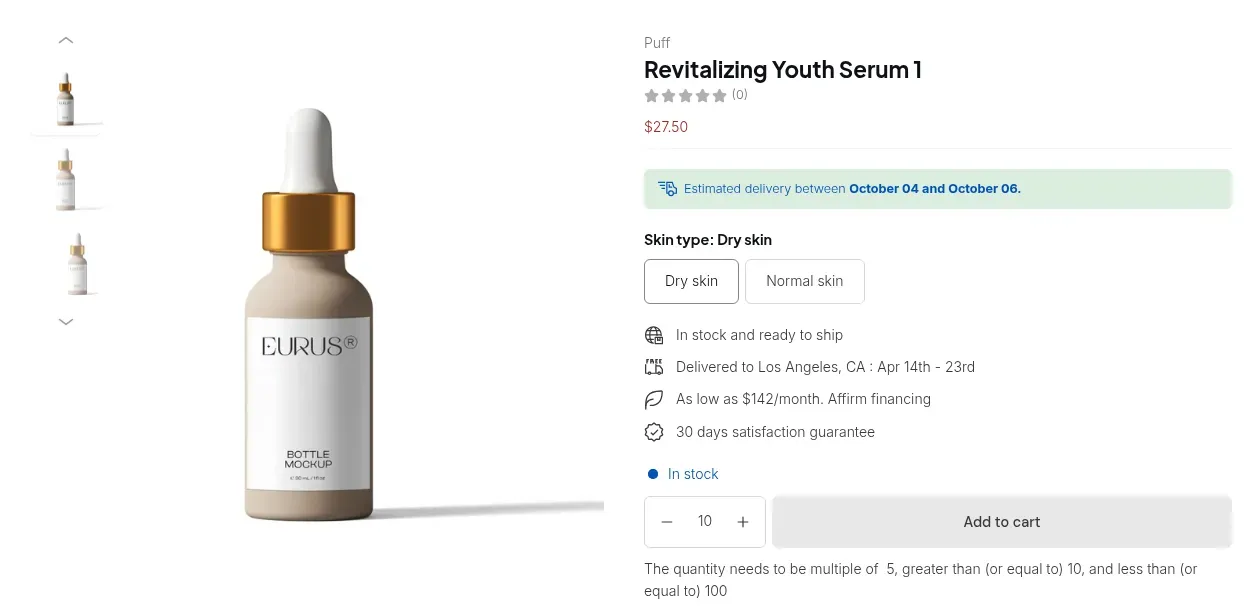
Make a product purchasable only in fixed multiples, such as 5, 10 or 15, so buyers order whole case packs. A rule applies to a variant, a product or the whole order quantity. Typed quantities round to the nearest valid multiple, and the cart checks the rule again before the buyer checks out.
Rule by variant, product or order quantity
Optional minimum and maximum alongside the step
The product page tells the buyer the allowed multiple
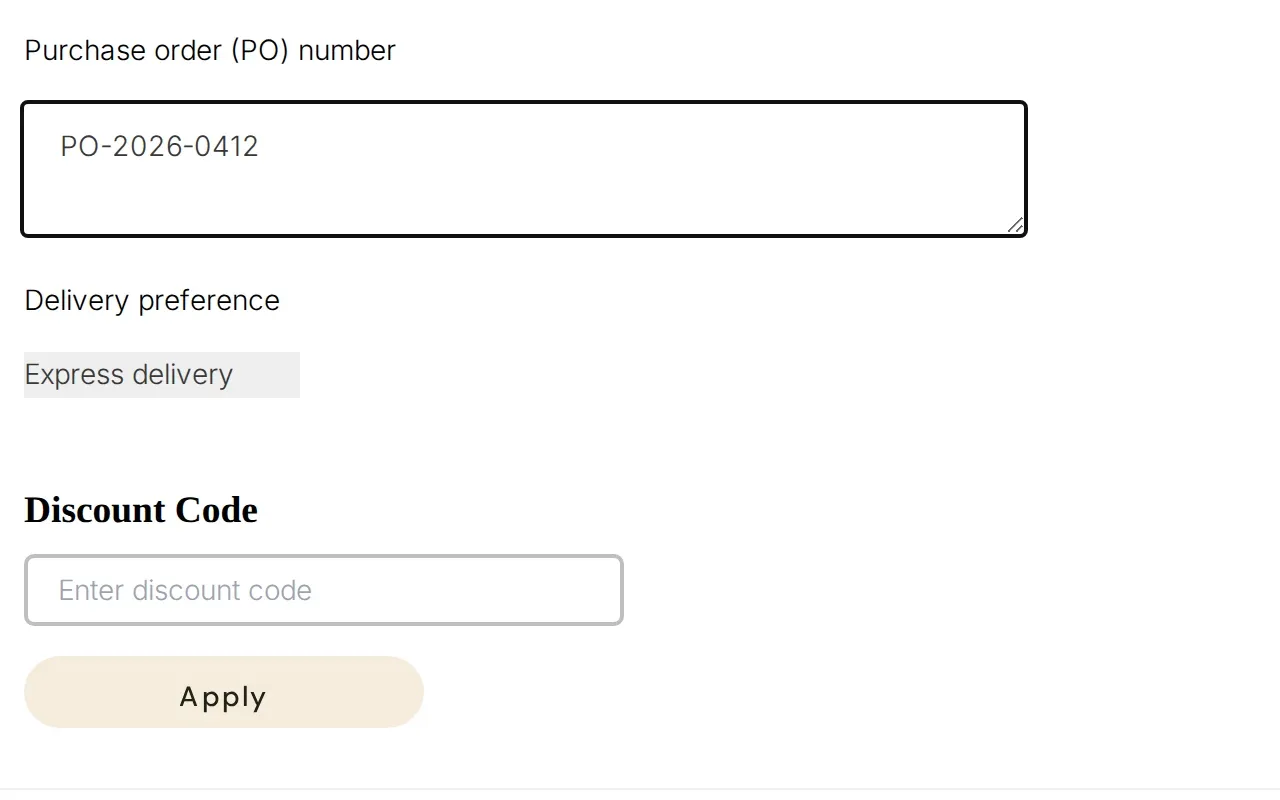
Net terms let approved buyers order now and pay later. The buyer chooses Pay later in the cart, and the app creates a Shopify draft order with the payment terms attached. By default the draft order waits for your review, and a rule can complete the order instead. Terms cover due on receipt, due on fulfillment, Net 7, 15, 30, 60 and 90, and fixed dates.
Target logged-in customers, specific customers or customer tags; guests are excluded
The buyer and your team get draft order emails
Each rule can set a cart minimum or maximum; the app has no credit limit setting
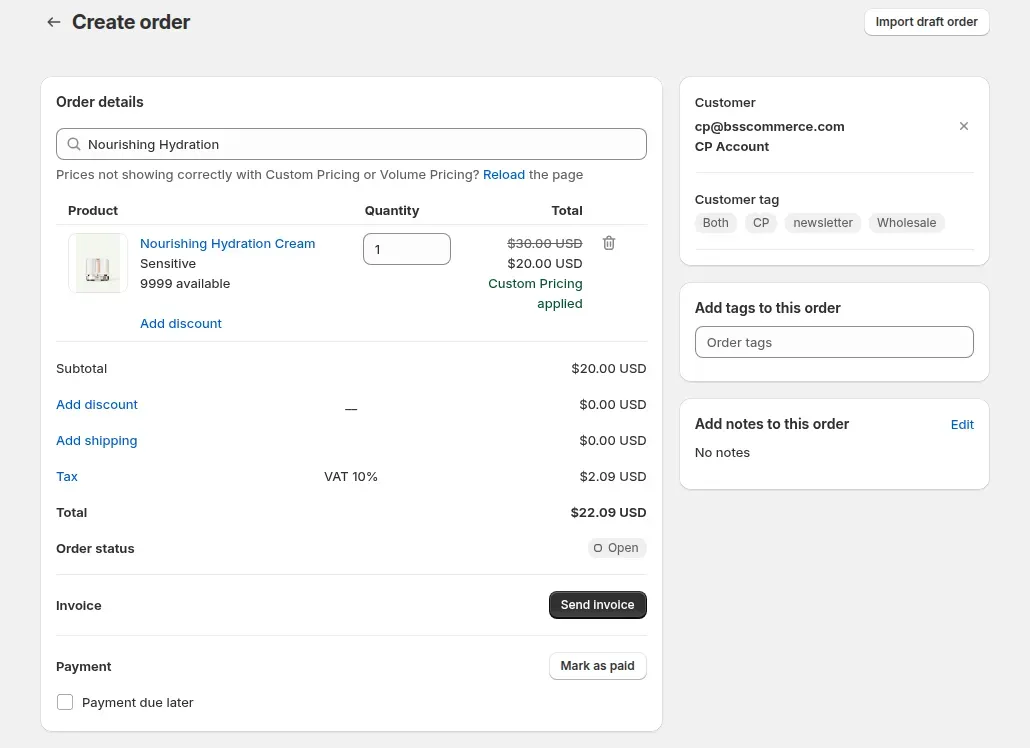
Create an order for a buyer from the app in your Shopify admin and the app applies that buyer's wholesale pricing. Pick payment terms, a shipping rate, a discount code or tax exemption on the draft order. This helps when a buyer orders by phone or email instead of through the store.
Applies custom pricing, price lists, volume pricing and discount codes
Does not apply extra fees, order limits or quantity increments
Payment terms include Net 45 and custom day counts
Remove tax for eligible buyers and show prices with or without tax. You stay responsible for your own tax rules.
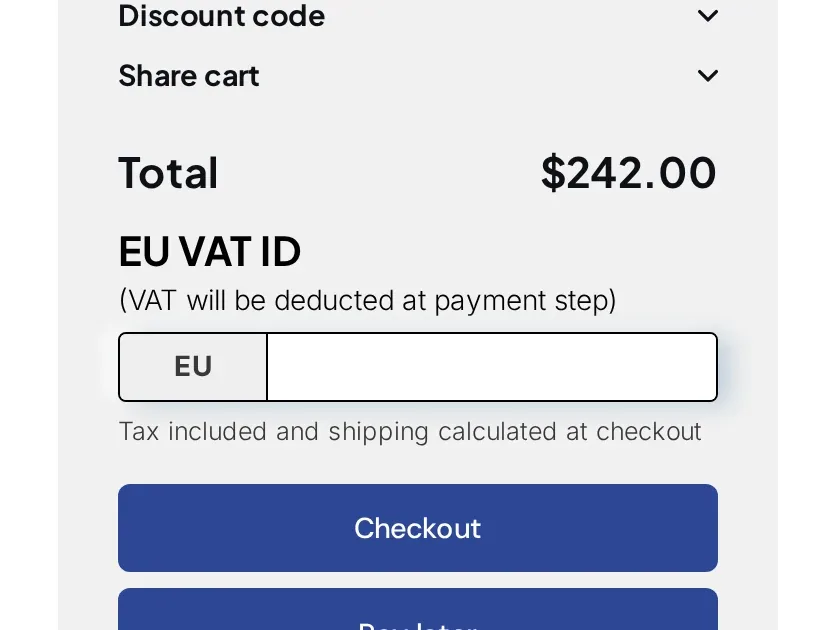
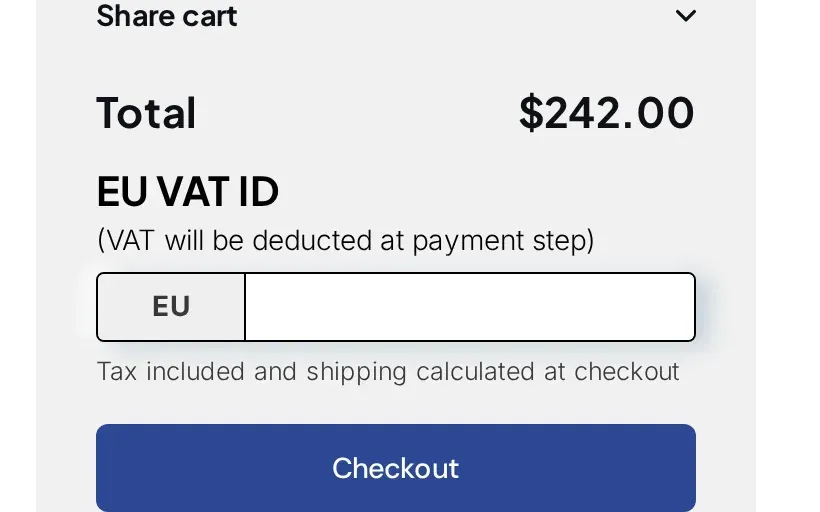
Buyers enter a tax ID in the cart, or in a form on the product page for Buy it now. The app can check the number and creates a tax-free Shopify draft order, and it can tag the order and write the ID in the order note. The field sits on the cart page, and a direct link to Shopify checkout is taxed as usual.
EU VAT, UK VAT, US EIN (Platinum), ABN and India GST numbers
A bulk rule can mark chosen customers or tagged customers as tax exempt
If the draft order cannot be created, the buyer falls back to regular checkout and pays tax
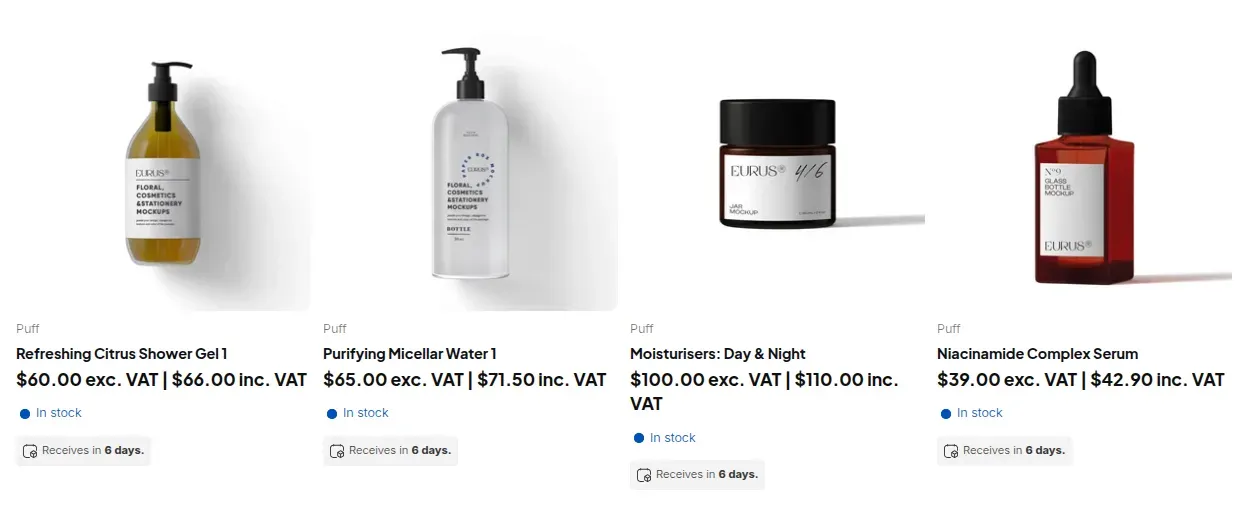
Choose how prices appear to each buyer group: with tax, without tax, both, or a toggle buyers can switch. Rules can target customer groups or tags and apply to product pages, collections, the cart or all pages. This changes what buyers see on the storefront. Checkout still calculates tax the way Shopify does.
The rate comes from Shopify's rate for the buyer's country
Variant-level rate overrides are not supported
Shopify's own tax overrides are not read, so recreate them in the app
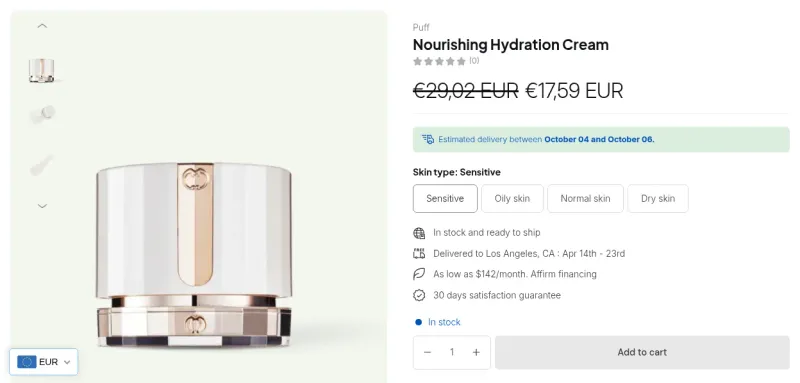
Show wholesale prices converted into the buyer's currency at the Shopify exchange rate, with optional rounding. Pricing rules can also target a Shopify Market. Prices are stored in your store currency, and checkout stays in your store or Markets currency.
Display only: there are no fixed prices per currency
Rounding: remove decimals or round to a set decimal place
Apply wholesale prices in Shopify POS and manage rules from an ERP or other tools.
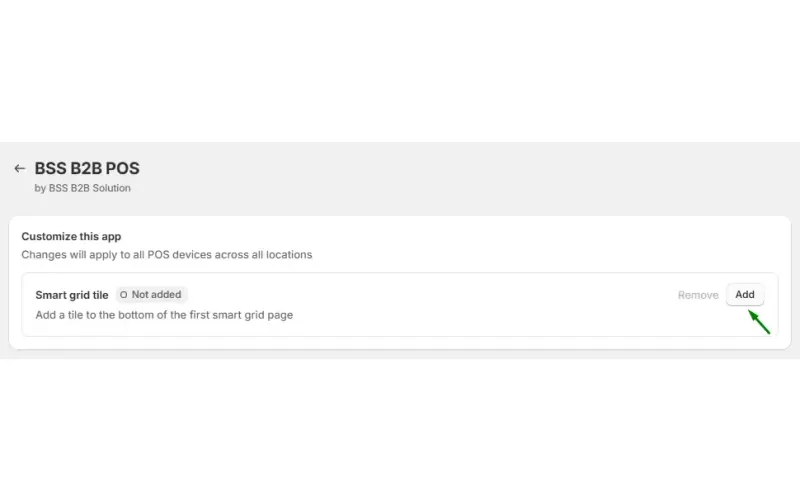
Staff tap the B2B Price tile on the POS home screen and the app applies the matching wholesale price to each cart line. Custom pricing, price list and volume pricing rules work at POS. Rules that target a Shopify Market or a company location do not match there, and discount codes, extra fees and shipping rates are not applied.
The price applies when staff tap the tile; it does not run on its own
Supported rules: custom pricing, price list and volume pricing
If rules fail to load, the tile shows a retry message
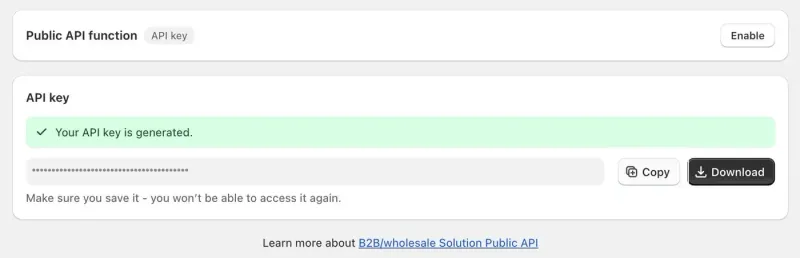
Manage pricing rules, look up customers, products and collections, and submit registration forms from your own systems, for example an ERP. Each store gets one API key from the app. The key is shown once and can be deleted and regenerated.
Rules: custom pricing, volume pricing, price lists and discount codes
Customers, products and collections are read-only
The v2 endpoints allow 60 requests per minute per store
4.9 out of 5 from 1,189 reviews on the Shopify App Store, checked .
Built for Shopify
Yes
Free trial
14-day free trial on paid plans
Plans and prices
Free $0 per month
Essential $29 per month, or $313.20 per year
Advanced $49 per month, or $529.20 per year
Platinum $99 per month, or $1,069.20 per year
Yearly billing saves 10%. Prices in USD.
Free plan
Free plan with limits (for example one custom pricing rule). The listing says every feature is available on development stores.
Plan-specific features
Platinum: price lists, public API, Shopify POS, conditional logic in registration forms. Advanced and up: tax exemption, multi-currency display, quantity increments, targeting by company location.
Languages
20 languages listed on the Shopify App Store
Works on
Shopify stores using Online Store 2.0 themes such as Dawn, Sense and Studio, plus many premium themes (see the supported themes list in the user guide).
Shopify plans
No minimum Shopify plan is stated for this app, and its own prices do not depend on your Shopify plan. Confirm compatibility on the Shopify App Store listing before you install.
Integrations
Shopify POS (Platinum). Custom Pricing, Price List and Quantity Break rules apply when staff tap the B2B Price tile.
Public API (Platinum). Manage pricing rules, look up customers and products, and submit registration forms from your own systems, for example an ERP.
Shopify Markets. Pricing rules can target a Market. Multi-currency display converts prices at the Shopify exchange rate (Advanced and up); checkout stays in your store or Markets currency.
New customer accounts. The multi-step registration form runs inside Shopify new customer accounts on paid plans.
Shopify draft orders. Tax-exempt orders are created as Shopify draft orders, and manual orders are made from your Shopify admin.
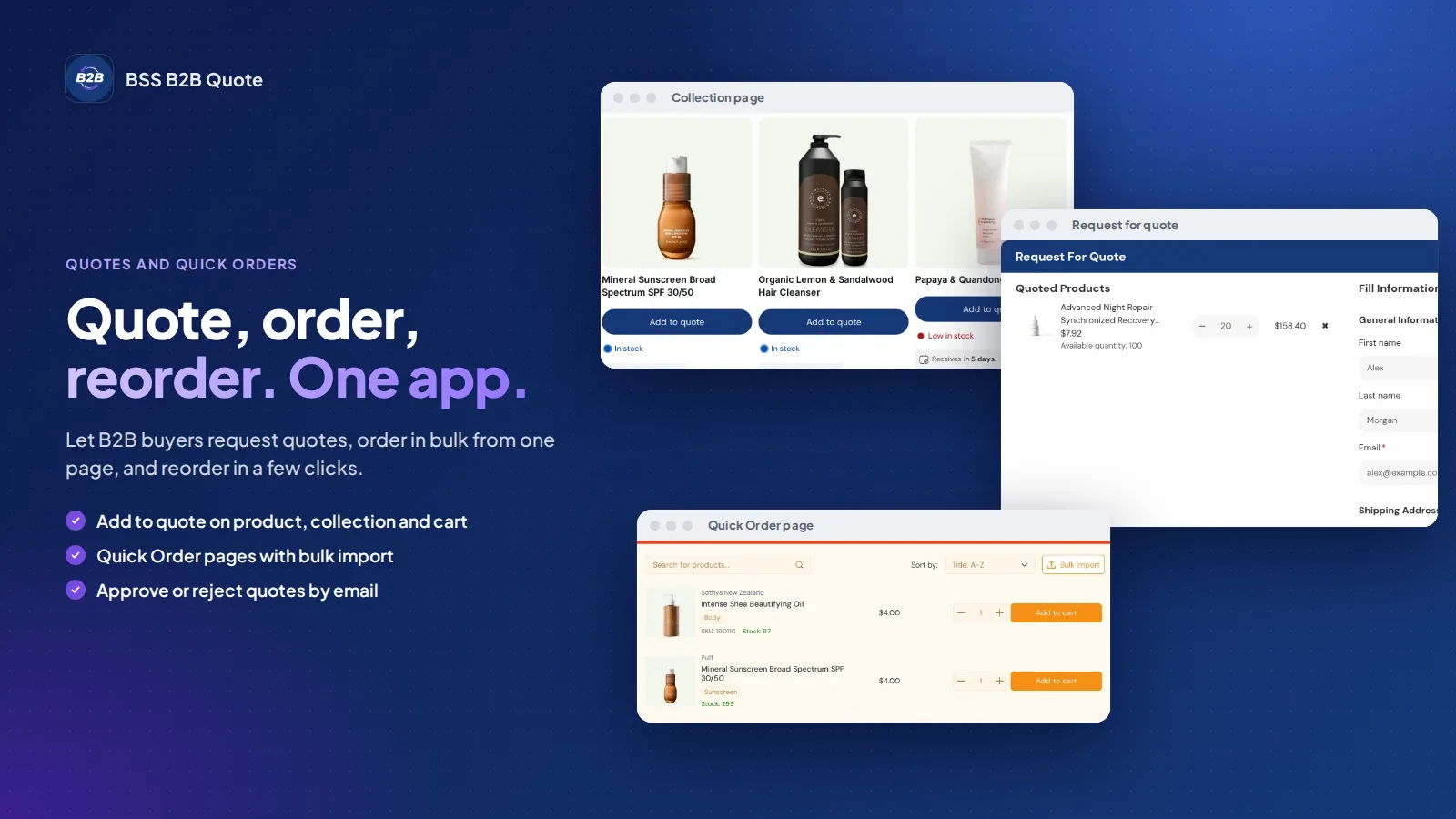
BSS B2B Lock and BSS B2B Quote. Tags added at approval can unlock BSS B2B Lock, and Quick Order and quote carts in BSS B2B Quote can use Solution prices.
They are quick to reply despite the time difference, sometimes even working over the weekend and was able to resolve everything for me within hours each time. If you're looking for an alterative way to run a retail site as well as a B2B site, this is the way to go!.”
Jenny ZAustralia
"Quick to set up, and refreshingly stable with no bugs in my experience. This has allowed me to turn a limited Shopify Basic store into a fully functional B2B wholesale platform, while still keeping the B2C customers. That’s no easy task”
Salah NashirCEO, Lift-Spares.se
Case studies
Success Stories from Our Partners
Discover how BSS B2B Solution collaborative approach translates into measurable growth and lasting impact.
Short answers about price, plans, themes, rules and integrations.
What is BSS B2B Solution?
BSS B2B Solution is a Shopify app that turns a store into a wholesale store. It adds custom pricing, volume pricing, price lists, registration forms with approval, order limits, net terms and tax exemption for B2B buyers.
Is BSS B2B Solution the same app as BSS B2B Wholesale Pricing?
Yes. BSS B2B Solution is the name used on this site. The Shopify App Store lists the same app as BSS B2B Wholesale Pricing.
How much does BSS B2B Solution cost?
There is a free plan. Paid plans are Essential $29, Advanced $49 and Platinum $99 per month, and yearly billing saves 10%. The listing shows a 14-day free trial on paid plans. Prices are from the Shopify App Store listing as of Oct 10, 2026 and can change.
Is there a free plan or a free trial?
Yes to both. The free plan has limits, for example one custom pricing rule, and the listing says every feature is available on development stores. The listing offers a 14-day free trial on paid plans.
Which Shopify plans does BSS B2B Solution work with?
No minimum Shopify plan is stated for this app, and its pricing plans do not depend on your Shopify plan. Confirm compatibility on the Shopify App Store listing before you install.
Which themes does BSS B2B Solution work with?
It works with Shopify stores on Online Store 2.0 themes such as Dawn, Sense and Studio, plus many premium themes. The user guide has the supported themes list.
What happens when more than one pricing rule applies?
A Price List or Custom Pricing rule sets the base price, and a Price List wins when both match the same variant. Volume tiers then apply on top of that price, followed by discount codes. The priority field, 0 to 99 with the lower number winning, only decides between rules of the same type.
Can I approve wholesale buyers before they get wholesale prices?
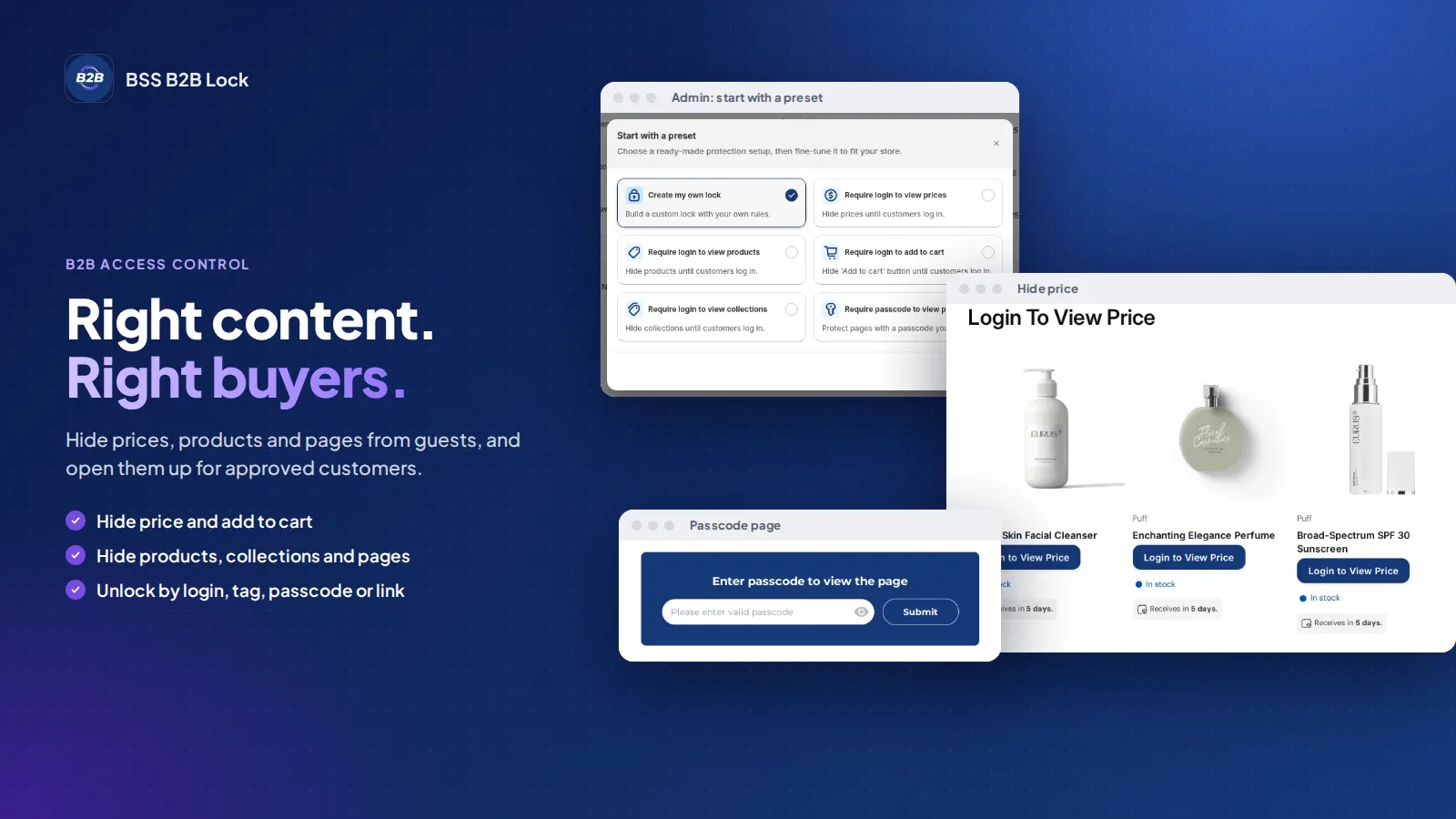
Yes. A registration form collects business details, you review and approve applicants in the app, and approved customers are tagged automatically on the Essential plan and up. Your pricing rules then target that tag. To hide prices from visitors who are not approved, add BSS B2B Lock.
Does BSS B2B Solution handle tax exemption and VAT?
Yes. On Advanced and up, buyers enter a tax ID in the cart and the app creates a tax-free draft order. The registration form can check EU VAT, UK VAT, US EIN, ABN and India GST numbers as buyers type. You stay responsible for your own tax rules.
Does it work with Shopify POS, Shopify Markets and an ERP?
On Platinum, staff apply Custom Pricing, Price List and Quantity Break prices at POS by tapping the B2B Price tile, and the public API lets your own systems manage pricing rules. Pricing rules can target a Shopify Market, and multi-currency display converts at the Shopify exchange rate on Advanced and up.
Can buyers pay on net 30 terms?
Yes, on Advanced and up. A buyer picks Pay later in the cart and the app creates a Shopify draft order with the terms attached, such as Net 7, 15, 30, 60 or 90, due on receipt or a fixed date. By default the draft order waits for your review. The app has no credit limit setting.
Are order limits and tax exemption enforced inside Shopify checkout?
No. Order limits, quantity increments and the tax ID field run in the cart and product page scripts. A buyer who opens a direct checkout link skips them. Keep this in mind for large orders and review the draft orders that tax exemption and net terms create.
Ready to try BSS B2B Solution?
14-day free trial on paid plans. Install it from the Shopify App Store and start on the free plan.

 BSS B2B SOLUTION