Selling A Service On Shopify: How to Start in 2025

Can you sell services on Shopify? Definitely, yes!
Shopify is one of the best platforms that allows users to set up their eCommerce stores and sell all kinds of products including services. You can run your consultancy, coaching business, or even as a freelancer with Shopify and sell your products anywhere around the world. So, how to sell a service on Shopify?
In this article, let’s go through the detailed guide on selling a service on Shopify.
Which Service Can You Sell on Shopify?
Shopify isn’t just for selling physical products—it’s a powerful platform for service-based businesses too. Whether you’re a solo entrepreneur or a growing team, here are seven popular and profitable services you can successfully sell on Shopify:
| Online Coaching | Offer 1-on-1 or group sessions in areas like fitness, life, or business coaching. |
| Freelance Services | Sell skills like writing, graphic design, development, or marketing as bookable tasks. |
| Consulting | Provide expert advice in niches like finance, legal, HR, or IT via virtual sessions. |
| Event Services | Offer photography, videography, planning, or DJ services for weddings and events. |
| Beauty & Wellness | Sell appointments for hair, skincare, massage, or holistic therapy treatments. |
| Tutoring & Education | Provide academic tutoring, language lessons, or skill-based training online or in-person. |
| Home & Repair Services | Promote local services like cleaning, appliance repair, or handyman work. |
View now: Best Products to Sell on Shopify
How To Sell Services On Shopify In 6 Simple Steps
Can I use Shopify for service business ? The answer is a definite Yes! In this article, BSS Commerce – a trusted Shopify partner and a service provider themselves will give you a comprehensive guide for selling a service on Shopify.
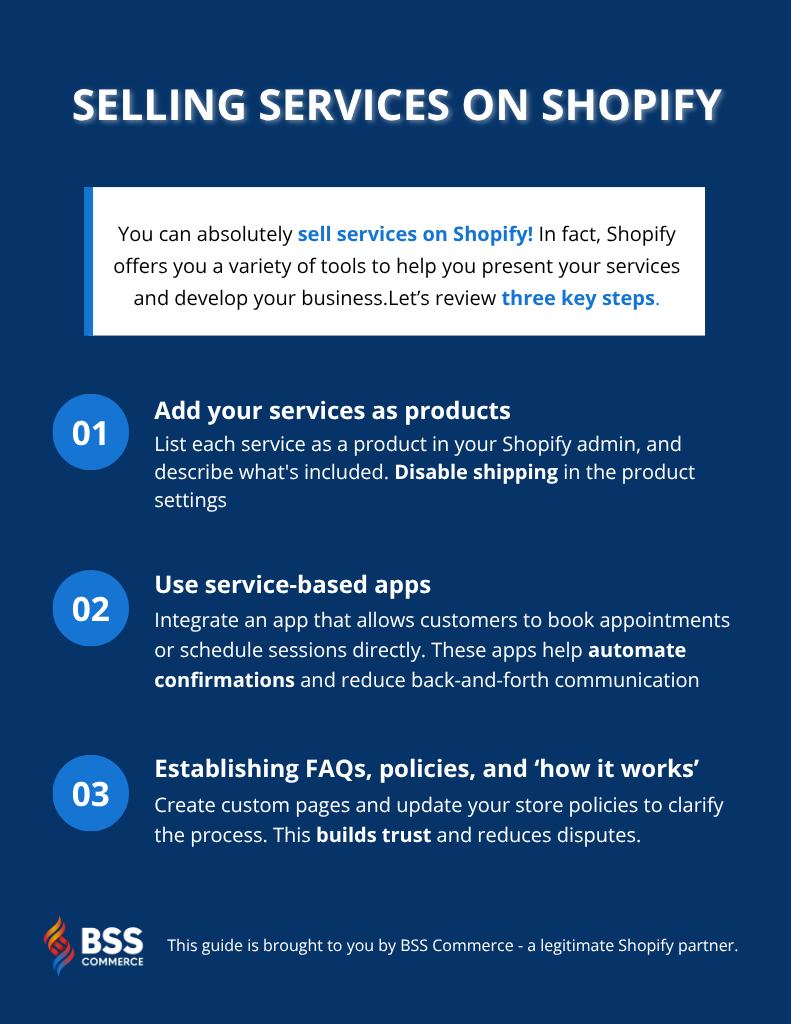
If you haven’t come up with a business name, check our list of best name ideas for small businesses.
Step 1: Set up your Shopify store
Firstly, if you have a shop, skip this section and proceed to Shopify.com to open an account on a trial basis. In this step, you’ll be asked to give your store name and some other information concerning your company.
Upon accessing your Shopify admin dashboard, proceed with the subsequent steps to establish your store:
- Choose an appropriate Shopify plan: For service businesses, you won’t need shipping features, but you will need: Payment gateway access, Third-party app integrations (like booking tools), and A clean storefront.
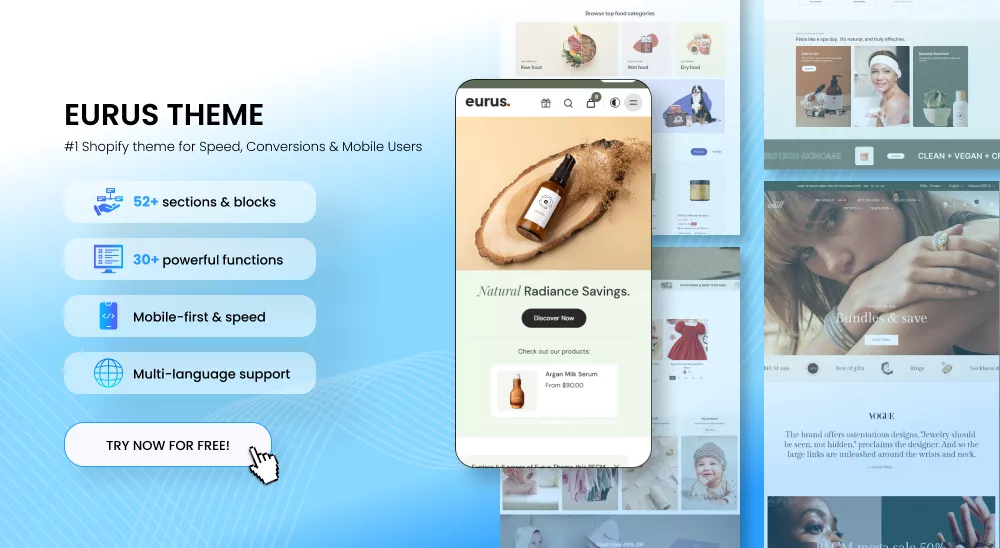
>>> Refer to Shopify Pricing for a breakdown. - Choose an Appropriate Theme: You can select one of the many professionally looking designs offered on the Shopify Theme store and modify it to fit your brand. Consider one of our preselected best Shopify themes such as the Eurus theme that match what you are offering to provide smooth navigation for your guests.
- Tailor Your Store: After selecting a theme optimized for services, start building your storefront. Preferably with clean layout, simple navigation, and trust-building sections.

Step 2: Add your services as products
1. Likewise, go to Products > Add products, and just as easily, your services will appear on your storefront.
2. Optional: If your service listing includes variants, select the specific variant you wish to edit.
Under the Shipping section, deselect the checkbox labeled ‘This is a physical product’ to indicate that no shipping is required.
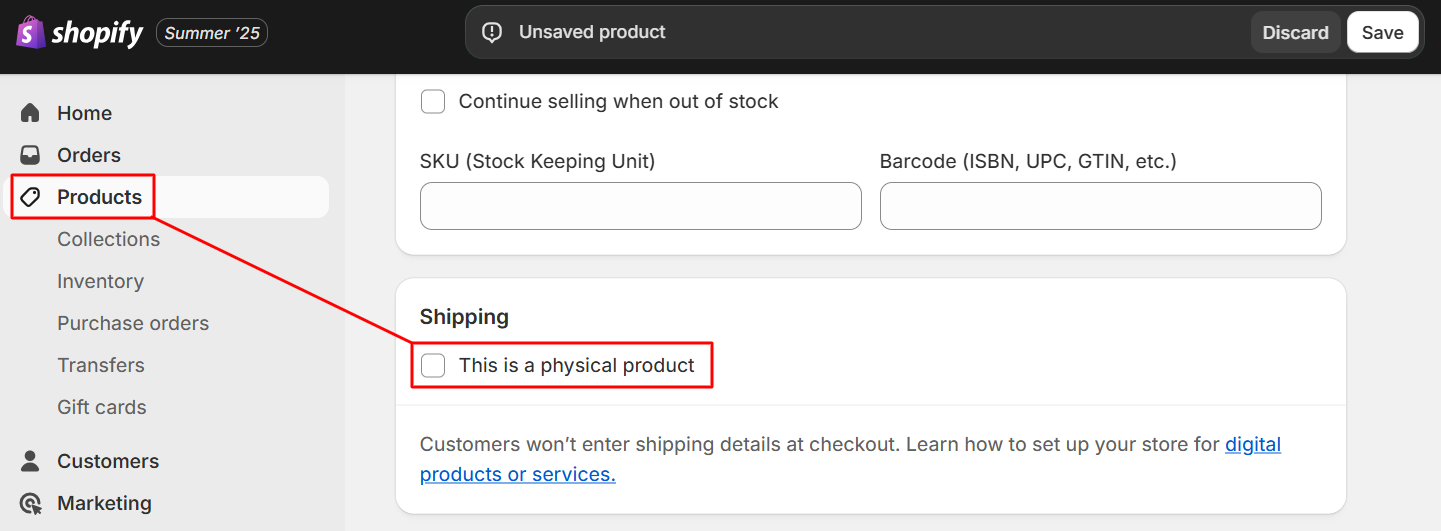
Click Save to apply your changes.
Step 3: Integrate an service-based apps
Shopify’s app ecosystem is one of its biggest strengths—especially for service-based businesses that need to manage bookings, appointments, classes, or availability calendars.
Moreover, many apps are created to help you book an appointment that may serve different purposes depending on what suits you best. Check them out on Shopify app store to find the most suitable one for your needs.
#1. Add Booking Functionality
Booking functionality enables customers to reserve your time directly from your Shopify storefront. These apps are designed to work seamlessly with your product pages, letting you treat each service like a bookable product.
Key Booking Apps:
- Sesami (from $19/month) – One of the most popular service-based apps on Shopify, Sesami integrates directly with your store’s frontend, allowing real-time appointment booking.
- BookThatApp (free plan available) – Ideal for more advanced use cases like equipment rental, classes, or recurring bookings. It integrates directly into the Shopify checkout flow
- Easy Appointment Booking App (free plan available) – A versatile booking app that requires no technical setup and can connect to Google Calendar, Outlook, Klaviyo, and more.
#2. Generate Booking Events for your services
For this guide, let’s take Easy Appointment Booking App as an example.
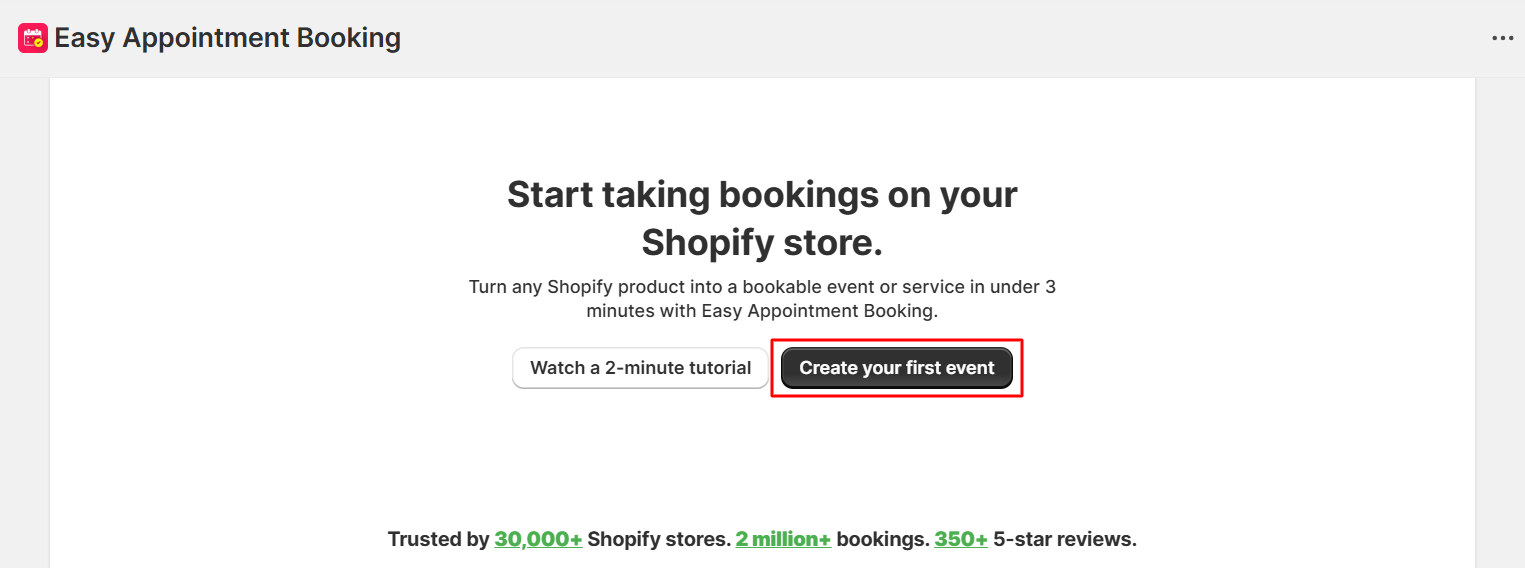
Step 1: Once you have installed the app, go to the website and create your first event booking for your business through the click of “Create your first event”.
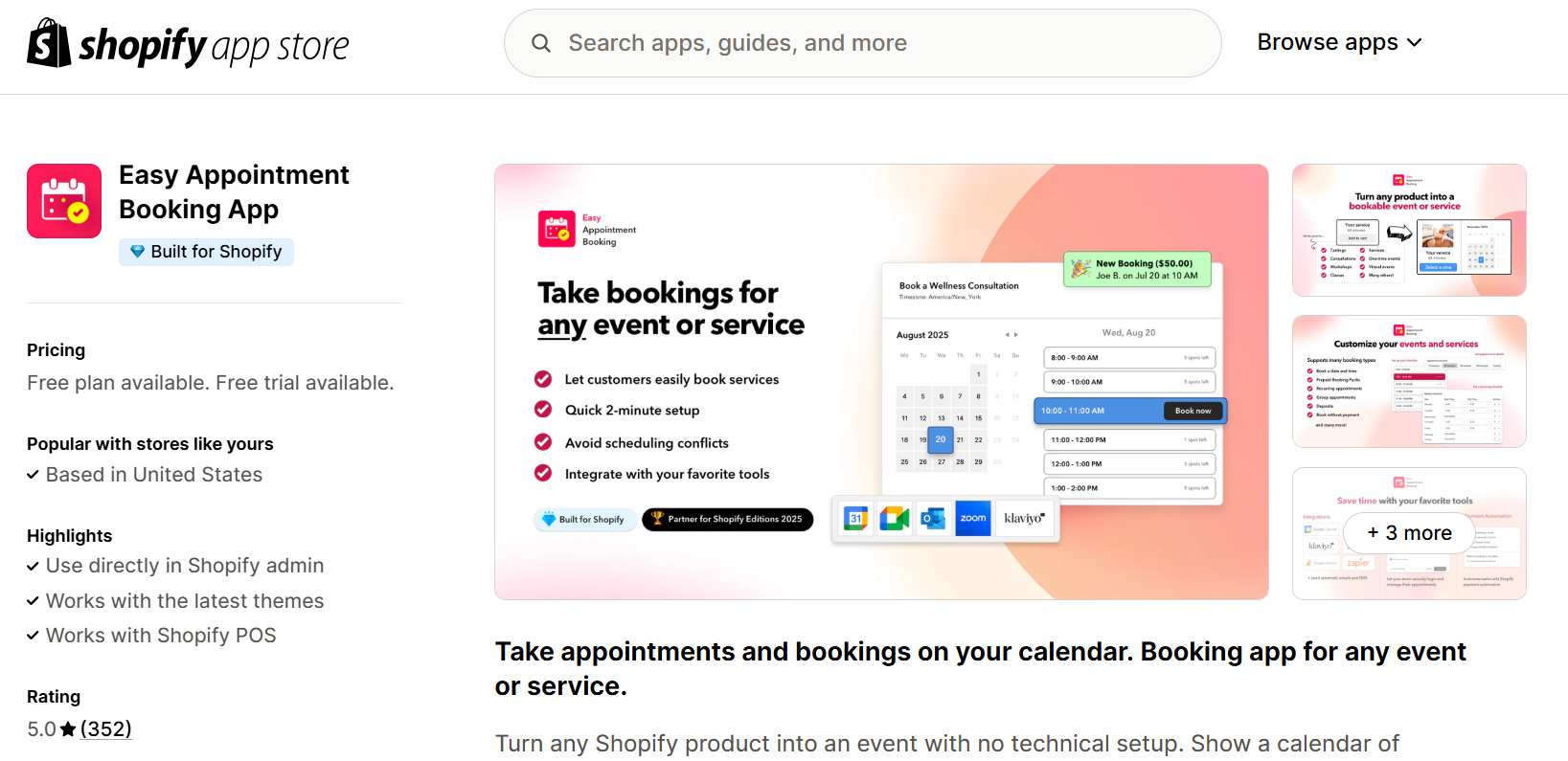
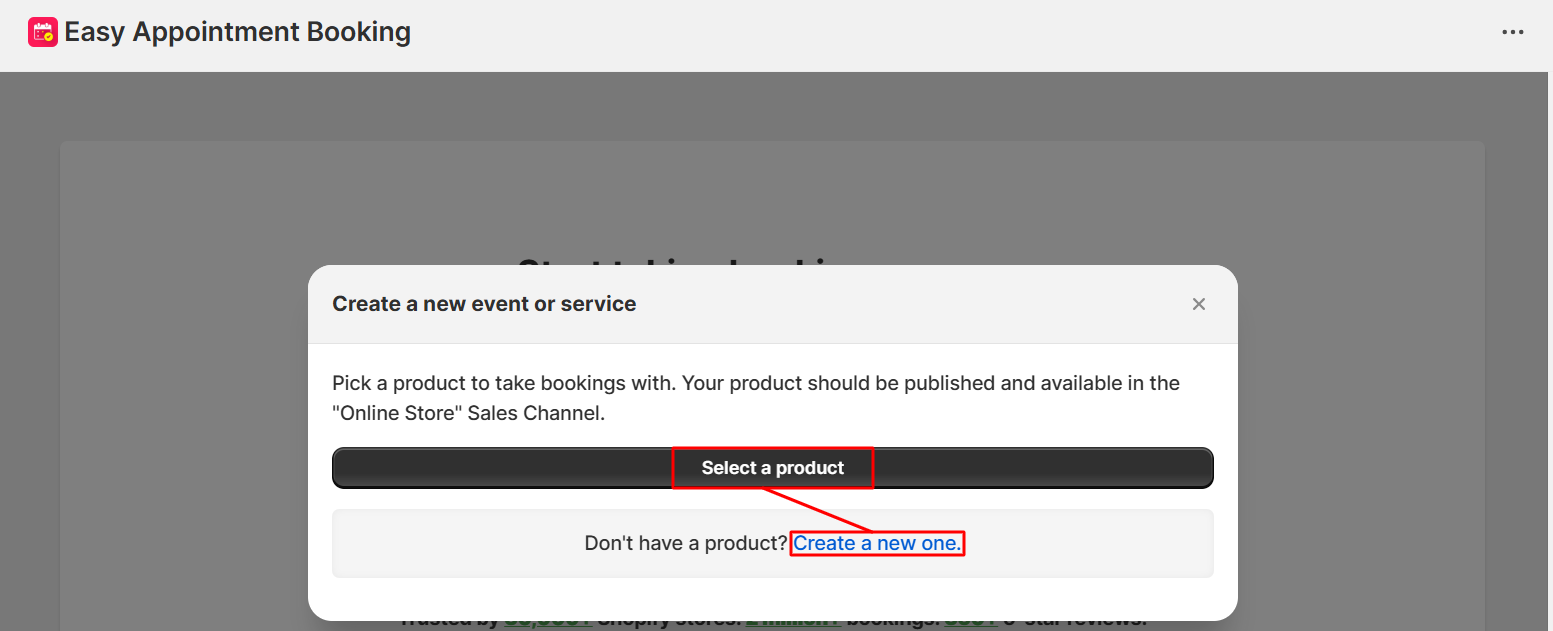
Step 2: After that, select a product (that you intend to be your service), and proceed to the next steps.
Step 3: You will be directed to a 4-step setup, in which you can customize all the necessary information: the kind of event or service, schedule, availability, etc.
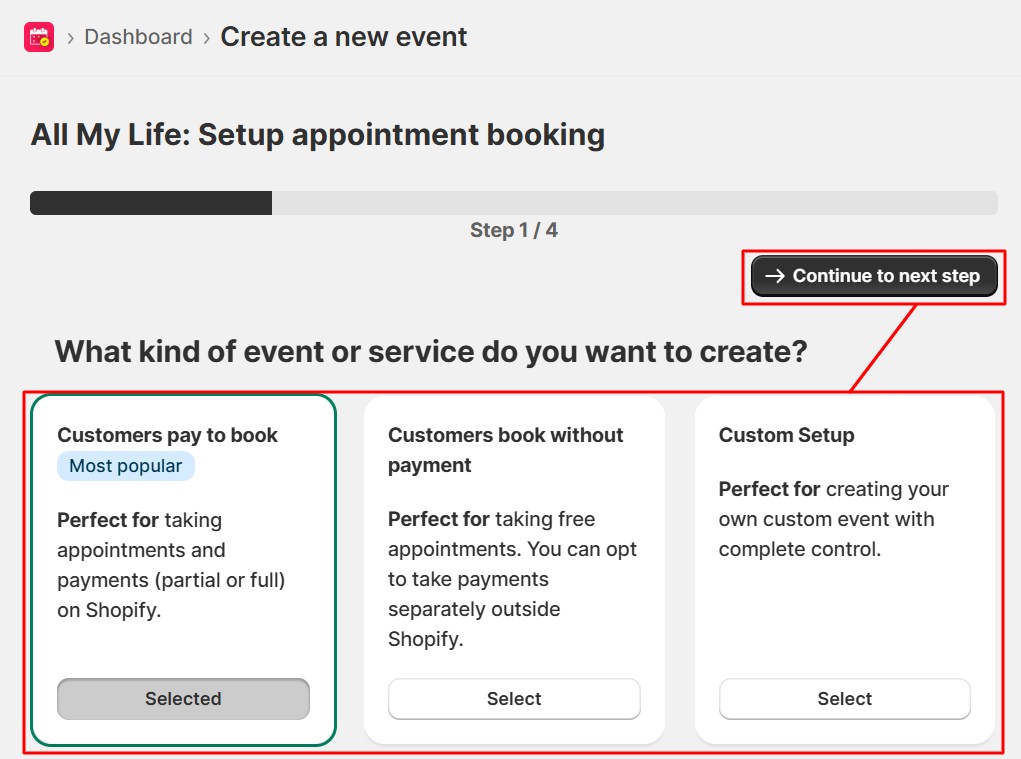
Once you are finished with a step, click “Continue to next step”.
Step 4: As shown above, at this point, you are ready to publish your service’s appointment booking. Click “Integrate with my theme”.
That’s all! With Shopify’s third-party apps, you can start selling your services easily and professionally without any technical knowledge.
Step 5: Set Up Legal Pages and Policies
Setting up legal pages is not just a formality—it’s a foundation of trust and protection for both your business and your customers.
For service-based sellers, legal transparency is essential because services often involve time commitments, subjective outcomes, and non-refundable work. Without clear terms, misunderstandings can quickly escalate into disputes.
Here are four key legal sections every Shopify service business should set up:
- Refund Policy: Do you offer refunds or rescheduling?
- Terms of Service: What’s included? What’s excluded?
- Privacy Policy: Required for data compliance”
- FAQs or Service Guidelines: Enhances clarity, reduces customer support queries, and strengthens perceived professionalism.
Step 6: Market and promote your services
Now you start advertising your activities, telling your future clients about the product.
- SEO Optimization: To improve your site visibility in searches, include keywords in your service descriptions and meta tags. Or you can consider using Shopify SEO apps to help you at this point.
- Email Marketing: Customize your email templates to clearly communicate what customers can expect. For digital downloads, most apps automatically send an email with the download link. For services, you should update the email content to explain how the service works, including any next steps or scheduling details. This helps manage expectations and ensures a smooth customer experience.
See more: 10+ Best Email Marketing Shopify Apps – Free & Paid [Latest Update]
- Social Media Marketing: Be active on different social media pages and create more followers. Generate hype through fascinating stuff, cases, references, and advertisements. Lure your followers to your Shopify store for more info.
- Content Marketing: Create a blog in your Shopify store then write helpful articles about what you are doing. Give useful information, hints, and opinions to be recognized as an expert and lure prospects. See the best Shopify themes for the blog.
Look at leveraging paid campaigns through social media and Google Ads for faster outreach and quick growth. Start with one or two media for best results as opposed to trying your luck in everything at the beginning.
Benefits Of Selling A Service On Shopify

Selling a service on Shopify comes with a multitude of advantages:
1. Effortless store launch without requiring web development skills
Running a store on Shopify is elementary as far as tech knowledge is concerned thus enabling you to focus on selling and improving services.
2. Simple Store Setup and Product Management
It also provides an easy way of establishing a shop and running services as goods thereafter. It makes the administrative issues simple to handle enabling one to use it for customizations.
3. Extensive Array of Features
Moreover, Shopify has an array of functionalities that are more than what you can get from others. The platform gives service providers specialized features such as customizable themes and analytical tools to boost their online presence.
4. Secure Payment Processing
Every transaction is securely guaranteed by Shopify and therefore, it leaves you and your customer with peace of mind. Accepting online payment through the Shopify payments gateway eliminates the laborious process of setting up third-party providers and different accounts. This simplifies the payments making it easy to use and efficient.
5. Built-in Shipping and Fulfillment Options
Designed primarily for physical goods, Shopify’s flexible design can be used even in the provision of services by providing built-in shipping and fulfillment options that are customized to each specific provider.
6. Access to Valuable Customer Data
Through the use of Shopify Analytics- an integrated reporting system, the platform generates data about client interaction with the site’s products. This enables you to design your services in line with their specific requirements.
However, for a more in-depth understanding of customer interaction and preference you can Google Analytics also integrate it in your store.
FAQs about Shopify for service business
1. Is Shopify good for online services?
Yes, Shopify is a strong platform for selling online services. It supports service-based products through customizable product listings, third-party booking apps, and flexible checkout settings.
2. Can you book services on Shopify?
Yes, you can book services on Shopify by using apps like Sesami, BookThatApp, or Appointly. These apps allow customers to select available time slots, sync with your calendar, and receive booking confirmations—making it easy to manage appointments directly through your store.
3. What is the monthly fee for Shopify?
As of 2025, Shopify’s pricing starts at $39/month for the Basic plan, $105/month for the Shopify plan, and $399/month for the Advanced plan. Each plan includes different features like reporting, staff accounts, and transaction fees. A free trial is also available to test the platform before committing.
4. Do I need a business license to sell on Shopify?
Shopify doesn’t require a business license to open a store, but your local laws might. Depending on your location and the type of service you provide, you may need licenses, permits, or tax registration. It’s best to consult your local government or a legal advisor for compliance.
>>> Relevant reading: Shopify 3 Months For $1: Ultimate 2025 Guide & Pro Tips To Promote Your Store
The Final Words
Selling a service on Shopify might require some brainstorming and adaptability to ensure that it is successfully presented and marketed online. Using features such as services as products, variant management and meta fields in the platform helps create an elegant and gripping consumer experience. Start exploring the profitability of supplying services with Shopify, and take your company to another level.
To learn about other tips for working better on eCommerce and Shopify with BSS Commerce Shopify and being successful in selling your service on Shopify, it’s necessary that you keep up-to-date with new business and marketing trends. You can also refer to our Shopify Website Development Services to boost your sales now.

Finn Nguyen
Finn is a Shopify expert with 5+ years of experience helping new business owners launch and grow online stores. Specializing in store setup, theme selection, and optimization, he provides practical guidance to turn ideas into successful eCommerce businesses