Shopify Review: Features, Pros, Cons, Pricing in 2025

There are a lot of options for running an online store, and your choice of the best eCommerce platform can have a big influence on your business’s success. In the tons of fish in the ocean, Shopify is probably the best-known e-commerce solution available that offers robust sales features to support your online store.
In this Shopify review, we will take a comprehensive look at Shopify’s pricing, features, pros and cons, so you can see exactly why Shopify has become some sort of ‘rock star’ in the world of online commerce
Shopify Review: At a Glance
Shopify ranks among the most powerful ecommerce builders, equipped with advanced selling tools to support your online business.
Shopify aims to give you all the essential things you need to build, design and market an online store out of the box. Thus as long as you have access to the Internet, you can run and manage your Shopify store anywhere.
Shopify Pros and Cons
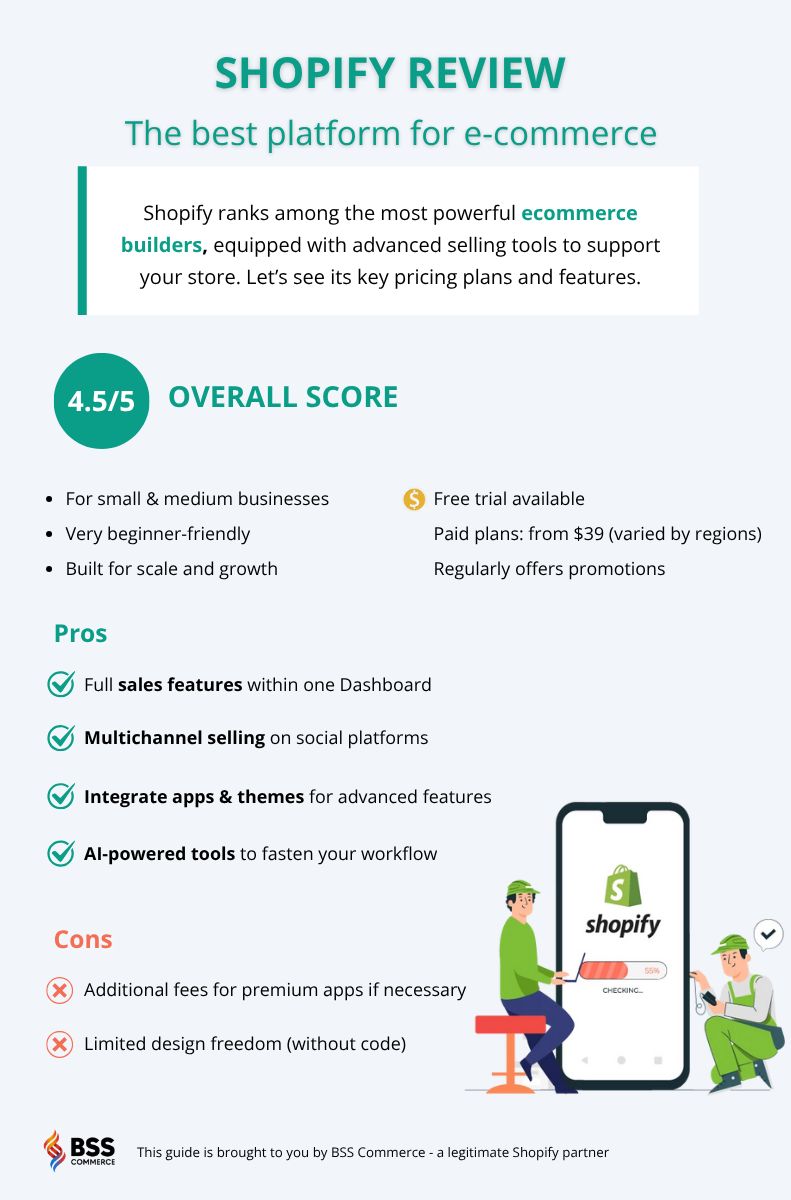
Shopify is one of the most capable e-commerce platforms available today but it’s not perfect for every business. Here’s a quick Shopify to see what stands out and what falls short (by infographic):
Shopify Pricing Plans
All Shopify plans give you access to its full-featured e-commerce platform. Shopify also offers competitive shipping discounts through USPS, UPS, and DHL Express. These discounts can reach up to 88% on higher-tier plans, which is a huge bonus as your order volume grows.
The key pricing differences come down to transaction fees and plan costs. Shopify uses its own payment processor, Shopify Payments, which helps reduce extra fees, but each plan has its own card rate. Here’s how the three main plans compare:
| Plan | Monthly Price (Annual Billing) | Online Transaction Fees | Shipping Discounts |
| Basic | $29/month | 2.9% + $0.30 per online order2.6% + $0.10 in-person | Up to 77% |
| Shopify | $79/month | 2.7% + $0.30 per online order2.5% + $0.10 in-person | Up to 88% |
| Advanced | $299/month | 2.5% + $0.30 per online order2.4% + $0.10 in-person |
If you’re a larger business, Shopify Plus offers enterprise-level customization and automation starting at $2,300/month.
💡The Shopify $1 for the first 3 months is available! If you’re interested, apply right away: https://www.shopify.com/free-trial-offer
Shopify Review: Core Features
Shopify’s core e-commerce features: all in one Dashboard
Talking about Shopify review, I should give you a walkthrough of all essential sales features within Shopify Dashboard.
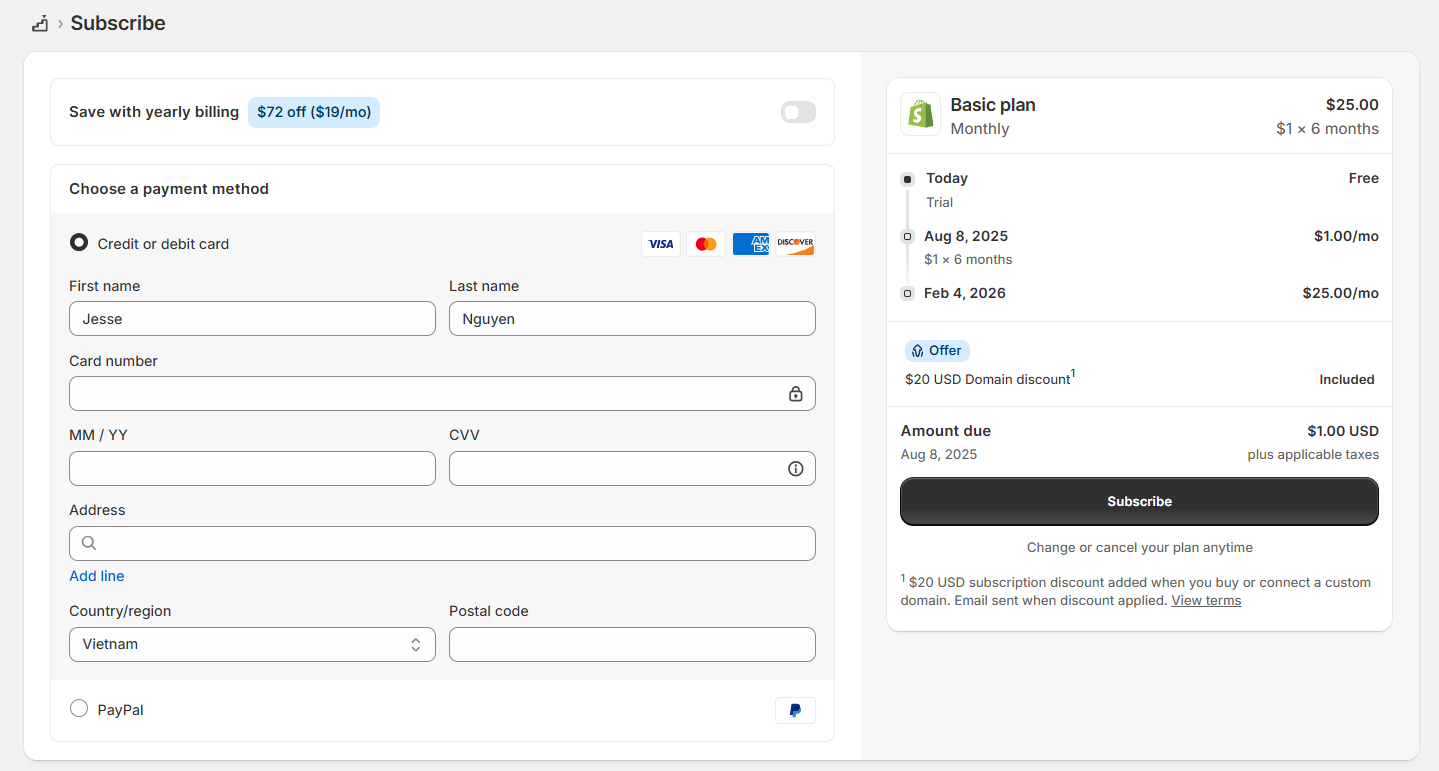
Pricing plan selection
First, I can enjoy my 3-day free trial before selecting a plan. All the key information includes features, benefits, additional fees, and ongoing promotions are stated clearly. I do appreciate Shopify’s transparency.
Store setup process
After signing up, you can immediately start adding products.
Creating products was fast. I just added titles, descriptions, prices, and images (or import a CSV file if you have a large catalog).
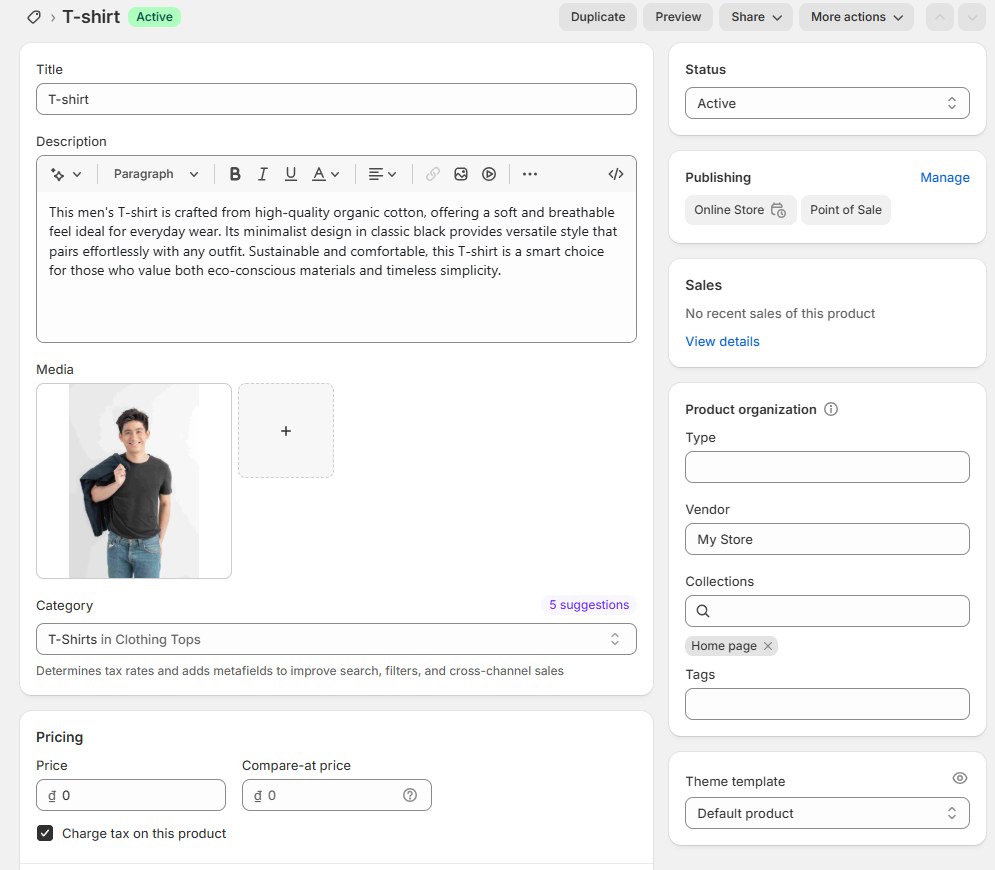
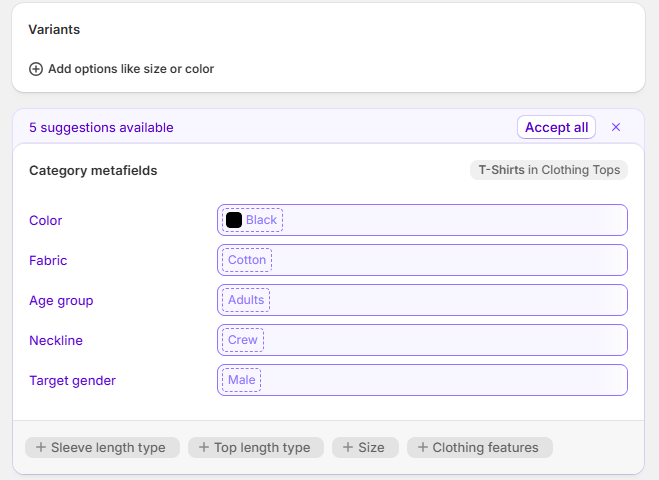
Shopify made it easy to organize everything by category, track inventory, and manage variants like sizes or colors. The inventory table updates automatically with each sale, but I could also adjust quantities manually when restocking.
Customize the storefront
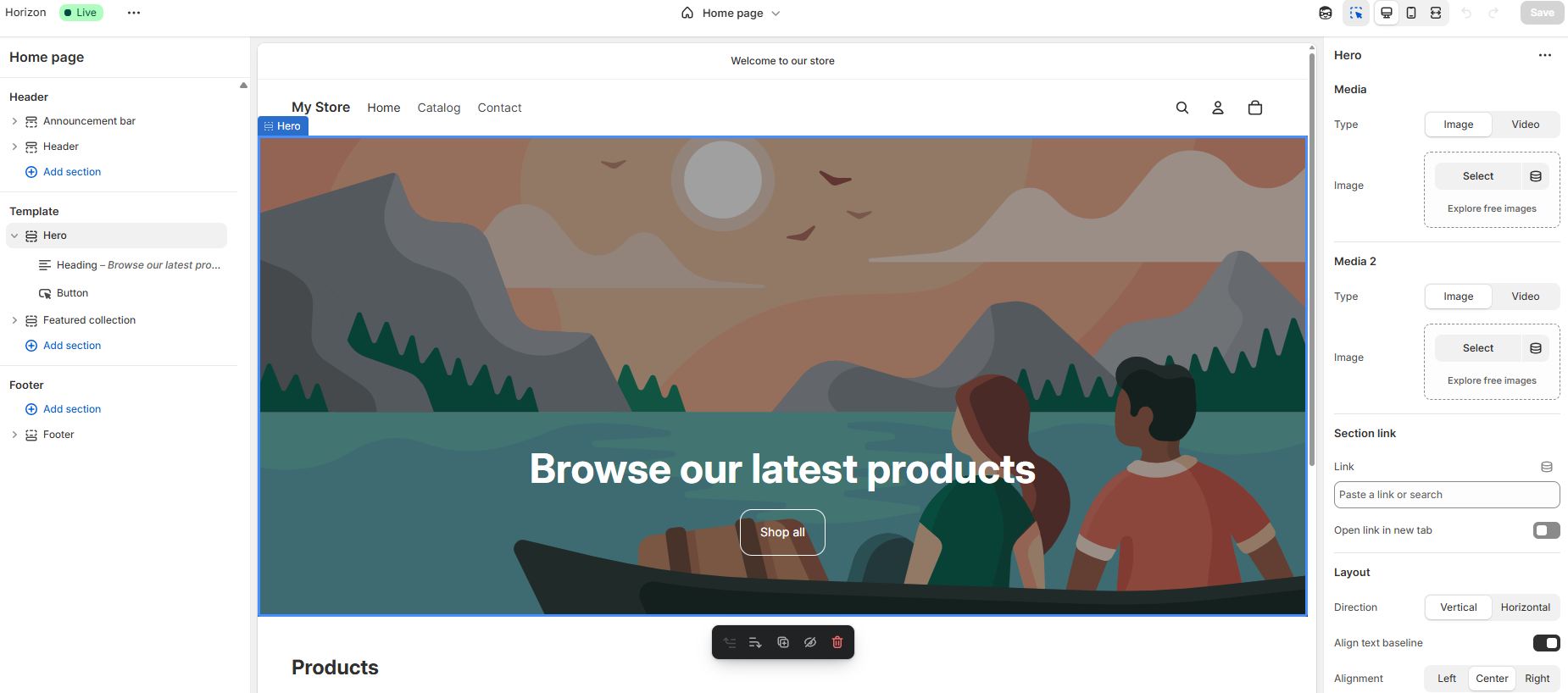
The theme editor was surprisingly flexible. I picked a pre-designed theme, then used the drag-and-drop editor to adjust the homepage and add custom sections. I liked that I could preview everything on desktop and mobile without switching tabs. All I had to do was click a section on the sidebar, and it would jump right to that part of the page for editing.
Configure payments
For payments, I activated Shopify Payments with a few clicks. This allowed me to accept credit cards, Apple Pay, Google Pay, and other local payment methods without using third-party gateways. It also meant I didn’t have to worry about extra transaction fees.
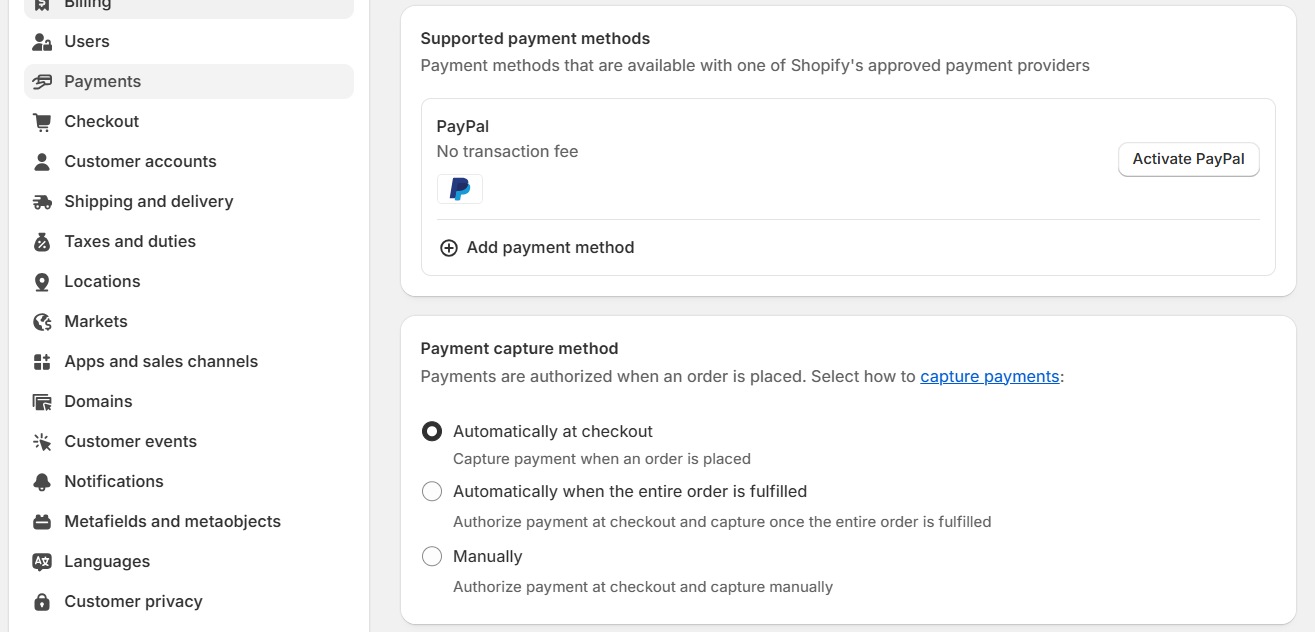
You can integrate with third-party payment gateways too, but do keep in mind there will be additional fees.
Order and inventory management
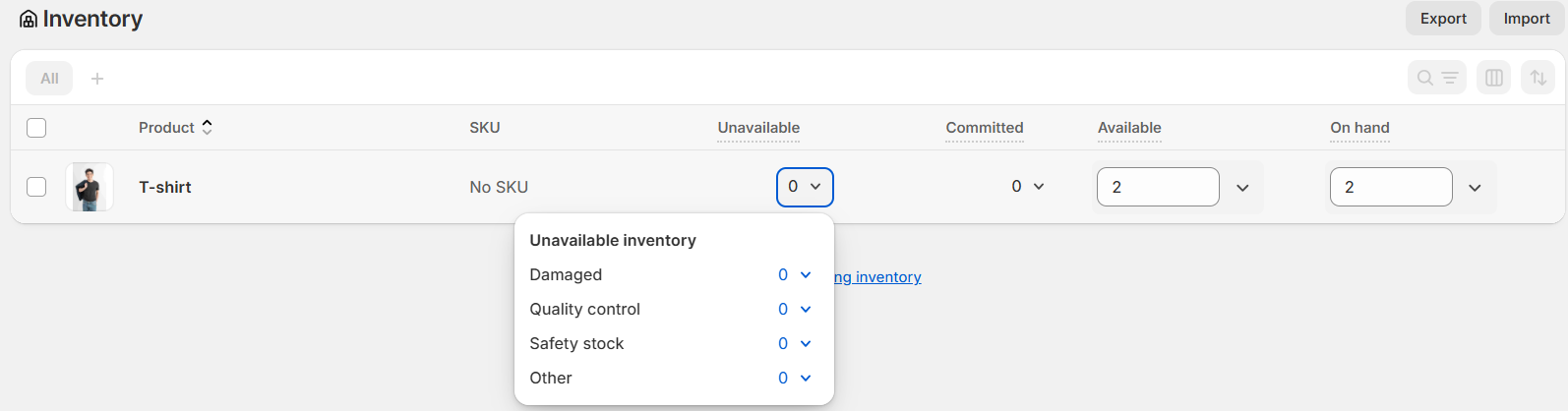
Order and inventory management were fairly straightforward. I could filter orders by status, print packing slips, and track fulfillment progress in the same view.
Inventory levels updated automatically with each sale, but manual stock adjustments were still necessary depending on how you handle restocking.
Overall, Shopify is very beginner-friendly, making it an obvious choice for new startup and small business owners. From my Shopify review, the platform tries to increase the ease of use as much as they can in every step of the process. I would give it 8/10 for how easy it is to build and launch a business.
>>> Check out our article to know where you should start:
- How Does Shopify Work: A Complete Beginner’s Guide
- Shopify Pricing Plans Review: How Much Does Shopify Cost (2025)?
- Shopify 3 Months For $1: Ultimate 2025 Guide & Pro Tips To Promote Your Store
Shopify Themes: Free & paid templates for use
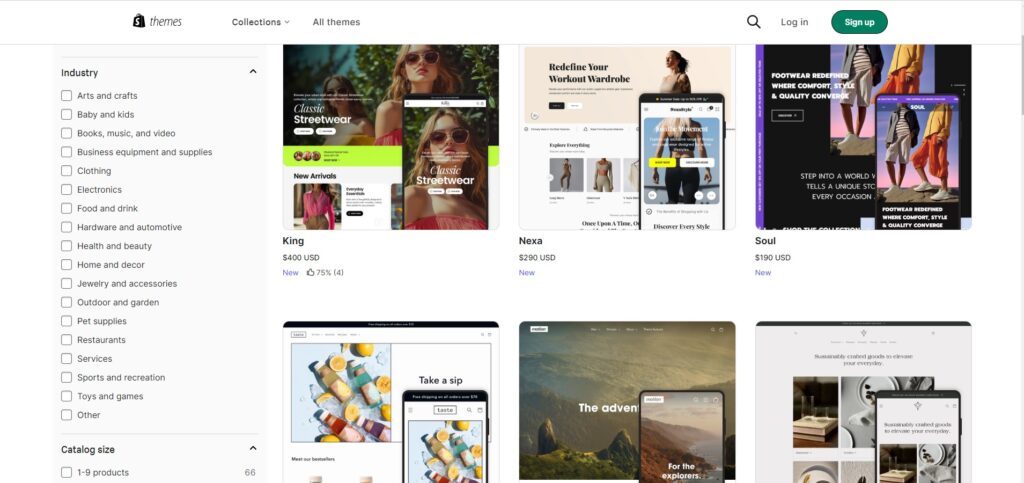
As of August 2025, Shopify offers a total of 269 themes: including 23 free, while the remaining 246 are paid themes, each priced between $100 to $500 (one-time fee).
Compared to competitors like Wix (2,000+ free themes) or Squarespace (180+), Shopify’s limited free selection may feel a bit restrictive.
If none of the themes feel right, Shopify also gives access to the underlying Liquid code, letting you build or customize your own theme. Developers or businesses working with an agency can leverage this flexibility to create a unique storefront from scratch.
✨✨✨ EXPLORE SHOPIFY THEMES NOW!
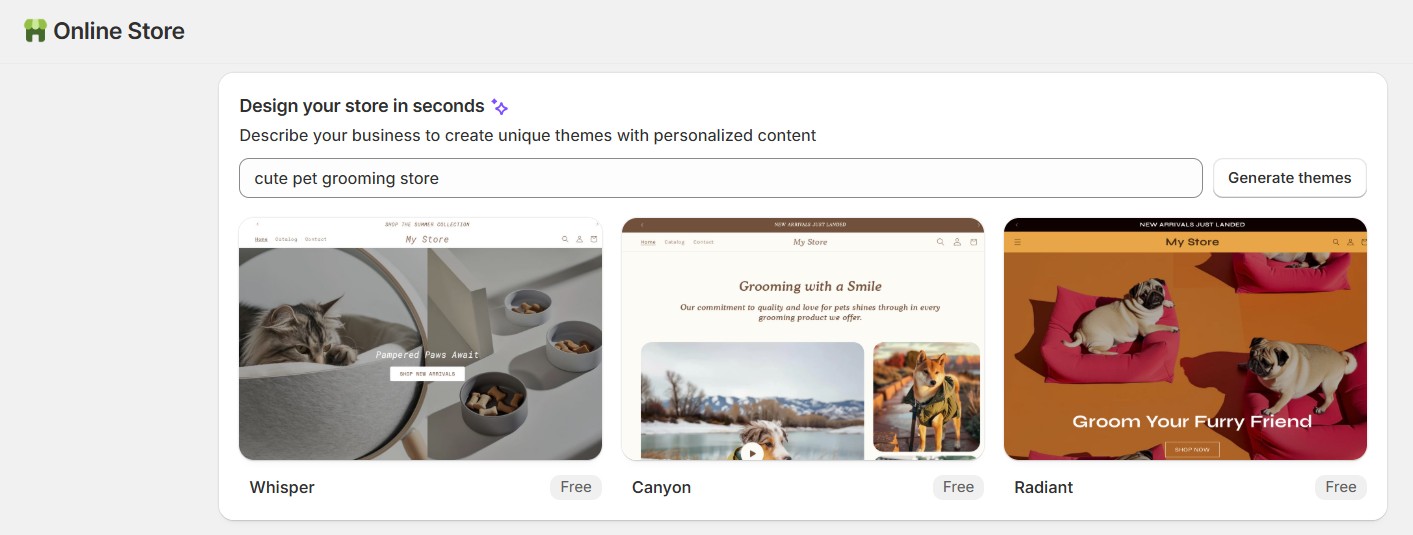
Shopify launched AI Store Setup in 2025. When I tested this tool for a niche pet grooming brand, the suggestions came with three custom theme variations that felt surprisingly on-brand.
Built-in AI tools to boost workflow
AI is playing a bigger role in ecommerce than ever, and Shopify is right at the front of the pack. In 2025, they’ve doubled down on smart tools that simplify store management, content creation, and customer communication.
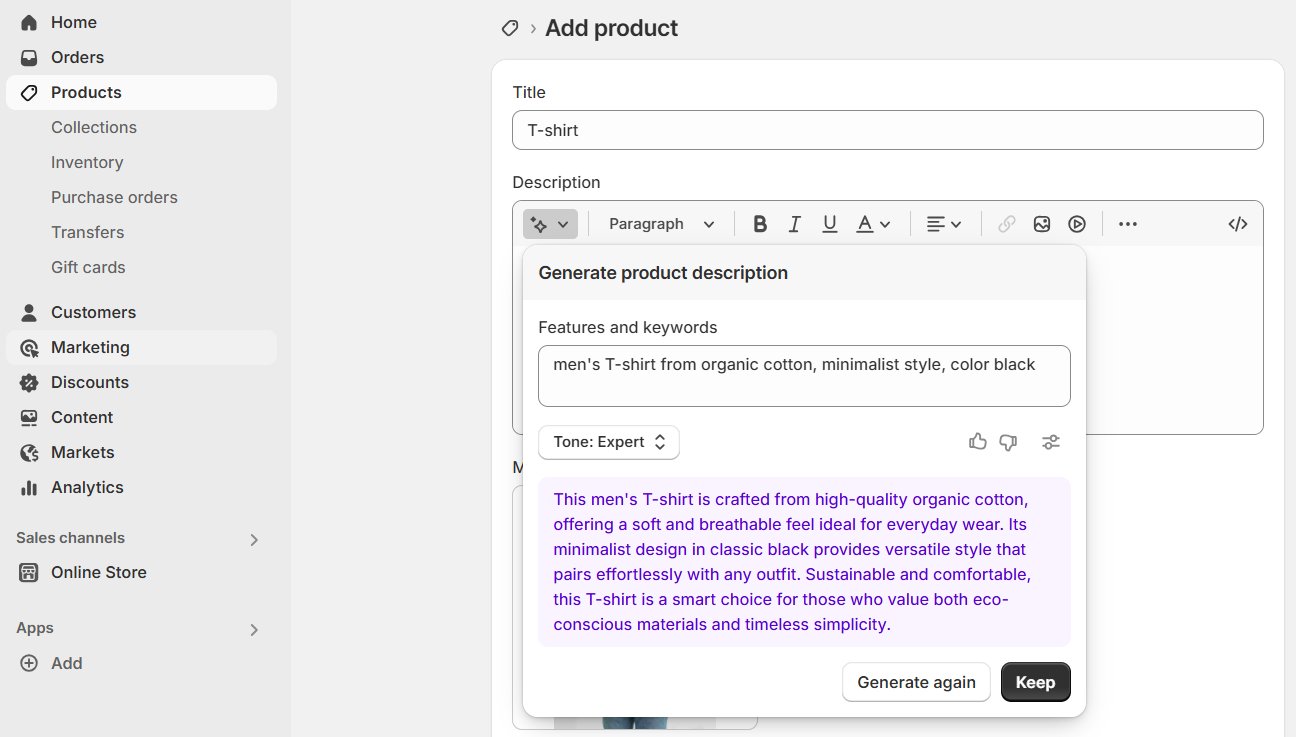
One standout feature is Shopify Magic and Shopify Sidekick, which brings built-in AI capabilities across the platform. You can use it to:
- Write product descriptions
- Edit or completely replace image backgrounds
- Generate personalized replies to customer messages
- Get marketing support, like drafting email campaigns or suggesting the best times to send them
- Helps with operational tasks
I also tested Shopify Magic on a batch of product listings. The AI handled basic copywriting quite well, but I still had to tweak parts of the descriptions to sound more authentic. It’s not perfect, but it’s a good starting point.
Shopify Apps
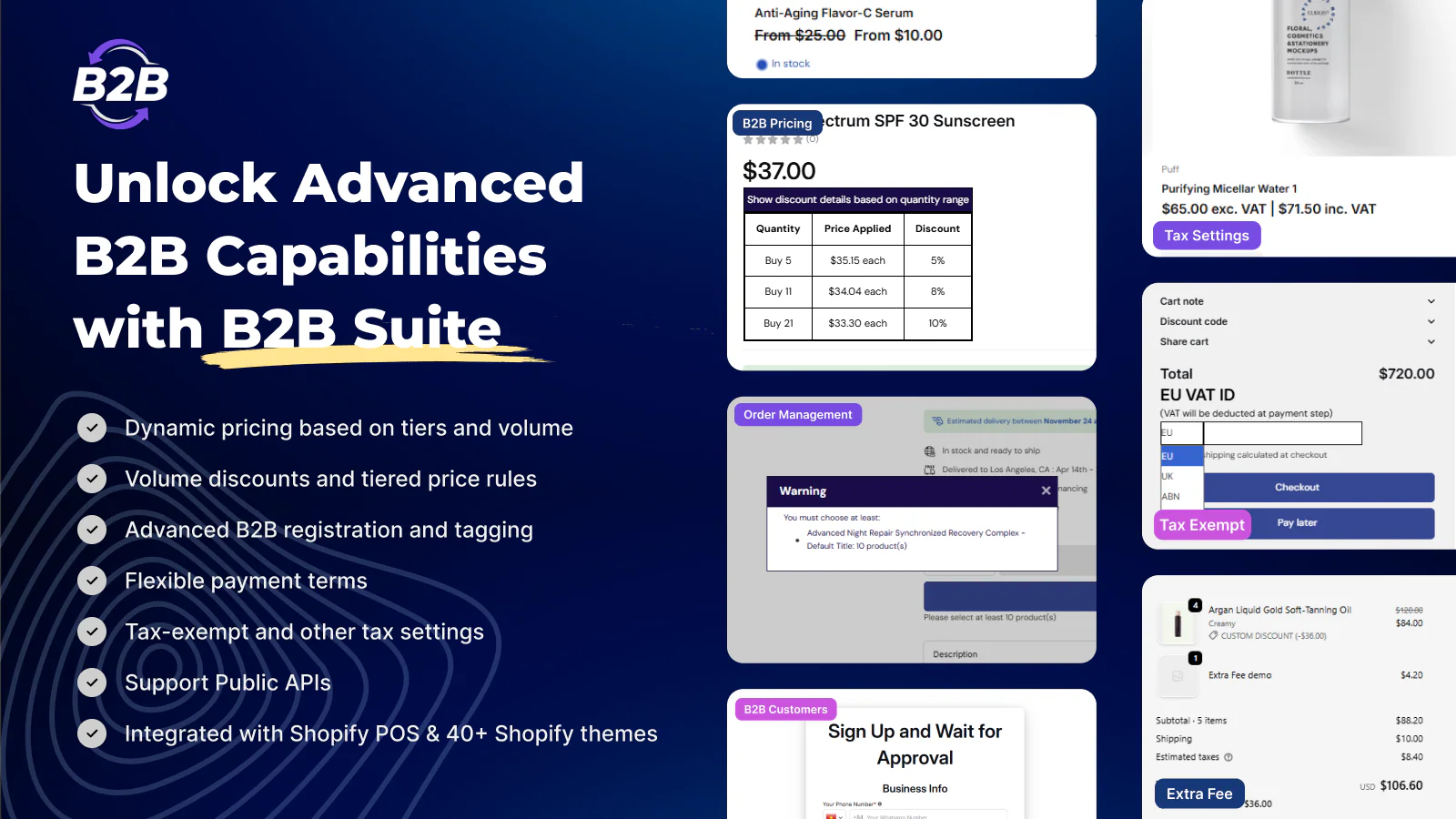
Shopify’s App Store lets you expand your store’s features quickly, with over 8,000 apps available in 2025. These apps help with store design, marketing, SEO, fulfillment, subscriptions, customer service, and more.
You’ll find both free and paid apps. Most premium apps range from $5 to $100/month, though advanced tools can cost more. Apps are easy to install, no coding needed.
✨✨✨ EXPLORE SHOPIFY APPS NOW!
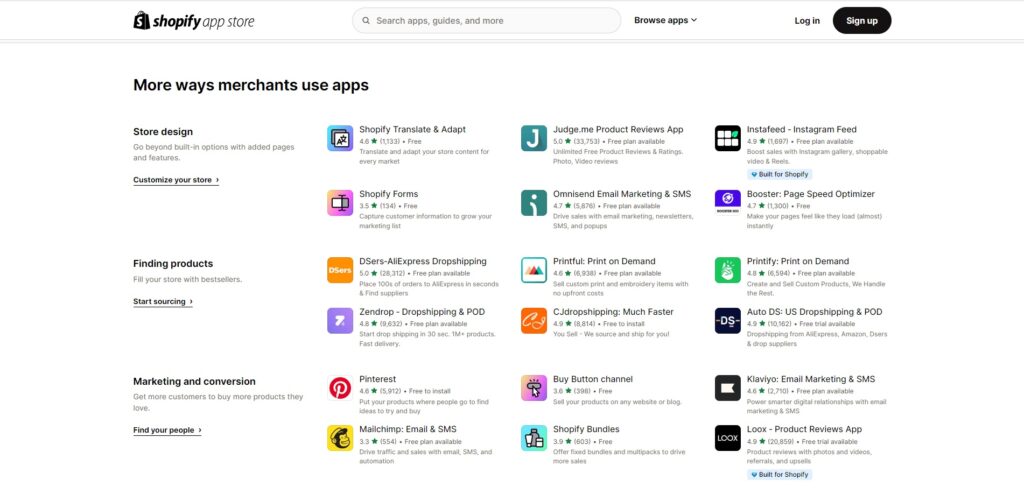
Apps are sorted into categories such as:
- Store design
- Marketing
- Sales and conversion
- Fulfillment and shipping
- Customer service
- Productivity
However, not all apps are perfect. Some slow down your store or cause bugs if poorly optimized. More apps mean more complexity, higher costs, and potential performance issues. That’s why it’s important to only install what you need and review them regularly.
Shopify Point of Sale (POS)
If you plan to sell in person, Shopify POS (Point of Sale) gives you the tools to do it. It connects your online and physical store, so your inventory and sales stay synced in one dashboard.
There are two versions: Shopify POS Lite, which is free with all plans, and POS Pro, which costs an extra $89/month per location. POS Lite covers basic in-person selling, while POS Pro adds features like staff permissions, smart inventory tracking, and in-store pickup.
One limitation I noticed is that some advanced retail features, like staff roles and analytics, are locked behind the Pro plan. So if you’re running a larger or fast-growing retail business, you’ll need to factor in that added cost.
>> You can learn more about Shopify POS here: Shopify POS Lite vs Pro: A Head-to-Head Comparison
Marketing and SEO
Shopify gives you the essentials to start ranking on search engines. What really helped me is that I can edit SEO fields such as meta titles, descriptions, and image alt text on each product or page. It also automatically creates a sitemap and handles redirects, so I didn’t have to touch any code.
I also liked the integration with Google Search Console. It helped me track impressions and clicks from day one without needing a separate plugin.
For marketing, Shopify has an amazing multichannel marketing abilities. It can connect with Meta, Google, and TikTok, making it easy to run ads or sync products across channels. I managed my TikTok marketing directly from the Shopify dashboard.
Other recommended tools include:
- Shopify Inbox to answer customer chats and build trust
- Shopify Forms to grow my email list

Security and Backing Up Data
One major benefit of using Shopify is not having to worry about security or software updates. Shopify’s servers are Level 1 PCI compliant (the highest level for processing credit cards), and every store comes with built-in SSL encryption to protect your customer data.
Additional security and stability features include:
Automatic updates that patch vulnerabilities before they’re a problem
256-bit SSL encryption enabled by default
Built-in fraud analysis tools for orders
PCI-compliant infrastructure to safely handle payments
Shopify also has backup systems in place in case something goes wrong. While this isn’t a formal recovery service, it gives them the ability to restore your store in emergencies. For extra protection, Shopify recommends manually exporting CSV files regularly or using a backup app from the Shopify App Store to automate the process.
Shopify Customer Support
Shopify offers robust customer support designed to help merchants at every stage of the e-commerce journey. Available 24/7, Shopify’s support system includes various channels such as live chat, email, and phone support, ensuring that users can get immediate assistance whenever they need it. This is particularly helpful for business owners managing stores across different time zones.
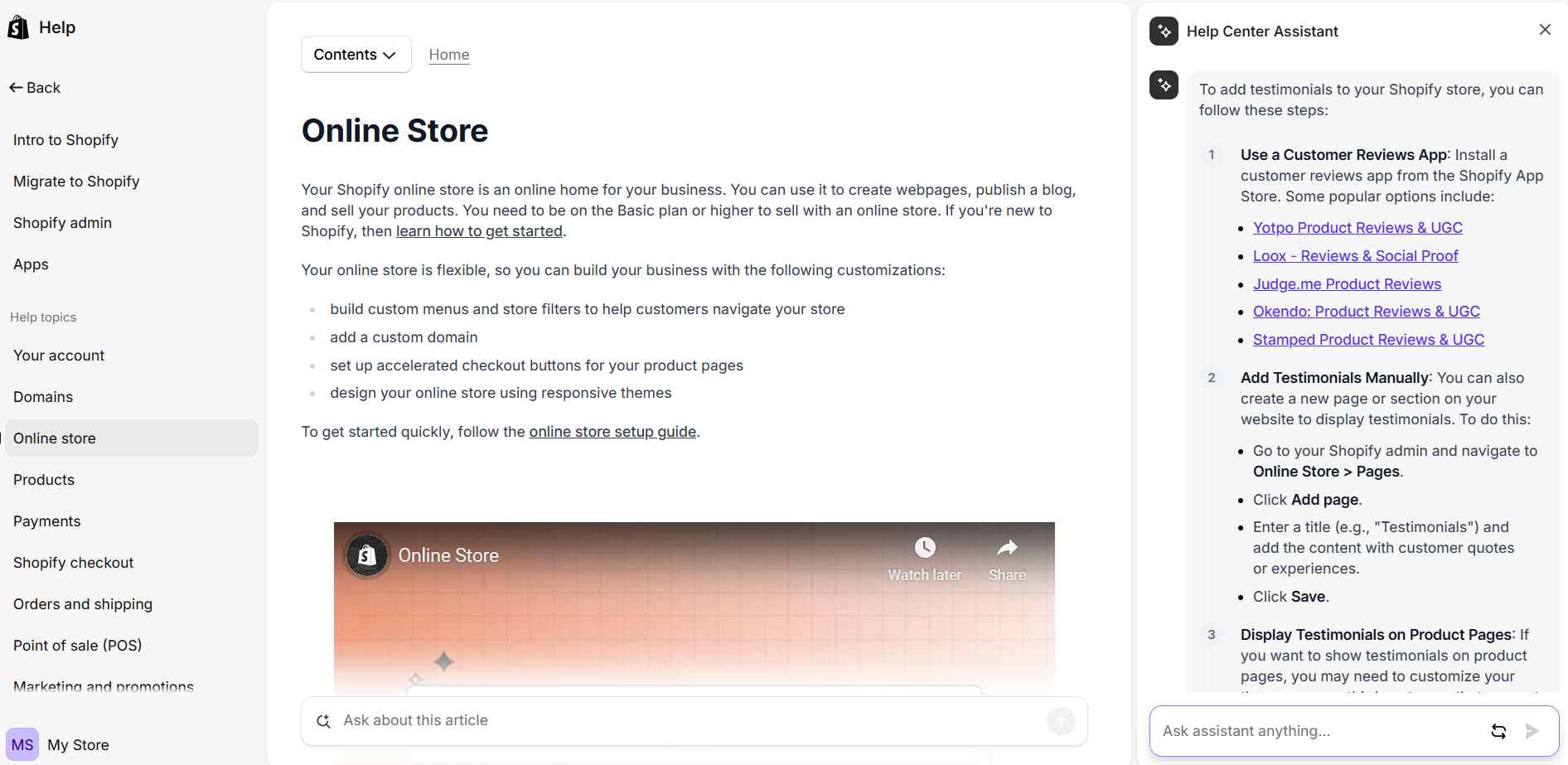
In addition to direct support, Shopify provides an extensive Help Center with detailed articles, tutorials, and step-by-step guides covering topics like store setup, payment integration, and SEO. There’s also a thriving community forum where users can connect, ask questions, and share solutions.
For more technical needs, Shopify offers access to a vast network of Shopify Experts—professionals who specialize in various aspects of store development, marketing, and design. Whether you’re just starting or scaling your business, Shopify’s comprehensive customer support system ensures you’re never left without solutions.
>> You may concern: Shopify Support Chat: How To Easily Get In Touch
Is Shopify worth it?
To sum up, Shopify is a powerful and reliable platform for online businesses, especially if you want to start a small or medium business. In addition, Shopify offers users tons of comprehensive and robust reporting and analytics, along with internationalization capabilities that help you to grow and expand your customer base.
However, in this Shopify review article, Shopify has its drawbacks. Therefore, BSS Commerce hopes our article has helped you weigh both the pros and cons of Shopify before making a purchase decision.
CONTACT US for further consultation regarding Shopify.
FAQs about Shopify
Is Shopify really good?
Yes, Shopify is widely praised for making ecommerce accessible to both beginners and growing brands. It offers a unified dashboard, scalable infrastructure, built‑in marketing tools and checkout, along with 24/7 support. While the platform can become expensive with add‑ons and transaction fees, its combination of ease of use, ecosystem, and flexibility makes it a top choice for many online sellers.
What are the downsides of Shopify?
Key drawbacks: costs can add up due to transaction fees (if not using Shopify Payments), premium apps, and themes. Advanced customization requires knowledge of Liquid or hiring help. Also, international tax handling or multi‑language setup can be complex or rely on third‑party solutions.
Is Shopify better than Amazon?
Shopify gives full control over branding, design, SEO, and customer data via your own store front – advantages Amazon doesn’t offer. Amazon offers massive traffic and quick exposure, but sellers face fierce competition, limited customization, and no direct consumer relationship. Shopify is better for long‑term brand growth; Amazon is better for reach and convenience.

Finn Nguyen
Finn is a Shopify expert with 5+ years of experience helping new business owners launch and grow online stores. Specializing in store setup, theme selection, and optimization, he provides practical guidance to turn ideas into successful eCommerce businesses