Squarespace vs Shopify vs GoDaddy: Which Wins The Crown?
When you’re ready to take your store online, you need an eCommerce platform that will represent your product nicely and enable buyers to purchase with ease. And for that, we have the top contenders today: Squarespace vs Shopify vs GoDaddy. All three of them will help you create a solid online presence that you can use to sell your products. But of course, there are differences in these platforms. If you’re a new merchant and have been considering these three services, this article is for you.
GoDaddy vs Squarespace vs Shopify: A Quick Overview
| Key features | Squarespace | Shopify | GoDaddy |
| Free trial | ✓ | ✓ | ✓ |
| 24/7 support | ✓ | ✓ | ✓ |
| Sell online and in-store | ✓ | ✓ | ✓ |
| Business capital | x | ✓ | x |
| Custom domain | ✓ | ✓ | ✓ |
| SEO features | ✓ | ✓ | ✓ |
| Hosting | ✓ | ✓ | ✓ |
| Sell worldwide | ✓ | ✓ | ✓ |
| Multi-currency support | ✓ | ✓ | ✓ |
| Mobile-friendly | ✓ | ✓ | x |
| Fraud protection | x | ✓ | x |
| Integrated checkout | ✓ | ✓ | ✓ |
| Integrated fulfillment network | x | ✓ | x |
| Email marketing tools | ✓ | ✓ | ✓ |
| App Store | ✓ | ✓ | x |
| Mobile app for merchants | ✓ | ✓ | ✓ |
Shopify vs Squarespace vs GoDaddy: A Detailed Comparison
Squarespace vs Shopify vs GoDaddy: Pricing Plans
Squarespace
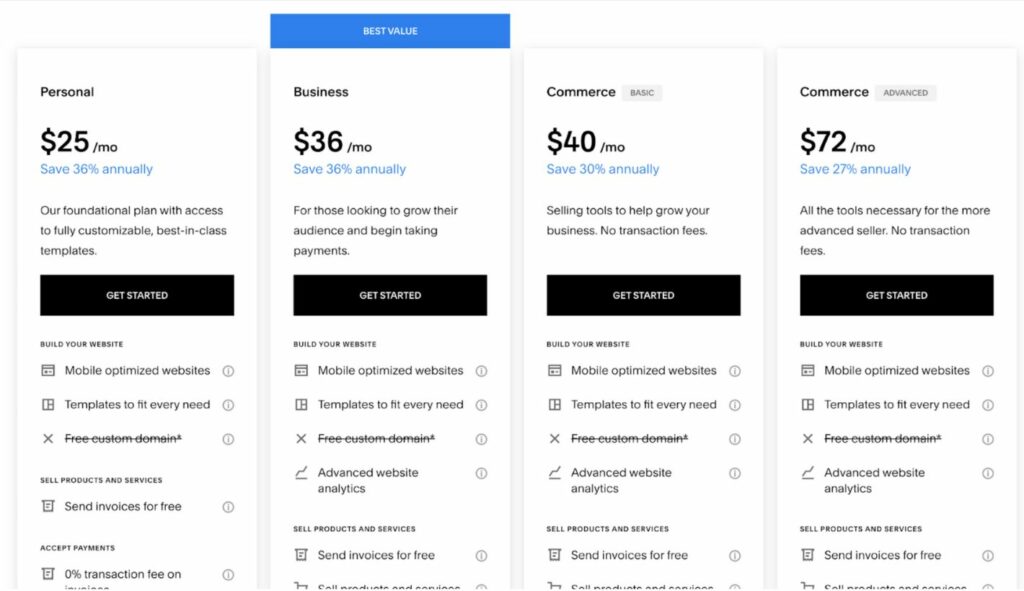
Squarespace has four payment plans:
- Personal – $25/month (best for entrepreneurs who sell services such as consultancies and people who want to build a personal portfolio)
- Business – $36/month (best for small businesses who require basic ecommerce functionality)
- Commerce Basic – $40/month (best for small to medium-sized businesses who need to acquire more customers via online and offline channels)
- Commerce Advanced – $72 per month (suitable for mid-sized businesses with an established user base who want to establish a full-fledged ecommerce website with all the conversion-boosting features Squarespace offers)
Squarespace also offers 28% to 36% off on all its plans in case you choose to opt for an annual plan.
Shopify
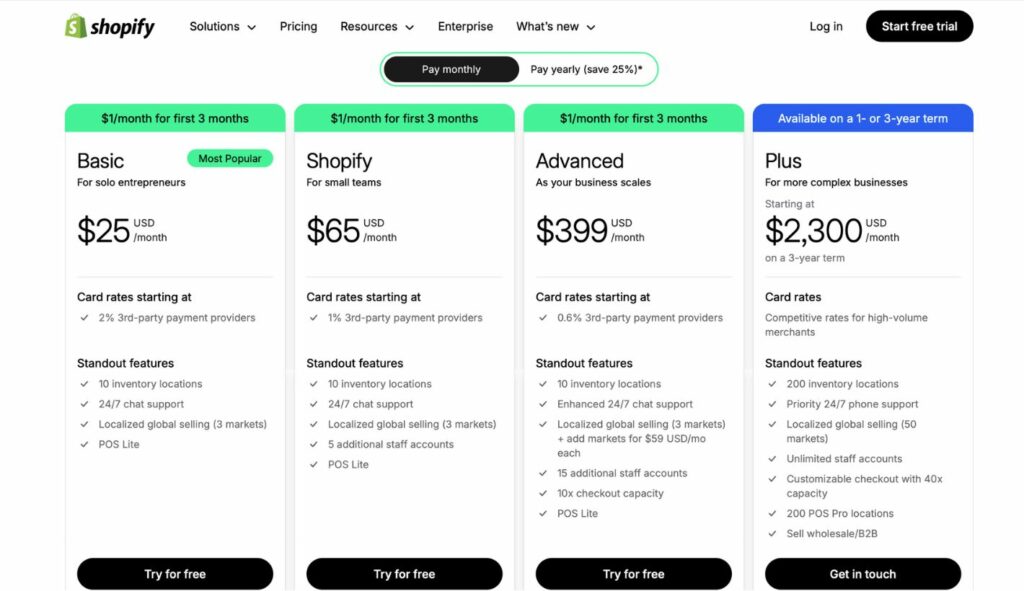
Shopify offers four price plans for retailers of all types:
- Shopify Basic – $25/month (best suited for startups and those who run a business part-time)
- Shopify – $65/month (best suited also for startups who aim to grow and increase their businesses)
- Shopify advanced – $399/month (best for medium to large-sized businesses that have a greater set of customers to serve)
- Shopify Plus – starts at $2300/month (best for large brands and established businesses that sell products to customers worldwide. Additionally, these brands have physical stores linked to their online stores)

Just as with Squarespace, it’s worth noting that Shopify offers 25% of its Basic, Shopify, and Advanced plans in case you choose to pay for a yearly subscription.
✨✨✨ DISCOVER NOW: SHOPIFY PRICING PLAN
GoDaddy
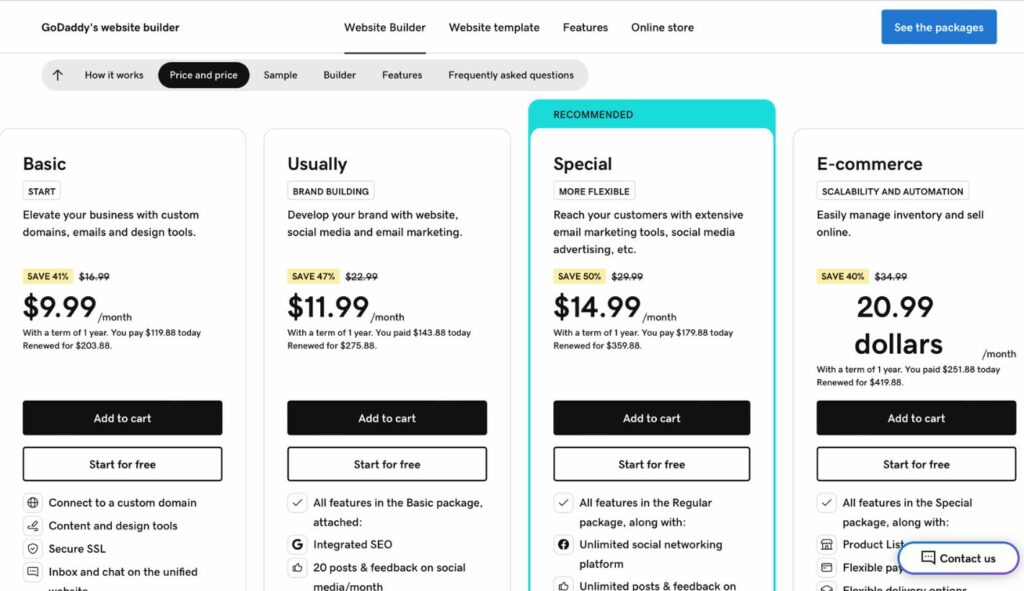
GoDaddy offers 4 pricing plans based on the features you need:
- Basic: 16.99$/month (for getting started)
- Standard: 22.99$/month (for brand building)
- Premium: 29.99$/month (for more flexibility)
- eCommerce: 34.99$/month (for scalability and automation)
GoDaddy also offers a 38% to 42% discount on all its plans if you go for an annual subscription.
Squarespace vs Shopify vs GoDaddy: Website Builder Functionalities
Ease of use
Squarespace
Squarespace, while offering a more feature-complete environment and design customization, is slightly less intuitive compared to Shopify and GoDaddy. Its backend requires a bit more exploration to familiarize yourself with entirely, and the sheer amount of customization options can be overwhelming to some beginners.
Yet its modern and sleek-looking templates provide your site with a good foundation, and its drag-and-drop editor is feature-rich and fairly straightforward to learn once you’ve become accustomed to it. Squarespace also handles content management excellently. It’s simple and straightforward to add pages, blog posts, images, and other content.
Shopify
Shopify is designed for eCommerce, and it’s clean and simple to use. The dashboard allows you to manage inventory, track sales, and customize your site with ease. The basics are simple enough to set up, but Shopify’s advanced features – such as tax configurations, shipping configurations, and more advanced integrations- do require some time to get used to.
This website is possibly slightly harder to use than GoDaddy. Nonetheless, it allows more control over the creativity and consistency of the brand. That is, you can make your website exactly the way you want it to be, creating a consistent and professional brand image that many companies prefer.
GoDaddy
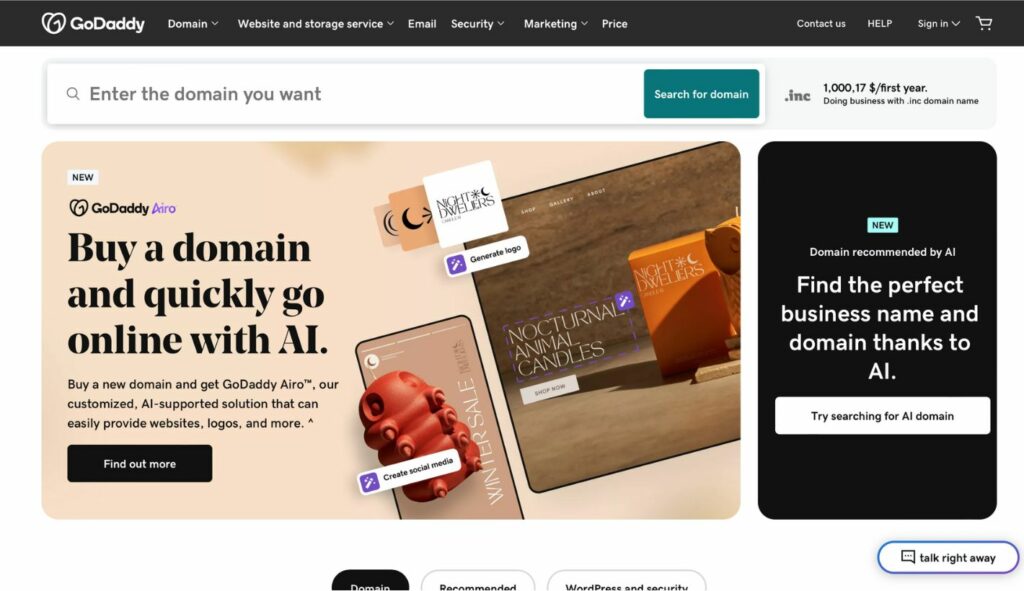
GoDaddy’s website builder is designed for simplicity, so it is an excellent choice for beginners or for those who prefer speed and efficiency. An account at GoDaddy can be obtained in a flash, and GoDaddy’s Artificial Design Intelligence (ADI) can even create a basic website tailored to your interests.
While GoDaddy excels at getting a basic website up and running quickly, its customization options can be somewhat limited. If you require top-of-the-line design control or niche features, you might find GoDaddy’s platform less suitable.
>> You may concern: Connect GoDaddy Domain To Shopify: A Complete Guide
Visual appeal
Squarespace
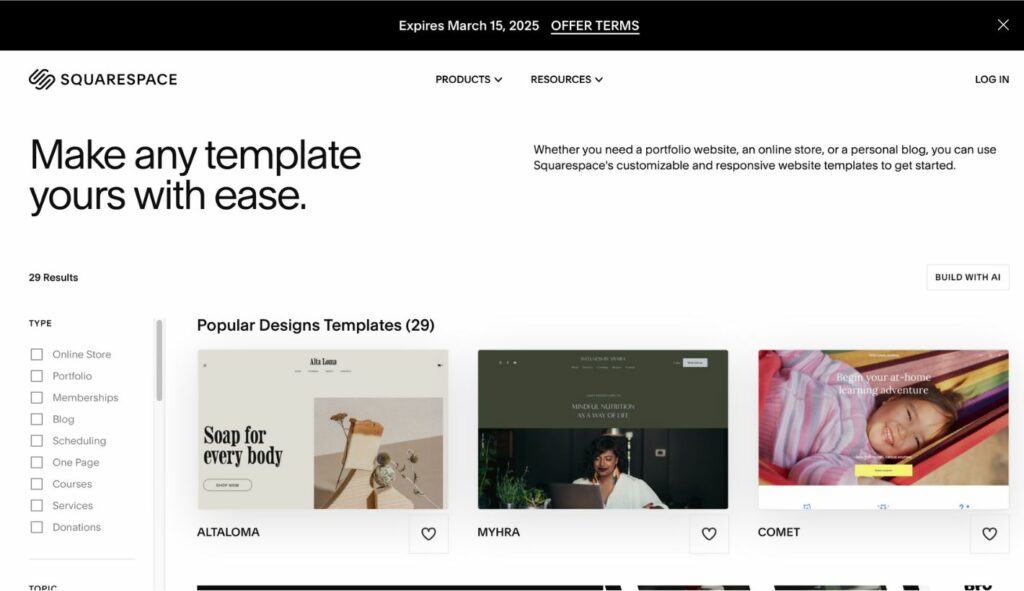
Squarespace template market currently offers 140 templates. Squarespace does offer drag-and-drop sections, but you are not given full control over website editing. There are still some predetermined areas for each element to be placed on Squarespace websites.
Squarespace also allows theme customization using CSS/ HTML languages. For Squarespace users, however, it is advised that custom codes are used only to modify fonts, colors, and backgrounds. Using CSS to edit other parts of the website might create display issues due to incompatibility with the existing template, and no code-based resolution is offered by Squarespace.
Shopify
At Shopify Theme Store, 110+ Shopify themes are offered (free and paid). Just like Squarespace, Shopify is also offered as a drag-and-drop solution. Shopify also facilitates its clients to customize Shopify themes using CSS/ HTML languages.
Unlike Squarespace or any hosted solution, Shopify develops its own templating language – Shopify Liquid (based on Ruby). Liquid is considered to be the foundation of Shopify themes. Using Liquid, you can render dynamic content for your storefront, including: Tags, Filters, and other objects for rendering specific content.
✨✨✨ DISCOVER NOW: SHOPIFY THEME STORE

GoDaddy
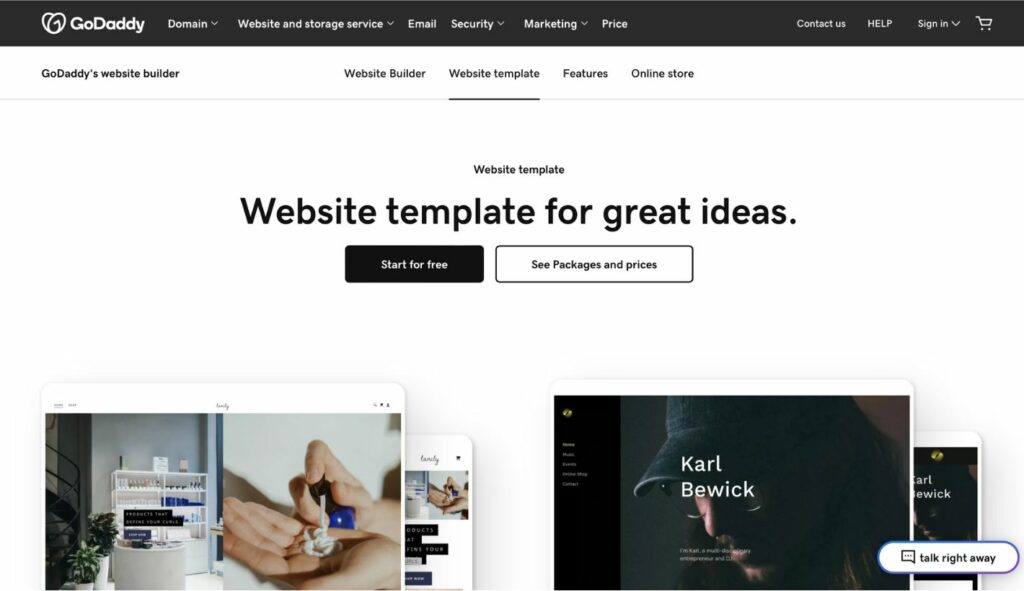
GoDaddy’s website builder and editor tool is a great choice for someone who only needs a simple website, and needs it quickly. ADI, or Artificial Design Intelligence, is the differentiating factor between the GoDaddy website builder and others. GoDaddy will ask your interest in the new site through a set of questions, then build a mockup of what it’d look like based on ADI. You can then just make changes and finish the site based on the pre-designed website, which reduces your time and effort.
Nevertheless, GoDaddy’s simplicity of tools will limit what you are able to accomplish with your site. There are only 22 GoDaddy templates to choose from, and they all do not vary that much from one another. Nor does it include drag-and-drop editing, nor can you create changes to pages with HTML or CSS, meaning design alterations are limited.
Squarespace vs Shopify vs GoDaddy: Ecommerce Features
Payment options
Squarespace supports the addition of PayPal, Stripe, or Square payment processors. While the three are the most excellent payment gateways for sellers based in the US, non-US sellers might find it difficult to receive payments from their customers.
Shopify integrates over 100 payment gateways all around the world with big names like Apple Pay, Google Pay, Amazon Pay, and PayPal. On top of that, they also offer their own Shopify POS (point-of-sale) system for merchants with a physical shop. One important part of Shopify’s ecosystem is Shopify Payments, its own payment gateway, which makes the payment process easier on the customer and merchant side.
GoDaddy offers 3 major options: PayPal, Stripe, and Square, and also allows Apple Pay through Stripe. GoDaddy does charge transaction fees for payments processed through their service, GoDaddy Payments.
>> More related topics:
Shopify Payments vs Stripe – 5 Key Differences To Concern
A Comparison of Shop Pay vs PayPal – Which One Best Suits Your Needs?
Shopify vs Paypal: An In-depth Comparison of Two Payment Methods
Inventory management
Squarespace
Squarespace’s eCommerce functionality is quite straightforward so under Inventory, there isn’t a lot you can see. In Squarespace Commerce mobile apps and inventory panel, the product inventory can be managed and searched in a single location. Squarespace allows you to view, search, organize, and edit your inventory. Since Squarespace targets small and medium-sized online stores, the inventory management tools are very simple, so the users have to install more apps to improve and facilitate this process.
Shopify
Shopify is a powerful eCommerce solution. When it comes to inventory management, Shopify is strong in the sense that it offers a full inventory suite. Shopify’s inventory management tool helps you stay organized, avoid costly errors and keep track of all inventory activities easily. You can do a lot of things with Shopify like building and organizing products, managing product variations, assigning barcodes, tracking stock levels, and lots more.
GoDaddy
GoDaddy inventory management is more ideal for smaller stores with fewer items. While GoDaddy’s inventory tracker does automatically update inventory levels when an order is placed, it lacks Shopify’s robust analytics and fulfillment capabilities. GoDaddy does allow users to connect their product catalog to Amazon, eBay, Etsy, Walmart, Facebook, and Instagram marketplaces, with orders and inventory syncing automatically. However, its inventory management functionality is not as strong as Shopify’s.
SEO capability
Squarespace offers all the basic SEO tools to place your website at the top of search engines. While you create a website, it is also mobile-friendly so it gets priority in the Google algorithm. It also offers a clean HTML markup which gets indexed easily by search engines.
Shopify’s internal SEO tools do the basics, allowing you to tweak titles and meta descriptions and providing a preview of how your site would appear in search results. It’s easy enough for beginners or those who just need the basics. For more SEO control, though, you might find Shopify limiting unless you delve into its range of SEO apps, which can get expensive.
GoDaddy offers a keyword-based SEO tool that also monitors rankings. It also offers managed SEO services. Under these services, you get a personal account manager for reporting and consultation but not for content creation. Pricing is affordable but may lack depth considering its low cost. Although it spares you the hassle of doing SEO yourself, GoDaddy can neglect important aspects like mobile optimization and technical SEO, while their approach might be too general for your individual case.
Customer support
Squarespace provides 24/7 email and Twitter support. Their live chat, however, is not always on but only from 4AM to 8PM Eastern Time and from Monday to Friday. Squarespace does this because they believe customers should have the experience of dealing with actual helpful human representatives instead of AI.
Shopify provides a huge resource knowledge base with instructional tutorials and FAQs. If content in the knowledge base does not help with technical issues, customers can resort to direct support from these platforms. Shopify offers 24/7 phone and live chat support, as well as email and social media support. Shopify also has its own forum and community with over 900,000 members to share their knowledge and support you with any questions you may have. With Shopify, you will never be kept in the dark.
GoDaddy offers phone and live chat support. Phone support is 24/7 in most places (and live chat is 24/7 everywhere). The phone number of the company is not hard to find because it’s listed in the “contact us” link in the upper menu. GoDaddy also has a Twitter support handle, as well as a variety of help center articles and video tutorials.
Security
Squarespace
Squarespace includes SSL certificates straight out of the box, two-factor authentication, and PCI compliance for protected online transactions. Squarespace also supports customer login areas protected, so member details remain secure.
It is simple to verify the security of a Squarespace site by checking the URL while in preview mode, where the icon for a secure connection is present. Regarding fraud protection, Squarespace employs third-party payment processors like Square and Stripe to detect and handle fraudulent transactions.
Shopify
Because of its hosted solution, Shopify manages upgrades and security in the background, thus it is a safe platform. Shopify is hosted on a Level 1 certified server, which is obligatory to process credit or debit card information. All Shopify stores also use SSL encryption at a 156-bit level to encrypt customer data.
Shopify also provides merchants with SOC (Service Organization Control) and Transparency reports, which are assessments by third-party examiners. Shopify merchants thus have to adhere to a set of independent standards, such as security and service availability requirements.
GoDaddy
GoDaddy offers a solid range of security features to protect your site and information. They offer built-in SSL certificates, meaning your site will be on HTTPS and protect sensitive information. Two-step verification is also available, which adds another layer of protection against unauthorized access.
For eCommerce sites, GoDaddy is PCI compliant, storing credit card information in a secure environment. They also offer secure customer login areas for your website members. For fraud protection, though, GoDaddy relies on users reporting suspicious activity. This process may require more vigilance on the part of website owners.
Shopify vs Squarespace vs Godaddy: Finding Your Fit
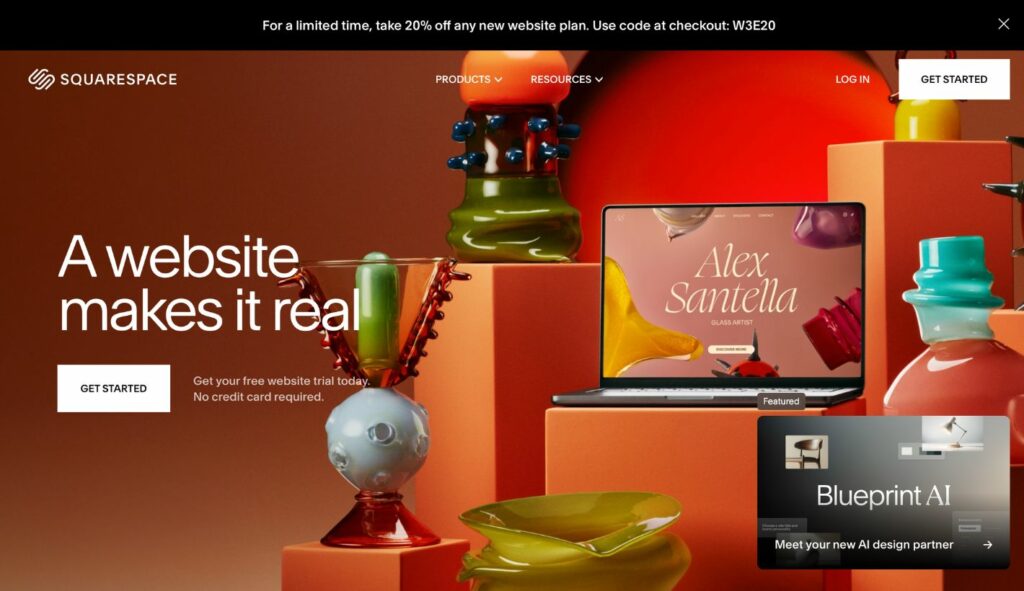
Squarespace: Best for Sleek, Creative Websites
- Creative professionals like photographers, designers, writers, and artists.
- Small businesses or individuals who prioritize aesthetics and user-friendliness.
Shopify: Best for E-commerce
- Small to medium-sized businesses committed to selling products or services online.
- Brands that need a specialized e-commerce platform for the smooth management of store operations.

GoDaddy: Best for Simplicity and Speed
- Beginners with no technical knowledge need to have a simple website up and running immediately.
- Small local businesses require a cheap, user-friendly platform.
Bottom Up
Choosing Godaddy vs Squarespace vs Shopify comes down to your business goals. Shopify is ideal for online stores that need advanced tools. Squarespace is perfect for creatives that value design and premium templates. GoDaddy is perfect for them or those businesses that need a quick, easy fix. Compare your unique needs with what each platform offers and make your best choice.
If this blog is helpful to you, check out BSS Commerce for more eCommerce blogs and reviews! CONTACT US NOW and let us know your problems. We are always here to assist you whenever you need assistance!

Finn Nguyen
Finn is a Shopify expert with 5+ years of experience helping new business owners launch and grow online stores. Specializing in store setup, theme selection, and optimization, he provides practical guidance to turn ideas into successful eCommerce businesses