Shopify Horizon Theme Collection in 2025: Ultimate Guide
The Shopify Horizon Theme Collection, launched in Summer 2025 as part of Shopify’s biannual updates, represents a major evolution in Shopify’s theme architecture. It promises unprecedented flexibility, AI-powered customization, and significant performance improvements—especially for mobile-first design, speed, and clean code.
With over 12 years of experience working on Shopify themes and apps, plus real-world testing with clients, we’re so excited to share an honest, fresh look at Horizon’s standout strengths and growing pains, along with practical tips to help you get the most out of Horizon in 2025. Let’s find out!
TL,DR: Our summary
- Horizon is a game-changer: Modular, AI-powered, and mobile-first.
- Deep customization: Up to 8 levels of nested blocks for totally unique layouts.
- AI block generation: Fast, code-free section creation but still need manual cleanup
- 10 free, niche-optimized presets: Launch faster with pro designs.
- Some bugs and learning curve: Editor instability, mobile quirks, and block movement limitations.
- Our advice: For new stores, we recommend Horizon. Start with a preset, customize using nested blocks, use AI-generated blocks carefully, and maintain design consistency. For existing stores, you should evaluate customizations, test Horizon on a development site, and wait a few months for bugs to be fixed before switching to live.
What’s Shopify Horizon Theme
Shopify’s Horizon theme, launched in the Summer 2025 Editions, brings a big step forward in how merchants can customize their store. Built on a fully block-based system with up to eight levels of nested blocks, it offers unparalleled flexibility to create complex, modular layouts for pages, sections, and product cards without any coding. This marks a significant evolution from the previous Online Store 2.0 framework.
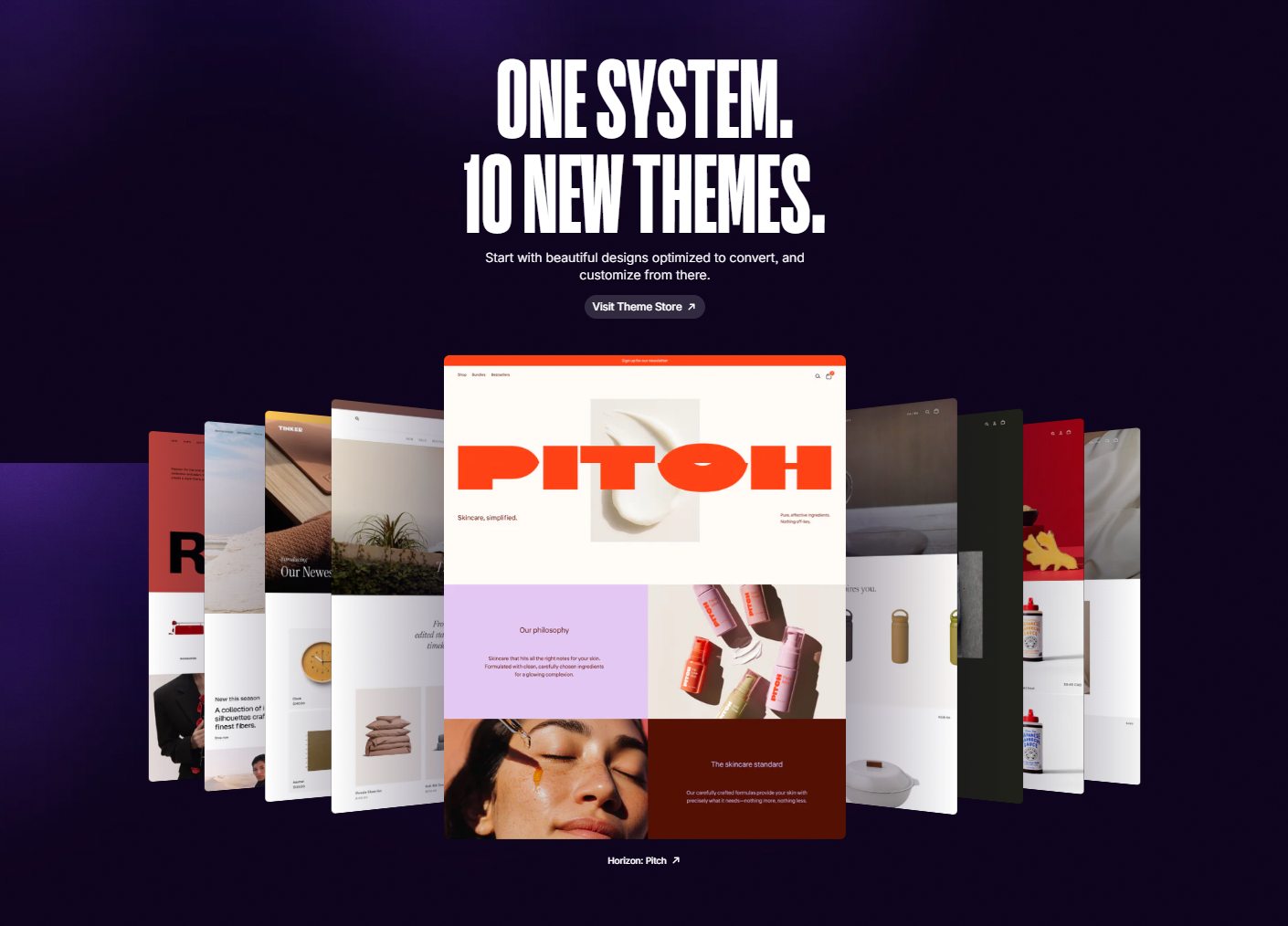
A standout feature is its AI-powered block generator, which enables quick and easy creation of custom blocks. Horizon also includes modern, visually striking design elements that help merchants craft a unique brand identity and tell their story more effectively. Its enhanced theme editor allows one-click editing, speeding up store setup and launch.
The theme comes with 10 free, industry-specific presets, each tailored to different niches for better conversions and user experience. Think of it like Dawn and its variants—they share the same solid foundation but are optimized differently depending on your business.
Not on Shopify yet? Learn about the ongoing Shopify $1 for 3 months deal and start your free trial.
Overview: 10 Shopify Horizon Themes
Shopify Horizon offers 10 industry-specific presets that enable merchants to launch quickly with professional, tailored designs. Each preset shares the same core features and code but provides distinct styles suited to different niches.
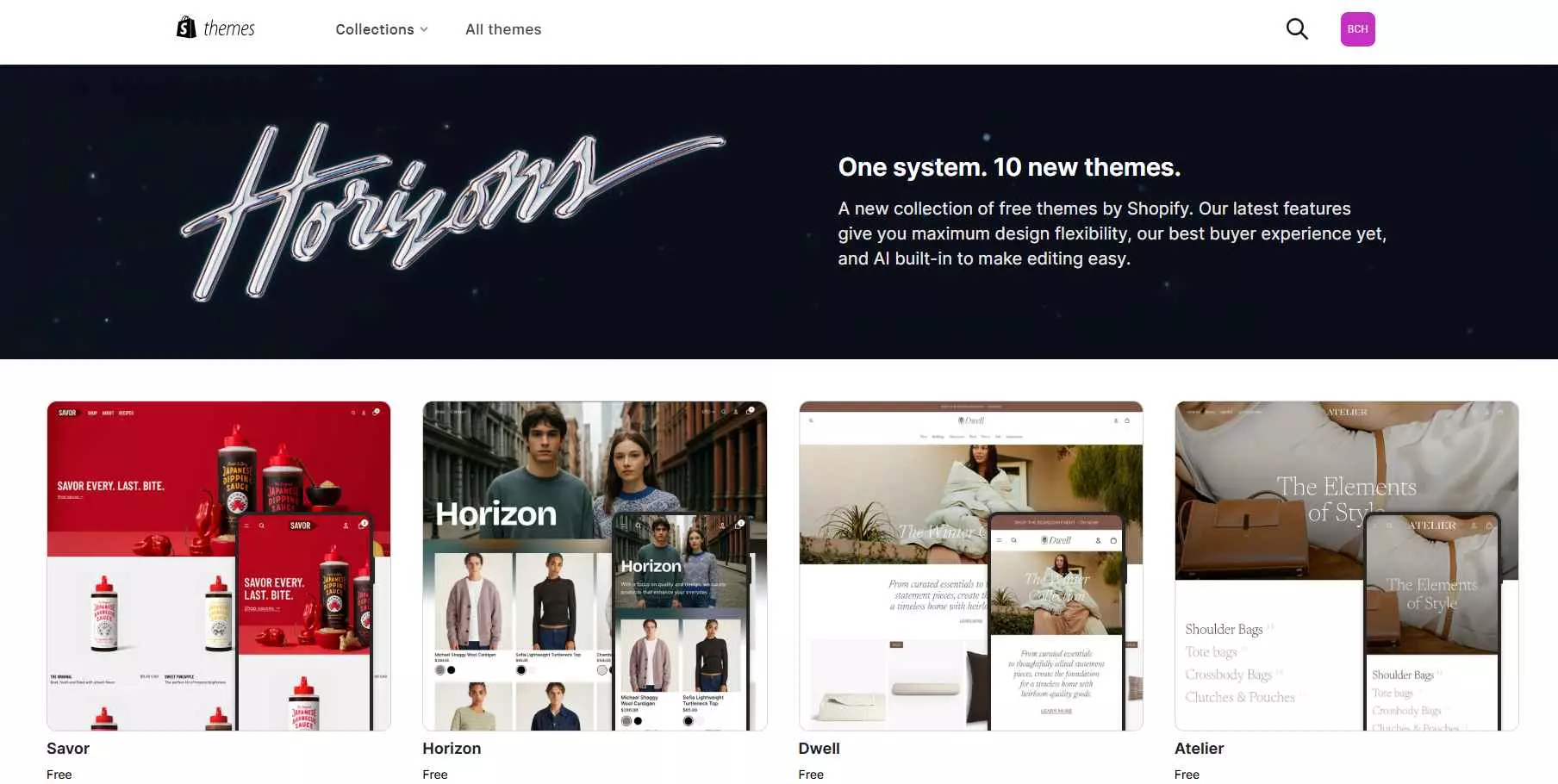
Below is a summary of the 10 Horizon presets from our insight to help you choose the best fit for your niche and brand:
- Horizon (Base Theme)
- Tinker
- Fabric
- Vessel
- Ritual
- Dwell
- Pitch
- Heritage
- Savor
- Atelier
#1. Horizon

Horizon is the cleanest theme in the group. It gives you a simple starting point to build on, making it a good fit for both developers who want flexibility and merchants who need a no-fuss setup.
Best for: Clothing & Accessories, stores with simple product lines.
#2. Tinker
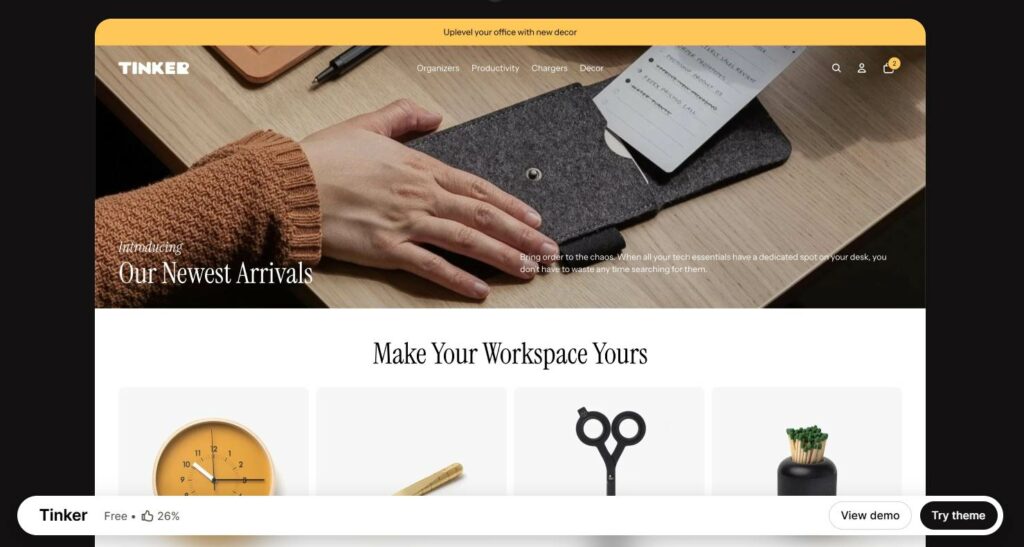
Tinker is a modern, playful Shopify theme designed for creative brands. It uses clean layouts, bento-style product cards, and flexible sections to showcase products in a fresh, engaging way.
Best for: Tools & Gadgets.
#3. Fabric
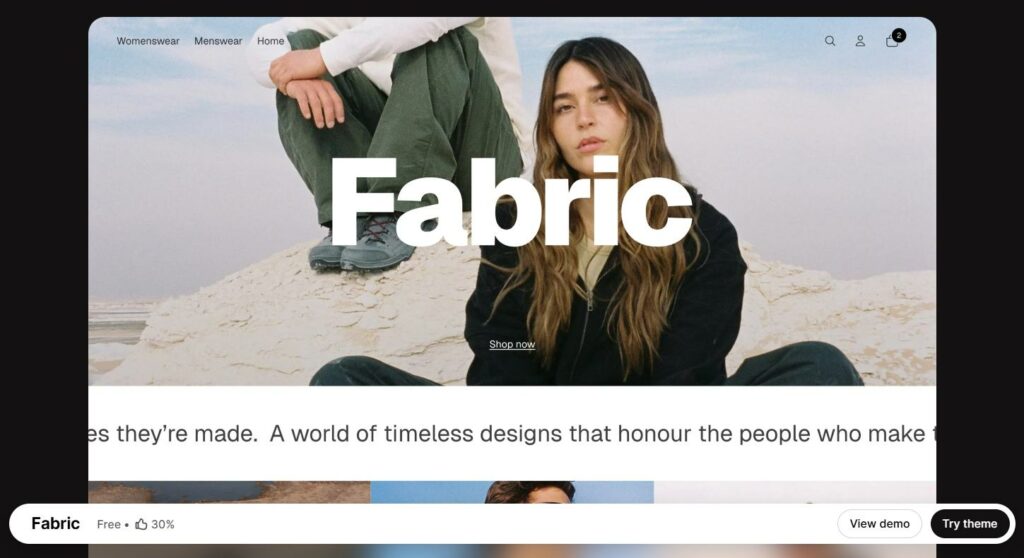
Fabric uses large product grids and bold swatches to keep the focus on items. It’s a good choice for fashion and accessory stores that rely on visual presentation and distinct branding.
Best for: Fashion, Medium-sized catalog.
#4. Vessel
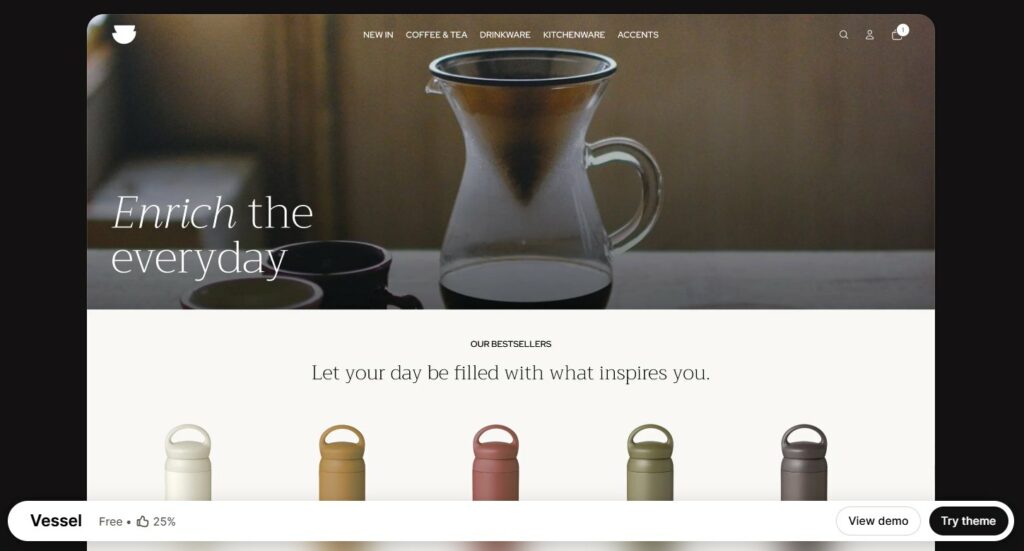
Vessel pairs clean layouts with refined typography and generous spacing. It works best for jewelry or premium goods where minimalism helps products look more exclusive.
Best for: Home Decor & Lifestyle, Health & Wellness, Hand-crafted products.
#5. Ritual
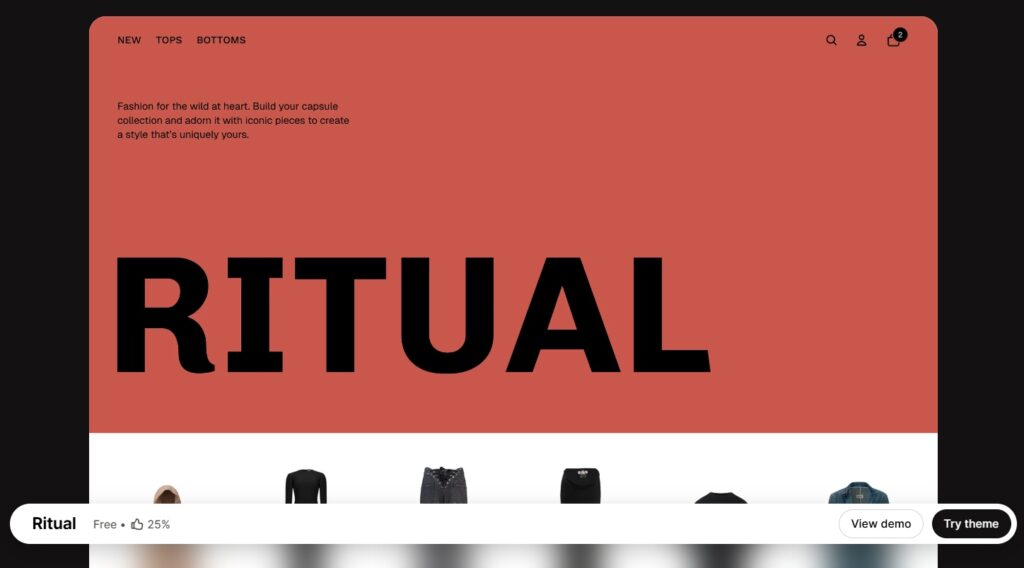
Ritual delivers a polished, high-end look with bold visuals and designer-style layouts. Ideal for stores that want a premium, fashion-forward appearance.
Best for: Fashion, Premium brands, Medium-to-large catalogs.
#6. Dwell
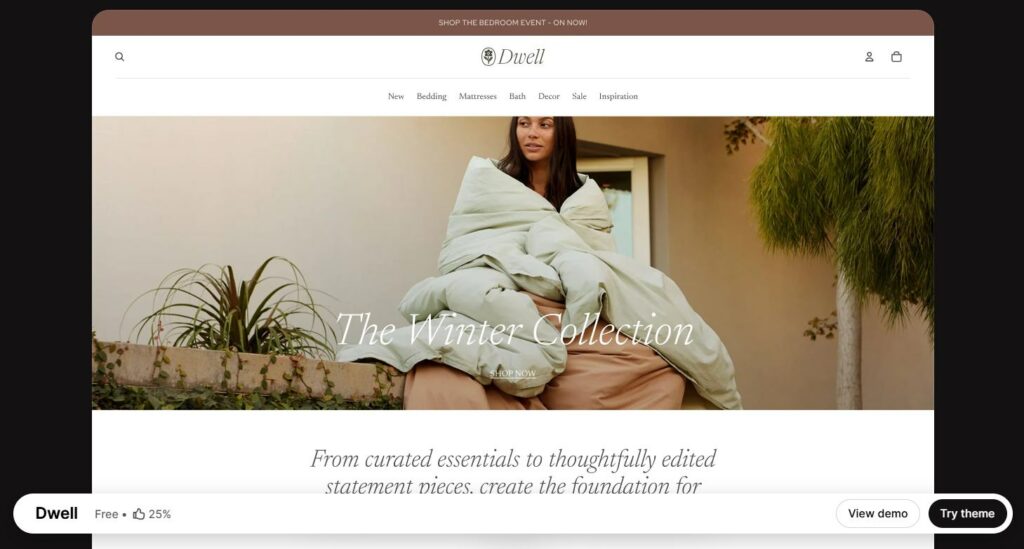
Dwell creates a warm, welcoming storefront with clean typography and soft layouts. It suits lifestyle and home-focused brands that want a cozy, inviting feel.
Best for: Home Decor & Lifestyle, Pet Care.
#7. Pitch
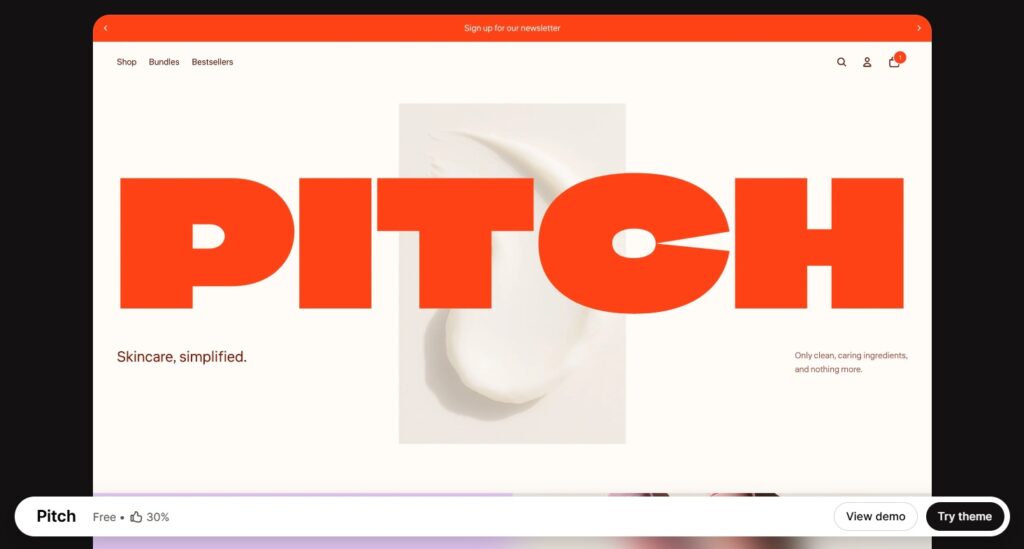
Pitch is a bold Shopify theme built for brands that want to make a strong visual impact. Its layouts highlight striking imagery, vibrant colors, and editorial-style storytelling to help products stand out.
Best for: Health & Beauty, Food & Drink.
#8. Heritage
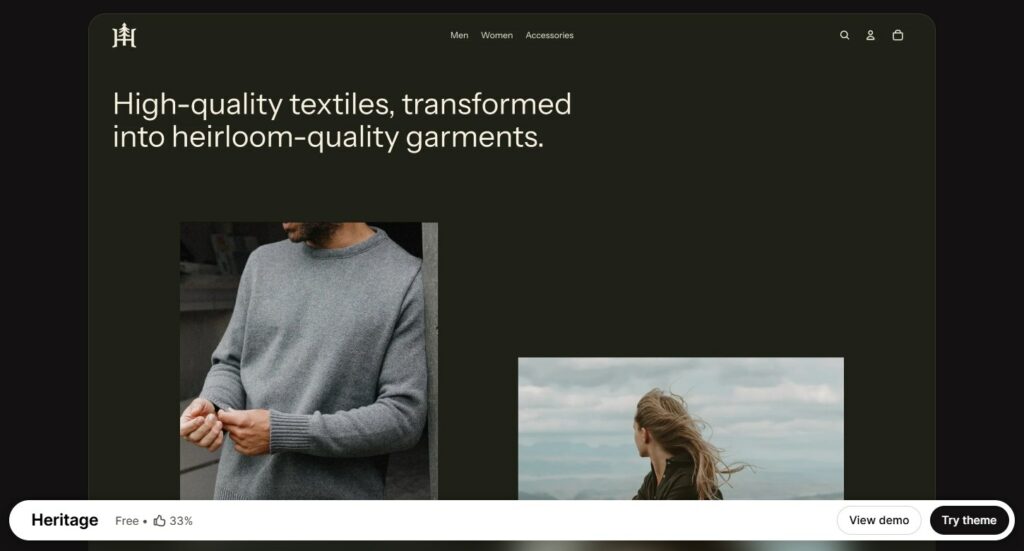
Heritage focuses on storytelling with gallery-heavy layouts and textured visuals. It highlights craftsmanship, making it a fit for artisan or handmade products.
Best for: Home Decor & Lifestyle, Artisan goods.
#9. Savor
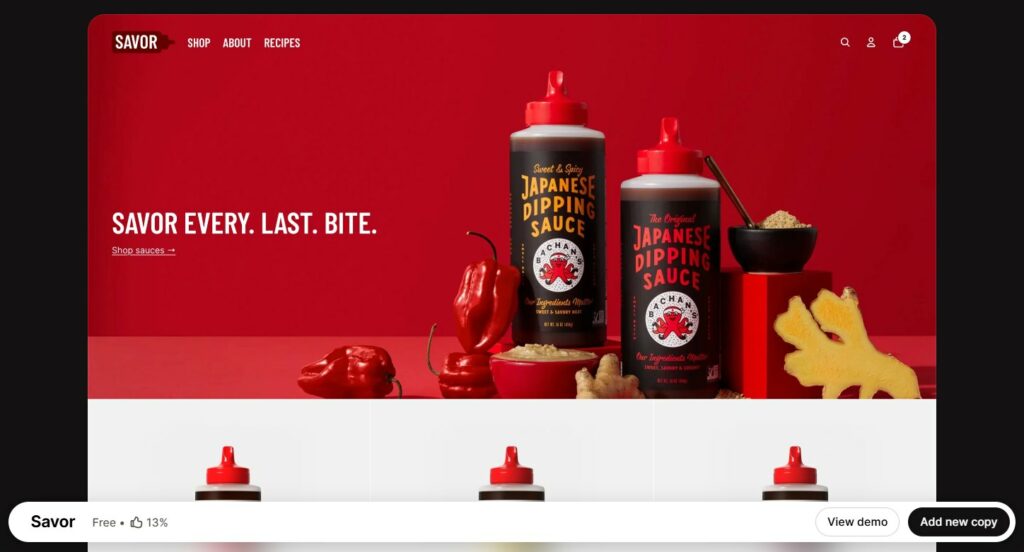
Savor is built for visual storytelling, with clean layouts and rich image blocks aimed at drawing in customers through appetite and trust. It shines when showcasing products that people want to see close-up (ingredients, plating, origin).
Best for: Food & Beverage, Gourmet products, Artisan and culinary brands.
#10. Atelier
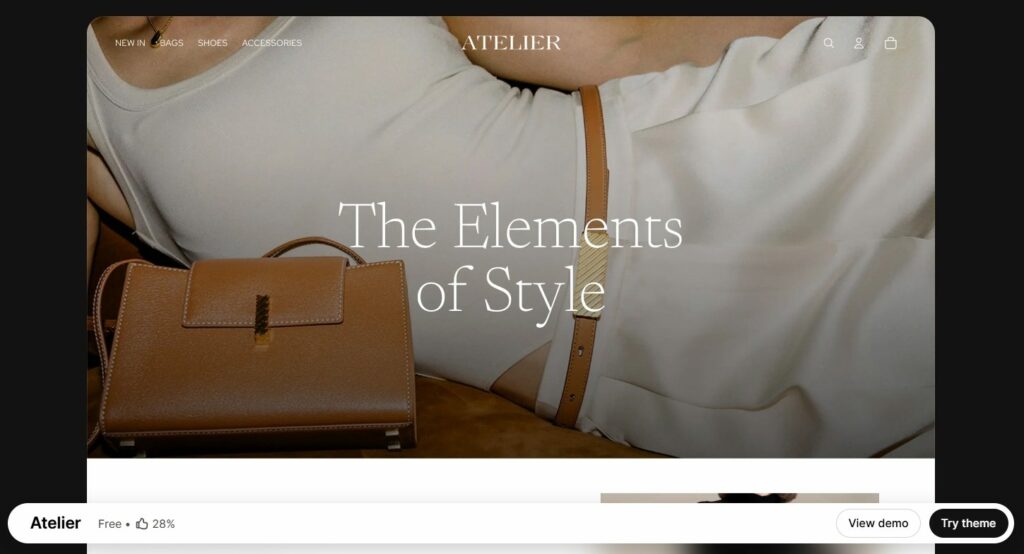
Atelier gives products plenty of space to shine. With large hero images, bold text, and a spacious layout, it suits brands aiming for a clean, elegant store design.
Best for: Jewelry & Accessories, Arts & Craft, Large Catalog stores.
>>> Read our detailed review on Atelier Shopify Theme.
Horizon’s Strengths and Breakthroughs
As highlighted in the Summer 2025 Edition, Shopify has introduced some impressive advancements with Horizon. In this section, we’ll show these updates directly within the theme editor and compare them to the Online Store 2.0 framework, using Dawn as a reference point.
We’ll also share our hands-on insights from working closely with this update. How well do these changes perform? Is the revolution as impactful as claimed? And how does it transform the way merchants design their stores? Let’s dive in and find out!
#1. Fully block architecture with up to 8 levels of nested blocks
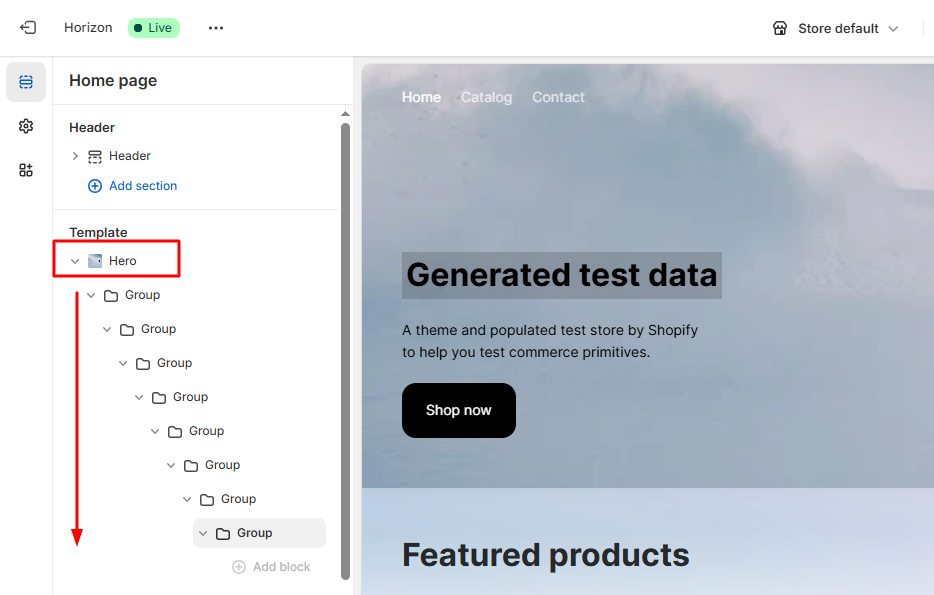
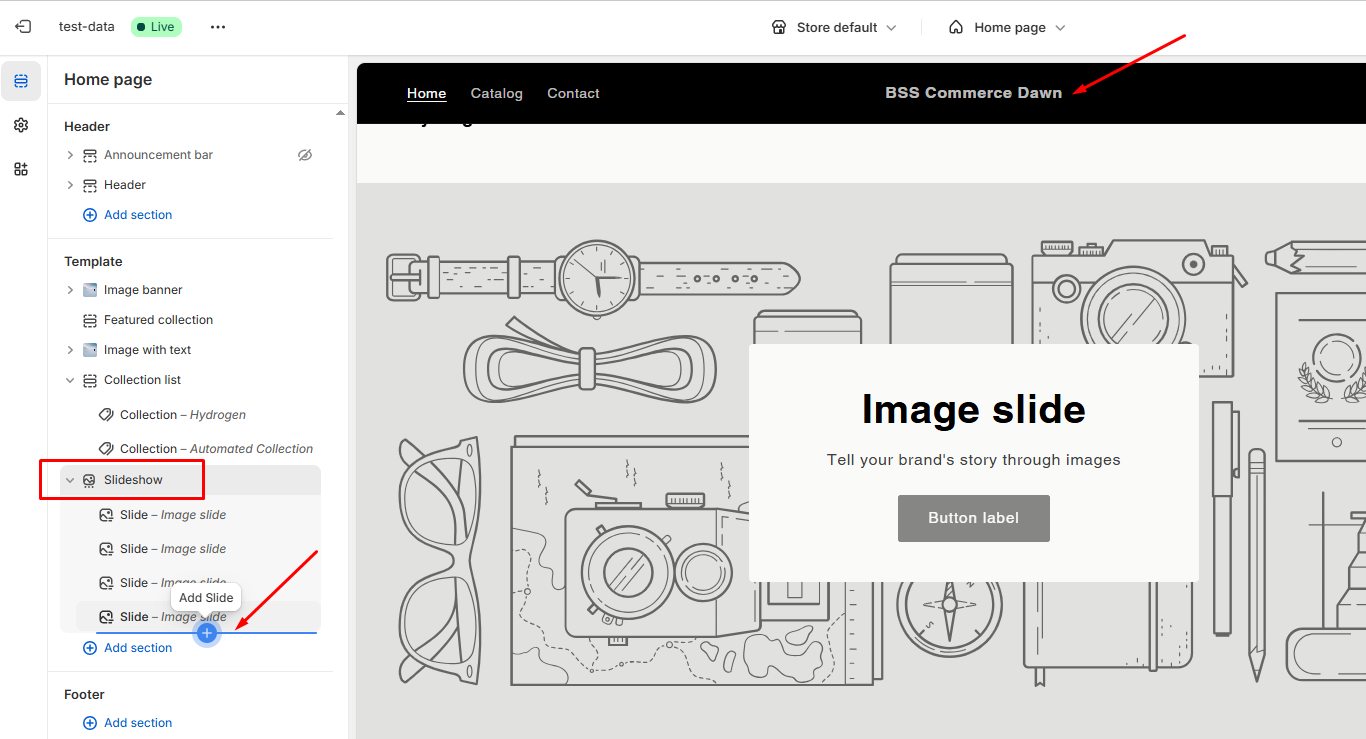
Horizon introduces a modular “theme blocks” system that supports nested blocks up to 8 levels deep. In contrast, Dawn and other traditional Online Store 2.0 themes use sections stacked vertically with limited block nesting—typically only two levels. This fundamental shift allows Horizon to support much more complex layouts and global blocks that update across the entire store, a feature Dawn does not offer.
Freedom to Build Complex Layouts
With Dawn, your design options are limited. You cannot freely combine, rearrange, or deeply customize blocks to match your needs. Horizon transforms the way you build your store. It allows you to combine, rearrange, and customize elements into complex and unique layouts through an intuitive drag-and-drop editor. No coding is required.
For example, Horizon lets you create a slideshow block that contains a grid with text, image, and button blocks — all fully customizable. Dawn, by contrast, only allows basic slide blocks without nested content.
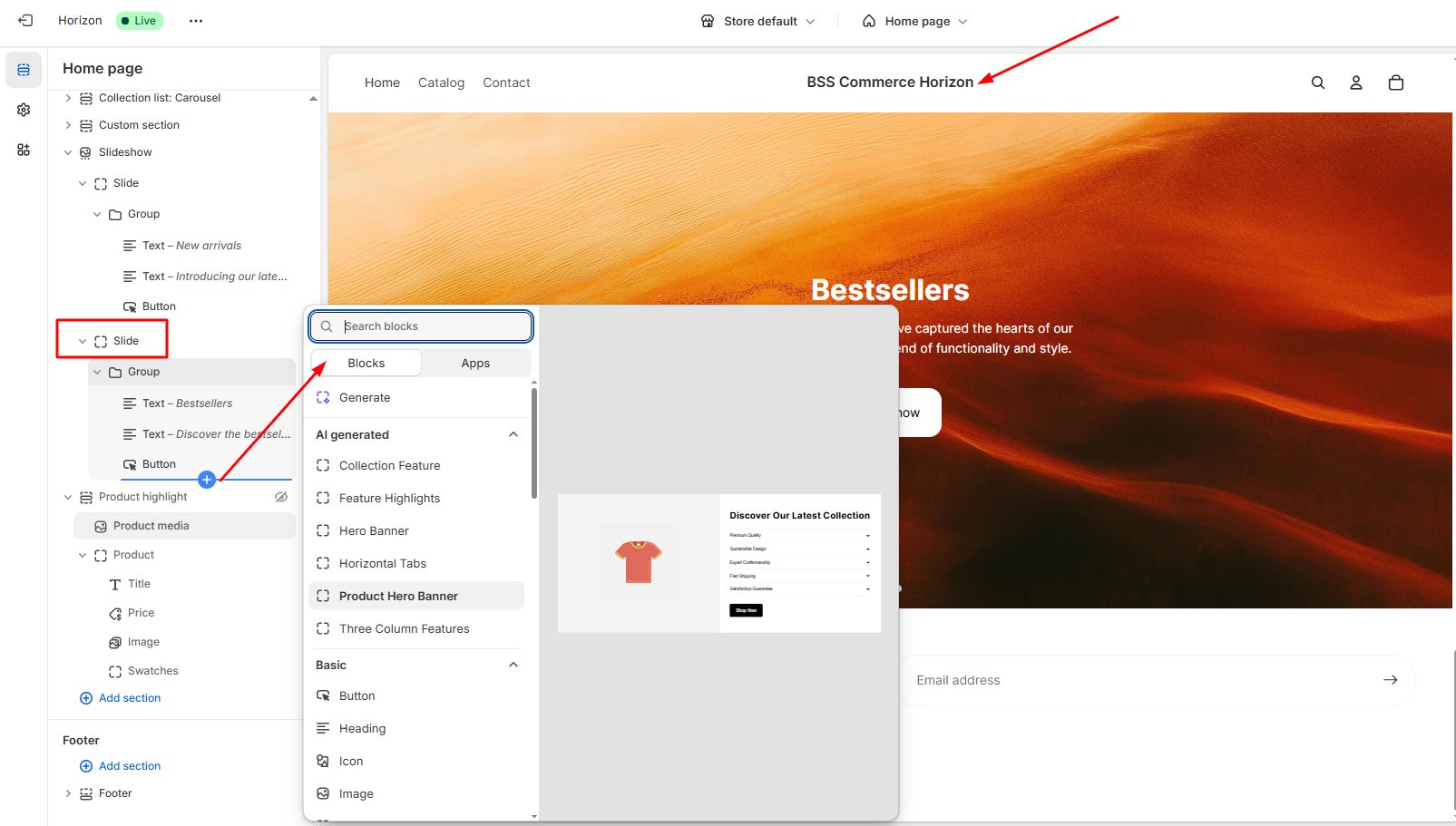
Some standout use cases include:
Storytelling Sections: Create immersive landing pages packed with multimedia, testimonials, and call-to-actions—all nested neatly within a single section.
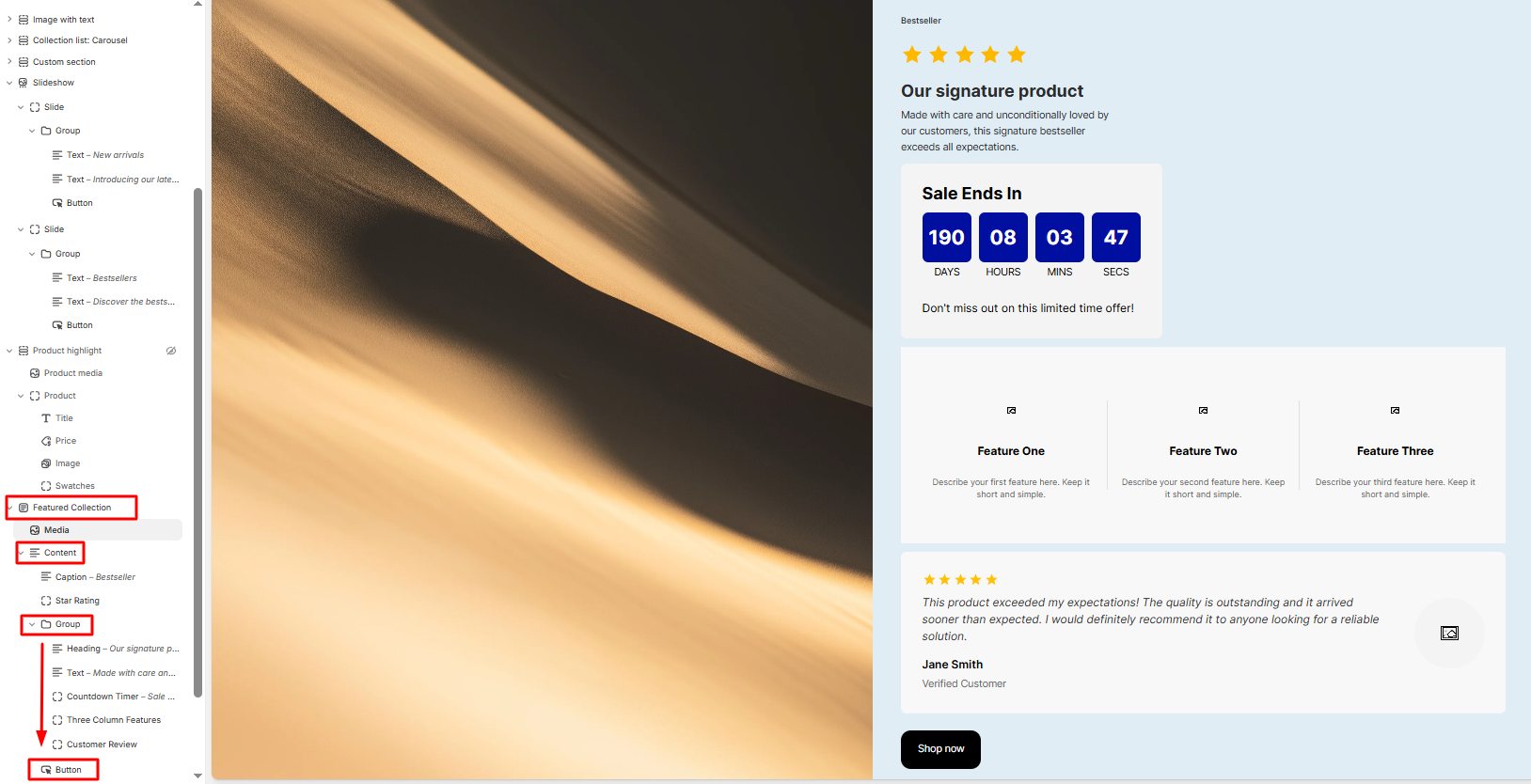
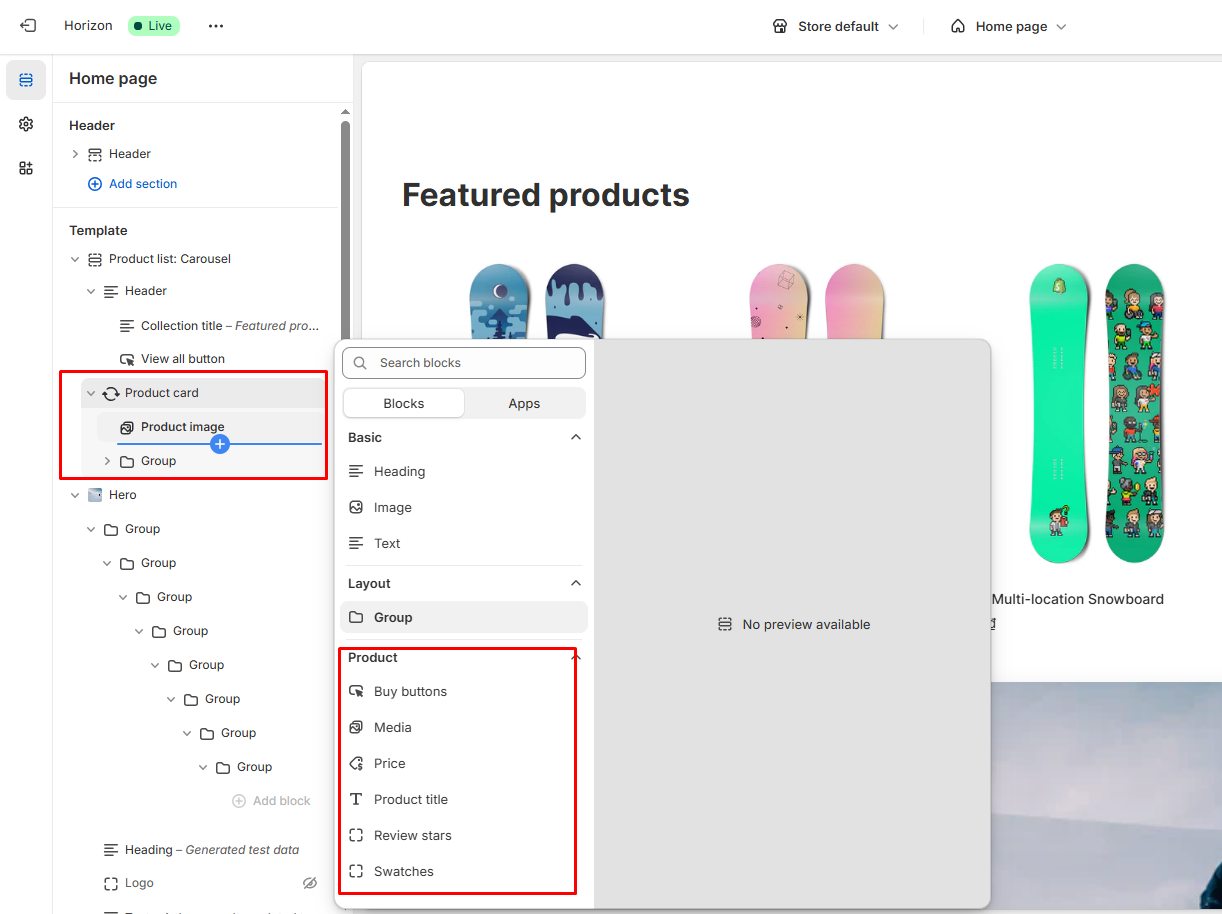
Product Showcases: Design advanced product cards featuring ratings, color swatches, and quick-buy buttons, all managed as modular blocks for easy customization.
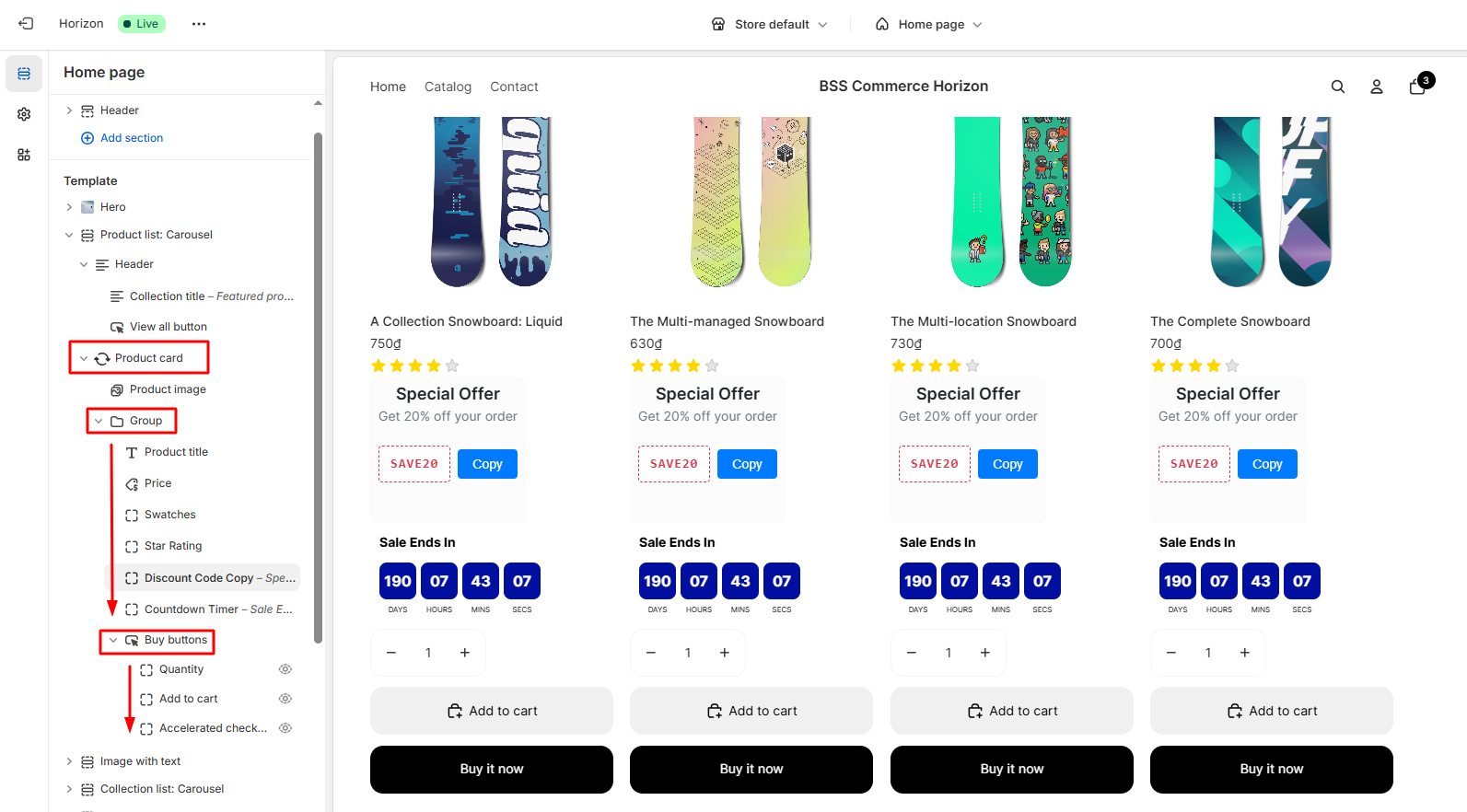
Simplify and Reuse Content with Group Blocks
One standout feature of Horizon is group blocks, which let you cluster related content such as a header, product grid, and promotional banner within a single section. This keeps your content organized and makes managing complex layouts much simpler by treating multiple blocks as one unit.
You can easily move blocks anywhere on any page by copying and pasting, and reuse nested blocks across multiple pages to maintain consistency and save time.
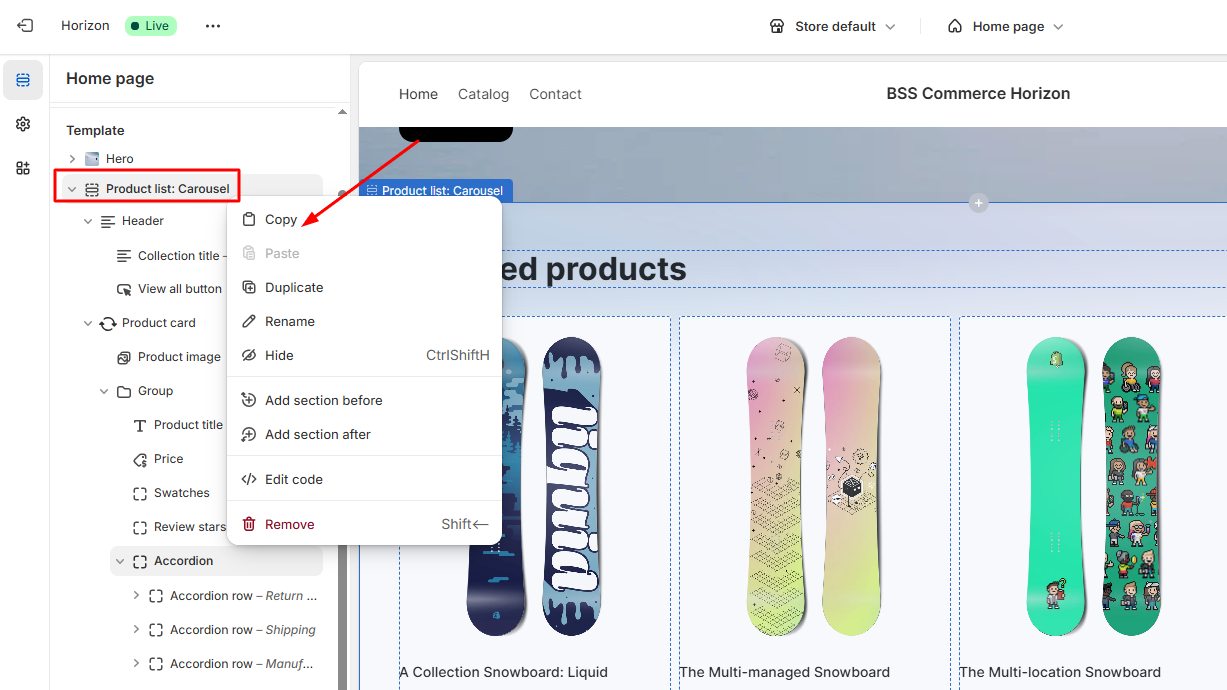
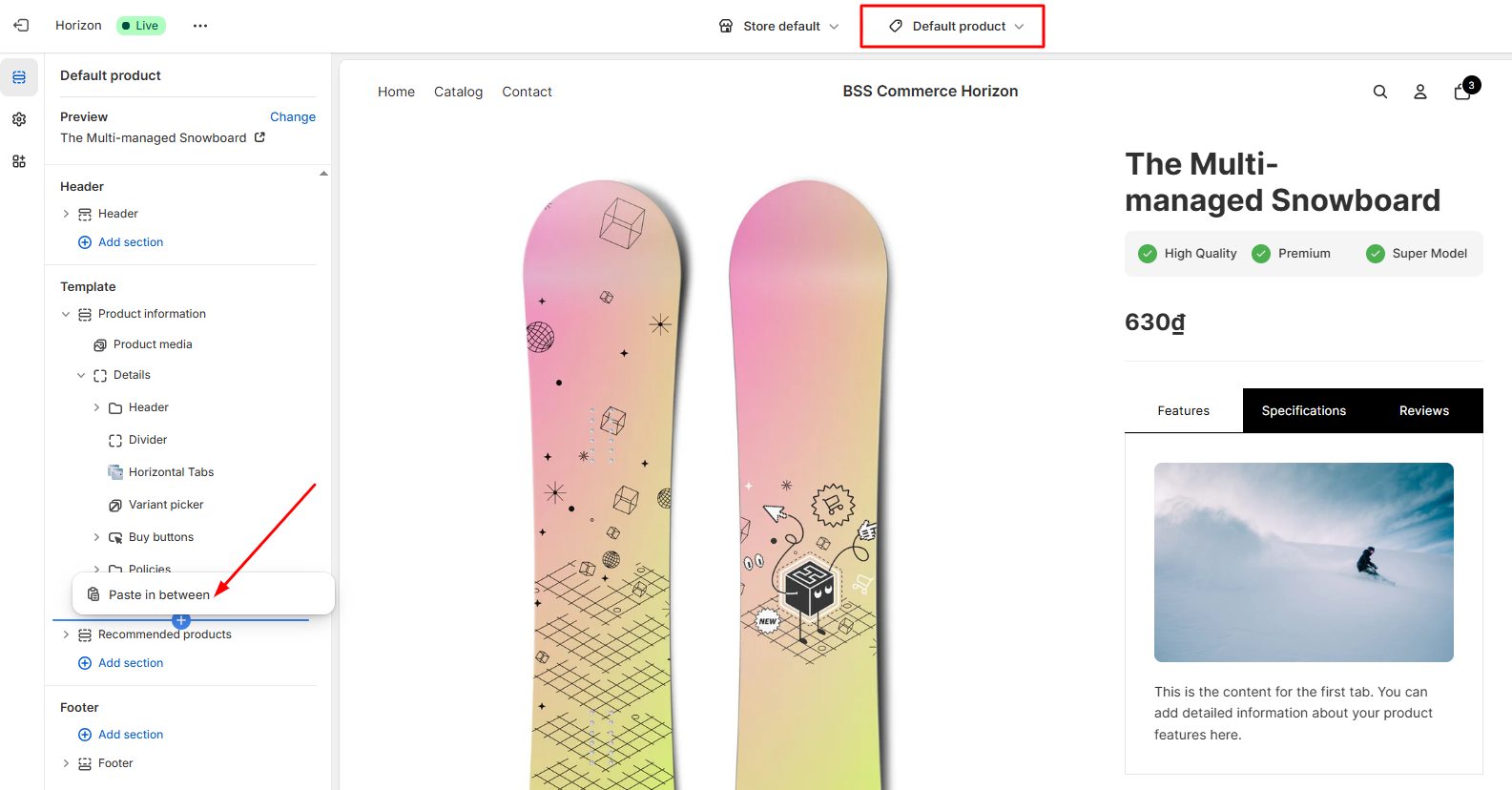
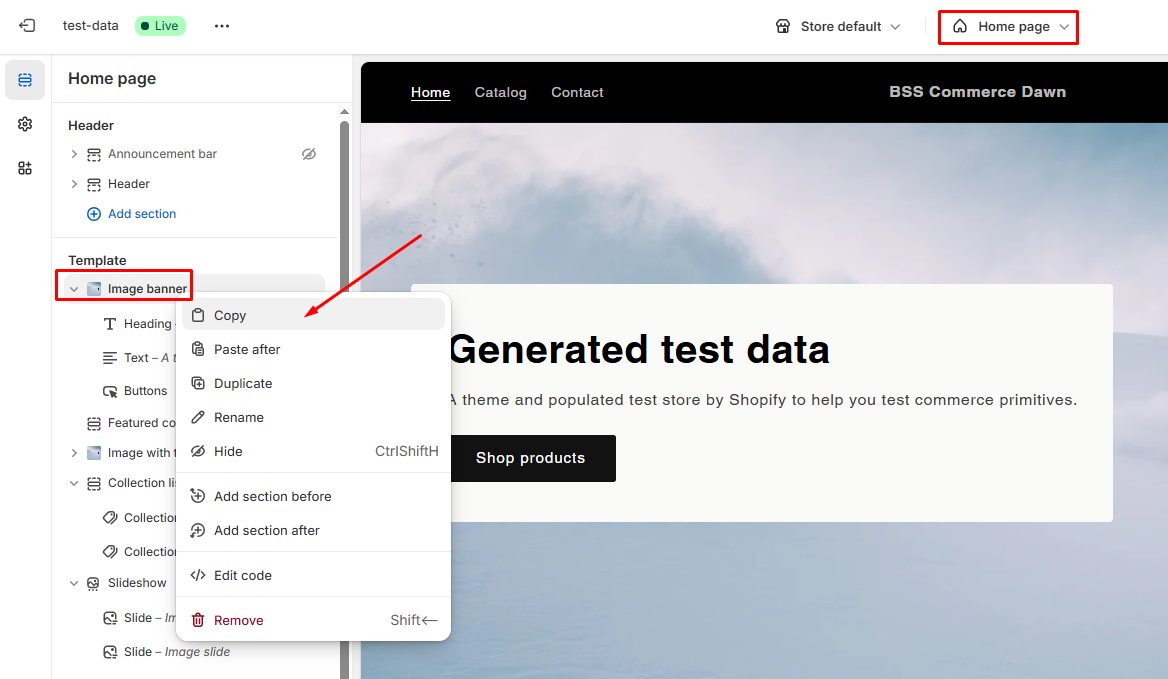
Break Layout Limits
In Dawn, page customization is limited because sections are usually designed for specific pages and cannot be copied or reused across different page templates. For example, image banners are typically built only for the homepage and cannot be reused on other pages, like product pages.
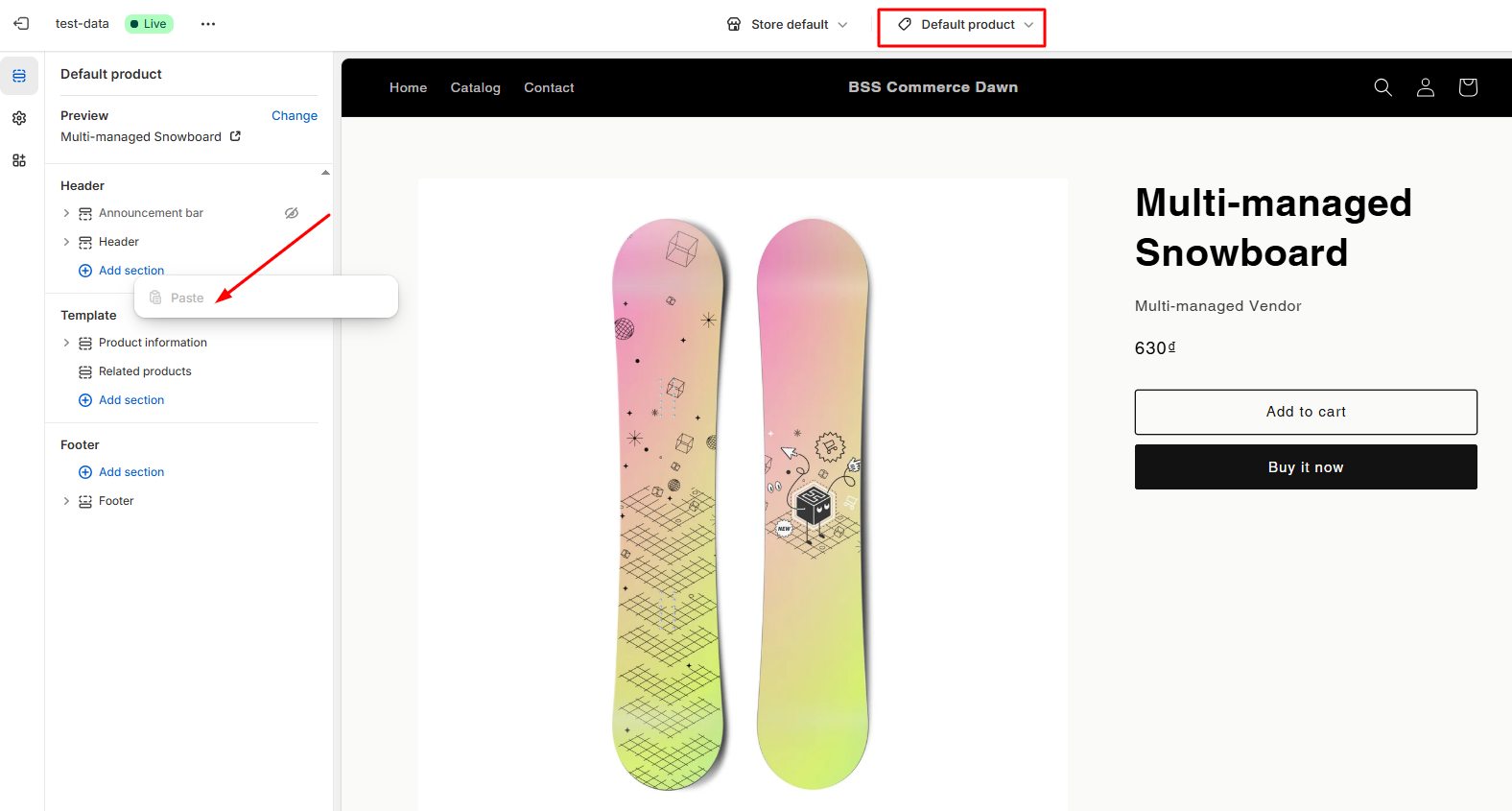
But with Horizon, you can move and place blocks anywhere on the page, making it easy to experiment with different layouts and mix and match content freely to create unique designs tailored to your specific needs
From our perspective, Shopify Horizon’s full block architecture with support for up to eight levels of nested blocks is a game changer in theme customization. We’ve seen how merchants can easily create sophisticated, brand-focused layouts with greater control over their storytelling. This makes it simple to design stores that truly reflect each brand’s identity. Plus, it helps stores grow and change naturally as their business evolves, speeds up campaign launches, and removes the need for custom coding.
#2. AI-Powered block generator
We are seeing the power of AI development supporting people more and more today, and Shopify is no exception. Shopify actively integrates AI-powered block generation tools that allow merchants to create new sections simply by describing their needs in natural language.
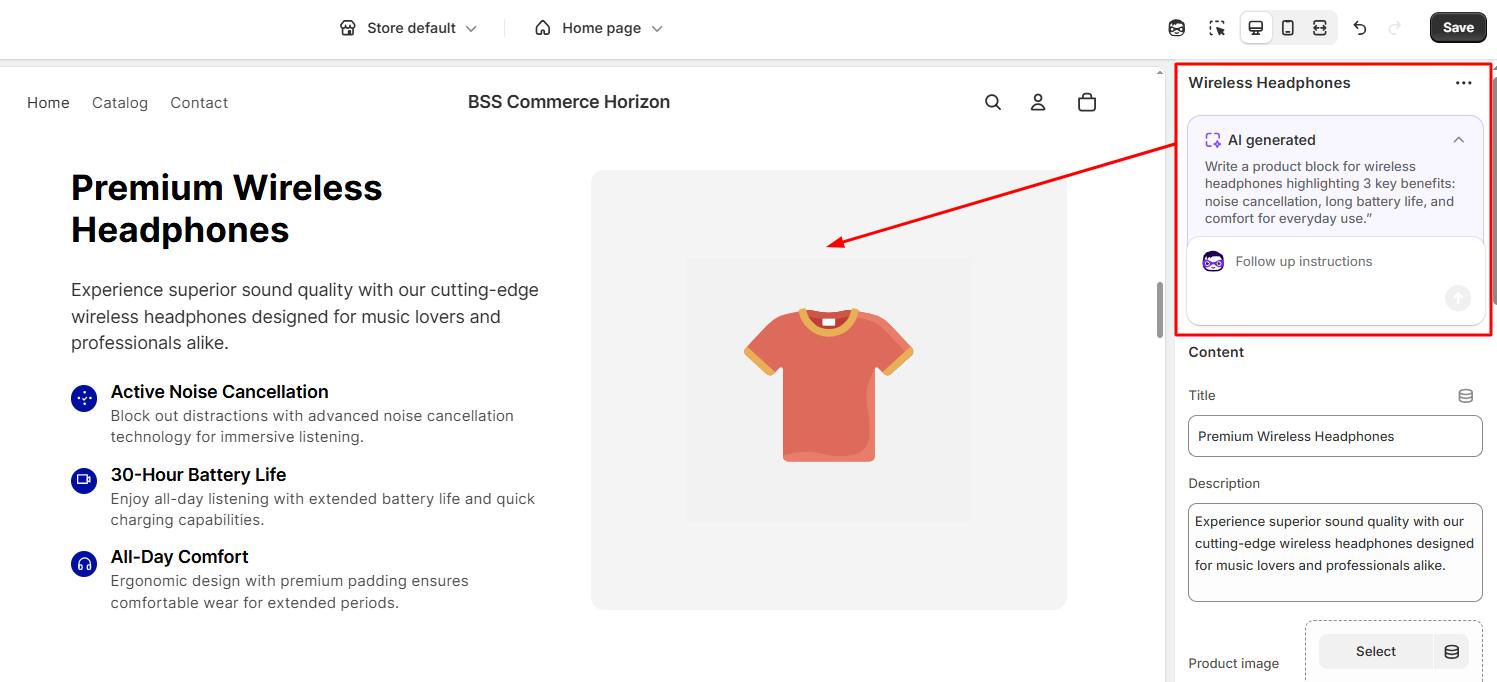
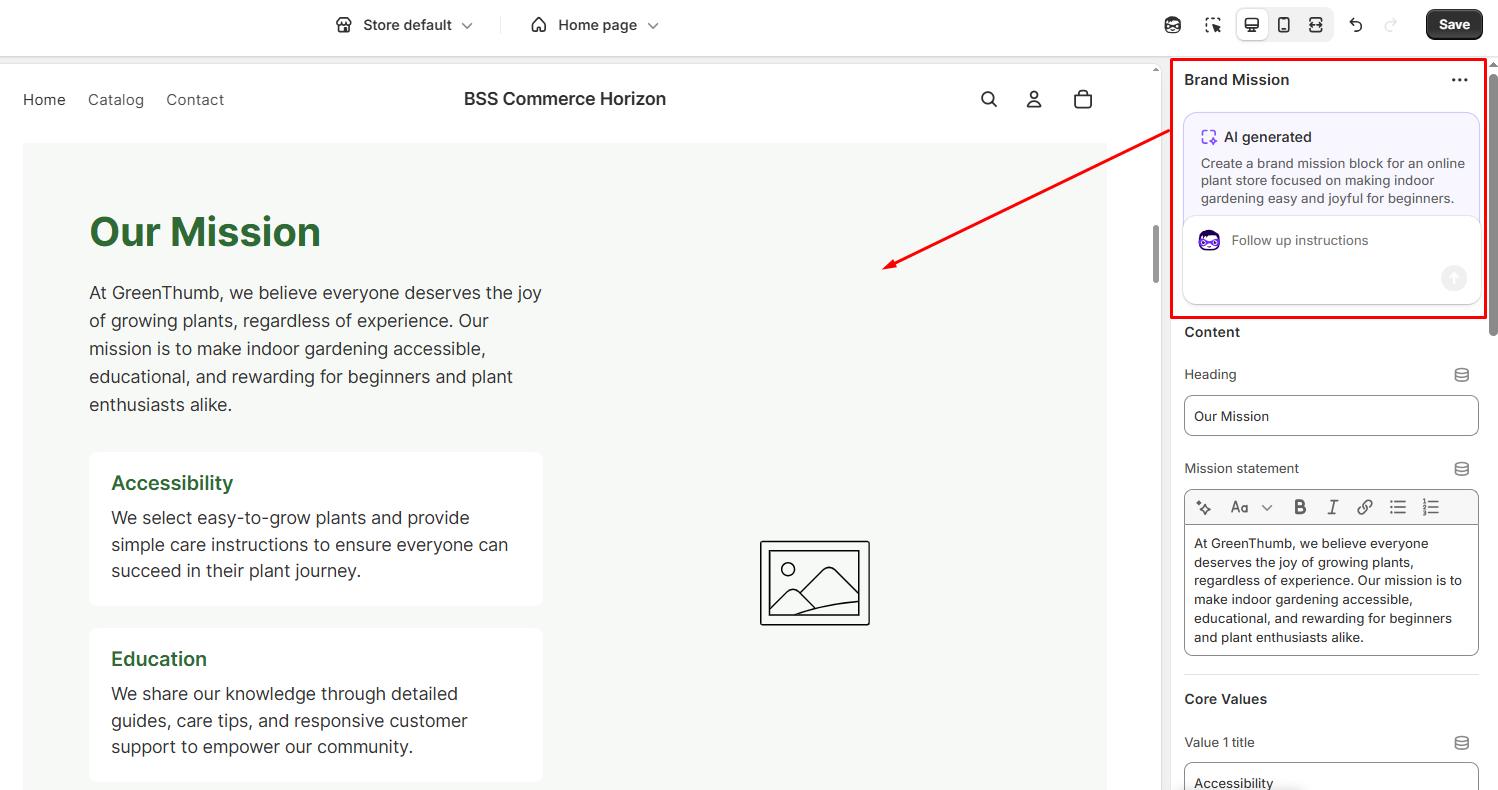
This provides a strong starting point and dramatically speeds up the page-building process, especially for non-designers. For example, merchants can describe a desired section like:
“Create a compelling hero block for a tech gadget store featuring smartwatches, with a CTA to shop the latest arrivals.”
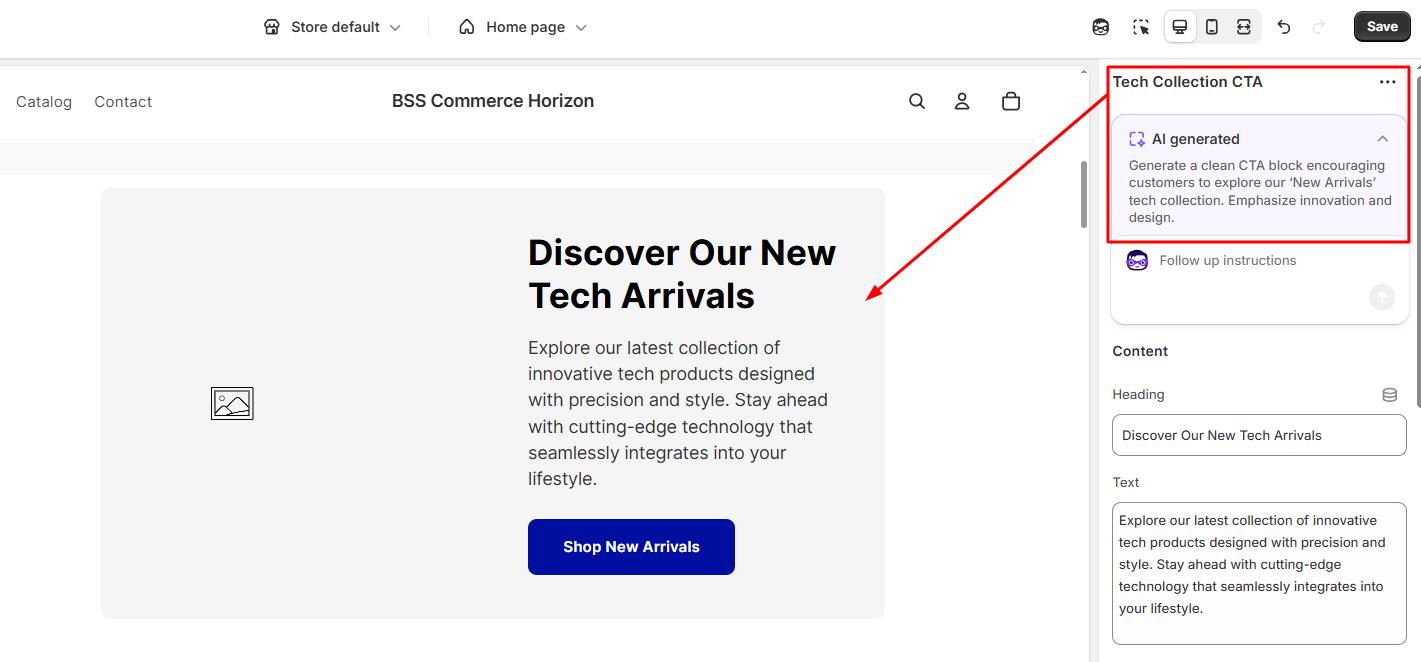
“Write a product block for wireless headphones highlighting 3 key benefits: noise cancellation, long battery life, and comfort for everyday use.”
“Create a brand mission block for an online plant store focused on making indoor gardening easy and joyful for beginners.”
“Write a customer testimonial section with 3 short reviews praising fast delivery, great packaging, and product quality for a home decor store.”
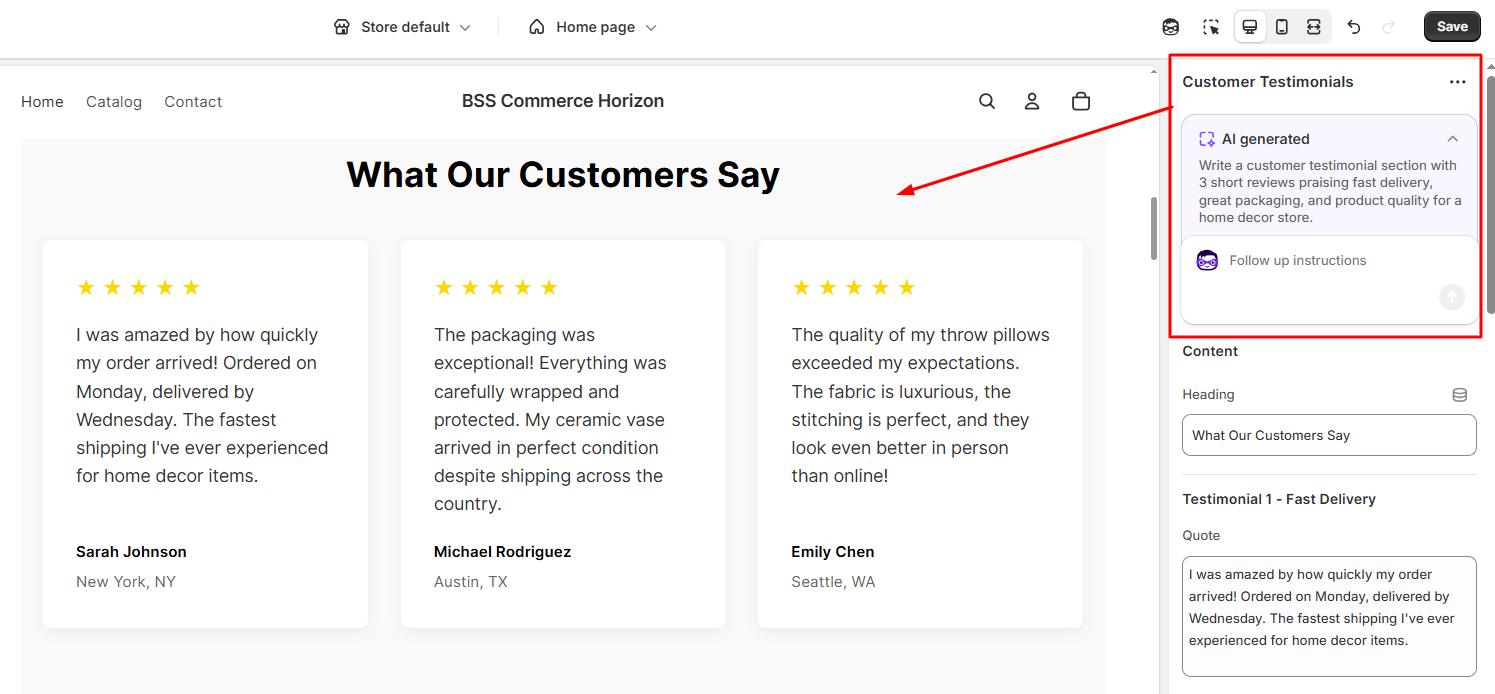
“Create a trust-building block that explains free shipping over $50, 30-day returns, and secure checkout for a Shopify electronics store.”
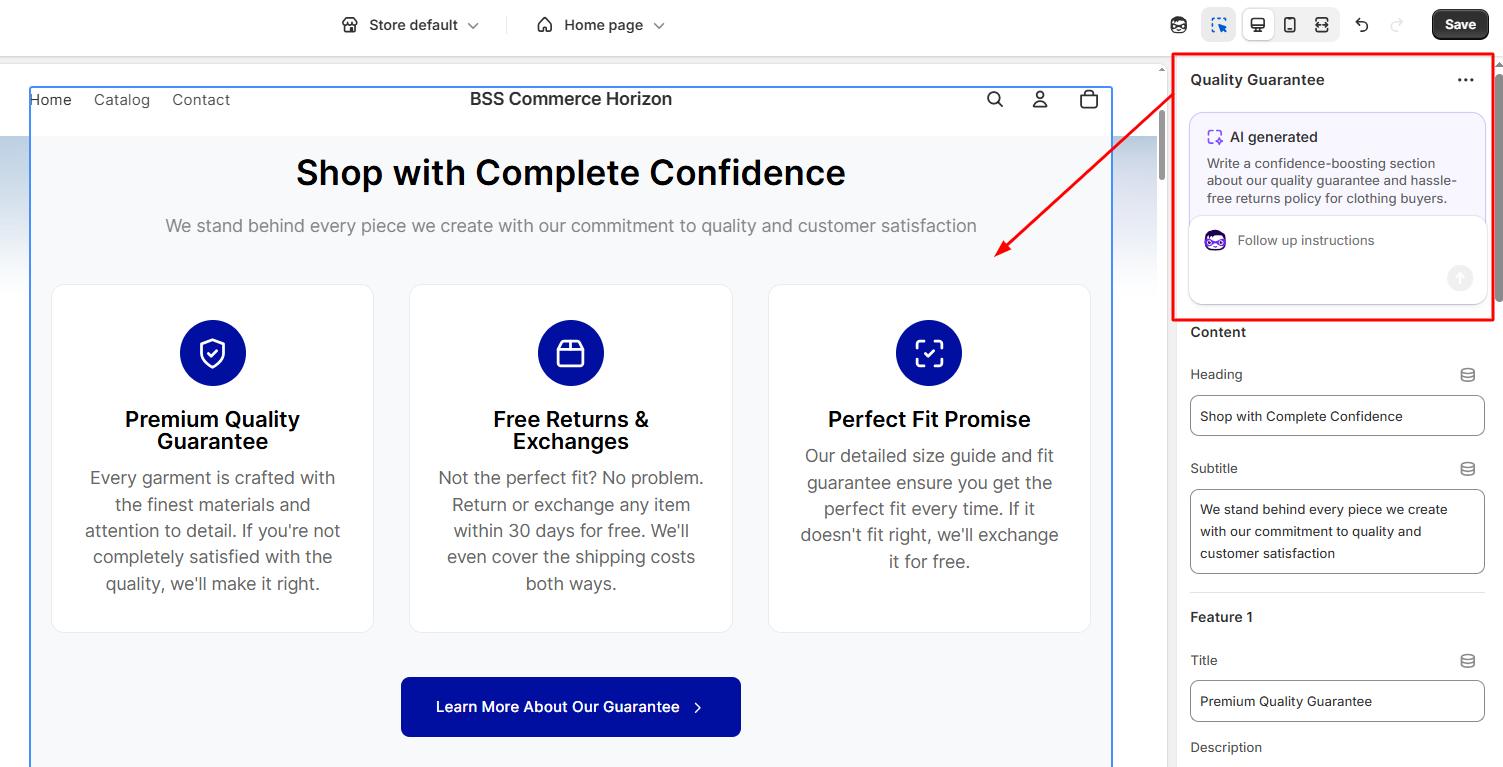
From our perspective, this is a big move. We’ve already applied it in our design projects and even wrote a detailed article guiding how to create custom blocks using AI block generators. The article walks you through the process step-by-step, shares helpful practices from our hands-on testing, and provides 10 useful prompts to get you started. For more details, check out the blog here.
#3. Enhanced theme editor
Horizon theme also streamlines and accelerates the editing and design process. Its Enhanced Theme Editor is a major upgrade over traditional Shopify editors, making customization more intuitive, efficient, and powerful.
Some of the most prominent features include:
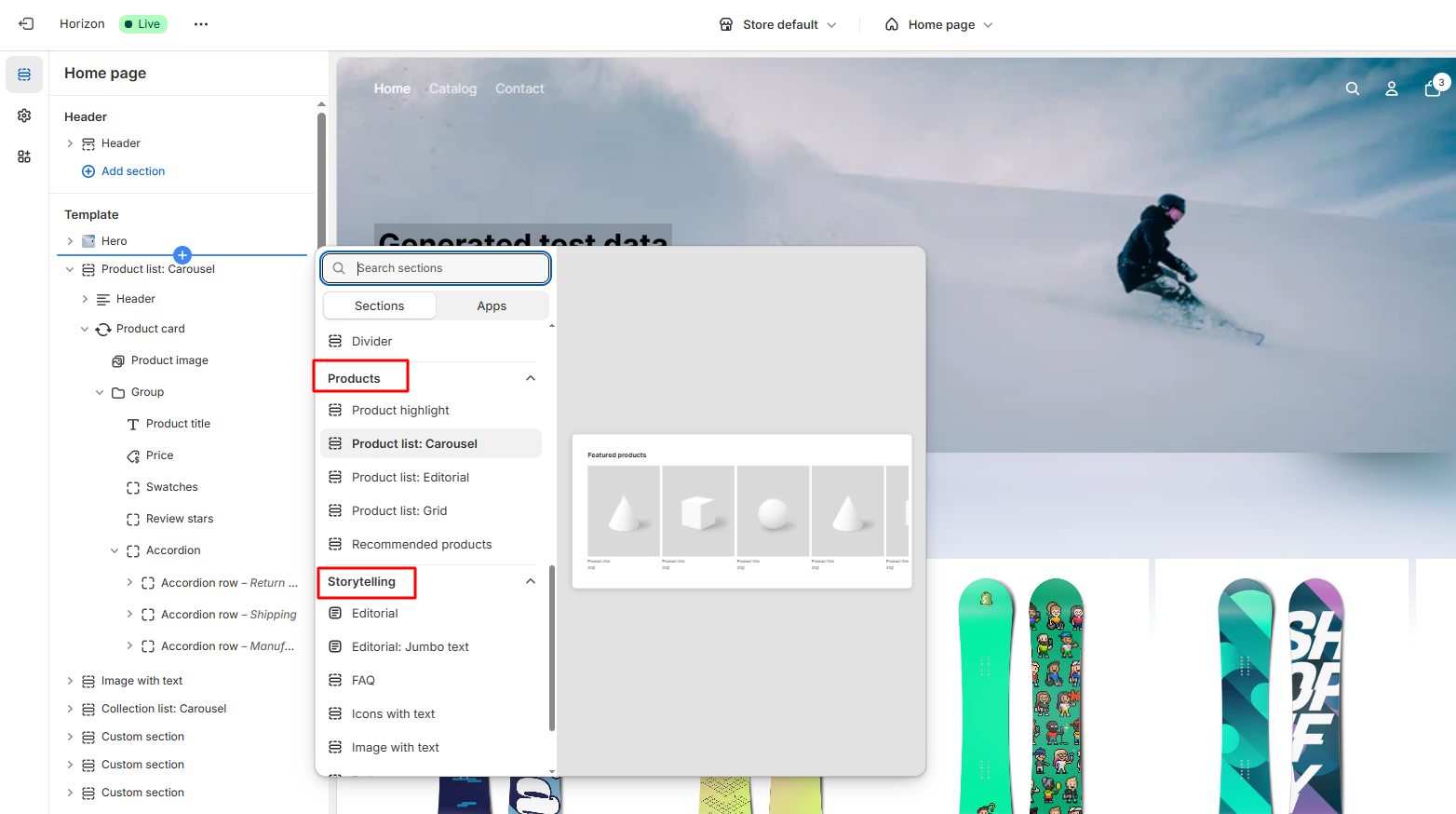
Group Sections: Organize content based on storytelling or product, making layout management clearer and more purposeful.
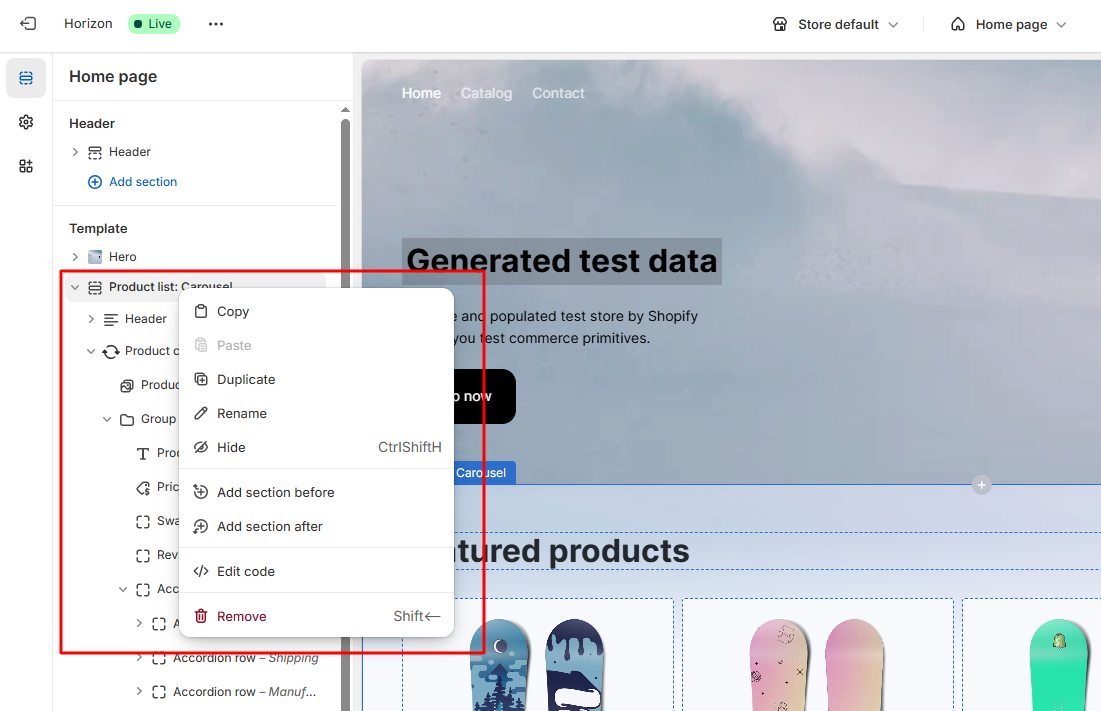
Quick Actions: Right-click shortcuts let you quickly copy, paste, rename, or duplicate blocks and sections, boosting workflow speed.
Streamlined Sidebar: Sections and content are organized by nested blocks instead of a simple vertical stack. When you click an element, only that section’s customization options appear, reducing clutter and helping you focus on what matters.
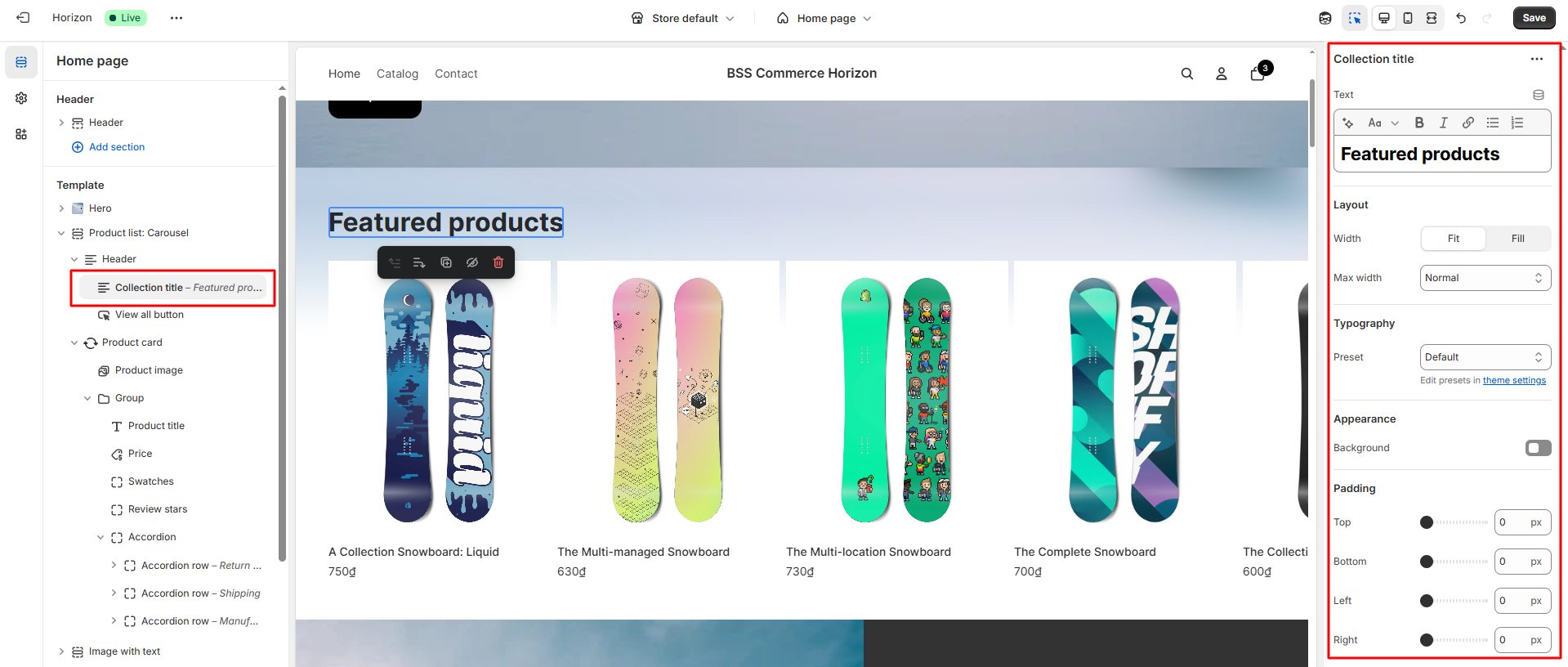
One-Click Text Editing: Edit text directly with a single click, speeding up content updates without navigating away from the page.
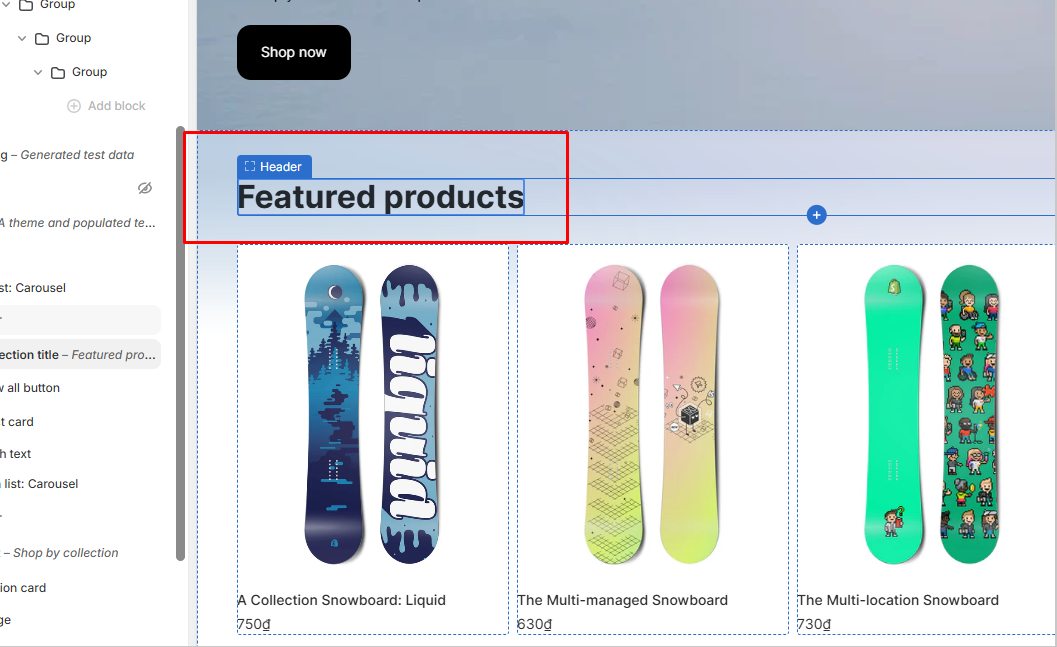
Together, these enhancements make designing with Horizon faster and more enjoyable, helping merchants bring their vision to life with less hassle.
#4. Rich feature set out of the box
Shopify Horizon comes packed with a rich set of features that elevate the merchant and shopper experience beyond what Dawn and Online Store 2.0 offer.
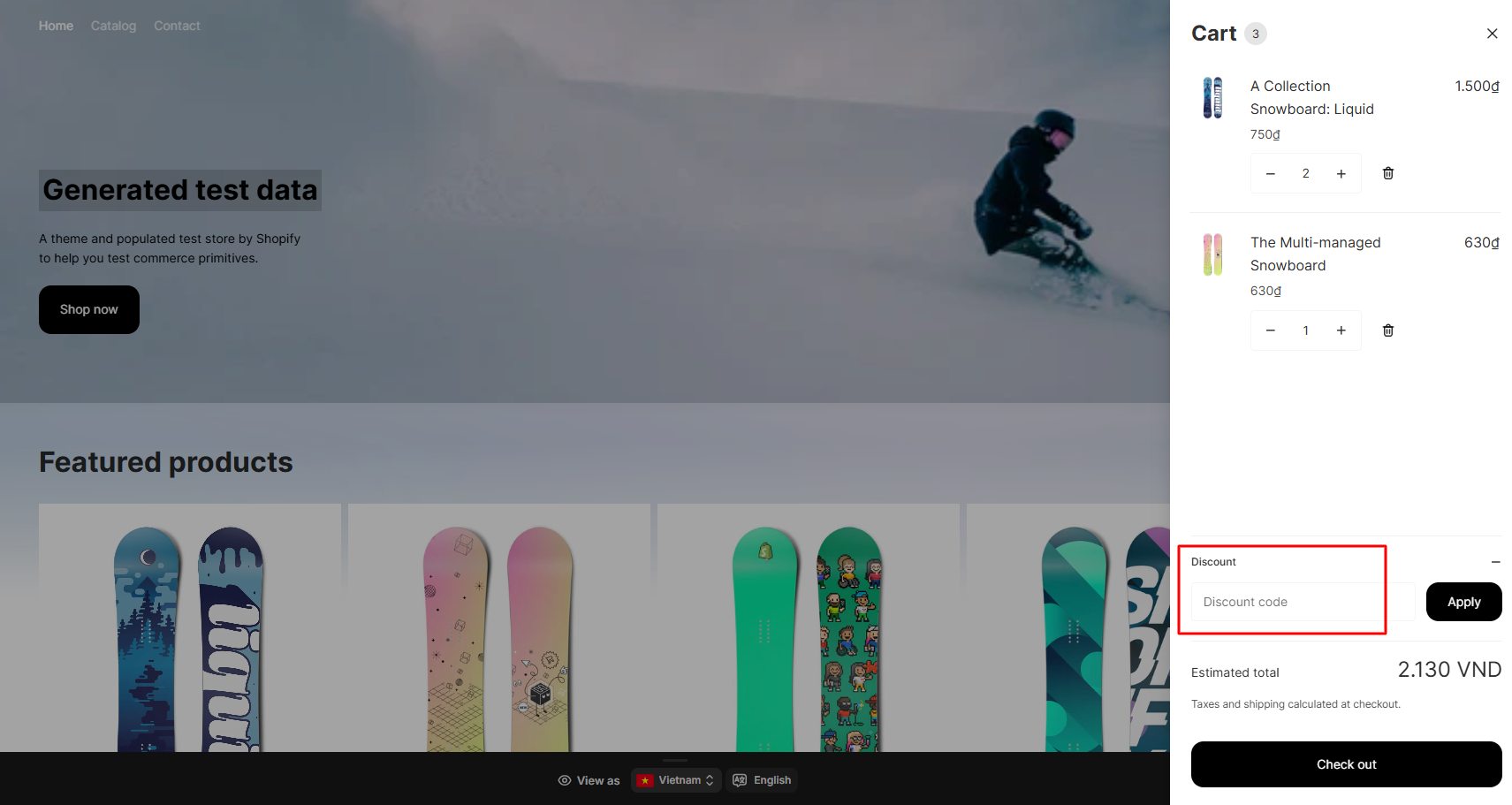
Enhanced Cart: Enter discount codes directly in the cart with smooth, slide-out interactions that improve checkout usability and boost conversions.
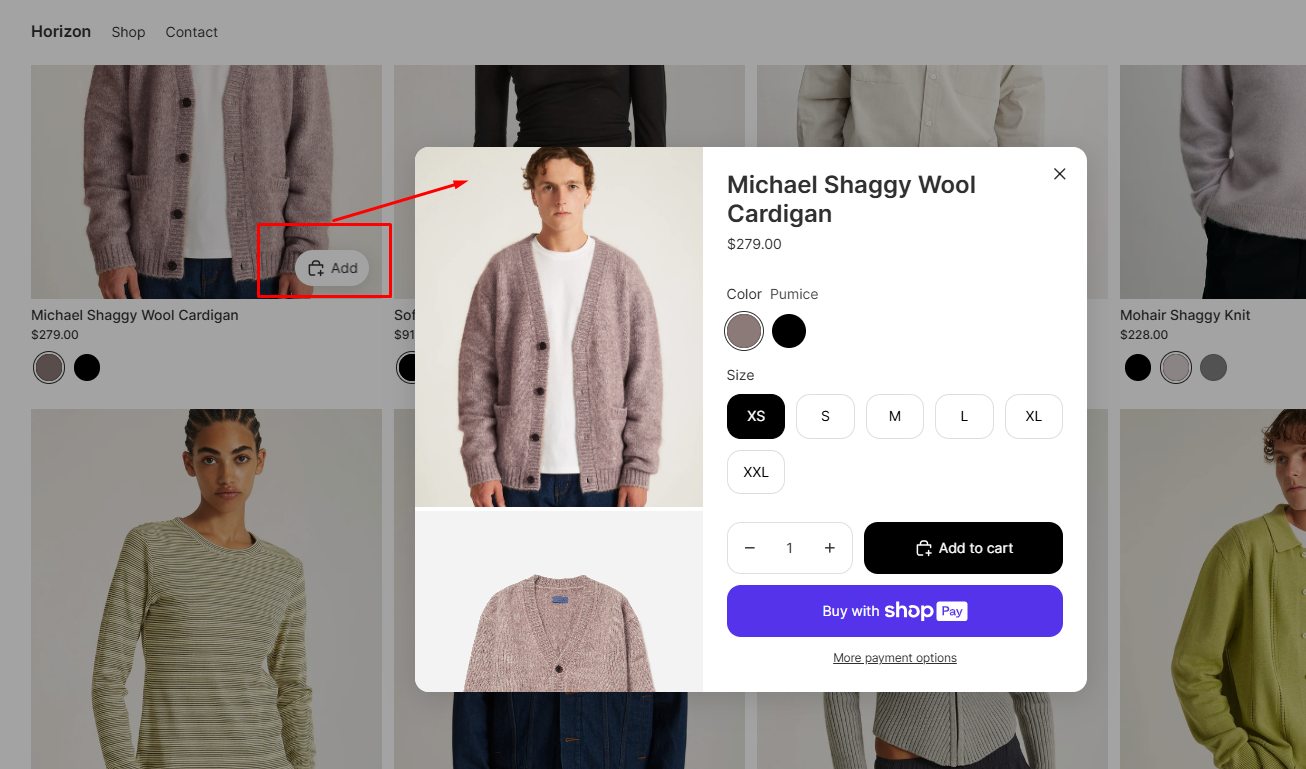
Quick Add to Cart: Large, modern product cards let customers add items to their cart directly from collection or homepage grids without needing to visit product pages first.
Improved Search: Horizon delivers richer, more predictive search suggestions, helping customers find products faster and more accurately.
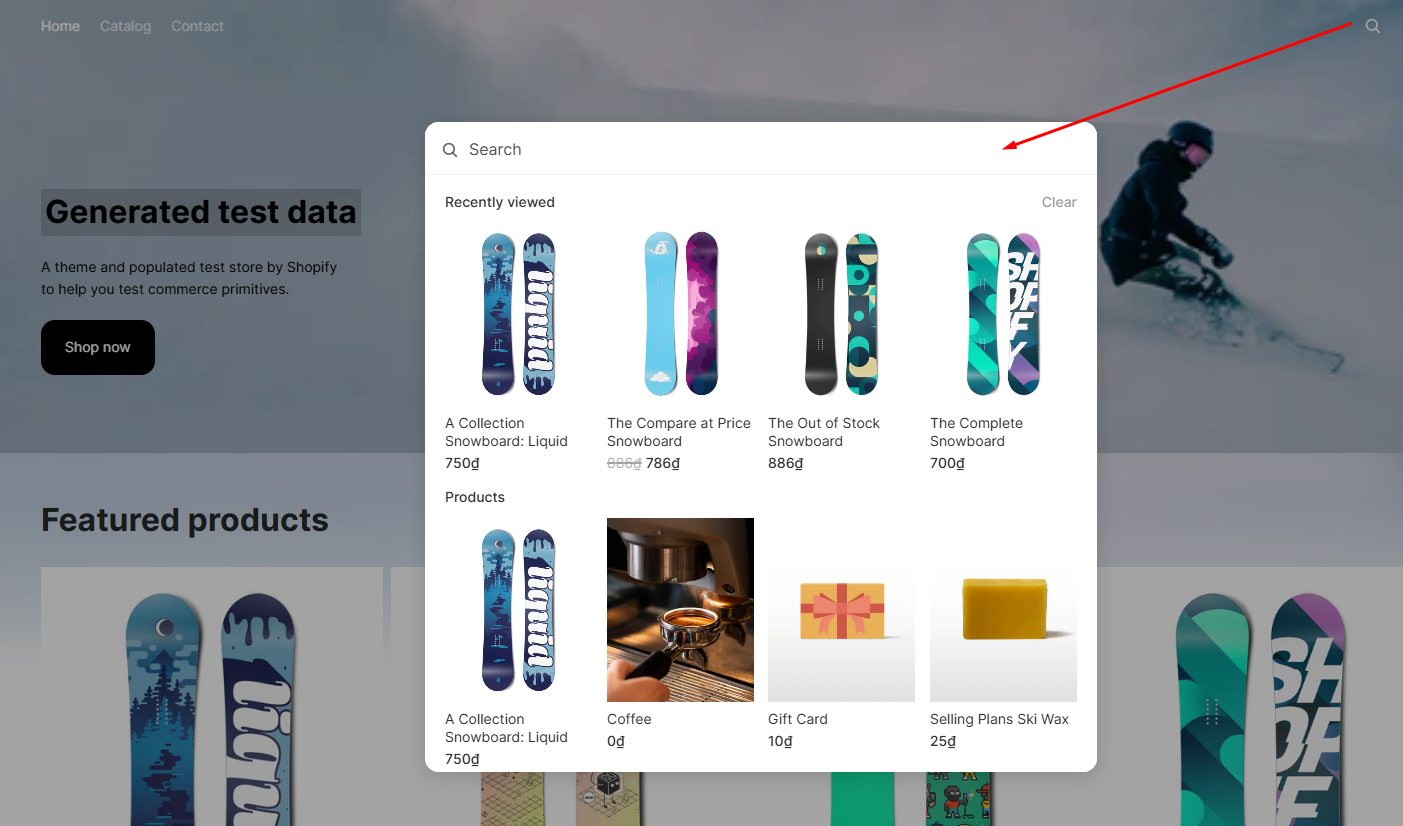
Customizable Product Cards: Includes color swatches, star ratings, badges (e.g., “New,” “Sale”), stock counters, and interactive options like variant selection and quick view to speed up purchase decisions.
Flexible Slideshows: Unlike Dawn’s homepage-only slideshows, Horizon allows clickable and editable slideshows anywhere on the site, supporting dynamic storytelling.
Additional Features: Supports pre-order functionality, Shop app sign-in integration, back-in-stock alerts, in-menu promotions, recently viewed products, and subtle animation effects to enhance engagement.
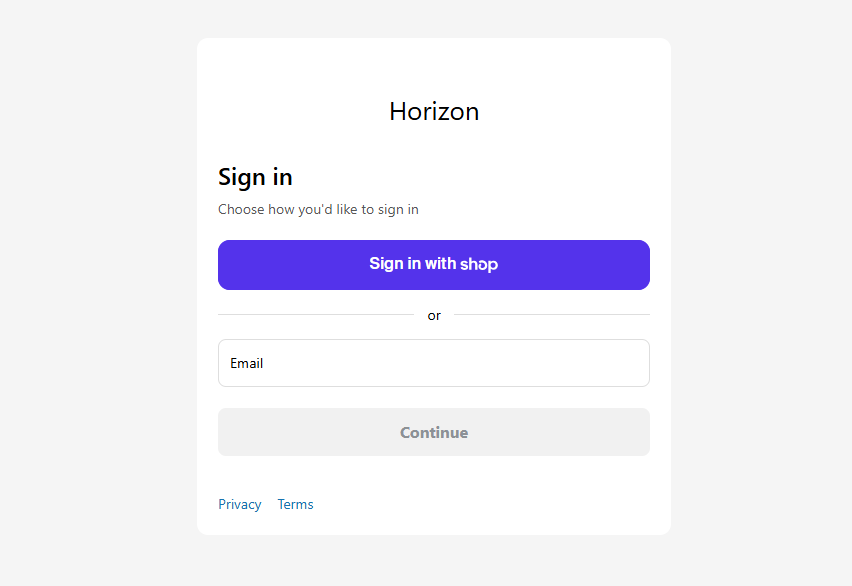
With these enhancements, Horizon provides a powerful, all-in-one solution that simplifies store management while delivering a richer, more engaging shopping experience that helps merchants increase conversions and better showcase their brand.
#5. Performance
From our insight and extensive experience working with Horizon, it’s clear that mobile commerce dominates in 2025—and Horizon is built to meet this demand.
Its mobile-first design lets merchants easily preview and fine-tune layouts across all devices, ensuring a seamless, polished experience whether customers shop on phones, tablets, or desktops. This responsiveness drives stronger engagement and keeps your brand consistent everywhere.
Evaluated by our experts, Horizon’s clean, lightweight code and thoughtful UX touches—such as smooth transitions and balanced spacing—result in pages loading 15–20% faster than older themes. These performance gains translate directly into better SEO rankings, higher conversion rates, and improved user satisfaction.
Current Limitations and Pain Points
It’s clear that Horizon represents a major leap forward, but it still has some notable issues. From our experience with the Horizon theme, combined with reviews from Shopify’s community forums and Reddit, here are some key issues to be aware of:
#1. Early bugs
Many users report that the theme editor becomes unstable or freezes after just a few interactions. Common symptoms include the cursor changing to a grabbing hand, dropdown arrows disappearing, and navigation breaking, forcing frequent page refreshes to continue working. These issues affect both Horizon and Dawn themes, suggesting a possible link to Shopify’s admin updates rather than the themes alone. Horizon users, however, find this particularly disruptive. Shopify support has been reported as inconsistent in resolving these problems (Shopify Community, Shopify Community)
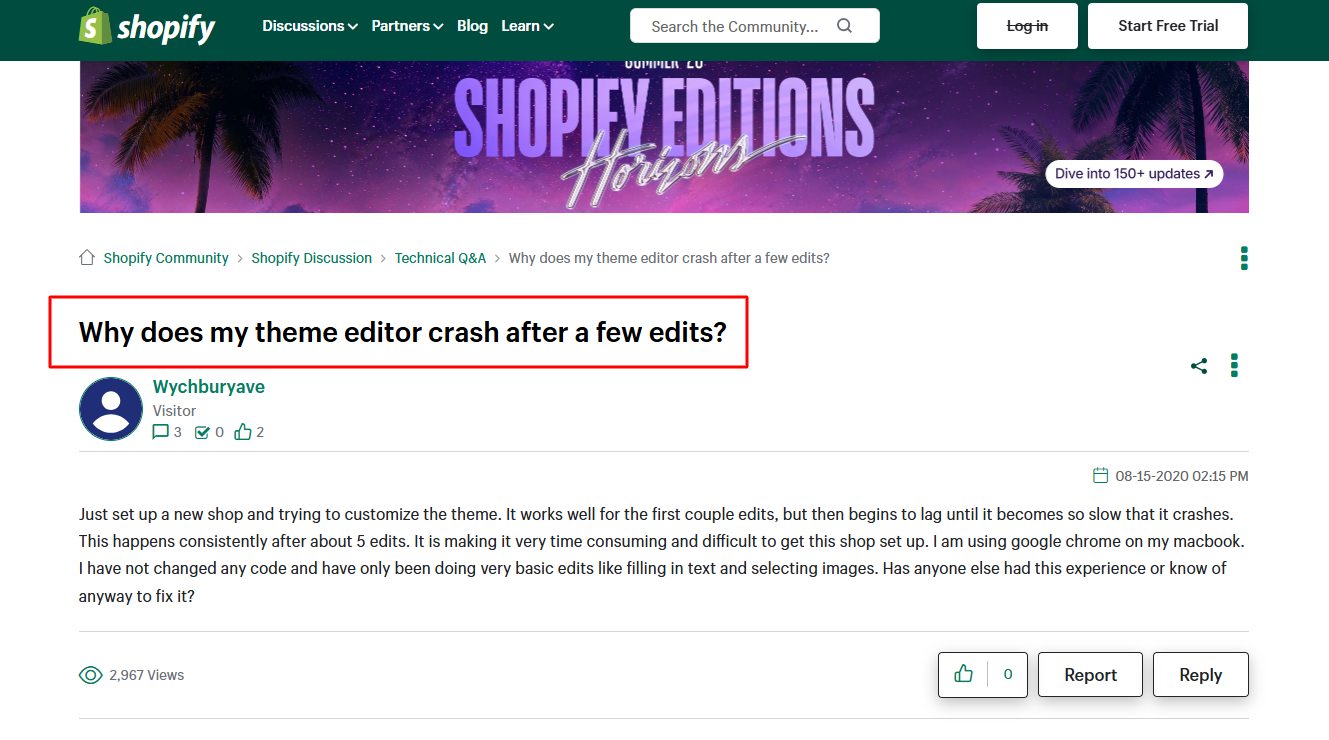
Additional bugs include URLs not updating correctly when customers switch product variants, which breaks some apps, and layout inconsistencies prompting Shopify to release updates (Reddit).
While Horizon offers impressive new features, these early bugs and editor instability remain significant pain points, highlighting the need for ongoing improvements and better support.
#2. Nested Block Limitations
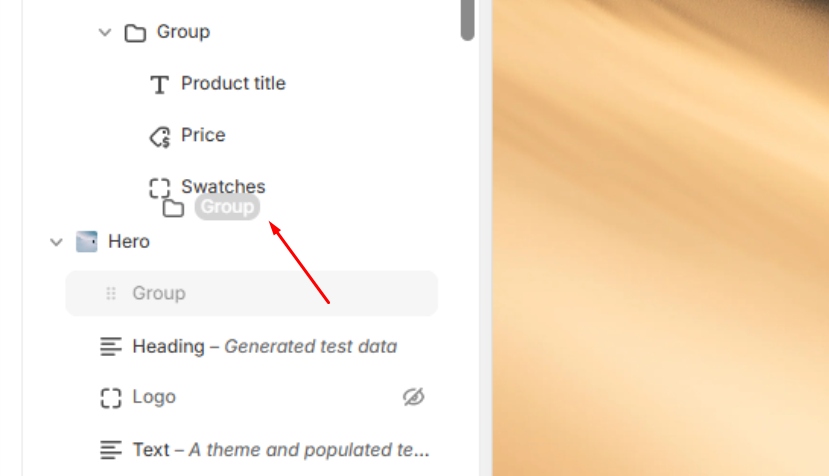
Although Horizon’s nested blocks system is advanced, it doesn’t allow moving blocks between nested groups, limiting layout flexibility and customization. Mobile section flexibility and image height controls are also limited (Shopify Community).
#3. Feature Gaps
Despite its strengths, Horizon requires custom coding to achieve certain layouts and lacks key built-in features like Dawn’s mega-menu and variant picker defaults. This means merchants often face additional development work to get the desired functionality. These gaps are frequently discussed in Shopify forums and Reddit, highlighting important areas for improvement (Reddit).
#4. AI block generation limitations
From our hands-on testing and deep experience with Horizon’s AI block generation, the feature shows great promise by enabling merchants to create custom blocks from simple text prompts. However, it remains immature and often requires manual cleanup.
We observed common issues such as inconsistent margins, blocks not matching brand assets like colors and fonts, and some functions failing—countdown timers not tracking time correctly or buttons that can’t be clicked.
#5. App Compatibility
Many apps don’t yet work smoothly with Horizon. We found that some features break or don’t work properly. Usually, you’ll need to contact the app’s support team to get fixes or wait for updates.
FAQs about Shopify Horizon Themes
Is the Horizon theme good?
Yes, the free Horizon theme is considered a strong option for Shopify stores, especially for businesses with large catalogs. It offers clean layouts, advanced filtering, and flexible product grids, making it easier for customers to browse and shop. Its design prioritizes usability and speed, both of which improve conversions.
What is the difference between Horizon and Dawn in Shopify?
Horizon and Dawn differ mainly in customization and scope. Dawn used to be Shopify’s free default theme, built for simplicity and speed, with enough flexibility for smaller shops. Horizon, a new and upgraded theme, offers more advanced navigation, product discovery features, and polished design options tailored for larger inventories.
While Dawn suits beginners or minimalists, Horizon is better for scaling businesses seeking a professional look with more built-in merchandising tools.
How to Win with Shopify Horizon: Our Recommendations for Success
From our hands-on experience with Horizon, we see it as a powerful theme that offers advanced features like nested blocks, which allow you to build flexible and sophisticated layouts. The AI block generator is an exciting tool that can speed up design work, but it still requires some practice and careful editing to get the best results. We also appreciate how well Horizon performs on mobile devices and the clean, efficient code it produces.
Here’s our advice based on what we’ve learned and tested:
For New Stores:
- Start with a Preset: We recommend beginning with one of Horizon’s 10 presets that closely matches your brand and style—such as Fabric for fashion or Savor for food.
- Use Nested Blocks Wisely: Nested blocks are great for creating modular layouts, but from our experience, it’s important not to overuse nesting. Too many nested groups can quickly make your store’s structure confusing and hard to manage.
- Experiment with AI Blocks, but Always Edit: AI-generated blocks can save time but often need manual cleanup. Treat AI as a helpful assistant, not a final solution.
- Maintain Consistency: Use global blocks and reusable components to keep your store’s design uniform and professional across all pages.
For Existing Stores:
- Plan Before You Migrate: Carefully review your current customizations and installed apps. From our testing, some features may not transfer smoothly, so knowing what needs adjustment ahead of time is crucial.
- Test on a Development Store: We strongly recommend trying Horizon on a staging or development store first. This helps you identify bugs and compatibility issues without risking your live site.
- Don’t Rush the Switch: Based on our observations, it’s wise to wait 2–3 months after Horizon’s release or updates before fully switching your live store. This gives time for bugs to be fixed and for the theme to mature.
- Plan Your Migration Carefully: Thoughtful migration planning helps avoid downtime and disruption, ensuring a smoother transition.
In short, Horizon is a robust and flexible tool, but it comes with a learning curve. Starting simple, using its features thoughtfully, and giving yourself time to adapt will help you build a clean, modern store that performs well across devices. Our experience shows that with patience and care, Horizon can be a strong foundation for growing your Shopify business.
Need support with your Shopify store or theme? Contact us now for personalized customization services!

Finn Nguyen
Finn is a Shopify expert with 5+ years of experience helping new business owners launch and grow online stores. Specializing in store setup, theme selection, and optimization, he provides practical guidance to turn ideas into successful eCommerce businesses