Shopify B2B Pricing: The Complete Guide to Pricing Models, Strategy & Setup

I’ve helped set up wholesale storefronts for a fair number of Shopify merchants. Pricing is almost always the part they get wrong first, not because the tools are missing, but because nobody separates the pricing strategy from the Shopify feature that’s supposed to run it.
Here’s the short version: Shopify B2B pricing works well once you pick a model on purpose (cost-plus, tiered, value-based, or some blend of them). Only then do you map that model onto Companies, Catalogs, or a third-party app.
Skip that order and you’ll rebuild your entire price list six months in, once the model you never chose stops fitting the business you’ve grown into. Let’s walk through the models, how Shopify actually handles them, and how to build a structure that holds up as you scale.
What Is B2B Pricing (And How It’s Different From Retail or Wholesale)
B2B pricing is the practice of charging business buyers differently than you’d charge an individual shopper. It usually means negotiated rates, volume-based tiers, or account-specific catalogs that reward larger, recurring orders.
It’s easy to treat “B2B” and “wholesale” as the same word. That mix-up is where a lot of merchants stumble, before they’ve even opened Shopify’s admin.
Wholesale is really one specific relationship inside the broader B2B category. Plenty of B2B sellers run tiered volume pricing, contract pricing, or per-account catalogs that go well beyond a flat wholesale discount off retail.
That distinction matters before you touch a single Shopify setting, because it determines how much structure you actually need. Here’s how the three segments compare in practice:
| Segment | Pricing approach | Shopify mechanism |
|---|---|---|
| Retail Pricing | Fixed list price, occasional promo | Standard product price |
| Wholesale Pricing | Cost-plus or flat tiered discount off retail | Catalog price adjustment or price list |
| B2B Pricing (broader) | Cost-plus, value-based, tiered, dynamic, or contract | Catalogs, fixed prices, volume rules, or quotes |
Merchants selling wholesale-only usually get away with one or two discount tiers off a single base price. Merchants selling B2B more broadly (multiple buyer segments, negotiated contracts, per-account pricing) need something more.
They need a structure that can hold several independent price lists running at once. That’s a very different build from day one.
There’s a buyer-behavior gap here too, and it’s worth sitting with for a second. A retail shopper decides in seconds and rarely negotiates. A business buyer is usually purchasing on someone else’s budget, comparing your price against two or three other suppliers, and often has to justify the purchase internally before it’s approved.
I’ve watched that internal-justification step kill deals that had nothing wrong with the price itself. The buyer just couldn’t point to a clean number when their manager asked. Vague or hidden pricing slows down exactly the accounts you want to close fastest.
Core B2B Pricing Models (And Which One Fits Your Business)
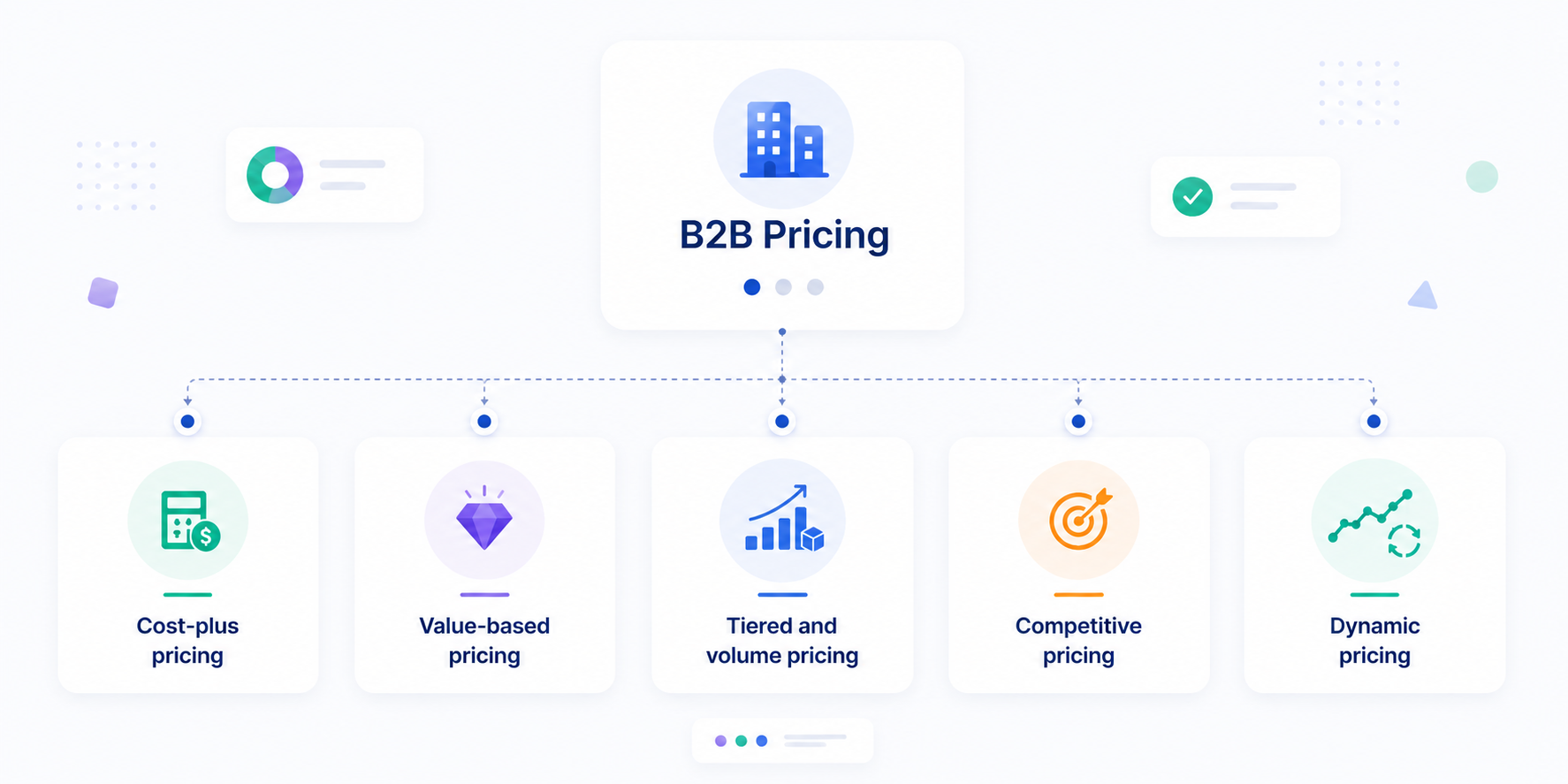
Most B2B sellers don’t pick one model and stop. They layer two or three of them once the business has enough order history to justify it.
But you still need a primary model to anchor everything else. These five are the ones I see most often in tiered pricing conversations with Shopify wholesale merchants.
None of these live in a vacuum from your Shopify build, either. Cost-plus and tiered pricing map cleanly onto catalog price adjustments and volume breaks. Value-based and per-account contract pricing usually need fixed prices set individually instead, since a flat percentage rule can’t capture that kind of nuance.
Knowing which camp your model falls into before you open the admin saves a round of reconfiguration later.
Cost-plus pricing
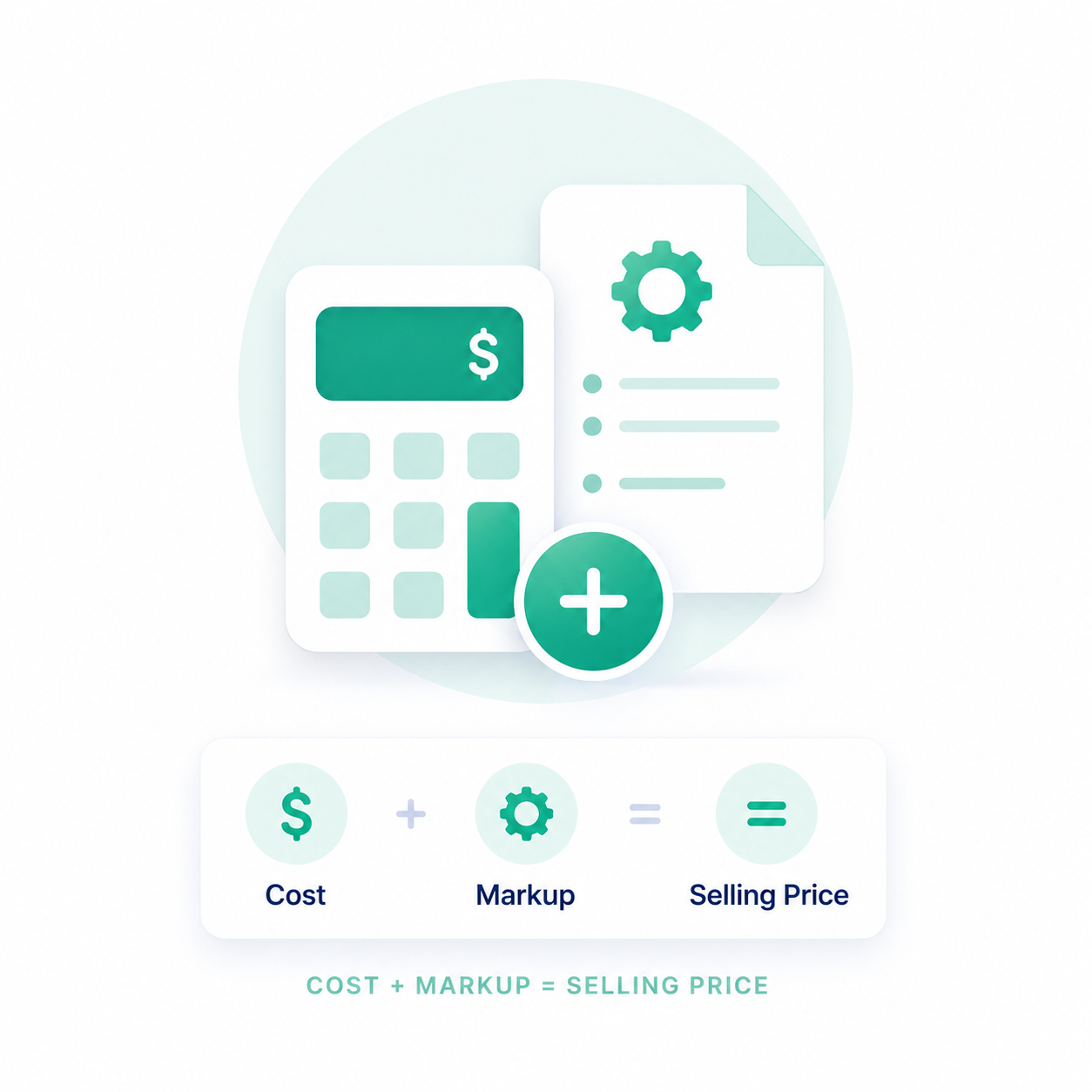
Cost-plus pricing answers one question directly: take your true cost per unit (materials, labor, overhead, freight) and add a fixed markup on top. A $10 unit cost with a 40% markup sells for $14.
It’s the simplest model to explain to a buyer. It’s also the easiest to defend when someone asks why your price is what it is.
The drawback is that it ignores what the buyer is actually willing to pay for the outcome your product delivers. A product that saves a retailer $5,000 a year in labor shouldn’t carry the same price as one that doesn’t. But cost-plus prices them identically whenever the production cost happens to match.
My take: use cost-plus as a floor, not a ceiling. Calculate it first so you never sell below true cost. Then check whether a value-based or tiered adjustment on top captures more of what the buyer would genuinely pay.
Value-based pricing
Value-based pricing starts from the buyer’s side of the equation. It’s about what the product is worth to them, not what it cost you to make it. It takes more work up front, usually direct conversations with buyers about the outcomes they get.
But it captures revenue that cost-plus leaves on the table, especially for differentiated or branded products.
A simple illustration: a specialty ingredient lets a food manufacturer cut waste by $8,000 a year. Pricing purely on production cost might land you $2,000 a year in revenue.
Price on a fraction of the value delivered instead, say 25% of that $8,000 saving, and you capture $2,000 more. The buyer still comes out ahead, so they won’t feel overcharged. The hard part isn’t the formula; it’s proving the $8,000 figure is real before you ask anyone to pay against it.
Tiered and volume pricing
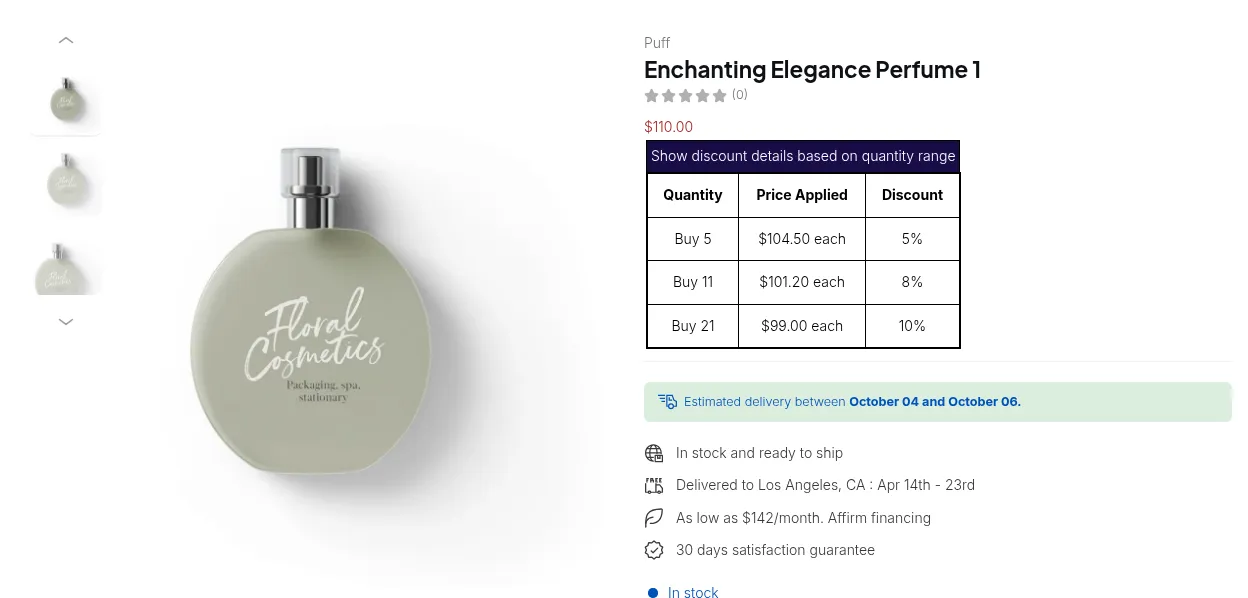
Tiered pricing sets discount brackets by order quantity: 1 to 9 units at full price, 10 to 49 at 10% off, 50 or more at 20% off. It’s the backbone of most wholesale structures, because it rewards exactly the behavior you want (bigger orders) without a negotiated contract for every account.
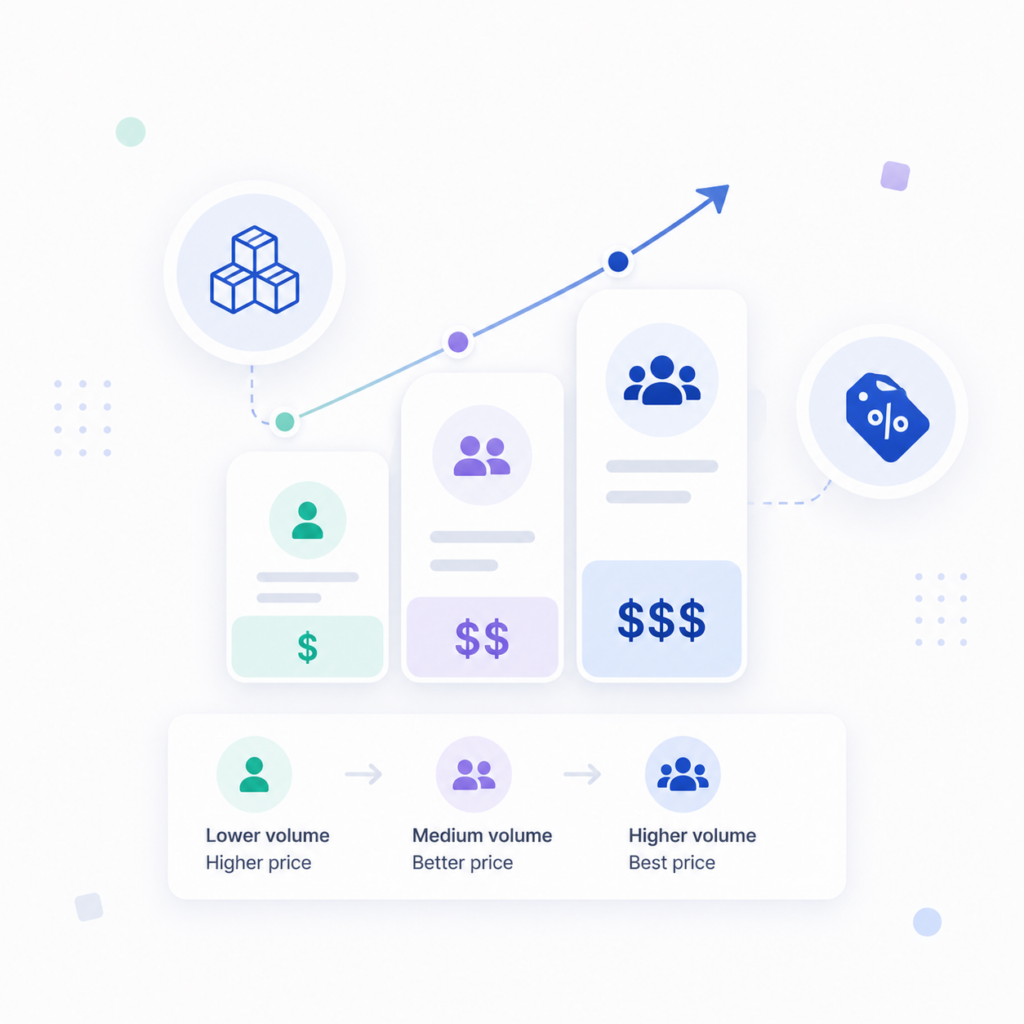
The mechanic only works if the brackets are visible before checkout, though. A buyer who discovers the 50-unit discount only after placing a 48-unit order will reorder two extra units next time, not this time.
Display the tiers directly on the product page, and let the math happen in their head before they add to cart.
Competitive pricing
Competitive pricing anchors your price band to what comparable sellers charge, adjusted up or down for your own positioning. It’s a reasonable starting point when you’re entering a category with established expectations.
Used alone, though, it locks your margin to decisions made by competitors instead of decisions made by your own cost structure.
I’d treat it as a sanity check rather than a primary model. Calculate cost-plus or value-based pricing first, then compare the result against what competitors charge for something comparable. If you land 40% above market with nothing to point to as differentiation, that’s worth investigating before launch. It’s not a reason to copy their number outright.
Dynamic pricing
Dynamic pricing adjusts price close to real time, based on demand, inventory levels, or contract rules. It shows up often for commodities and excess-stock situations.
Long B2B sales cycles usually need something different, though: the ability to lock a price once a deal is in motion. Buyers expect the number they negotiated, not a number that moved overnight.
If you’re considering dynamic pricing on Shopify, scope it tightly. Apply it to a specific collection, like excess inventory or seasonal lines, rather than your whole catalog. Keep it fully separate from any negotiated pricing a buyer already has. Mixing the two erodes trust the first time a buyer notices their “fixed” price moved under them.
Here’s how those five models tend to map onto different types of B2B sellers, and where the setup effort actually goes:
| Your business looks like… | Best-fit model | Setup complexity |
|---|---|---|
| Manufacturer selling through distributors | Cost-plus + tiered volume discount | ● Low |
| Brand selling wholesale directly to retailers | Value-based, layered with tiered discount | ● Medium |
| Seasonal or excess-stock seller | Dynamic pricing | ● High |
| Multi-segment B2B (retail + wholesale + enterprise) | Customer-specific price lists per segment | ● Medium |
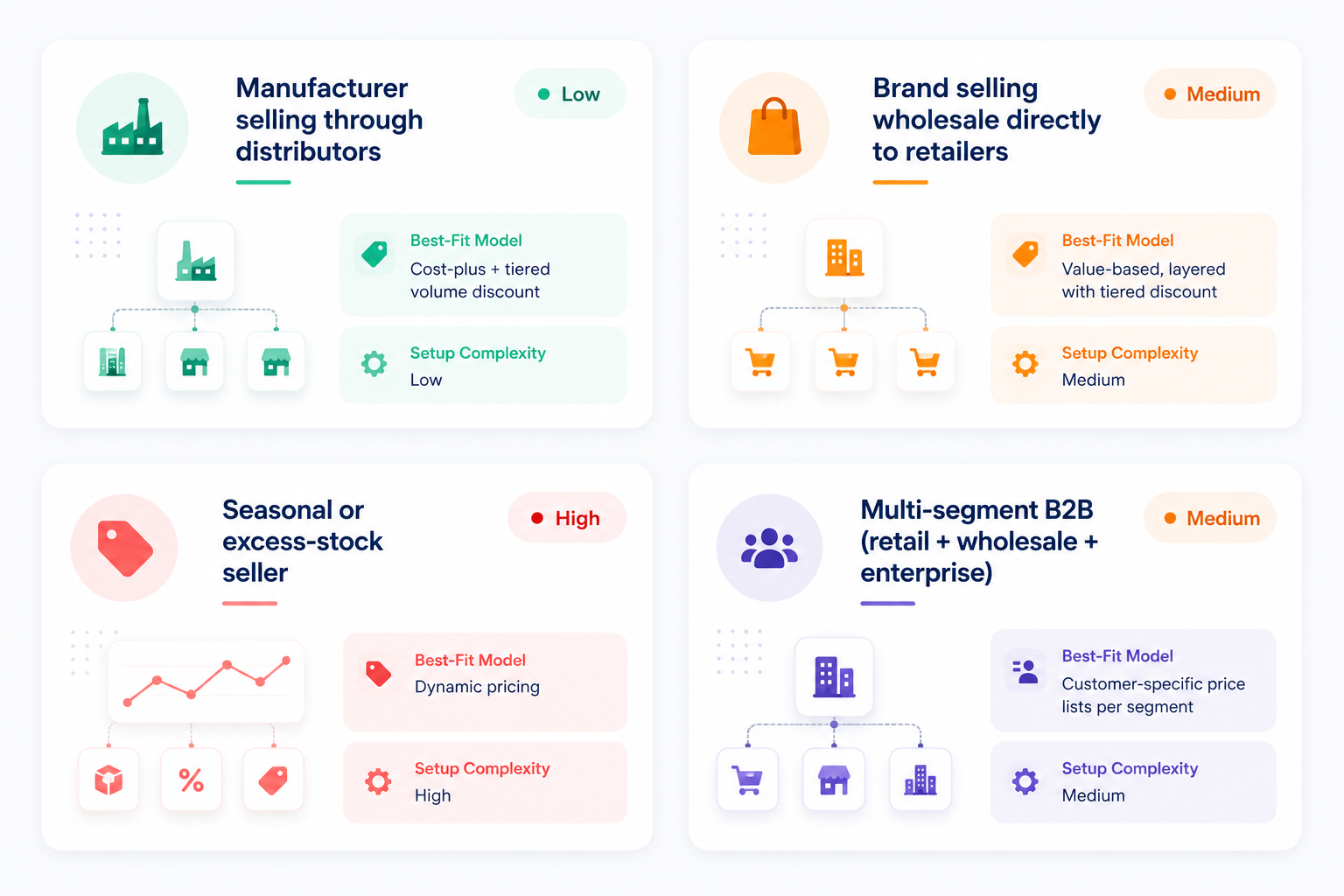
Most Shopify wholesale merchants I’ve worked with don’t run a single model in isolation. They set cost-plus as the pricing floor, then layer tiered volume discounts on top. That combination is what most of the native catalog tooling below is actually built to support.
How Shopify Handles B2B Pricing Natively
Once you know which model you’re anchoring on, the next question is mechanical: what does Shopify B2B actually give you to run it?
Native B2B pricing on Shopify runs through three connected pieces: Companies, Company locations, and Catalogs. How they interact decides what price a given buyer sees at checkout.
Companies, locations & catalogs
You can understand these terms simple as this:
A Company is the buyer account itself.
A Company location is a specific address or division under that account, useful when one business buys for several warehouses at different rates.
A Catalog is what actually carries the pricing. You assign one or more catalogs to a company or location, and that assignment decides both which products they can see and what they pay for them.
This is where most Shopify wholesale merchants I’ve reviewed overlook: catalogs control both visibility and pricing at once. If you want a segment to see a restricted product range at a custom price, one catalog handles both jobs. You don’t need a separate access-control layer bolted on top.
Overall adjustment vs. fixed price
Inside a catalog, Shopify gives you two ways to set price:
An overall adjustment applies a flat percentage off – or on top, of the standard price across every product in that catalog. It’s the fastest way to replicate a straightforward tiered-discount model.
A fixed price sets an exact number per variant instead. That’s what value-based or negotiated contract pricing actually needs, since a percentage rule can’t capture “this specific SKU is worth this specific number to this specific account.”
Pick whichever one that matches the model you chose earlier, not the other way around. Trying to force value-based pricing through a percentage adjustment is how catalogs turn into a patchwork of exceptions within a few months.
When catalogs overlap
A company can be assigned more than one catalog at a time. That’s exactly where pricing inconsistencies creep in, if nobody’s watching.
When two catalogs both apply to the same buyer and quote different prices for the same product, Shopify defaults to the lower of the two. It doesn’t average them or prioritize by which catalog was created first.
Audit catalog overlap any time you add a new segment. It’s easy to create a promotional catalog for one group, forget it’s still active, and have a full-price account quietly start seeing the promo rate through an overlapping assignment.
The Shopify B2B Gap (And How Apps Fill It)
Since Shopify’s April 2026 “B2B for all” rollout, foundational B2B ships on every plan. Company profiles, catalogs, net terms, volume pricing, self-serve buyer ordering: all of it runs on Basic, Grow, and Advanced, alongside Shopify Plus B2B, at no extra cost.
The real gap is narrower than “access vs. no access.” It comes down to scale and payment flexibility, not whether the pricing engine exists at all.
On Basic, Grow, or Advanced, you can assign up to 3 active catalogs across your B2B markets. That’s plenty for a handful of segments, tight once you need more. Those catalogs also assign at the market level, not directly to an individual company or location. Non-Plus plans have a few other real gaps worth knowing before you commit to a structure: no wholesale registration form, no bulk order form, no customer-tag-based pricing, and B2B catalogs don’t work in Shopify POS.
Shopify Plus removes those limits: unlimited catalogs, plus direct assignment to a specific company or location for true per-account pricing. Plus also adds partial payments, deposits, and checkout customization through Shopify Functions. However, the pricing for Shopify Plus is definitely a big problem for most small to medium store.
That’s usually where a third-party pricing app earns its subscription: by covering what the native 3-catalog setup still can’t do, yet cost only a fraction compared to Shopify Plus.
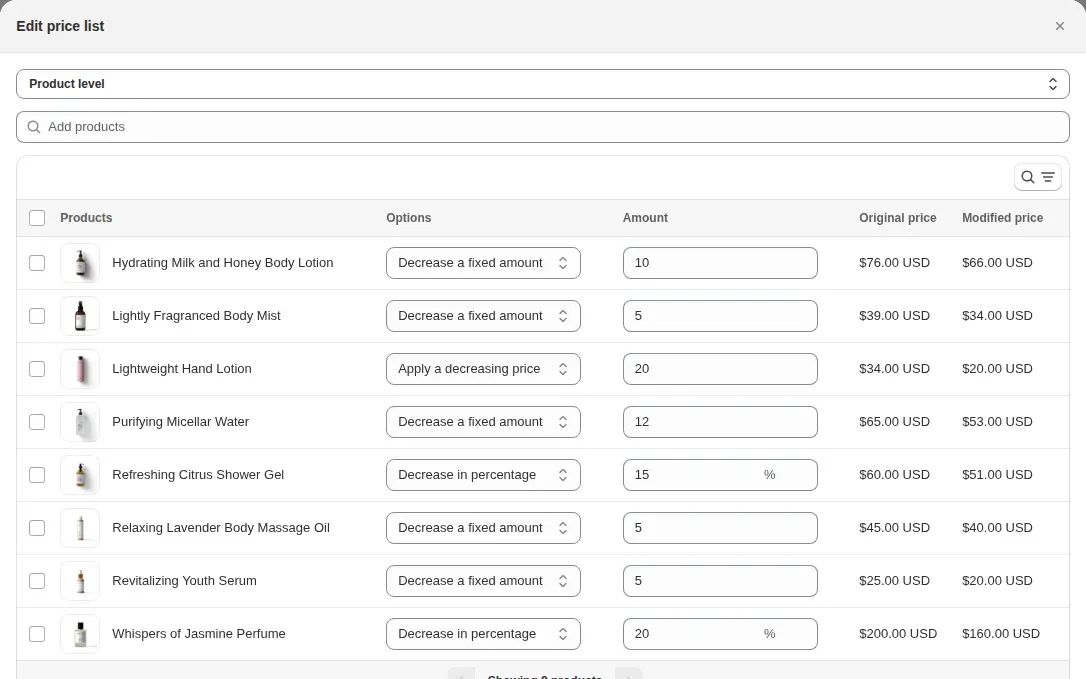
Here’s my simplified take on how to decide which option is for you:
- If your segments fit inside 3 catalogs, and you don’t need per-account custom pricing or deposits, native B2B on a lower plan already covers you. No app and no Plus contract required.
- Once you outgrow that (more than 3 segments, per-account negotiated pricing, or a registration/bulk-order flow), a well-chosen app usually closes the gap for less than a Plus upgrade.
- Save Plus itself for when you specifically need unlimited catalogs, deposits, or checkout-level customization.
How to Choose a Pricing App (When Native Catalogs Aren’t Enough)
If you’ve outgrown the 3-catalog cap, or you need a registration form, bulk order form, or tag-based pricing that native B2B doesn’t cover, the app you pick matters more than most merchants expect going in. It’s effectively your pricing engine for as long as you use it.
A few things worth checking before you commit to one:
- Public API access for merchants who’ll eventually need to sync pricing from an ERP or internal system, even if you don’t need it on day one.
- Customer-group pricing, not just a blanket discount code. You need rules tied to a tagged segment, not a coupon anyone could type in.
- Volume/quantity break support at the variant level, so tiers can differ by SKU rather than applying uniformly across your whole catalog.
- Net terms and manual order support, if any segment needs to check out without paying upfront.
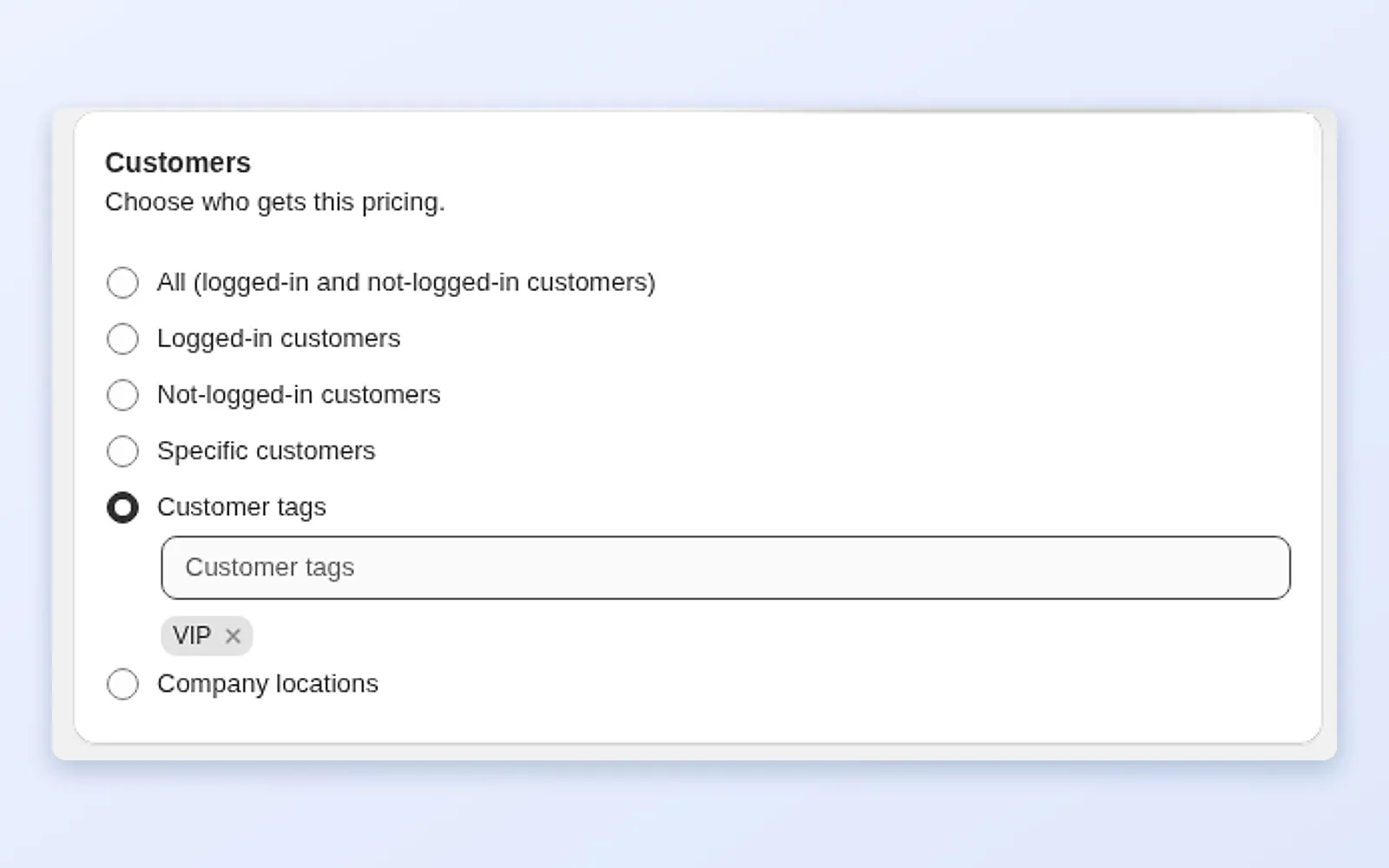

BSS B2B Solution
Instead of solving just one part of the wholesale workflow, BSS B2B Solution acts as a complete B2B layer on top of Shopify. It supports customer tag-based pricing and custom price lists, so each wholesale segment sees the right prices without relying on discount codes.
You can set variant-level quantity breaks, customer-specific pricing, minimum order quantities, order limits, and pack size rules, making it suitable for merchants with complex pricing structures rather than simple percentage discounts.
Beyond pricing, BSS includes features that native Shopify B2B still doesn’t fully cover, such as customizable B2B registration forms with approval workflows, automatic customer tagging, wholesale order forms, net payment terms, manual orders, tax-exempt and VAT handling, and Shopify POS support.
For merchants planning to automate pricing from an ERP or other back-office systems, BSS also provides public APIs for syncing price lists and customer data as the business grows.
Building Your B2B Pricing Structure, Step by Step
Everything above is theory until you actually sequence it. This is the order I’ve found holds up best across most Shopify wholesale builds, regardless of which model or plan you land on:
- 1 Segment your customers first
Group buyers by the trait that actually drives different pricing — order volume, industry, geography, or contract status. Do this before touching Shopify. A segment defined in a spreadsheet is easy to fix. A segment baked into five live catalogs is not.
- 2 Choose your model (or models)
Pick a primary model from the five above for each segment. It’s fine for different segments to run different models — a distributor segment on cost-plus and a key-account segment on negotiated value-based pricing can coexist in the same store.
- 3 Build your price lists or catalogs
Translate each segment’s model into an actual catalog (Plus) or price-list feature (app). Use overall adjustments for percentage-based models. Use fixed prices for negotiated ones, per the mechanic breakdown above.
Add quantity-break rules on top of the base catalog price wherever tiered pricing applies. Display the breakpoints directly on the product page — buyers are far more likely to increase order size when they can see the discounts before checkout instead of discovering them afterward.
Use minimum order quantities (MOQ) to protect margins on your lowest-priced tiers and prevent small orders from becoming unprofitable. Where appropriate, also set maximum order limits so a single account cannot consume inventory intended for the rest of that customer segment.
Define which customer segments qualify for Net 30 or Net 60 payment terms and assign appropriate credit limits. Since payment terms influence perceived value as much as pricing itself, review them alongside your pricing strategy. Before going live, also verify tax-exempt settings for each segment to avoid invoicing errors.
I’ll admit the sequence looks obvious written out like this. That’s sort of the point. Most of the pricing messes I’ve untangled came from skipping straight to step 3 without ever doing step 1.
Common B2B Pricing Mistakes
Most of these show up after a store has been running for a few months, rarely on day one. That’s exactly why they’re worth flagging before you scale past the point where fixing them is easy.
Hiding pricing entirely behind a "request a quote" wall
Some friction is fine for negotiated accounts, but hiding every price forces even your simplest repeat buyers into a manual sales process. If 80% of your segments could see a transparent tiered price, don’t make all of them ask for one.
Letting catalogs overlap without a review cadence
As covered above, Shopify shows the lower price when catalogs conflict. An old promotional catalog left active can silently undercut your standard pricing for months, before anyone notices the margin gap.
Copying a competitor’s price band with no cost-plus floor underneath
Competitive pricing works as a sanity check, not a foundation. Without a cost-plus floor underneath it, a competitor’s price war can drag you below your own breakeven without anyone deciding that on purpose.
Setting tiers nobody can see before checkout
A volume discount that only appears after an order is placed rarely changes buying behavior—it simply reduces your margin on purchases customers would have made anyway. Display quantity-break pricing directly on the product page so buyers can see the incentive before they decide how much to order.
Treating net terms as a finance decision, not a pricing one
Net 30 or Net 60 isn’t just a payment setting—it directly affects the value buyers place on your offer. Many B2B customers will choose a slightly higher-priced supplier if the payment terms better fit their cash flow. Treat payment terms as part of your pricing strategy, not merely an accounting policy.
Keeping B2B Pricing Consistent as You Scale
Pricing structure tends to hold up fine at 10 accounts and quietly drift apart at 100. Once more than one person can grant a discount or add a Pricing structure tends to hold up fine at 10 accounts and quietly drift apart at 100. Once more than one person can grant a discount or add a customer to a catalog, you need governance, not just configuration:
- Define who has authority to create a custom price or add an account to a catalog or price list, and document the order size above which a second approval is required.
- Set a review cadence (quarterly is reasonable for most wholesale operations) to catch overlapping catalogs, expired promotional pricing, and stale customer-group assignments nobody remembers creating.
- Track effective price, after every discount layer, against list price by segment. If the gap keeps widening without a deliberate decision behind it, that’s discount drift, not strategy.
- Keep a single source of truth for what each segment’s standard pricing should be. Keep it separate from whatever lives in Shopify catalogs or an app’s settings, so an audit has something concrete to check against.
None of this needs to be heavyweight, and I’d actively push back on overbuilding it early. For stores with fewer than a few hundred B2B accounts, a simple shared spreadsheet is enough to track the essentials: segment, base discount, and last-reviewed date. This baseline is plenty to catch drift before it compounds into a real margin problem.
The Bottom Line
Shopify B2B pricing isn’t one decision. It’s a stack of smaller ones: which model anchors your floor, whether your plan gives you native catalogs or routes you through an app, and whether your build order puts segmentation before discount logic, instead of after.
Get that sequence right, and the platform choice, Plus versus app, becomes a configuration detail rather than a strategic risk.
FAQs
Does Shopify support B2B pricing natively?
Yes. Companies and Catalogs are native on every paid plan since April 2026. Plus adds unlimited catalogs, direct per-account assignment, and partial payments.
Do I need Shopify Plus for wholesale pricing?
Not by default. Basic, Grow, and Advanced already include native company-based pricing, volume discounts, and net terms – up to 3 catalogs. You’d consider Plus once you need more segments, per-account custom pricing, or deposits.
What happens if a buyer has access to two catalogs with different prices for the same product?
Shopify automatically shows the lower price. It doesn’t average the two or prioritize by which catalog was created first.
Can I run B2B and D2C pricing from the same store?
Yes. Logged-out and consumer customers see your standard retail price. Logged-in business accounts see whichever catalog or price list is assigned to them, and no separate store is required.
How many pricing tiers should I start with?
Most wholesale operations start cleanly with three: a base wholesale discount, a mid-volume tier, and a top-volume tier for the largest accounts. Add more only once real order data shows a gap the current tiers don’t cover.
You may also like

How to Sell Wholesale to Retailers: A Playbook for Shopify Brands
To sell wholesale to retailers, set a wholesale price that leaves room for both of you (usually […]

Shopify Tax Exempt Customers With a Resale Certificate: A US Guide for Wholesale Sellers
A resale certificate is a state-issued US document that lets a business buy goods it will resell […]

Faire Alternatives for Brands: Sell Wholesale on Your Own Shopify Store
The best Faire alternative for most Shopify brands is not another marketplace. It is your own Shopify […]