Shopify Launch Check App: Ultimate Guide 2025
Quick context – Shopify recently unveiled Shopify Launch Check app, an AI‑powered tool offering a full pre‑launch validation in under two minutes. Will this app be helpful for new Shopify users? Let us walk you through its functions, how it works, and why you should use it carefully.
How Shopify Launch Check App Works
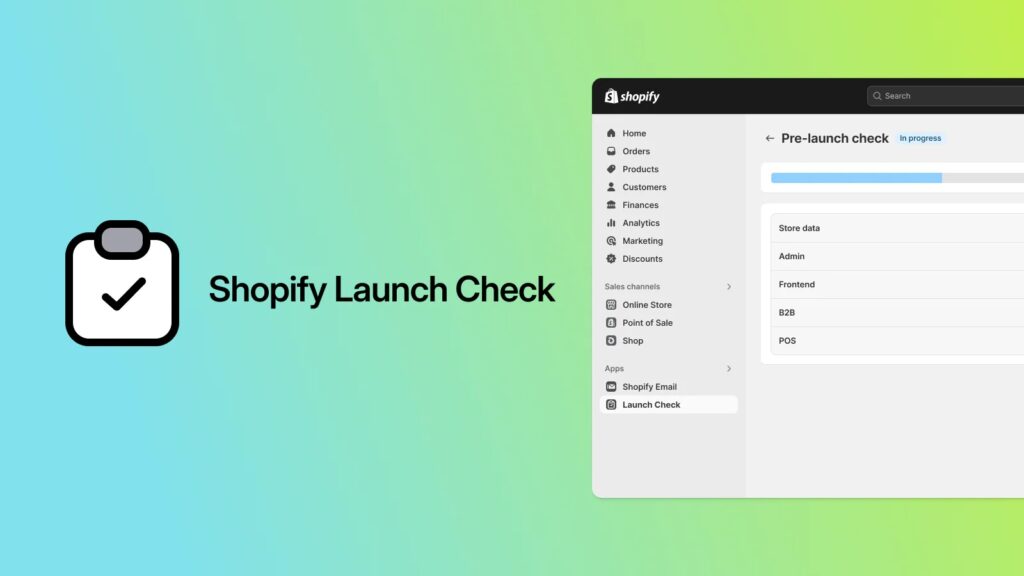
The Shopify Launch Check app is available for free on Shopify App Store.
How does the app work? Well, method unfolds in two stages: instant scan and AI‑powered feedback.
- Comprehensive task scan: The tool evaluates critical setup areas such as payment configuration and SEO readiness.
- Fast, actionable guidance: Results appear within two minutes, including step‑by‑step instructions. This can offer clarity for new store owners, saving considerable time before launch.
Don’t have a Shopify store? Start now for a free trial AND get your first 3 months for $1/month.
All the tasks available for check
Launch Check audits these key launch areas:
- Store data
This task forming the backbone of any Shopify store, including customers, orders, and products.
For instance, orders are checked for proper links to customers, ensuring operational accuracy before launch. Products can undergo validation for correct tax collection. This helps identify hidden errors that could disrupt the shopping experience and damage customer trust.
- Admin settings
Launch Check also audits core administrative controls that govern how a Shopify store operates behind the scenes. This includes everything from payment gateways, shipping settings to legal policies. By scanning admin settings, Launch Check ensures the infrastructure supporting customer-related activities is solid.
- Front-end
Launch Check reviews the storefront experience – the part visitors see and interact with. This covers design elements, search visibility, and tracking integrations.
Essentially, front-end checks ensure the site looks professional, works smoothly, and communicates effectively with both users and search engines. These checks matter because first impressions shape customer trust.
>>> Relevant reading: 15+ Best Shopify Themes for SEO to Drive More Traffic (Free & Premium)
- B2B (optional)
B2B tasks cover features tailored for business-to-business merchants. These checks focus on wholesale customer accounts, payment terms, and the overall purchasing experience for companies.
For merchants setting up a B2B store, accuracy in these settings is critical.
- POS (optional)
Launch Check also extends into point-of-sale operations. Since not every merchant uses Shopify POS integration, these checks are optional. For those who do, they are vital to ensure that retail locations run smoothly, receipts display correctly, payment methods work as intended, and staff roles are properly assigned.
How to use Launch Check (Step‑by‑step guide)
One click initiates an AI scan. Once complete, recommendations list in order of importance. Beginner sees which areas need correction, finds direct links to fix them, then marks progress – all inside Shopify admin.
Step 1: Install the Shopify Launch Check app.
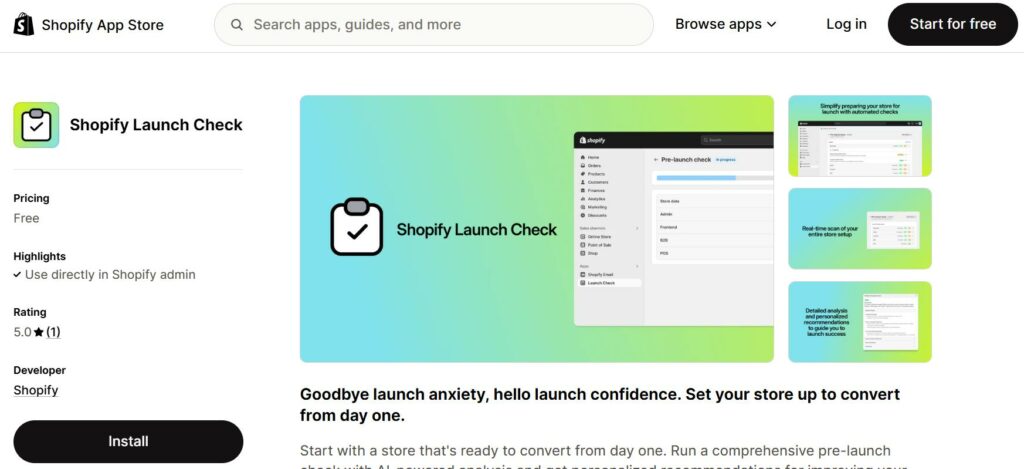
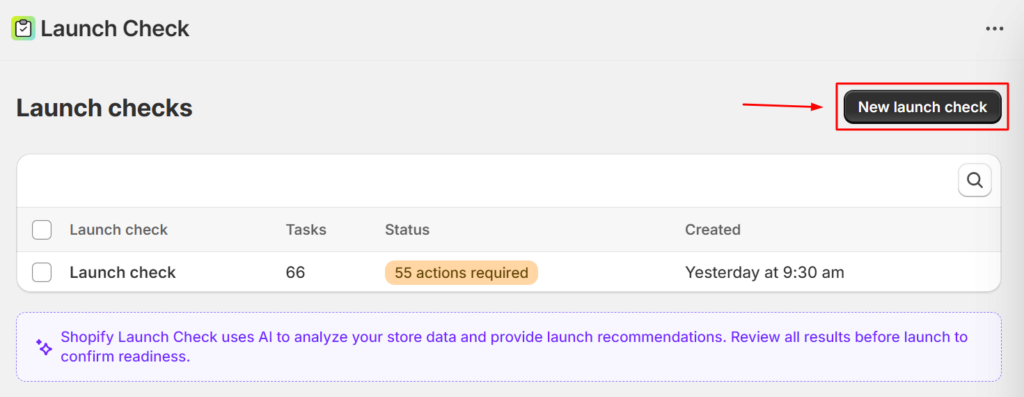
Step 2: Click New Launch check
Step 3: Here, you can select the tasks needed checking (or select all tasks). You can also name this turn, to separate it from future scan.
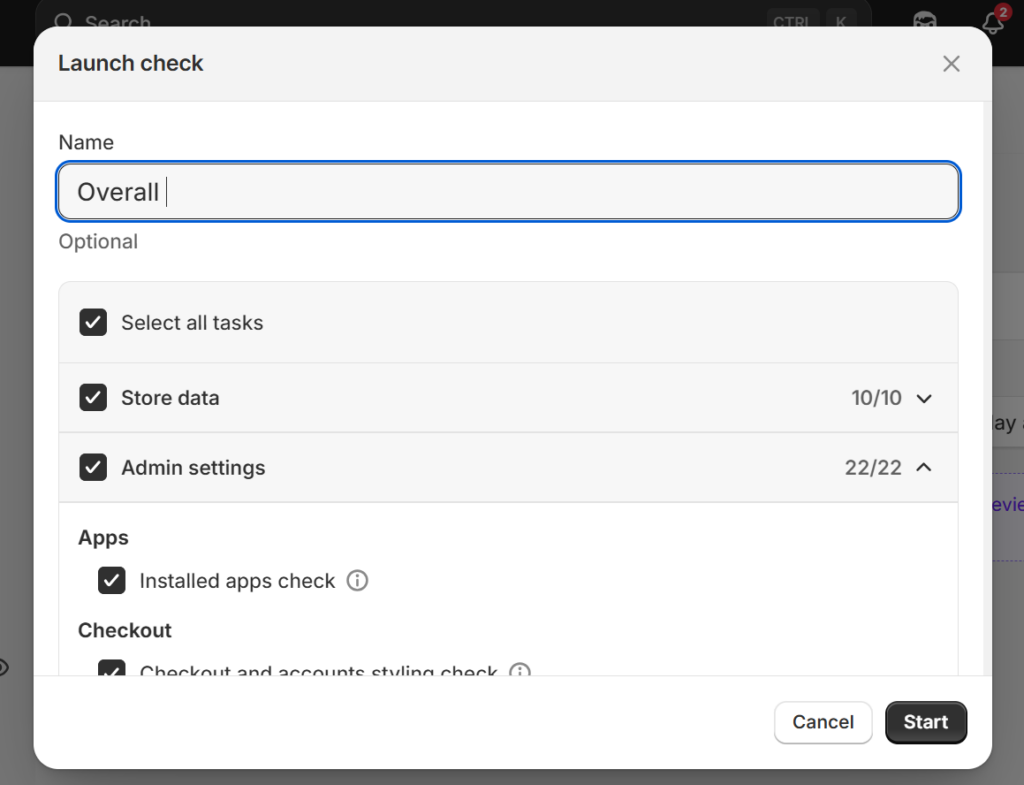
Then, wait for the scan to complete. You can cancel mid-process.
Step 4: When you have the full launch check results, you can typically choose to:
- Re-run: in case you think something is inaccurate.
- View details: See exactly why a task is considered not ready, or not ideal for launch.
In “View details”, the app will give you a standard instruction to improve that particular area.
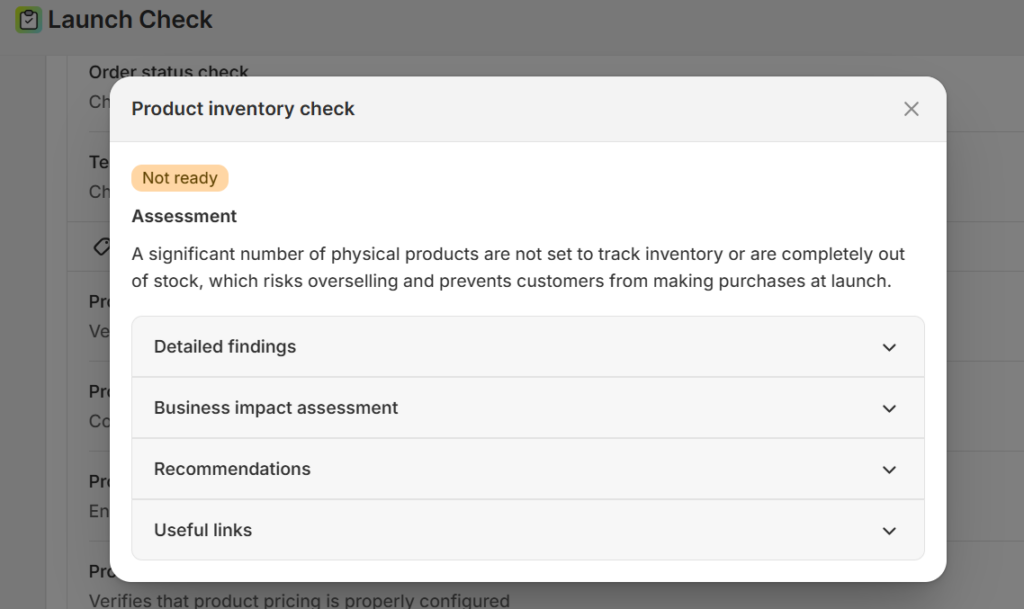
Overall, the app is incredibly simple and easy to use. If you are wondering whether or not your Shopify store is ready, Shopify Launch Check can guide you and boost your confidence.

Benefits of Using Shopify Launch Check App
Although simple and seemingly too basic to provide significant improvements, Shopify Launch Check app still brings distinct advantages for both new and old store owners:
Reduces risk of overlooking essentials
Beginners often miss critical steps that are vital to their store’s functionality. According to Shopify, important tasks often forgotten include tax, shipping, and content pages. Launch Check helps prevent those common oversights.
Simplifies technical setup
For newcomers, setting up an online store often feels like juggling too many moving parts. Taxes, payments, shipping, and policies can look like a maze of unfamiliar terms. Launch Check breaks those tasks into smaller steps and points out exactly what still needs attention.
What makes this especially valuable is that the app doesn’t just guide users through Shopify – it also introduces them to broader ecommerce essentials. It is less about ticking boxes and more about gaining confidence in running a store.
Provides basic knowledge about Shopify
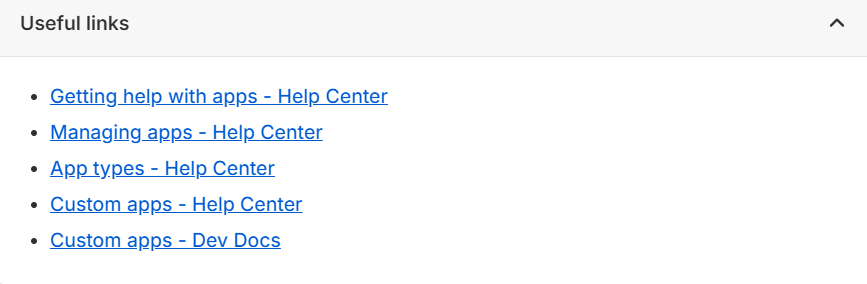
Beyond alerts, Launch Check directs you to relevant resources from Shopify documentation. New merchants gain deeper understanding of store functions alongside in-app standard guidance.
Offers long‑term value
Even experienced merchants can benefit from Launch Check, as they may miss small but important details when managing updates or rolling out new features. Running a fresh scan often uncovers settings that need adjustments, or highlights changes introduced by Shopify’s ongoing platform updates.
Is Shopify Launch Check App Enough for Strategy?
While reliable for technical readiness, Launch Check does not replace human strategy.
Launch Check streamlines setup and provides a basic outline, but strategic success depends on marketing, branding, and pricing. Beginners still need to plan social campaigns, optimize user experience, and look for an advanced Shopify SEO checklist. These elements remain human‑driven.
Here are some critical areas that Launch Check currently does not cover:
- Branding consistency across site and social platforms
- Marketing campaigns (email, ads, advanced SEO content)
- Pricing strategies, margin calculations
- Customer service readiness (returns, support workflows)
To summarize: use Launch Check as a safe launch foundation, then layer strategic elements for growth.
Further reading to get started:
- Shopify 3 Months For $1: Ultimate 2025 Guide
- Shopify Pricing Plans Review
- How Does Shopify Work 2025: What Sellers Must Know
FAQs About Shopify Launch Check
Does Shopify Launch Check cover SEO optimization?
Yes but not all, it only checks basic SEO setup such as meta titles and descriptions.
Can I use the app after launch or only before?
The app is designed for pre‑launch but also useful post‑launch. Running it again post‑launch can detect issues introduced during updates or live edits.
Is Launch Check available on all Shopify plans?
Yes, Launch Check is available on all Shopify plans, free for use. Shopify has not confirmed plan restrictions in announcement.
Do I still need third‑party apps after using Launch Check?
Yes. Launch Check is a problem-detecting app, but to solve the problems or add features to your store, you still need third-party apps.
Final Thoughts
Shopify Launch Check gives beginners a clear, structured way to prepare their store for launch. By scanning store data, admin settings, frontend, and optional areas like B2B or POS, the app reduces common mistakes that could delay sales or frustrate early customers.
Still, Launch Check focuses on technical readiness, it won’t replace human judgment in branding, marketing, or customer experience strategy. BSS Commerce hopes our article has informed you about the app’s benefits and and limitations, as well as how to make the most use out of it.
CONTACT US for more questions and Shopify store setup services.

Finn Nguyen
Finn is a Shopify expert with 5+ years of experience helping new business owners launch and grow online stores. Specializing in store setup, theme selection, and optimization, he provides practical guidance to turn ideas into successful eCommerce businesses