How to Set Up Shopify Tiered Pricing for B2C and Wholesale
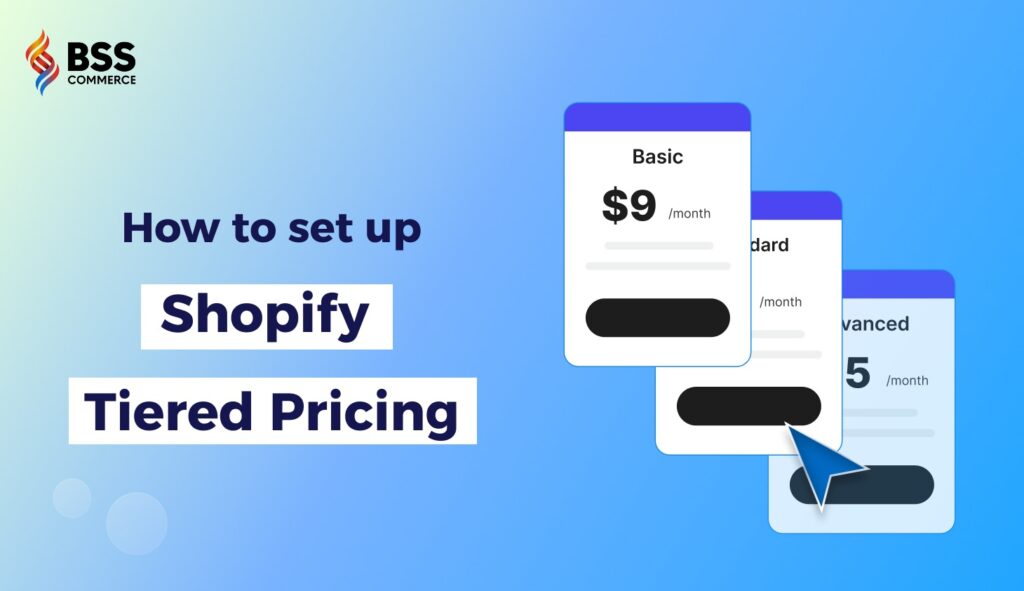
Pricing shapes buying behavior. Shoppers look for value, while business buyers expect structured, predictable rates. When customer groups vary, one flat price rarely works.
Tiered pricing solves that gap by offering different price levels based on quantity or buyer type.
In this guide, we will walk you through each step: what tiered pricing means, how Shopify supports it, and clear tutorials on how to set up Shopify tiered pricing for both B2B and B2C.
Here are quick navigations to the setup guide:
What is tiered pricing model?
Tiered pricing means setting different price levels depending on elements such as order size, order value, or product bundles.
Here are some common use cases for tiered pricing:
- Bulk buyers want wholesale-level discounts when they purchase many units.
- Retail customers get “buy more, save more” deals to encourage larger baskets.
- Businesses manage separate pricing for B2B buyers (wholesalers, resellers) and B2C buyers.
However, B2B and B2C buyers expect different experiences. B2C shoppers expect clear volume discounts at checkout, while B2B buyers often need custom price lists, negotiated rates, minimum order quantities, or bulk-order tools. A good tiered-pricing setup accommodates both needs.
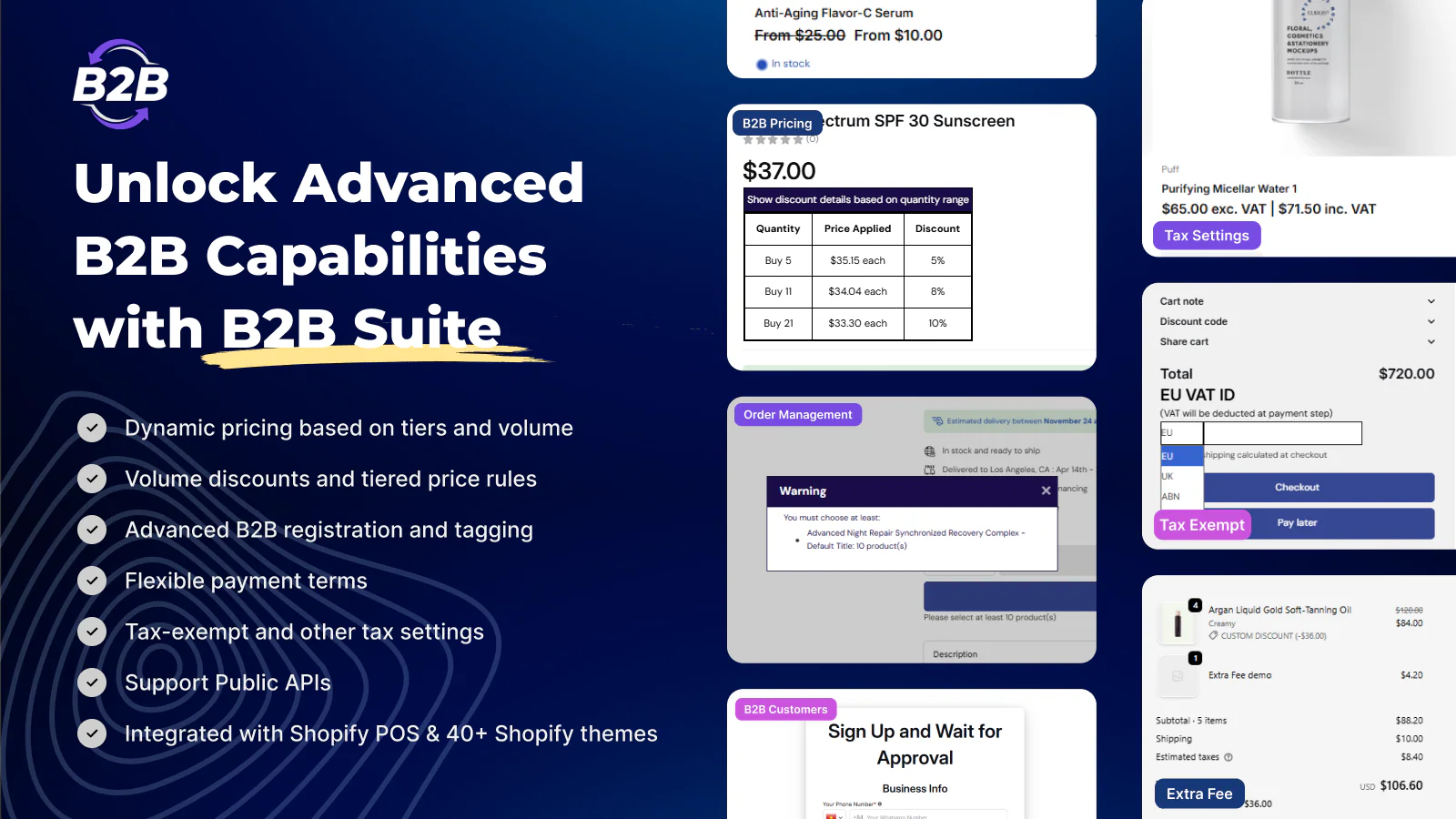
BSS B2B Solution for Shopify

Rating: 4.8 ★ (900+ reviews)
Customize volume pricing, quantity breaks, and more for wholesale buyers.
Types of Shopify Tiered Pricing and Discounts
1. Volume-Based tiered pricing
Buyers unlock lower prices when purchasing larger quantities. B2C brands use this for “buy more, save more” offers.
On the other hand, B2B companies often rely on structured quantity breaks for wholesale cases or pallets. This model encourages bigger baskets and repeat orders.
2. Feature-based tiered pricing
Feature-based tiered pricing offers different price levels based on what customers get, not how much they buy. Common in software or service bundles, each tier unlocks extra features, support levels, or service limits.
For Shopify sellers, this works well when products come in “basic, standard, premium” variations or when B2B clients need advanced options or custom configurations.
3. Flat-tiered discounts
Flat-tiered discount applies fixed discount levels when buyers meet simple conditions. For instance, all orders over a certain quantity or value receive a fixed percentage off. Instead of scaling discounts by many steps, merchants keep the structure simple.
4. Spend-Based tiered pricing
Spend-based tiers reward customers when their cart reaches higher spending thresholds. Buyers unlock better discounts as order value climbs. This method suits both B2C promotions and B2B bulk orders because it encourages shoppers to add more items to reach the next tier.
For B2B, spend-based tiers often pair with minimum order values or negotiated account terms.
5. Loyalty-based discounts
Loyalty-based tiered pricing assigns different discount levels based on customer loyalty or status. Buyers who order frequently or spend more over time move up tiers with better privileges.
This builds long-term relationships and encourages repeat purchases. Shopify merchants commonly use customer tags to categorize buyers into silver, gold, or VIP tiers.
Setting Up Shopify Tiered Pricing (Step-by-Step)
Method 1 – Using Shopify Discounts (No app needed)
Shopify offers basic tiered pricing configurations. Here is a detailed guide on how to set up:
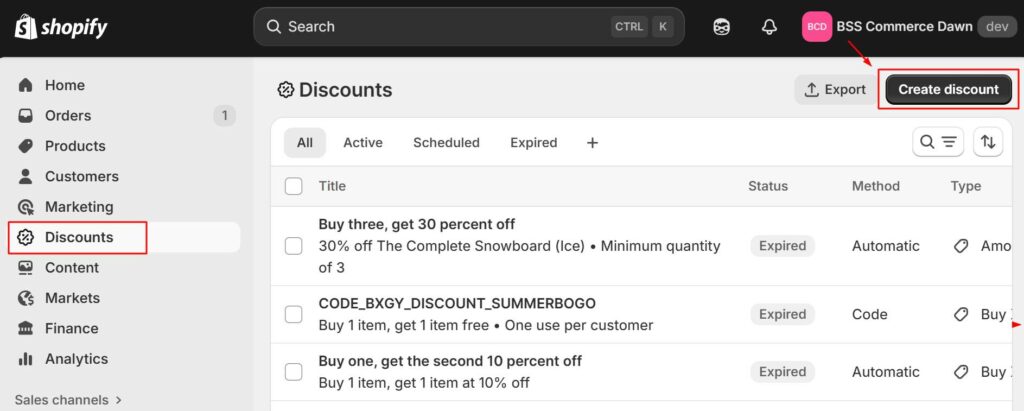
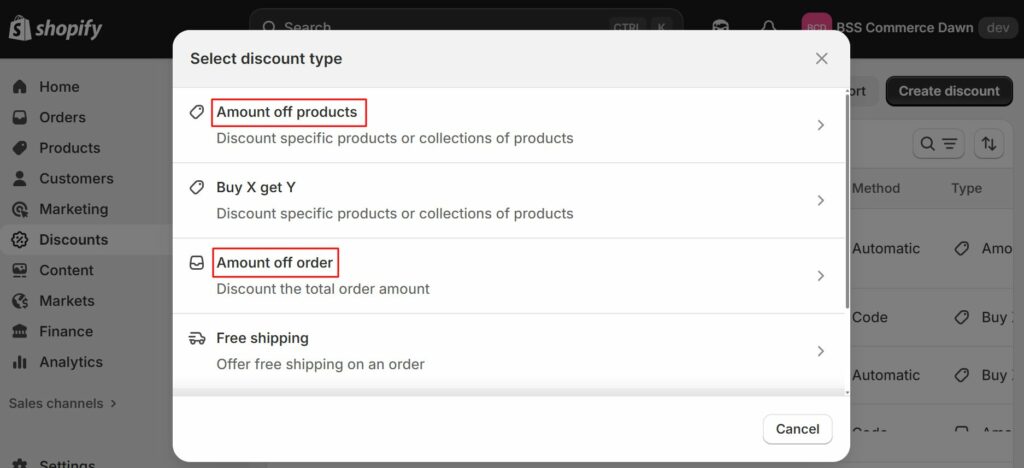
Step 1: In Shopify Admin, go to Discounts. Click “Create discount”.
Step 2: Choose between “Amount off products” and “Amount off order.”
Step 3: Define discount value, minimum purchase amount, and the assigned group of customers.
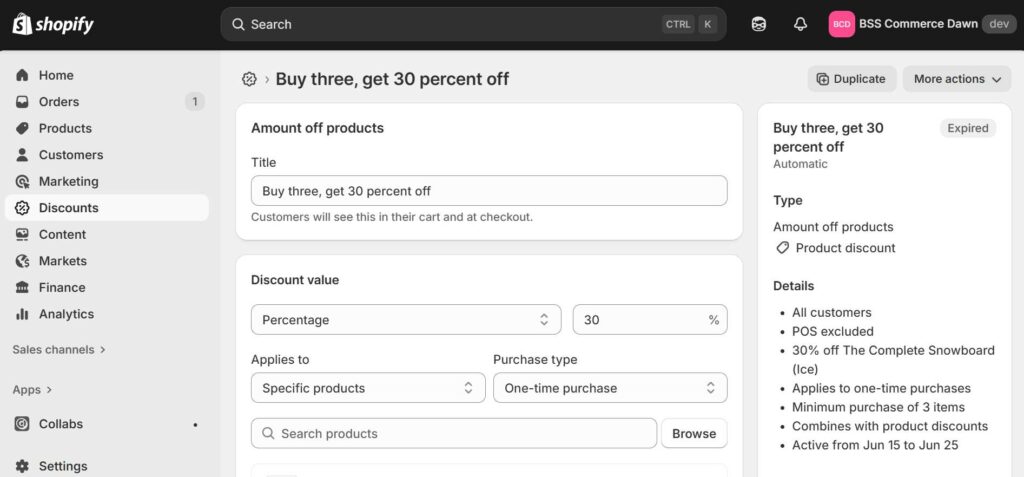
*Choose discount value (fixed, percentage), which products this applies to, etc
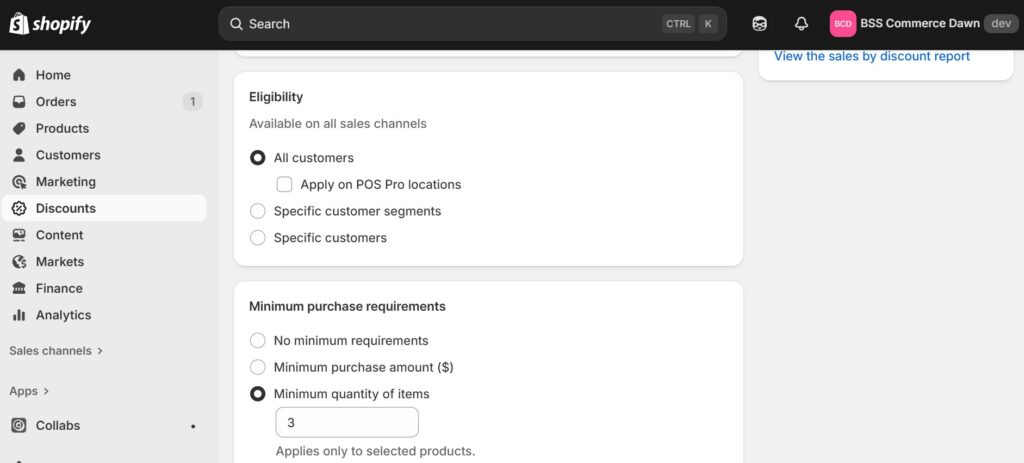
*Define eligibility and minimum purchase requirements
Let’s take an example of Spend-based tiered pricing:
- Spend 100 → get 10% off
- Spend 200 → get 15% off
- Spend 300 → get 20% off
You would set it up by choosing “Amount off order” → Select “Percentage” (10%) for Discount value → Choose “Minimum purchase amount” (100) → Repeat for other tiers.
Step 4 (Optional): You can also combine different discount types, as long as they do not create conflicts.
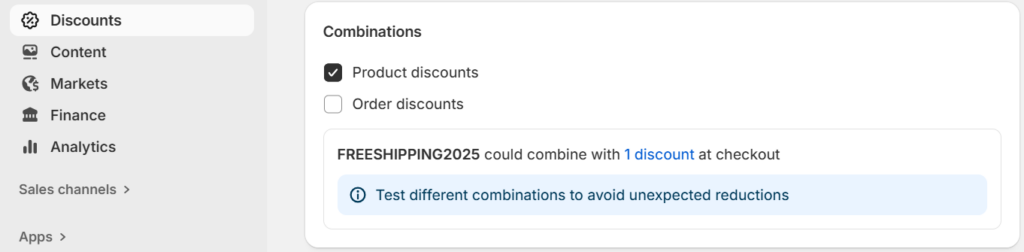
Step 5: Save your custom pricing/discounts and test in checkout.
This approach works well when discount rules remain simple and variant variety is low.
Some limitations:
- Discount logic applies at order/cart level only — product page won’t show discount until items added to cart.
- Cannot handle complex pricing (e.g. variant-level tiers, wholesale-level prices, customer-group–specific rules)
- For many SKUs or frequent updates, manual management becomes inefficient.
Method 2 – Using a custom pricing app
For retailers needing more flexibility than Shopify’s native tools, a third-party app becomes useful.
For B2B and hybrid stores
To set up B2B pricing, we highly recommend using a third-party Shopify B2B solution. Here is why:
- Other Shopify plans do not support native B2B pricing
- The need to hide and separate prices for B2B and B2C customers
- Even Shopify B2B/Plus users sometimes outgrow native features
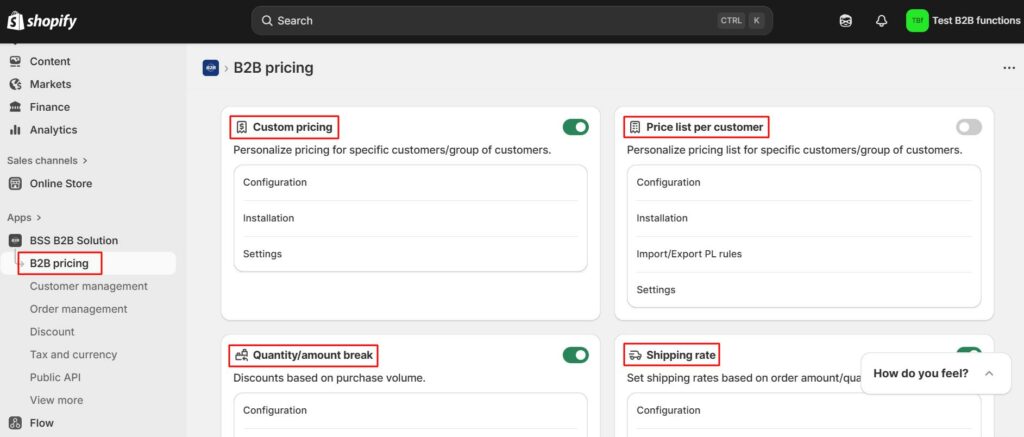
Let’s look at BSS B2B Solution – Shopify custom pricing app for B2B businesses. It allows:
- Shopify B2B pricing without Plus
- Bulk and tiered discounts, volume pricing, and quantity break rules
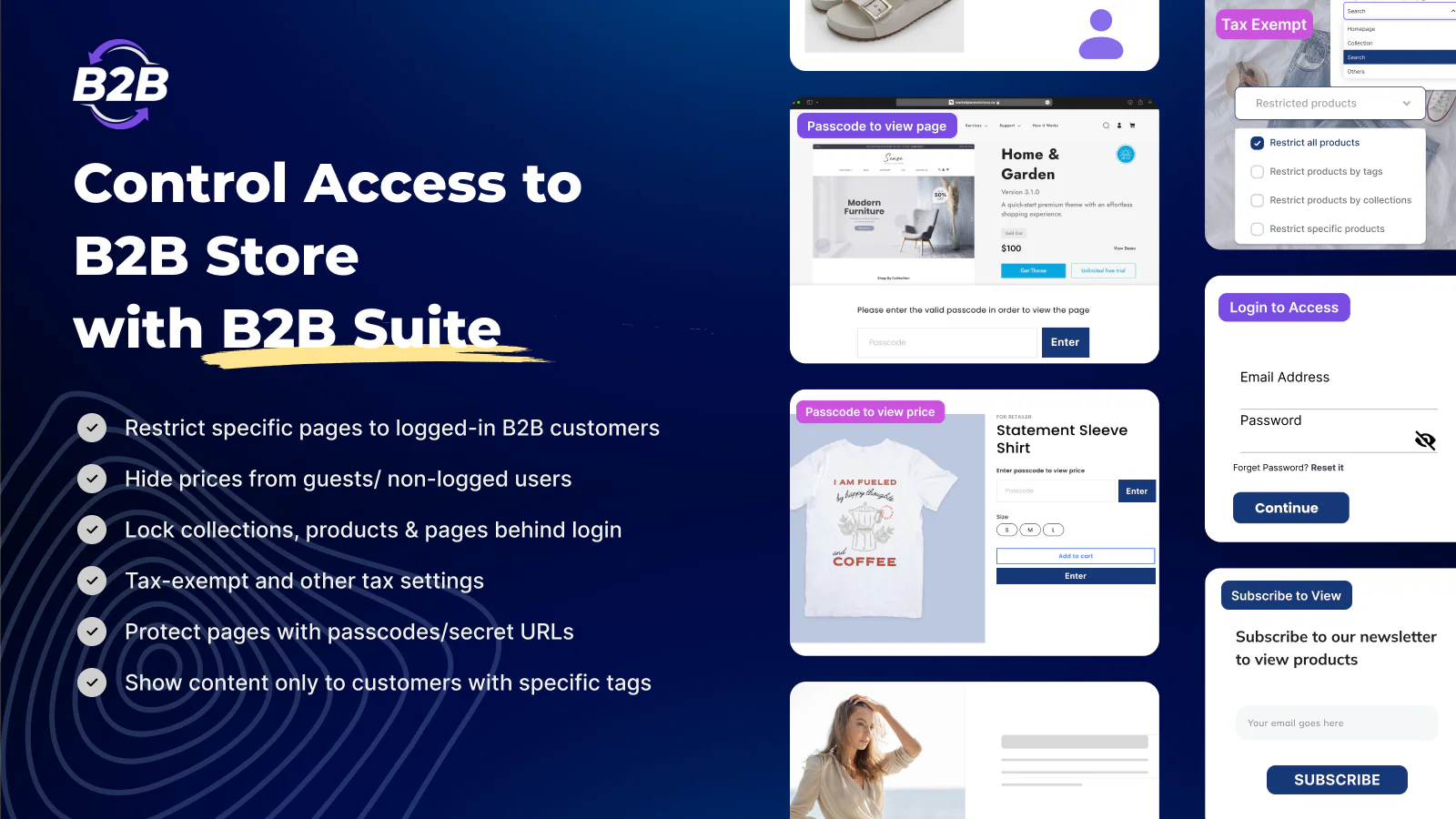
- Prices only wholesale buyers can see via log-in
- Customer segmentation (tags or groups) — each segment sees different price lists
- Set order limits and minimum values
Here is the step-by-step guide on how to create Shopify tiered pricing by quantity and total spend:
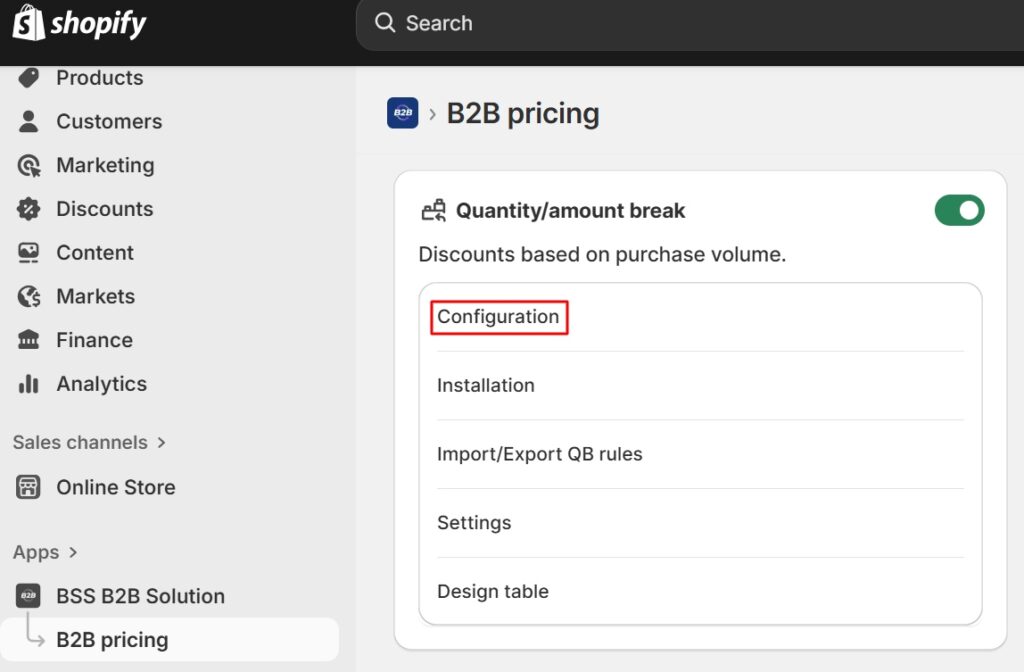
Step 1: Go to “Quantity/amount break”, click “Configuration”
Step 2: Click “Add rule”, then customize your Shopify tiered pricing
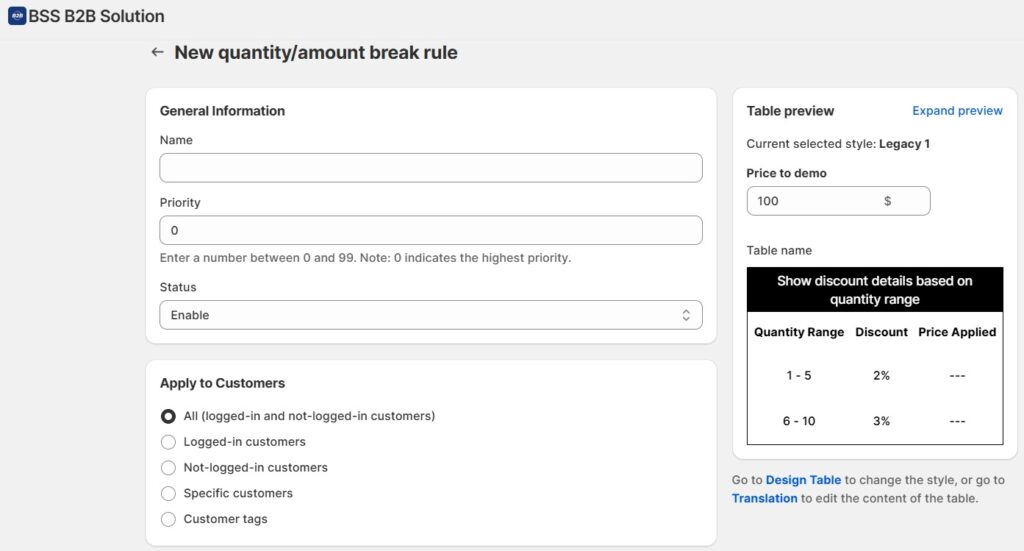
You can choose to:
- Apply to specific customers
- Apply to specific markets
- Apply to specific products
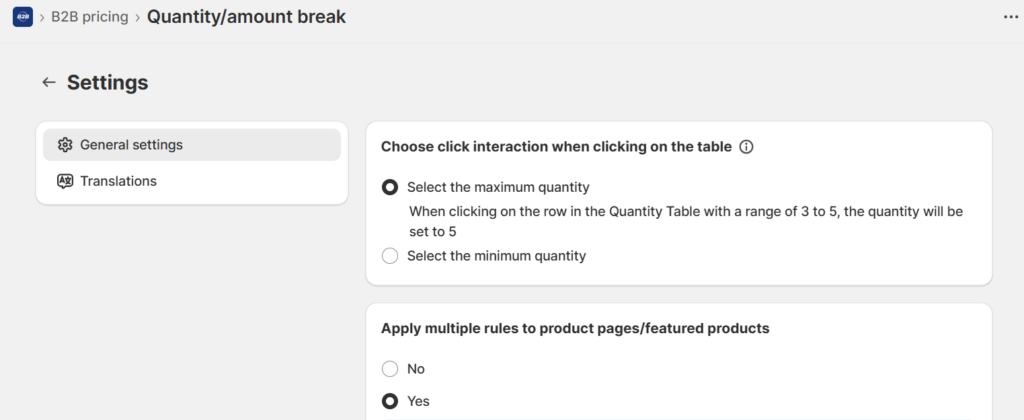
It’s optional, but you can also customize your quantity/amount pricing table settings (display and languages):
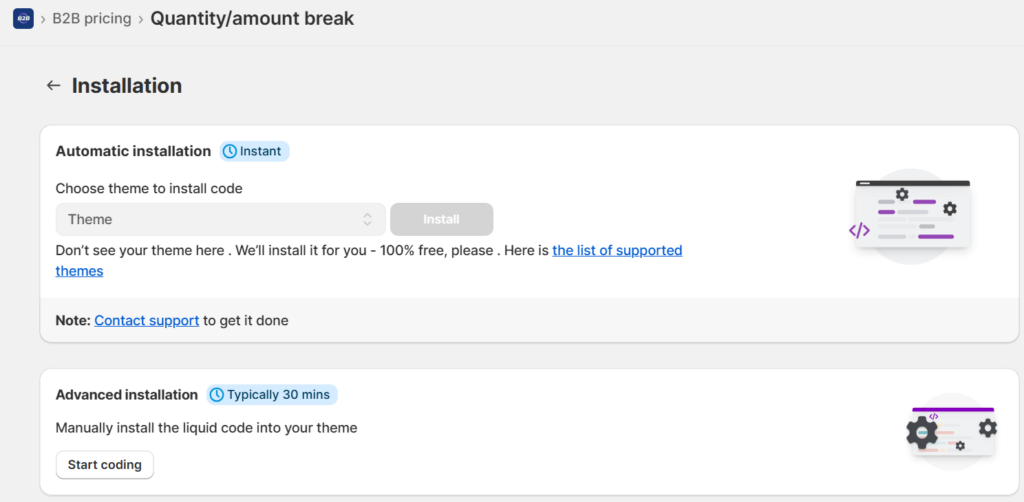
Step 3: Finally, you will install the tiered pricing in your current theme.
If you find the this process a bit too technical, you can contact support and they will do it for you completely free of charge.
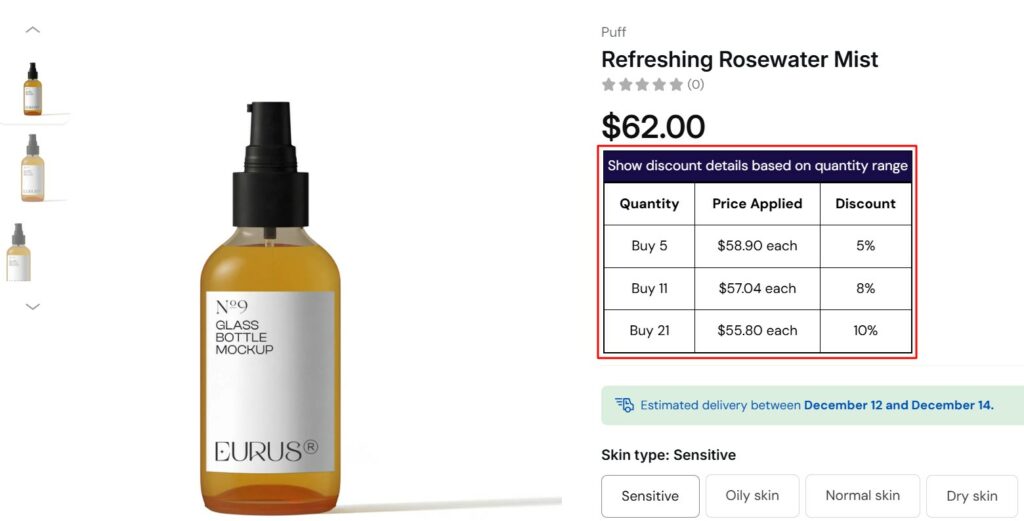
Here is how the result can look like:
Read more: 7 Best Shopify B2B Apps for a Complete Workflow (2025)
For B2C stores
Tiered pricing apps are easy to navigate and will give you more advanced options. Our recommendations include:
- Kaching Bundle: Many other discount rules
- Kite: Customizable UI, Analytics
- Qkify: Advanced volume-based tiered pricing, cart upsell
Benefits of Tiered Pricing on Shopify
Shopify tiered pricing brings strong advantages for both B2B and B2C operations. With the right setup, merchants gain more predictable revenue, stronger order quality, and better customer satisfaction.
- Higher Average Order Value
Tiered pricing encourages shoppers to reach the next pricing level. B2C buyers often add extra units to unlock savings. B2B buyers push orders toward higher value tiers to meet negotiated terms, MOQ brackets, or account discounts. This strengthens overall revenue quality without heavy promotional costs. - Faster Inventory Movement
Bulk discounts help clear slow-moving stock or encourage buyers to bundle more items in each order. Shopify stores that run seasonal product lines benefit from smooth sell-through rates because larger orders reduce leftover inventory. - Improved Buyer Loyalty
When shoppers understand how pricing tiers work, many stay loyal to maintain their tier status. Loyalty-based tiers, customer groups, or B2B price lists motivate repeat orders. Buyers feel rewarded for consistent engagement, which strengthens long-term relationships. - Simplified Wholesale Operations
For B2B workflows, tiered pricing reduces manual quoting. Buyers view pricing that already matches their order volume or account level. This lowers support tickets, cuts sales cycle time, and reduces back-and-forth with sales reps. Shopify’s native B2B tools make this process even smoother. - Better Forecasting and Planning
Tiered pricing creates more predictable ordering patterns. Buyers tend to order within familiar brackets. Merchants gain clearer insight into reorder cycles, bulk demand, or expected order sizes. This supports stronger inventory planning and procurement decisions.
FAQs about Shopify tiered pricing
What are the differences between tiered pricing vs volume pricing?
Tiered pricing gives customers different prices for different quantity ranges. Volume pricing gives one lower price for all units once a customer buys enough to reach a threshold.
Tiered pricing protects profits by discounting only part of the order, while volume pricing offers bigger savings and encourages customers to buy in bulk.
Can tiered pricing apply only to certain customer segments?
Yes. Using customer tags or groups, you can restrict specific tiered pricing or wholesale price lists only to those segments.
How to display multipliers or discount tables on product pages?
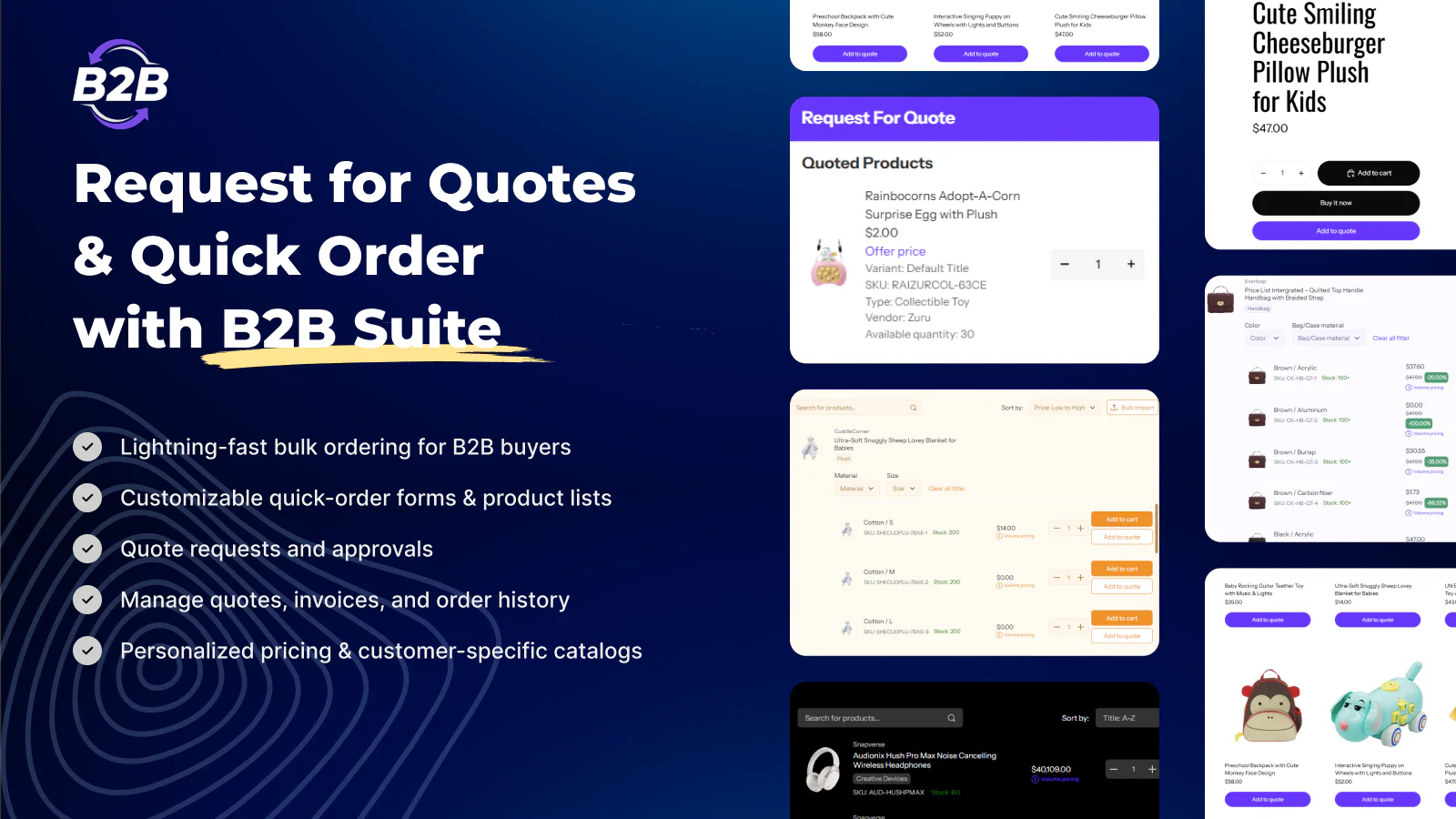
Third-party pricing apps often provide volume-pricing tables ahead of cart & checkout phase. For B2B or hybrid stores, BSS B2B Solution allows both display and table customization. For B2C-only stores, you can use Kaching Bundle.
Does tiered pricing affect POS (point-of-sale)?
If you use Shopify POS, tiered pricing defined in price lists or volume pricing should sync across channels — ensuring consistent prices online and offline. Built-in Shopify POS integrates with store price settings.
Conclusion
Tiered pricing in Shopify offers powerful flexibility for merchants serving both retail and wholesale customers. If you manage a modest retail catalog, native volume discounts may suffice. Running a hybrid B2B/B2C business or dealing with many variants? A robust pricing app is likely required.
Whatever method you choose, plan carefully: define customer segments, choose quantity breaks, test thoroughly, and track performance using analytics. With right setup, tiered pricing becomes not just a sales tactic — but a strategic asset for growth.

Finn Nguyen
Finn is a Shopify expert with 5+ years of experience helping new business owners launch and grow online stores. Specializing in store setup, theme selection, and optimization, he provides practical guidance to turn ideas into successful eCommerce businesses