
How to Set Up a Wholesale Store on Shopify: Step-by-Step Guide (2026)

To set up a wholesale store on Shopify, turn on customer accounts, create each buyer as a company, assign a catalog with wholesale prices, set quantity rules and payment terms, and control who sees prices. Native B2B is included on Basic, Grow, Advanced and Plus; add an app for applications, quotes or locks.
Registration form with approval and auto-tagging, custom pricing, volume tiers, order limits and Net Terms in one app. Free plan available, 14-day trial on paid plans.
Install BSS B2B Solution See pricingLast updated October 4, 2026. This guide replaces a 2025 version. We removed market-size and growth figures that we could not tie to a current source, and rebuilt the steps on Shopify’s current help pages. BSS B2B Solutions makes BSS B2B Solution, Lock and Quote, so we say where native B2B is enough and where an app adds something. For the wider topic, read the complete Shopify B2B guide.
Key takeaways
- Since April 2, 2026, native B2B features are included on Basic, Grow, Advanced and Plus at no extra cost (Shopify). Shopify says the rollout is still under way, so check your admin.
- The core objects are companies, company locations and catalogs. Basic, Grow and Advanced allow up to 3 active catalogs across all B2B markets (Shopify catalogs).
- B2B needs new customer accounts. Legacy customer accounts cannot be used for B2B customers and orders (Shopify sign-in).
- Native B2B has no full application flow, quote workflow or price lock. Shopify points to other apps for quoting, CSV upload and locking, and to the free Shopify Forms app for access requests (setup checklist).
- Test as a wholesale buyer before you invite anyone.
What is a Shopify wholesale store?
A wholesale store sells to businesses such as retailers, resellers and distributors instead of consumers. Compared with a retail store, it adds buyer approval, business prices, minimums and case packs, and payment terms. Shopify’s own definition: B2B is a suite of native features that lets you sell business-to-business through the Shopify admin and online store, from one store shared with D2C sales or from a dedicated B2B store (Shopify B2B).
| Area | Retail store | Wholesale store |
|---|---|---|
| Who buys | Anyone | Approved businesses |
| Price | One public price | Price by buyer group, company or quantity |
| Order size | Any | Minimums, maximums and case packs |
| Payment | Pay at checkout | Card, invoice or net terms |
| Ordering | Browse and buy | Quick order, reorder, quote or sales-assisted order |
| Visibility | Public | Prices and products for approved buyers only |
Which way should you set up wholesale on Shopify?
| Method | How it works | Good for | Main limit |
|---|---|---|---|
| Discounts and tags | Tag customers, then use discounts for those customer segments | A handful of buyers, a test of demand | No order minimums, tiers or custom checkout; codes can leak |
| Native B2B | Companies, locations and catalogs with quantity rules, price breaks and net terms | Few price groups and buyers who fit companies | 3 active catalogs on Basic, Grow and Advanced; no application flow, quotes or price lock |
| Native B2B plus an app | Native features plus an app for applications, tags, quotes and locks | Most growing wholesale stores | App fee; check which plan includes each module |
| Shopify Plus | Unlimited catalogs, direct company catalogs, deposits and partial payments | Many price levels per company | From $2,300 per month |
Shopify says that discounts for all customers, specific customers or segments apply to both B2B and D2C buyers in a blended store, unless you assign a B2B market to the discount (Shopify B2B discounts). That is why a discount-only setup tends to break as volume grows. For the plan details see our native B2B guide and Shopify B2B without Plus.
How to set up a wholesale store on Shopify, step by step
Step 1: Choose a blended or a dedicated store
A blended store serves D2C and B2B customers in one store and admin. A dedicated store is B2B only. Shopify says a blended store cannot be gated to B2B customers only, because your D2C customers could not place orders, while a dedicated store can be gated so only B2B customers reach the URL and login page (Shopify store types). Most small brands start blended. See selling B2B and B2C from one store and the blended store entry.
Step 2: Turn on customer accounts
B2B needs customer accounts. Shopify says you must activate customer accounts, and that you cannot use legacy customer accounts for B2B customers and orders. Go to Settings, then Customer accounts, and choose the version (Shopify sign-in). Shopify’s new customer accounts sign buyers in with their email and a one-time PIN, which changes how you run login. We cover that in our guide to Shopify new customer accounts for B2B.
Step 3: Create companies and locations
Go to Customers, then Companies, then Add company. A company is the parent organization for one or more locations, and each location can have its own tax ID, tax exemptions, shipping address, billing address and payment terms. Give a contact the Ordering only or Location admin role (Shopify companies). Buyers who are not part of a company do not get B2B prices.
Step 4: Create a catalog with wholesale prices
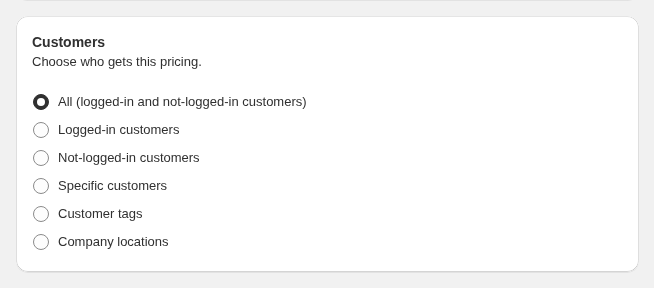
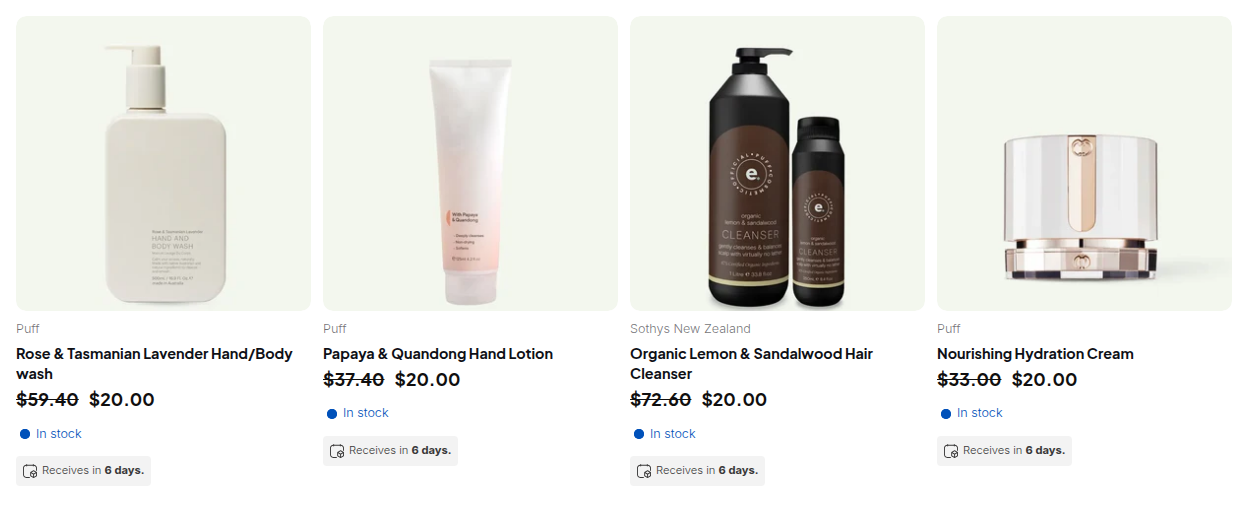
Go to Markets, then Catalogs, then Create catalog. Choose all products or specific products, set an overall price decrease or fixed prices, set the status to Active and assign the catalog. On Basic, Grow and Advanced you assign catalogs to B2B markets, up to 3 active across all markets. On Plus you can assign catalogs directly to company locations (Shopify creating catalogs). If you need more price groups than that, or prices by customer tag, BSS Custom Pricing targets logged-in customers, customer tags or specific customers.
Step 5: Set minimums, case packs and price breaks
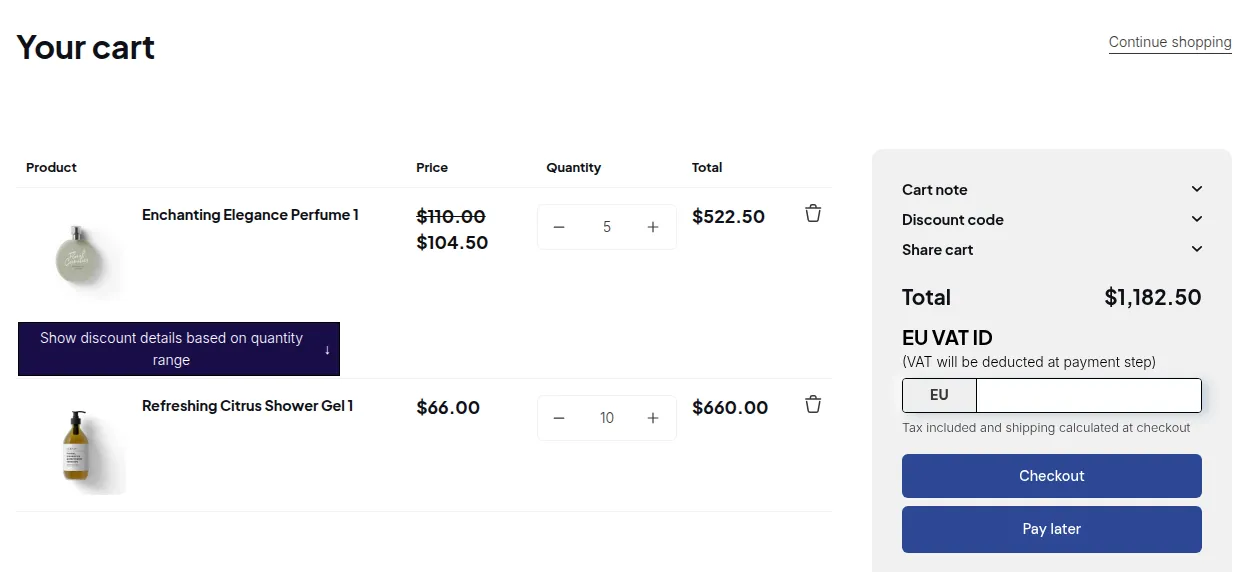
Quantity rules set a minimum, a maximum and an increment per variant, and price breaks add up to 10 tiers per product. Variants do not combine to meet a rule, and after you apply volume pricing the price becomes fixed (Shopify quantity pricing). Our guides: minimum order quantity and tiered pricing.
Step 6: Set payment terms
In the company location, add payment terms. Shopify offers net 7, 15, 30, 45, 60 and 90 days, due on fulfillment, and a fixed date on draft orders. Payment is not captured automatically when terms expire, and deposits are Plus only (Shopify payment terms). Extend terms only to verified buyers. Our Net 30 guide covers the options, including BSS Net Terms.
Step 7: Let buyers apply and approve them
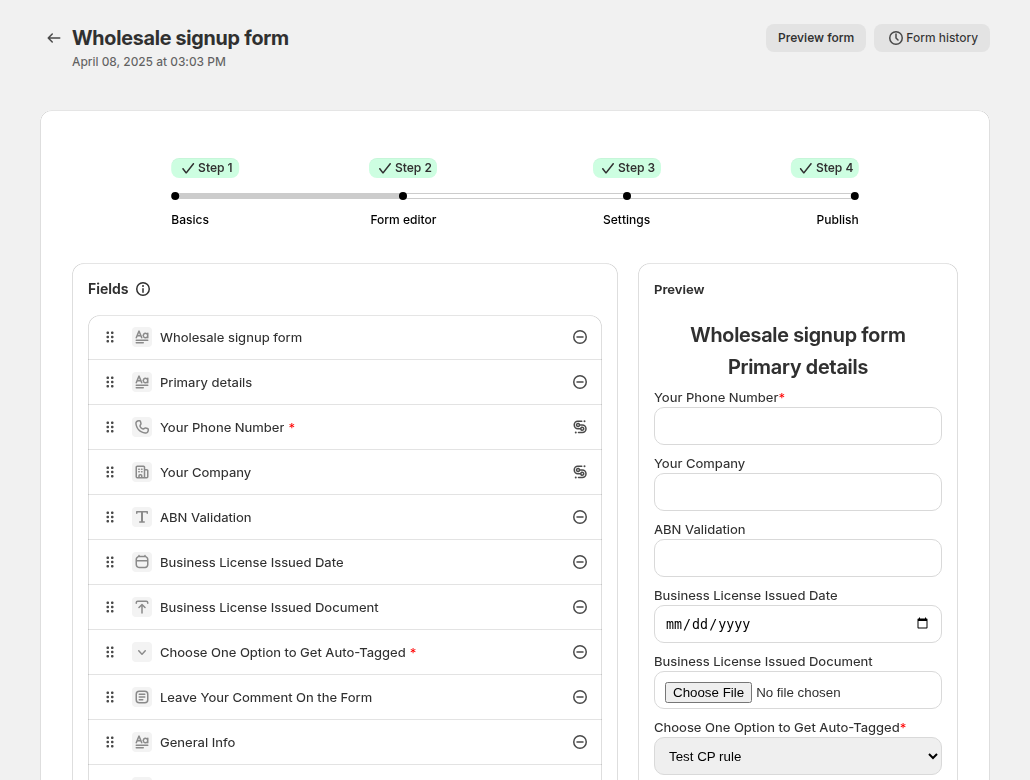
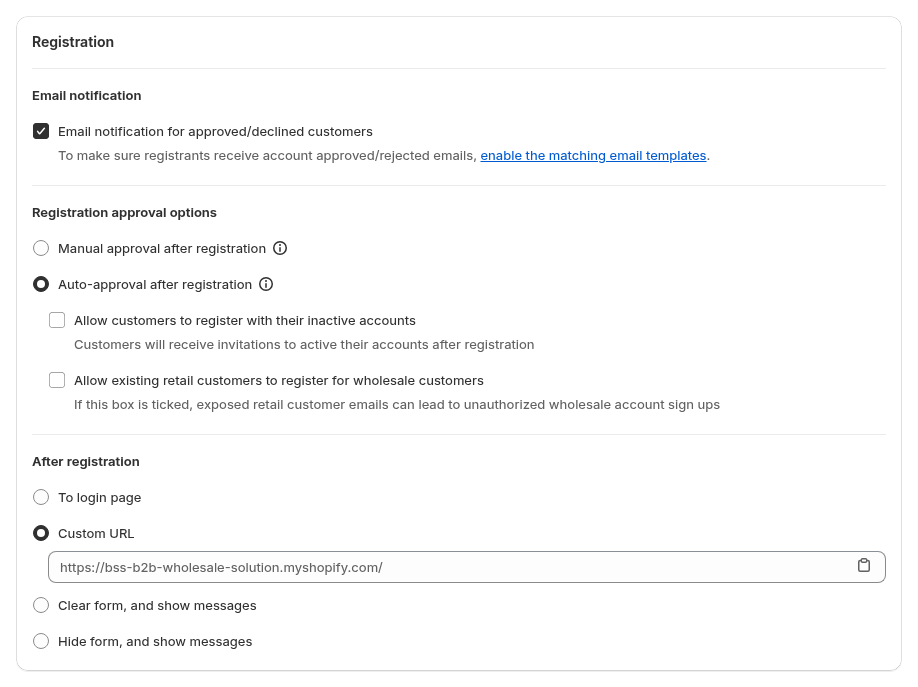
Shopify’s free Shopify Forms app can create a company, a location and a customer when a prospect submits a form. By default those companies cannot order or see B2B prices until you approve them under Customers, Companies, Ordering not approved (Shopify company account requests). A form with company name and email is the minimum. For tax ID checks, file uploads, multi-step forms, auto-tags and approval emails, use the BSS registration form. BSS does not create a Shopify company when you approve, so create the company by hand if you want native catalogs for that buyer. See our registration form guide and the BSS registration form docs.
Step 8: Control who sees wholesale prices
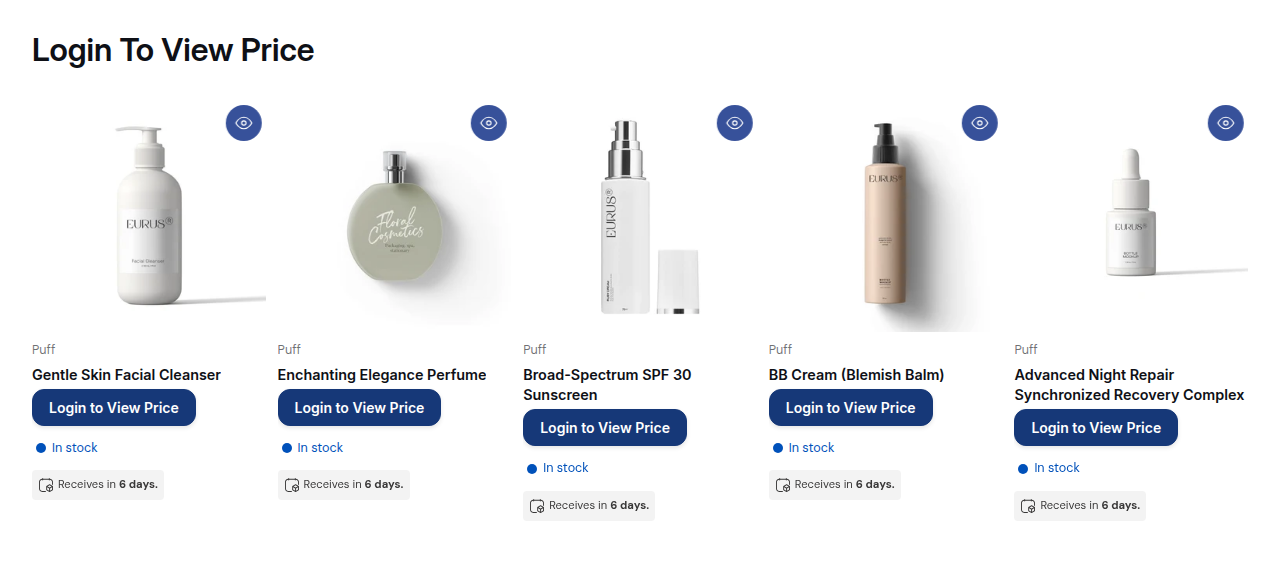
Native B2B shows B2B prices to logged-in B2B buyers. To hide prices from guests, Shopify’s checklist points to third-party apps that lock parts or all of a store (setup checklist). BSS B2B Lock hides prices and Add to cart from guests and shows a Login to View Price button. It is a display control, not a security feature. See the hide price guide and our guide to Shopify B2B login.
Step 9: Make reordering fast
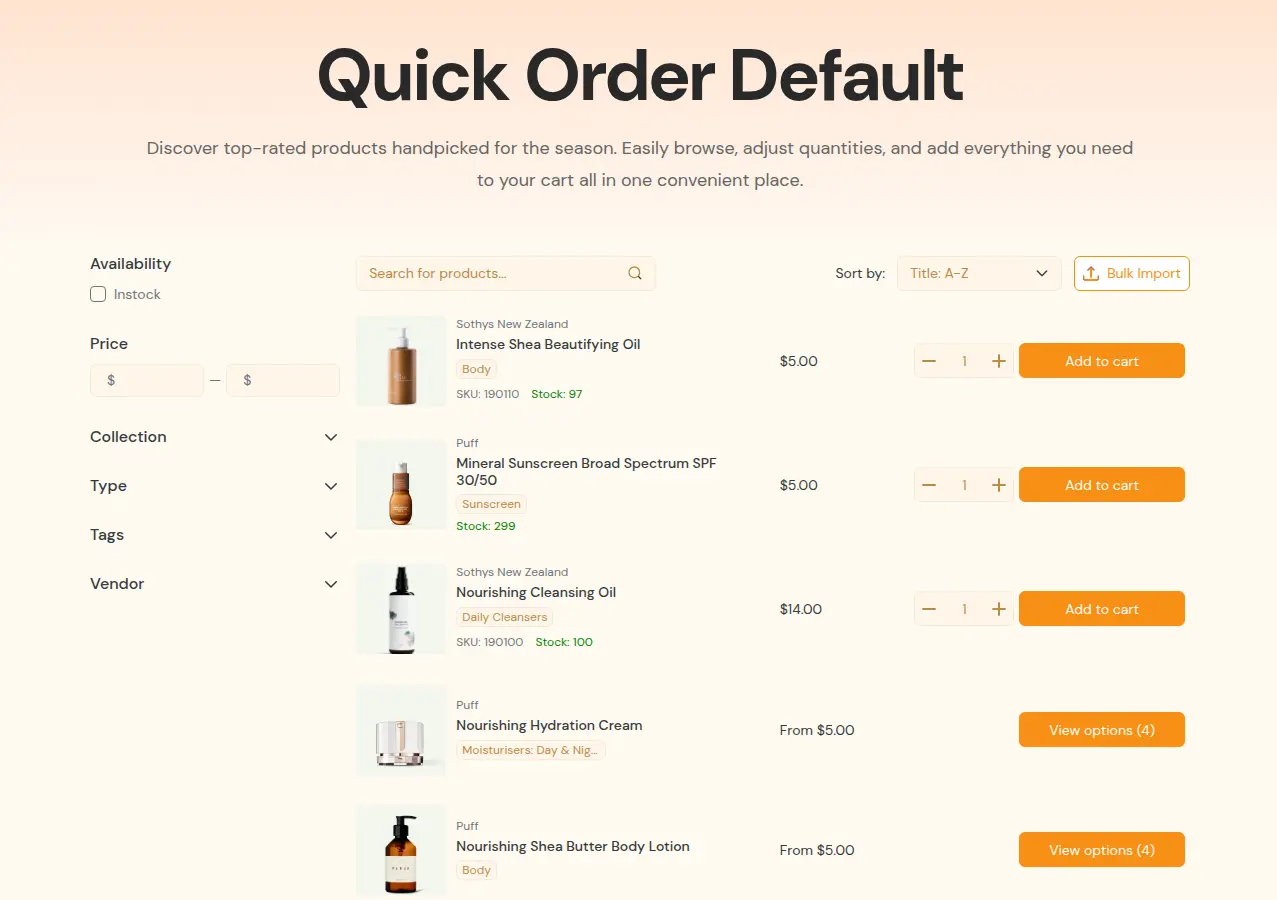
Wholesale buyers reorder the same items. Shopify has a quick order list on every plan (plan table). BSS B2B Quote adds a Quick Order page with a CSV or XLSX import, which adds items to the cart, and needs an Online Store 2.0 theme. See quick order forms.
Step 10: Test as a wholesale buyer
Shopify’s checklist says to log in as a customer and place test orders before launch, using a test customer or the view icon next to a company location (setup checklist). Check the price, the minimum, the payment terms, the confirmation email and a phone view.
Register and approve buyers, price them, unlock private content and take quotes.
See the BSS appsWhat about the Shopify wholesale channel?
People still search for the “Shopify wholesale channel”, the older Plus feature that ran wholesale as a separate storefront. Shopify now sells B2B inside your main store, and has a help page, FAQ for wholesale channel to B2B migration, for stores moving from the old channel. We did not find Shopify stating dates on that page, so check it for your own timeline. For a new store, start with the steps above, not the channel.
Wholesale store launch checklist
| Area | Check | Where |
|---|---|---|
| Accounts | New customer accounts are on and sign-in links work | Settings, Customer accounts |
| Companies | Each buyer is a company with a location and a contact | Customers, Companies |
| Prices | The right catalog or rule reaches each group | Markets, Catalogs, or the app |
| Order rules | Minimums, maximums and increments are set per product | Catalogs or the app |
| Terms | Payment terms only for verified buyers | Company location |
| Applications | A form, an approval step and a welcome email | Shopify Forms or the app |
| Access | Guests cannot see wholesale prices or private pages | The app’s lock |
| Ordering | Quick order or reorder works with your top SKUs | Quick order list or the app |
| Test | A test buyer placed an order on desktop and mobile | Online store |
How much does it cost to run a wholesale store on Shopify?
| Item | Cost | Note |
|---|---|---|
| Shopify Basic, Grow, Advanced | $19, $49, $299 per month billed yearly; $25, $65, $399 billed monthly | Native B2B included (Shopify pricing) |
| Shopify Plus | From $2,300 per month | Unlimited catalogs, direct company catalogs, deposits |
| BSS B2B Solution | Free plan; paid plans from $29 per month | 14-day trial; plans differ by module |
| BSS B2B Lock | Free (lock the whole website); paid from $9.99 per month on Basic Shopify | 7-day trial |
| BSS B2B Quote | Free on development stores; Growth $19, Business $39, Enterprise $79 per month | 14-day trial on paid plans |
For a model with examples, see the Shopify B2B pricing guide.
Limits to know
- Shopify lists accelerated checkouts (Shop Pay, Apple Pay, Google Pay, Amazon Pay), local delivery, pickup points, tipping, subscriptions and checkout.liquid customizations as not working with B2B orders, and orders are limited to 500 line items (Shopify considerations).
- On Basic, Grow and Advanced, direct company catalogs, deposits and partial payments are not available.
- BSS Order Limits and Quantity Increments run at the storefront, so a direct checkout URL can bypass them; use Shopify’s quantity rules where a limit must hold.
- BSS Net Terms has no Net 45 and no credit limit, and guests cannot use it.
- Our registration form checks a tax ID in the browser and does not re-check it on the server.
Frequently asked questions
How do I set up a wholesale store on Shopify?
Turn on new customer accounts, create each buyer as a company with a location, assign a catalog with wholesale prices, set quantity rules and payment terms, then control who sees prices. Test as a wholesale buyer before you invite anyone.
Do I need Shopify Plus to sell wholesale?
No. Shopify announced on April 2, 2026 that native B2B features are included on Basic, Grow and Advanced at no extra cost. Plus adds unlimited catalogs, direct company catalogs, deposits and partial payments.
Can I run wholesale and retail in one Shopify store?
Yes. Shopify calls it a blended store. It shares inventory, theme and admin, and it cannot be gated to B2B customers only. Use company catalogs, tags or an app to give buyers their own prices.
How do I create a wholesale page in Shopify?
Create a page, then restrict it to logged-in or tagged customers. Shopify’s store password covers the whole store, so use an app lock for one page. See our password protect guide for the options.
How do wholesale customers get access?
On a dedicated B2B store, Shopify can restrict the store to logged-in B2B customers. On a blended store, approved buyers sign in and see their prices, and you hide prices from guests with an app. Approve applications under Customers, Companies, Ordering not approved if you use Shopify Forms.
What is the best way to give wholesale prices on Shopify?
Use catalogs for company-based prices, and an app for prices by customer tag or more groups than three catalogs. Avoid discount codes for wholesale, because Shopify applies discounts for all customers or segments to B2B and D2C buyers alike unless you assign a B2B market.
What happened to the Shopify wholesale channel?
Shopify now sells B2B inside the main store and has a help page about migrating from the wholesale channel to B2B. Read that page for your timeline.
How do I let buyers apply for a wholesale account?
Use the free Shopify Forms app to create a form that makes a company, a location and a customer, then approve under Ordering not approved. For tax ID checks, file uploads and auto-tagging, use a registration form app such as BSS B2B Solution.
How much does it cost?
Native B2B adds no fee to a Basic, Grow or Advanced plan. Apps are extra: BSS B2B Solution paid plans start at $29 per month. Plus starts at $2,300 per month.
Sources
- Shopify: native B2B for more merchants (April 2, 2026)
- Shopify Help Center: Shopify B2B, B2B features by plan, Blended and dedicated stores, Sign-in and customer accounts.
- Shopify Help Center: Companies, Creating catalogs, Quantity rules and volume pricing, Payment terms.
- Shopify Help Center: Company account requests, B2B discounts, Blended store checklist, Requirements and considerations.
- Shopify Help Center: FAQ for wholesale channel to B2B migration and Shopify pricing. All read October 4, 2026.
- BSS listings: BSS B2B Solution (4.9, 1,189 reviews) and BSS B2B Lock (4.9, 651 reviews), October 10, 2026.
Start with BSS B2B Solution for applications, prices and order rules. Add BSS B2B Lock for private prices and BSS B2B Quote for quotes and quick order.
Install BSS B2B Solution Talk to usYou may also like

How to Sell Wholesale to Retailers: A Playbook for Shopify Brands
To sell wholesale to retailers, set a wholesale price that leaves room for both of you (usually […]

Shopify Tax Exempt Customers With a Resale Certificate: A US Guide for Wholesale Sellers
A resale certificate is a state-issued US document that lets a business buy goods it will resell […]

Faire Alternatives for Brands: Sell Wholesale on Your Own Shopify Store
The best Faire alternative for most Shopify brands is not another marketplace. It is your own Shopify […]