To lock your entire Shopify store so only approved wholesale buyers can browse, create a lock rule with the Entire store target in BSS B2B Lock, allow visitors with a wholesale customer tag, and show everyone else a login message. Unlike the Shopify password page, the lock checks who the visitor is instead of asking everyone for one shared password.
This is for wholesale-only businesses that do not want the public to see their catalog or prices, but still need approved retailers to log in and shop normally. It also covers how to keep a few pages open, such as the registration page, so new buyers can still apply.
Who this is for
A fully private store suits you if:
- You sell only to businesses and have no retail customers who should see your products.
- Your price list is a competitive asset and you do not want it indexed or copied.
- Retailers already apply through a form and you approve them before they buy.
- You have been using the Shopify password page and your approved buyers keep asking for the password.
- You want one rule that covers every page rather than locking collections and pages one at a time.
- Your sales team needs a way to test the store as a buyer and as a guest.
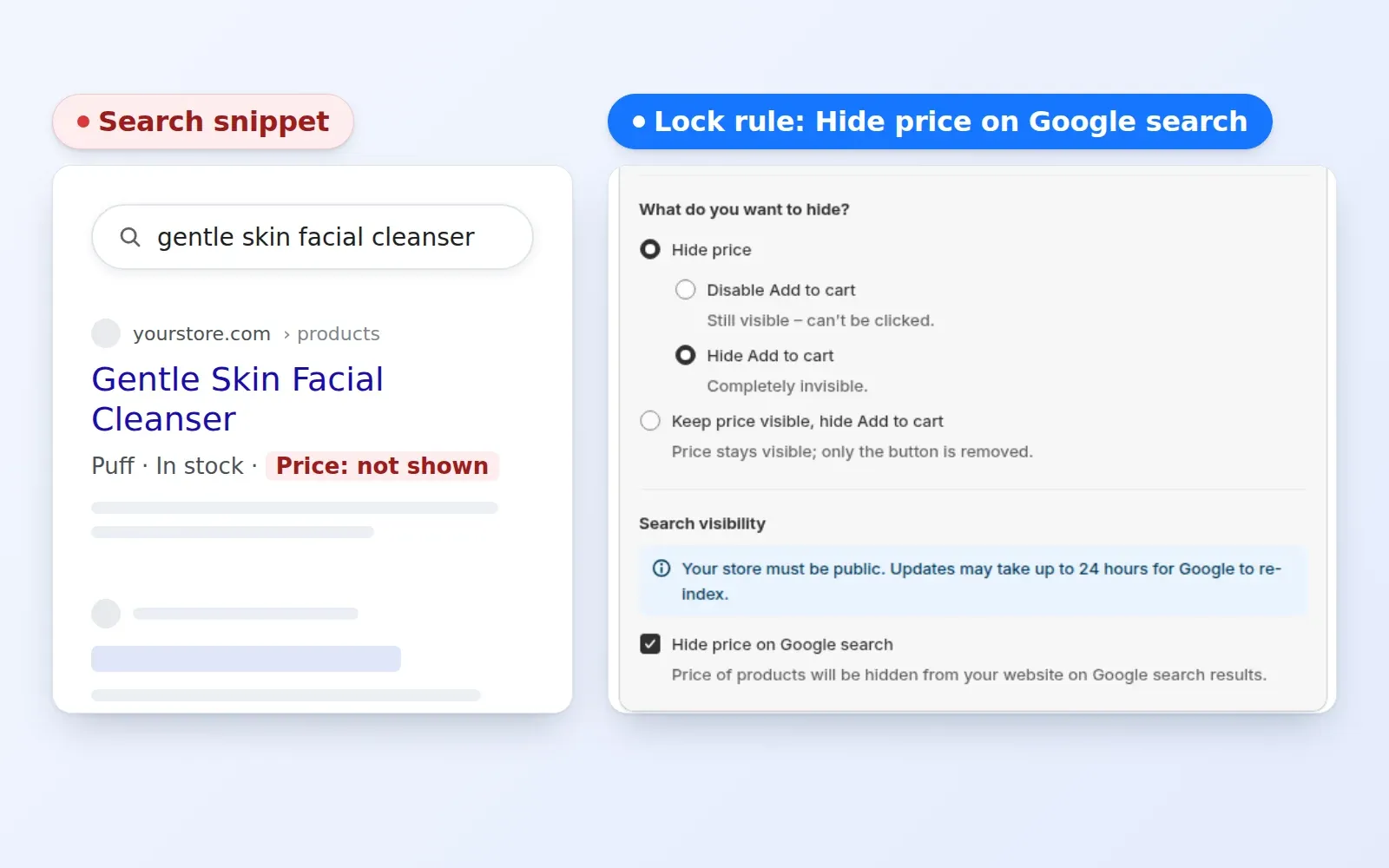
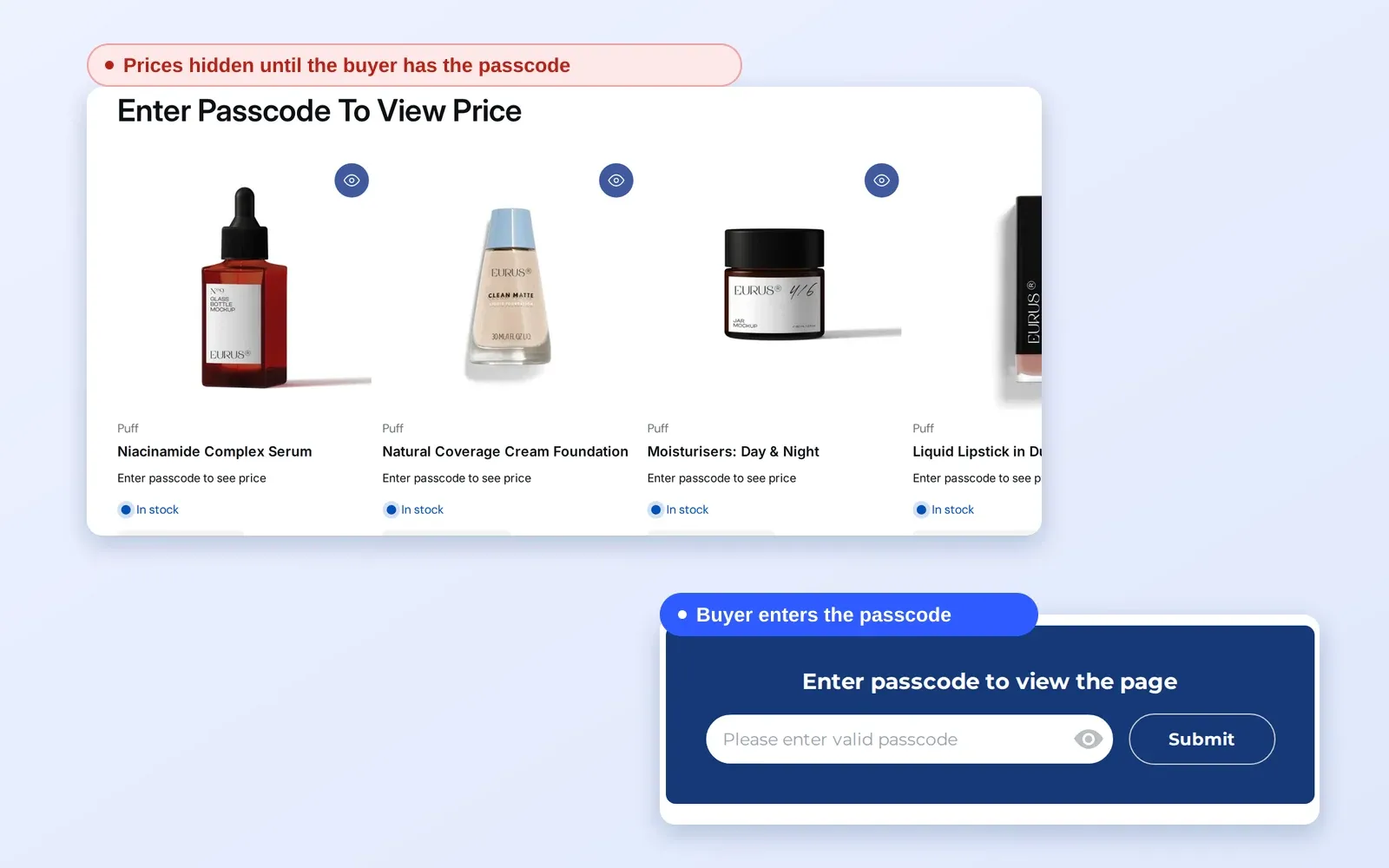
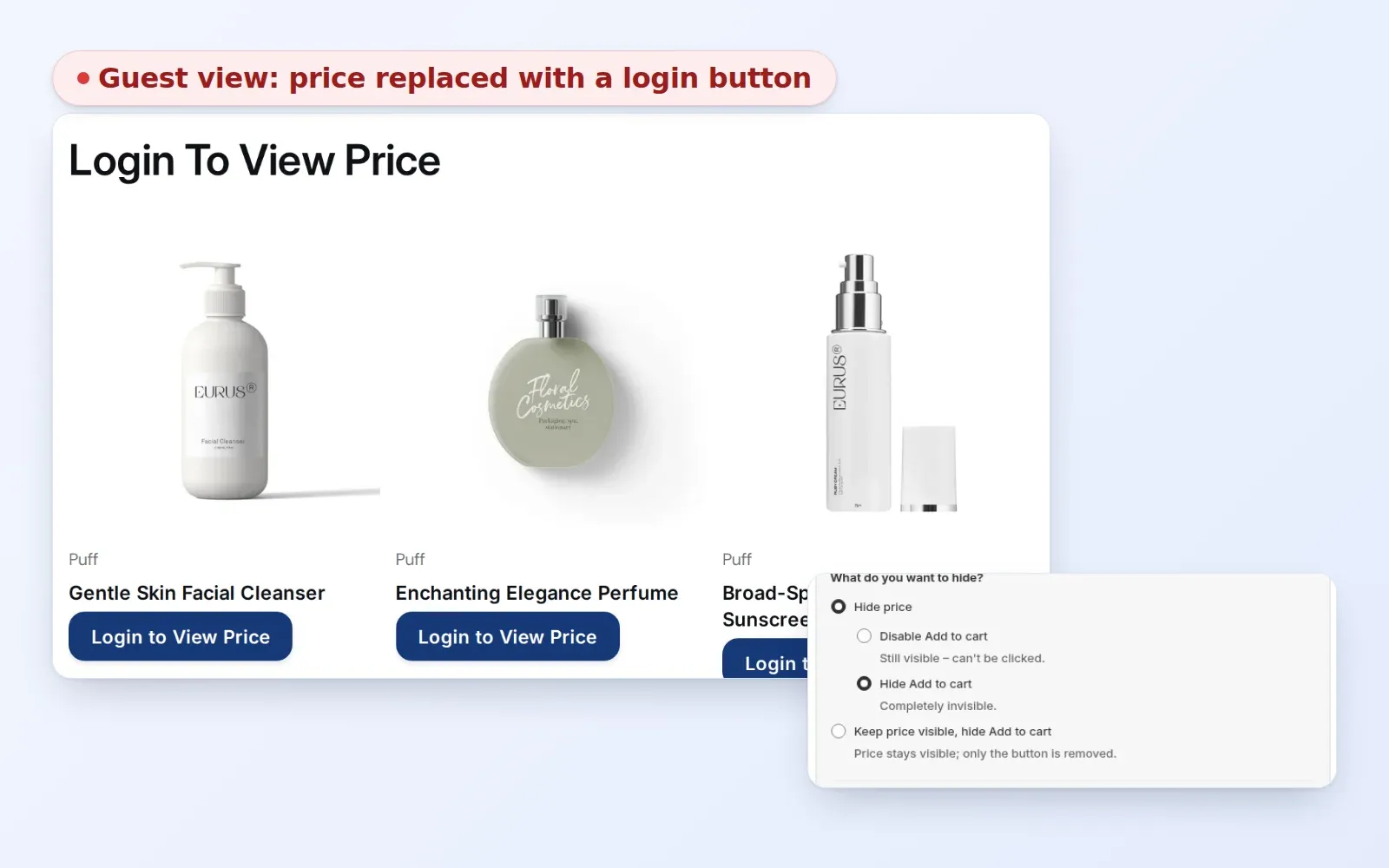
If you want products to stay visible but prices hidden, a different lock fits better; use a Price and add to cart lock instead; the access control hub linked below compares the options.
Why this matters
A wholesale price list that anyone can browse invites price comparison, undercutting by resellers and questions from retail customers who see the discount. A shared password does not solve it. The Shopify password page gives every visitor the same wall and the same code, so you end up emailing the password to buyers, and anyone who has it can pass it on. It also keeps the whole store out of sight, including for the retailers you want to attract.
The other cost is friction. If a buyer must remember a password that has nothing to do with their account, they contact you. Wholesale buyers also expect a professional first impression. A branded lock message that explains who the store is for, and how to apply, tells a serious retailer that you run a managed trade program. A bare password box does the opposite. A login-based lock removes that email: the buyer signs in with their own account, and the lock reads the customer tag you added when you approved them.
Consider a restaurant-supply wholesaler that sells knives, uniforms and glassware to approved venues only. It wants the home page and policies visible, but no catalog or price until the buyer logs in. A store lock with the registration page left open lets a new venue apply, wait for approval and then log in to see everything.
Two real stores show the range. Beeswax Works Wholesale keeps its products public but hides prices and Add to cart from visitors who are not approved. Their owner put it this way in the case study: “We’re now able to publish our wholesale website without hiding everything behind a Shopify password page.” MVT Fashion, a fashion wholesaler, took a different route with a forced login that restricts its site to B2B customers; see the MVT Fashion case study.
What Shopify covers natively, and where an app helps
Shopify’s built-in B2B features, described in the Help Center’s B2B features by plan page, cover companies, locations, catalogs, payment terms and quantity rules. Hiding prices or content from guests is not listed there, as the pillar guide Shopify B2B also notes. The built-in alternative for privacy is the storefront password, which is all-or-nothing.
BSS B2B Lock works at the theme level. It writes the lock logic into your theme and checks the visitor’s login state and customer tag. The access control hub covers the other options in the same family: price hiding, collection locks, passcodes and secret links.
How to set it up with BSS B2B Lock
1. Decide who counts as approved
Before you create the rule, choose the customer tag that marks an approved buyer, for example wholesale. Use exactly the same spelling everywhere, because tags are matched as text. The simplest way to assign it is the registration and approval flow in BSS B2B Solution, which adds a tag when you approve an applicant.
2. Create the lock with the Entire store target
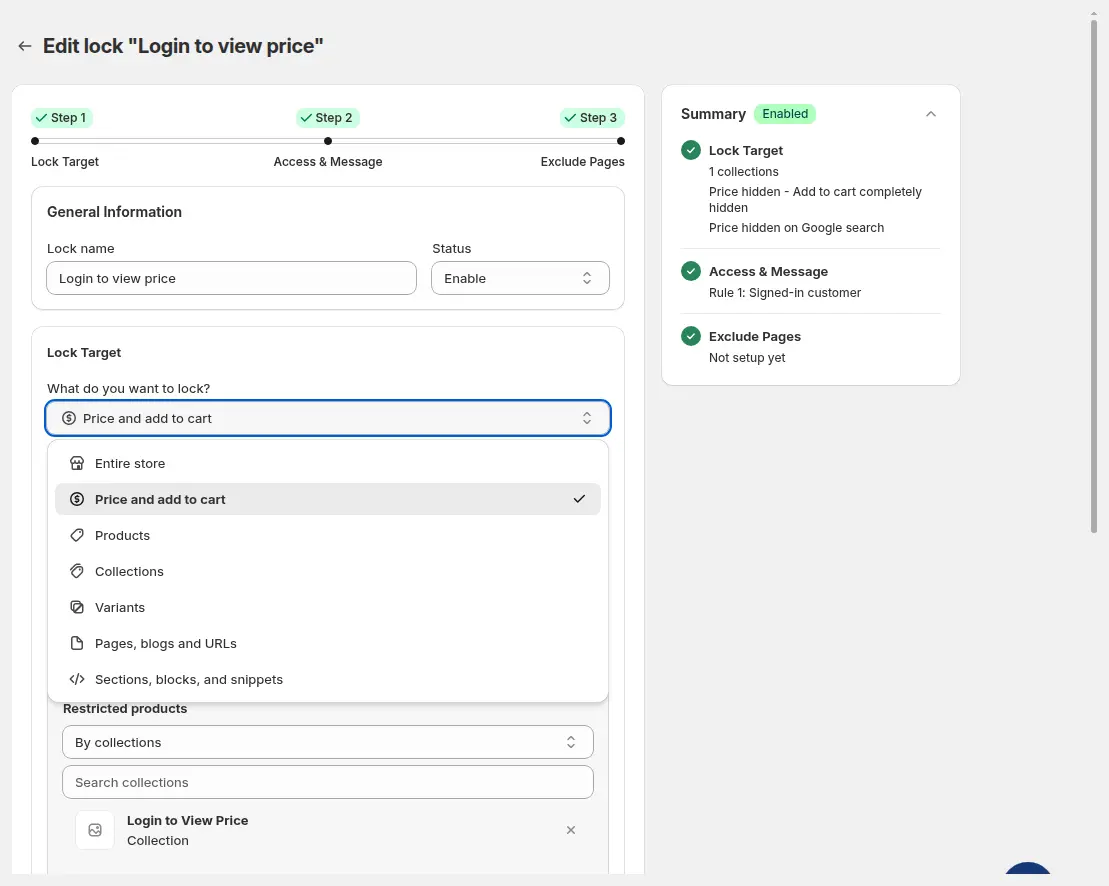
Open Locks > Add lock rule, choose Create my own lock, name it (for example “Lock entire site for wholesale only”) and pick Entire store under What do you want to lock?
3. Let only tagged customers in
In Access & Message, add the condition User type > Tagged customers and enter your tag. Everyone else, guests and customers without the tag, gets the lock message. A visitor who matches any rule gets access, so you can add a second rule for a staff or test tag to check the store yourself.
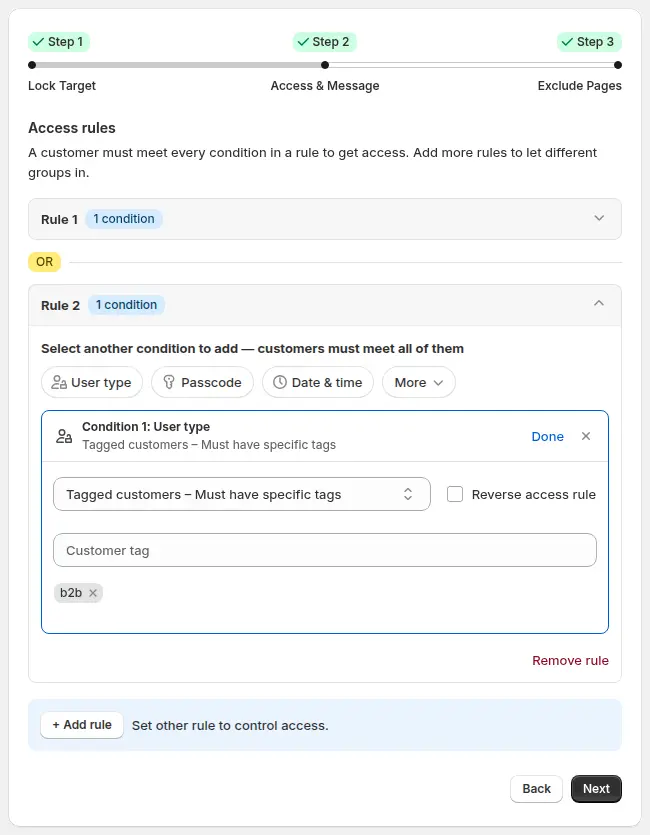
Conditions inside one rule must all be true (AND), while separate rules are alternatives (OR). That is why a staff rule sits in its own rule rather than being added to the wholesale rule. A lock can hold up to 10 rules, and each rule up to 10 conditions, which is more than a private wholesale store needs. If your approved buyers also need to be identified by company or email domain, you can add those conditions in the same way.
4. Write a message that tells guests what to do
Click Customize message and tell visitors what the store is for, how to log in and where to request an account. A line such as “This store is for approved trade customers. Log in, or apply for an account” is clearer than a bare login box.
5. Keep the right pages open
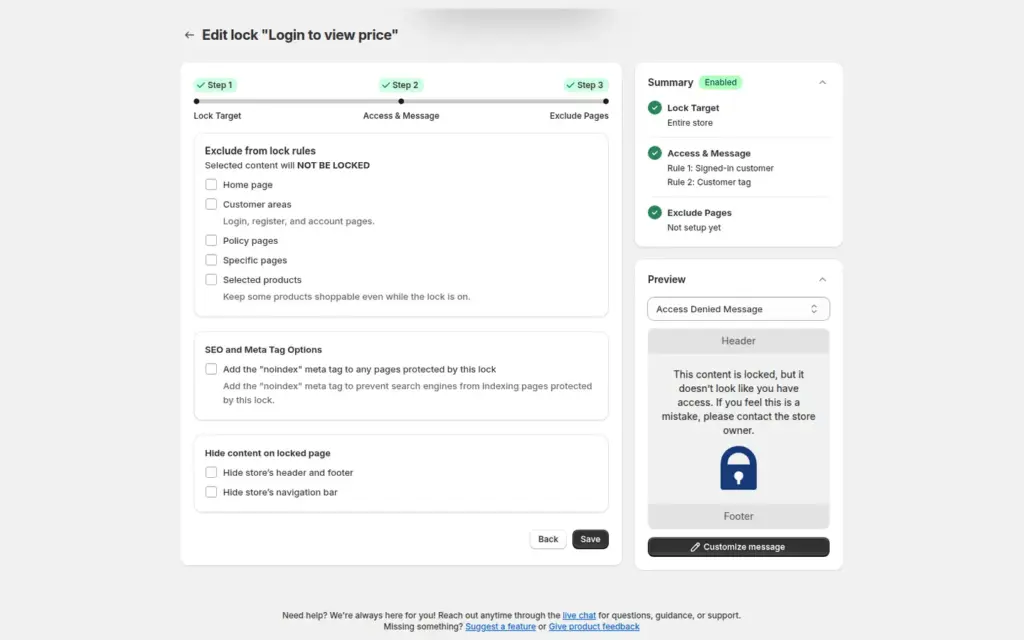
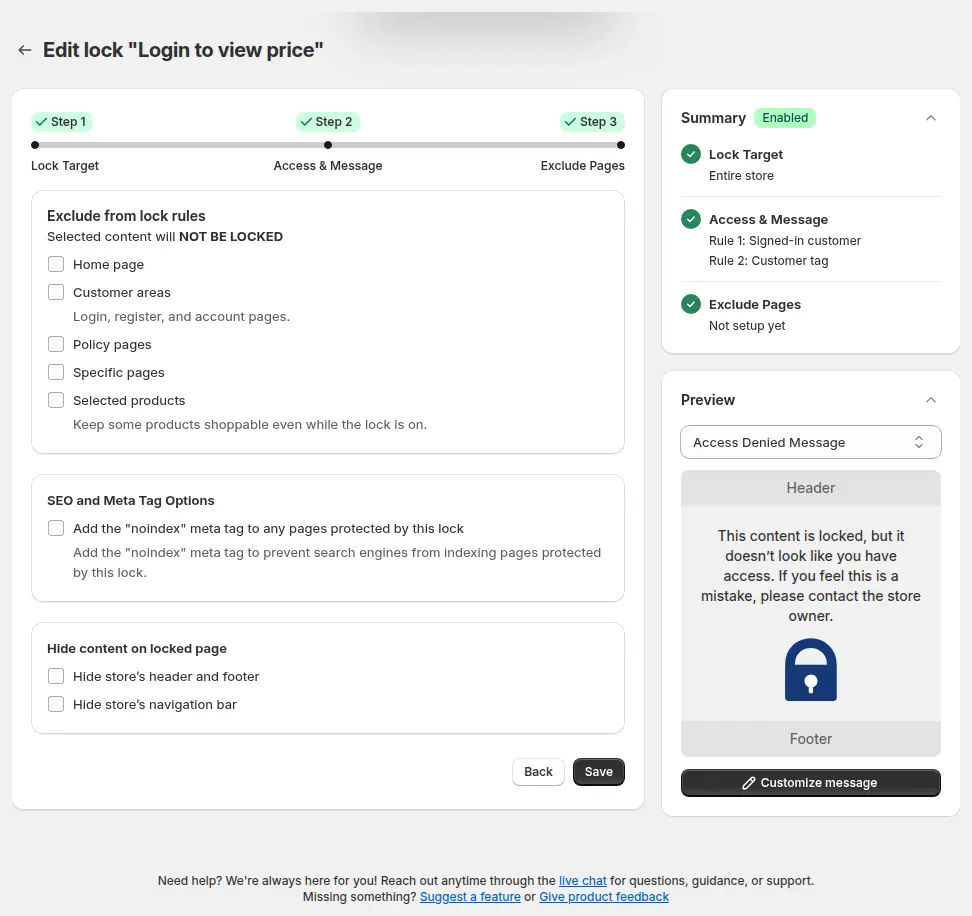
In Exclude Pages, choose what stays public: the home page, customer areas such as login, register and account pages, policy pages, or specific pages like Contact. Keep the registration page open or applicants cannot reach the form. Here you can also add the noindex meta tag to protected pages, and choose whether to hide the store header, footer and navigation on the lock screen.
6. Test as a guest and as a buyer
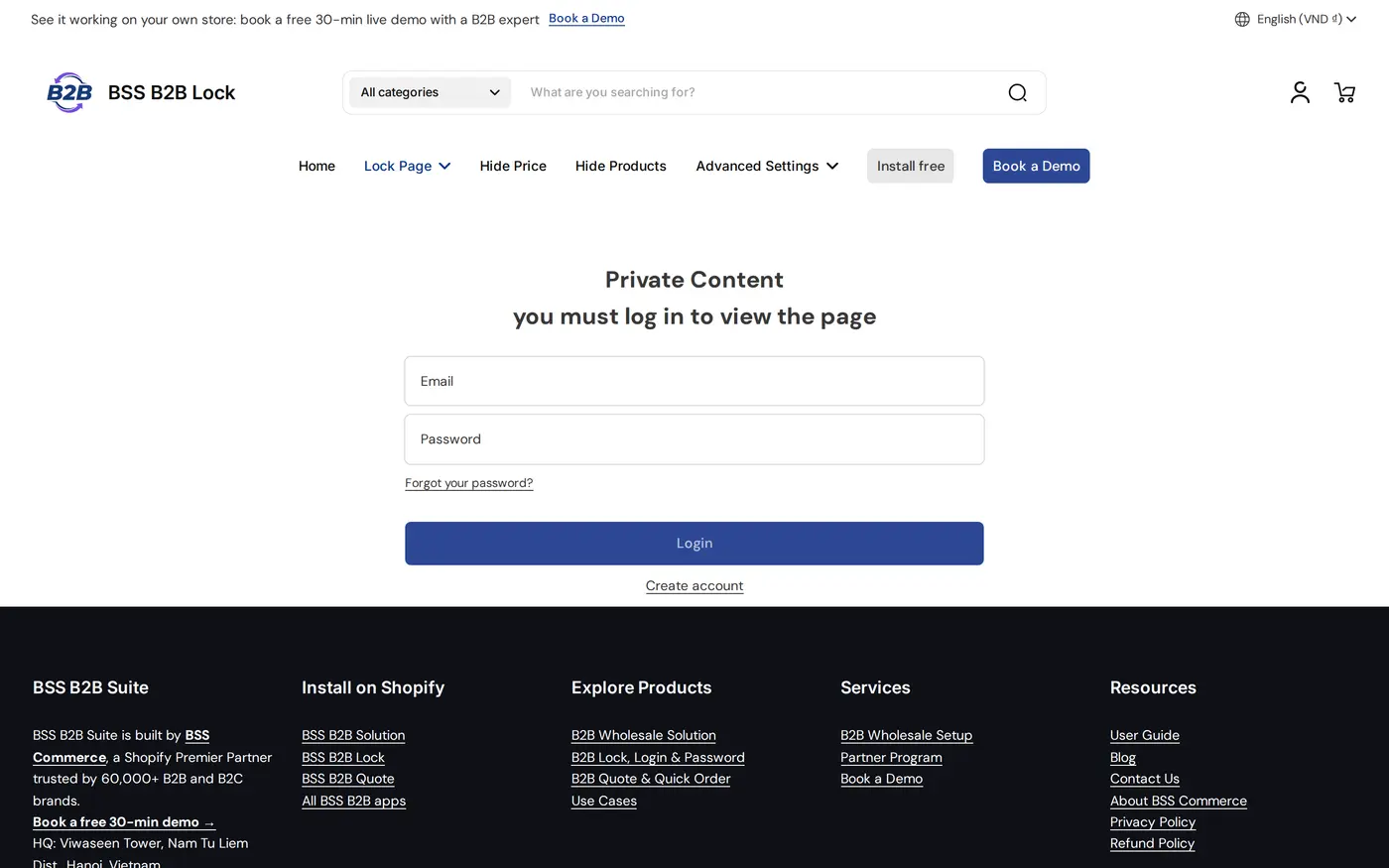
Save the rule, then open the store in a private window as a guest, and again signed in as a tagged customer. A guest should see the lock screen on the home page; a tagged customer should shop normally.
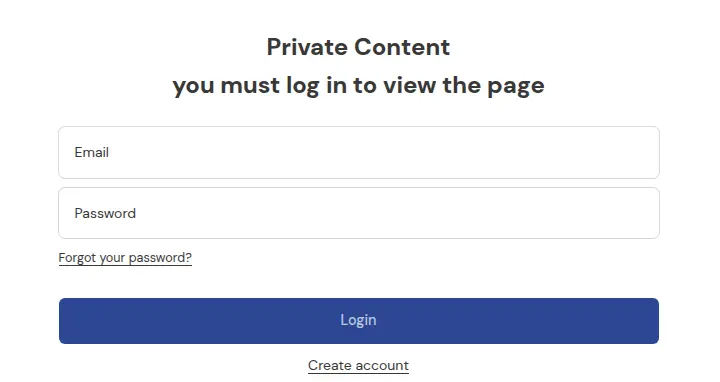
The same lock on the demo storefront shows the store header and a login form with a Create account link.
7. Monitor and adjust
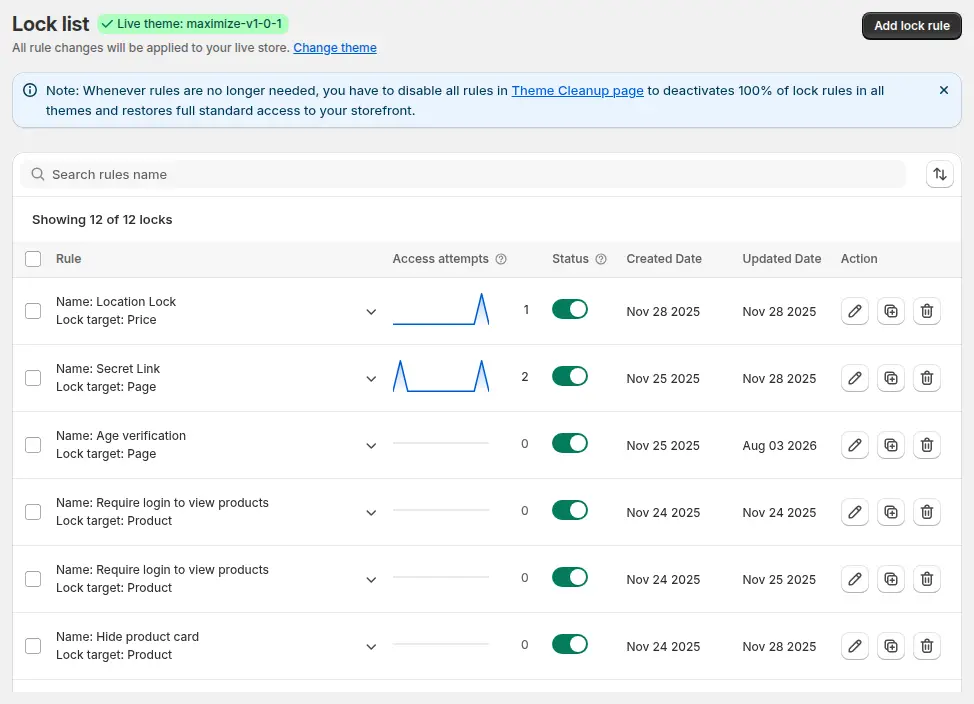
The Lock list shows each rule, its target, a count of access attempts and an on/off switch, so you can switch a rule off while you edit and see whether guests are hitting the wall.
Example
Example for illustration only. A restaurant-supply wholesaler has 140 approved venues, each tagged wholesale in Shopify. They create one Entire store lock that allows the wholesale tag, plus a second rule for the tag staff. They exclude the home page, the login and register pages, the shipping policy and the contact page. A new venue visits, reads the home page, clicks Apply, submits the form and is approved the next morning. At approval the tag is added, so when the venue logs in the catalog appears. A visitor from a competitor who is not logged in sees only the lock message.
Works well with
- Register, approve, price, unlock and order for a B2B-only store, the full flow this lock belongs to.
- Request access button for locked pages so visitors can ask for access directly.
- Hide wholesale collections from guests if you want a public store with a private wholesale section.
- Wholesale registration form with approval to collect and approve applicants.
Read the glossary entries for customer tag, gated catalog and trade account.
Limits and common mistakes
- Registration page locked out. If you forget to exclude it, applicants cannot reach the form.
- Tag spelling. Tags are matched as text, so “Wholesale” and “wholesale-buyer” are different tags.
- A request, not a promise, for search engines. The noindex option asks search engines not to index locked pages. Treat it as a request, not a guarantee.
- It runs on your theme. BSS B2B Lock restricts storefront access through theme code. Headless or custom storefronts are not supported, and you should test after a theme change or update.
- Other targets need a paid plan. The Entire store target works on the Free plan; locking products, collections, pages or prices needs a paid plan.
- Rules combine in one direction. Conditions in a rule are AND, separate rules are OR. If a buyer with the tag still sees the lock, check that no extra condition in the same rule, such as a second tag, is failing.
- Customers who have no account yet. Guests cannot be recognised by a tag, so the lock message and the open registration page are the only route in. Make both easy to find.
- Not a legal or contractual control. Use it as a storefront access rule, not as proof of identity.
Setup checklist
- Choose the approved tag and use the same spelling in Solution, Lock and any pricing rules.
- Create the lock with the Entire store target and a clear name.
- Add the User type > Tagged customers condition.
- Add a second rule for staff or a test tag.
- Write the lock message with login and request-an-account instructions.
- Exclude the home page (optional), customer areas, policies and the registration page.
- Decide on noindex and whether to hide the header and footer on the lock screen.
- Test as a guest and as a tagged customer in a private window, and read the lock guide.
Plans and requirements
BSS B2B Lock has a Free plan that covers the Entire store lock, and paid plans from $9.99 per month for every other target, with the price stepping up with your store’s Shopify plan. Paid plans include a 7-day free trial. See the pricing page for the current tiers. For approval, tagging and wholesale prices, pair it with BSS B2B Solution.