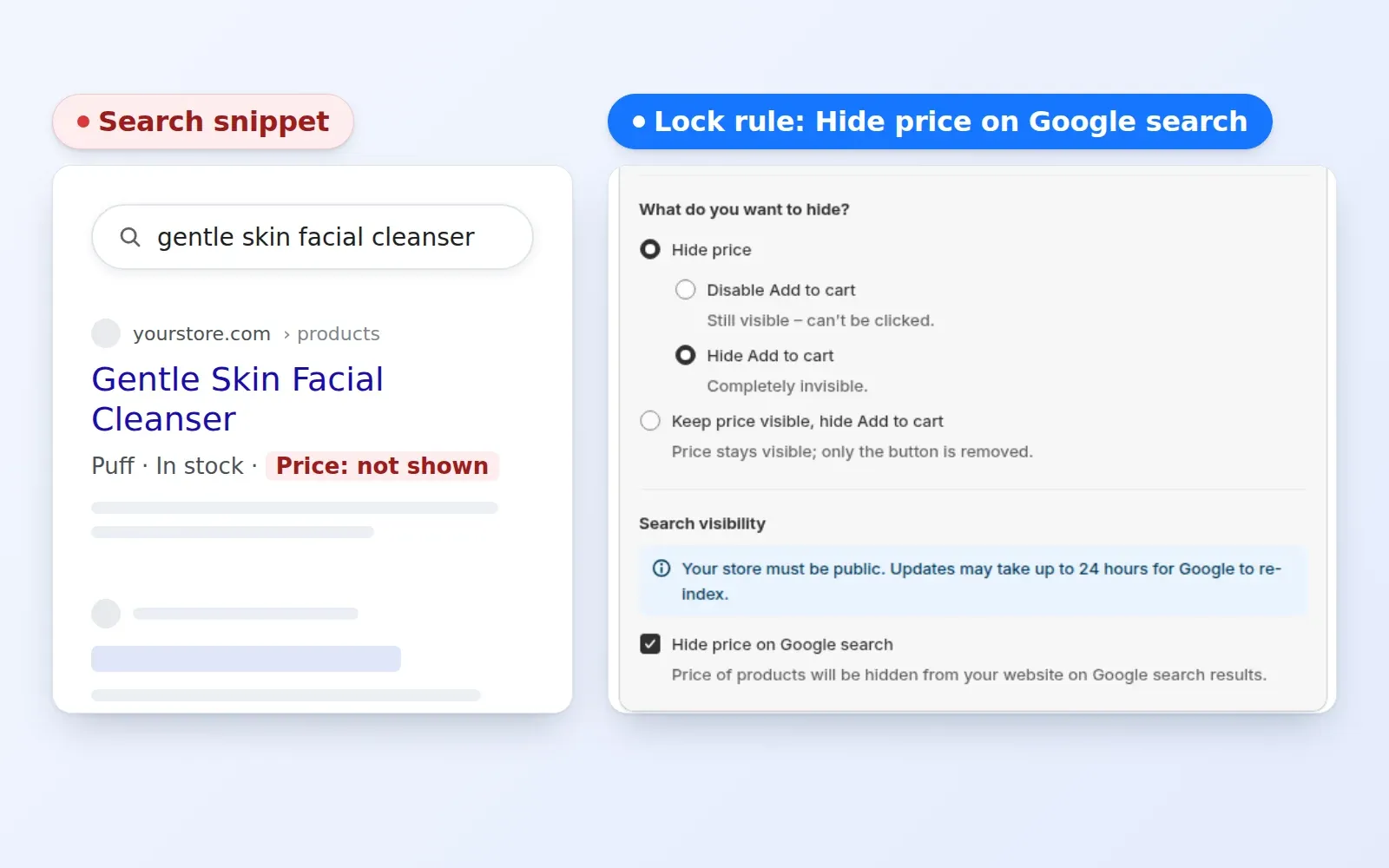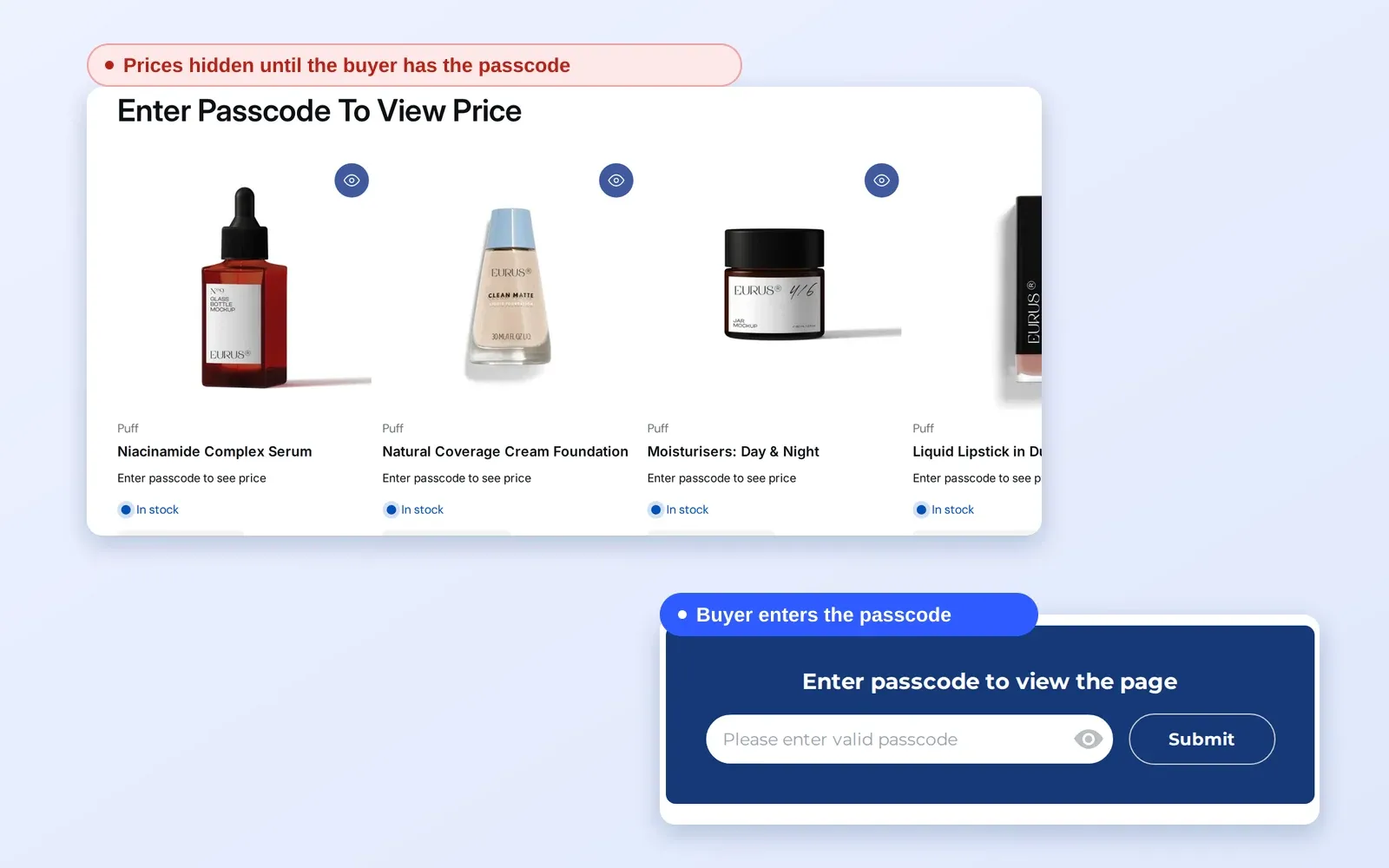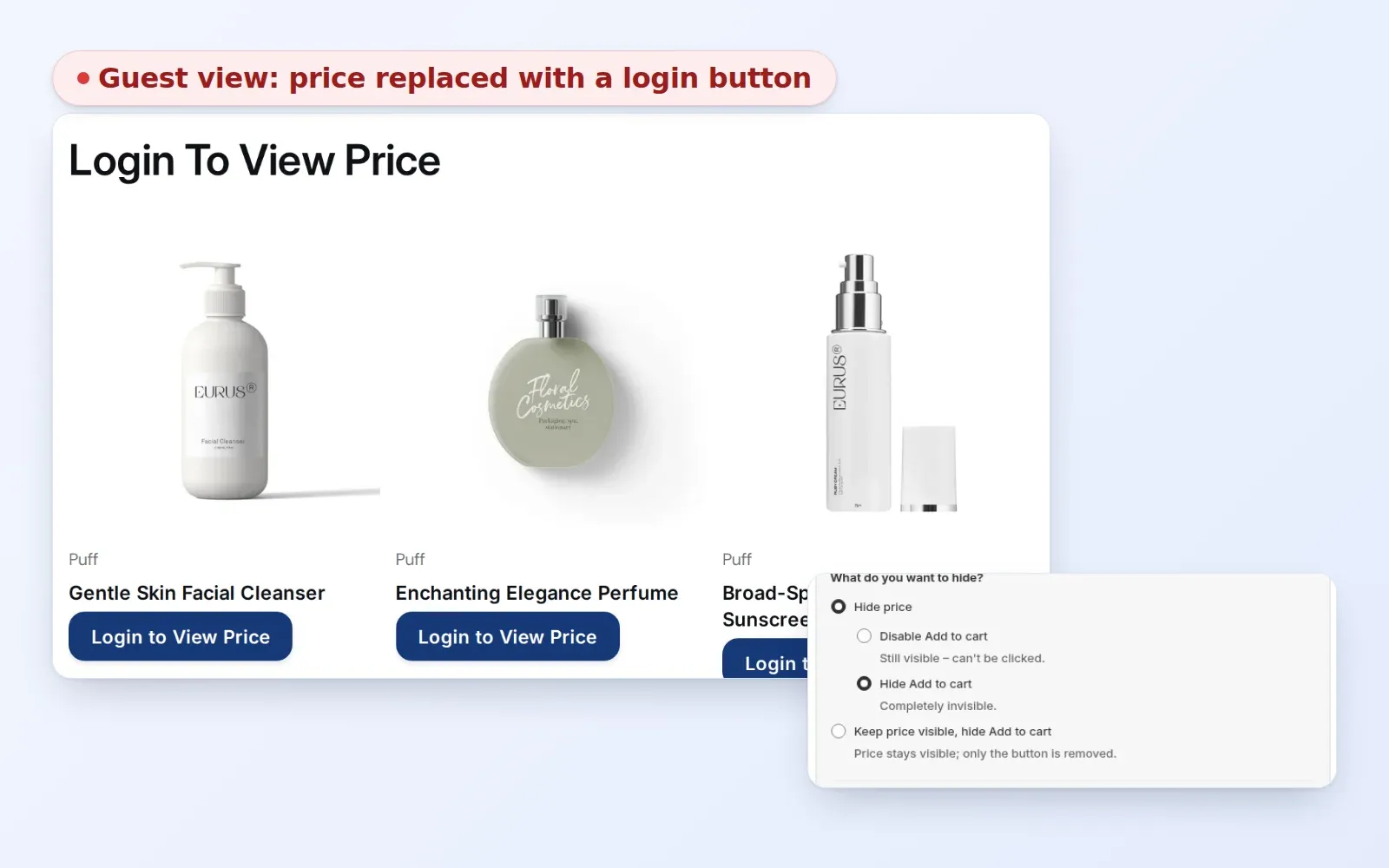
To hide wholesale collections from guests on Shopify, create a Collections lock in BSS B2B Lock, choose the wholesale collections, and allow only signed-in or tagged customers. Guests no longer see those collections in lists, product cards, product pages or the menu, and a guest who opens the URL directly gets your lock message.
This is for stores that sell retail and wholesale from one catalog and want each audience to see the right range. It explains the visibility settings, how access rules decide who gets in, and the quirks to check, such as blank tiles in a visible collection.
Who this is for
Collection-level hiding fits you if:
- You run a direct-to-consumer store and a wholesale channel from the same Shopify admin.
- You keep wholesale products in collections named something like “Wholesale”, “Trade only” or “Distributor products”.
- Retail shoppers should never see those ranges or find them through the menu.
- Approved buyers should see the full wholesale range once they log in, without a second website.
- You want one rule per collection family, not a lock on every product.
- You need a guest who follows an old link to land on a helpful message rather than a product page.
Why this matters
If wholesale collections appear in navigation and collection lists, retail shoppers browse ranges they cannot buy, and your pricing structure is easy to guess. They may email asking why they cannot buy the wholesale items. Competitors can also browse your trade catalog without applying.
There is a second cost on the buyer side. A wholesale buyer who logs in and still has to hunt through the retail range to find the trade products will give up, or ask your team for a link. A clean wholesale section, visible only after login, makes reordering feel like a managed program.
Alpha Coffee, a coffee roaster that runs wholesale next to a direct-to-consumer store, used customer tags, login status and page-level restrictions to keep wholesale buyers seeing only what applies to them. Read the Alpha Coffee case study.
Imagine a skincare brand with a public range of retail serums and a “Salon Pro” collection of back-bar sizes and professional kits. Retail shoppers see the retail range and the menu has no hint of Salon Pro. A salon owner who has been approved logs in and the menu link, the collection page and the product pages appear. The two audiences share one store, one set of products in admin and one checkout.
What Shopify covers natively, and where an app helps
Shopify’s built-in B2B lets you assign catalogs to companies and markets, and the B2B features by plan page lists companies, locations, catalogs, payment terms and quantity rules. Hiding collections from guests on a shared storefront is not listed, and neither is hiding prices from them; the pillar guide Shopify B2B compares native B2B with apps.
BSS B2B Lock handles that gap at the theme level. It lets you hide collection cards, product cards, product pages and the menu link for the collections you pick, and it decides who gets in by login state, customer tag or other conditions. The access control hub covers the neighbouring options.
How to set it up with BSS B2B Lock
Plan your collections first
The lock is only as clean as your collections. Before you open the app, decide which products are wholesale-only and group them in dedicated collections. Avoid putting a wholesale-only product in a collection that retail shoppers can see, because the lock follows the collection you selected. A tidy structure also keeps the rule short: one or two collections, one access rule, one message. If your catalog mixes both audiences in the same products, use product-level tag rules for the exceptions and test the collection pages afterwards.
1. Create a Collections lock
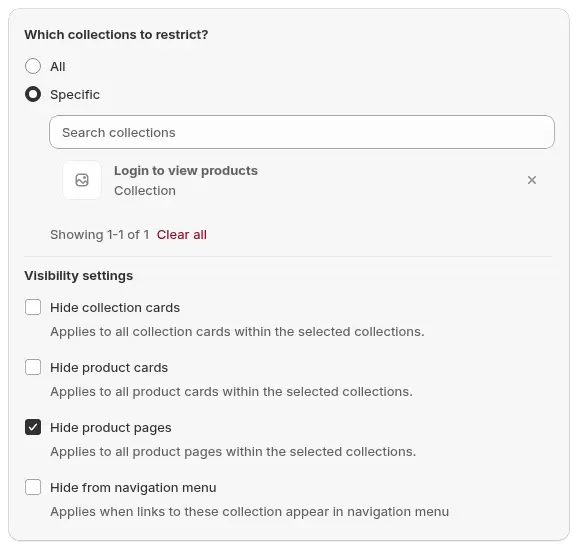
Open Locks > Add lock rule, choose Create my own lock (or the preset that requires login to view collections), name it, for example “Hide wholesale collections from guests”, and pick Collections under What do you want to lock? Under Which collections to restrict? choose Specific so only the collections you tick are covered.
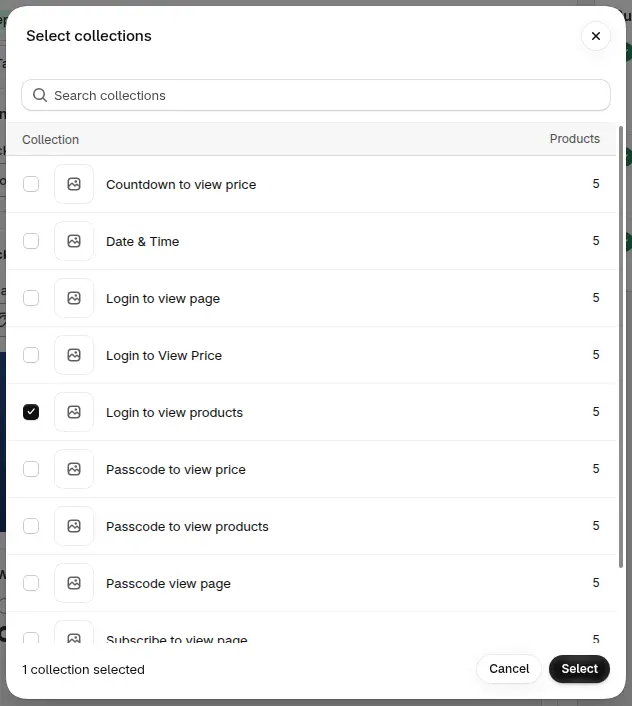
2. Pick the wholesale collections
Open Search collections and tick the collections you want to hide, such as “Wholesale” or “B2B only”, then click Select.
3. Choose what to hide
Visibility settings control what disappears for guests. All four are ticked by default: Hide collection cards, Hide product cards, Hide product pages and Hide from navigation menu. Each option controls one thing, so untick an option only if you are happy for guests to still see that part of the range.
4. Decide who gets in
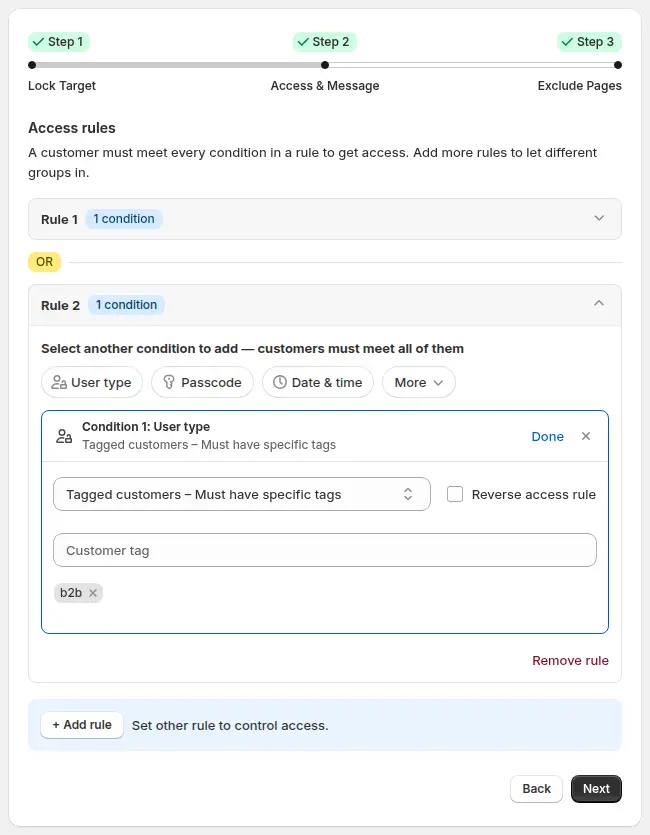
In Access & Message, choose Signed-in customers to open the collections to anyone with an account, or Tagged customers and enter your wholesale tag to open them only to approved buyers. Conditions inside a rule must all match, while separate rules are alternatives, so add a second rule for another group, such as a staff tag.
5. Write the message guests see
Click Customize message and write what a guest sees if they open a locked collection URL directly. Something like “This range is for approved trade customers. Log in or apply for an account” gives them a next step.
6. Keep public pages open and save
In Exclude Pages, tick the pages that must stay visible to everyone, such as the home page, customer areas and policy pages. To keep a retail collection visible, leave it out of the collections you selected in step 2. Click Save.
7. Test as a guest, a retail customer and a wholesale customer
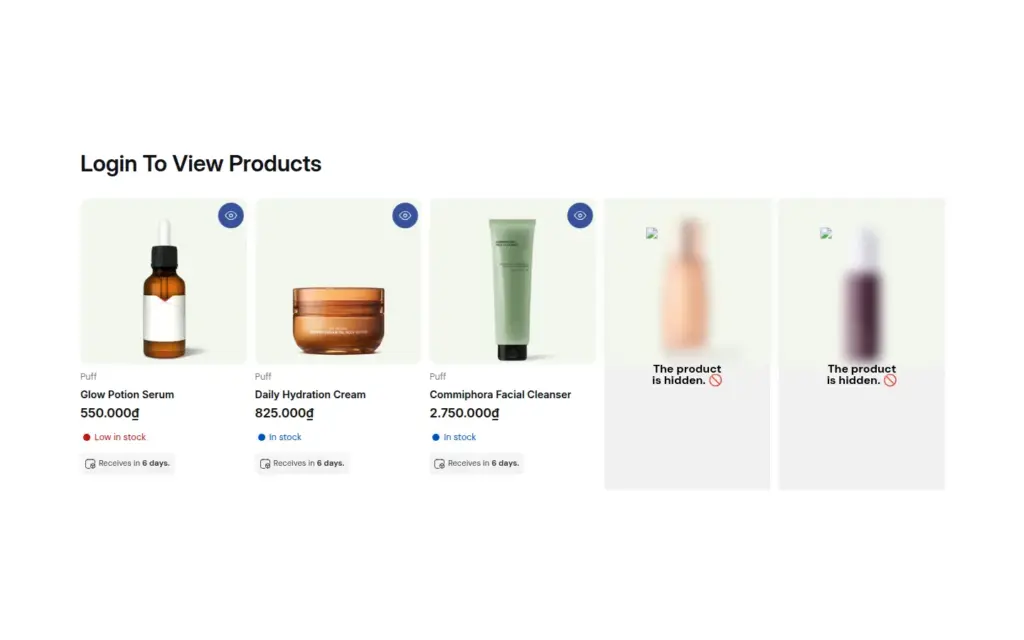
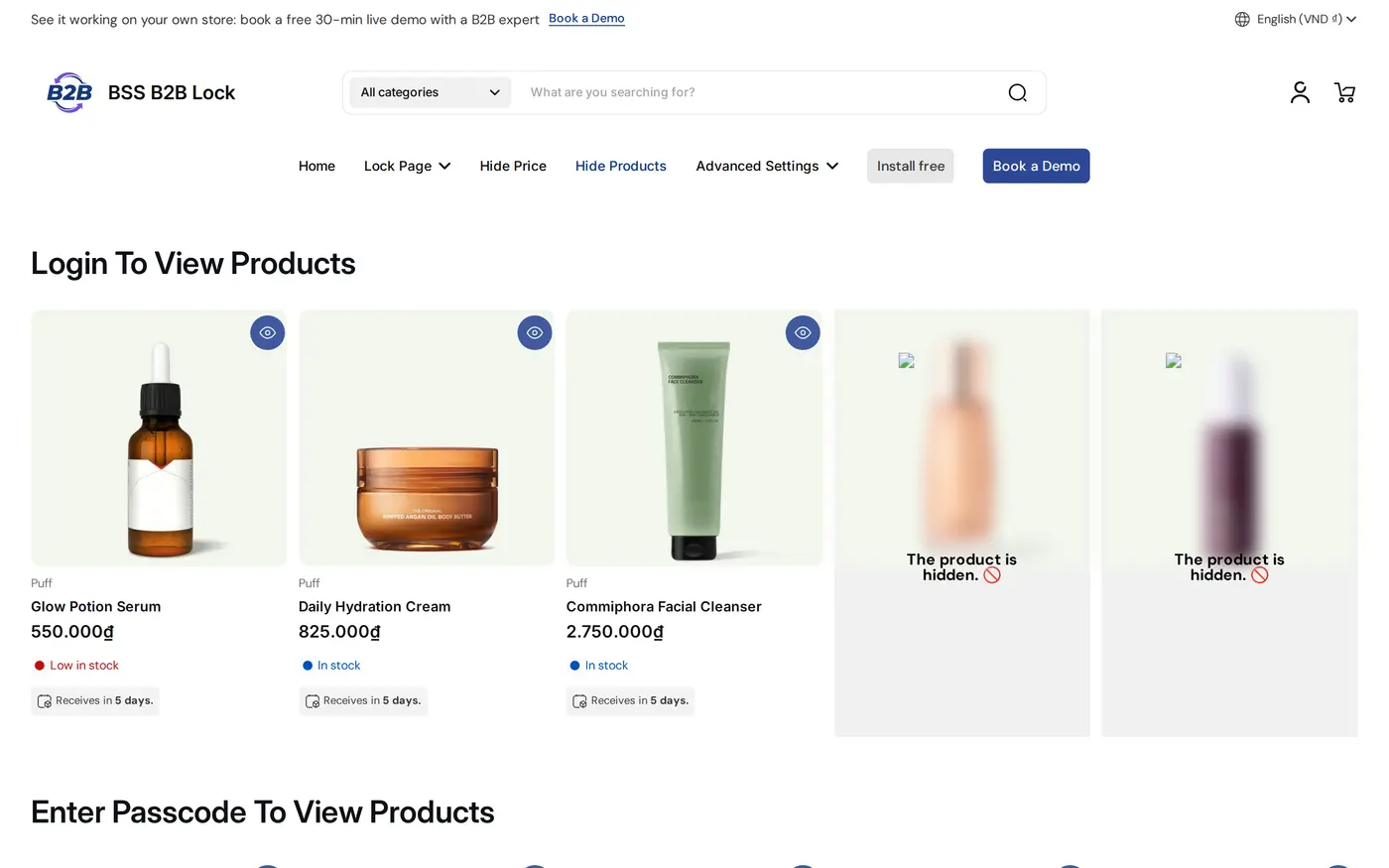
Check the menu, the collection list, a locked collection URL and any featured sections on your home page. Hidden product cards inside a visible collection can leave a tile, so check the grid.
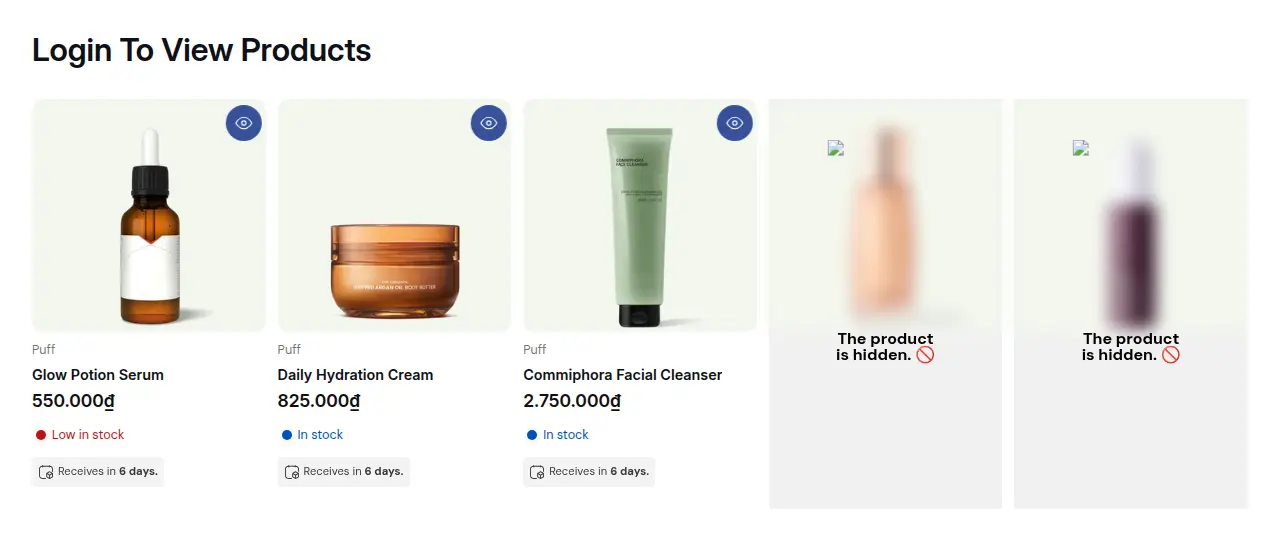
The same effect on the demo storefront shows visible products next to hidden ones.
What each visitor sees
| Visitor | Menu and collection list | Wholesale collection URL |
|---|---|---|
| Guest | Wholesale link and cards are hidden | Your lock message |
| Retail customer (no tag), rule uses the wholesale tag | Wholesale link and cards are hidden | Your lock message |
| Retail customer, rule uses Signed-in customers | Wholesale link and cards appear | Collection opens |
| Customer with the wholesale tag | Wholesale link and cards appear | Collection opens |
The second and third rows are why the access choice matters. If any account holder can see the range, a retail customer who registers will see it too. Use the tagged option when only approved buyers should.
Example
Example for illustration only, not a customer result. A skincare brand has 60 retail products and a “Salon Pro” collection of 24 professional items. It creates one lock with the Collections target, selects only Salon Pro, keeps all four visibility options ticked and allows the tag salon. Retail shoppers see 60 products, no Salon Pro link and no collection card. A salon owner approved last week carries the salon tag, logs in, and sees the extra menu link and all 24 items, with their own prices from BSS B2B Solution. A competitor who finds an old Salon Pro link sees the lock message and no products.
Works well with
- Show products only to tagged customers when only a few products, not whole collections, should be hidden.
- Secret link for a private collection for invite-only ranges that do not need accounts.
- B2B and B2C on one Shopify store for the wider pricing and access setup.
- Wholesale registration form with approval so approved applicants receive the tag that opens the collections.
Terms: gated catalog, customer tag and catalog.
Limits and common mistakes
- Hidden cards can leave blank tiles. If you hide product cards inside a collection that stays visible, the grid may show a “The product is hidden” tile. Keep wholesale and retail products in separate collections and lock the whole wholesale collection.
- New collections are not covered. A new wholesale collection is not locked until you add it to the rule.
- Themes differ. Themes build menus, sliders and featured sections in different ways. Check the menu and every section that lists collections or products, on desktop and mobile.
- A paid plan is needed. Locking collections needs a paid BSS B2B Lock plan; the Free plan covers the Entire store target only.
- It is a storefront rule. BSS B2B Lock works through your theme code, so headless storefronts are not supported. Test again after a theme update.
- Tag spelling. Tags are matched as text, so use the exact spelling everywhere.
- A collection is still visible to guests. Check that the rule is switched on in the Lock list, that the collection is ticked under Specific, that the visibility options you expect are ticked, and that you are testing in a private window while signed out.
Setup checklist
- List the collections that are wholesale-only and check that no retail product sits inside them.
- Decide: any signed-in customer, or only customers with the wholesale tag.
- Create a Collections lock with the Specific option and select those collections.
- Keep the visibility options you need and write a plain guest message.
- Exclude pages that must stay public.
- Test menu, collection list, direct URL and home page sections as a guest, a retail customer and a wholesale buyer.
- Add new wholesale collections to the rule as you create them.
- Keep the collection lock guide at hand.
Plans and requirements
BSS B2B Lock has a Free plan (Entire store lock) and paid plans from $9.99 per month that unlock collections, products, pages and prices, with a 7-day trial on paid plans. The price steps up with your store’s Shopify plan; see the pricing page. To register, approve and tag the buyers who unlock these collections, add BSS B2B Solution.