To run a B2B-only store on Shopify, use one customer tag to connect three apps: a buyer applies through the registration form in BSS B2B Solution, you approve and the form adds the tag, pricing rules in BSS B2B Solution give that tag its prices, a BSS B2B Lock rule for the same tag unlocks the store, and BSS B2B Quote gives the buyer Quick Order, CSV upload, quotes and reorder. The flow is Register, Approve, Tag, Price, Unlock, Order.
This guide is for wholesalers, distributors and brands that sell only to approved business buyers, or that keep a public catalog and a locked trade area. It explains who needs the full flow, how each app owns one part of it, a worked example from application to reorder, and the limits to settle first, such as which lock settings keep applicants able to reach the form. You can start with one app and add the others later.
Who this is for
The three-app flow fits you if several of these are true:
- Your store is wholesale only, or its trade area must stay hidden from the public.
- New buyers should apply and be approved before they see prices, products or terms.
- Approved buyers need their own prices, and the rule that gives them prices should use the same list of buyers as the rule that gives them access.
- Buyers reorder often, so a quick order page, a CSV upload or a reorder page saves them time.
- You have been adding one app at a time and your customer groups no longer line up.
If you only need one piece of this, the individual guides are shorter: wholesale registration form with approval for onboarding, and lock the entire store for approved buyers for access.
Why this matters
Merchants who add a registration form, a price app, a lock and an order form separately often find that each one targets a different customer group. The flow breaks at the seams: an approved buyer still sees the lock, or sees retail prices, or cannot find the quick order page. Support questions follow, and the team starts tagging customers by hand to fix them.
One tag solves most of this. Each app reads the same label on the customer account, so approval in one place changes what the buyer can see, pay and do everywhere else. GreenTeaEveryday used three BSS apps to serve wholesale and retail clients from a single Shopify store: customers register through the wholesale form, are approved by the admin, get a wholesale tag and then log in to wholesale products, prices and the Quick Order form. Read the GreenTeaEveryday case study for its setup.
How to set it up with BSS B2B Solution
The three apps each own one part of the journey. BSS B2B Solution owns who your buyers are and what they pay, BSS B2B Lock owns who can see what, and BSS B2B Quote owns how buyers order. Set them up in the order of the flow.
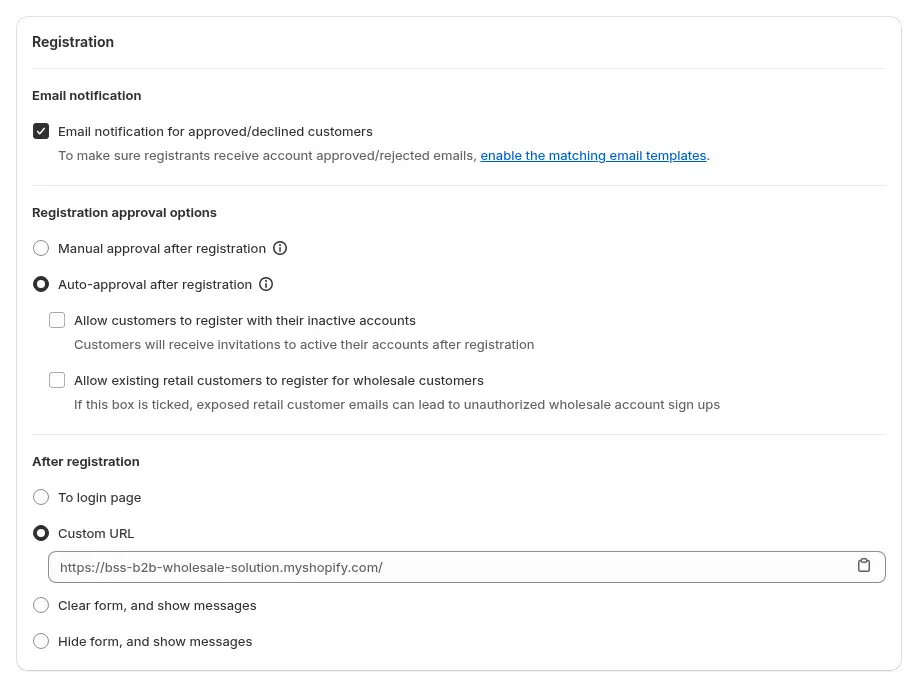
Step 1: Register and approve in BSS B2B Solution
Build a wholesale registration form with business fields such as company, address and tax ID, and choose how applicants are approved. Manual approval gives you a control point, and automatic approval suits simple rules. Set the tag the form adds on approval, for example `wholesale`.
Step 2: Tag, by hand or by rule
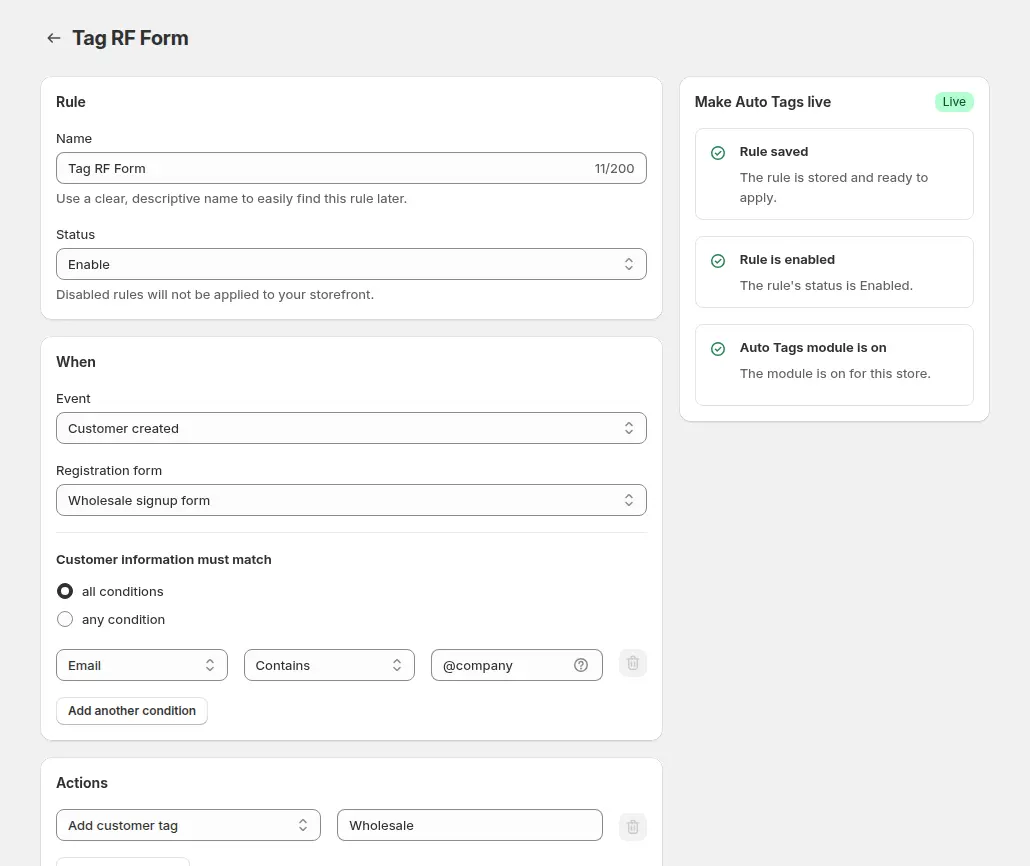
The form’s tag covers the normal path. An Auto Tags rule can add or change tags by event, such as a rule that tags customers created through the form. Auto Tags runs on events, so it does not tag customers who already exist unless you use the bulk apply option.
Step 3: Price the tag
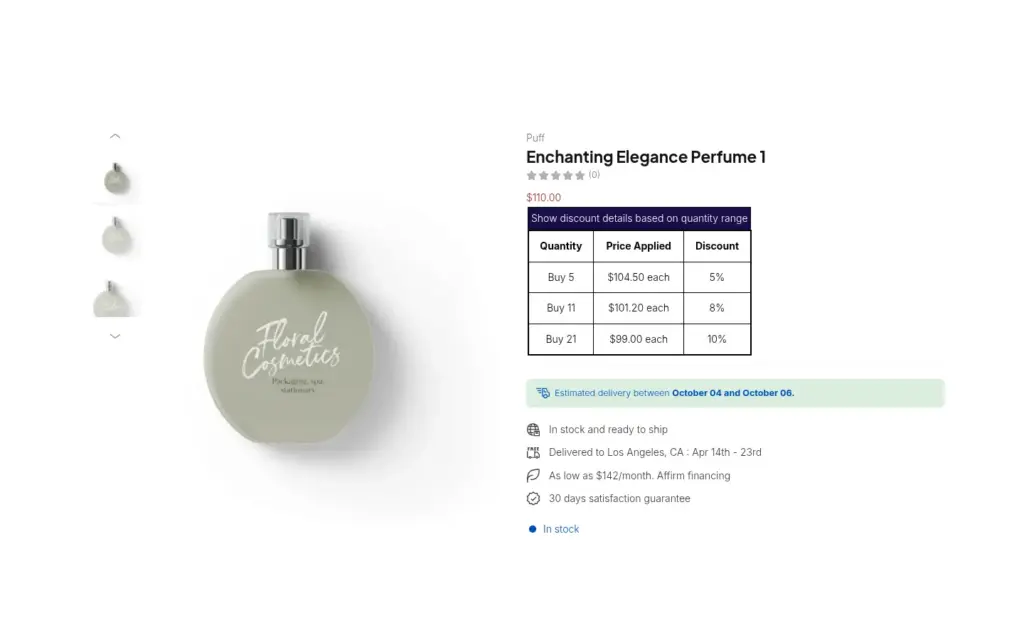
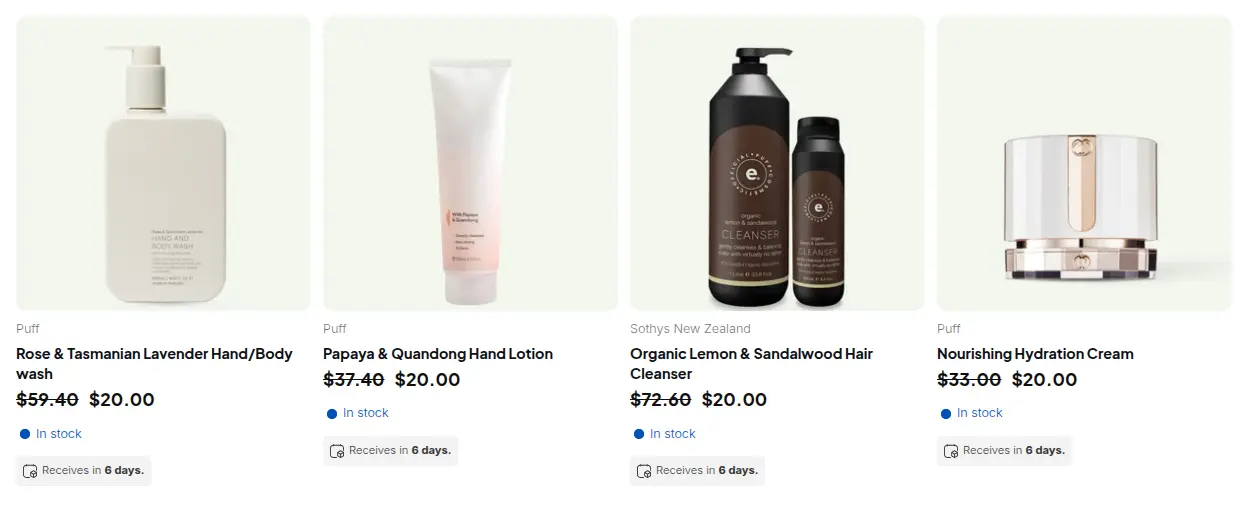
Create Custom Pricing, Price List or Volume Pricing rules in BSS B2B Solution that target the tag. Approved buyers see their prices when logged in, and everyone else sees the normal price.
Step 4: Unlock with the same tag in BSS B2B Lock
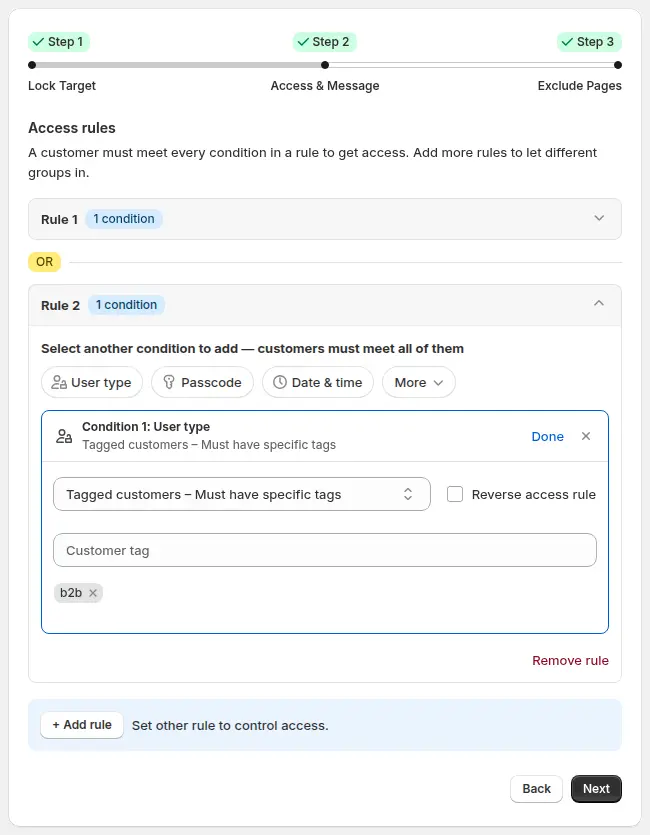
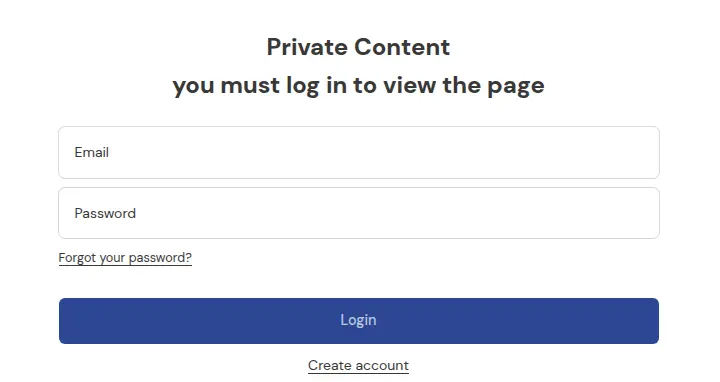
Create an Entire store lock, or a lock on wholesale collections, pages or prices, and set the access condition to Tagged customers with the same tag. Exclude the registration and login pages in the Exclude Pages step, so applicants can reach the form, and link to the form in the lock message.
Step 5: Order with BSS B2B Quote
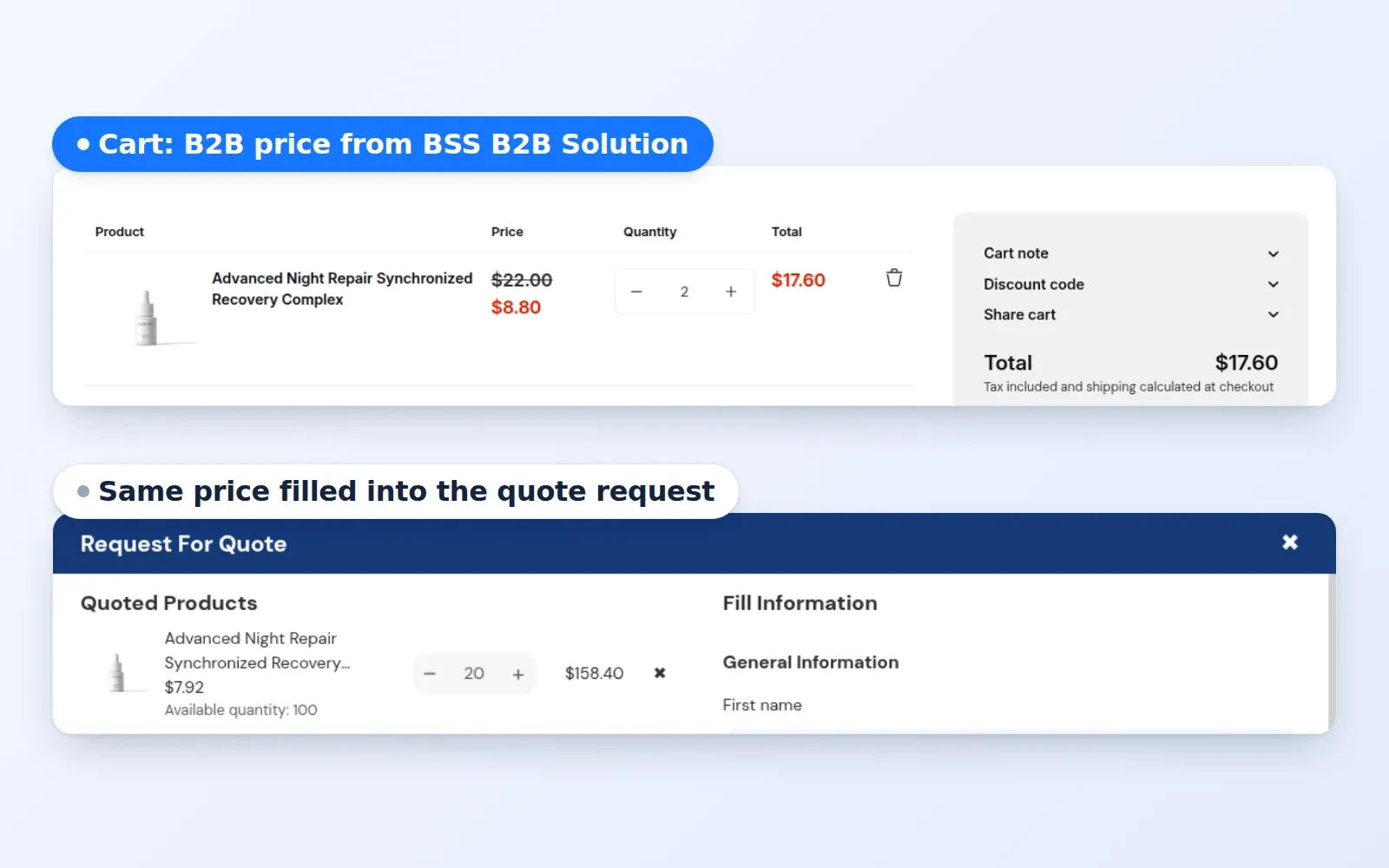
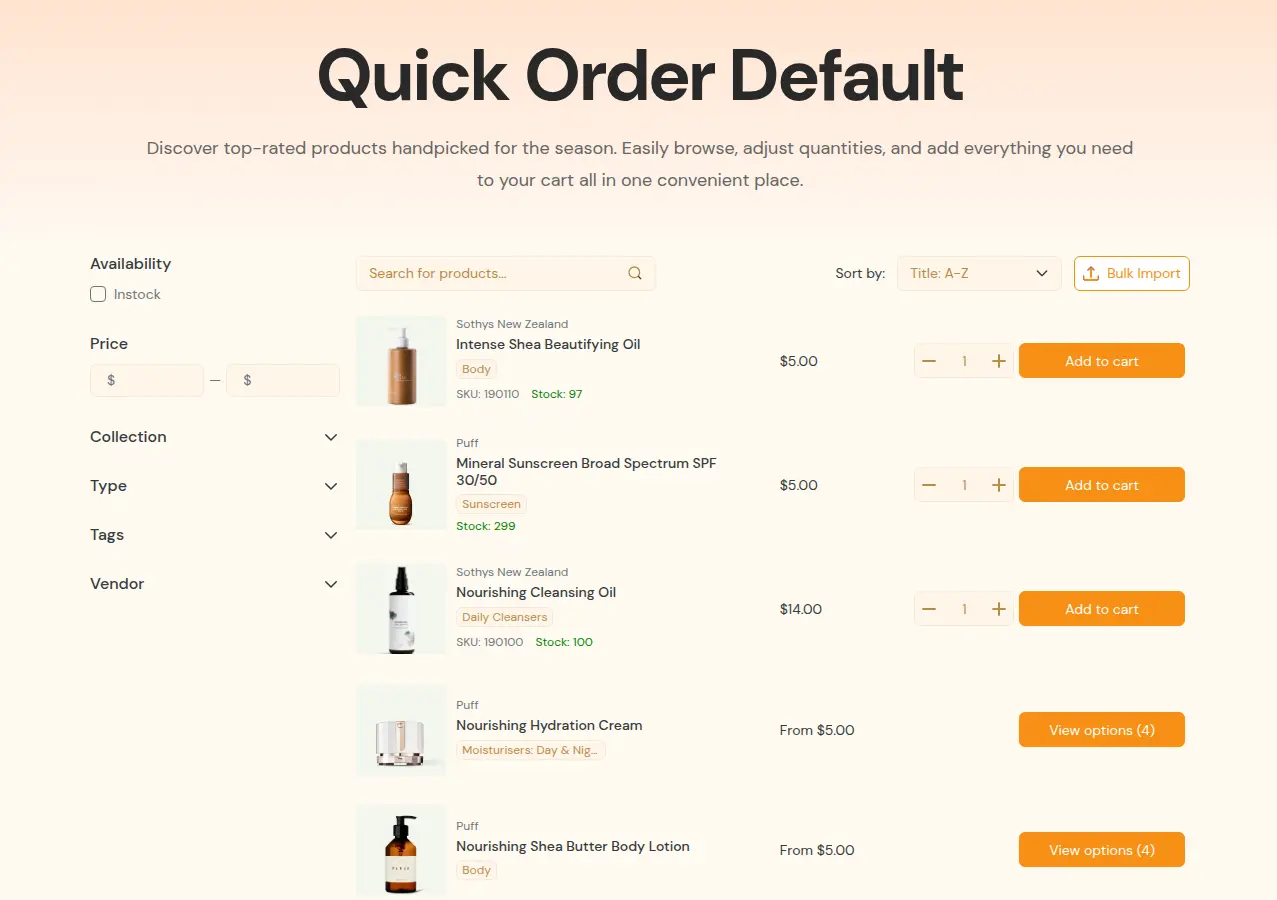
Publish a Quick Order page limited to the tag, with Bulk Import for spreadsheet files, and add Request for Quote and Reorder where they fit. Quick Order rows and the quote cart can use BSS B2B Solution prices, including quantity breaks, for customers who are not on Shopify native B2B.
Example: a florist supply wholesaler
This example uses illustrative values, not results from a real store. A wholesaler of florist supplies closes its catalog to the public. A florist applies through the registration form with a company name and a tax ID, and the tax ID is checked live as it is typed. The wholesaler approves the application and the form adds the tag `wholesale`.
The florist logs in. The Entire store lock now lets the account in, because its tag matches, and a Custom Pricing rule for the tag takes 40% off, so a vase that is $25 at retail shows $15. The Quick Order page lists the catalog with a quantity box per row, and the florist uploads a spreadsheet of 30 SKUs with Bulk Import. A week later the florist logs in, opens Reorder, repeats last week’s order with two quantities changed, and the invoice arrives by email. A visitor who is not approved only sees the lock message and the link to the form, and the wholesaler sees one tag, one list of buyers and one place to change a buyer’s access: remove the tag, and prices, access and ordering follow.
Works well with
Each app has deeper guides for its part of the flow:
- Onboarding: wholesale registration form with approval and approve and notify wholesale applicants.
- Prices: wholesale price by customer tag.
- Access: lock the entire store for approved buyers and hide wholesale collections from guests.
- Ordering: reorder page for repeat buyers and CSV bulk order upload.
The Shopify B2B guide covers the whole picture, and the customer onboarding hub and access control hub list the guides for the first and fourth steps. Useful glossary entries are customer tag, gated catalog and trade account. The three apps are described on the BSS B2B Solution, BSS B2B Lock and BSS B2B Quote pages.
Limits and common mistakes
- Tags are matched as text. Choose the tag names first and keep the spelling identical in every app, for example `wholesale` and not `Wholesale` in one rule and `wholesale-tier-1` in another.
- Keep the registration and login pages open. In an Entire store lock, exclude them in the Exclude Pages step, or applicants will meet the lock before they can apply.
- Request access is not an approval tag. An approved access request is stored per lock rule and does not add a customer tag, so use the registration form when you want one tag to drive pricing and access.
- Locks and rules run in the theme. They depend on the app embeds, so confirm each embed is on after a theme change. On Shopify Plus, a checkout lock can add one more layer, but if its function errors, checkout is not blocked, so do not treat it as a hard barrier.
- Keep pricing in one place. Let BSS B2B Solution own the prices, and let Lock and Quote show the price the storefront already shows.
- The same email cannot register twice. The form blocks an email that already has a registration record, whatever its status, so check duplicates before you tell an applicant to try again.
- Plans differ by app. Each app has its own plans, so check the pricing page for the features you need.
Setup checklist
- Choose the tag names and write them down.
- Build the registration form, set the approval mode and the tag.
- Test an application end to end and check the tag on the customer record.
- Create the pricing rule for the tag and test as a tagged buyer.
- Create the lock rule for the tag, and exclude the registration and login pages.
- Publish the Quick Order page and, if it fits, Reorder and Request for Quote.
- Test as a guest, an applicant and an approved buyer.
- Start with one app if budget is tight, and add the others as you need them.
Plans and requirements
Each of the three apps has its own plans. BSS B2B Solution has a free plan with limits and paid plans from Essentials, the Entire store lock of BSS B2B Lock is available on its free plan while other lock targets need a paid plan, and BSS B2B Quote runs on paid plans. See the BSS B2B pricing page for the current tables and trials. The how the apps work together guide covers the combined setup, and the Lock with registration and tags guide covers the tag handoff. Install BSS B2B Solution from the Shopify App Store to start the flow with registration.