
Storefront rules, not a hard block
Order limits and increments run in the theme, so direct checkout links skip them.
Order rules and terms
Order rules and terms define how wholesale buyers can buy: the smallest order you accept, the quantity steps they must follow, and when they pay. This hub covers minimum order quantity and value, case packs and quantity increments, net terms and fees, with guides, use cases and docs for Shopify stores.
The fewest units a buyer must order, per product or per order.
Glossary: MOQThe smallest order total you accept, no matter how many units it holds.
Glossary: MOVA fixed step, such as multiples of 6, that matches how a product is packed.
Glossary: Quantity incrementA payment term that lets the buyer pay after the order, for example Net 30.
Glossary: Net termsThe buyer's own document that authorizes the purchase and often carries a PO number.
Glossary: Purchase order (PO)Shopify enforces quantity rules at checkout. BSS B2B Solution adds order-level limits and terms for buyers who are not in native companies.
| Requirement | Shopify native B2B | BSS B2B Solution |
|---|---|---|
| Minimum, maximum, increment | Quantity rules per variant, set in catalogs, re-validated in checkout. Buyers cannot combine variants to meet a rule.[2] | Order Limits set a minimum or maximum amount or quantity. Quantity Increments (Advanced and up) sell in packs. Both run in the storefront.Use case: minimum order |
| Minimum order value | Minimum and maximum order subtotals through the free Checkout Blocks app, for all customers or only B2B customers.[4] | Order Limits by amount for the customers and products you target. |
| Net terms | Net 7, 15, 30, 45, 60, 90, due on fulfillment, or a fixed date on draft orders, set per company location. Payment is not captured automatically at expiry.[3] | Net Terms: due on receipt or fulfillment, Net 7, 15, 30, 60, 90, a day of the month, end of month or custom, for logged-in customers, specific customers or tags.Use case: Net 30 |
| PO numbers | PO numbers are included on all plans and can be added to draft orders.[1][5] | Orders Custom Fields add a PO number and notes on the cart page.Use case: PO numbers |
| Orders on behalf of buyers | Draft orders for a company location, with invoices and custom line prices.[5] | Manual Orders in the admin apply Custom Pricing, Price List, Volume Pricing, discount codes, shipping rates and terms.Use case: place orders for buyers |
Set a minimum order and Net 30 on a development store before you pay.
Get BSS B2B SolutionNumbers in brackets point to the Shopify sources below.
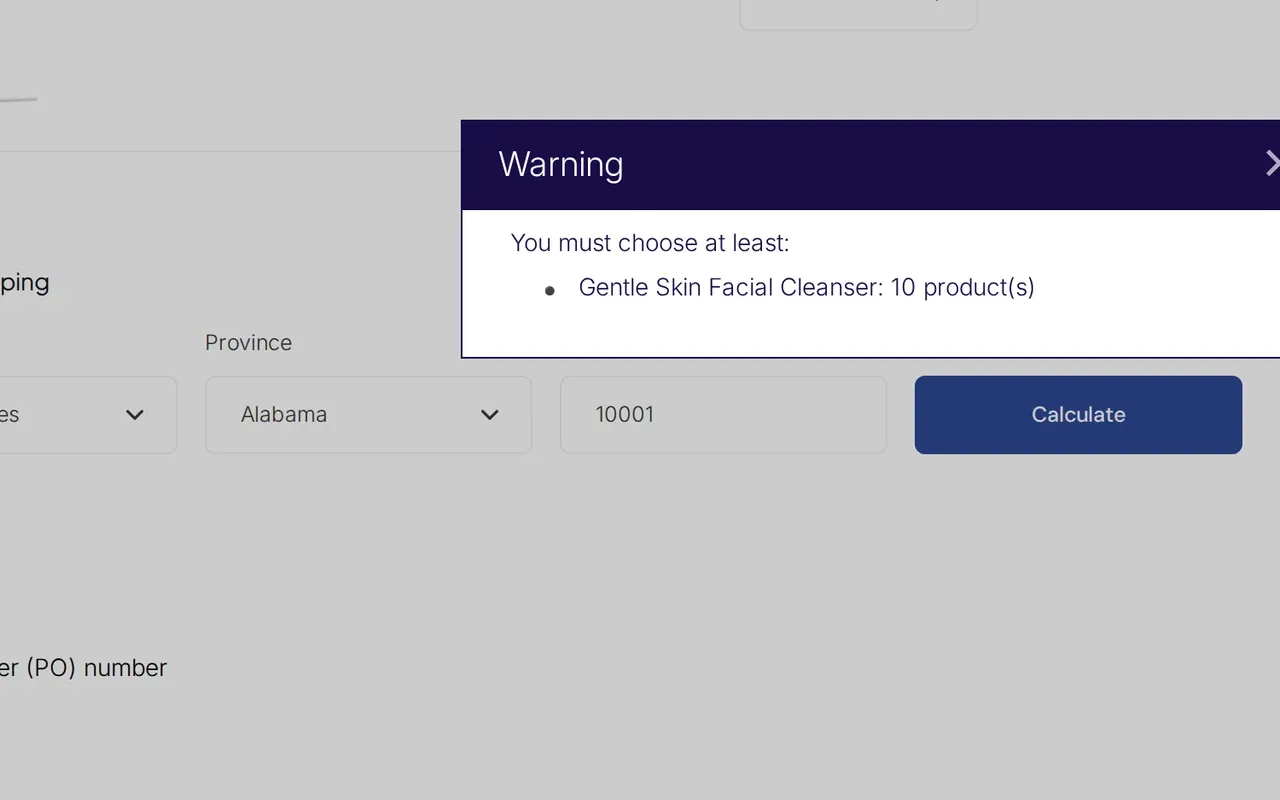
A minimum order quantity (MOQ) counts units. A minimum order value (MOV) counts the order total. You can use both, for example 12 units of an item and $250 per order.
A case pack sells in fixed multiples. Shopify's increment rule does this natively. In BSS B2B Solution, Quantity Increments allow only multiples such as 6, 12 or 18. A typed quantity is rounded to the nearest valid multiple.
Yes. Order Limits can set a maximum amount or quantity as well as a minimum. They apply to one order, and there is no cumulative cap per customer over time.
Shopify re-validates quantity rules in checkout. BSS order rules run in the storefront script on the cart and Buy It Now, so a direct checkout link skips them.
Shopify facts in this section: [2] [4], read October 4, 2026.
Yes. Native payment terms are on Basic, Grow, Advanced and Plus. Deposits and partial payments are Plus only. BSS Net Terms serve buyers identified by tag on the Advanced plan and up.
No. Shopify says payments are not captured automatically when terms expire, so you charge a saved card or record a payment. By default the BSS app creates a draft order for you to review, or completes it into an order.
The customer gets a draft order email and you get a new draft order email. When the app completes the order, Shopify's own order emails are used.
Shopify's payment terms page describes no credit limit, and BSS B2B Solution has none. A per-rule limit in Net Terms is only a cart minimum or maximum, checked in the storefront.
Shopify facts in this section: [3], read October 4, 2026.
An Extra Fee is added as a separate fee line and does not change the product price. Shipping Rate sets custom wholesale rates. Both are Advanced plan features. For purchase orders, add a PO number and notes field to the cart page.
A fictional bakery tags buyers wholesale and sets four rules: at least 12 units per item, $250 minimum order, packs of 6, and Net 30.
| Cart | Check | Result |
|---|---|---|
| 18 units at $8.00 = $144.00 | Packs of 6: yes. $250 minimum: no. | Warning at the cart. The buyer adds more. |
| 36 units at $8.00 = $288.00 | Packs of 6: yes. $250 minimum: yes. | Passes. |
| Order placed November 1 | Net 30 | Payment due December 1, on a draft order for you to review. |
Illustrative numbers. A buyer who opens a direct checkout link skips the storefront checks.
your buyers are Shopify companies, per-variant minimums and increments cover your packs, and standard Net terms per location are enough.
you need order-level minimums by amount, terms for tagged buyers who are not companies, handling fees, PO fields or manual orders.
Six steps to order rules and terms you can test.
Set a minimum or maximum amount or quantity for the buyers and products you target.
Restrict a product to multiples of a number you define.
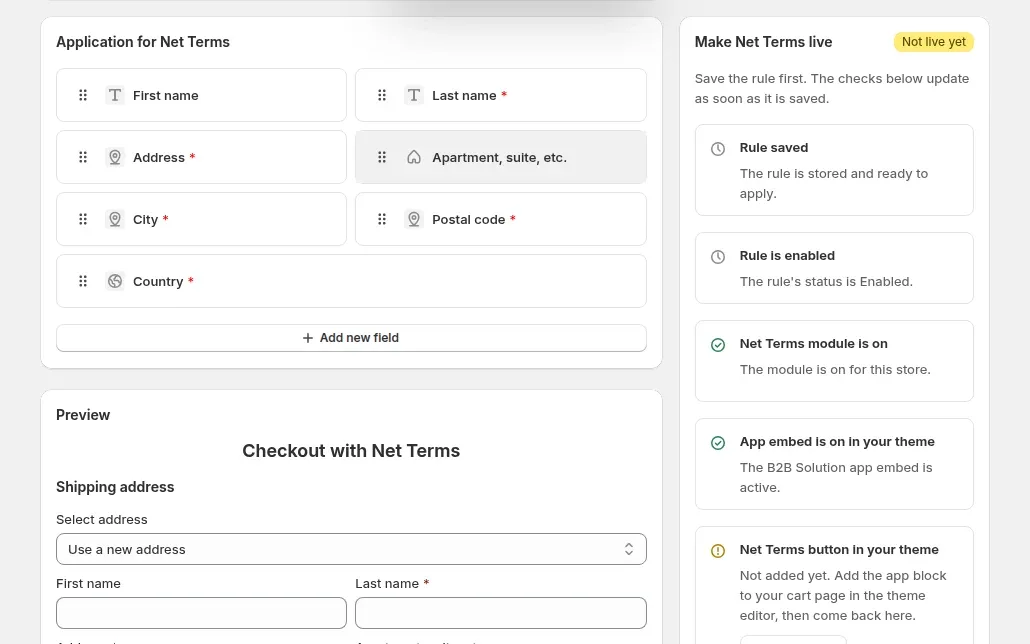
Let approved buyers order now and pay later, and add the Net Terms button to the cart page.
Charge handling fees and collect PO numbers.
Create manual orders from the admin with the buyer's prices and terms.
Order rules need the app embed on in your theme. Test with a tagged account.
Source: Set Minimum or Maximum Order Quantity/Amount Your Customers Can Buy.
Set a minimum order and Net 30 in minutes. BSS B2B Solution is free on development stores.
Check these before you promise buyers a rule.
Order limits and increments run in the theme, so direct checkout links skip them.
Net Terms has no credit limit and no Net 45 option. Net 45 exists only in Manual Orders.
Net Terms target logged-in customers, specific customers or tags, and the cart needs the Net Terms button as an app block.
They do not apply Extra Fee, BOGO, Order Limit or Quantity Increment.
Collection pages and quick-order lists apply only variant-type increment rules.
Worked examples of order rules and terms on Shopify. Browse all use cases.
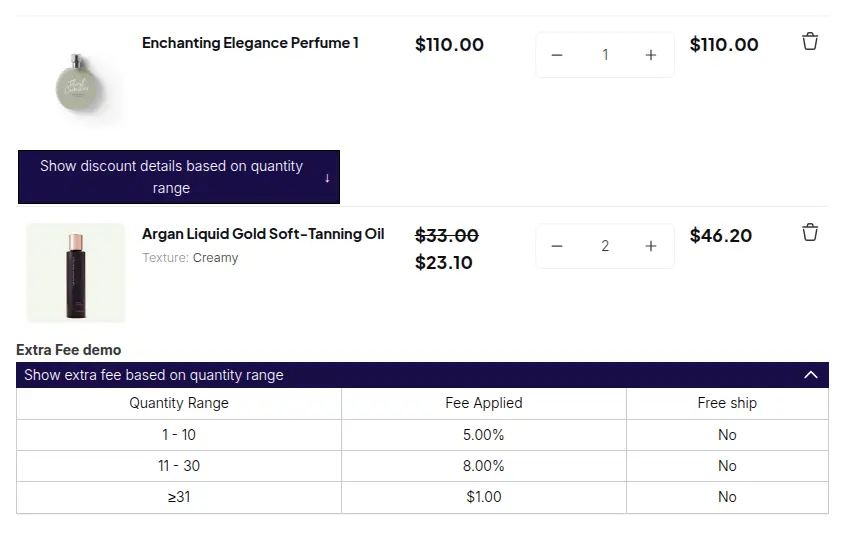
Replace retail shipping with wholesale tiers and add fixed or percentage handling fees by quantity, amount or customer, using Shipping Rate and Extra Fee in BSS B2B Solution.
Explore use case: Charge Handling Fees and Custom Shipping Rates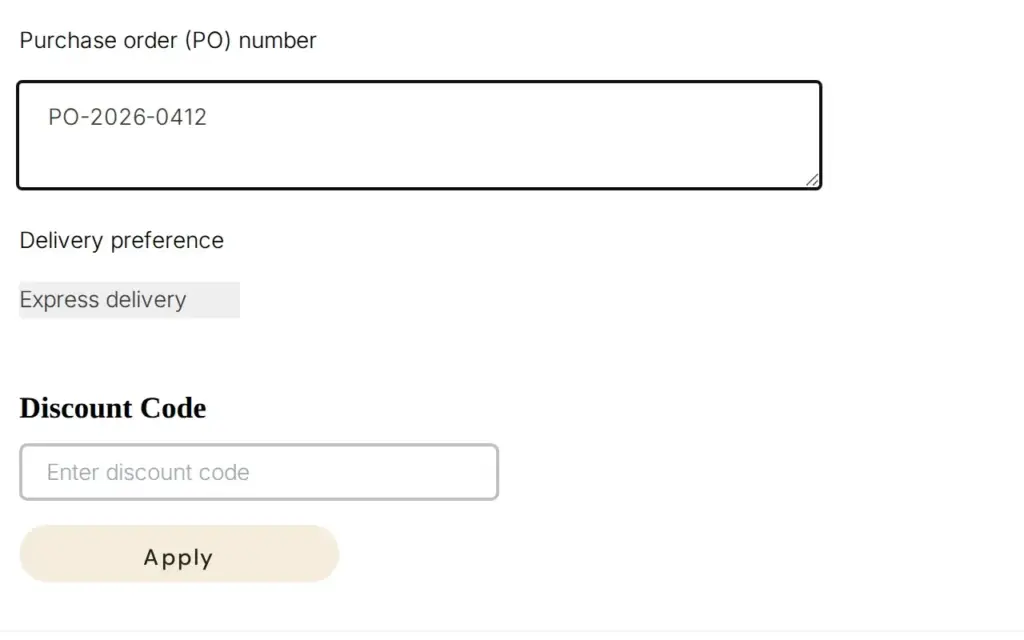
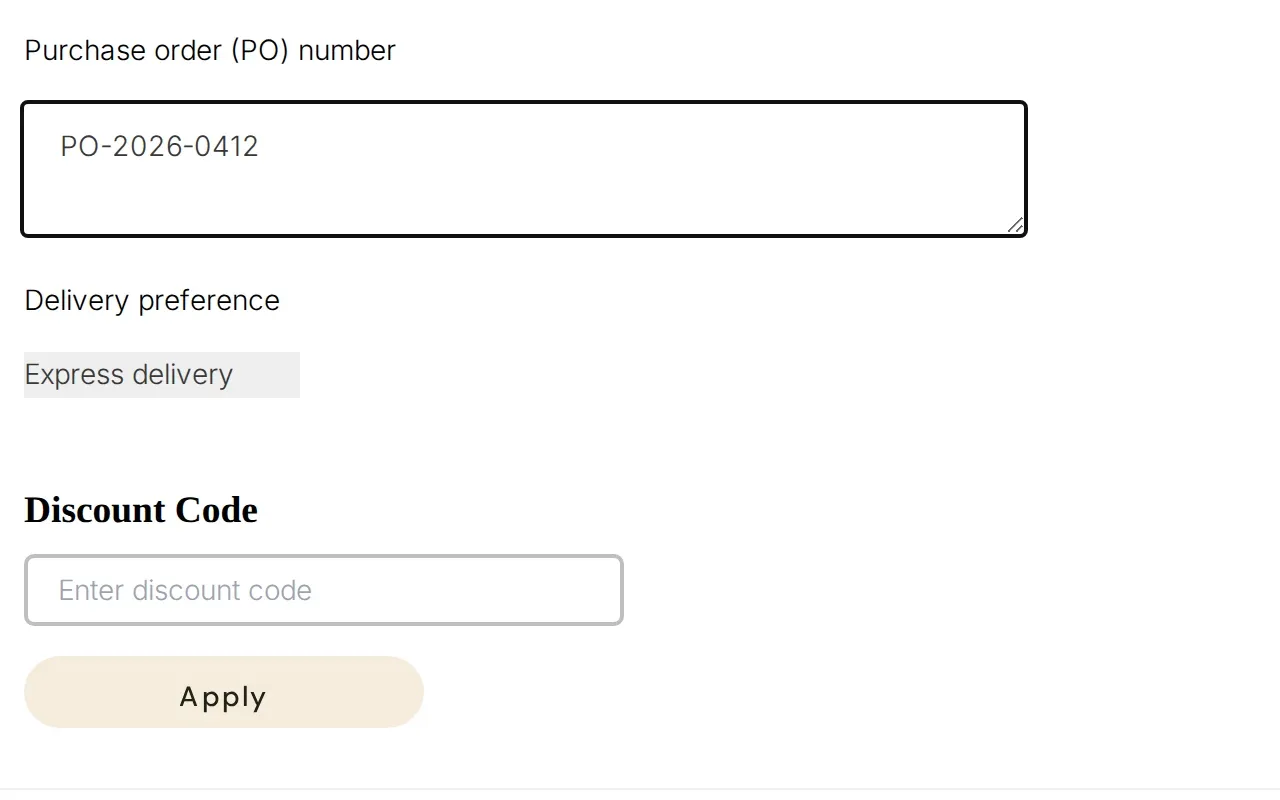
Add a PO number, delivery preference or other field to the cart page and save each answer as an order attribute your accounting team can read, using Orders Custom Fields in BSS B2B Solution.
Explore use case: Collect PO Numbers and Order Notes From Business Buyers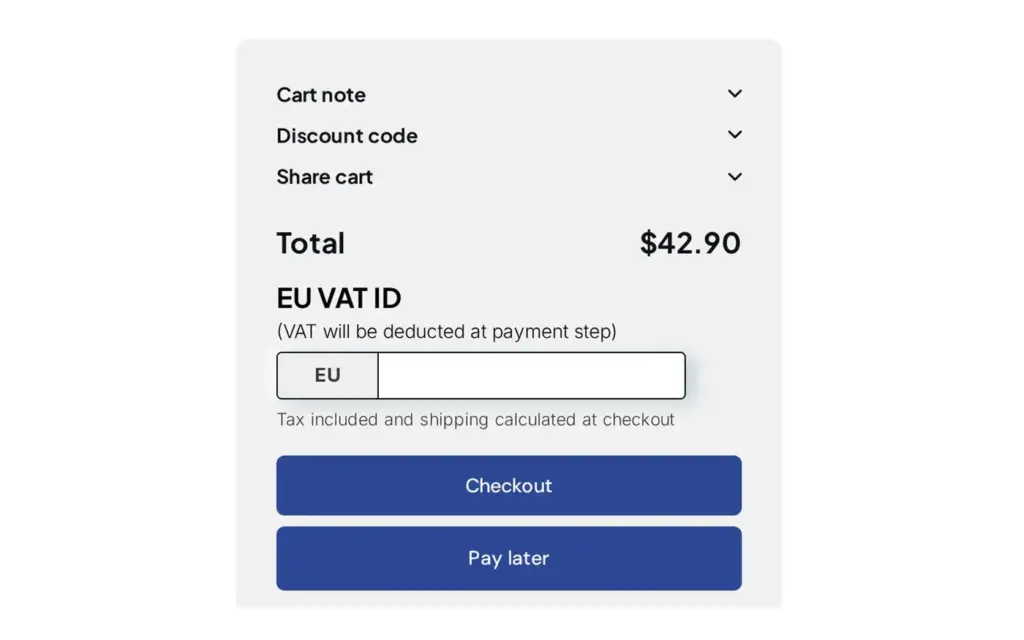
Offer Net 7, 15, 30, 60 or 90 payment terms with a Pay later button in the cart and track due dates with Net Terms in BSS B2B Solution for Shopify.
Explore use case: Offer Net 30 and Other Payment Terms to Wholesale Buyers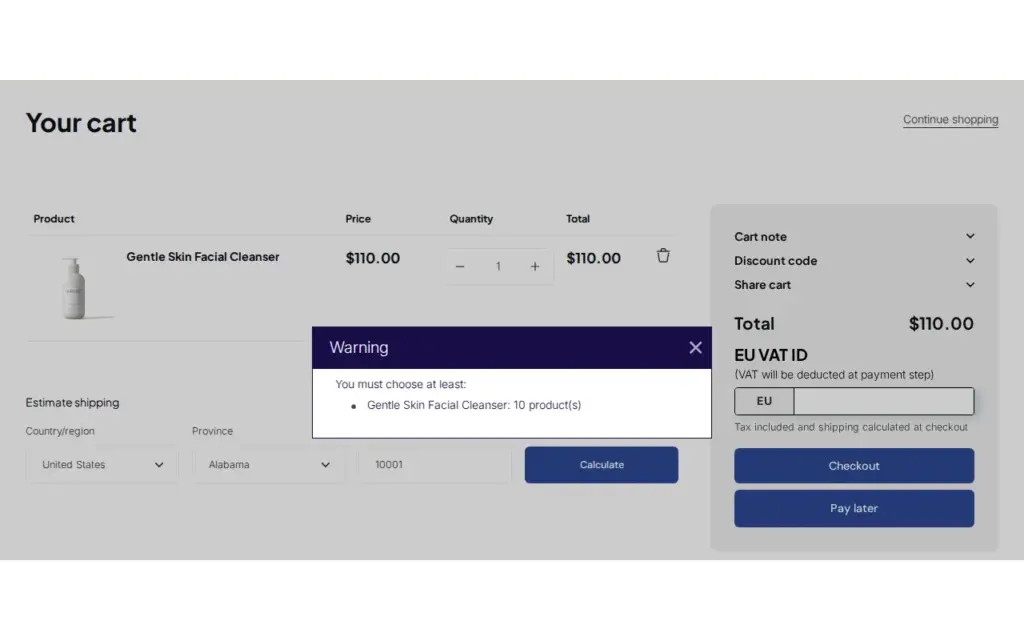
Set minimum or maximum order quantity or amount per product, customer group or cart and warn buyers at the cart with BSS B2B Solution for Shopify.
Explore use case: Enforce Minimum Order Quantity and Value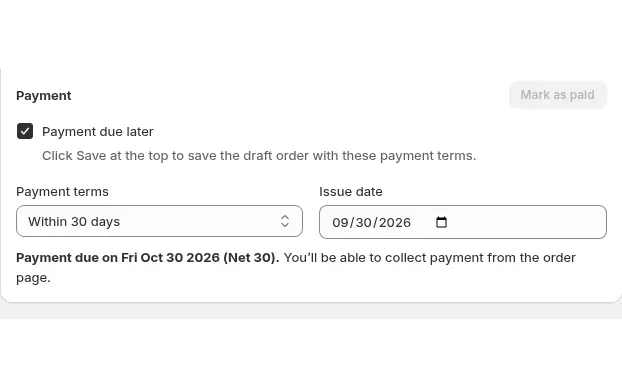
Build draft orders in the Shopify admin with each buyer's custom prices, volume tiers, net terms and tax status applied using Manual Orders in BSS B2B Solution.
Explore use case: Place Orders on Behalf of Customers
Sell wholesale products in fixed multiples such as cases of 6 or 12, with a clear step on product and cart pages, using Quantity Increments in BSS B2B Solution for Shopify.
Explore use case: Sell in Case Packs and MultiplesSet minimums, case packs and net terms by customer tag, so the right rules apply to the right buyers.
Shopify's native quantity rules set a minimum, maximum and increment per variant in a catalog. In BSS B2B Solution, Order Limits set a minimum or maximum amount or quantity for chosen customers. The app embed must be on, and a direct checkout link skips them.
MOQ is a minimum number of units. MOV is a minimum order total. A store can use either or both, for example at least 12 units of an item and at least $250 per order.
A case pack is a product sold in fixed multiples. Shopify's increment quantity rule does this, and so does the Quantity Increments module in BSS B2B Solution, which allows quantities such as 6, 12 or 18.
Yes. Native payment terms, including Net 30, are on Basic, Grow, Advanced and Plus. BSS B2B Solution's Net Terms serve buyers identified by tag on the Advanced plan and up.
No. Shopify says payments are not captured automatically when payment terms expire. You charge a saved card or record a manual payment, and orders show as overdue.
Shopify's payment terms page describes no credit limit, and BSS B2B Solution has none. A Net Terms rule can set a cart minimum or maximum, but that is not a credit limit.
Shopify re-validates its native quantity rules in checkout. BSS order limits run in the storefront, so a buyer who opens a direct checkout link can skip them.
Yes. PO numbers are included on all plans and can be added to draft orders. BSS B2B Solution can also add a PO number and notes field to the cart page.
Yes. Shopify draft orders let you pick a company location and send an invoice. BSS B2B Solution's Manual Orders apply the buyer's custom pricing, price list, volume pricing, discount codes, shipping rate and payment terms.
Free on development stores, and from $29 per month on paid plans with a 14-day free trial on paid plans. Order limits, increments and Net Terms need the Advanced plan or higher. Prices as of October 4, 2026.
Shopify facts come from the pages below. BSS facts follow our checks against the app. We make BSS B2B Solution, so check Shopify's pages before you buy.
Show business buyers their own prices with price lists, custom pricing and quantity breaks.
Give buyers quick order pages, CSV upload, reorder and request for quote.
Verify tax IDs, handle tax exemption and show prices with or without tax to the right buyers.
Native B2B vs apps, and how the six hubs fit together.