
Checkout lock is Plus only
The checkout lock needs a Shopify Plus store and a paid Lock plan. It is a Shopify Function that can fail open, so do not rely on it as your only safeguard.
Access control
Access control decides who can see what on your Shopify store. You can hide prices and Add to cart from guests, show wholesale collections only to tagged buyers, protect pages with a passcode, or lock the whole store. This hub covers each approach with guides, use cases and docs.
Replace the price and Add to cart with a message until the visitor logs in or meets a condition.
Glossary: Hide priceA way for a visitor to ask for access to locked content and be approved by you.
You can hide prices by editing theme code, hiding with CSS, using native B2B, or using an app. This table compares native Shopify with BSS B2B Lock.
| Need | Shopify native | BSS B2B Lock |
|---|---|---|
| Hide prices from guests | No price-hiding feature in the plan table. B2B prices are visible only to logged-in B2B customers, but your retail price stays public. Shopify points to third-party apps to lock parts of a store.[1][2][3] | A rule hides the price and Add to cart until the visitor logs in, has a tag or enters a passcode. Products stay visible.Use case: hide prices from guests |
| Wholesale-only products | Unpublish the product from the online store and other sales channels, and keep it in a B2B catalog.[4] | Lock products, variants, collections, pages, blogs or URLs by tag, login or passcode.Use case: show products to tagged customers |
| Gate the whole store | Only a dedicated B2B store can be gated to B2B customers. A blended store cannot.[5] | Lock the entire store by condition. The Free plan includes this lock.Use case: lock the store |
| Request access | The free Shopify Forms app creates a company for approval. The form is not reachable in a fully gated store.[6] | A request-access lock lets visitors ask and you approve per rule. Approval syncs through a queue, so it is not instant.Use case: request access |
Hide prices for guests on a development store before you choose a plan.
Get BSS B2B LockNumbers in brackets point to the Shopify sources below.
Yes, with a Liquid condition that checks whether the customer is logged in. It works, but every theme update can overwrite it and you maintain the code.
No. CSS only hides the price visually. It stays in the page source, so anyone can read it.
Native B2B shows B2B prices only to logged-in B2B customers, but the retail price stays public, and the Help Center points to apps for locking content.
BSS B2B Lock writes the rule into your theme's Liquid, so the price is left out when the page renders for a visitor who does not qualify. Where a theme section is not patched, check the page source.
Shopify facts in this section: [2] [3], read October 4, 2026.
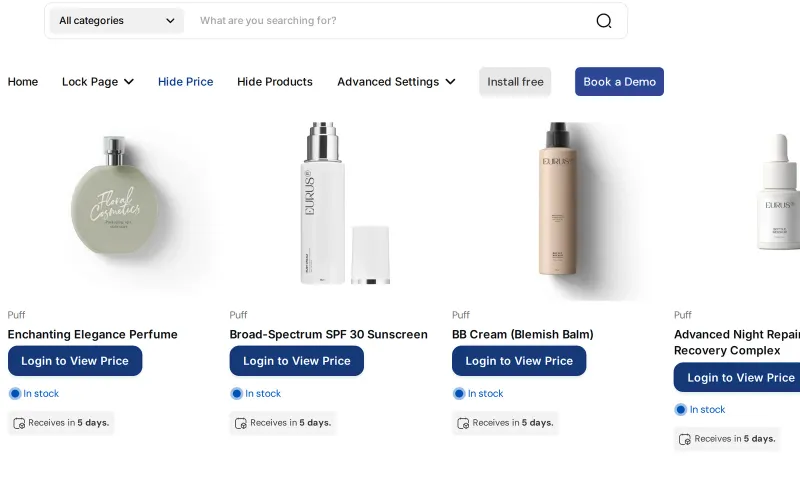
Hiding a price removes the price and Add to cart but leaves the product visible. Locking a page, product or collection hides the content from visitors who do not qualify.
Rules can admit signed-in customers, customer tags, specific customers, a passcode, a secret link or an approved access request. Conditions inside a rule must all be met, and separate rules add up as alternatives.
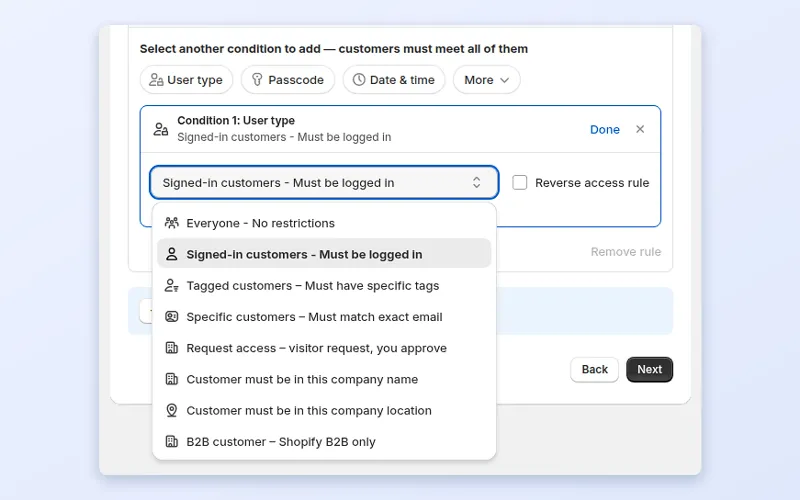
Different locks work in different ways, so match the lock to the risk.
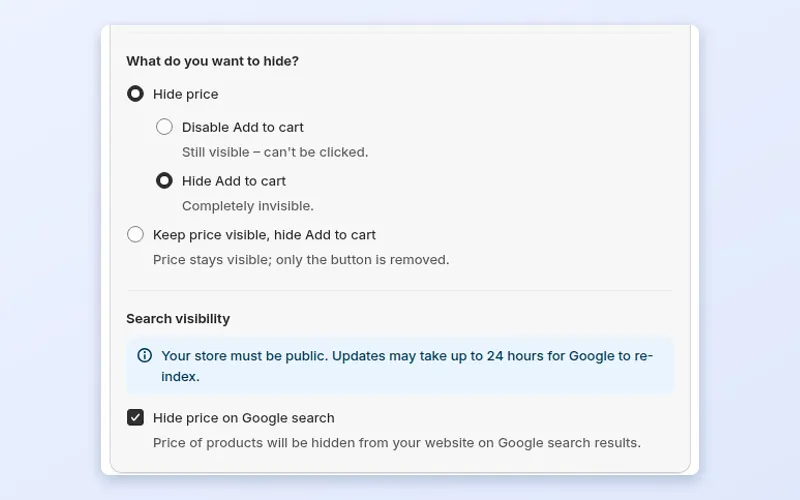
A fictional store shows products to everyone and applies two rules.
| Visitor | What they see | Rule |
|---|---|---|
| Guest | Products and photos, with Login to View Price in place of price and Add to cart. | Hide price unless signed in with the tag wholesale. |
| Retail customer, signed in, no tag | The same as a guest. | The tag is required, not just a login. |
| Buyer tagged wholesale | Prices and Add to cart, plus a collection for the tag gold. | Hide price passes. A collection lock admits the tag gold. |
Search engines are guests, so a price they would read is removed when Hide price on Google search is on. Illustrative setup.
your wholesale products can be unpublished from the online store and kept in catalogs, and showing retail prices to guests is fine.
guests must not see prices, you want passcodes, secret links or request access, or you gate collections and pages by tag.
Six steps to a lock you can test as a guest and as a buyer.
Prices and Add to cart, products, collections, pages, blogs, URLs or the whole store.
Logged-in customers, tags, a passcode, a secret link or approved requests.
Show wholesale collections only to tagged customers.
Approve a buyer in BSS B2B Solution and the tag it adds unlocks the same buyer.
Turn on Hide price on Google search where your theme can be patched.
Open a private window and check the product page and source.
Source: BSS B2B Lock: App Overview.
Hide prices for guests in minutes. BSS B2B Lock has a free plan for locking the whole store.
Locks control what visitors see. They do not stop every workaround.
The checkout lock needs a Shopify Plus store and a paid Lock plan. It is a Shopify Function that can fail open, so do not rely on it as your only safeguard.
Market, date, time and discount code conditions at checkout are coming soon.
The popup has Confirm and Exit buttons and keeps the page content in the HTML.
Anyone with the link gets in, and the link is not hidden from search by default.
The Free plan locks only the entire store. Other targets need a paid plan or trial.
Worked examples of access control on Shopify. Browse all use cases.
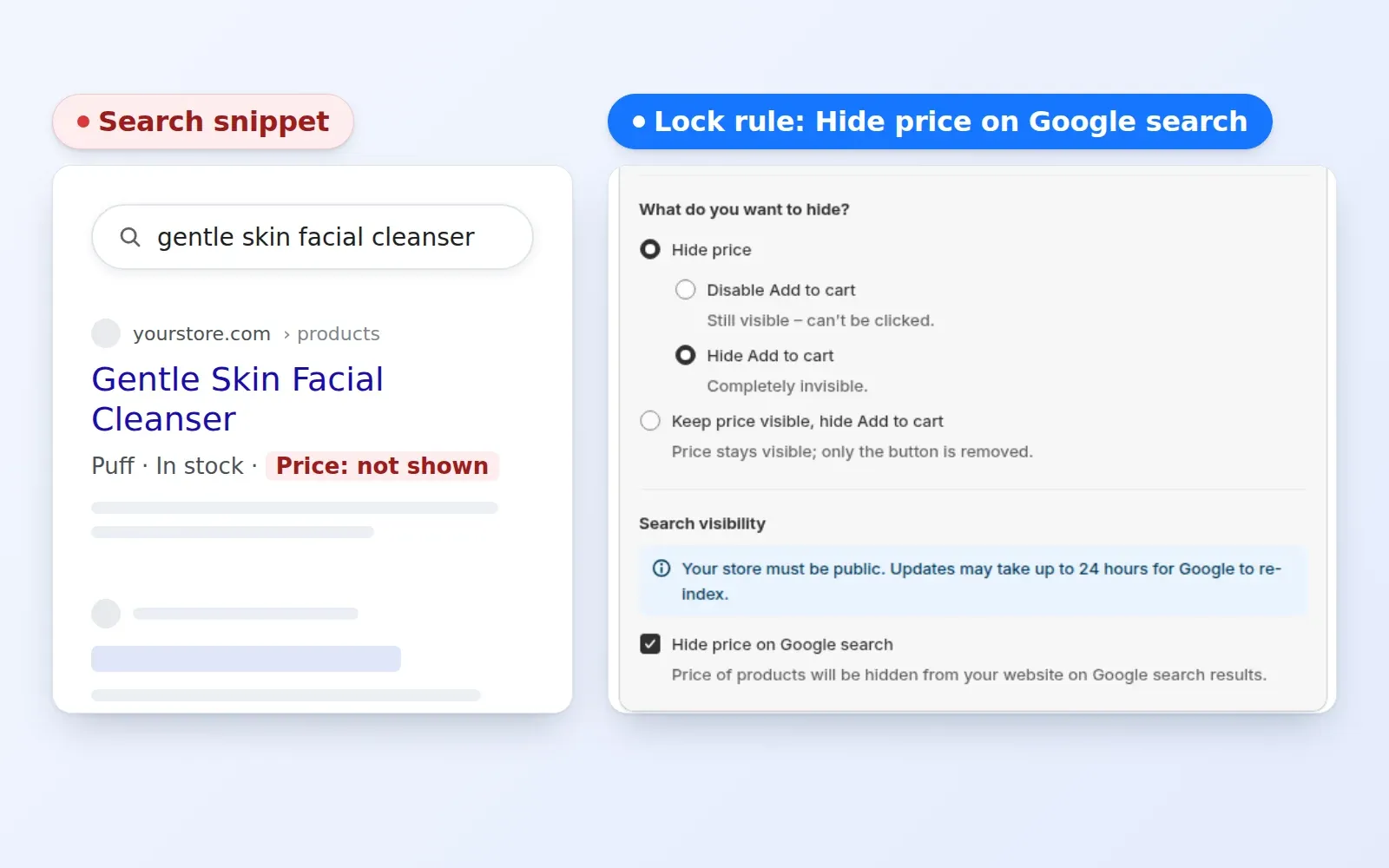
Keep your wholesale pricing private. Protecting Your Wholesale Margins by Preventing Sensitive Pricing Data from Appearing in Public Search Snippets
Explore use case: Hide Prices From Google Search Results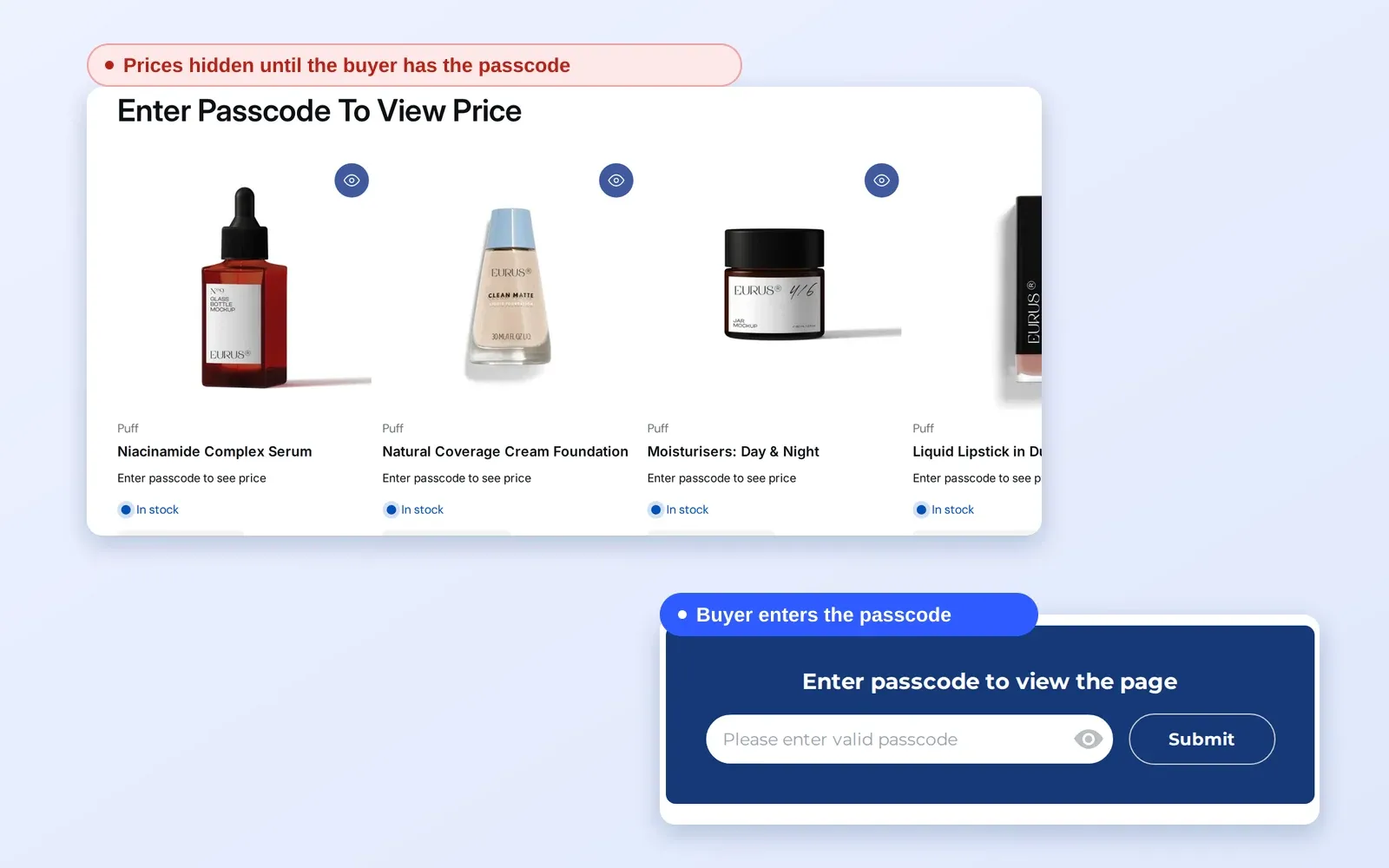
Give buyers instant passcode access to wholesale pricing and catalogs without requiring account registration. Streamlining B2B Sales by Removing Onboarding Friction and Manual Workflows
Explore use case: Give B2B Buyers Access With Passcode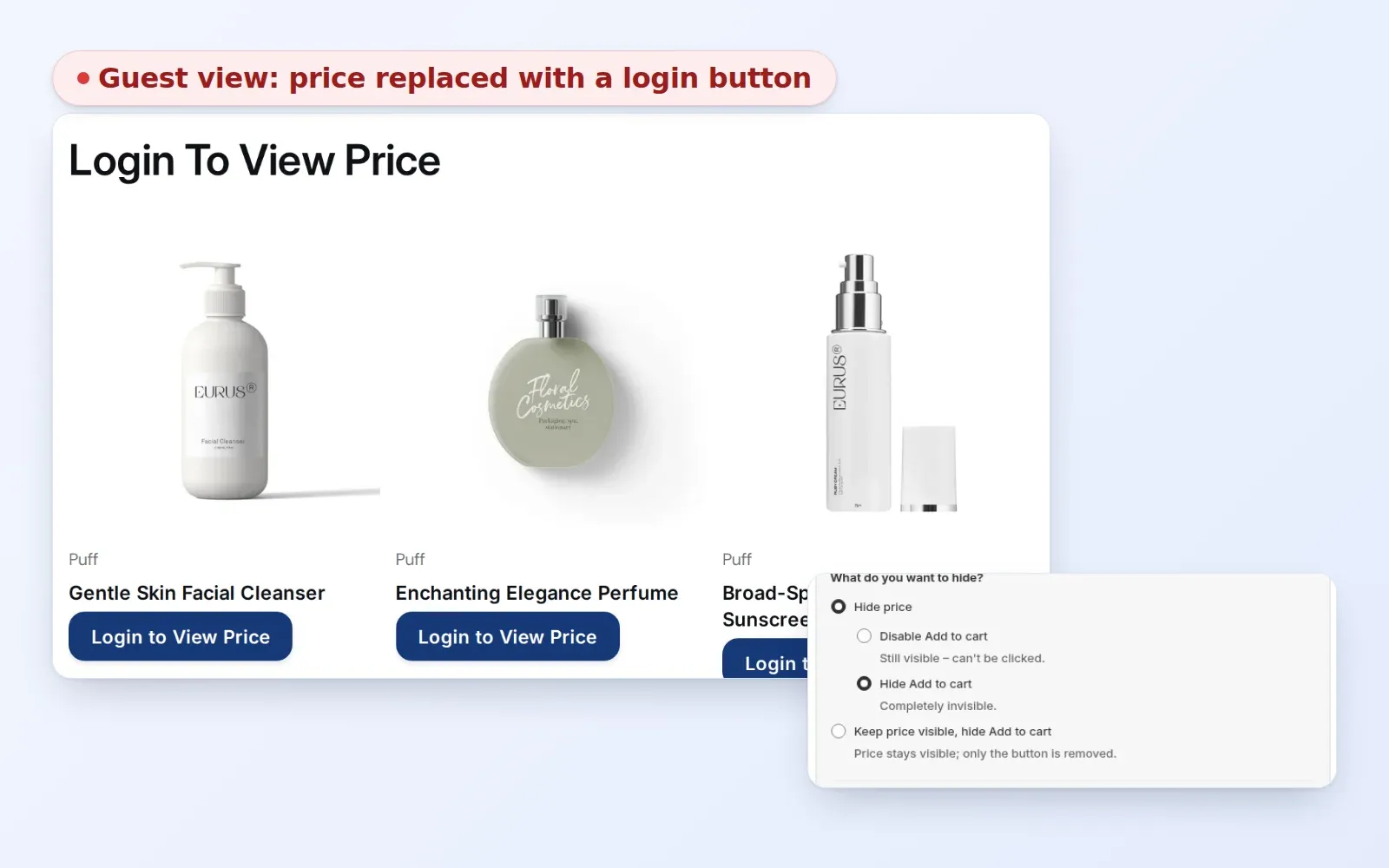
Prevent price leakage and protect your brand equity. Control visibility for guest users and unauthorized visitors with granular access control layers.
Explore use case: Hide Wholesale Prices From Guest Visitors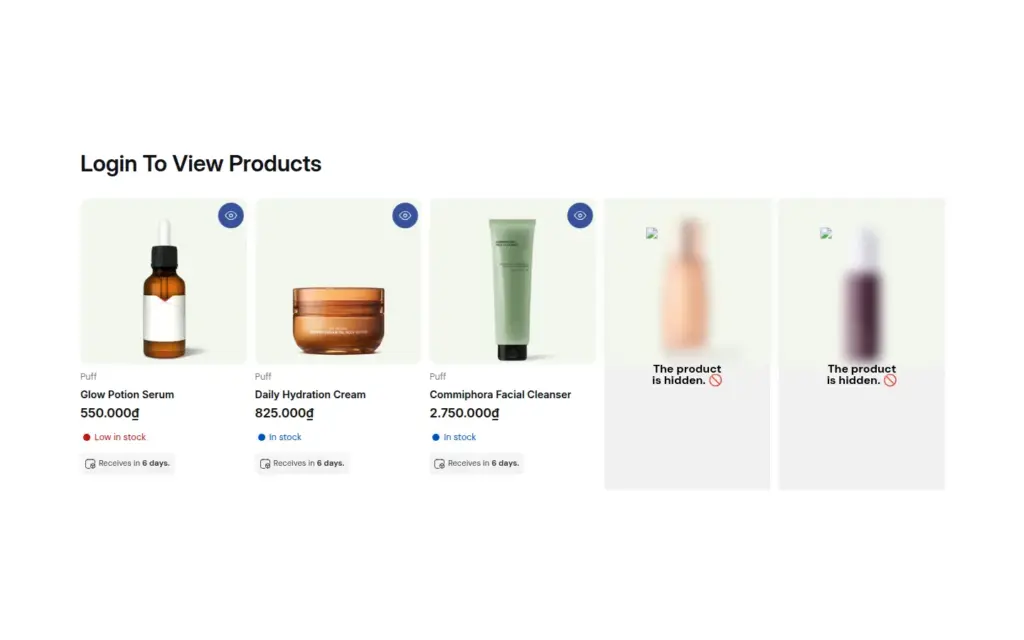
Hide wholesale collections, product cards and menu links from guests and show them to logged-in or tagged B2B customers with BSS B2B Lock, so retail and wholesale ranges share one Shopify store.
Explore use case: Hide Wholesale Collections From Guests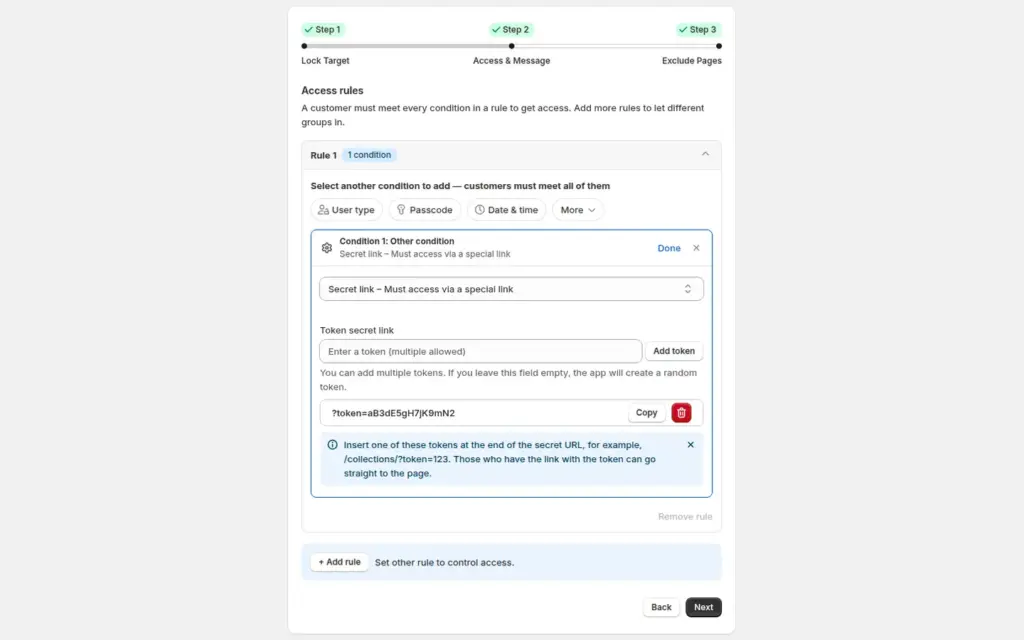
Share a line sheet, preorder or private collection only through a secret link, with no customer accounts needed, using the Secret link lock in BSS B2B Lock.
Explore use case: Share a Private Collection With a Secret Link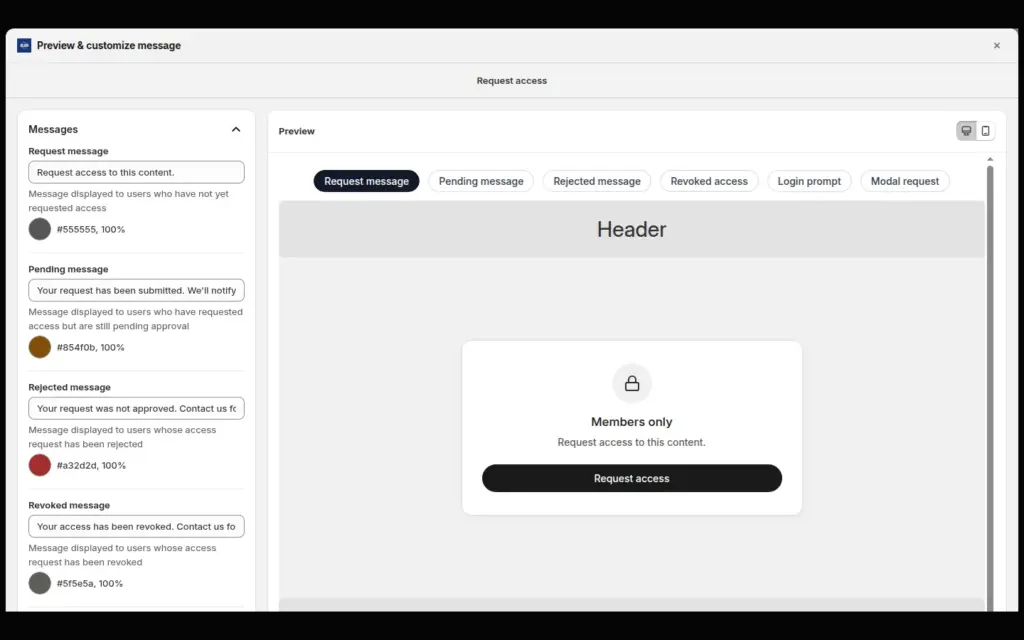
Add a Request access button to locked pages or prices so buyers can apply and you approve or reject each request, with email notices, in BSS B2B Lock.
Explore use case: Add a Request Access Button to Locked Pages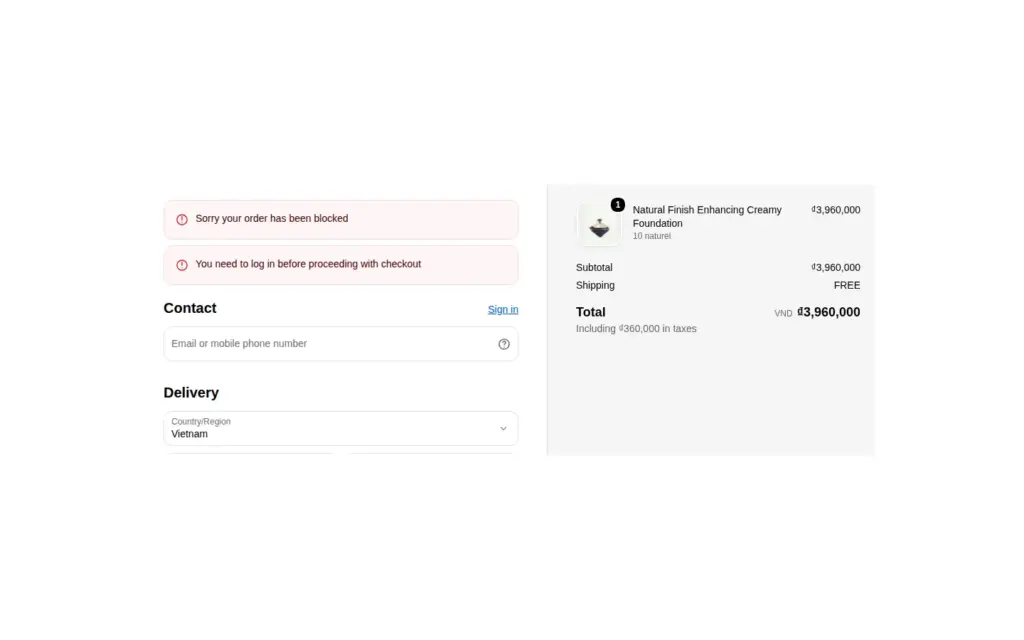
On Shopify Plus, add a checkout lock in BSS B2B Lock that holds back guests and untagged customers at checkout and shows them a clear message, as an extra layer on your storefront locks.
Explore use case: Block Checkout for Unapproved Buyers on Shopify Plus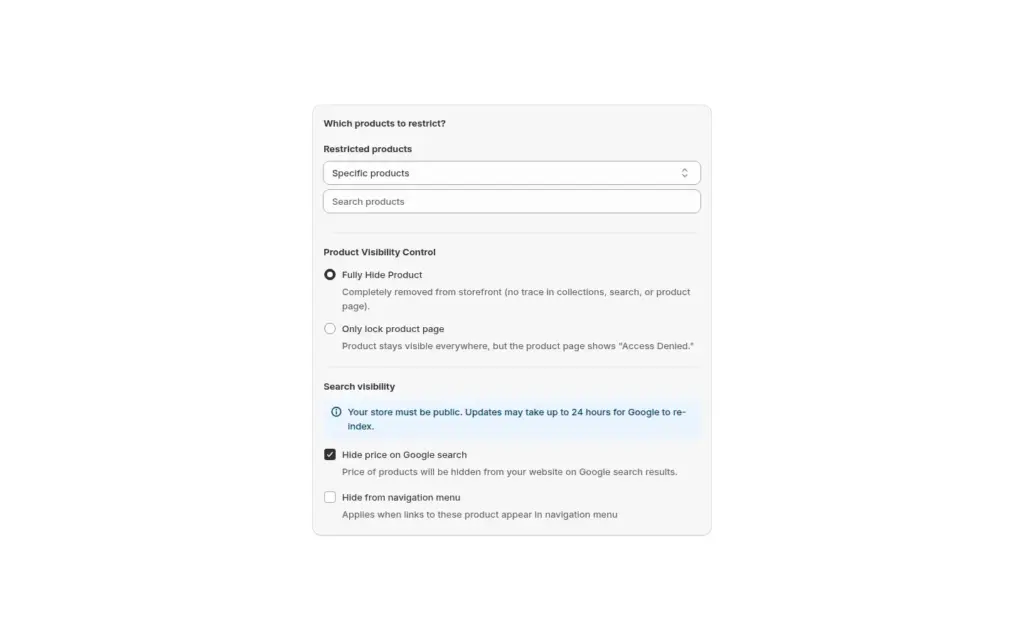
Hide professional-only or tier-only products from consumers and show them only to customers with a chosen tag using product visibility rules in BSS B2B Lock.
Explore use case: Show Specific Products Only to Tagged Customers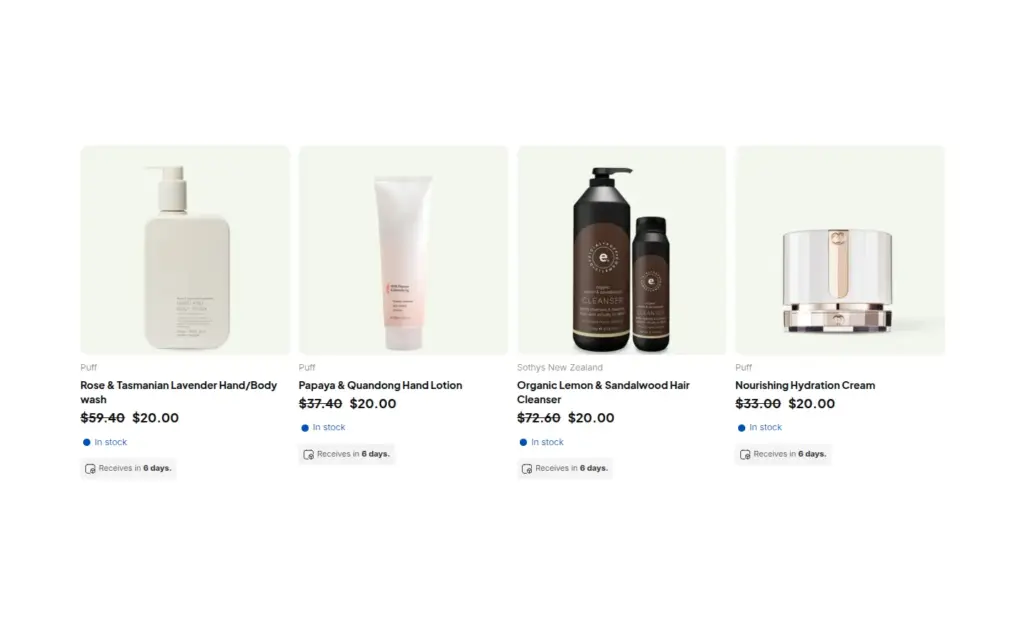
Run a wholesale-only Shopify store end to end: BSS B2B Solution registers, approves, tags and prices buyers, BSS B2B Lock unlocks the store by tag, and BSS B2B Quote handles quick order, CSV, quotes and reorder.
Explore use case: Run a B2B-Only Shopify Store With All Three Apps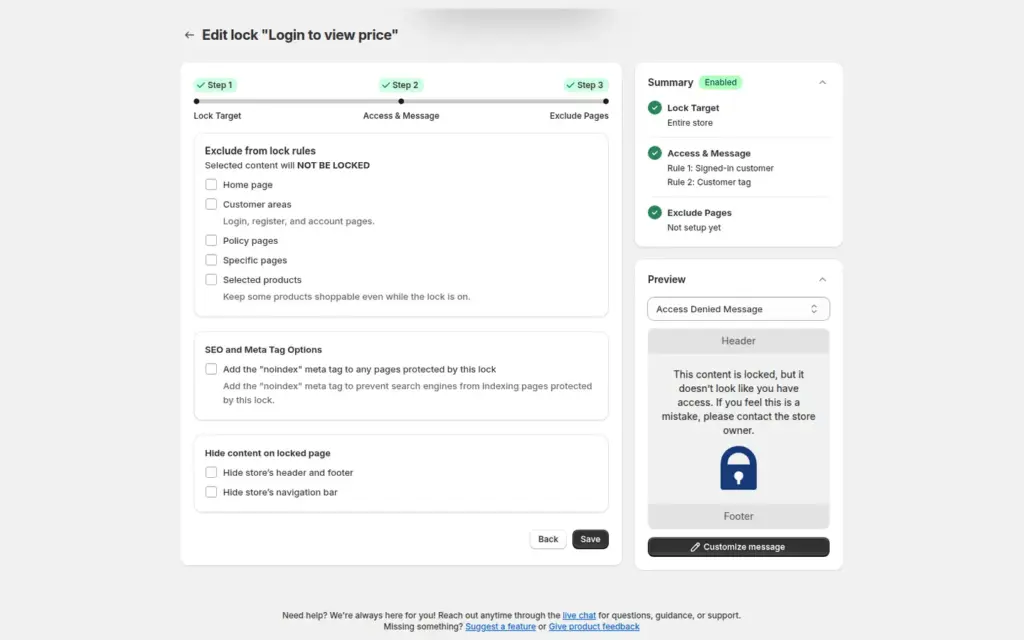
Lock your whole Shopify store so only approved, tagged wholesale customers can browse. Guests see a custom login or sign-up message with BSS B2B Lock, while approved buyers shop normally and applicants can still register.
Explore use case: Lock the Entire Store for Approved Wholesale Customers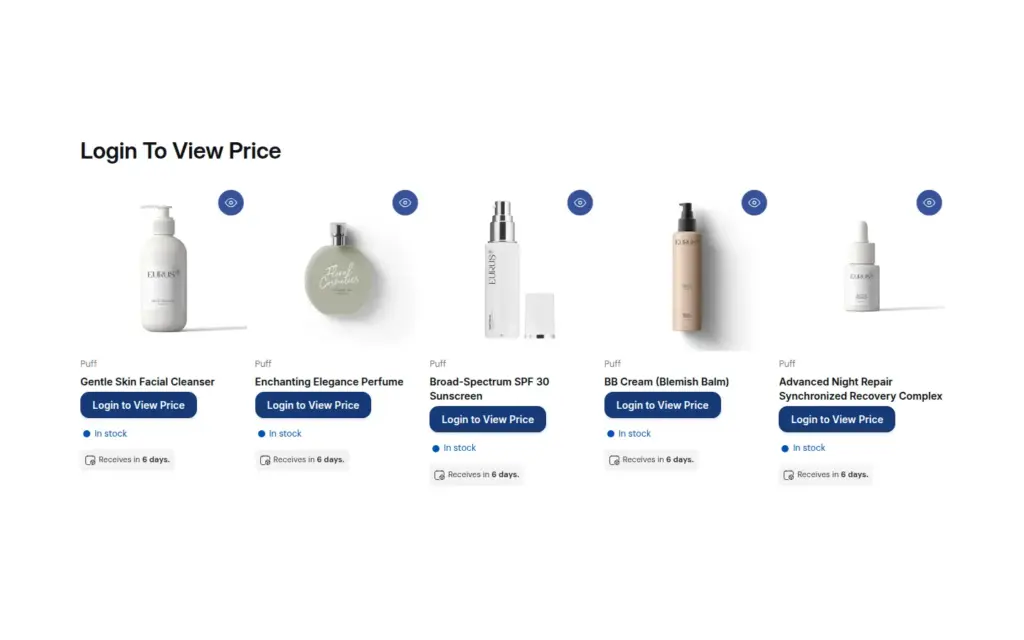
Keep the catalog visible while guests do not see prices or a working buy button on B2B-only products, with Hide price and Add to cart rules in BSS B2B Lock for Shopify.
Explore use case: Hide Add to Cart and Prices for VisitorsHide prices, gate wholesale collections and protect pages by login, tag or passcode. Use BSS B2B Solution to register and approve the buyers who unlock them.
BSS B2B Lock works best next to BSS B2B Solution, which registers and tags your buyers and sets their prices.
Create a lock rule that hides prices and Add to cart until the visitor logs in, enters a passcode or meets your conditions. With BSS B2B Lock, guests see a message of your choice in place of each price.
Shopify's plan table has no price-hiding feature. Native B2B shows B2B prices only to logged-in B2B customers, and the Help Center points to third-party apps to lock parts or all of a store.
No. CSS hides the price visually, but it stays in the page source. A lock that removes the price when the page renders is stronger, though any storefront lock only controls what visitors see.
Hiding a price removes the price and the Add to cart button but leaves the product visible. Locking a page, product or collection hides the content itself from visitors who do not qualify.
Yes. A passcode lets a buyer unlock prices or pages without registering. For tighter control, use login and customer tags.
A customer tag links them. BSS B2B Solution registers and approves the buyer and adds the tag, and BSS B2B Lock rules that target the same tag unlock prices, collections or pages for that buyer.
BSS B2B Lock has a Hide price on Google search option that replaces the price in the structured data Google reads. It depends on your theme and does not cover Merchant Center feeds, so check the result.
It has paid plans for Basic, Grow, Advanced and Plus stores, and a free plan that locks the whole store. The checkout lock is for Shopify Plus stores on paid plans.
There is a free plan, and paid plans start at $9.99 per month with a 7-day free trial on paid plans. Paid tiers follow your Shopify plan. Prices are from the App Store listing as of October 4, 2026.
Shopify facts come from the pages below. BSS facts follow our checks against the app. We make BSS B2B Lock, so check Shopify's pages before you buy.
Turn applicants into approved wholesale buyers with registration forms, approval and customer tags.
Show business buyers their own prices with price lists, custom pricing and quantity breaks.
Give buyers quick order pages, CSV upload, reorder and request for quote.
Native B2B vs apps, and how the six hubs fit together.