
CSV adds to the cart
Uploaded rows go to the cart, not straight to checkout.
Quick order and RFQ
Wholesale buyers rarely browse one product at a time. A quick order page lets them enter many SKUs and quantities at once, and a request for quote lets them ask for a price before they buy. This hub covers quick order, CSV import, reorder and quote workflows for Shopify, with guides and docs.
A compact order page where buyers add many products and variants in one go.
Glossary: Quick order formUploading a spreadsheet of SKUs and quantities instead of typing each line.
The buyer asks for a price on a list of products, and the seller answers with a quote.
Glossary: Request for quote (RFQ)A Shopify order the merchant creates by hand, which can be invoiced and turned into a real order.
Glossary: Draft orderShopify covers the basics of ordering. BSS B2B Quote adds bulk ordering and a full quote workflow.
| Requirement | Shopify native B2B | BSS B2B Quote |
|---|---|---|
| Quick order | A quick order list is included on all four plans. Shopify's tutorial describes a product page section, supported on free themes version 11.0.0 or later.[1][2] | A Quick Order page for Online Store 2.0 themes: search, filters, per-row quantity and Add to cart. Access by login, customer tag or specific customer.Use case: standard quick order |
| CSV order upload | Shopify's checklist lists order upload via CSV as a third-party app use case.[3] | Upload CSV or XLSX. Duplicate SKUs are summed, invalid SKUs are listed, and valid rows go to the cart.Use case: CSV bulk order |
| Variant table | The quick order list is a table of variants on the product page, where buyers set a quantity for each.[2] | A product page variant table block adds many sizes and colors to the cart or to a quote at once. Business plan and up.Use case: variant table |
| Reorder | Easy reorders are included on all plans.[1] | A reorder page for logged-in buyers creates a draft order at current prices. Growth plan and up.Use case: reorder page |
| Request for quote | No quote feature in the plan table. The checklist lists quoting workflows as a third-party app use case. Draft orders allow custom line prices and invoices.[1][3][4] | Guests can request a quote. You edit price, shipping and expiry, and send a proposal. A logged-in buyer approves and the app creates a draft order and invoice.Use case: quote to draft order |
Try quick order and quotes on a development store, where BSS B2B Quote is free.
Get BSS B2B QuoteNumbers in brackets point to the Shopify sources below.
A quick order form is an order page for buyers who know what they want. They search, enter quantities for many products and variants, and add everything to the cart at once.
For buyers who are not in native Shopify companies, Quick Order and the quote cart use BSS B2B Solution prices: quantity breaks, custom prices and quantity increments. Set the prices there and they carry over.
Shopify facts in this section: [2], read October 4, 2026.
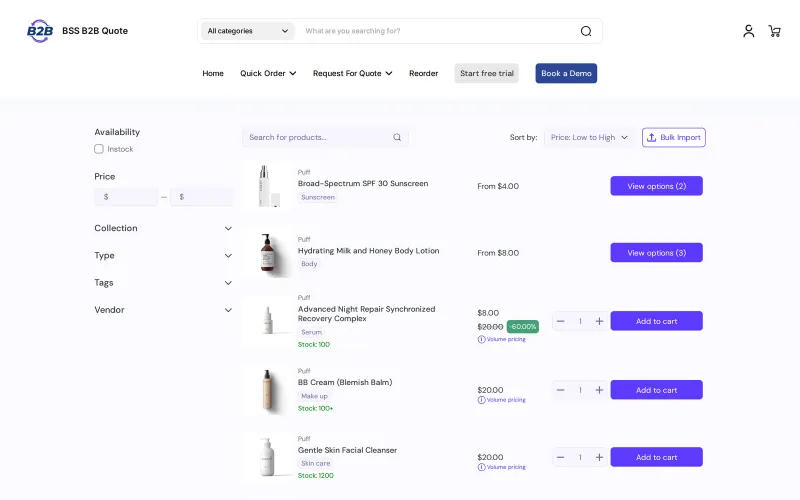
CSV, XLSX and XLS files. The app reads the first sheet and matches common SKU and quantity headers. Rows with a zero quantity are skipped, duplicate SKUs are added together, and valid rows are added to the cart, not sent straight to checkout.
Unknown SKUs are listed in a banner while valid SKUs still go to the cart. Out-of-stock variants are removed, and the buyer sees a message about it.
Logged-in buyers repeat a past order from a reorder page. The app creates a draft order with the same variants and quantities at current prices.
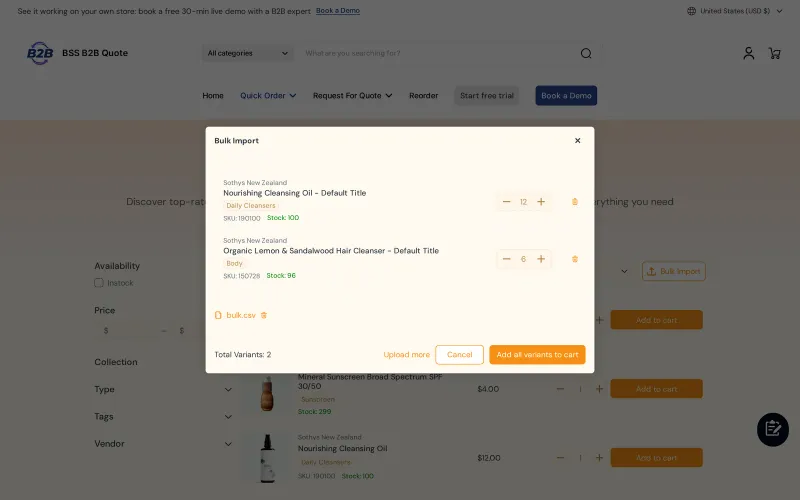
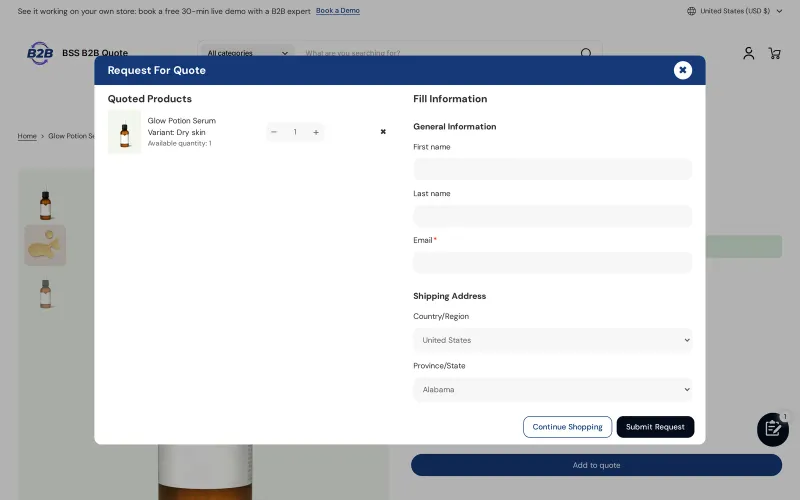
A visitor adds products to a quote and submits the form. You edit unit prices, shipping and expiry and send a proposal, or auto-send one. The logged-in buyer approves from the email, and the app creates a draft order and sends the invoice.
Yes. You can create a quote in the admin for a customer, then edit and send it like any other.
Yes to both. Guests can submit a quote, and you can hide the price and Add to cart for quoted products. Approving from the email link needs a logged-in buyer.
A fictional buyer uploads four rows, then asks for a better price on a bulk item.
| Input | What the app does | Result |
|---|---|---|
| CSV rows: SKU-100 x 12, SKU-200 x 6, SKU-100 x 6, SKU-999 x 4 | Adds duplicate SKUs together and flags the unknown SKU. | Cart: SKU-100 x 18, SKU-200 x 6. SKU-999 is listed as not found. |
| Quote for 200 units at $10.00 | You change the unit price to $8.50 and add $40.00 shipping. | Proposal: $1,740.00. |
| Buyer approves from the email | The app creates a draft order and sends the invoice. | The buyer pays through the invoice link. |
Illustrative numbers. The quote total is 200 x $8.50 plus $40.00.
buyers order a few variants per product, you quote by creating draft orders yourself, and you do not need CSV upload.
buyers order by SKU list or spreadsheet, you want self-service reorder, or you want buyers to request quotes and approve proposals.
Six steps to ordering and quotes you can test.
Choose who can see it and which products it lists.
Buyers upload a file, review a summary and add rows to the cart.
Show a table of sizes and colors on product pages.
Give repeat buyers a reorder page.
Add the quote button, or hide the price and Add to cart.
Auto-send proposals and let buyers approve from the email.
Source: Quick Order overview.
Try quick order and quotes on a development store. BSS B2B Quote is free there.
Check these before you promise buyers a flow.
Uploaded rows go to the cart, not straight to checkout.
The Quick Order page and variant table are theme sections, so a legacy theme needs an upgrade.
A quote from a guest can still get a proposal and an invoice from you, but the approve link needs a logged-in buyer.
There is no separate discount field on a quote.
Reorder starts on Growth and the variant table on Business. Growth allows 100 quotes, and Business and up are unlimited.
Worked examples of quick order and rfq on Shopify. Browse all use cases.
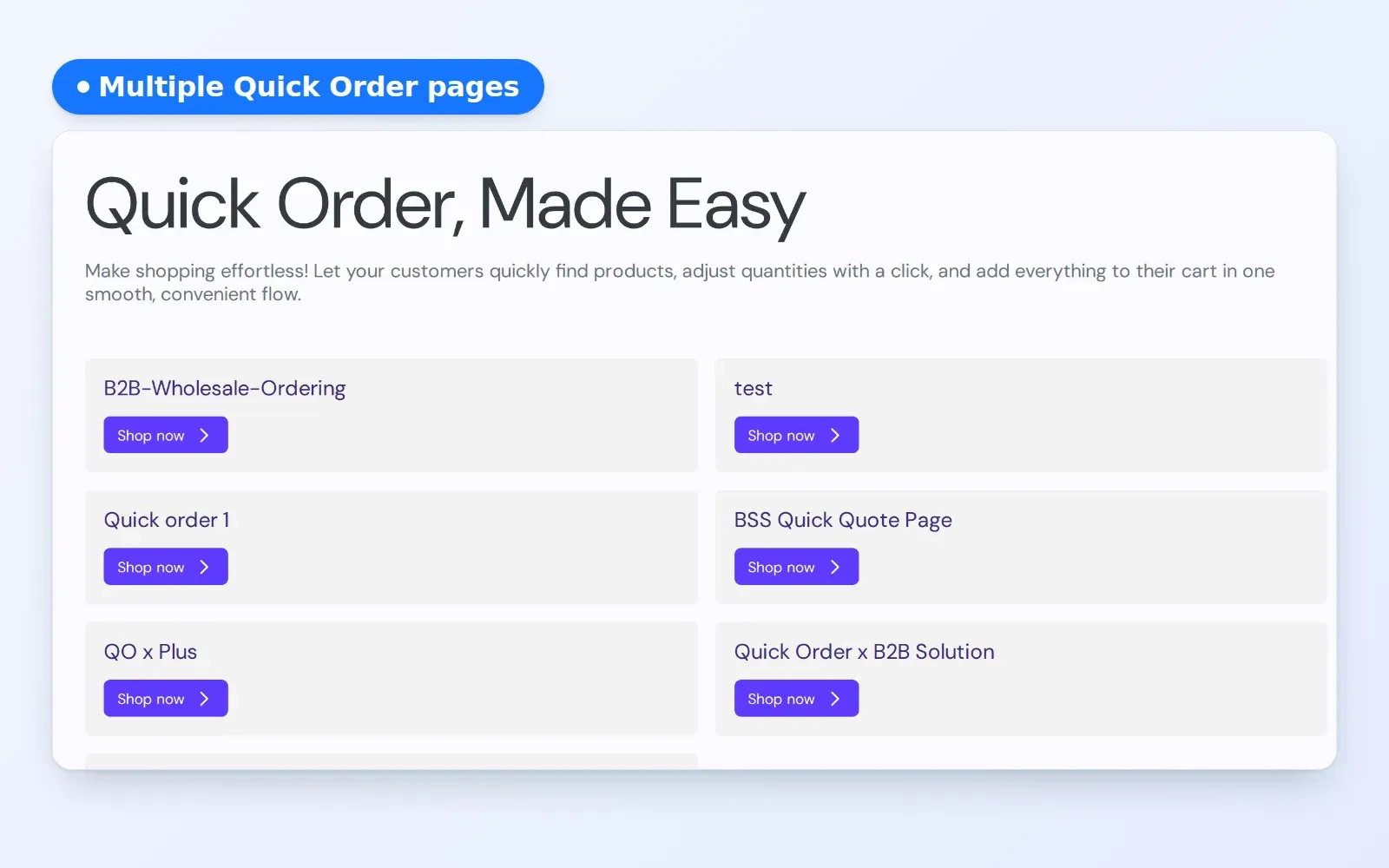
Create secure, curated quick order pages tailored for specific B2B projects, VIP accounts, and long-term contracts.
Explore use case: Personalized Quick Order Pages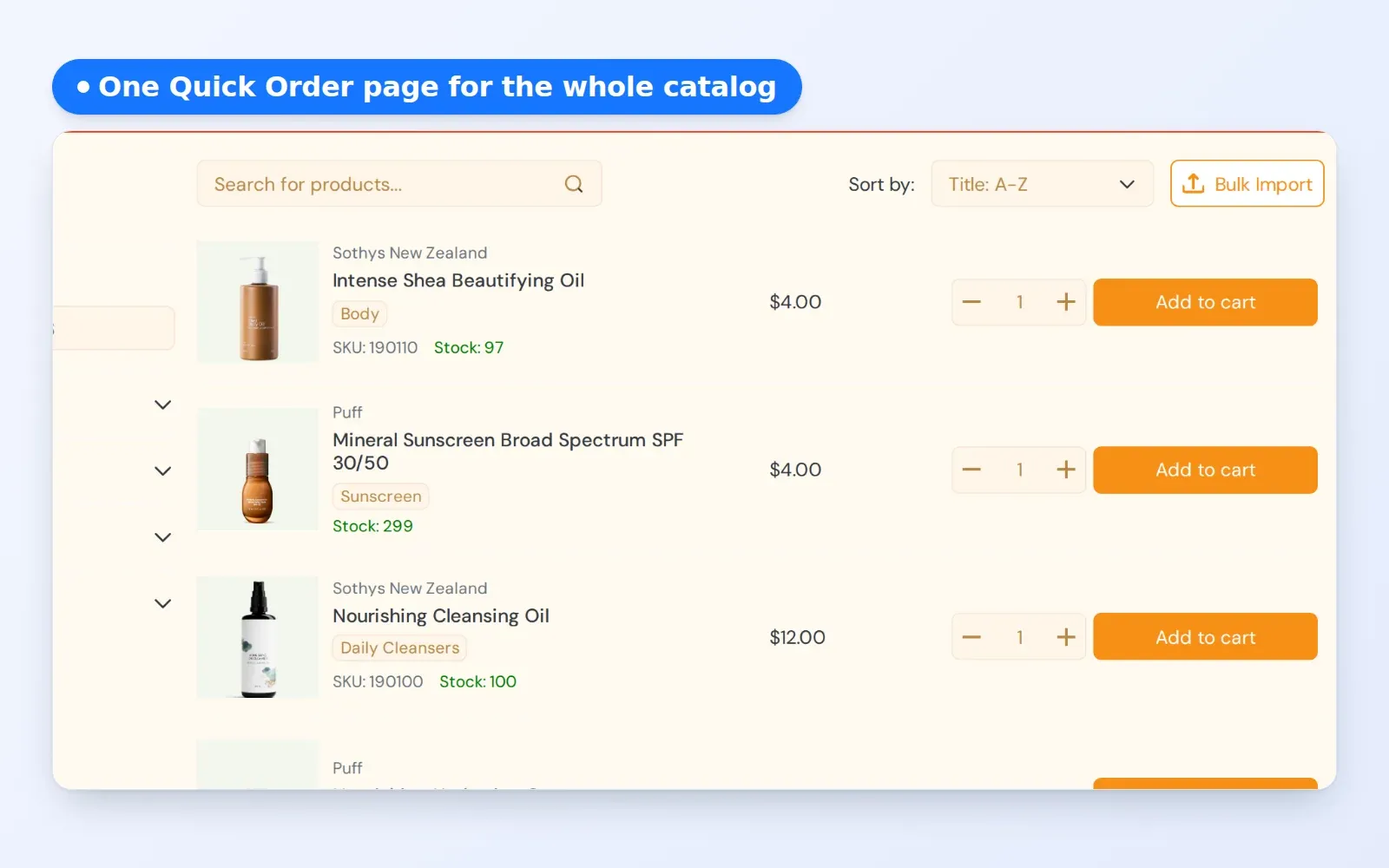
Speed up your B2B customer buying experience. Let professional buyers search, filter, and add hundreds of items to their cart from a single page.
Explore use case: Standard Quick Order Pages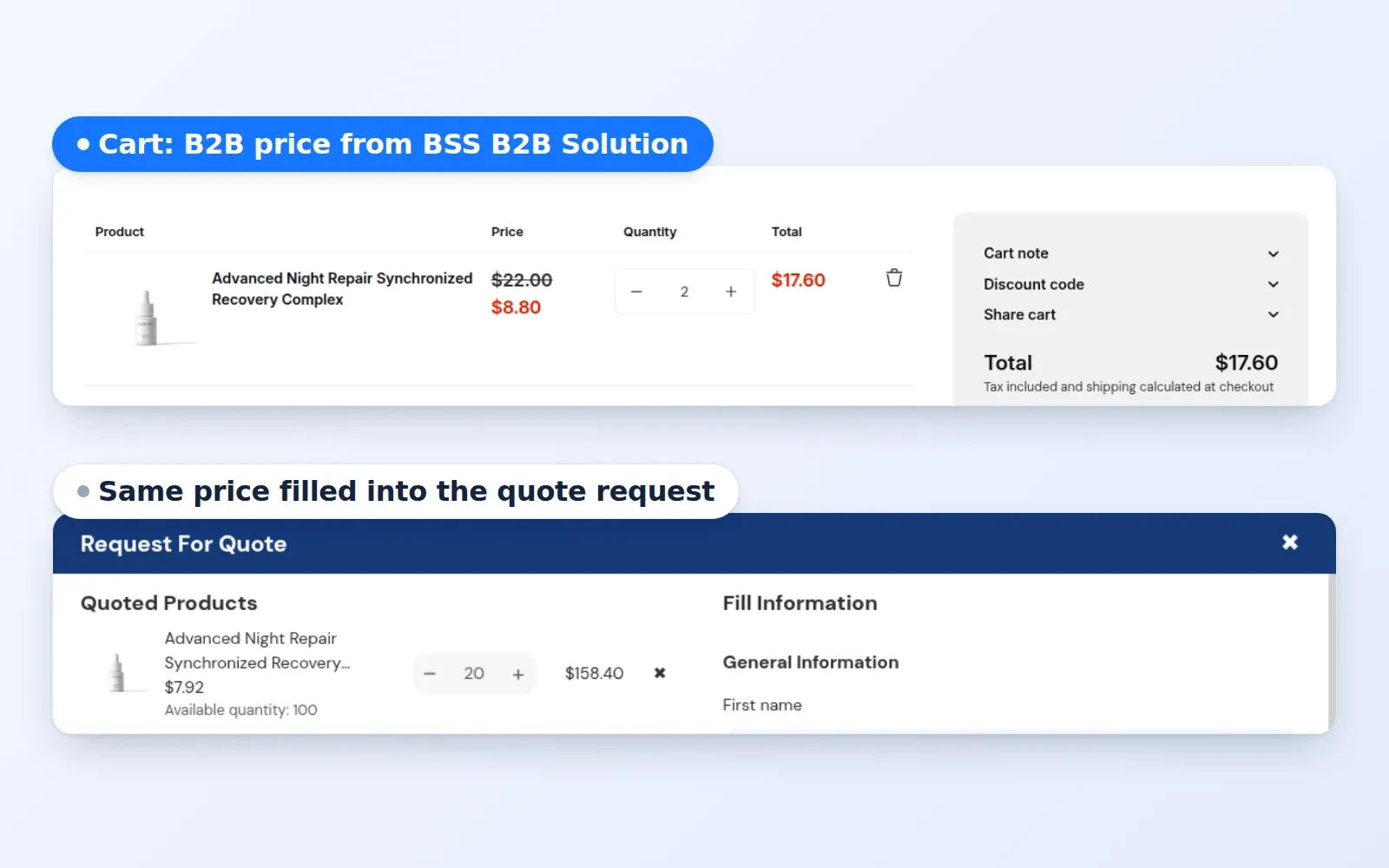
Automatically fill pre-defined B2B pricing logic into quote management dashboard. Eliminate manual entry for every line item in a quote request.
Explore use case: Automated B2B Quote Pricing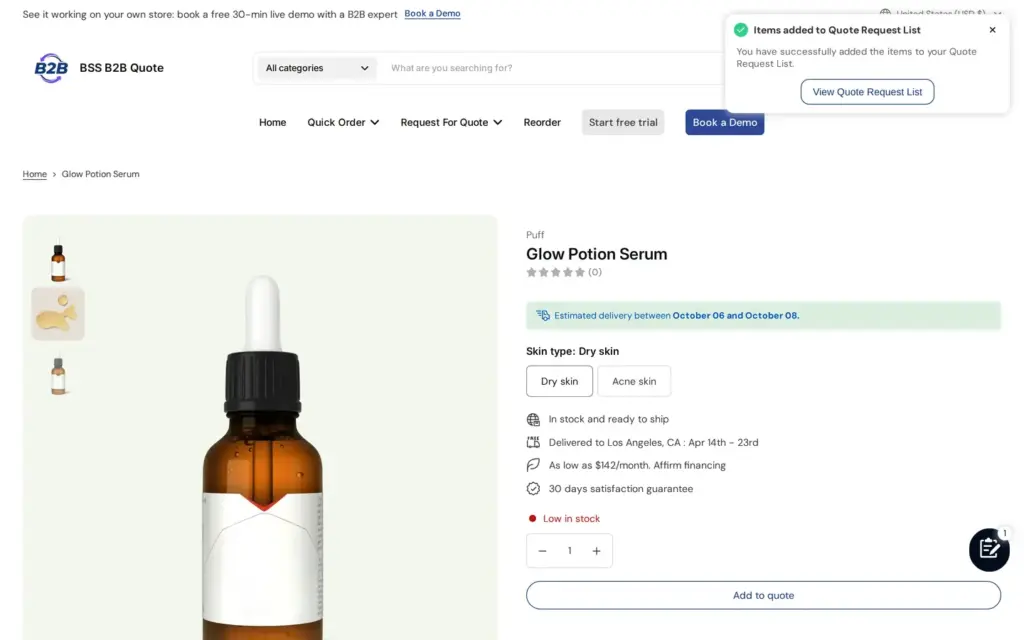
Replace the public price and Add to cart on custom or high-value products with an Add to quote button and a quote form, so buyers ask for a price instead of buying, using BSS B2B Quote.
Explore use case: Add a Request a Quote Button and Hide the Price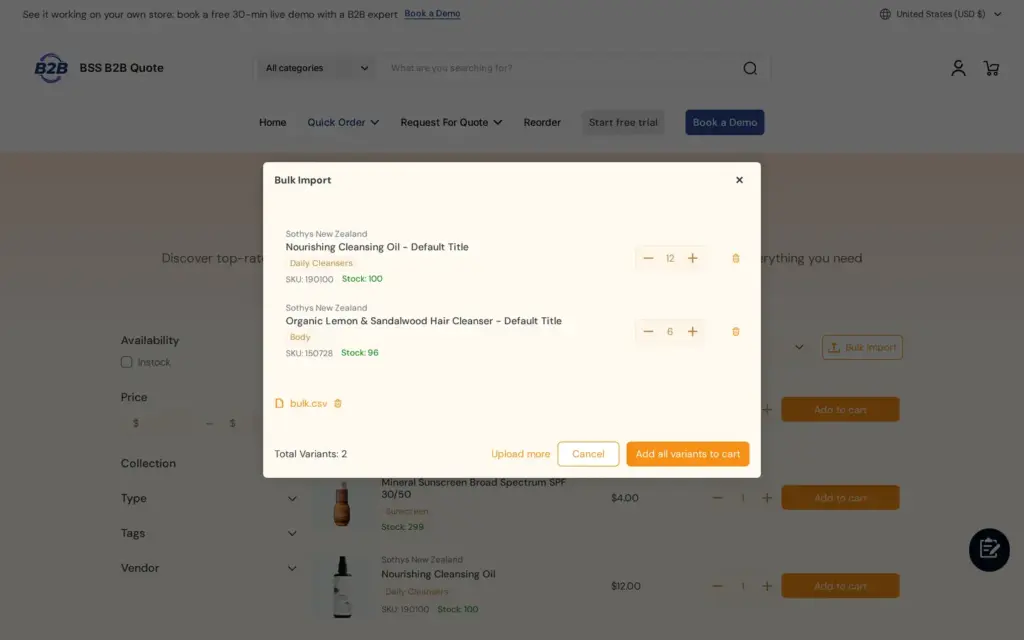
Let repeat buyers upload a CSV, XLS or XLSX file of SKUs and quantities on the Quick Order page and add the whole list to the cart, instead of retyping spreadsheet orders, with BSS B2B Quote.
Explore use case: Bulk Order by CSV Upload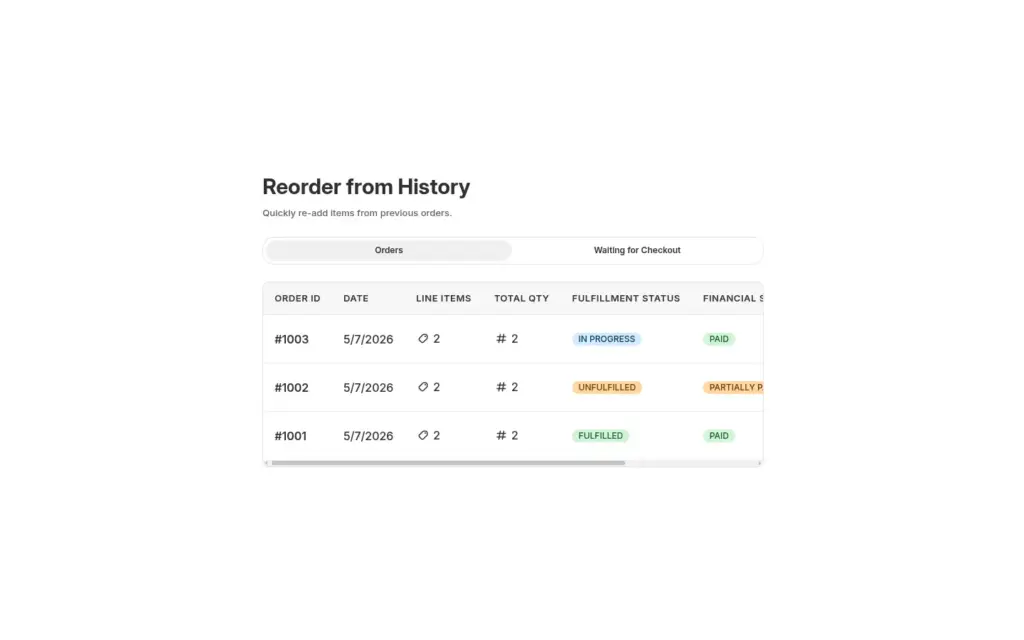
Give logged-in restaurants and retailers a Reorder page where they repeat a past order from their history, edit quantities in a review window and place it as a draft order, with BSS B2B Quote.
Explore use case: Reorder Page for Repeat Wholesale Buyers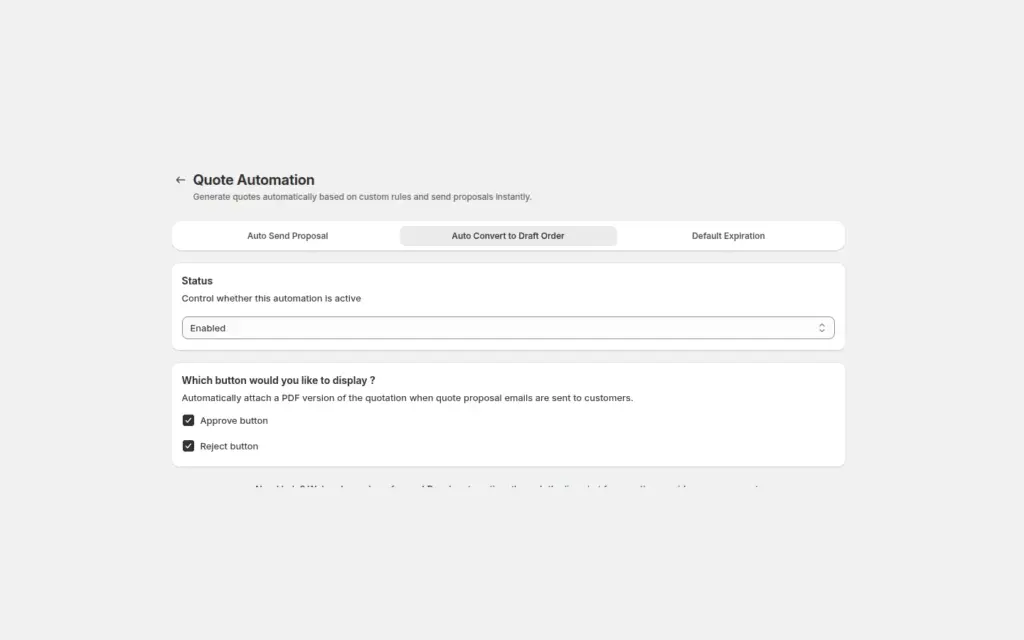
Send a proposal email with Approve and Reject buttons, and when a logged-in buyer approves, BSS B2B Quote converts the quote into a Shopify draft order and emails the invoice, with no manual order entry.
Explore use case: Approve a Quote and Turn It Into a Draft Order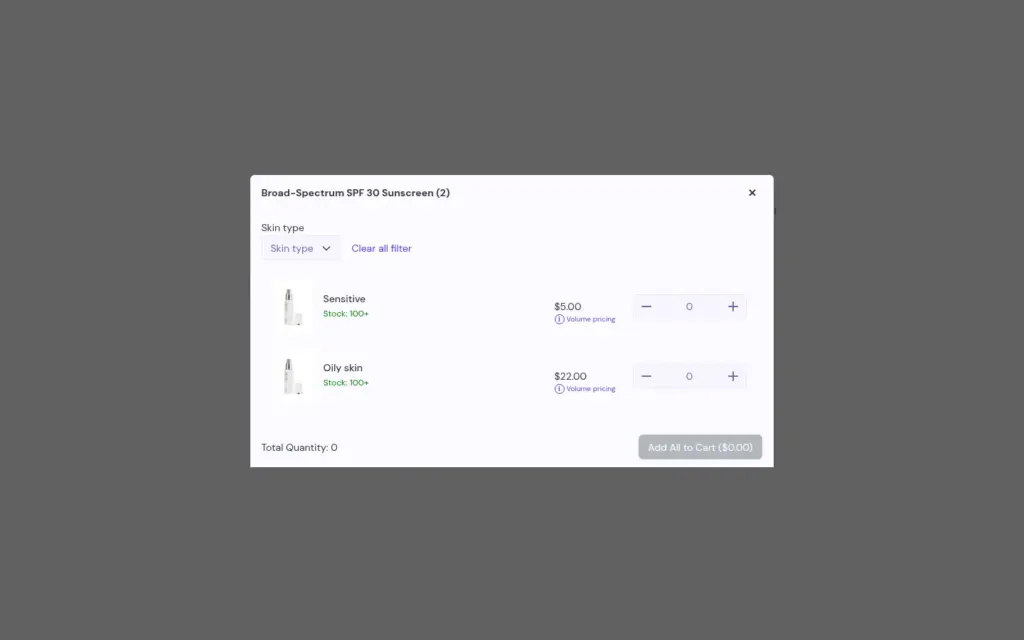
Let fashion buyers enter quantities for every size and color in one table on the product page and add or quote them all in one action, using the Variant Table block in BSS B2B Quote.
Explore use case: Variant Matrix Order Form on the Product PageQuick order pages, CSV import, reorder and request for quote in one app. Pair it with BSS B2B Solution so buyers order at their wholesale prices.
BSS B2B Quote works best next to BSS B2B Solution, which registers and tags your buyers and sets their prices.
A quick order form is an order page built for buyers who already know what they want. They search for products, enter quantities for many products and variants, and add everything to the cart at once. In BSS B2B Quote this is the Quick Order module.
Yes. A quick order list is included on Basic, Grow, Advanced and Plus. Shopify's tutorial describes a product page section for free themes version 11.0.0 or later, or code for custom themes. CSV upload is a third-party app use case.
Yes. BSS B2B Quote accepts CSV, XLSX and XLS files. Buyers review a summary with editable quantities, then add the items to the cart. Duplicate SKUs are added together.
Shopify's plan table has no quote feature. With BSS B2B Quote the buyer adds products to a quote request, you edit the price and send a proposal, and the buyer approves. The app then creates a draft order and sends the invoice.
Yes. Guests can submit a quote and you can send them a proposal. Approving from the email link needs a logged-in buyer.
Yes. In BSS B2B Quote you can hide the price and the Add to cart button for quoted products, or keep the price and offer both options.
For customers who do not use Shopify's native B2B, Quick Order and the quote cart use BSS B2B Solution pricing: quantity breaks, custom prices and quantity increments. Set prices in BSS B2B Solution and they carry into quick order.
Logged-in buyers repeat a past order from a reorder page. BSS B2B Quote creates a draft order with the same items at current prices. Reorder is available from the Growth plan.
It is a block on the product page that lists every variant with a quantity box, so buyers can add many sizes and colors at once. In BSS B2B Quote it is available on the Business plan and up.
Free on development stores, and from $19 per month on paid plans with a 14-day free trial on paid plans. Prices are from the App Store listing as of October 4, 2026.
Shopify facts come from the pages below. BSS facts follow our checks against the app. We make BSS B2B Quote, so check Shopify's pages before you buy.
Show business buyers their own prices with price lists, custom pricing and quantity breaks.
Set minimum orders, case packs and net payment terms for wholesale buyers.
Hide prices from guests, gate wholesale catalogs and protect pages with passcodes.
Native B2B vs apps, and how the six hubs fit together.