
Not enforced at the checkout URL
Tax Exempt, Net Terms and Order Limits work through the cart page or Buy it now. A direct link to checkout skips them, so keep a manual check for high-value orders.
Solutions: for finance teams
A finance team in a Shopify B2B store handles four jobs: payment terms, tax-exempt buyers and their tax IDs, invoicing through draft orders, and order limits. BSS B2B Solution covers each with a module: Net Terms, Tax Exempt with live tax ID checks, Manual Orders and order limits. This page maps each job to the module and states what each module does not do, so you can decide what stays a manual check.
Each row names the job, the BSS module that does the work, and the page that owns the full how-to.
| Job | What finance needs | BSS feature | Start here |
|---|---|---|---|
| Offer payment terms | Net 30 or other terms for approved buyers only | Net Terms in BSS B2B Solution | Offer Net 30 payment terms on Shopify |
| Collect and check tax IDs | VAT, EIN, ABN or GST numbers at signup | Tax ID fields in the registration form | Verify a business tax ID before approving |
| Remove tax for exempt buyers | Tax-free orders for eligible businesses | Tax Exempt, on the cart page | Shopify tax exempt for B2B customers in the EU |
| Show prices with or without tax | Net prices for business buyers | Tax Display | Show prices excluding VAT to business buyers |
| Invoice orders | A draft order with terms, then an invoice | Manual Orders, Net Terms and quote approval | Order rules and terms hub |
| Cap order size | Minimum or maximum amount or quantity | Order Limits and Quantity Increments | Set a minimum order quantity for wholesale |
| Collect PO numbers | A purchase order reference on each order | Order Custom Fields | Collect PO numbers and order notes |
This page describes product behavior. It is not tax or legal advice, so confirm your invoicing and exemption rules with your tax adviser.
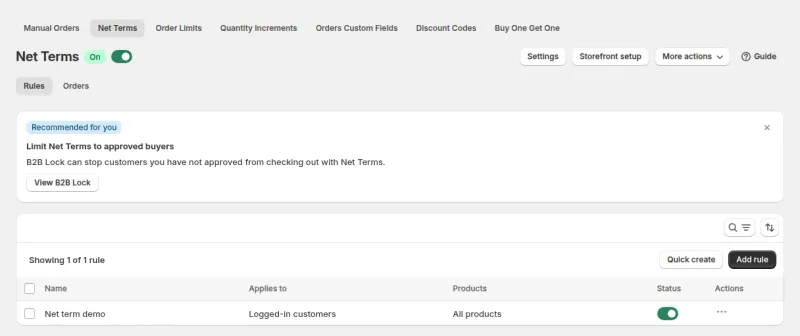
Shopify's native B2B already offers payment terms on every plan. BSS B2B Solution Net Terms adds targeting: a rule gives terms to logged-in customers, specific customers or customers with a tag, and guests are excluded. A rule can offer due on receipt, due on fulfillment, Net 7, 15, 30, 60 and 90, a specific day of the month, custom days, weeks or months, end of month, end of month plus days, and end of next month. Net 45 is not in the Net Terms module. It exists in Manual Orders.
When a buyer chooses to pay later, the app creates a Shopify draft order with the payment terms attached. By default your team reviews that draft order, and the customer and the admin each get a notification email. A setting can complete the order straight away instead. Shopify does not capture payment automatically when the terms expire, so you collect from the admin.
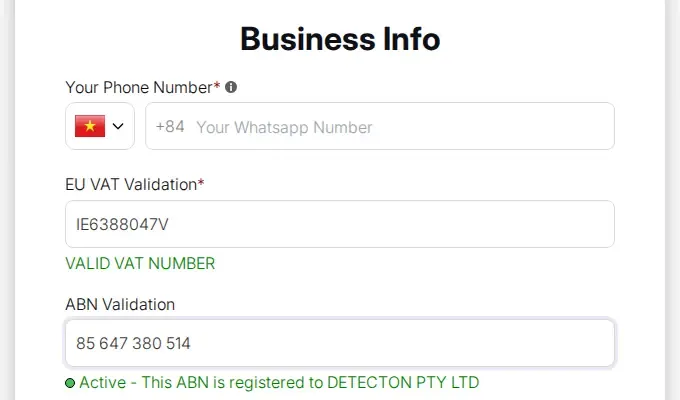
The registration form can hold tax ID fields for EU VAT, UK VAT, US EIN, Australian ABN and India GST. The number is checked live as the applicant types: EU VAT against the VIES service, UK VAT against HMRC, the US EIN and India GST through lookup services, and the ABN against the Australian register, where the status must be Active. A bad number blocks the submit only when you mark the field required.
The check happens in the browser at the moment of entry. The server does not repeat it when the form is submitted, and we found no tax ID check when registrations are imported. For approvals, treat a green tick as a screening result and keep your own check for the numbers that matter. The US EIN field needs the Platinum plan.
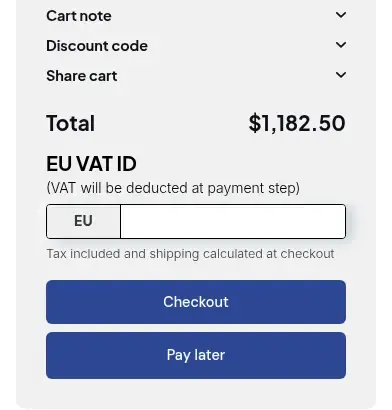
Tax Exempt puts a tax ID box on the cart page, or a form on the product page for Buy it now. When the buyer enters a valid number, the app creates a Shopify draft order marked tax exempt. It writes the ID into the order note and an order attribute, and can add an order tag you choose. Tax Display, which shows prices with or without tax, is a separate display setting: checkout does not use it.
The box is not in Shopify checkout. A buyer who opens the checkout URL directly never meets it and is taxed as normal. If the app's checkout request fails, the buyer is sent to plain checkout and taxed. With the require-a-valid-ID option off, a buyer can check out without a valid number. We do not describe EU reverse charge handling, so check how your invoices must read.
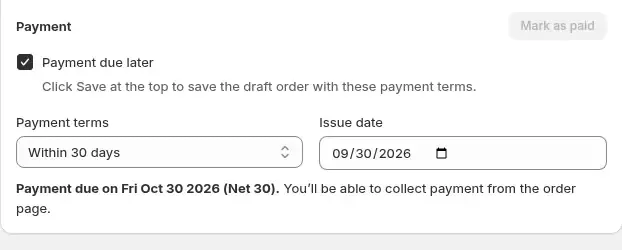
Three BSS flows create a Shopify draft order, and you send Shopify's own invoice from it. Net Terms creates one when a buyer pays later. Manual Orders creates one when a rep builds the order, with payment terms of due on receipt, Net 7, 15, 30, 45, 60 or 90, custom days or a fixed date. Quote approval creates one when a logged-in customer approves a proposal, and the invoice is emailed straight away. Net Terms orders can be exported with their terms and due status.
If buyers on terms also use quotes, test that flow end to end. The app does not set payment terms on a draft order it creates from a quote.
Order Limits sets a minimum or maximum amount or quantity. A rule can target customers, products and markets, and amounts use the B2B price converted at the Shopify currency rate. The limit level (variant, product or all products in the order) is one global setting, not a per-rule choice.
The check runs in the storefront script on the cart page and on Buy it now. There is no cart validation function behind it, and a shopper who goes straight to a checkout URL can skip it. If a limit must hold at checkout, a BSS B2B Lock checkout rule on a Shopify Plus store can block checkout by subtotal or the number of cart lines, and it fails open if the function errors.
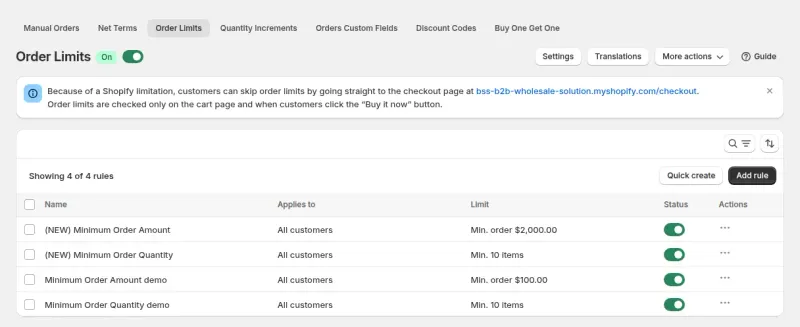
Tax Exempt, Net Terms and Order Limits work through the cart page or Buy it now. A direct link to checkout skips them, so keep a manual check for high-value orders.
The app has no credit limit and no Net 45 in the Net Terms module. Net terms are payment schedules, not credit decisions.
The live check runs in the browser. The server does not validate again on submit, and we found no tax ID check when registrations are imported.
Multi-Currency and Tax Display change what a buyer sees. Checkout stays in the store currency or the Markets currency, and does not use Tax Display.
Each use case shows one setup with screenshots and the rules to create. Browse all use cases.
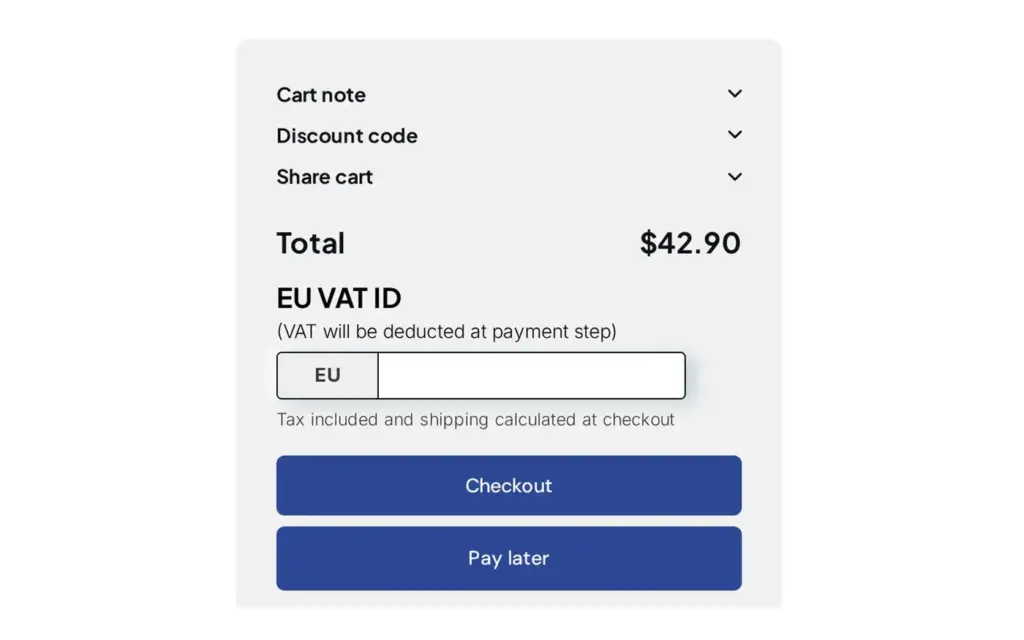
Offer Net 7, 15, 30, 60 or 90 payment terms with a Pay later button in the cart and track due dates with Net Terms in BSS B2B Solution for Shopify.
Explore use case: Offer Net 30 and Other Payment Terms to Wholesale Buyers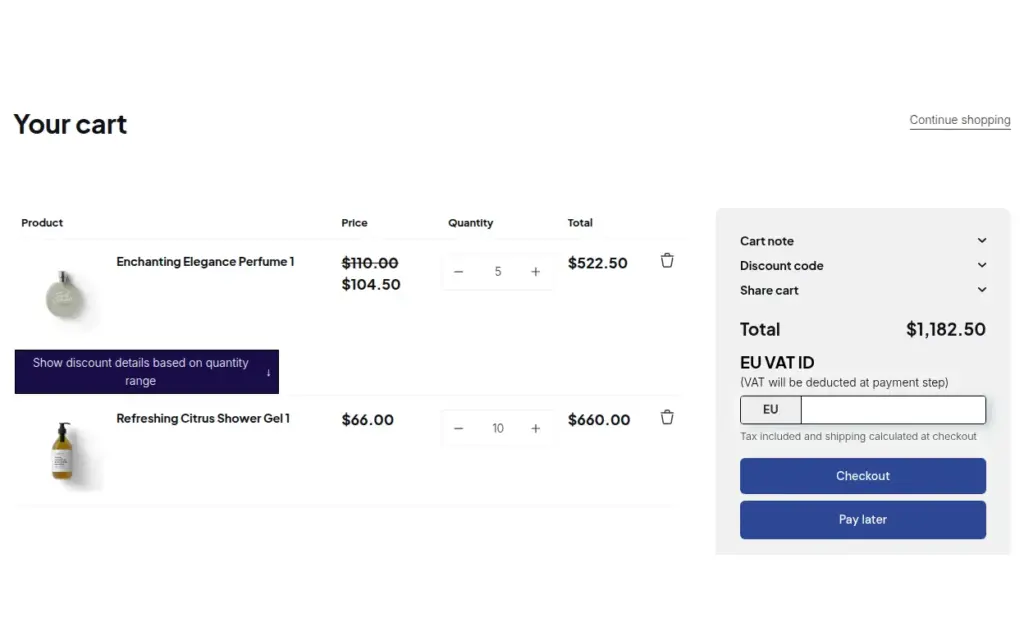
Verify a tax ID once at registration, then give approved buyers tax exemption and Net Terms with a Pay later button using BSS B2B Solution for Shopify.
Explore use case: Onboard Tax-Exempt Buyers With Net Terms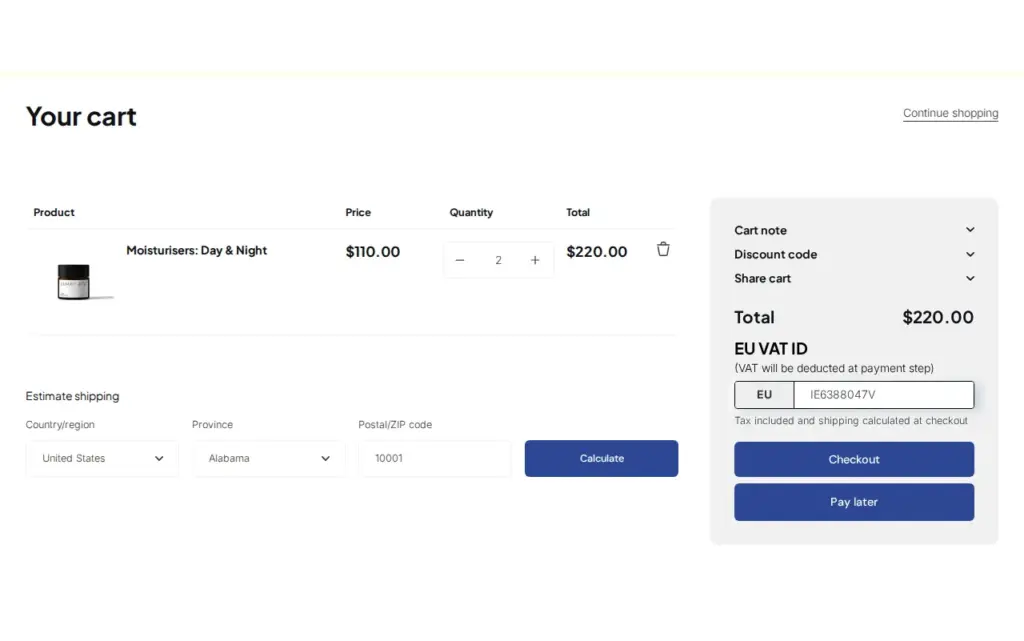
Let EU business buyers enter a VAT ID in the cart, validate it live and remove tax from the order with the Tax Exempt module in BSS B2B Solution, instead of charging VAT and refunding it later.
Explore use case: Sell VAT-Exempt to EU Businesses With a Valid VAT ID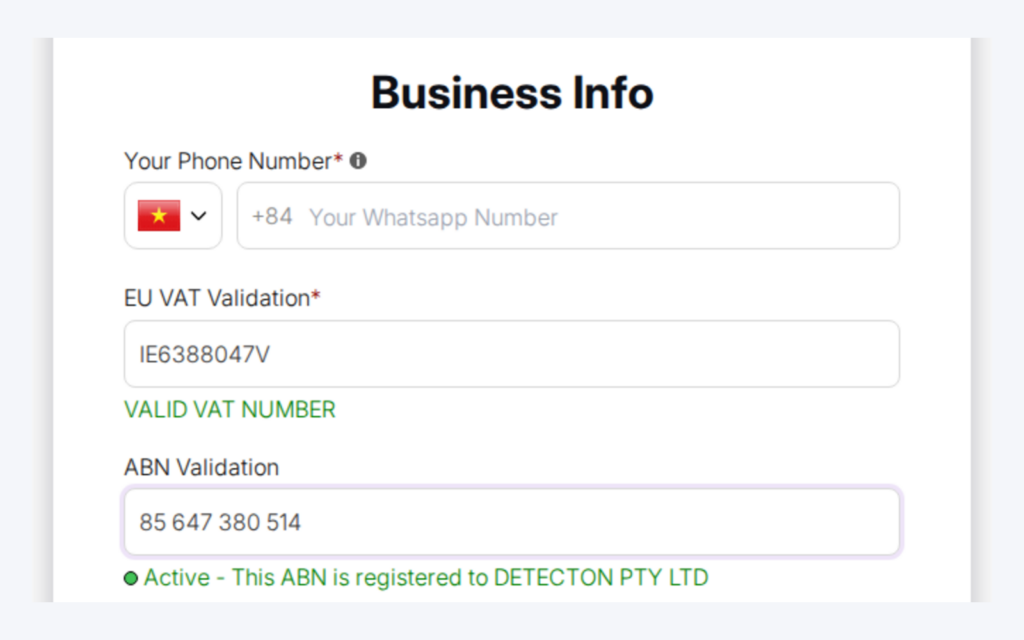
Add a tax ID field to your registration form and applicants get live feedback while they type. On required fields, an invalid number blocks submission, so you review fewer applications with typos or invalid numbers.
Explore use case: Verify a Business Tax ID Before Approving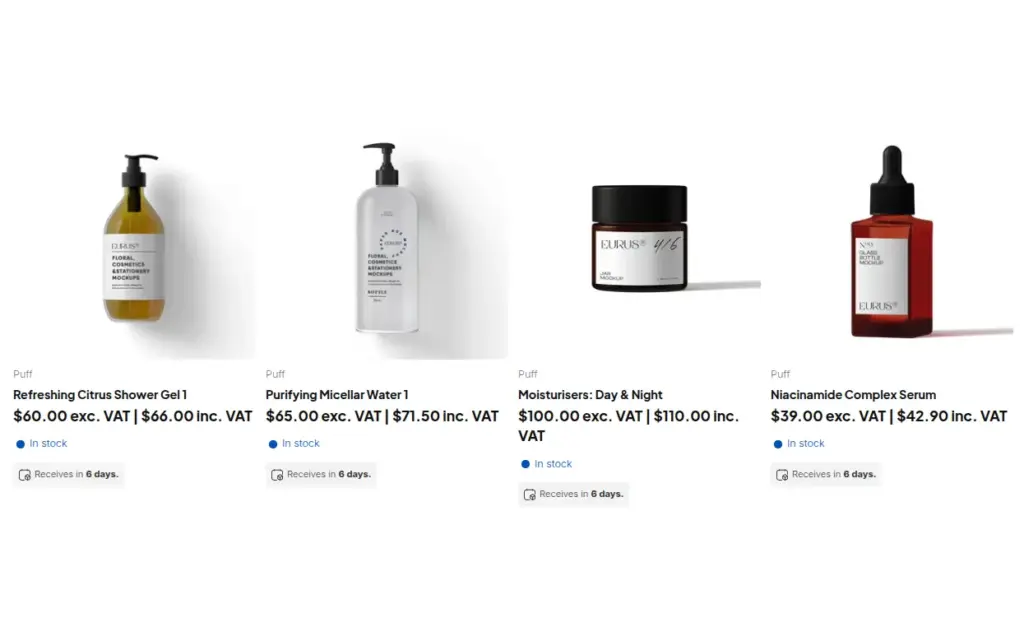
Show wholesale buyers prices excluding VAT and consumers prices including VAT on one Shopify store, with rules by customer tag, using the Tax Display module in BSS B2B Solution.
Explore use case: Show Prices Excluding VAT to Business Buyers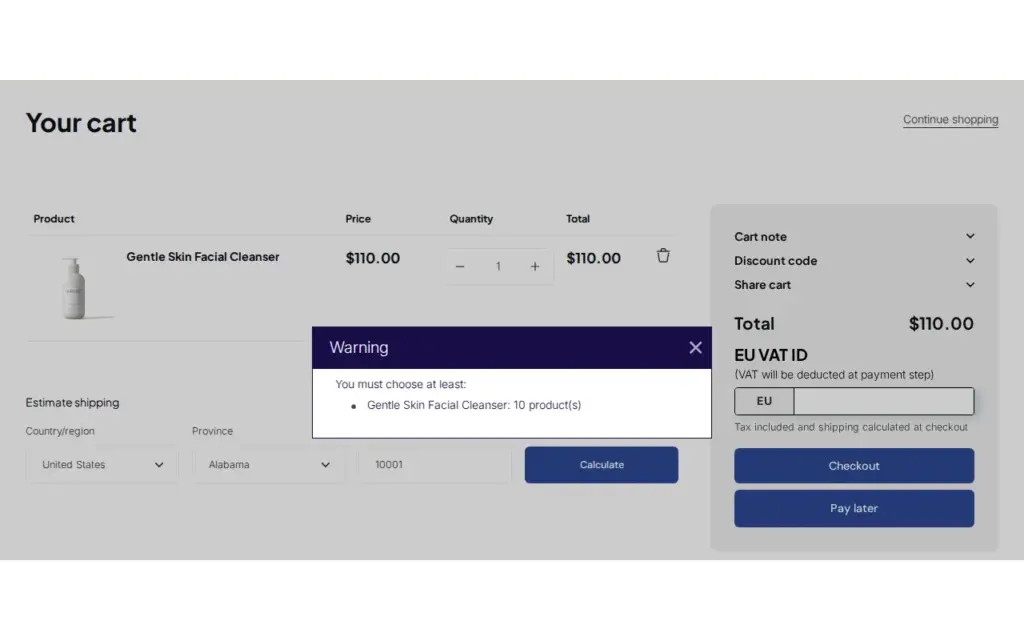
Set minimum or maximum order quantity or amount per product, customer group or cart and warn buyers at the cart with BSS B2B Solution for Shopify.
Explore use case: Enforce Minimum Order Quantity and ValueEach topic has one page that owns it. Start from these.
Shopify's native net terms are on every plan; see what else differs.
The same draft orders, from the rep's side.
Verify tax IDs, handle tax exemption and show prices with or without tax to the right buyers.
Set minimum orders, case packs and net payment terms for wholesale buyers.
Net termsNet 30Tax exemptionTax IDVIESVAT numberInvoice termsPurchase order (PO)Credit limitDraft order
BSS B2B Solution has Net Terms, Tax Exempt, Manual Orders and Order Limits as modules of one app. Add BSS B2B Lock for a checkout rule on Shopify Plus, and BSS B2B Quote for quotes that end in an invoice.
Also: BSS B2B Lock for a checkout lock on Shopify Plus and BSS B2B Quote for quotes that end in a draft order.
Yes. Shopify's native B2B includes payment terms on Basic, Grow, Advanced and Plus. BSS B2B Solution Net Terms adds rules that give terms only to logged-in customers, specific customers or tagged customers, and creates a draft order with the terms. Net Terms needs the Advanced or Platinum plan.
Due on receipt, due on fulfillment, Net 7, 15, 30, 60 and 90, a specific day of the month, custom days, weeks or months, end of month, end of month plus days, and end of next month. Net 45 is in Manual Orders but not in the Net Terms module.
No. The app has no credit limit. A Net Terms rule can hold a cart minimum or maximum, which the storefront script checks. Credit decisions stay in your own process.
As the buyer types, in the browser: EU VAT against VIES, UK VAT against HMRC, and the US EIN, Australian ABN and India GST through lookup services. A bad number blocks the form only when the field is required, and the server does not check it again on submit.
On the cart page, the buyer enters a tax ID in the Tax Exempt box. The app then creates a Shopify draft order marked tax exempt, with the ID in the order note and an optional order tag. It does not run in Shopify checkout, so a buyer who opens the checkout URL directly is taxed as normal.
Order limits are checked on the cart page and on Buy it now by a storefront script. A shopper who goes straight to a checkout URL can skip them. On Shopify Plus, a BSS B2B Lock checkout rule can block checkout by subtotal or cart lines, and it fails open if the function errors.
Yes. The Net Terms orders list can be exported with each order's terms and due status, as CSV or Excel where the list supports it. Download links last 24 hours, so export again if one has expired.
BSS B2B Solution is free on development stores and starts at $29 per month on paid plans, with a 14-day free trial on paid plans. BSS B2B Lock has a free plan and paid plans from $9.99 per month, with plan tiers that follow your Shopify plan. BSS B2B Quote is free on development stores and starts at $19 per month. Prices are from the Shopify App Store listings as of 2026-10-04 and can change, so check the listing before you install.
Shopify facts about payment terms come from the Help Center page cited in the sources. Feature behavior follows our review of the BSS app code on October 3, 2026 and the BSS user guides, and where the guides and the code differ we follow the code. For example, the guides say tax IDs are validated during import and that the Manual Orders tax-exempt switch needs a validated ID, and the code review found neither. We make BSS B2B Solution, BSS B2B Lock and BSS B2B Quote. This page is not tax or legal advice.