
Some rules are guardrails, not walls
Order limits are checked on the cart page and on Buy it now by a storefront script. A shopper who goes straight to a checkout URL can skip them. Decide which limits you can live with as guardrails.
Solutions: for store owners
A Shopify B2B store owner does three jobs: set a pricing strategy, approve who becomes a wholesale buyer, and control who can see prices and products. BSS B2B Solution covers pricing and approvals with rules, registration forms and customer tags. BSS B2B Lock covers access. This page maps each job to the feature, the use case and the guide that owns the topic.
Read the table left to right: the decision you face, the BSS feature that carries it out, and the page that owns the full how-to. This page does not repeat those guides.
| Job | The decision | BSS feature | Start here |
|---|---|---|---|
| Set wholesale prices | Who pays what, and how the price falls with quantity | Custom Pricing, Price List and Volume Pricing in BSS B2B Solution | Wholesale pricing hub |
| Settle rule conflicts | Which price applies when two rules match one buyer | Rule priority, 0 to 99, lower wins within a module | Which rule wins |
| Approve new buyers | Who may buy wholesale, and what proof you ask for | Registration form, approval and Auto Tags in BSS B2B Solution | Customer onboarding hub |
| Control who sees prices | What guests and retail customers see | Hide price, page, product and collection locks in BSS B2B Lock | Access control hub and hide prices on Shopify |
| Serve B2B and retail together | One store or two | Customer tags target every rule, so one catalog serves both | B2B and B2C on one store |
| Offer ordering tools | How buyers reorder or ask for a price | Quick order pages, quotes and reorder in BSS B2B Quote | Quick order and RFQ hub |
Sales reps and finance teams have their own pages: for sales reps and for finance teams.
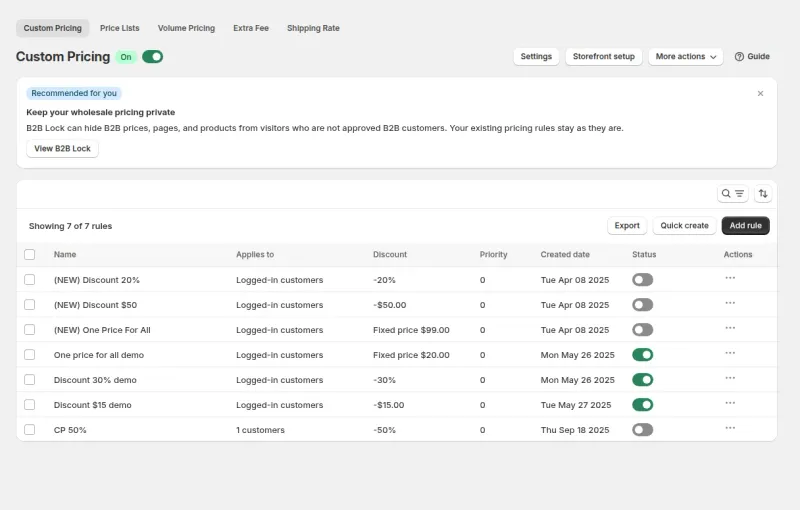
Most owners start by asking how many price levels they need. In BSS B2B Solution a price level is a rule, not a second catalog. Custom Pricing sets a price by customer, customer tag or logged-in status. Price List (Platinum plan) sets a price per product or variant for a buyer group. Volume Pricing adds quantity tiers. The order is fixed: Price List or Custom Pricing sets the base price (Price List wins when both match the same variant), Volume Pricing tiers apply on top of that price, then Buy One Get One, then Discount Code.
When two rules from the same module match one buyer, the Priority field decides. It is a number from 0 to 99, and the lower number wins. Priority is only compared inside one module, because different modules chain instead of competing. Write your tiers down first, give each tier one customer tag, then build one rule per tier.
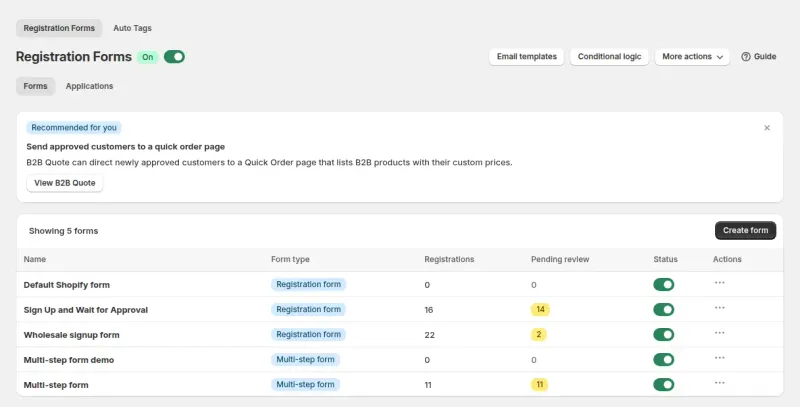
A registration form collects the application. You choose the fields (text, dropdown, checkbox, file upload up to 10 MB per file, tax ID and more), then review each applicant in the app. When you approve, the app creates the Shopify customer and can add the customer tag that your price rules and locks look for, so approval and access run on the same switch.
Tax ID fields cover EU VAT, UK VAT, US EIN, Australian ABN and India GST. They are checked as the applicant types, and an invalid number blocks the submit only when you mark the field required. Treat the check as a screening step: the server does not check the number again, so review what you approve.
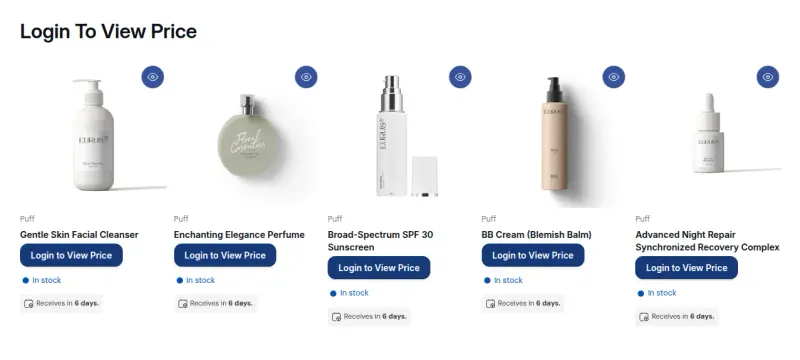
BSS B2B Lock handles visibility. A Lock rule picks a target (prices and Add to cart, products, collections, pages, or the entire store) and a condition (logged in, customer tag, passcode, secret link, or a request-access flow). The tag your registration form adds is the usual condition.
Be exact with your team about what a lock does. Page, product and collection locks keep the main content out of the page HTML. An age gate is a self-declaration popup, not age verification. A secret link works for anyone who holds the link. None of these is a security guarantee.
The checkout lock, which blocks checkout by condition, is for Shopify Plus stores and needs a paid BSS plan. It fails open if the underlying Shopify function errors, so use it as a guardrail rather than a guarantee.
These come from our code review and are easy to miss when you design a store around the feature list.
Order limits are checked on the cart page and on Buy it now by a storefront script. A shopper who goes straight to a checkout URL can skip them. Decide which limits you can live with as guardrails.
Price List needs the Platinum plan. Net Terms, Tax Exempt, Order Limits, Manual Orders and Quantity Increment need Advanced or Platinum. See the pricing page for your plan.
Express checkout and direct links can skip Buy One Get One, Discount Code and Extra Fee. The app hides Buy it now while price rules are active. Test both paths on your theme.
Converted prices are shown to the buyer, and checkout stays in the store currency or the Markets currency. Do not promise buyers they pay in the displayed currency.
On Basic, Grow and Advanced, Shopify allows 3 active B2B catalogs across all markets. Read Shopify B2B by plan before you count price levels.
Each use case shows one setup with screenshots, the rules to create and what buyers see. Browse all use cases.
Drive higher AOV and buyer loyalty by offering personalized contract pricing and quantity-based incentives directly on your Shopify storefront
Explore use case: Personalized B2B Wholesale Pricing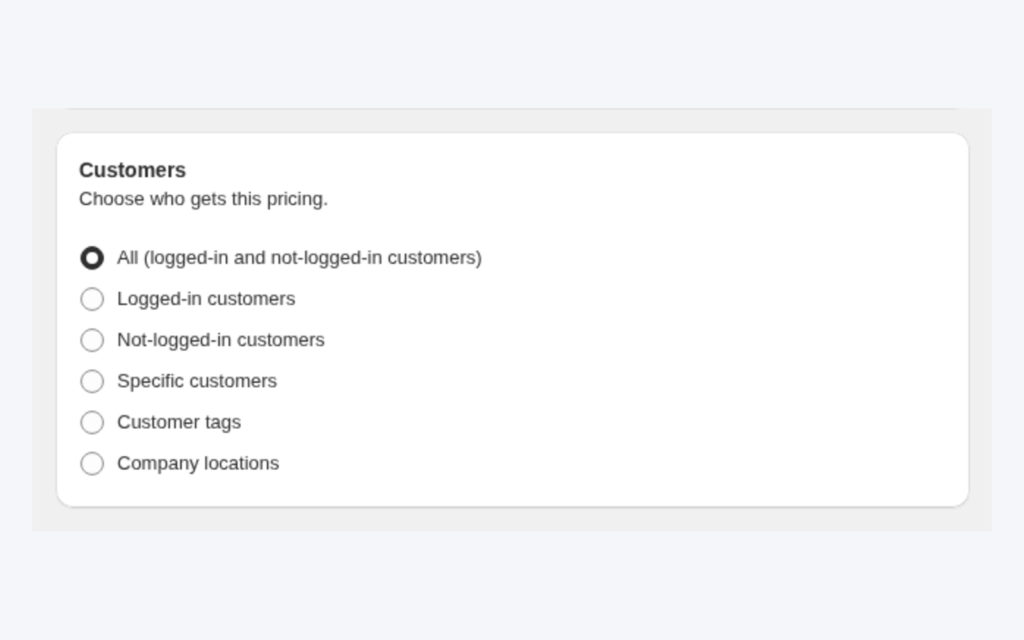
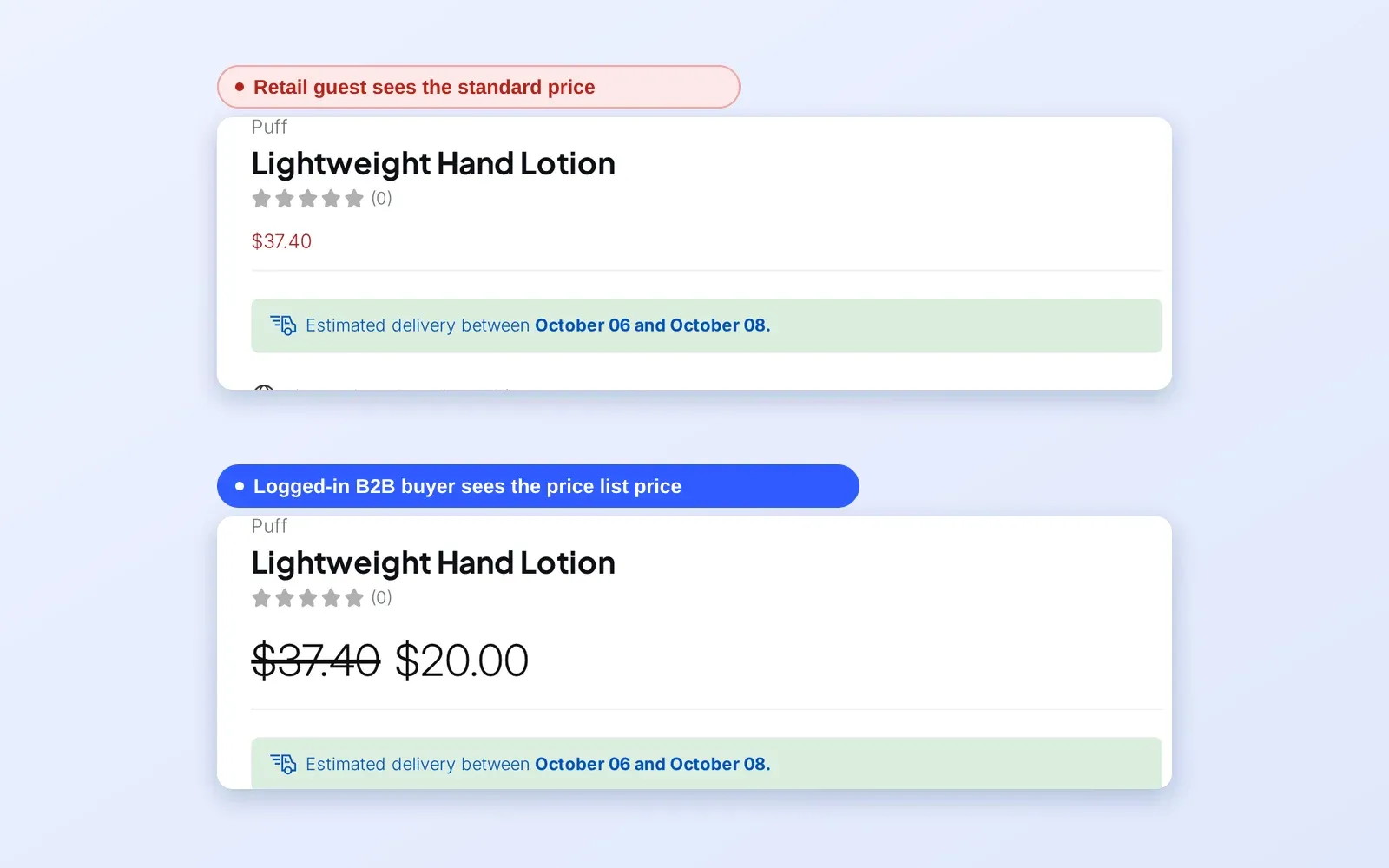
Tag your wholesale customers and create a Custom Pricing rule that targets the tag. Logged-in tagged buyers see fixed, amount-off or percent-off prices automatically, while retail visitors keep seeing your normal prices.
Explore use case: Give Tagged Wholesale Customers Special Prices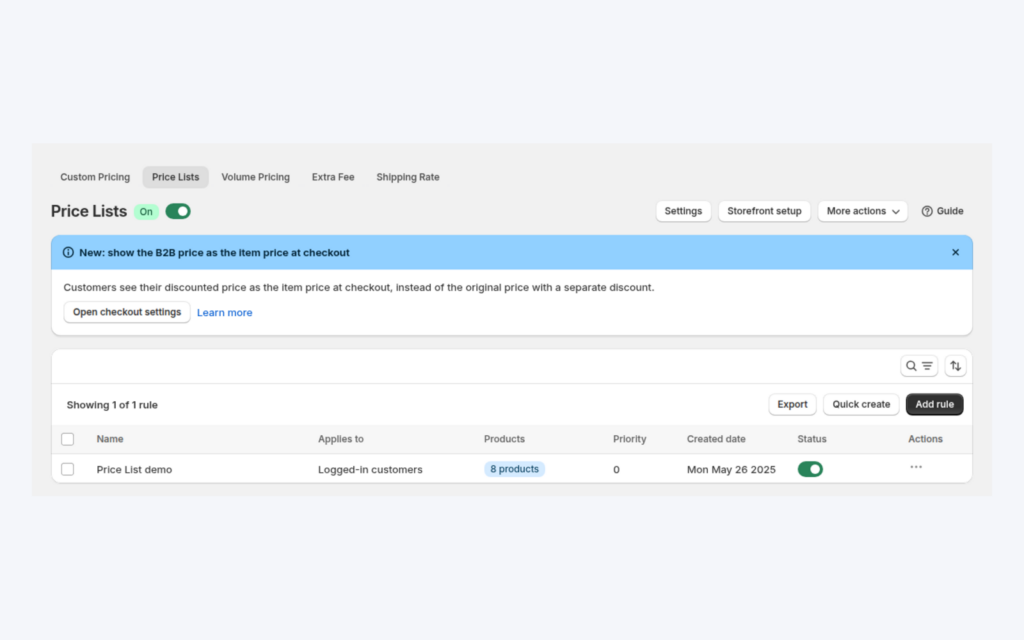
Use a Price List when distributors need an exact price for each SKU, not just a percent discount. Target customers or tags, set prices per product or variant, and import or export them with CSV.
Explore use case: Build a B2B Price List per Buyer Group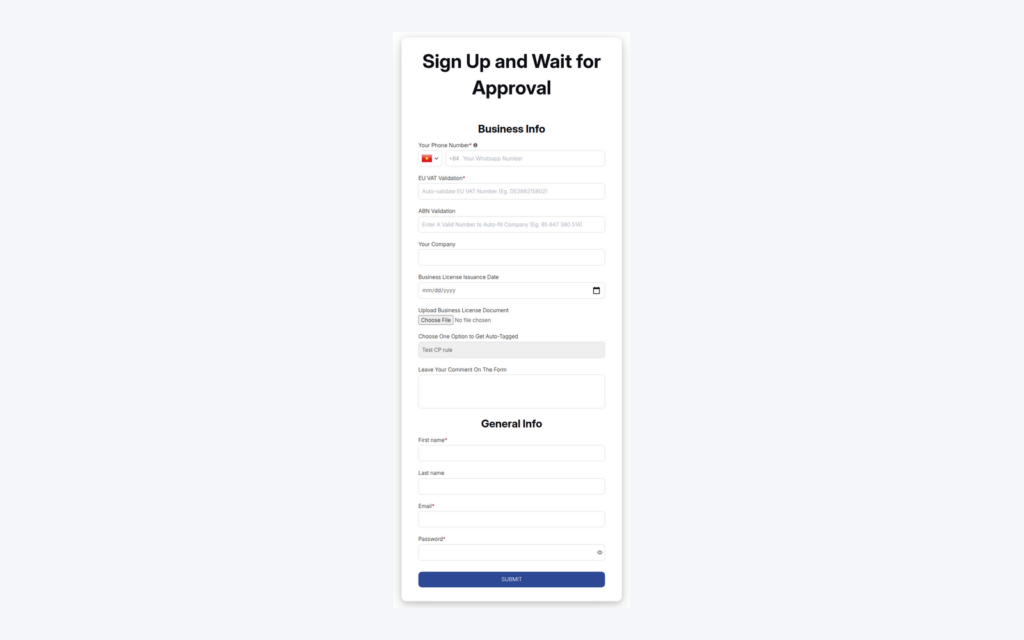
Build a wholesale application form with the fields you need, review each applicant, approve or reject, and let approval add a customer tag and send email notifications so wholesale prices reach approved buyers.
Explore use case: Wholesale Registration Form With Approval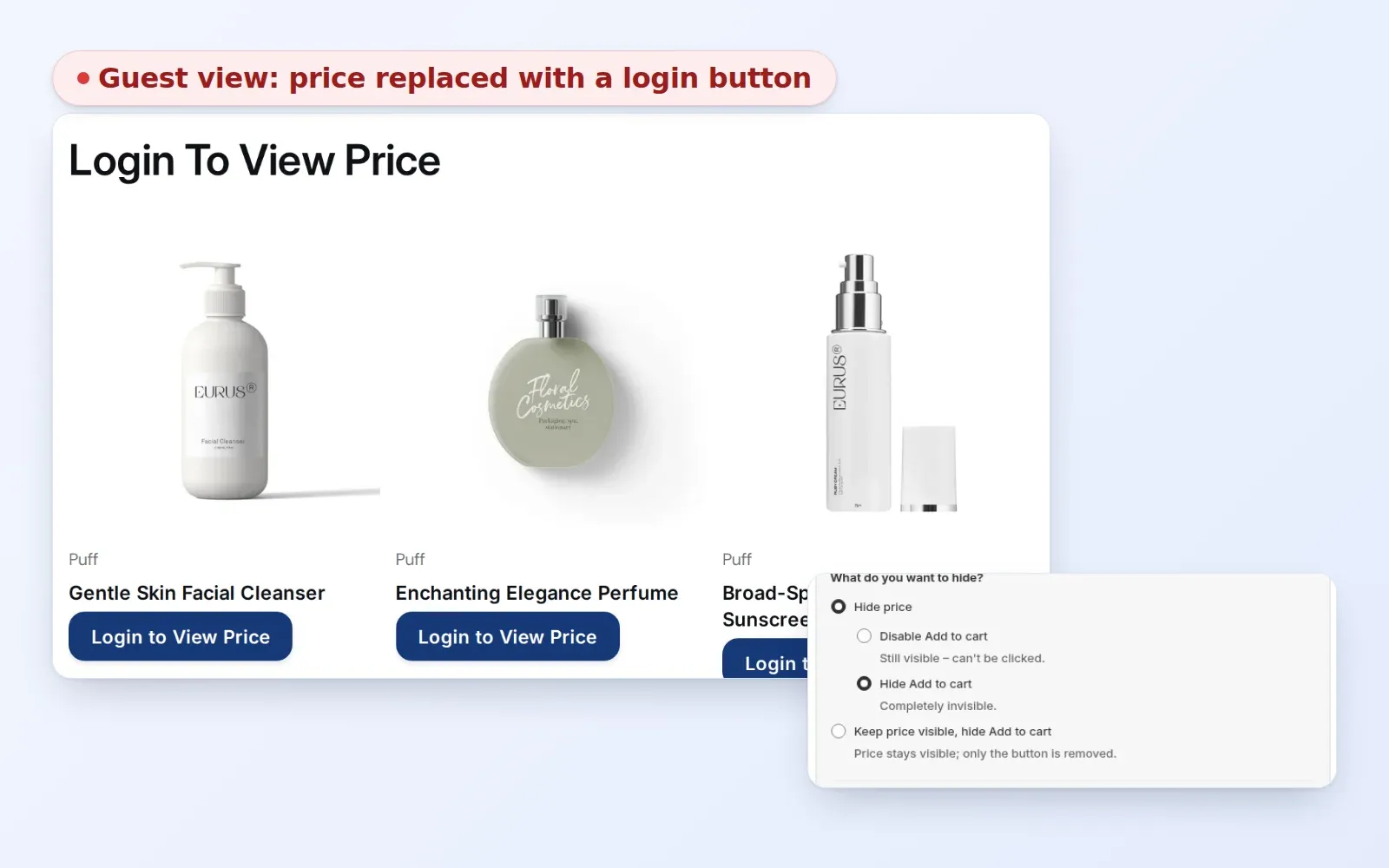
Prevent price leakage and protect your brand equity. Control visibility for guest users and unauthorized visitors with granular access control layers.
Explore use case: Hide Wholesale Prices From Guest Visitors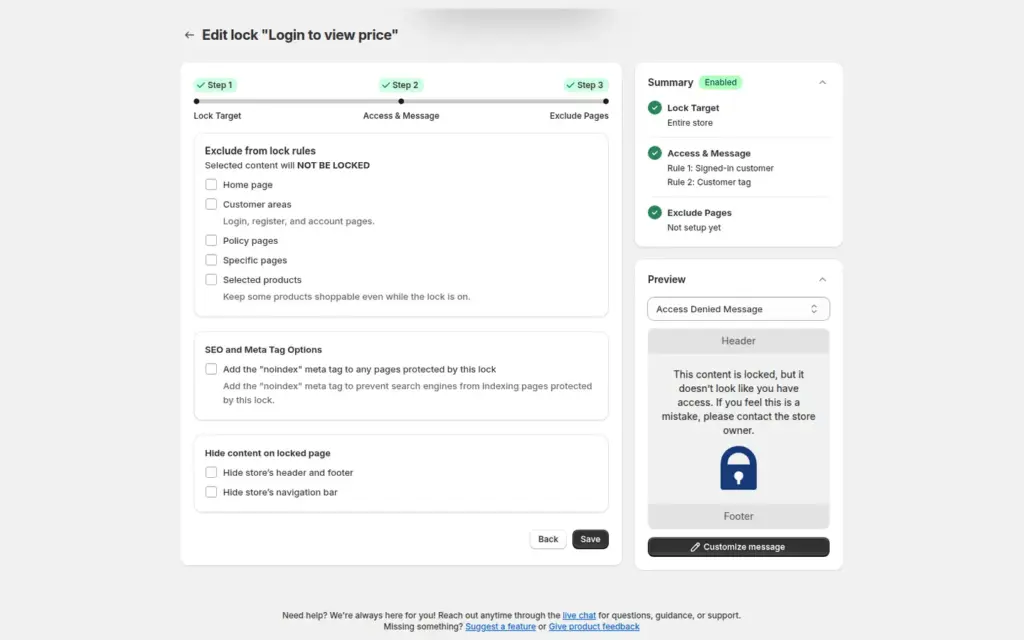
Lock your whole Shopify store so only approved, tagged wholesale customers can browse. Guests see a custom login or sign-up message with BSS B2B Lock, while approved buyers shop normally and applicants can still register.
Explore use case: Lock the Entire Store for Approved Wholesale CustomersEach topic has one page that owns it. Start from these.
What Shopify includes on each plan and what BSS adds.
A sourced, feature-by-feature comparison, including where BSS trails.
Show business buyers their own prices with price lists, custom pricing and quantity breaks.
Turn applicants into approved wholesale buyers with registration forms, approval and customer tags.
Hide prices from guests, gate wholesale catalogs and protect pages with passcodes.
Customer tagBuyer groupPrice listGated catalogApproval workflowWholesale applicationHide price
BSS B2B Solution gives you Custom Pricing, Volume Pricing, registration forms with approval and customer tags in one app. Add BSS B2B Lock when prices and pages must stay hidden until a buyer is approved.
Also: BSS B2B Lock for hidden prices and locked pages and BSS B2B Quote for quick order and quotes.
Start with the price tiers and one customer tag for each tier. Then build the registration form that adds the tag, and add a Lock rule if prices must stay hidden from guests. The wholesale pricing, customer onboarding and access control hubs each cover one of those steps in full.
Yes. BSS rules target customer tags, so one catalog can show retail prices to guests and wholesale prices to tagged buyers. BSS B2B Lock can hide prices or lock pages, collections or the whole store from visitors who are not approved.
Inside one module, the rule with the lower Priority number wins (0 to 99). Different modules chain: Price List or Custom Pricing sets the base, Volume Pricing applies on top of that price, then Buy One Get One, then Discount Code. If a Price List and Custom Pricing both match the same variant, the Price List wins.
No for pricing, registration forms, quotes and most locks. The apps do not check your Shopify plan, with one exception: the checkout lock in BSS B2B Lock is for Shopify Plus stores. Shopify's own native B2B features are covered on the by-plan page.
You approve the application, the customer gets the tag your form adds, and the rules and locks that look for that tag start to apply when the buyer logs in. A tag change moves the buyer between tiers.
A lock controls what visitors see, and it is not a security guarantee. Page, product and collection locks keep the main content out of the page HTML, but an age gate is a self-declaration popup and a secret link works for anyone who has it. The hide price guide explains the options in full.
Price List needs the Platinum plan. Net Terms, Tax Exempt, Order Limits and Manual Orders need Advanced or Platinum. The Free plan includes a single Custom Pricing rule. Check the pricing page for the current plan details.
BSS B2B Solution is free on development stores and starts at $29 per month on paid plans, with a 14-day free trial on paid plans. BSS B2B Lock has a free plan and paid plans from $9.99 per month, with plan tiers that follow your Shopify plan. BSS B2B Quote is free on development stores and starts at $19 per month. Prices are from the Shopify App Store listings as of 2026-10-04 and can change, so check the listing before you install.
Feature behavior follows our review of the BSS app code on October 3, 2026 and the BSS user guides, and where the guides and the code differ we follow the code. Shopify facts come from the Shopify Help Center page cited in the sources. Prices and ratings come from the App Store listings on the date shown. We make BSS B2B Solution, BSS B2B Lock and BSS B2B Quote.