
Quote approval needs a login
The approve and reject links in the proposal email open a page that needs a logged-in customer. Guest quotes can still get a proposal and a merchant-sent invoice.
Solutions: for sales reps
A sales rep in a Shopify B2B store does four jobs: quote a price, place an order for a customer who phoned or emailed, help repeat buyers reorder quickly, and know which price each customer gets. BSS B2B Quote handles quotes and quick order. BSS B2B Solution handles manual orders and customer-specific prices, so the rep never prices a line by hand. This page maps each job to the feature and the guide.
Each row names the job, the BSS feature that does the work, and the page that owns the full how-to.
| Job | BSS feature | What the rep does | Start here |
|---|---|---|---|
| Take an order by phone or email | Manual Orders (BSS B2B Solution) | Picks the customer, adds products, sets shipping and payment terms, sends the invoice | Place orders on behalf of customers |
| Quote a price | Request a quote (BSS B2B Quote) | Opens the request, edits prices, shipping and expiry, sends a proposal | Quick order and RFQ hub |
| Turn a quote into an order | Quote approval to draft order | Waits for the customer to approve by email, then collects payment on the invoice | Approve a quote and turn it into a draft order |
| Help a buyer order many SKUs | Quick order page and CSV upload (BSS B2B Quote) | Shares the page link or the CSV template | Bulk order by CSV upload |
| Help a repeat buyer reorder | Reorder page (BSS B2B Quote) | Points the buyer to the page, where past orders reorder at current prices | Reorder page for repeat buyers |
| Know a customer's price | Custom Pricing and Price List (BSS B2B Solution) | Reads the price in the order builder, or checks it as the buyer | Wholesale pricing hub |
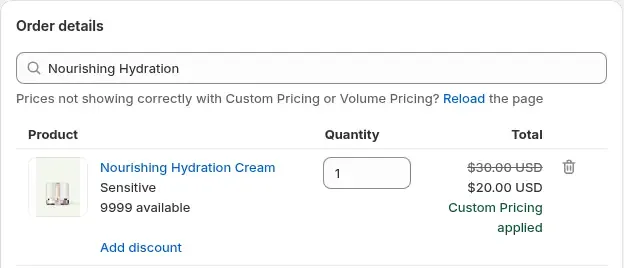
Manual Orders is an admin-only order builder, so nothing has to be added to your theme. The rep searches for the customer and the builder loads the pricing rules that match them. Each line shows the original price and the B2B price. Quantity changes recalculate Volume Pricing tiers, and the rule order is the same as on the storefront: Price List first, then Custom Pricing, then Volume Pricing on top.
Shipping can be free, a custom rate, a B2B shipping rate calculated from your Shipping Rate rules, or a Shopify rate. Payment terms include due on receipt, Net 7, 15, 30, 45, 60 and 90, custom days and a fixed date. The result is a Shopify draft order. The rep sends the invoice, and marks it paid when the buyer pays.
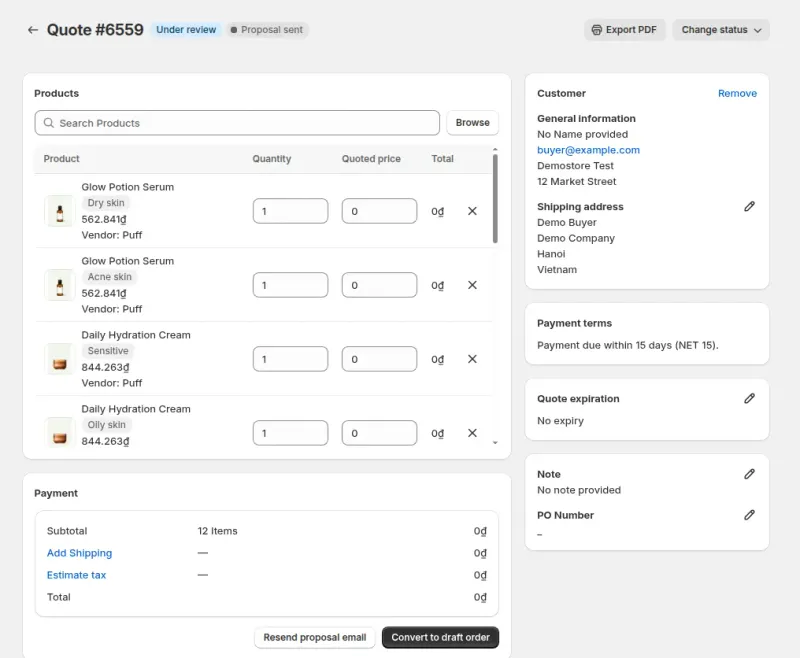
In BSS B2B Quote, a visitor adds products to a quote list and submits the request. Guests can submit one too. The rep opens the request in the admin, edits the quoted prices, shipping and expiry, and sends a proposal. A customer who is logged in approves from the email, and the app then creates a draft order and emails the invoice. A guest has to log in before approving, so ask a guest to log in or create an account first.
Quote requests can also be created in the admin, which suits a rep who negotiated by phone. Expiry is informational: an expired quote is not blocked from approval, so check the date yourself when you send a proposal.
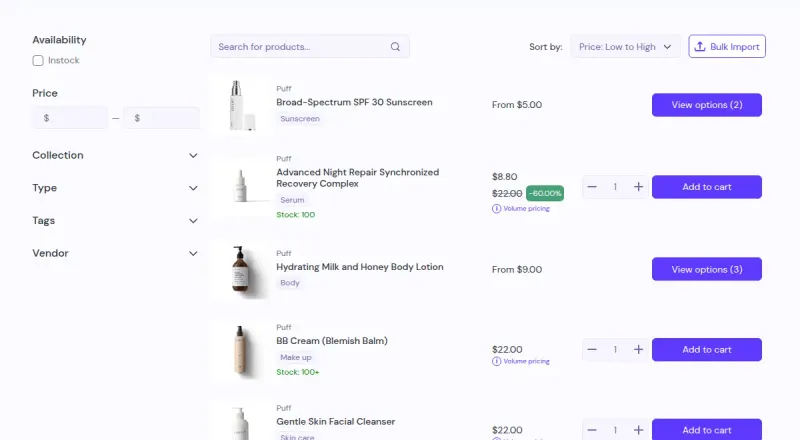
A quick order page lists products in a table with a quantity box, so a buyer who knows the SKUs does not browse. A bulk import accepts CSV and Excel files: duplicate SKUs are added together, and valid SKUs go to the cart while invalid ones are listed. The page needs an Online Store 2.0 theme.
Quick order and the quote cart can use BSS B2B Solution prices (quantity breaks, custom prices and quantity increments) for customers who do not use Shopify's native B2B. The Reorder page needs a login, lists past orders and builds a draft order at current prices. The Reorder page is on Growth and above.
A rep should never guess a price. The customer's tags and the active rules decide it, and the order builder shows the result line by line. To check what a buyer sees, log in as a test customer with the same tag. For an internal team, a dedicated employee tag with its own rule keeps staff pricing away from other buyers.
At Shopify POS, B2B prices are applied when staff tap the B2B Price tile. It is not automatic. POS supports Custom Pricing, Price List and Quantity Break rules, and needs the Platinum plan. Rules that target specific markets or company locations do not match at POS.
The approve and reject links in the proposal email open a page that needs a logged-in customer. Guest quotes can still get a proposal and a merchant-sent invoice.
Order limits and quantity increments do not apply to a manual order. Check the minimums yourself before you send the invoice.
A quote's expiry date is informational. The app does not stop a customer from approving an expired quote, so check the date before you send the proposal.
A reorder builds a draft order from variant and quantity only, so it reflects today's prices and not the prices of the old order.
Each use case shows one setup with screenshots and what the buyer sees. Browse all use cases.
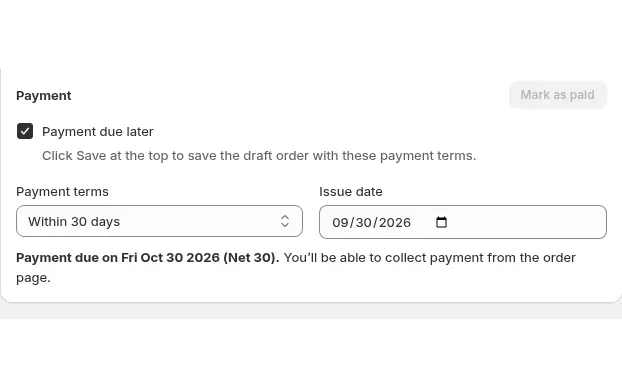
Build draft orders in the Shopify admin with each buyer's custom prices, volume tiers, net terms and tax status applied using Manual Orders in BSS B2B Solution.
Explore use case: Place Orders on Behalf of Customers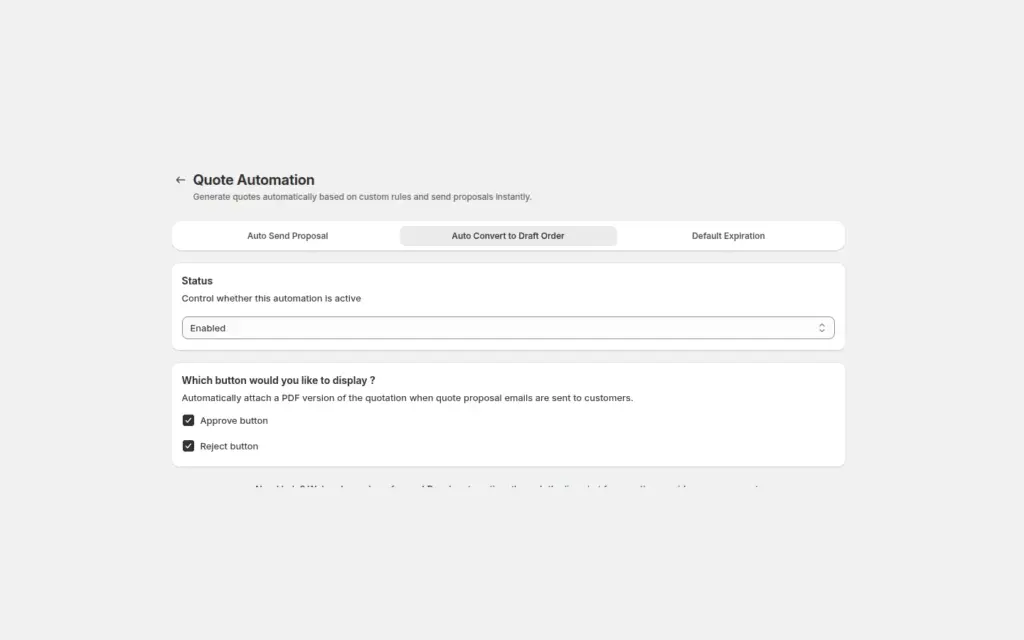
Send a proposal email with Approve and Reject buttons, and when a logged-in buyer approves, BSS B2B Quote converts the quote into a Shopify draft order and emails the invoice, with no manual order entry.
Explore use case: Approve a Quote and Turn It Into a Draft Order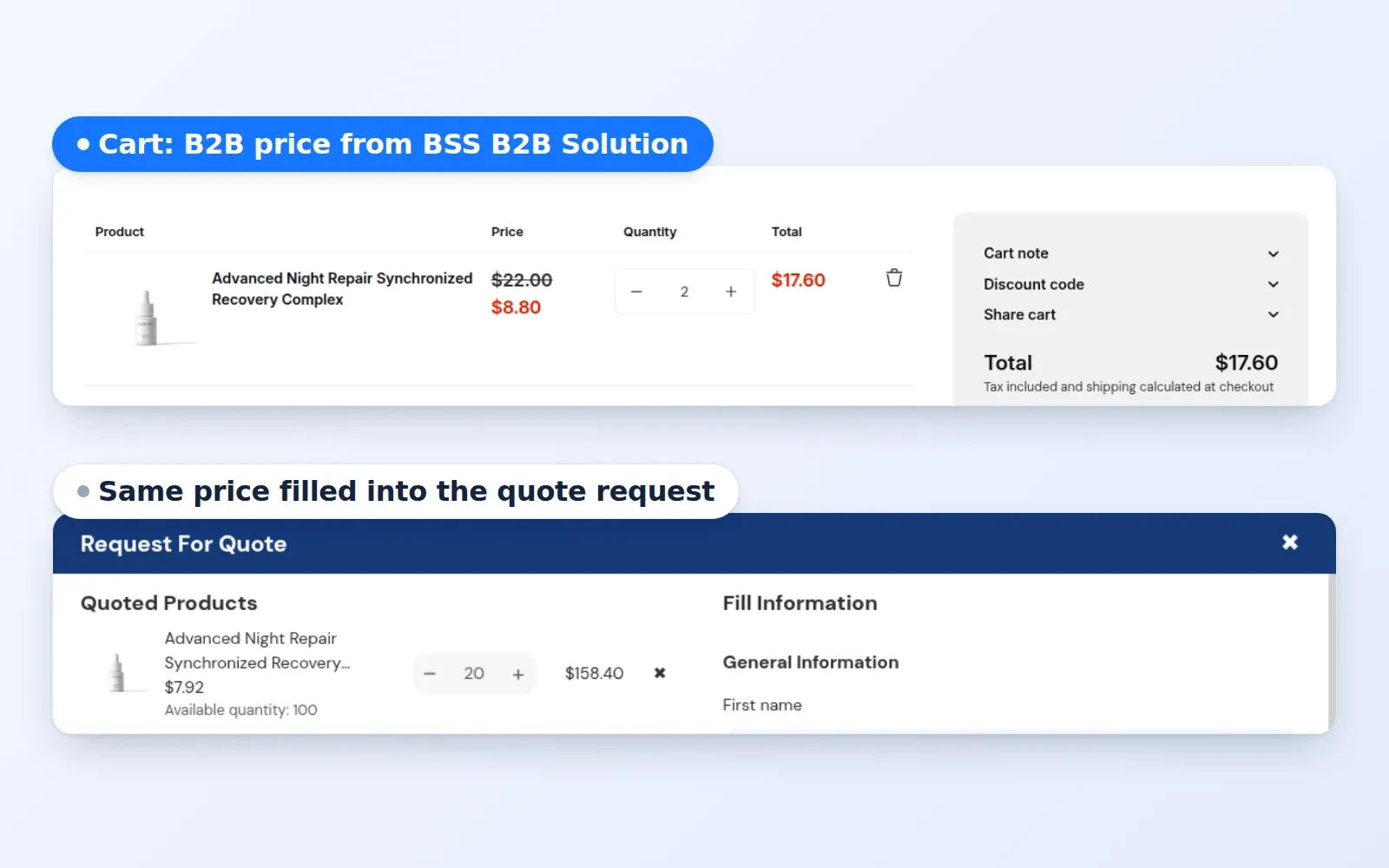
Automatically fill pre-defined B2B pricing logic into quote management dashboard. Eliminate manual entry for every line item in a quote request.
Explore use case: Automated B2B Quote Pricing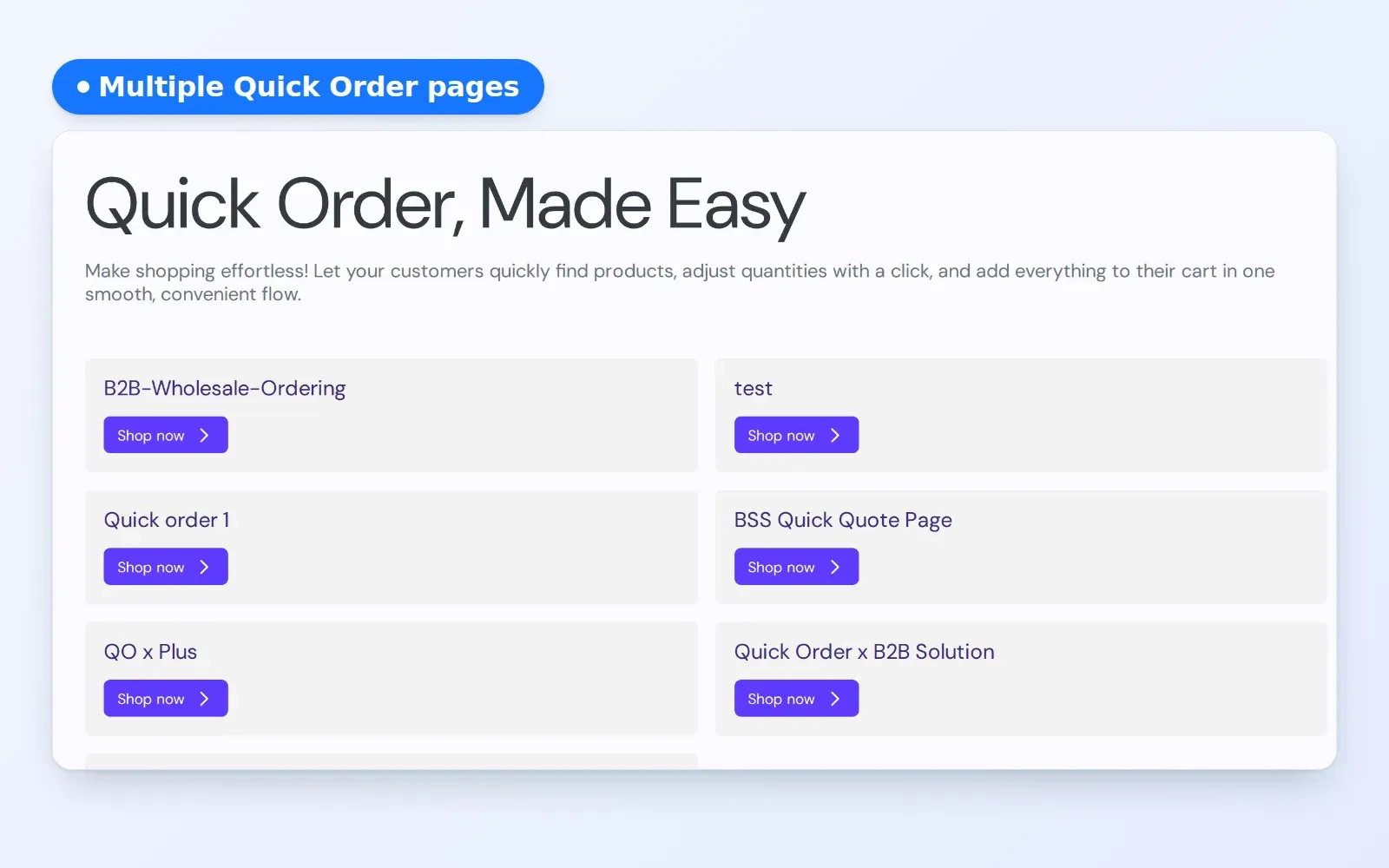
Create secure, curated quick order pages tailored for specific B2B projects, VIP accounts, and long-term contracts.
Explore use case: Personalized Quick Order Pages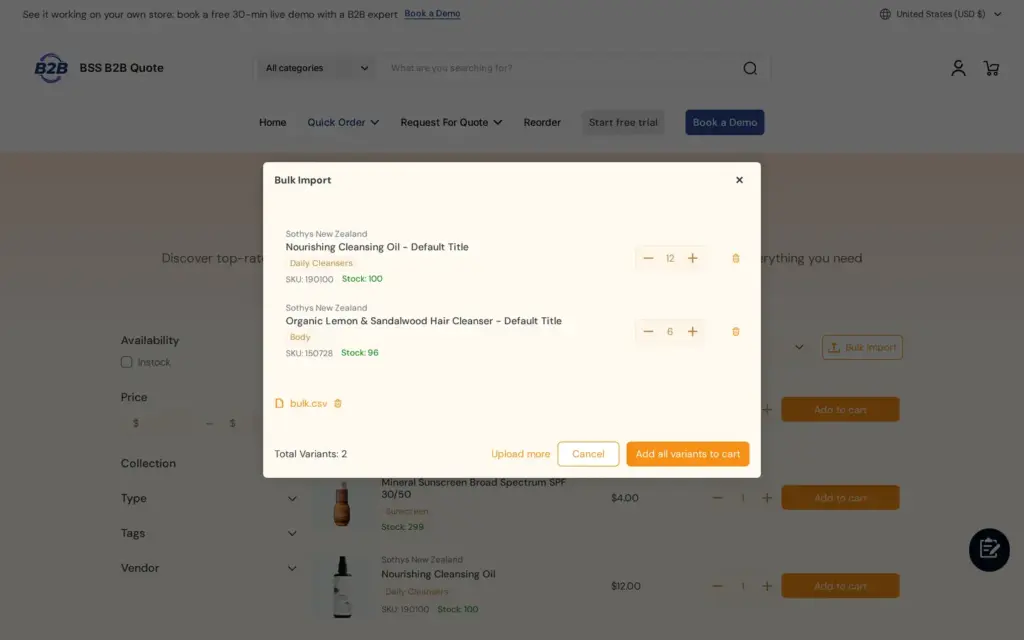
Let repeat buyers upload a CSV, XLS or XLSX file of SKUs and quantities on the Quick Order page and add the whole list to the cart, instead of retyping spreadsheet orders, with BSS B2B Quote.
Explore use case: Bulk Order by CSV Upload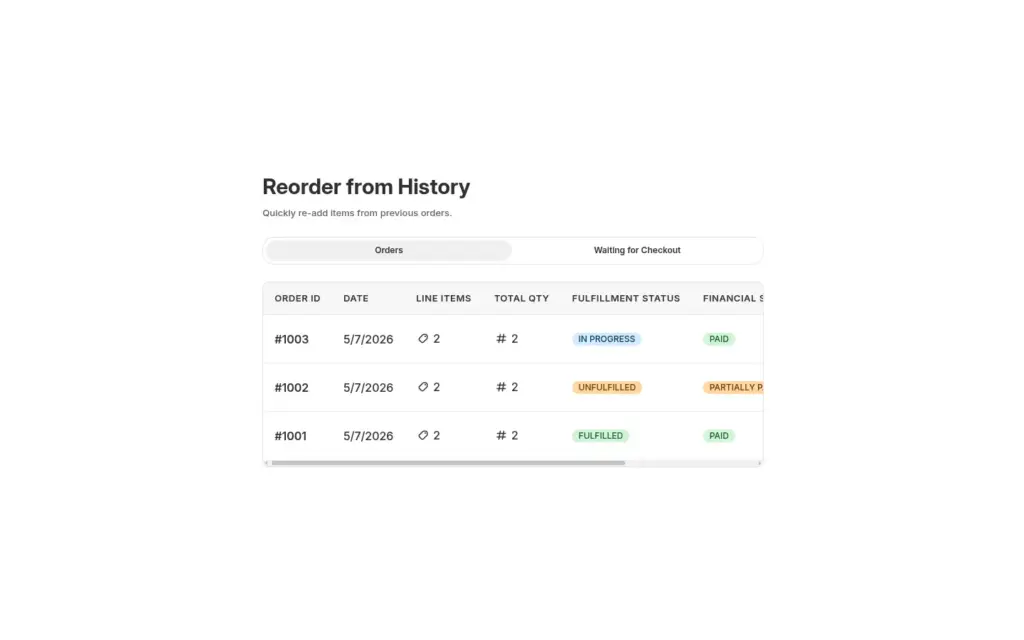
Give logged-in restaurants and retailers a Reorder page where they repeat a past order from their history, edit quantities in a review window and place it as a draft order, with BSS B2B Quote.
Explore use case: Reorder Page for Repeat Wholesale BuyersEach topic has one page that owns it. Start from these.
Net terms, tax IDs, invoices and order limits.
Try Manual Orders pricing, quotes and quick order yourself.
Give buyers quick order pages, CSV upload, reorder and request for quote.
Set minimum orders, case packs and net payment terms for wholesale buyers.
Show business buyers their own prices with price lists, custom pricing and quantity breaks.
Sales repDraft orderQuick order formRequest for quote (RFQ)ReorderCustomer-specific pricingPurchase order (PO)Bulk order
BSS B2B Solution builds the manual order with the right price for each customer. BSS B2B Quote adds quotes, quick order pages and reorder.
Also: BSS B2B Lock for hidden prices until a quote and BSS B2B Quote for quick order and quotes.
With Manual Orders in BSS B2B Solution, the rep opens the order builder in the admin, picks the customer, adds products and sets shipping and payment terms. The app applies the customer's Price List, Custom Pricing and Volume Pricing, creates a Shopify draft order and sends the invoice. Manual Orders needs the Advanced or Platinum plan.
Yes. BSS B2B Quote lets guests submit a quote request. The rep can still send a proposal and an invoice. To approve a proposal from the email, the customer has to be logged in, because the approve page needs a login.
When a logged-in customer approves the proposal from the email, the app creates a draft order and emails the invoice. The customer pays through the Shopify invoice link. A rep can also convert a quote to a draft order from the admin on plans that include that button.
Not as a discount field. A quote has a quoted price per line, and that is the price control. If the price should follow your rules, use the Quick Order and quote cart, which can use BSS B2B Solution prices for customers who do not use Shopify's native B2B.
Price List, Custom Pricing, Volume Pricing, Discount Code, Shipping Rate, the customer's tax-exempt setting and payment terms. Extra Fee, Buy One Get One, Order Limit and Quantity Increment do not apply, because they work on the storefront cart.
Yes, in BSS B2B Quote. The bulk import reads CSV and Excel files, adds duplicate SKUs together and lists SKUs it cannot find. Valid SKUs go to the cart, not straight to checkout.
Yes on the Platinum plan of BSS B2B Solution. Staff tap the B2B Price tile to apply Custom Pricing, Price List or Quantity Break rules. It is not automatic, and rules that target markets or company locations do not match at POS.
BSS B2B Solution is free on development stores and starts at $29 per month on paid plans, with a 14-day free trial on paid plans. BSS B2B Lock has a free plan and paid plans from $9.99 per month, with plan tiers that follow your Shopify plan. BSS B2B Quote is free on development stores and starts at $19 per month. Prices are from the Shopify App Store listings as of 2026-10-04 and can change, so check the listing before you install.
Feature behavior follows our review of the BSS app code on October 3, 2026 and the BSS user guides, and where the guides and the code differ we follow the code. For example, the guide says a quote can be approved without logging in, and the code needs a login. Prices and ratings come from the App Store listings on the date shown. We make BSS B2B Solution, BSS B2B Lock and BSS B2B Quote.