
We move your store data
BSS Commerce's migration team moves products, customers, order history and SEO elements. BSS Commerce says it maps categories to Shopify collections and complex attributes to metafields.
BSS Commerce migration serviceB2B migration to Shopify
Magento, WooCommerce, BigCommerce, a custom build or something else: tell us what you run today. BSS Commerce, the team behind the BSS B2B apps, moves your store data to Shopify and rebuilds your wholesale rules, so your buyers log in to the prices and terms they already know.
Data migration is a BSS Commerce service, quoted in a proposal. Setup help for the BSS B2B apps is free.
BSS Commerce's migration service page lists moves to Shopify and Shopify Plus from these platforms, and says it can migrate data from any platform.
to Shopify + BSS B2B apps
Platform list from the BSS Commerce Shopify migration services page, read October 5, 2026. Already on Shopify with another B2B app? See the app switch path.
A wholesale store is more than a catalog. We move the data, rebuild the rules that make it B2B, and test both before your buyers see anything.
A B2B migration to Shopify has two parts. The store data (products, customers, orders and SEO elements) moves with BSS Commerce's Shopify migration service, which its service page says covers Magento, WooCommerce, BigCommerce, Salesforce Commerce Cloud, SAP Commerce Cloud, Square, Squarespace, custom platforms and others. The B2B rules are rebuilt in the BSS B2B apps: customer groups become Shopify customer tags, tier and group prices become price rules, and registration, tax, terms, locks and quotes are set up again. Everything is tested on a development store or a duplicate theme before go-live.
BSS Commerce's migration team moves products, customers, order history and SEO elements. BSS Commerce says it maps categories to Shopify collections and complex attributes to metafields.
BSS Commerce migration serviceCustomer groups become Shopify customer tags. Group prices, tier prices, registration, tax, terms, minimums and quotes are rebuilt in BSS B2B Solution, BSS B2B Lock and BSS B2B Quote.
BSS B2B appsThe work happens on a private development store or a duplicate theme, and is checked as a guest and as a tagged buyer. BSS Commerce says its testers are ISTQB-certified.
Before go-liveSix steps from your old platform to a live Shopify B2B store. The data and the rules are separate jobs, so each step names who does it.
Who does it:BSS Commerce migration teamBSS B2B appsYou and us
We review your store, data and SEO setup, and list your B2B rules. You get a proposal with scope, timeline and price.
BSS CommerceProducts, customers, orders and SEO elements go to a private development store, with 301 redirects mapped.
Migration teamGroups become tags at import. Prices go in by CSV, then forms, tax, terms, locks and quotes.
BSS B2B appsCheck every price, form and lock as a guest and as a tagged buyer, on desktop and on a phone.
You and usA final data sync, then go live and invite buyers to set a new password.
TogetherSupport, training and maintenance after launch, plus free setup help for the BSS apps.
BSS CommerceSteps 1, 2, 5 and 6 follow the process on the BSS Commerce migration service page, which also covers store design and system integration (payment gateways, third-party tools, business systems). Step 3 follows the BSS user guides. Read October 5, 2026.
Most wholesale stores run on the same ten ideas. This is where each one lands after the move.
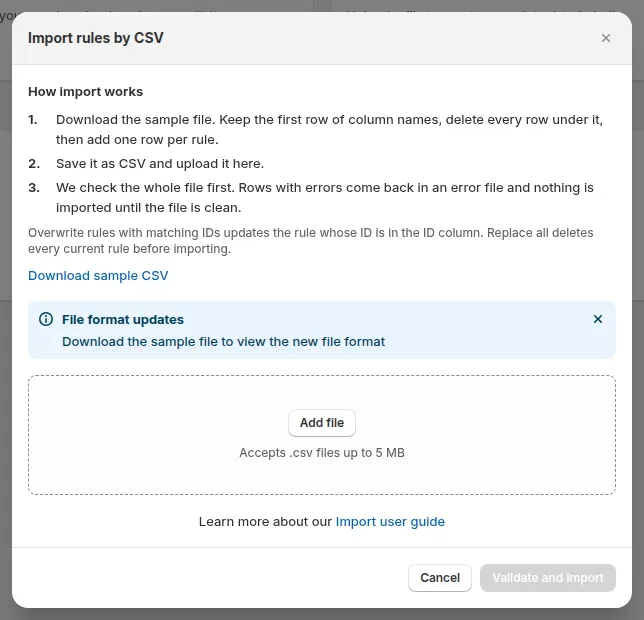
The BSS apps carry rules, not store data. CSV import and export exist for Custom Pricing, Price List and Volume Pricing rules, and the guides list the Platinum plan for the first two.
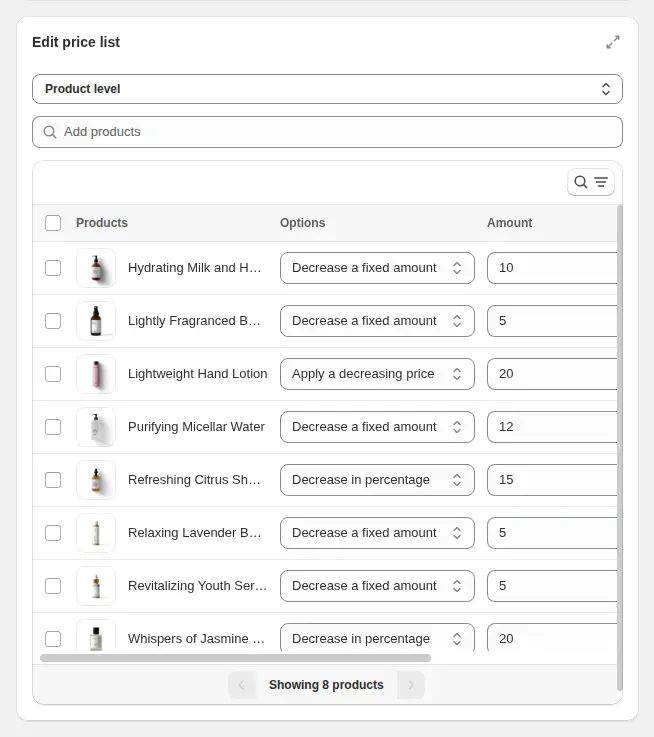
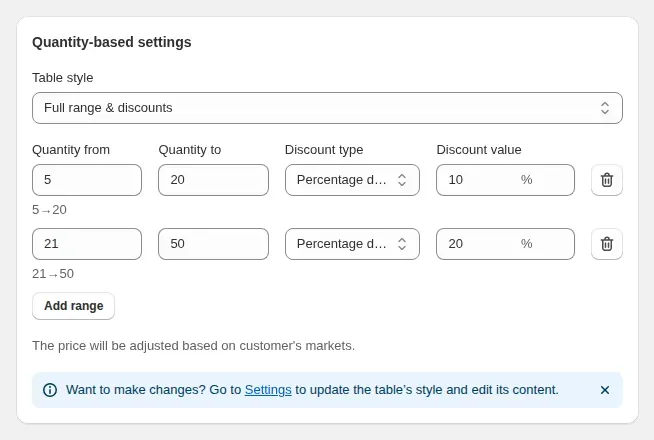
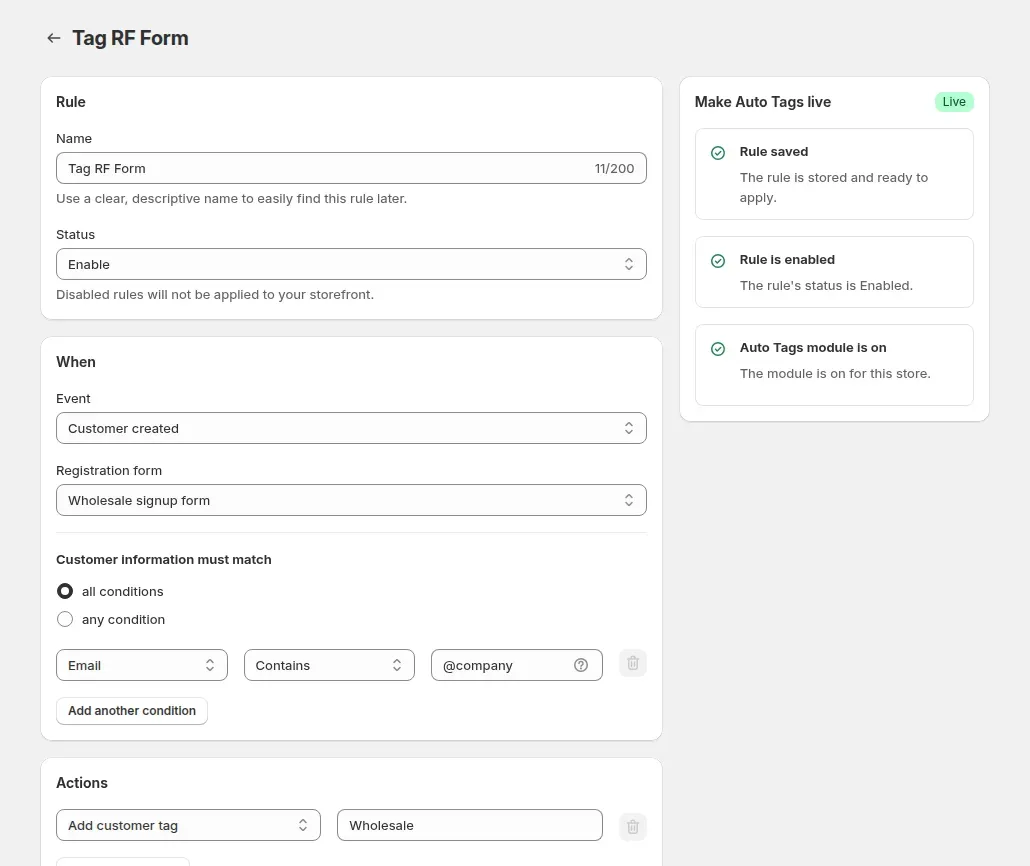
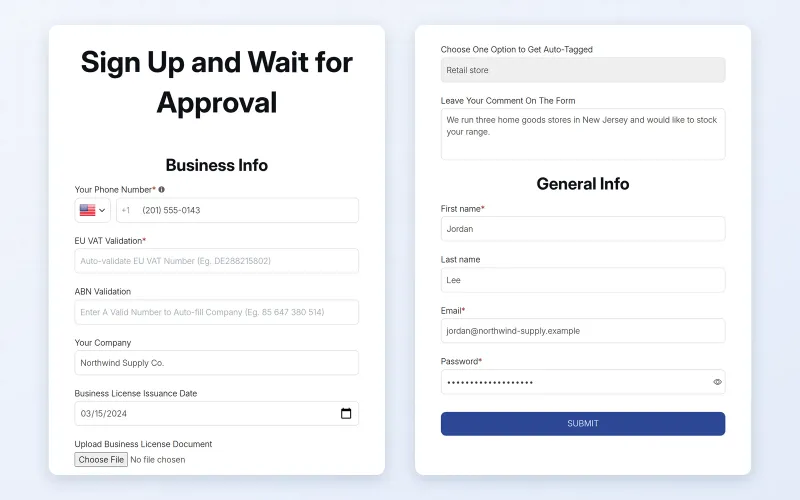
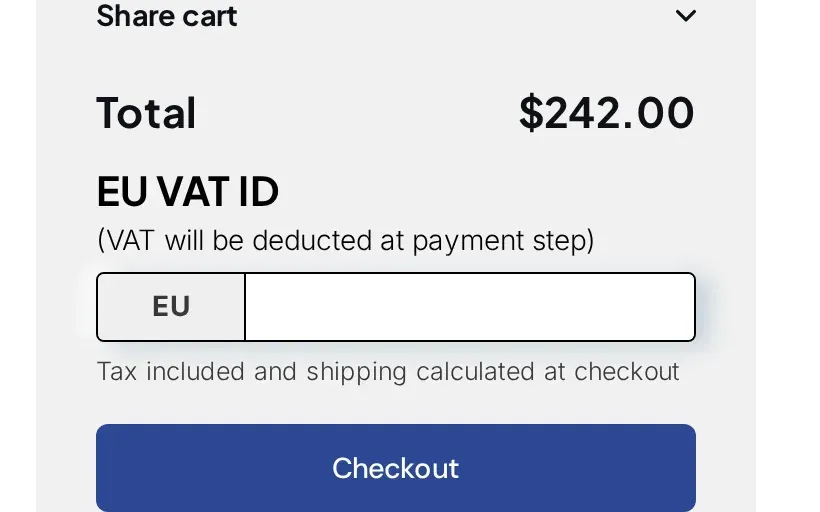
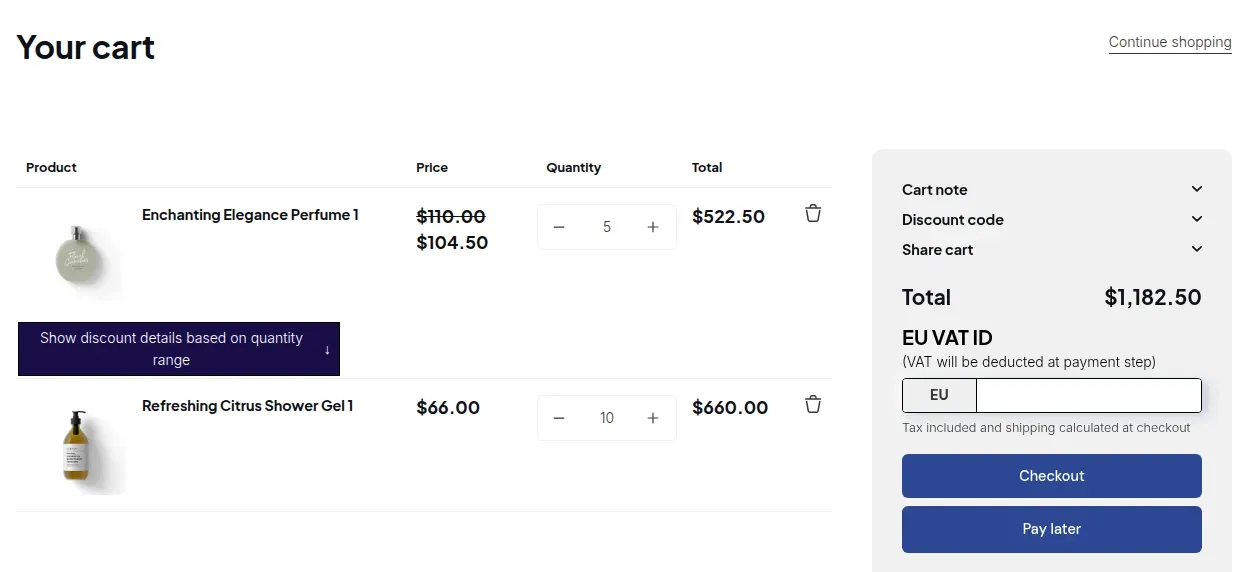
Real screens from the BSS apps and the BSS demo stores. Select an image to enlarge it.
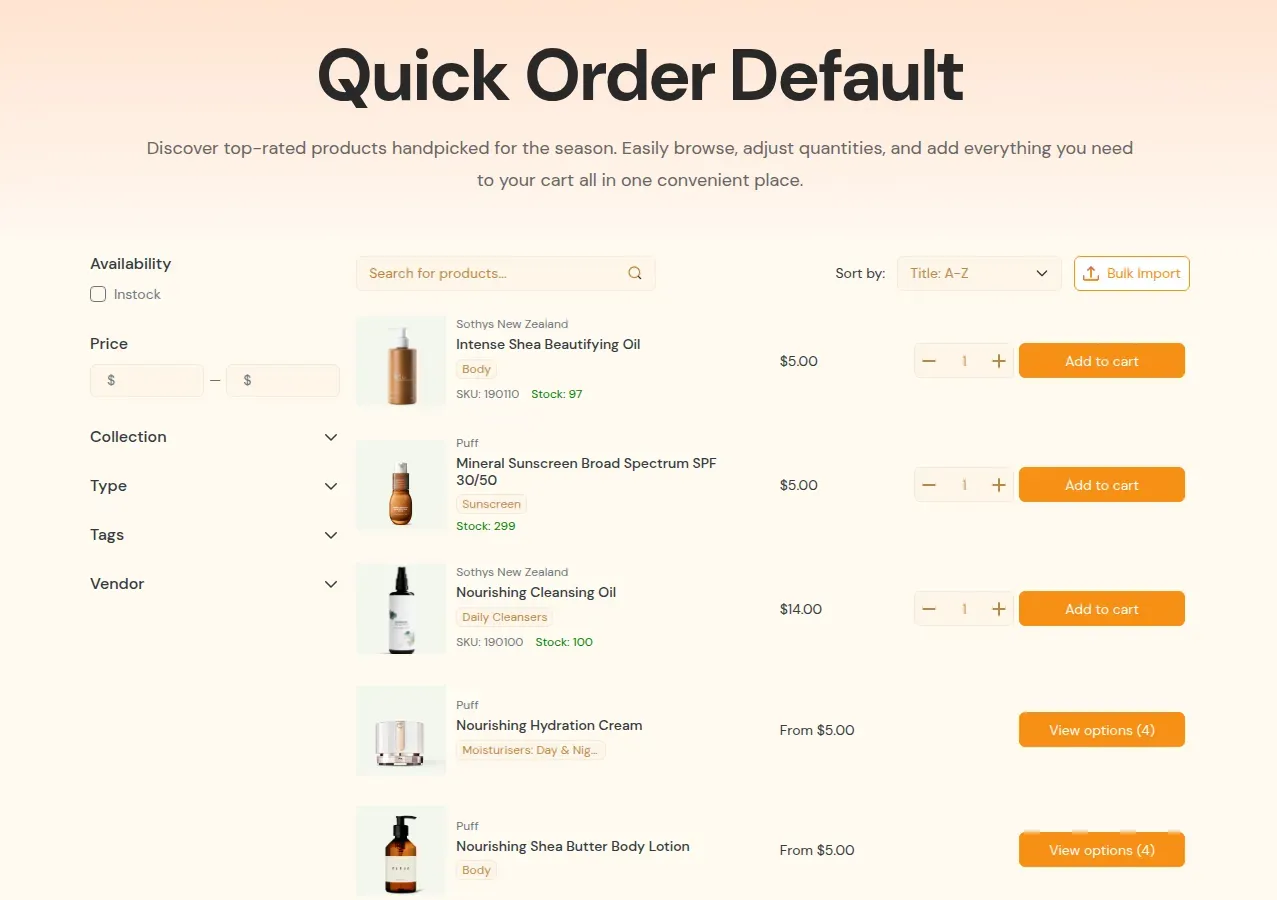
Clear lines make a calm migration. Here is who owns what.
BSS Commerce migration service
BSS B2B apps, with our help
Your call, with our advice
The "We move" column follows the BSS Commerce migration service page (read October 5, 2026). Scope for your store is set in the proposal.
Straight answers from the BSS Commerce migration service page, so nothing surprises you or your buyers.
Customer passwords cannot be migrated because they are encrypted. BSS Commerce says it plans how to invite customers to reset them.
BSS Commerce says it turns off automatic notifications during the migration, so buyers get no system emails until you invite them.
BSS Commerce says downtime is typically zero or minimal: most work happens in staging, and the final sync runs in your quietest hours.
BSS Commerce says timelines vary by complexity, typically from 4 to 12 weeks. Your proposal sets the real dates.
Cost depends on data volume and customization. BSS Commerce says agreed scope, price and timeline do not change, or change minimally and openly.
Apps from your old platform cannot be moved. BSS Commerce says it finds equivalent Shopify apps or builds custom ones.
From the BSS Commerce Shopify migration services page, read October 5, 2026.
Want these answers for your own store? A short call is the fastest way to a plan.
Nothing moves automatically between B2B apps. You rebuild on a duplicate theme, test, then switch, with free setup help from BSS support.
Write down every price, group, form, lock, quote and theme edit it handles. Screenshot what you cannot export.
Recreate app-only groups as Shopify customer tags, and add a test tag such as bss-test to one or two test customers.
Use CSV import for many rules, set Priority (0 to 99, lower wins within a module), then check five products by hand.
Recreate the registration form, the lock rules and the quote and quick order setup.
Each theme has its own app embed switch. Turn BSS on and the old app off on the duplicate only, and scope rules to the test tag.
Run the checklist below, publish the duplicate, widen targeting to your real tags, then uninstall the old app and remove leftover theme code.
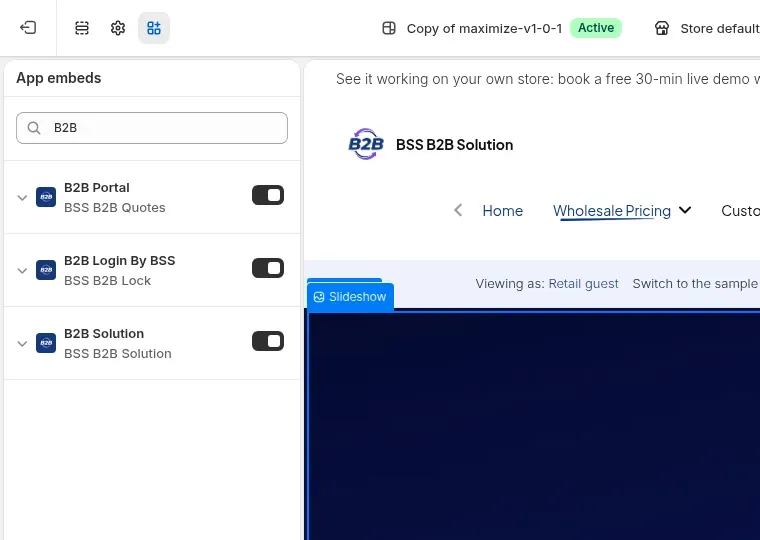
Run each row before you switch, on desktop and on a phone. It works for both a platform move and an app switch.
| Test | What to look for | Run it as |
|---|---|---|
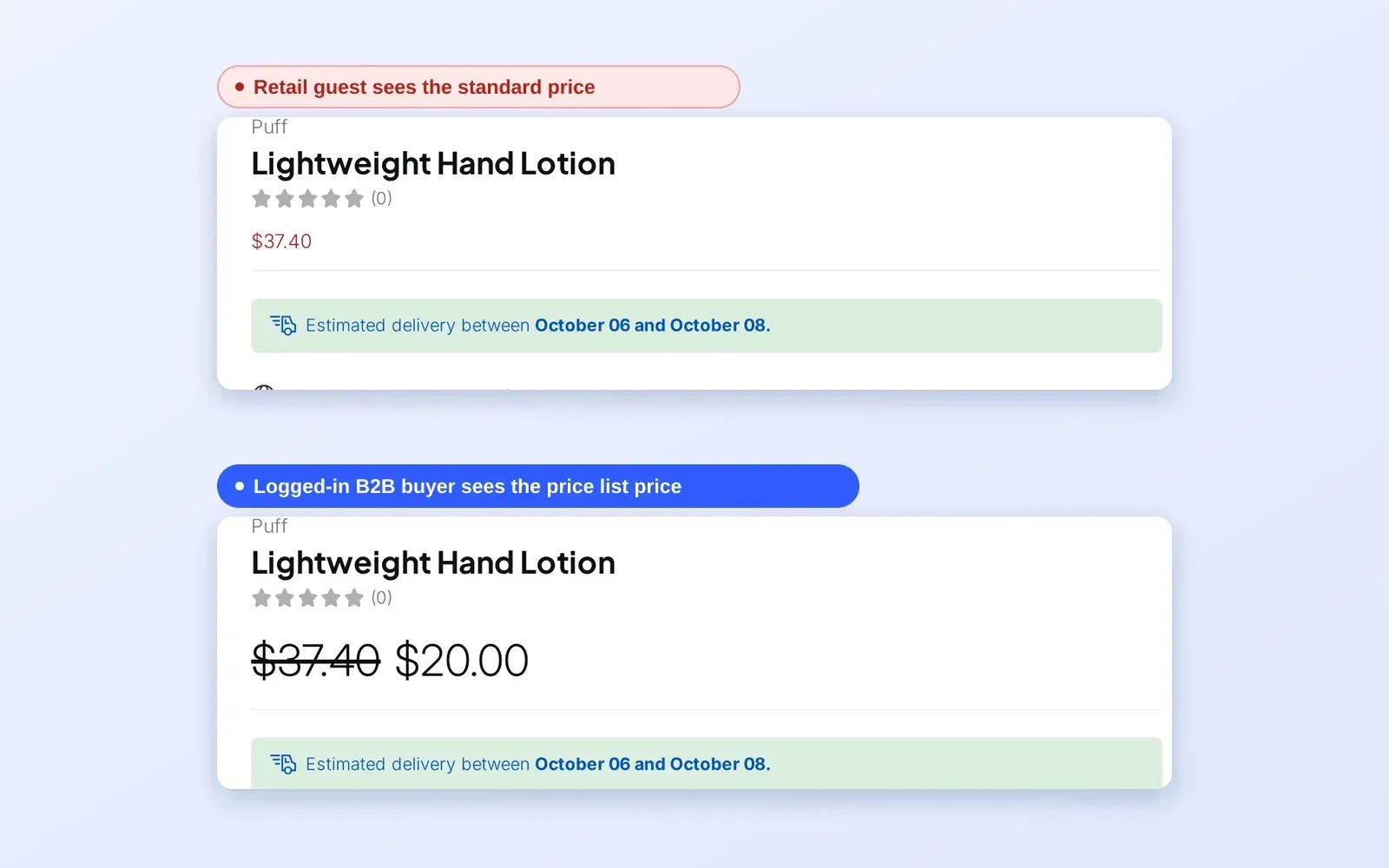
| Product page price | The B2B price, with the retail price struck through. Guests see retail, or a lock message | A guest and a tagged buyer |
| Collection and search | Prices on cards match the product page | A tagged buyer |
| Cart and cart drawer | B2B prices and quantity tiers recalculate when quantity changes. Cart drawers and quick view may need manual CSS selectors | A tagged buyer |
| Checkout paths | The checkout price matches the cart. Try Buy it now and express checkout too: the app hides Buy it now while price rules are active | A tagged buyer |
| Registration | A test application submits, reaches approval, and the tag arrives on approval | A new test email |
| Locks | Locked content is hidden for guests and visible for tagged buyers | A guest and a tagged buyer |
| Quotes and quick order | A quote request reaches the admin, a proposal sends, and a CSV order adds to the cart | A test customer |
| Terms, tax and limits | Net Terms and tax ID boxes show on the cart page, and a limit warning appears below the minimum | A tagged buyer |
Pick the level of help you want. Only the setup help is free.
Email and live chat for the BSS B2B apps. The BSS support page says: "Setup help is free."
Free Contact supportWe configure your B2B rules in the BSS apps for you, with a tailored proposal for scope, timeline and price.
Proposal See the setup servicesBSS Commerce moves your products, customers, orders and SEO elements from your current platform to Shopify.
Proposal BSS Commerce migration servicesBSS Commerce's migration service page lists Magento, WooCommerce, BigCommerce, Salesforce Commerce Cloud, SAP Commerce Cloud, Square, Squarespace and custom platforms, and says it can migrate data from any platform. Tell us what you run and the proposal confirms the scope.
Yes, through BSS Commerce's Shopify migration service, not through the BSS B2B apps. The service page names products, orders, customers and SEO elements. The apps then carry the B2B rules: tags, price rules, forms, locks, terms and quotes. Scope and price come from a proposal.
Use Shopify customer tags. BSS rules target customer tags, specific customers, logged-in status and company locations, so add each old group as a tag when you import customers, then target the tag in your rules.
Yes. BSS Commerce's service page says passwords cannot be migrated because they are encrypted, and that it plans how to invite customers to reset their passwords on the new store.
BSS Commerce says timelines vary by complexity, typically from 4 to 12 weeks. Large data volumes and custom integrations take longer. Your proposal sets the dates.
No. Customers and their tags are Shopify data, and past orders stay in Shopify. If your old app kept buyer groups inside the app, recreate each group as a Shopify customer tag, because BSS rules target tags, specific customers, logged-in status and company locations.
On different themes, yes. The BSS app embed has its own switch for each theme, so you can run BSS on a duplicate theme while the old app serves the live one. Avoid running two price apps on the same live theme, because both can change the same price.
Our docs describe CSV import in BSS's own sample format and do not describe an importer for another app's files. Export what your old app allows, reshape it to the BSS sample file, and the import checks the whole file before it imports anything.
The BSS support page says "Setup help is free", through email and live chat. Done-for-you setup and the Shopify migration service are separate, with a tailored proposal.
Disable its rules, turn off its app embed, uninstall it, then search the theme for leftover code, because some apps leave code behind. Test as a guest and as a buyer afterwards. Our uninstall guide walks through the steps.
BSS B2B Solution is free on development stores and starts at $29 per month on paid plans, with a 14-day free trial on paid plans. BSS B2B Lock has a free plan and paid plans from $9.99 per month, with plan tiers that follow your Shopify plan. BSS B2B Quote is free on development stores and starts at $19 per month. Prices are from the Shopify App Store listings as of 2026-10-04 and can change, so check the listing before you install.
Share your platform, your B2B rules and your timing. We answer by email and live chat, and the call is the fastest way to a plan.