


Lucia’s Imports, a Kentucky wholesaler of fair trade Guatemalan jewelry, ceramics and textiles, hides every price until a retailer registers. Its Shopify store pairs a Register to view prices button with a wholesale form, a published policy page and net terms for established US accounts. Here is how the storefront works and which BSS features sit behind it.
Key takeaways
- Prices are hidden from guests on the homepage, on collections and on product pages; photos, names and SKUs stay public.
- The wholesale form asks for a Sales Tax ID and a company URL, and the policy page promises review within one to two business days.
- Opening orders have a $100 minimum, and established US accounts can use Net 30 terms with a Net Terms button in the cart.
- In its public App Store reviews, the merchant thanks BSS support for help with the registration form, the lock app and cart wording.
About Lucia’s Imports
Lucia’s Imports L.L.C. is a wholesale importer based in Lexington, Kentucky. Its About page says it was established in 2005 and operates according to the Fair Trade Federation principles, working with Guatemalan families, artisan groups and cooperatives to build a wholesale market for their handicrafts and accessories. The store banner welcomes buyers to the home of fairly traded Guatemalan jewelry, home goods and accessories.
The catalog is broad but coherent: string and beaded bracelets, earrings, anklets, purses and coin bags, backpacks, hats and accessories, ceramics and tabletop decor, baby and kids items, holiday collections and a closeout section. Product copy repeats the same promise, that each purchase empowers Guatemalan artisans. The company also lists memberships such as the Fair Trade Federation, which is the kind of proof a boutique buyer looks for before ordering.
Lucia’s Imports also sits next to retail. The company runs two Lucia’s World Emporium shops, in Lexington and in Saugatuck, Michigan, and points consumers to a separate retail site. That separation is a design choice worth noting: the wholesale store does not need a consumer checkout, so it can lock prices for everyone who has not applied.
Lucia’s Imports’ B2B model: wholesale store, gated by registration
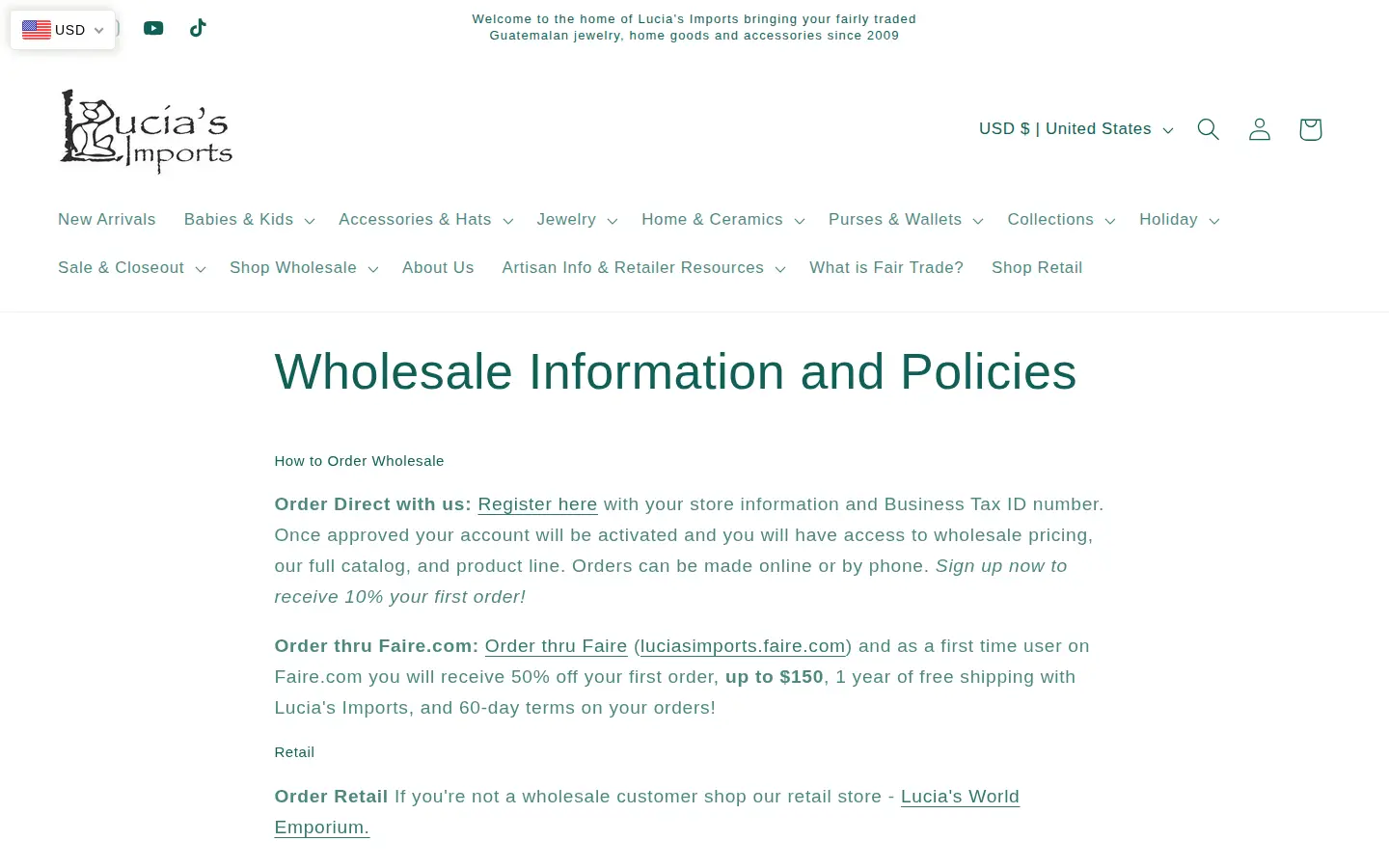
The model is simple to describe. Retailers can order direct on the Shopify store after they register and are approved, or they can order through a wholesale marketplace that the policy page links. The direct route is the one this story covers. The page says that once an account is approved it will have access to wholesale pricing, the full catalog and the product line, and that orders can be placed online or by phone. It also advertises a discount on the first direct order for new accounts.
The wholesale policy is published on the same page and is specific:
- A Business Tax ID number is required to open an account.
- The opening wholesale order has a $100 minimum, and established accounts keep a $100 order minimum.
- Payment is prepaid, with Net 30 for established credit, which the page says applies to US customers only.
- Pre-order items are not charged until they ship, and a buyer on net terms with pre-order items in the cart must check out from the cart page using the Net Terms button.
- Third-party selling on platforms such as Amazon or eBay is not permitted.
- Returns need prior approval, and damage must be reported within 15 days.
A policy that detailed does two jobs. It filters applicants, and it gives a new buyer every rule before the first order, which cuts the number of questions the support team has to answer.
How the storefront handles wholesale
Prices hidden everywhere a buyer would look
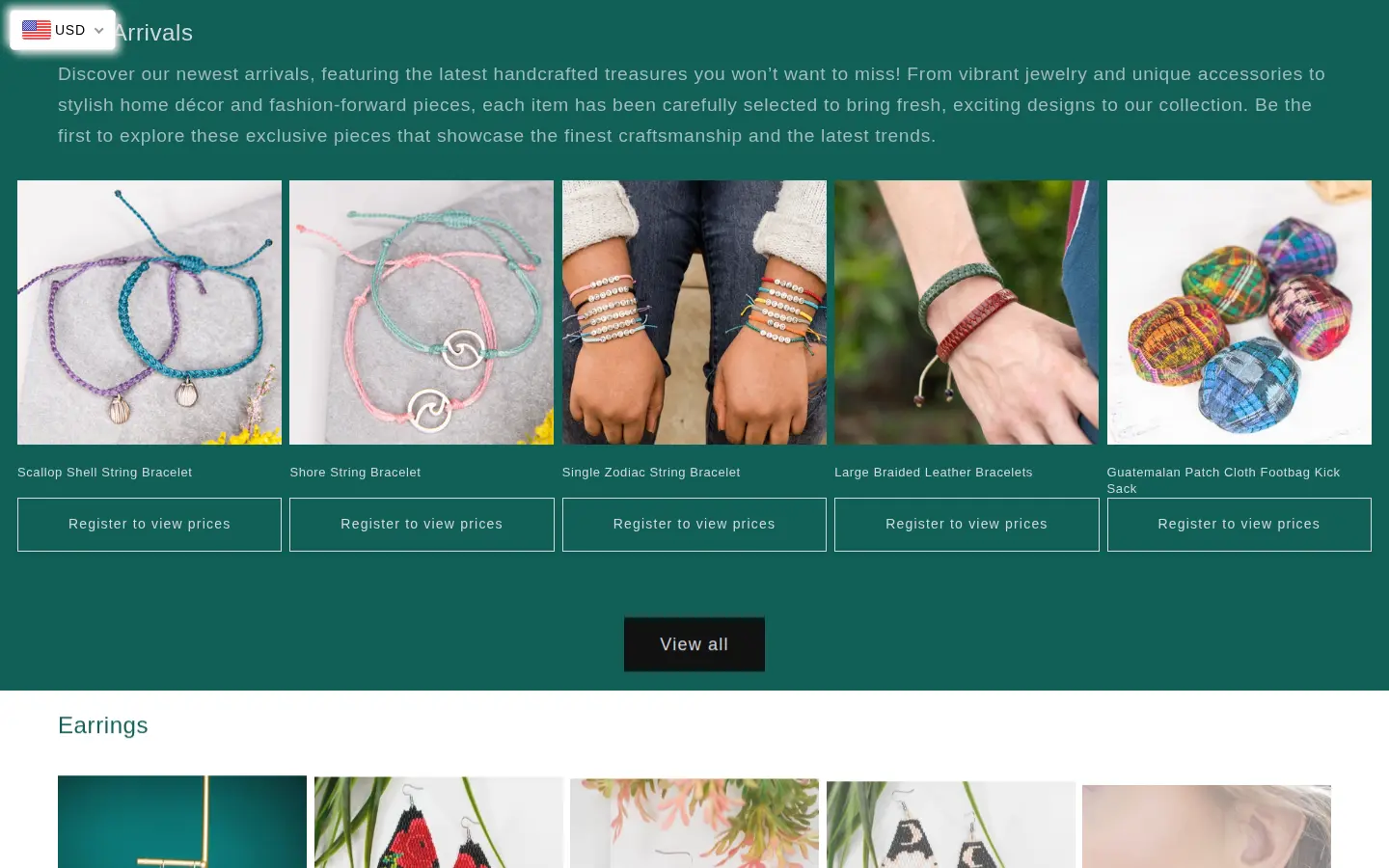
A first-time visitor can browse the whole catalog and see what the products look like. What they cannot see is the price. On the homepage, each product card has a Register to view prices button where the price would normally be.
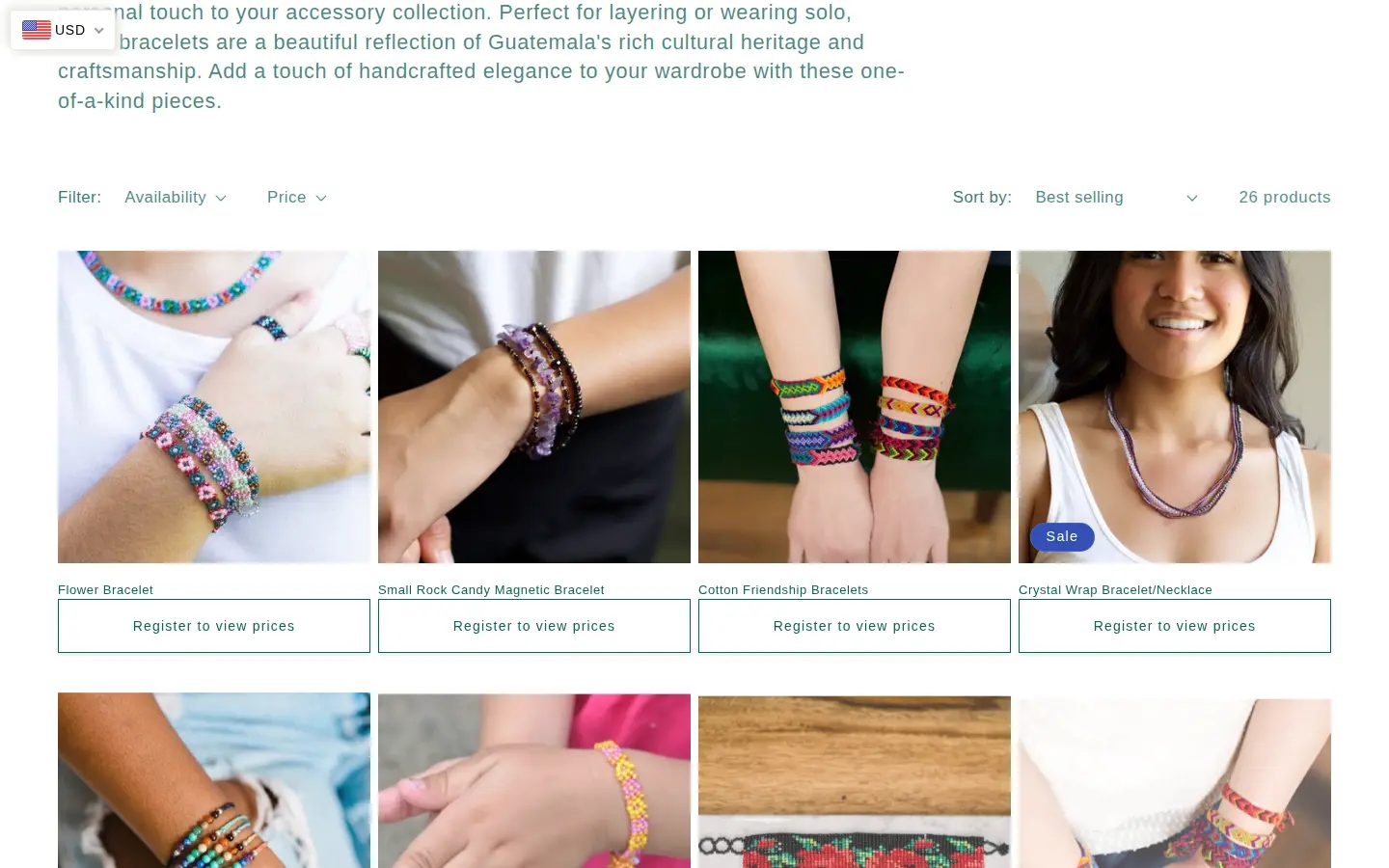
The same pattern repeats on collection pages. A guest can scan twenty-six bracelets and read product names, but each one carries the same button.
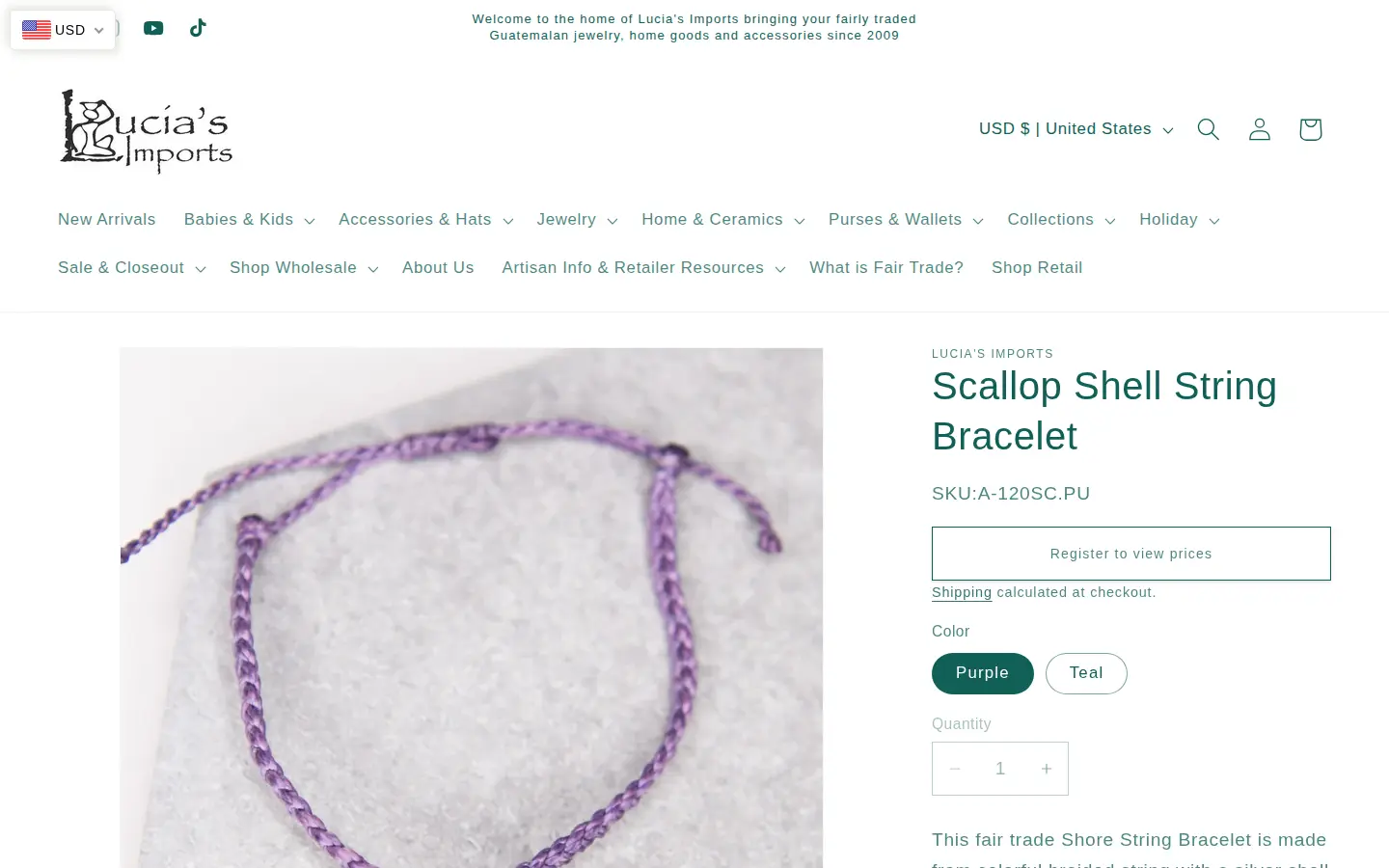
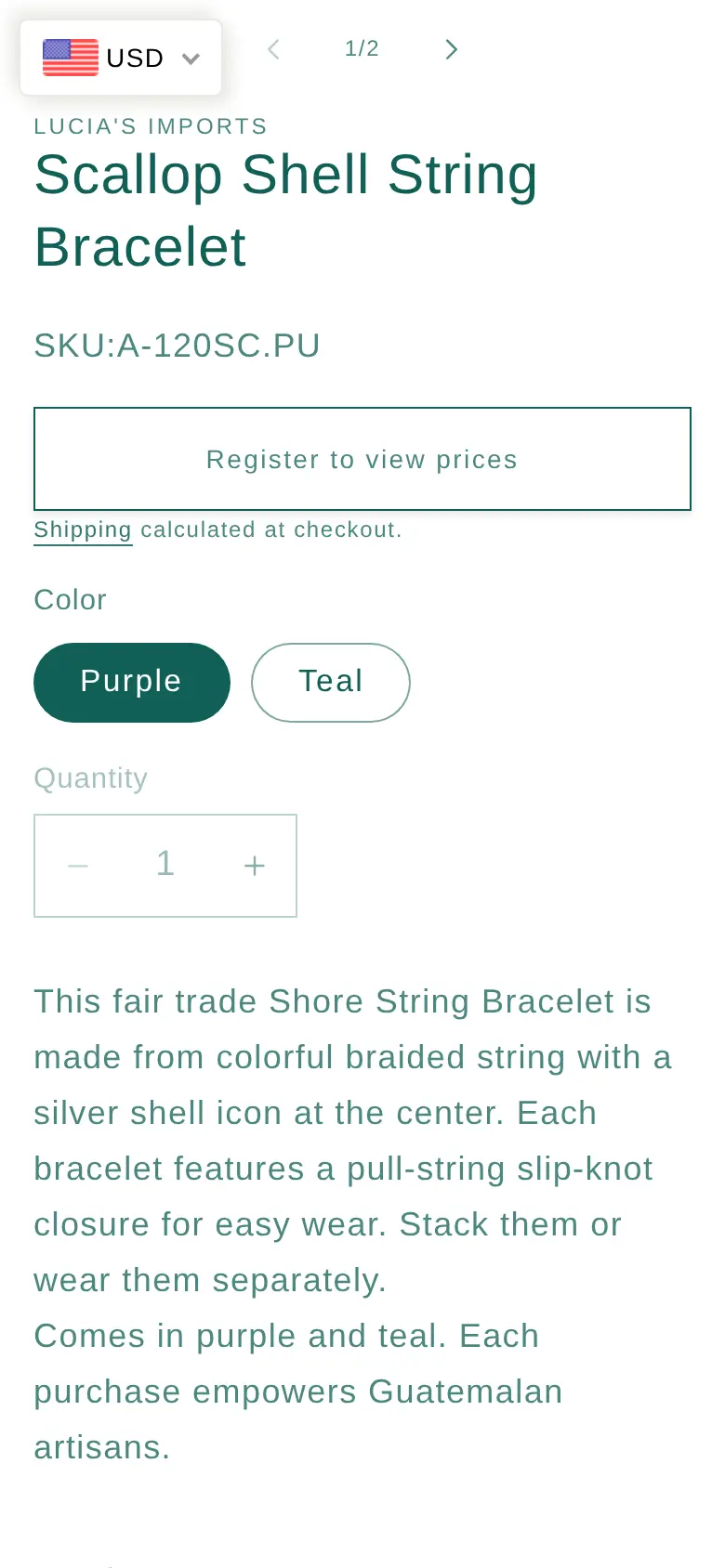
On a product page, the gate sits in the price position, above the colour options and the quantity selector. The SKU stays visible, which is useful for a retailer who is matching items against a catalog or an earlier order.
Every Register to view prices button leads to the wholesale registration form, so a visitor is never more than one click from the application.
A registration form built for retail buyers
The form is long on purpose. After name, company, email, password and phone, it asks for a Sales Tax ID and a company URL, and both are required. Then comes a shipping address with a checkbox to confirm that billing is the same, a billing address, a required free-text question about how the buyer heard of the store, and a store-type choice: brick and mortar, online store or both.
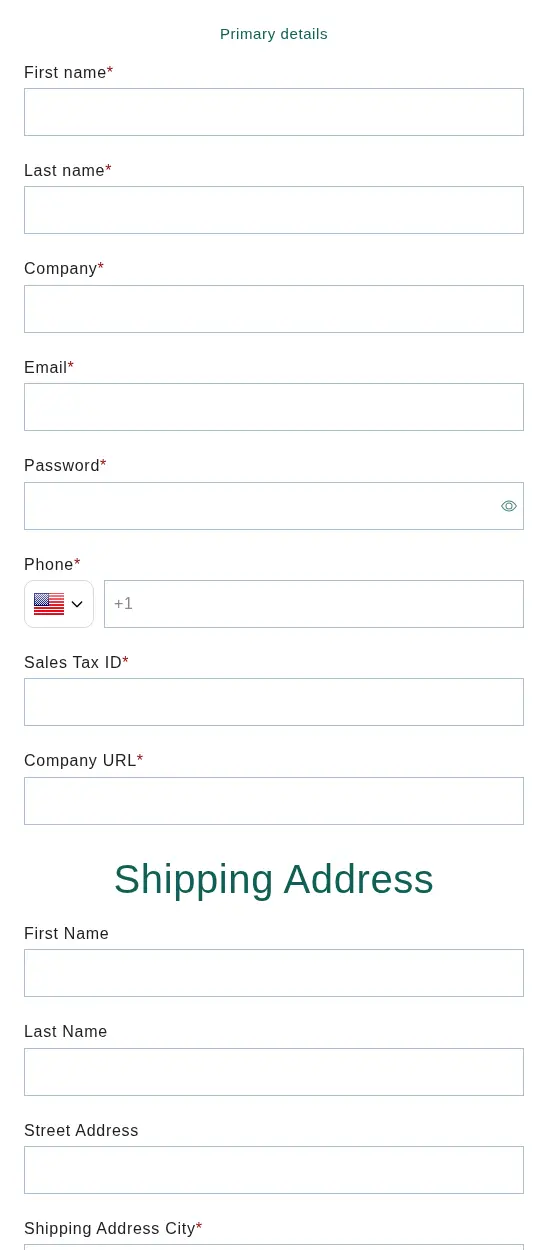
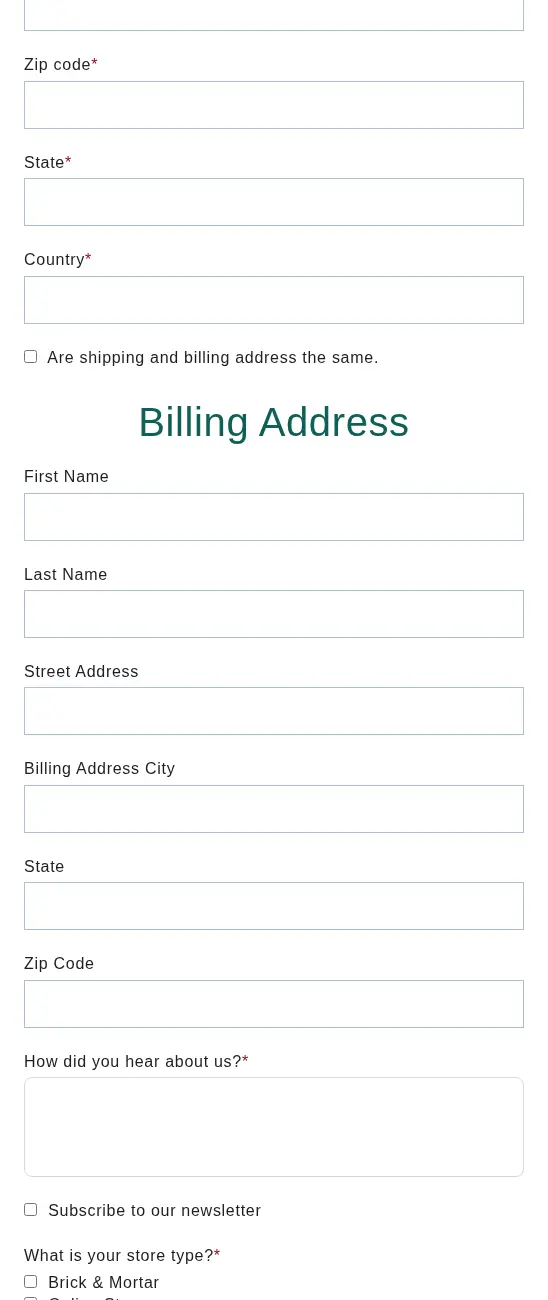
A form like this lets a small team vet applicants without a phone call. The tax ID points to a reseller, the company URL lets them look at the business, and the store type shows whether to expect a boutique or an online shop, which matters for a policy that bans third-party selling. The how-did-you-hear field gives marketing a source without a separate survey.
For the steps to build a form like this, read the BSS guide on building a wholesale registration form and the use case on a registration form with approval.
A policy page that closes the loop
The Wholesale Information and Policies page opens with how to order and links the registration form again. It then lists the rules in the section above, so a retailer can decide before they apply.
On a phone
Boutique owners often browse on a phone between customers. The product page keeps the gate in the same place, under the title and SKU, with colour options and quantity below.
Which BSS features power it
We looked at the public storefront source and at read-only configuration flags in BSS production data, which show whether a feature has an active rule, not how it is configured. We did not read prices, orders or customer data.
| What buyers see | BSS feature | How we know |
|---|---|---|
| Register to view prices on cards, collections and product pages | BSS B2B Lock (price lock) | The buttons carry BSS B2B Lock markup, and the merchant’s review thanks support for the lock app |
| Wholesale registration form with tax ID, URL, addresses and store type | Registration form (BSS B2B Solution) | The form uses the BSS form container; the review thanks support for help with the form |
| Net Terms button for established accounts and pre-orders | Net Terms | The policy page names the button; production data shows an active Net Terms rule |
| $100 minimum order | Order limits | The policy page states the minimum; production data shows an active order limit rule, but we cannot see its values |
| Customer tagging after approval | Auto Tag | Production data shows active tag rules |
| Wholesale shipping and special prices | Shipping Rate and Custom Pricing | Production data shows active rules for both; we cannot see their values |
BSS B2B Lock: hiding the price, not the product
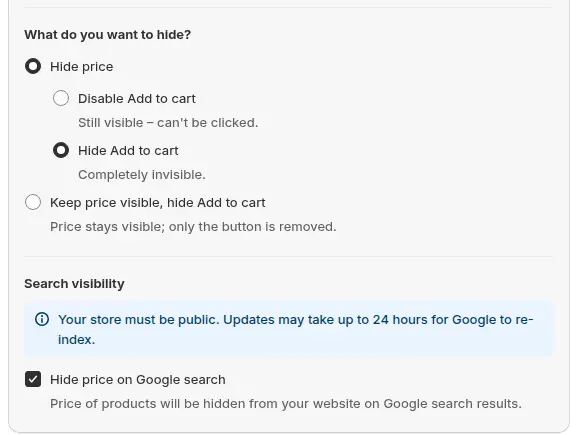
A price lock is the first thing a visitor meets, so it is worth getting right. In BSS B2B Lock you choose what to hide: the price, the Add to cart button, or both. Lucia’s Imports shows the replacement button in place of the price, and a guest cannot add to cart. BSS B2B Lock works on the storefront, so treat it as a way to control what visitors see rather than a guarantee that a price can never be found.
See the use case on hiding wholesale prices from guest visitors and the BSS guide on hiding prices from guest users.
Registration and tagging
A BSS registration form can assign a tag when a customer is approved. That tag is what lets pricing rules, shipping rules or net terms apply to the right people only. Auto Tag rules are active in the store’s production data, which fits a flow where approved retailers are tagged and the rest of the rules follow the tag.

The use case on auto-tagging customers shows how tags can also be applied from spend and order history.
Net terms and minimums
The policy page describes a buyer on net terms checking out from the cart page. In BSS B2B Solution, the Net Terms feature adds a payment-terms button to the cart for eligible customers, and an order limit rule sets a minimum amount or quantity. A merchant can change the button label, which is why the store’s own wording, Net Terms, can differ from the example image below.
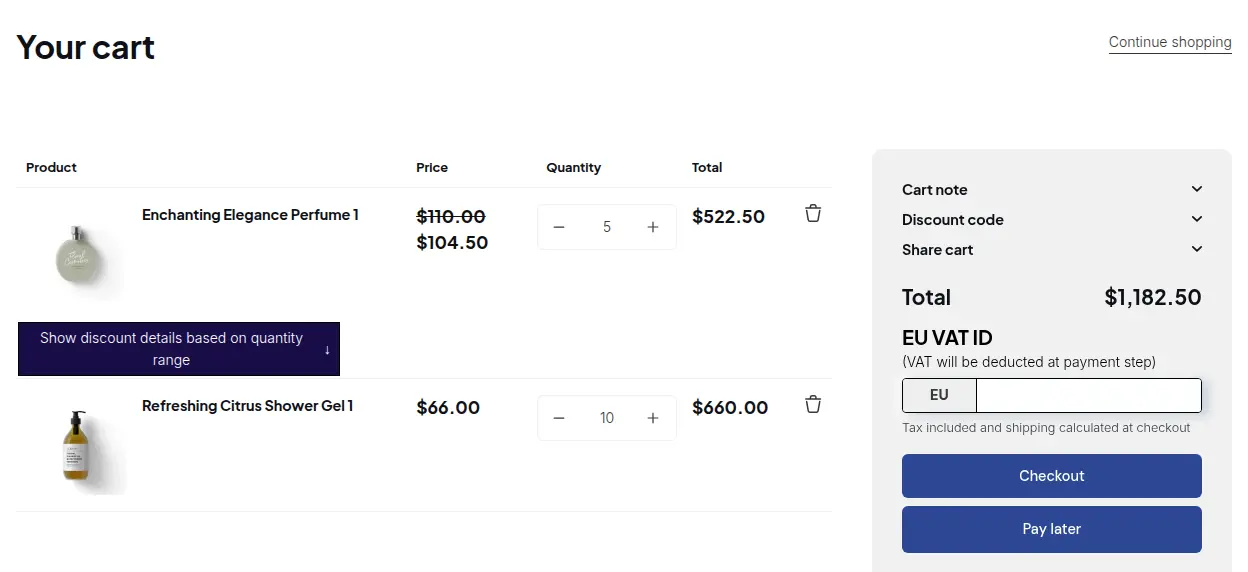
See the BSS guides to setting up net terms and setting minimum or maximum order limits, and the use cases on Net 30 payment terms and minimum order quantity and value.
What other merchants can copy
- Hide the price, keep the product. Photos, names and SKUs sell the range; the price is what you protect.
- Point every locked button to one form. One click from a locked price to the application removes a step.
- Ask for a tax ID and a URL. Two required fields tell you whether the applicant is a real reseller.
- Ask for the store type. Brick-and-mortar and online buyers need different rules on third-party selling.
- Publish your policy next to the form. Minimums, terms, returns and resale rules belong where the buyer decides.
- Say how long approval takes. One to two business days sets expectations and cuts follow-up emails.
If you also sell retail, read the use case on running B2B and B2C on one Shopify store, or start from the Shopify B2B guide.
Lucia’s Imports’ reviews
Lucia’s Imports has left two public five-star reviews on the Shopify App Store, one for BSS B2B Lock and one for BSS B2B Solution. We quote both in full.
We are so pleased with the support we have had with BSS! They helped me with my registration form, lock app, and much more.
Lucia’s Imports (United States), 5-star review of BSS B2B Lock, June 24, 2026, 12 months using the app. Read it on the Shopify App Store
BSS has been extremely helpful with providing support for all of our needs. We asked them to update the cart button text and the wording on the cart page, and they helped us right away, amongst other needs we have had. They have been great!
Lucia’s Imports (United States), 5-star review of BSS B2B Solution (listed as BSS B2B Wholesale Pricing), December 17, 2025, 6 months using the app. Read it on the Shopify App Store
Both reviews are about help rather than features. The first links support to three jobs this story shows: the registration form, the price lock and the rest of the setup. The second shows that cart wording, such as a net terms button, can be adjusted to match the store’s own policy.
FAQ
How can I hide prices on Shopify until a retailer registers?
Use a price lock that replaces the price with a button and sends visitors to your registration form. Lucia’s Imports uses a Register to view prices button on cards, collections and product pages. In BSS B2B Lock you can hide the price, the Add to cart button or both.
What should a wholesale registration form ask for?
At minimum, company, contact details and a tax or resale ID. Lucia’s Imports also asks for a company URL, shipping and billing addresses, how the buyer heard about the store and a store type, which together help the team decide whether to approve.
Can I offer net terms to only some wholesale buyers?
Yes. Net terms can be limited to selected customers, for example by tag. Lucia’s Imports states that Net 30 applies to established US accounts, and its policy says prepaid is the default.
How do I set a minimum order for wholesale accounts?
Use an order limit rule for a minimum amount or quantity. Lucia’s Imports publishes a $100 minimum on its policy page, and production data shows an active order limit rule on the store.
Should I send wholesale buyers to a marketplace instead?
Some merchants offer both a direct store and a marketplace listing. Lucia’s Imports links both routes on one policy page. Direct orders give you the customer relationship and your own terms, so keep the direct form prominent.
This store spotlight is based on Lucia’s Imports’s public website and its public review on the Shopify App Store, as of 2026-10-05. Screenshots show the public storefront. Images labelled Example configuration in BSS B2B Solution come from the BSS user guide and are not the merchant’s admin.