


K-EYES, a French designer of reading glasses and sunglasses, serves consumers and professionals from one Shopify store. Opticians, pharmacies and concept stores create a professional account in about 30 seconds, then use quick ordering and their own terms. This store spotlight explains how it works and which BSS apps sit behind it.
Key takeaways
- K-EYES runs a professional platform for its K-EYES and TROPZ brands, linked from a Professional Area menu item and a homepage button.
- The sign-up form asks for company, business type and a company number, EIN or VAT, then redirects to login.
- Quick ordering is reserved for logged-in professionals; guests see how to log in or create an account.
- The merchant has used BSS B2B Solution since November 2023 and reviewed both Solution and Quote.
About K-EYES
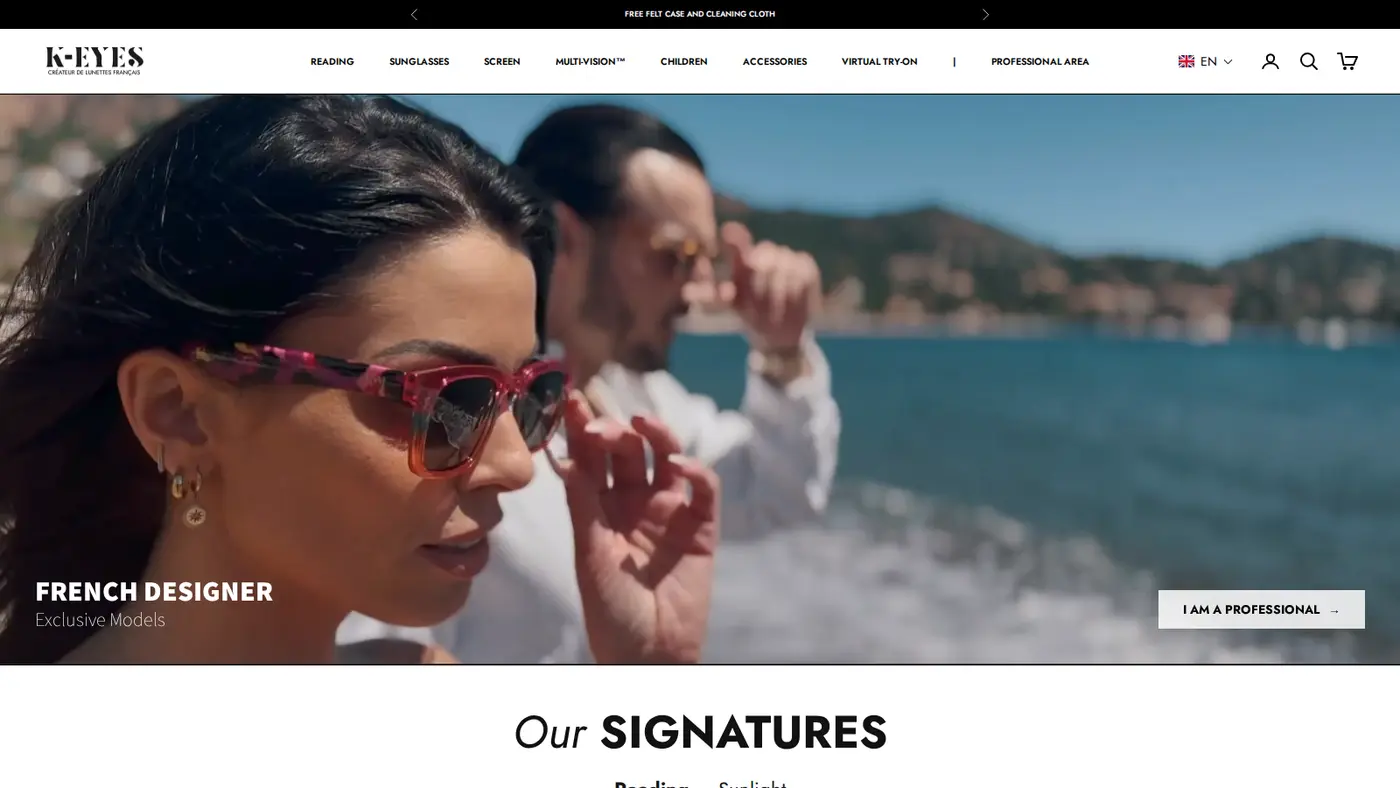
K-EYES describes itself as a French eyewear designer, and the logo carries the line Créateur de lunettes français. The store is bilingual, with French and English versions, and offers a language selector. The range is organized the way an eyewear shopper thinks: reading glasses, sunglasses, screen glasses, a Multi-Vision line, children’s sunglasses by age range, accessories and a virtual try-on collection. The full catalog lists about 150 products, and the homepage offers a free felt case and cleaning cloth.
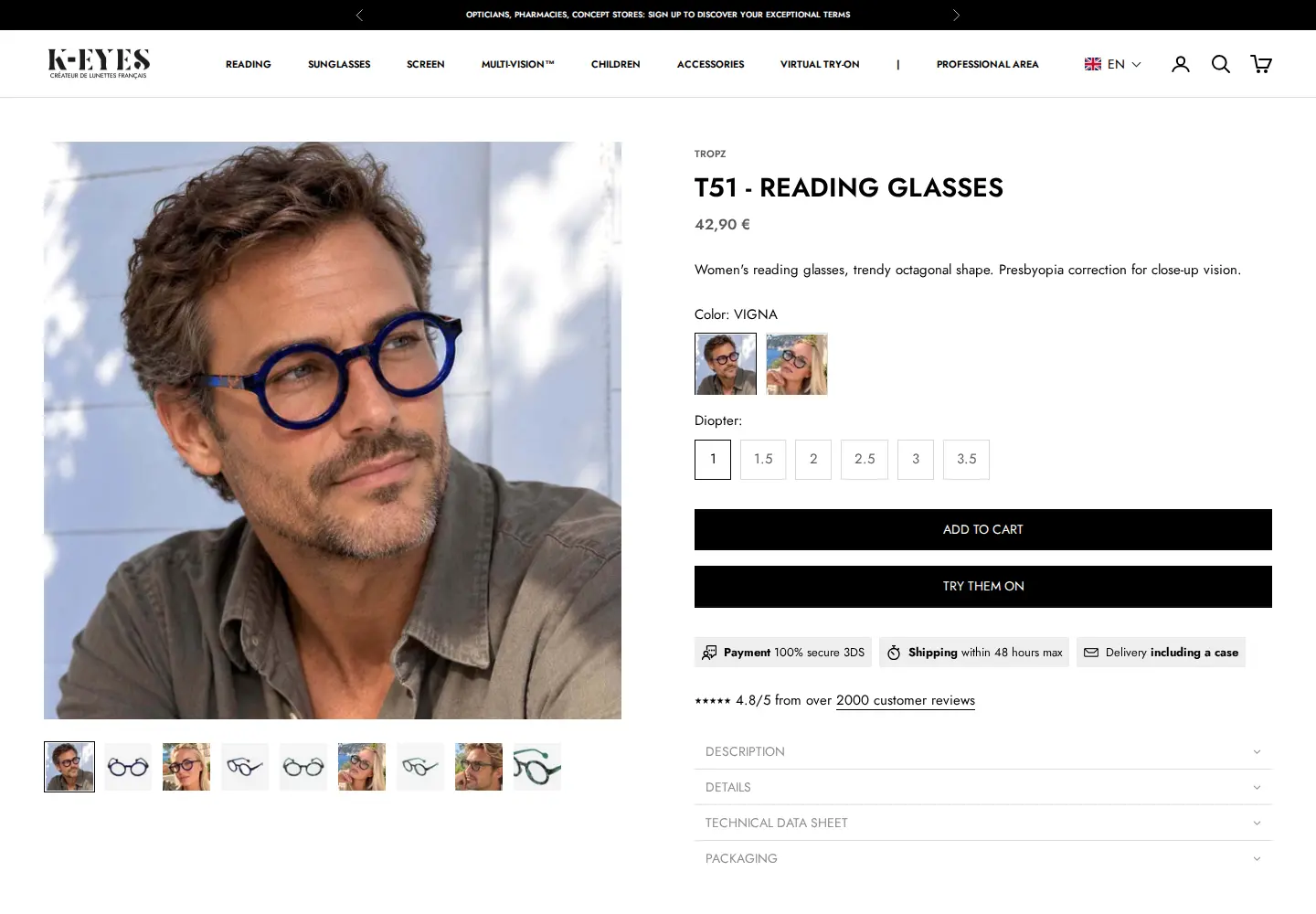
The product pages are consumer-friendly. A reading-glasses page shows the public price in euros, colour options, a choice of diopters, Add to cart and Try them on, plus notes on payment, fast shipping and a case included. Sunglasses for children are sold singly and in a TROPZ mini kit of 12 pairs, a first sign that the brand also sells in packs to resellers.
Eyewear is a classic hybrid category. The same frame sells to a shopper and to a pharmacy that wants a display. A brand in that position needs a consumer store and a way to give shops better terms, without building two sites. That is exactly what the professional platform does.
K-EYES’s B2B model: a professional platform on the same store
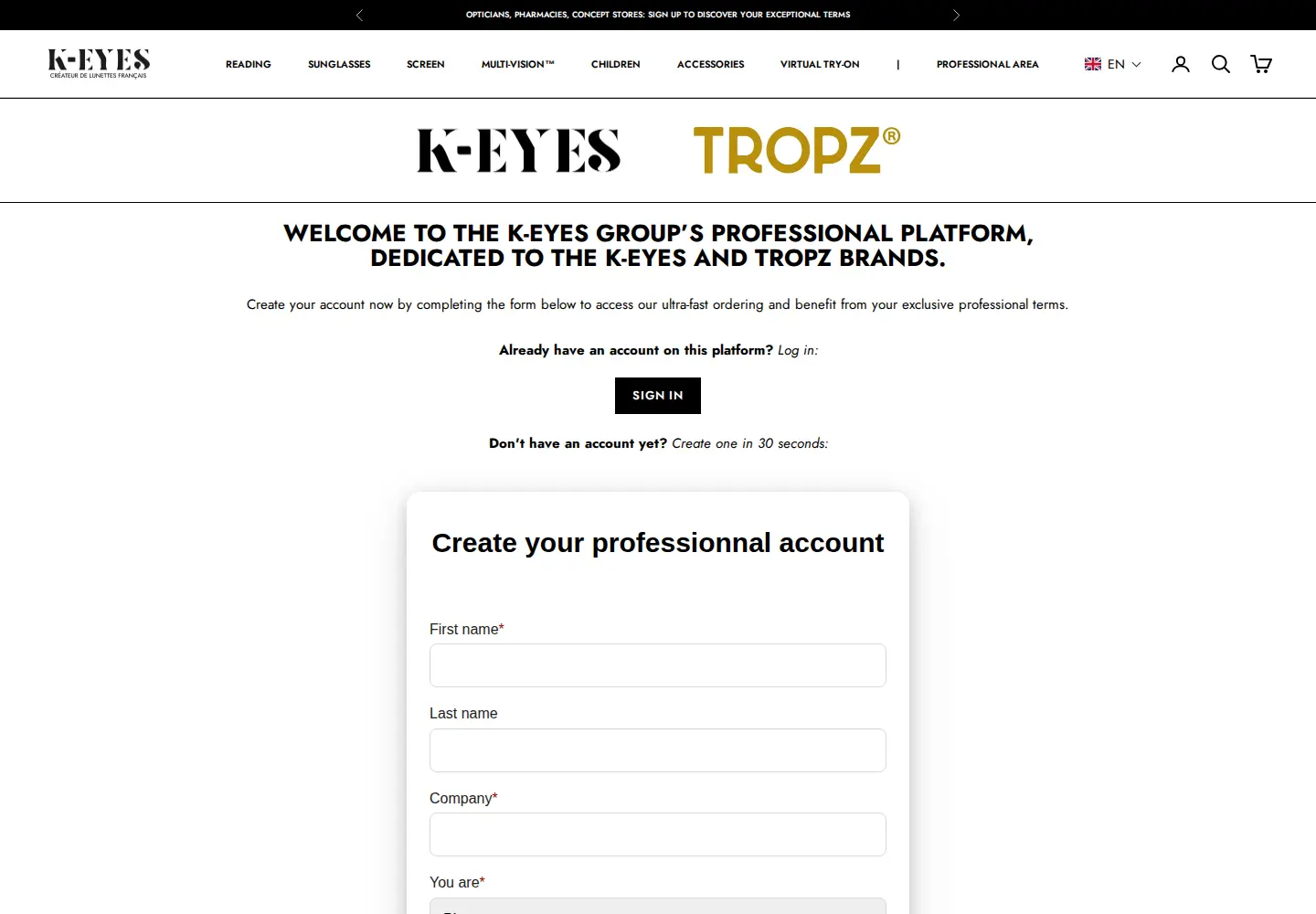
The black announcement bar on every page reads Opticians, pharmacies, concept stores: sign up to discover your exceptional terms. The main menu has a Professional Area item, and the homepage hero ends with an I am a professional button. Both lead to a professional platform page for the K-EYES group’s two brands, K-EYES and TROPZ.
The platform page makes a promise and states the process. Create your account by completing the form to access ultra-fast ordering and benefit from exclusive professional terms. It offers Sign in for existing accounts, then Create one in 30 seconds for new ones, and notes that after submitting the form the buyer is redirected to the login page to enjoy the benefits.
| Question | What the storefront says or shows |
|---|---|
| Who is it for? | Opticians, pharmacies and concept stores |
| How do they join? | Create a professional account with the on-site form (about 30 seconds) |
| What do they get? | Exclusive professional terms and ultra-fast ordering |
| Where do they order? | A quick order page reserved for logged-in professionals |
| Which brands? | K-EYES and TROPZ |
How the K-EYES storefront handles wholesale
1. A form that identifies the business type
The form, titled Create your professional account, asks for first name, last name, company and a You are dropdown that identifies the business type, then email, password and phone number, address, city, country and postal code. The last required field is Company Number, EIN or VAT, followed by a privacy-policy checkbox and Submit. The EIN mention shows that the form is meant for more than one country.
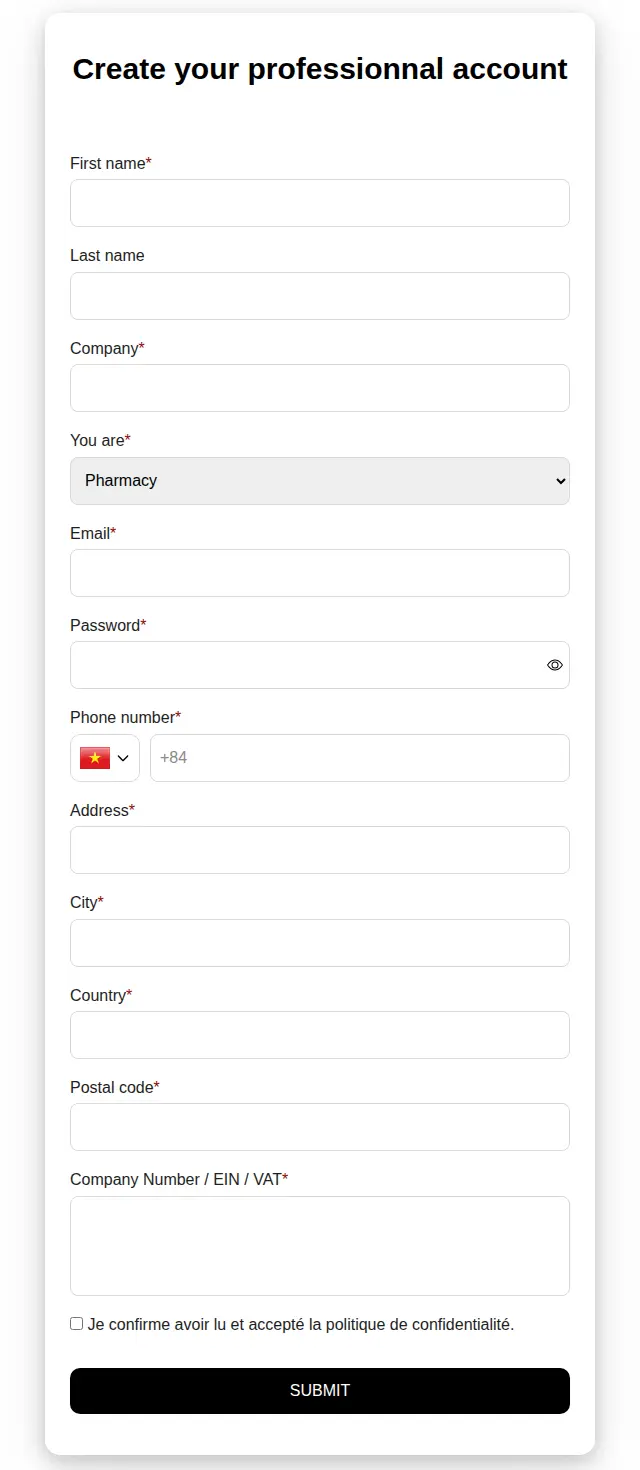
The You are dropdown is the key field. It tells the team whether an applicant is an optician, a pharmacy or a concept store, and it can drive tags and terms. Our configuration data shows two active registration forms, both set to assign a tag. One of them has the tax-exempt option switched on, and one has captcha enabled. A conditional logic rule exists but is switched off. The form builder is described in wholesale registration form with approval.
2. Quick ordering behind a login
The Quick order link in the footer and Professional Area opens a page that, for a guest, shows a black notice in French and English: Access reserved for professionals. To reach your quick order, log in to your professional account, or create one yourself under Professional Area. Below it sits a contact form for buyers who need help.
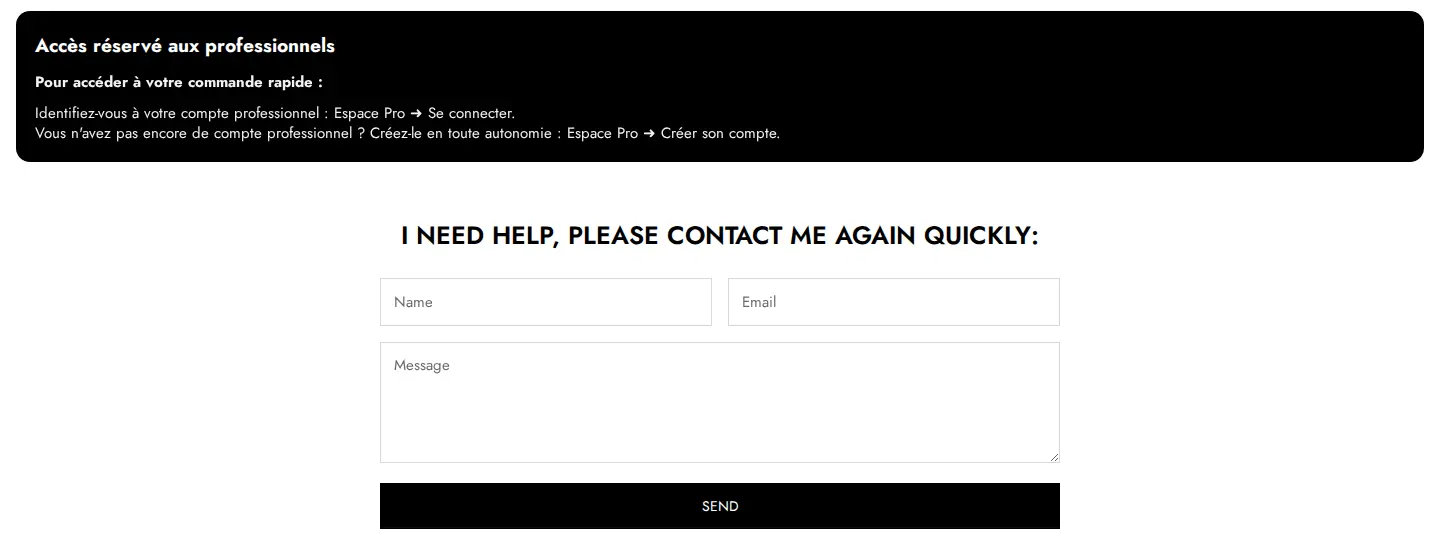
This is a tidy way to protect a fast ordering tool without hiding the rest of the shop. The storefront does not reveal which tool powers the page. BSS B2B Quote offers quick order pages with CSV or XLSX upload, and the merchant has reviewed Quote, but we cannot confirm from outside that this particular page is built with it. For the pattern, see personalized quick order pages and bulk order by CSV upload.
3. A professional catalog and consumer pricing for everyone else
The footer also links a Catalogue page that hosts a viewer for a professional catalog; it did not load for us as a guest, so we cannot describe its content. Everyone else sees public retail prices. Professional prices are applied after login, which is why a guest page never shows a wholesale figure.
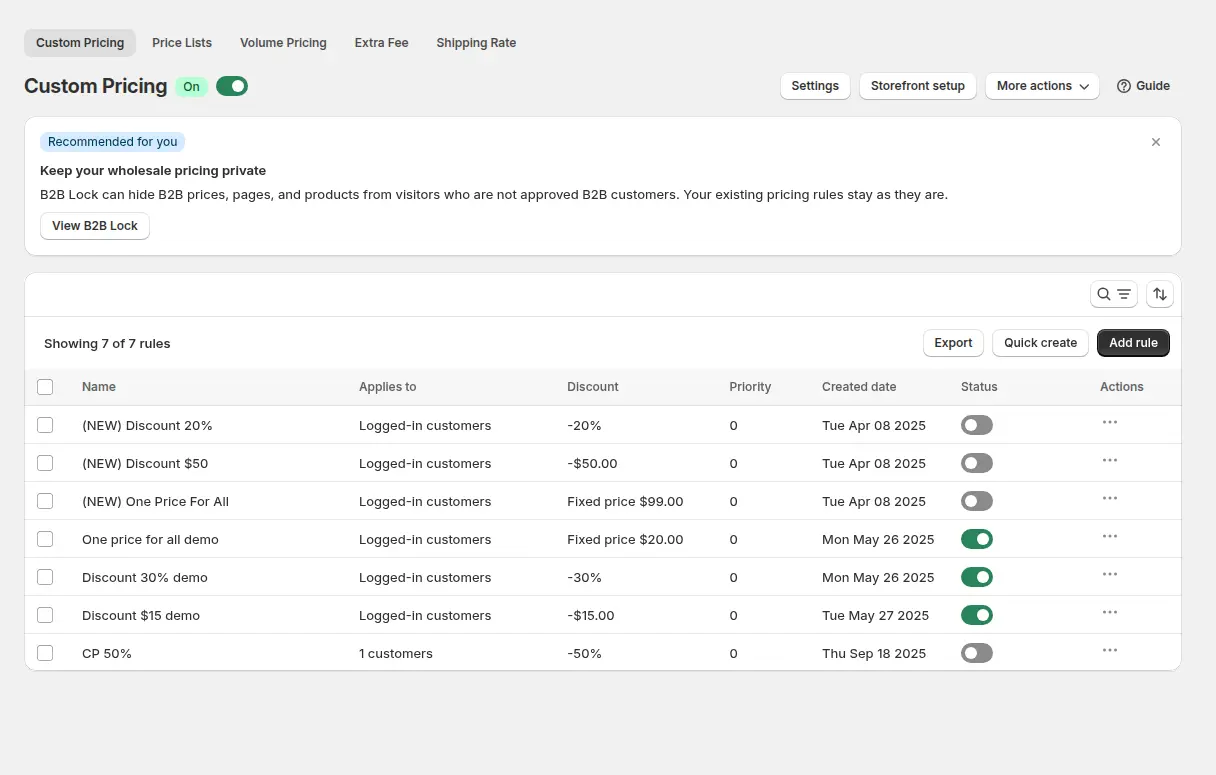
Our configuration data fits this: 34 active Custom Pricing rules apply a fixed price to products selected by product tag, for customers who carry a customer tag. Setting a fixed price per product group is common for catalogs with many frames and a standard wholesale list. The tag decides who gets the list; the product tag decides which items it covers.
Which BSS features power the K-EYES setup
K-EYES has used BSS B2B Solution since November 2023, and the configuration is broad. Aggregated data from the BSS B2B Solution backend, as of October 5, 2026, shows the app on a paid plan with these modules active:
- Custom Pricing. Thirty-four active rules set fixed prices by product tag for tagged customers.
- Auto-tagging. Eight automatic tagging rules are on, so customers can move between groups as events happen.
- Net Terms. One active rule applies to tagged customers.
- Shipping Rate. Two active rules apply to customers by tag or by specific customer.
- Tax Exempt and Tax Display. One tax-exempt rule for tagged customers and one tax display rule are active.
- Discount Code and Buy One Get One. One active rule each.
- Registration forms. Two active forms, as above.
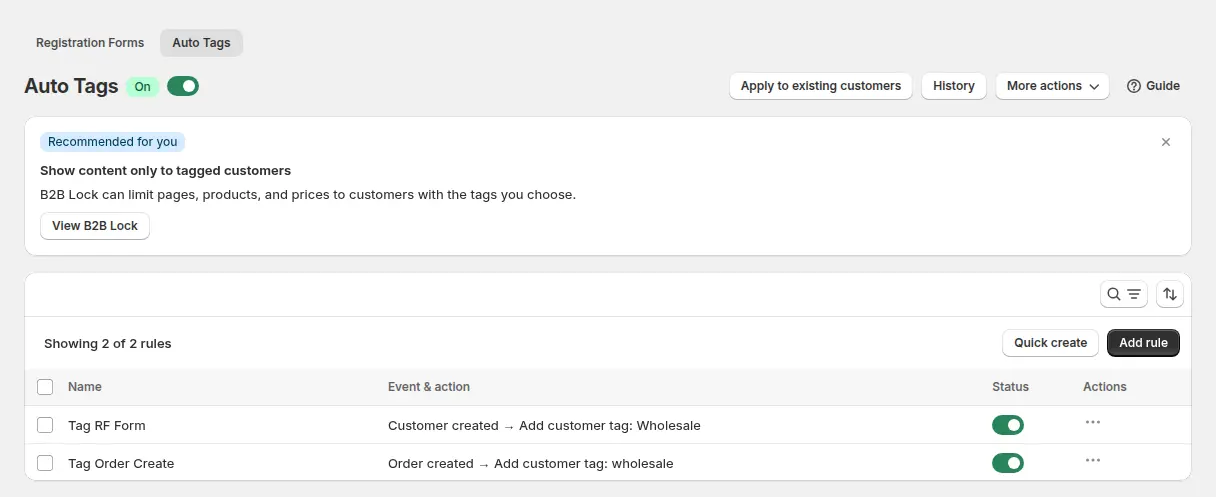
Auto Tags are the quiet workhorse. A rule can add a customer tag when a customer is created, when an order is created or when a spend or order-count condition is met. With eight rules, K-EYES can sort people into groups without manual work. See auto-tagging customers by spend or order count.
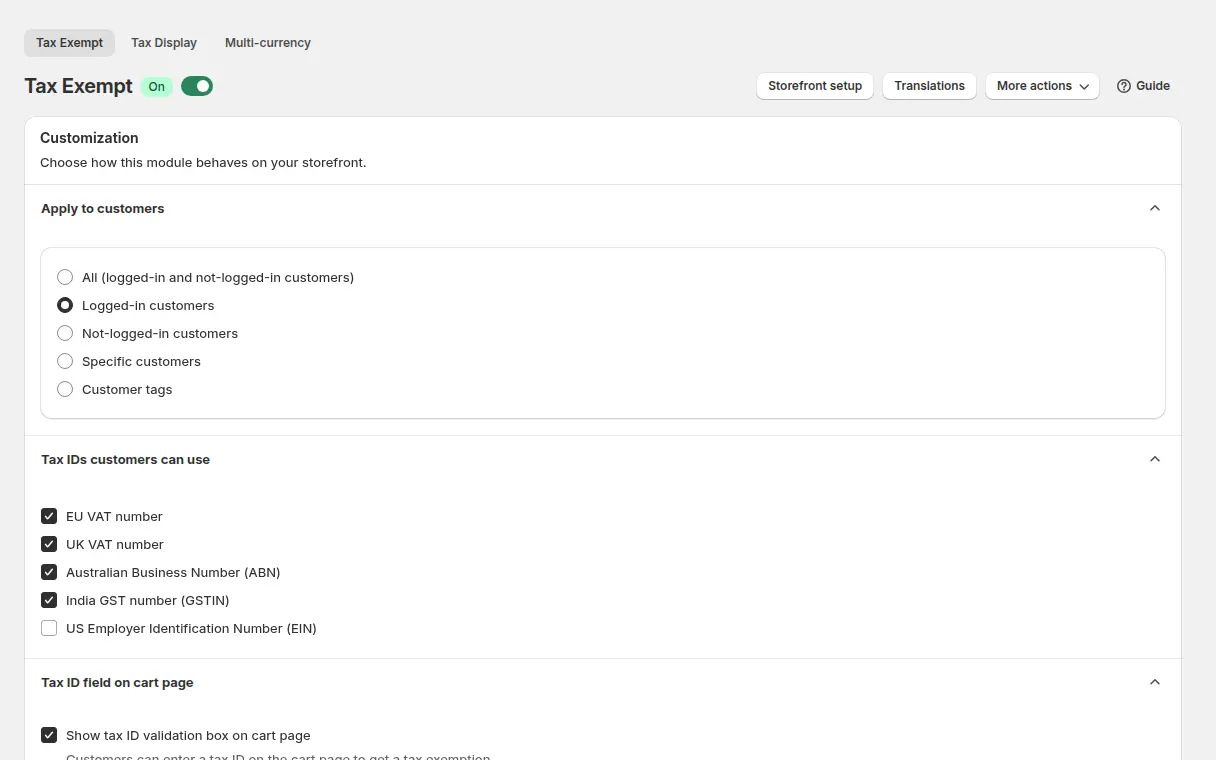
Tax Exempt lets selected customers enter a tax ID on the cart page and receive a tax-exempt draft order, with live checks for EU VAT, UK VAT, ABN, India GST and US EIN numbers. For a French brand selling to businesses across borders, that matters. Read sell VAT-exempt to EU businesses with a valid VAT ID and exempt tax for customers without a VAT number.
The other modules cover terms and costs. Net Terms offer payment after delivery to a chosen audience, Shipping Rate changes shipping costs by customer group, and a Discount Code rule and a Buy One Get One rule add promotional levers. For the first two, see Net 30 and other payment terms and handling fees and custom shipping rates.
What other merchants can copy from K-EYES
- Name the audience in the announcement bar. Opticians, pharmacies and concept stores know the page is for them.
- Promise a short sign-up. Create one in 30 seconds sets expectations for a form that is only a dozen fields.
- Ask what kind of business it is. A You are dropdown and a company number let you tag and approve with confidence.
- Protect quick ordering, not the whole site. A clear Access reserved for professionals message tells guests exactly what to do.
- Use product tags with customer tags. Fixed prices by product tag keep a large catalog manageable.
- Automate tagging. A few auto-tag rules reduce manual customer maintenance.
To start the same way, see selling B2B and B2C from one Shopify store and set up a wholesale store from scratch.
The merchant’s reviews
K-EYES posted the same five-star review for both BSS B2B Solution and BSS B2B Quote, dated February 3, 2026 (after about 15 days of use for Solution and about one month for Quote). We quote it verbatim:
A very good and extremely helpful product that allows us to manage both B2B and B2C customers. We’re excited to see how it will evolve in the future! Most importantly, outstanding support from the team: Johnny, Lux, Sammy, and Kellie, who are consistently helpful, responsive, and genuinely kind. 5-stars!
K-EYES, France, 5 stars, February 3, 2026. Read the Solution review or the Quote review on the Shopify App Store
The review’s central phrase is managing both B2B and B2C customers. That is what the store shows: one catalog, public prices for consumers, and a platform for professionals with its own terms. The merchant installed in 2023 and wrote the review in 2026, which suggests a setup that has kept growing.
FAQ: serving consumers and professionals from one Shopify store
Can I show consumer prices to everyone and professional prices after login?
Yes. Publish retail prices as the product prices, then create pricing rules that target a customer tag. When a tagged customer logs in, the rule changes the price. K-EYES works this way. See personalized B2B wholesale pricing.
How do I set a fixed wholesale price for a whole product group?
A Custom Pricing rule can apply a fixed price to products selected by collection, product tag, product or variant, and target customers by tag. See the custom pricing guide.
How do I validate a company number or VAT at registration?
Add a tax ID field to the registration form. BSS forms validate EU VAT through VIES, UK VAT, US EIN, ABN and India GST numbers while the buyer types. See verify a business tax ID at registration.
Can I keep a quick order page for professionals only?
Yes. Put the quick order page behind a login or tag condition and show a message to guests explaining how to log in or apply. See standard quick order pages and, for locks, lock the entire store for approved buyers.
Is automatic tagging better than manual tagging?
Automatic tagging saves time when the rule is clear, such as tagging customers created through a form or orders over a threshold. Manual tagging is better for judgement calls. Most stores use both.
Want a similar setup? Start with the BSS B2B Solution page and its pricing, and add BSS B2B Quote for quick ordering and quotes.
This store spotlight is based on K-EYES’s public website and its public reviews on the Shopify App Store, as of October 5, 2026. Screenshots show the public storefront; French text is translated by us. Images labelled Example configuration come from our documentation and are not K-EYES’s admin.