


unism.store, a Warsaw furniture and design brand, keeps retail prices public and gates its professional resources behind an approved B2B account. Architects, designers, dealers and developers apply with a sector-specific form. This store spotlight shows how the application, the asset library and the pricing fit together.
Key takeaways
- The store has a Professionals section: Pro Overview, Request Account and an Asset Library.
- The Asset Library is for registered B2B users only; guests see an Access denied page with a Request Account button.
- The application asks for company, EU VAT validation and a professional sector, then the team reviews it and replies by email.
- The merchant’s public review highlights VAT-exempt export sales and BSS B2B Lock for B2B-only pages.
About unism.store
unism.store is a Polish design furniture brand with a showroom in Warsaw. Its own words describe furniture with a timeless aesthetic that blends traditional craftsmanship with modern digital techniques. The catalog is compact, about 80 products, built around collections such as Fluid and Smooth and around materials: aluminium in several finishes, solid walnut and marble. It covers tables, bedside cabinets, coat stands and lamps, plus accessories such as bowls, trays, candle holders and sculptures.
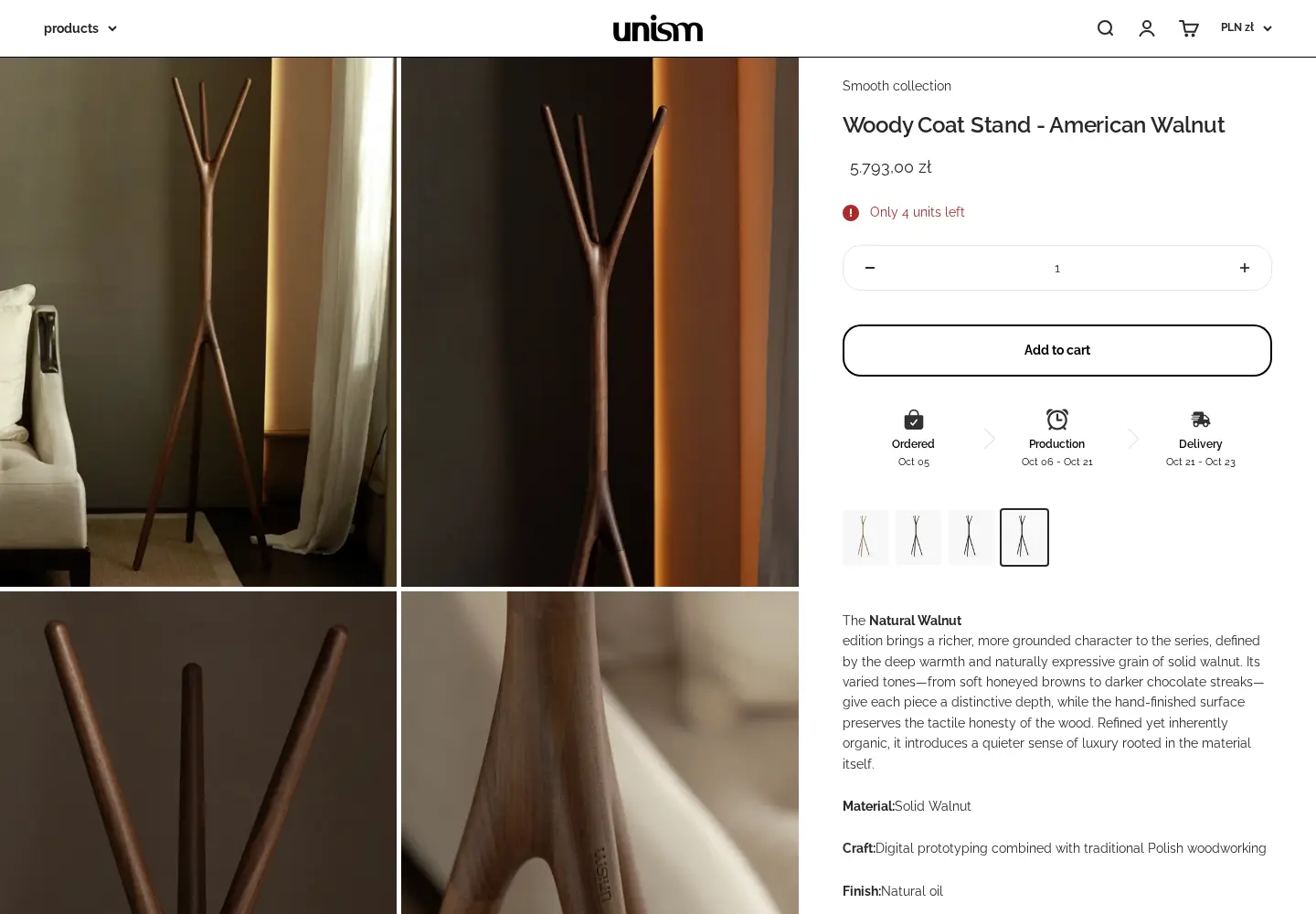
The shopping experience is international. Prices default to Polish zloty, and a country selector lists dozens of countries with their own currencies. Product pages carry a made-to-order timeline that runs from Ordered to Production to Delivery, with dates, and an Only 4 units left note when stock is low. A newsletter pop-up offers 5 percent off a first purchase.
The brand sells to consumers, but its design-led catalog also fits the trade. Interior designers specify pieces for projects, retailers stock them, and developers buy for large schemes. The footer has a Professionals column that lists exactly three links: Pro Overview, Request Account and Asset Library. That is a neat structure: explain, apply, then use the resources.
The unism.store B2B model: professionals first, approval before access
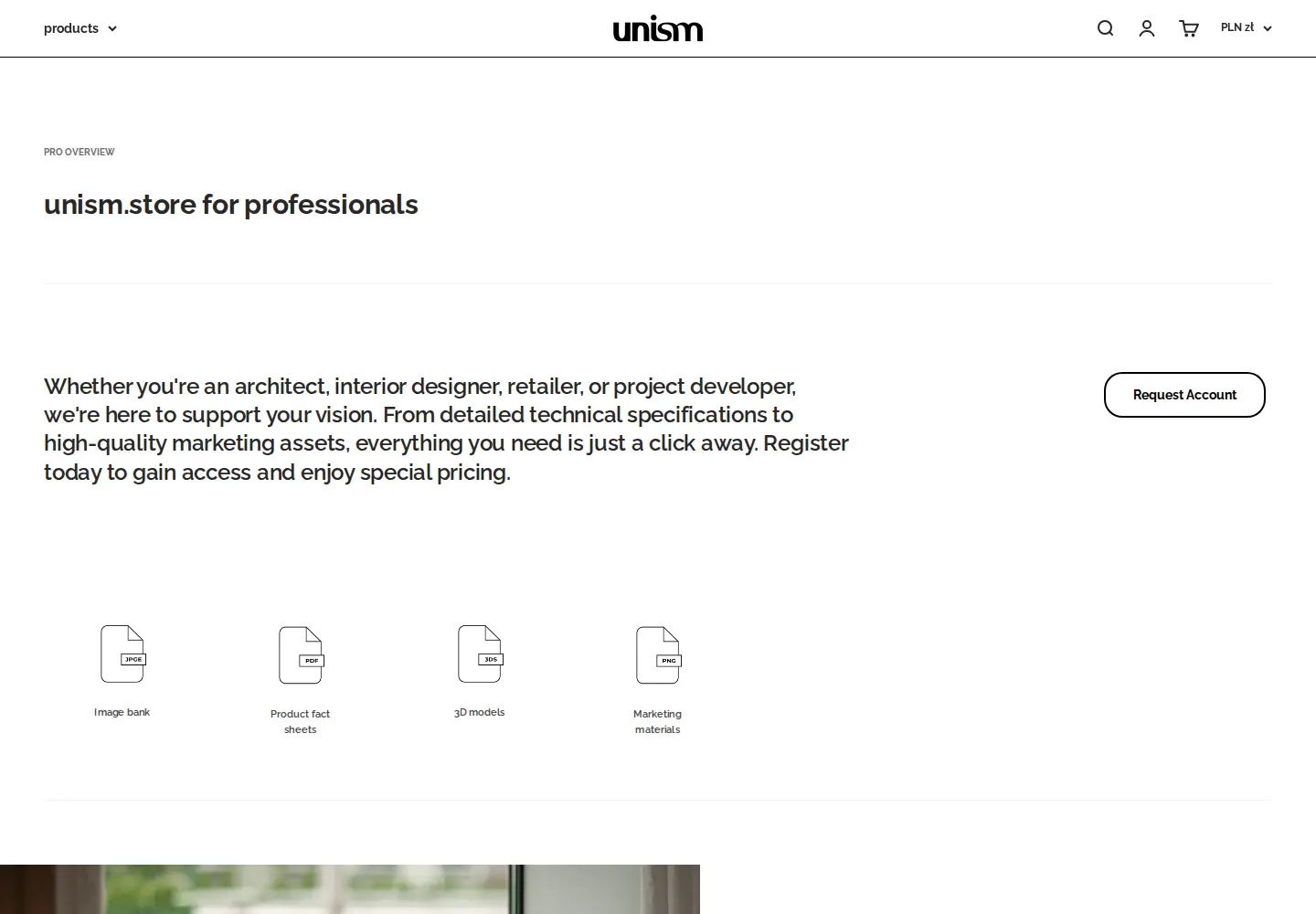
The Pro Overview opens with a promise: whether you are an architect, interior designer, retailer or project developer, everything you need is a click away, from detailed technical specifications to high-quality marketing assets. Register to gain access and enjoy special pricing. Four icons below show what the assets are: an image bank, product fact sheets, 3D models and marketing materials.
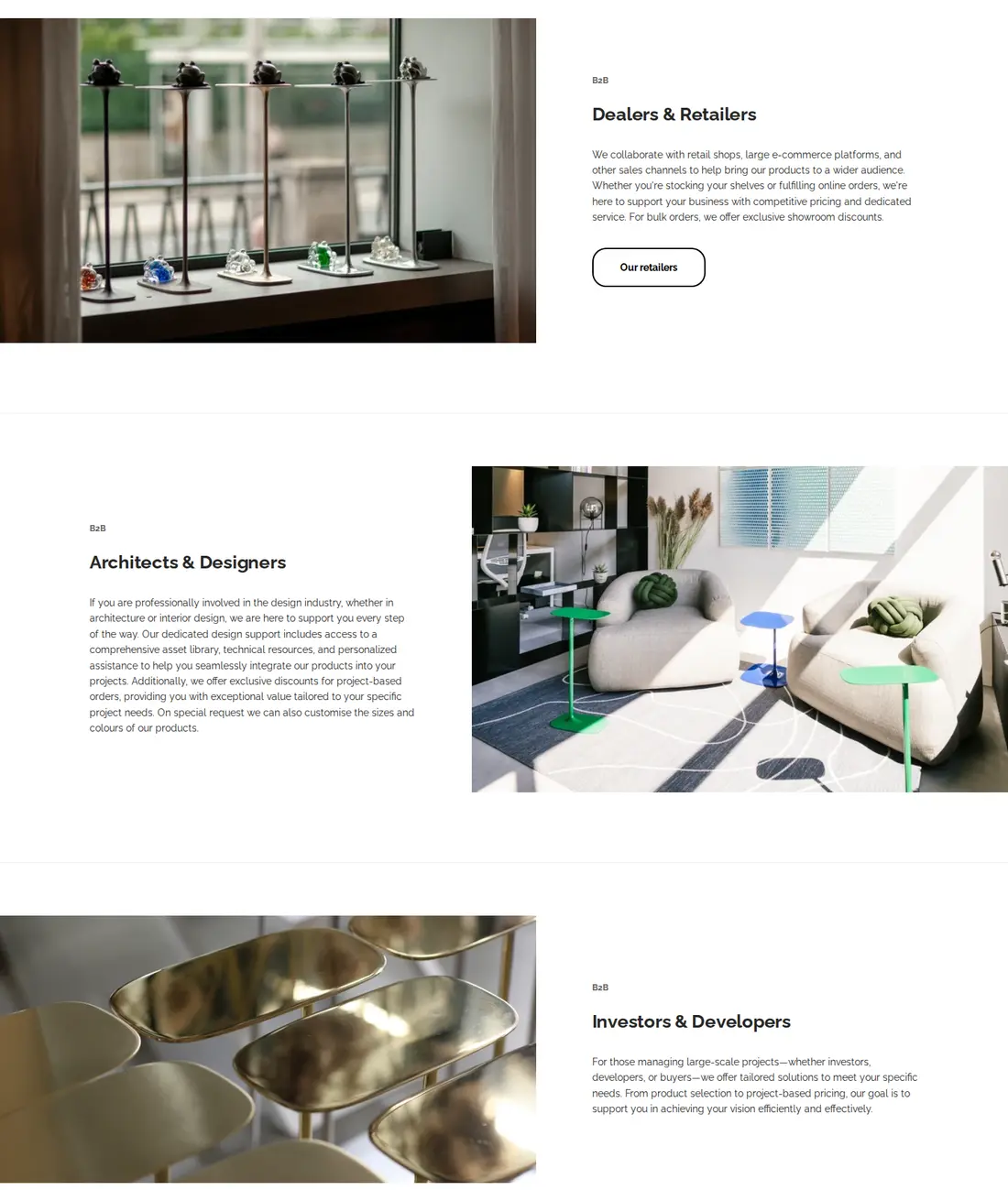
Below the intro, three sections speak to different professionals. Dealers and Retailers are promised competitive pricing, dedicated service and exclusive showroom discounts for bulk orders. Architects and Designers are offered the asset library, technical resources, personalised assistance and exclusive discounts for project-based orders, plus custom sizes and colours on special request. Investors and Developers get tailored solutions and project-based pricing.
| Audience | What the page promises |
|---|---|
| Dealers and retailers | Competitive pricing, dedicated service, showroom discounts on bulk orders |
| Architects and designers | Asset library, technical resources, personal assistance, project discounts, custom sizes and colours on request |
| Investors and developers | Tailored solutions and project-based pricing |
| Business buyers | A VAT-exempt category on the application form |
This is a clear way to speak to three audiences: you will get a price, you will get help, and you will get assets. The page ends with one call to action repeated twice, Request Account. For a general pattern, see furniture and home decor: trade pricing and order limits.
How the unism.store storefront handles wholesale
1. An application that sorts professionals by sector
Request Account says: please complete the form below to request a pro account; once submitted, we will review your application and notify you via email regarding its status. The form asks for first and last name, phone, email, company name and an EU VAT validation field, then a Professional Sector dropdown with four options: Architects and Designers, Dealers and Retailers, Real Estate Developers, and Business Buyers (VAT Exempt). The last fields are website or LinkedIn, address, city, zip code and country.
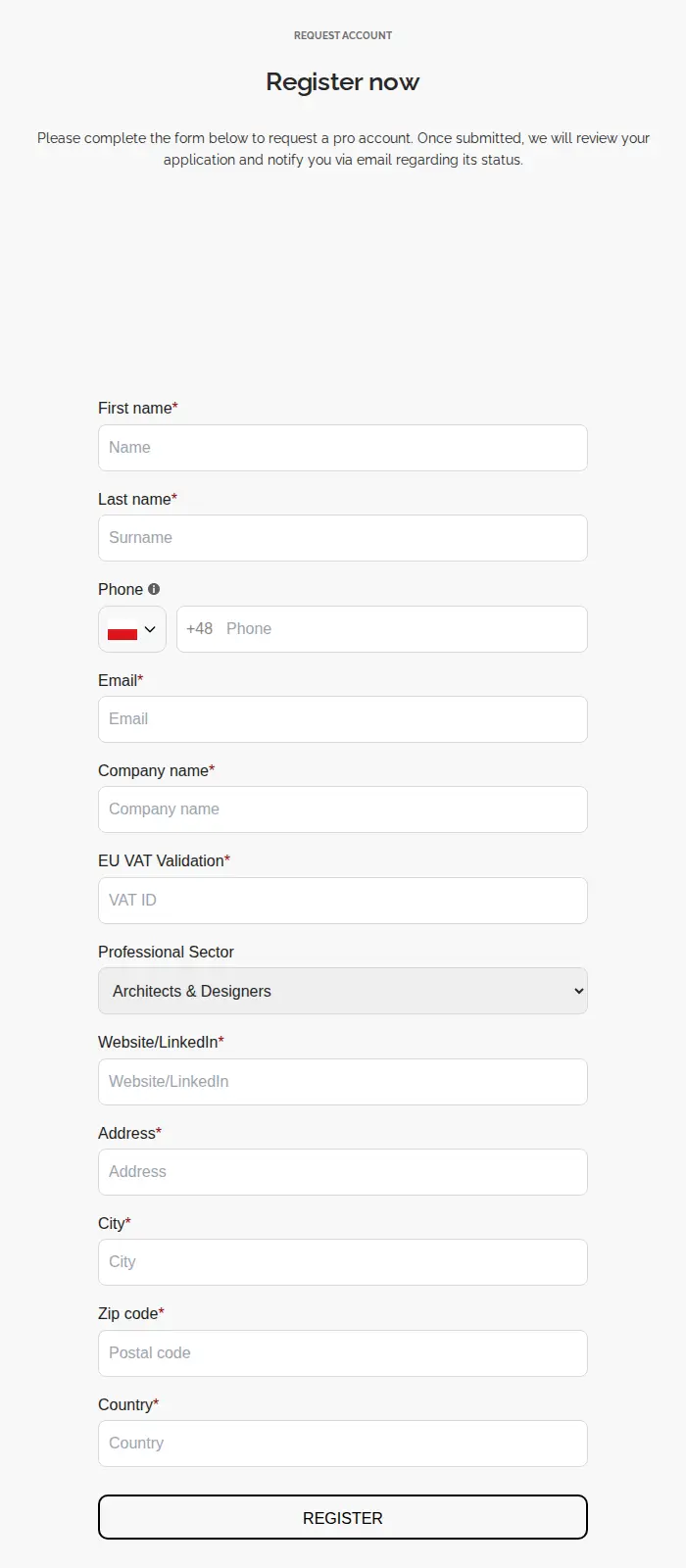
The sector dropdown mirrors the three audiences on the overview page, plus a fourth for business buyers who are VAT exempt. It lets the team approve with context and apply the right tag. The website or LinkedIn field is a quick credibility check for individual designers and small studios. Our configuration data shows one active registration form that assigns a tag and sends an email, and an older form that is switched off. See wholesale registration form with approval and approve, reject and notify wholesale applicants.
2. A gated asset library
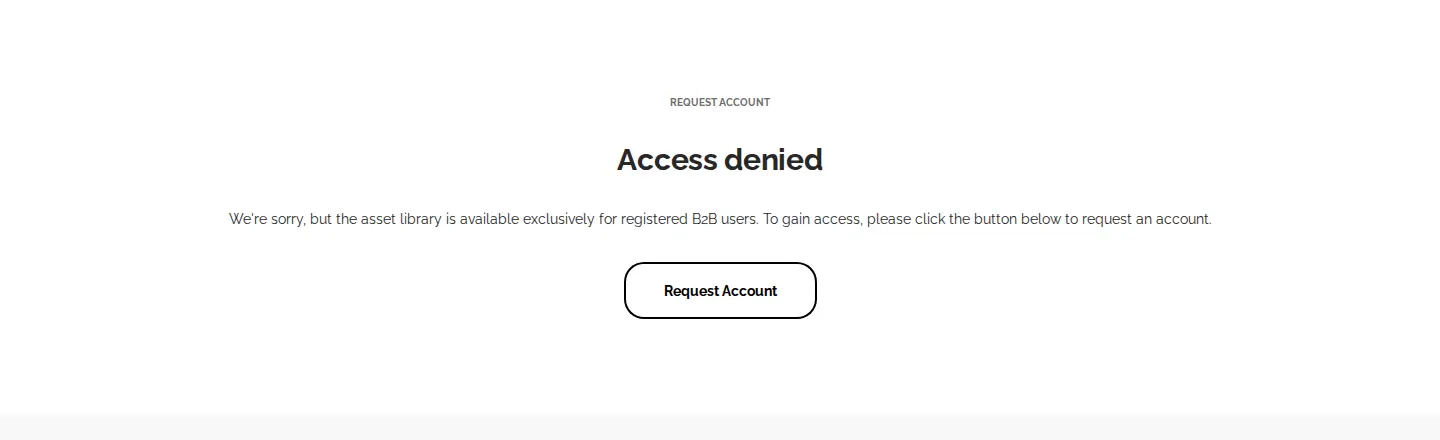
Open the Asset Library as a guest and you land on an Access denied page: the asset library is available exclusively for registered B2B users, with a Request Account button to apply. The footer links the page to everyone, so the library itself becomes a reason to apply.
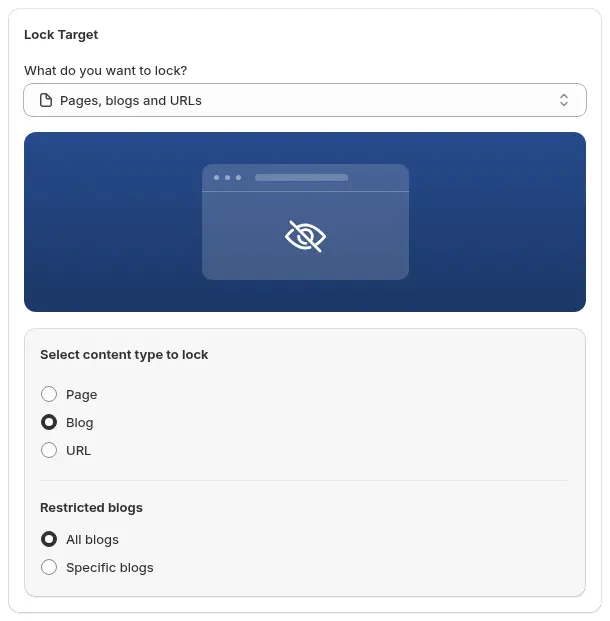
The merchant’s review says it subscribed to BSS B2B Lock to create exclusive pages visible only to B2B customers. The storefront does not reveal which tool powers this redirect, so we describe the visible behavior only. BSS B2B Lock can lock pages, blogs and URLs, or whole collections, by login, customer tag or other conditions, and the content is removed from the page rather than only hidden. See lock the entire store for approved wholesale customers and add a Request Access button to locked pages.
3. Public retail prices, professional prices after login
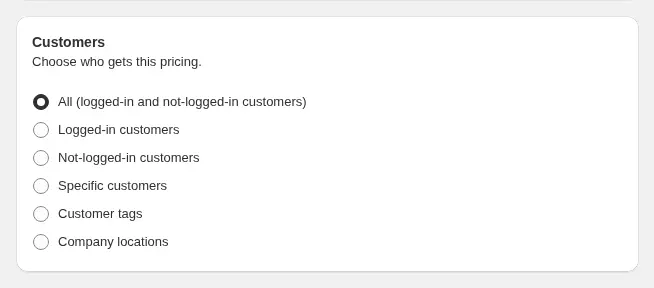
The shop itself stays open. A consumer sees the price in zloty and adds to cart. A professional with an approved account sees pricing driven by tag or customer rules after login. Our configuration data shows three active percentage rules for tagged customers across all products, plus one active rule for specific customers. The tag-based rules cover each sector; the customer-specific rule handles an agreed deal. See tag-based wholesale prices and personalized B2B wholesale pricing.
4. VAT handling for cross-border business buyers
The review that unism.store posted on the App Store highlights VAT exemption for export sales: certain customers can be designated for VAT-exempt sales, which simplified its export process. The form’s EU VAT field and the Business Buyers (VAT Exempt) sector fit that. Our configuration data shows one active tax-exempt rule for tagged customers and two active tax display rules.

In BSS B2B Solution, a tax-exempt rule lets eligible customers enter a tax ID on the cart page, checked live against VIES for EU numbers, and creates a tax-exempt draft order. Tax display rules decide whether prices show with or without tax. For the full flow, see sell VAT-exempt to EU businesses with a valid VAT ID and show prices excluding VAT to business buyers.
Which BSS features power the unism.store setup
Aggregated configuration data from the BSS B2B Solution backend, as of October 5, 2026, shows the app active on a paid plan with these modules:
- Registration form. One active form assigns a tag and sends an email.
- Custom Pricing. Three percentage rules target customer tags across all products; one targets specific customers.
- Tax Exempt. One rule targets customers with a tag.
- Tax Display. Two rules are active.
BSS B2B Lock is used according to the merchant’s review; its rule settings are not public. The review credits the support team for bespoke solutions that were visually appealing and technically precise.
What other merchants can copy from unism.store
- Give professionals a section. A Pro Overview, Request Account and Asset Library in the footer make the program easy to find.
- Lead with the assets. Image banks, fact sheets and 3D models are a reason for a designer to apply even before price.
- Write a promise for each audience. Dealers, designers and developers want different things.
- Ask for the sector. A four-option dropdown gives you tags and context.
- Gate the library, not the shop. Public retail pages stay indexable; B2B resources sit behind approval.
- Plan for VAT. A VAT field and a VAT-exempt category make cross-border B2B straightforward.
To start, see selling B2B and B2C from one Shopify store and set up a wholesale store from scratch.
The merchant’s review
unism.store’s public review of BSS B2B Solution on the Shopify App Store is five stars, dated November 29, 2024, after about one month of use. We quote it verbatim:
The app is incredibly easy and intuitive to use, offering a wide range of features essential for B2B sales, including the ability to set different prices for various customer groups. What truly sets this app apart, however, is its VAT exemption feature. It allows specific customers to be designated for VAT-exempt export sales, vastly simplifying our export processes. The support alone is worth subscribing and has been outstanding! Emma and her team promptly resolved any issues we encountered, providing bespoke solutions that were both visually appealing and technically precise, ensuring the app met all our requirements perfectly. To complete a comprehensive B2B offer on our website, we also subscribed to another app by BSS – B2B Lock to create exclusive pages visible only to our B2B customers. Highly recommended!
unism.store, Poland, 5 stars, November 29, 2024. Read the review on the Shopify App Store
The review names three things that match the storefront: prices for customer groups, VAT exemption for export sales, and exclusive pages for B2B customers. The merchant installed in 2024 and the setup is still active in 2026.
FAQ: building a professionals section on a design store
Can I share product assets only with approved professionals?
Yes. Put the asset library on a page and restrict it with a lock rule that requires login or a customer tag, so guests see a message and a Request Account button. unism.store shows an Access denied page to guests. See add a Request Access button to locked pages.
How do I handle VAT-exempt export customers?
Collect a VAT or tax ID at registration, assign a tag on approval, and use a tax-exempt rule so those customers can enter their tax ID at the cart. See the tax exempt guide.
Should I use a dropdown for the professional sector?
Yes, if you plan to treat sectors differently. A dropdown such as Architects and Designers, Dealers and Retailers or Real Estate Developers gives you a clear tag and a faster approval decision.
Can I give different groups different prices?
Yes. Create pricing rules that target customer tags, then assign the tags on approval. When rules overlap, the lower priority number wins within the same module; see how rule priority works.
Do I need a separate wholesale store?
No. unism.store runs retail and professional access from one store, with approval and tags controlling who sees what. See selling B2B and B2C from one Shopify store.
Want a similar setup? Start with the BSS B2B Solution page, then add BSS B2B Lock for gated pages.
This store spotlight is based on unism.store’s public website and its public review on the Shopify App Store, as of October 5, 2026. Screenshots show the public storefront. Images labelled Example configuration come from our documentation and are not unism.store’s admin.