


Brow Down Studio Pro sells brow lamination kits and brow care products to beauty professionals in the United States. Prices stay behind a login, and buyers apply through a professional account form that asks for a license number or a school name. Approval and the application form run on BSS B2B Solution.
About Brow Down Studio Pro
Brow Down Studio Pro (browdownstudiopro.com) is a United States brand of brow artistry products and education. The home page introduces itself as retail and professional brow artistry products and advanced education. Its centrepiece is a professional lamination system, sold as a kit with a step-by-step digital manual, supported by a foaming brow and lash cleanser with a silicone brush, a sculpting brow gel, tweezers, a stain remover and a developer.
The second half of the business is training. A section called Brow U, short for Brow University, is described as a way for aspiring and professional brow artists to improve their craft and to create an elevated client experience. The site also has pages for in-person training, certified pro trainers, a school partnership page, a calendar, a business tips blog and a quick guide to the lamination system.
The audience is clear from the navigation: Shop, Education, Pro Lam Quick Guide, Exclusive Partner Pricing, Log In or Register, Biz Tips Blog and Support. This is a store for working brow artists and students who need professional products, not for casual shoppers. That shapes how it handles pricing.
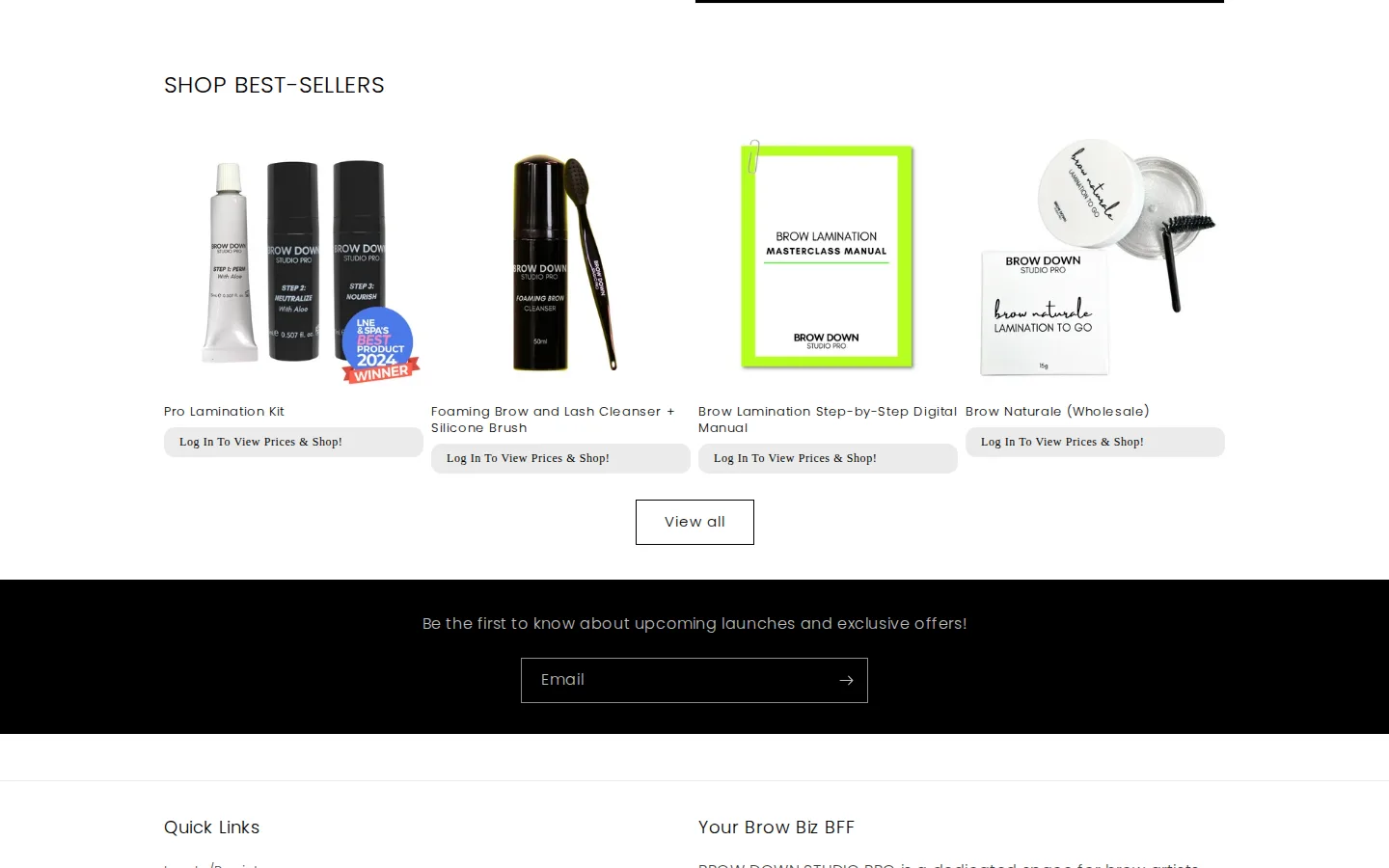
The B2B model: professional accounts with prices behind login
Brow Down Studio Pro shows products to everyone and hides prices from anyone who is not logged in. Every product tile on the home page replaces its price with a short message: Log In To View Prices and Shop. The product pages show the same message under the product name, so a visitor can see what the brand sells and read what it is for, but has to sign in to a professional account to shop.
The model suits a professional beauty supplier. A closed price list signals that the products are meant for working artists, and the brand also has a retail side, so keeping prices behind login separates professional buying from casual browsing.
The login message on the page uses markup with BSS Commerce class names, so the price message comes from a BSS Commerce component. The registration form that opens the door is a BSS B2B Solution form, and the production data for the shop shows the form is active.
How the storefront handles wholesale
The professional account form
The Professional Account Sign Up form is short and specific to the trade. It asks for first name, last name, email and a password, then a dropdown, I am a, with two choices: professional or student. A following field asks for a license number or the name of the school, then name of business, website and Instagram, and ends with a newsletter checkbox.
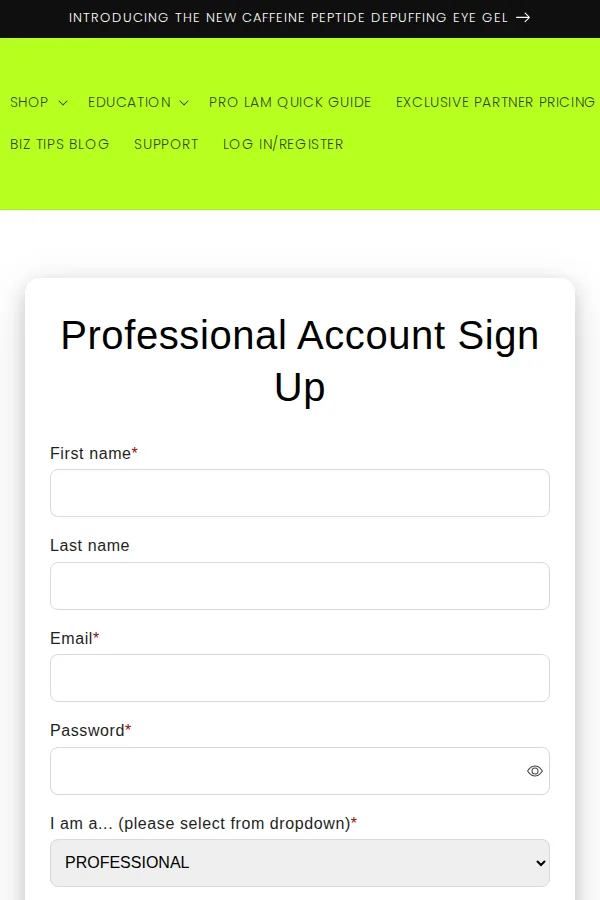
Two details deserve attention. The dropdown splits the audience into professionals and students, which lets the brand treat licensed artists and trainees differently while using one form. And the license or school field asks for the evidence the brand needs to approve an application. Beauty regulation varies by state, so the brand does not assume a specific document: a license number or a school name is enough to review.
The form also asks for a password, and production data shows the form is configured to include one. The applicant therefore has credentials ready, and approval switches on pricing and shopping.
What happens after the application
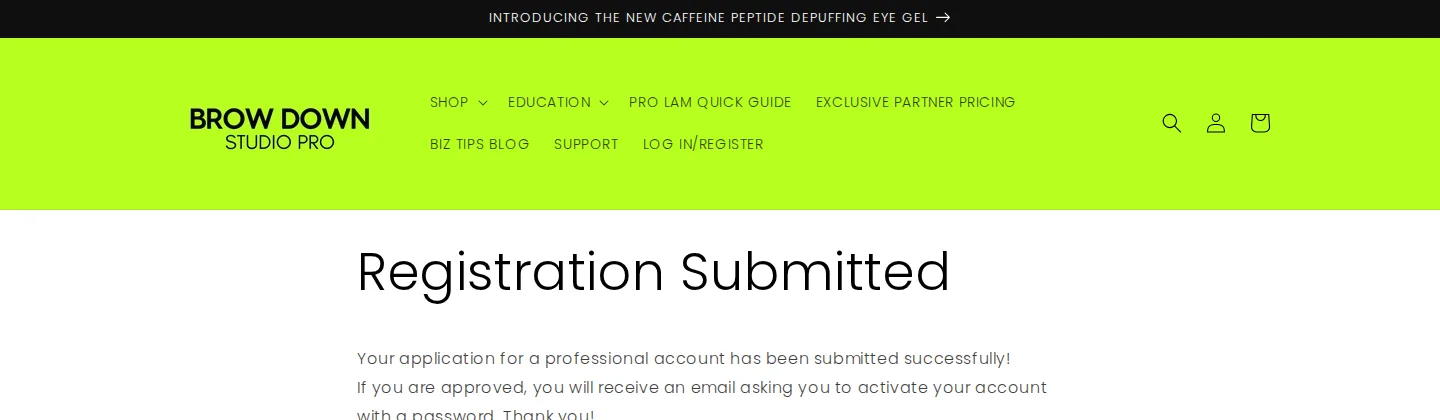
A dedicated thank you page, Registration Submitted, closes the loop. It says the application for a professional account has been submitted, and that an approved applicant will receive an email asking them to activate their account with a password. The page sets expectations in two sentences and avoids a second round of contact from anxious applicants.
The applicant’s journey in six steps
Putting the public pages together, a new artist moves through the store like this:
- The visitor browses the shop and sees products without prices, each tile carrying the login message.
- They open Log In or Register from the main menu and choose to register.
- They fill in the professional account form, choosing professional or student and giving a license number or school name.
- They submit, and the thank you page tells them the application is under review.
- The team approves the application in the app, which assigns the customer tag. An approved applicant receives an email asking them to activate the account with a password.
- After activating and logging in, the artist sees prices and can shop.
Every step is a plain page or an email, so a visitor is never left guessing. The route also gives the brand a record of who applied and when, in the Registration Forms list.
Education as a reason to register
The Brow U pages give a student or a new professional a reason to create an account before buying anything. The school partnership and certified trainer pages do the same for training businesses. Because the form separates professionals from students, the brand can keep one sign up page for all of them and still tell them apart when it reviews the list. That is a useful pattern for any supplier whose buyers include learners and licensed practitioners.
On a phone
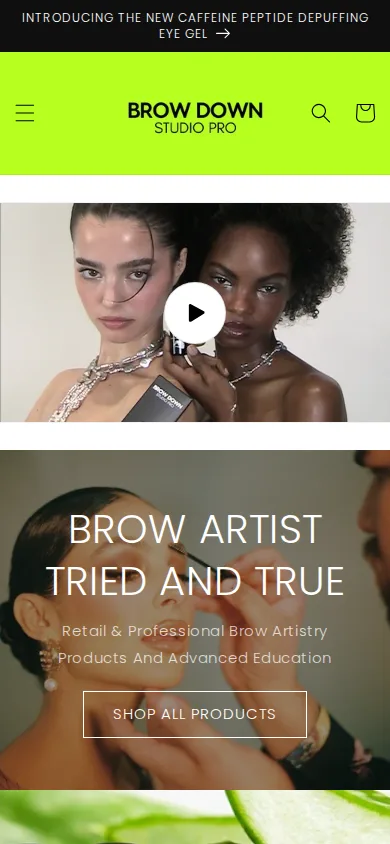
The login link and the log in to view prices message remain visible on a phone.
Which BSS features power it
The storefront shows the form, the thank you page and the locked prices. Production data for the shop shows the registration form and its tag assignment. The table separates what the production data confirms from what the storefront markup shows.
| What the buyer sees | BSS feature | Evidence |
|---|---|---|
| Professional account sign up with professional or student choice | BSS B2B Solution registration form with approval | Public page /pages/wholesale-signup-form; an active form in production data |
| Password at signup, tag on approval | Registration form settings: password field and customer tag | Production data for the active form |
| Notification emails to the applicant | Registration form email settings | Email sending is switched on for the form |
| Log In To View Prices and Shop on product tiles | A BSS Commerce login-to-see-price component | Class names with the BSS Commerce prefix on the price element |
The list is deliberately short. Brow Down Studio Pro is an example of a small, well-defined B2B setup: one form, one tag and one price message. If you want to build the same flow, read Wholesale registration form with approval for the form, Hide wholesale prices from guest visitors for the price message and Beauty brands: pro pricing, VAT and self-service ordering for a fuller salon setup. The user guide covers registration forms and auto tags.
Where the settings live
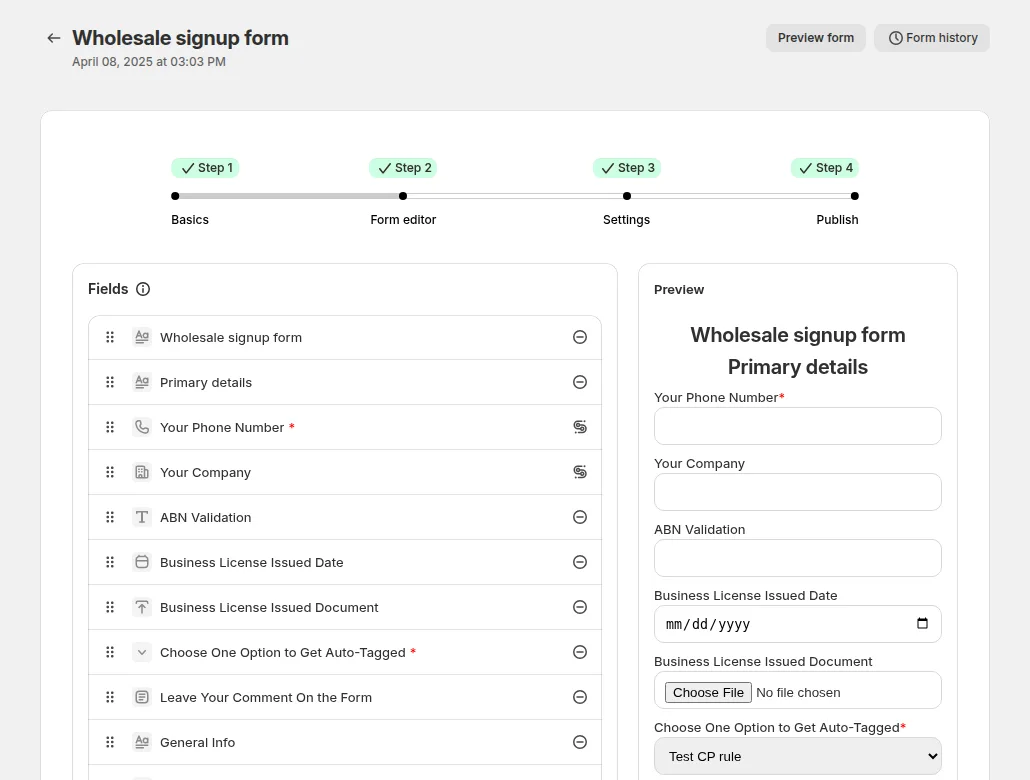
The next three images are documentation examples, not Brow Down Studio Pro’s admin. The form editor is where you add fields such as a dropdown and a license number field, and preview the result.
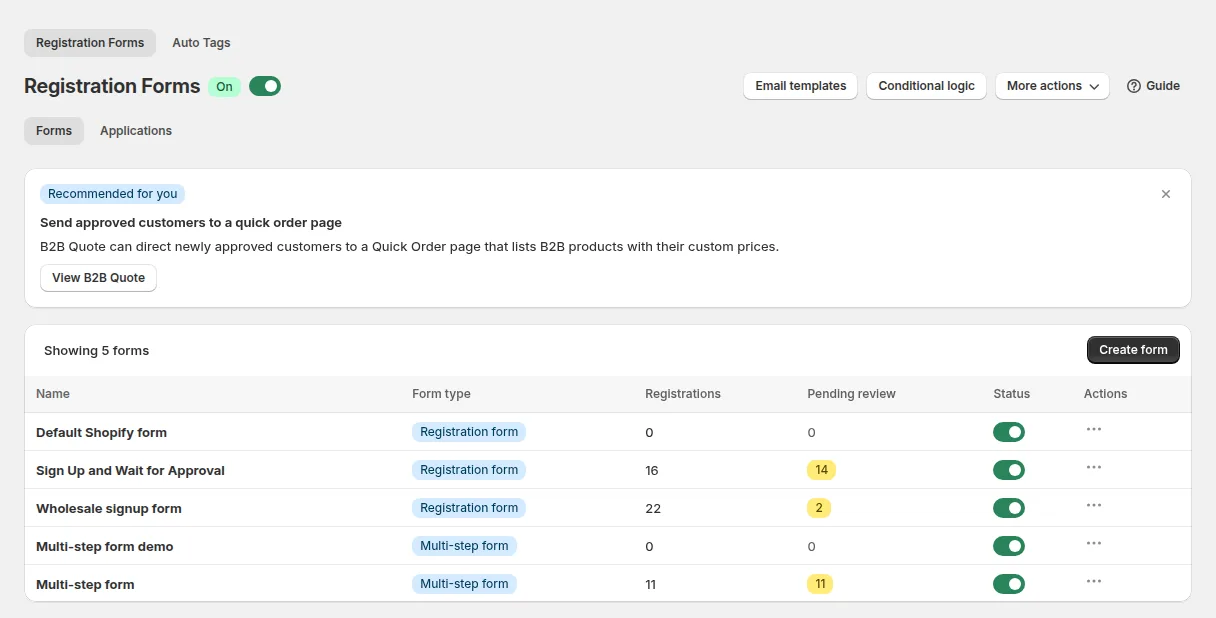
The Registration Forms list shows each form, its applications and a count of those pending review. This is the screen where an applicant is approved.
The tag card sets the tag an approved customer receives. That tag can then drive prices, access and other rules.

What other merchants can copy
- Show the product, hide the price. Visitors can still learn what you sell, which helps search and trust, while the price list stays private.
- Write one clear message in place of the price. Log in to view prices and shop tells the visitor what to do next.
- Split professionals from students. A dropdown on the form lets one application page serve two audiences.
- Ask for the evidence you can check. A license number or school name is easy to verify and hard to fake casually.
- Let applicants choose a password at signup. The applicant has credentials ready, and approval only has to switch on access.
- Write the thank you page. Two sentences about approval and the activation email prevent repeat applications.
- Keep it small. One form, one tag and one price message are enough to start. Add pricing rules and payment terms later.
Brow Down Studio Pro’s review on the Shopify App Store
Brow Down Studio Pro left a 5-star review of BSS B2B Solution after more than three years of use. The review was later edited, and its date on the listing is May 11, 2026. It is public on the app listing’s review page. An excerpt, quoted verbatim from the first two sentences:
This app was very easy to use for the purpose of having our customers fill out a wholesale registration form in order to create an account to shop. For the things we weren't able to figure out, the support team did a great job of assisting us and fixing all issues with minimal hassle on our end.
BROW DOWN STUDIO PRO, United States, review of BSS B2B Wholesale Pricing (BSS B2B Solution) on the Shopify App Store, edited May 11, 2026, 5 stars
The review is about the registration form and about support, and it names the support team’s help with technical work. That matches the production data, where the form is the one BSS B2B Solution feature in active use.
FAQ: selling to beauty professionals on Shopify
How can I make sure only professionals see my prices?
Combine two things. A registration form with a license or school field lets you check each applicant, and an approval step gives only approved customers access. Prices can be hidden from guests with a login-to-see-price message, which is what Brow Down Studio Pro shows on its product tiles.
Can one form serve professionals and students?
Yes. Use a dropdown to ask who the applicant is, and, if you need different follow-up questions, conditional logic can show a field only for one answer. The form editor supports dropdowns, checkboxes, radio buttons, text and file upload fields.
Does the applicant need a password on the form?
That is a design choice. Brow Down Studio Pro’s form asks for a password and its settings include one. The thank you page then says an approved applicant receives an email asking them to activate the account.
What does the applicant see after submitting?
Whatever you set. A dedicated thank you page that explains approval and the activation email, as Brow Down Studio Pro does, reduces duplicate applications.
Can I show some prices to guests and hide others?
Yes. Lock rules can target specific products or collections, so a brand can leave an education product open and keep professional products behind login. BSS B2B Lock covers hide price, hide add to cart and hide products for guests.
This store spotlight is based on Brow Down Studio Pro’s public website and its public review on the Shopify App Store, as of October 5, 2026. Screenshots show the public storefront. Admin screenshots are examples of BSS B2B Solution settings from the product documentation. Brow Down Studio Pro has not reviewed this page.
Install BSS B2B Solution to add a professional account form with approval and a tag. It is free on development stores, and paid plans have a 14-day trial.
Install BSS B2B Solution See the app