


Surprise Chain wholesales blind boxes, plush toys and collectibles from Ontario, Canada. Every visitor sees a suggested retail price, while the real wholesale price waits behind a button that leads to sign-in and an approved account. This spotlight shows the storefront, the written wholesale policy and the BSS B2B Lock and BSS B2B Solution rules behind them.
About Surprise Chain
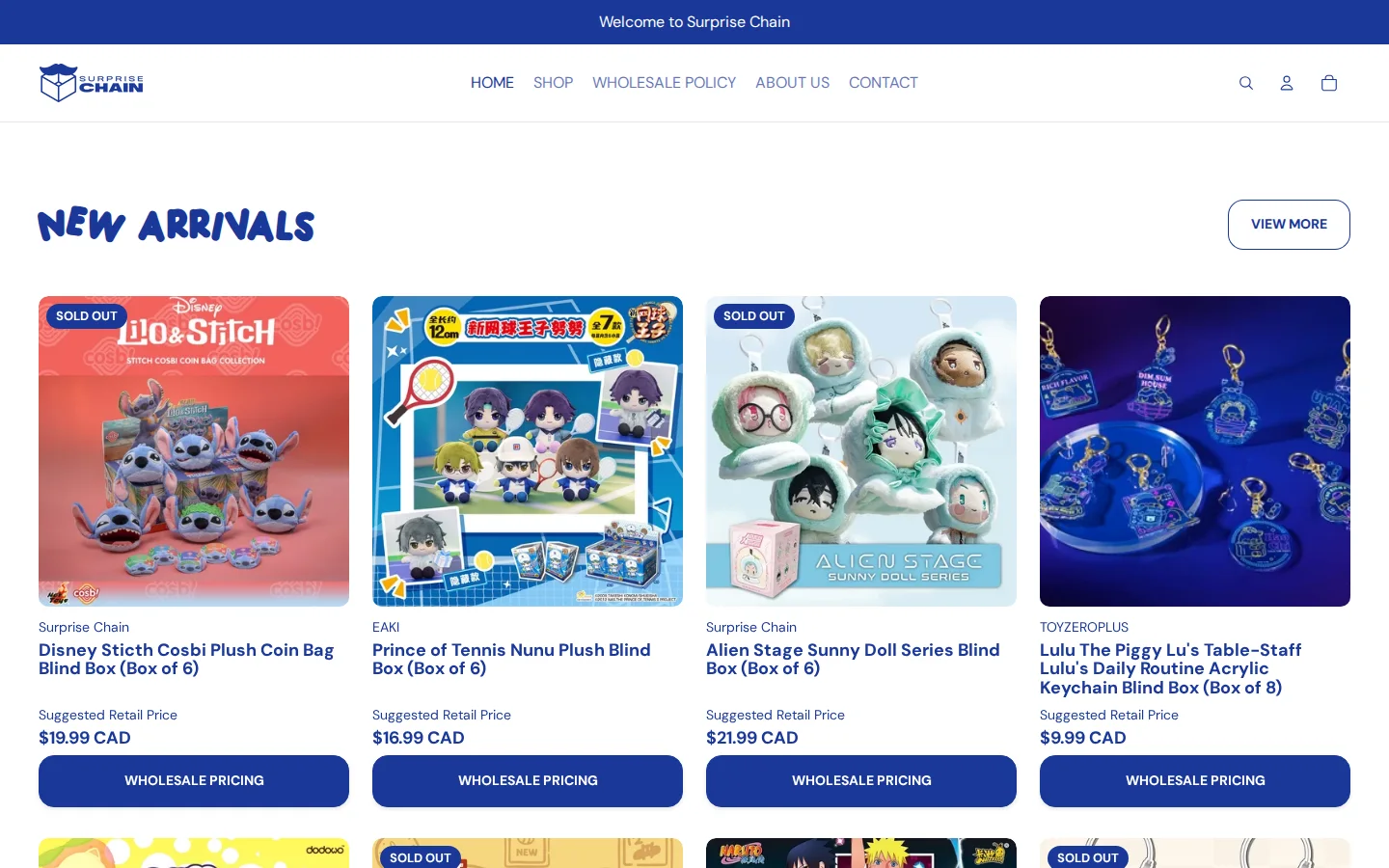
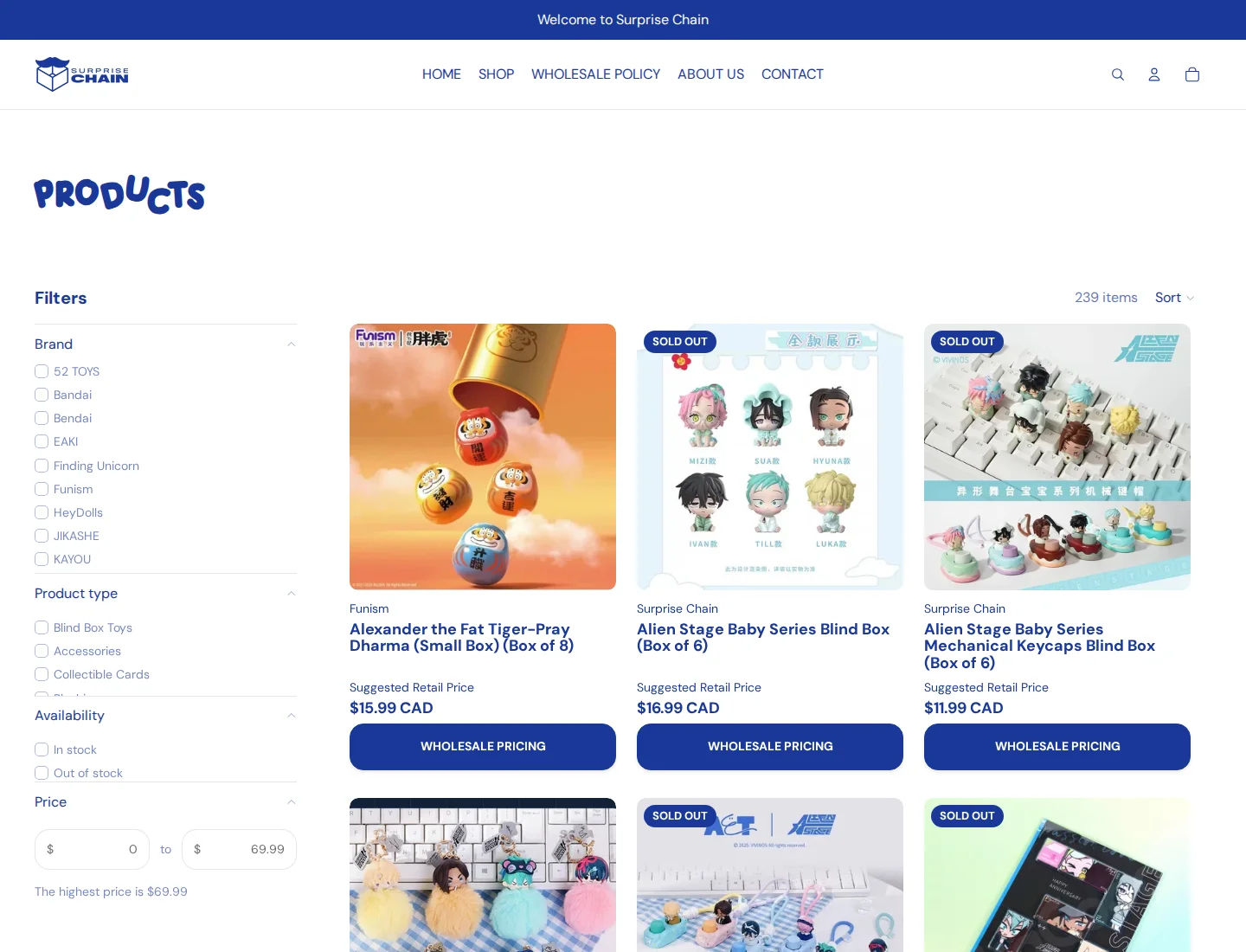
Surprise Chain sells collectible toys that come sealed, often as “Box of 6”, “Box of 8” or “Box of 12” sets. The catalog has 239 products, filterable by brand (including Funism, Kayou, EAKI and Finding Unicorn), by product type (blind box toys, plushies, accessories and collectible cards) and by availability. Its home page is built around “New Arrivals”, with collections for Sanrio, Lulu The Piggy, Logaloga and Alien Stage in the menu.
The company describes its warehouse in Scarborough, Ontario, and its prices are in Canadian dollars. The site’s menu is short: Home, Shop, Wholesale Policy, About Us and Contact.
How Surprise Chain structures its B2B program
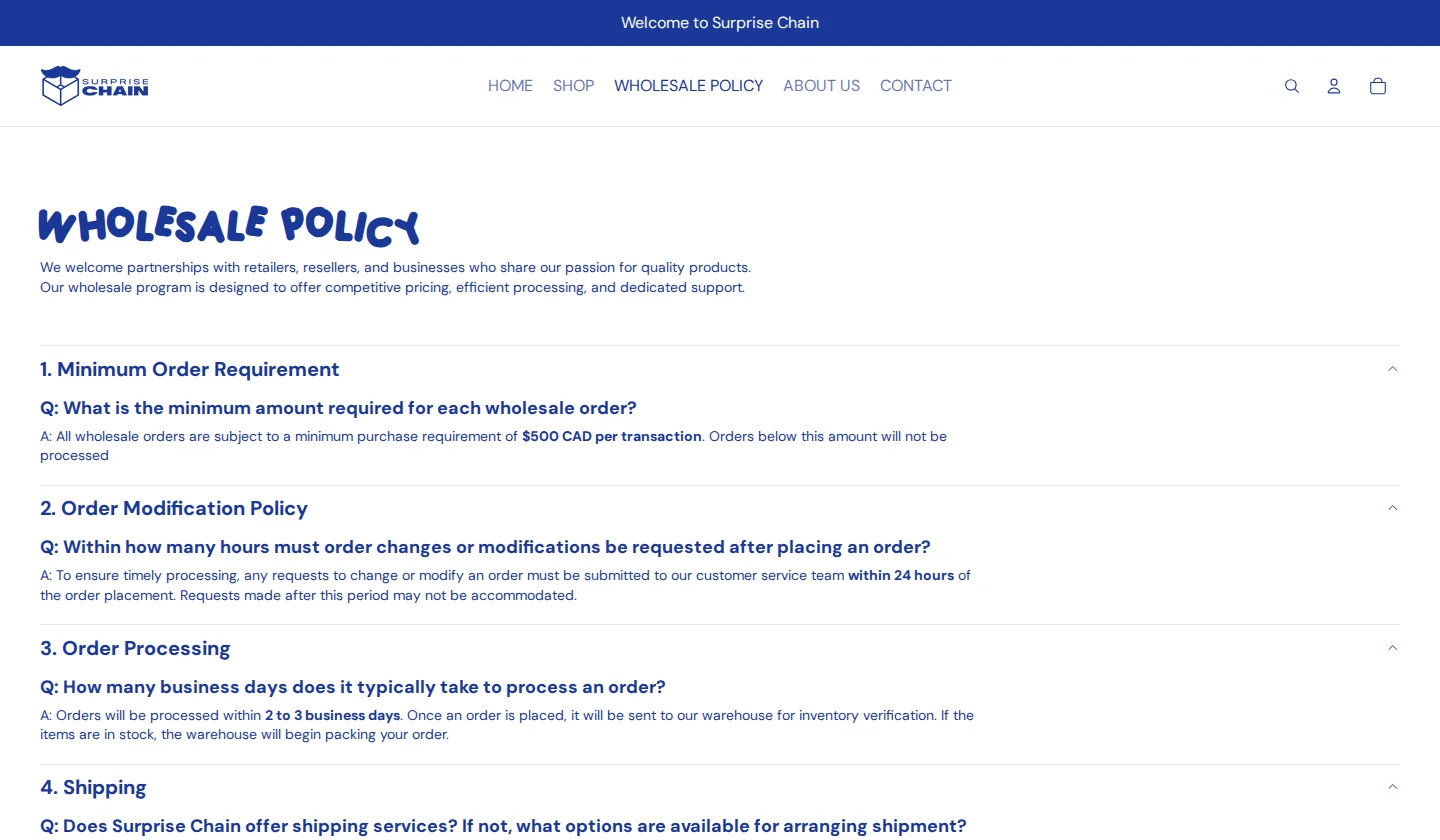
Surprise Chain’s own review calls the store “our wholesale website”, and the public Wholesale Policy page spells out the rules. It is written as eight numbered questions and answers. In summary, as published:
- Minimum order. $500 CAD per transaction; smaller orders are not processed.
- Changes. Order changes must be requested within 24 hours.
- Processing. Two to three business days, after the warehouse verifies inventory.
- Fulfilment. Orders are picked up at the Scarborough warehouse during posted hours. The company does not ship, but a buyer can send a third-party shipping label for the team to attach.
- Payment. After an order is confirmed, a secure payment link is sent to the buyer’s registered email and must be paid within 48 hours or the order is cancelled. A buyer can ask to pay on site instead.
- Stock and returns. First come, first served on real-time stock; all sales are final, with an exchange offered for a box that arrives damaged if the buyer reports it within three days.
Putting this on a public page, instead of in an email after approval, filters out buyers who cannot work with pick-up, a $500 minimum or a 48-hour payment window. The policy page ends with an “Apply for a Wholesale Account” block and an “Apply Now” button.
How the storefront handles wholesale
A suggested retail price, and a button for the wholesale price
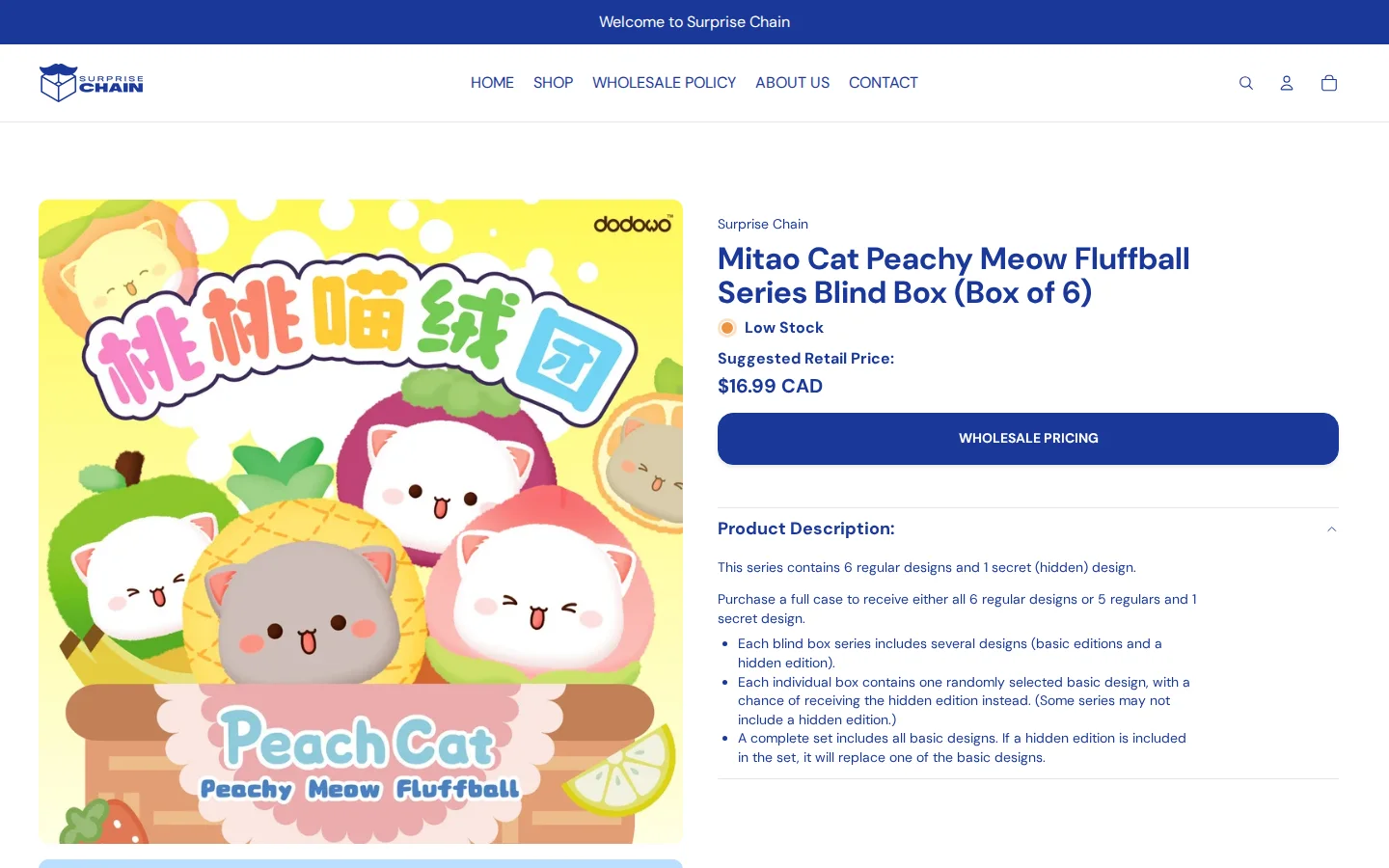
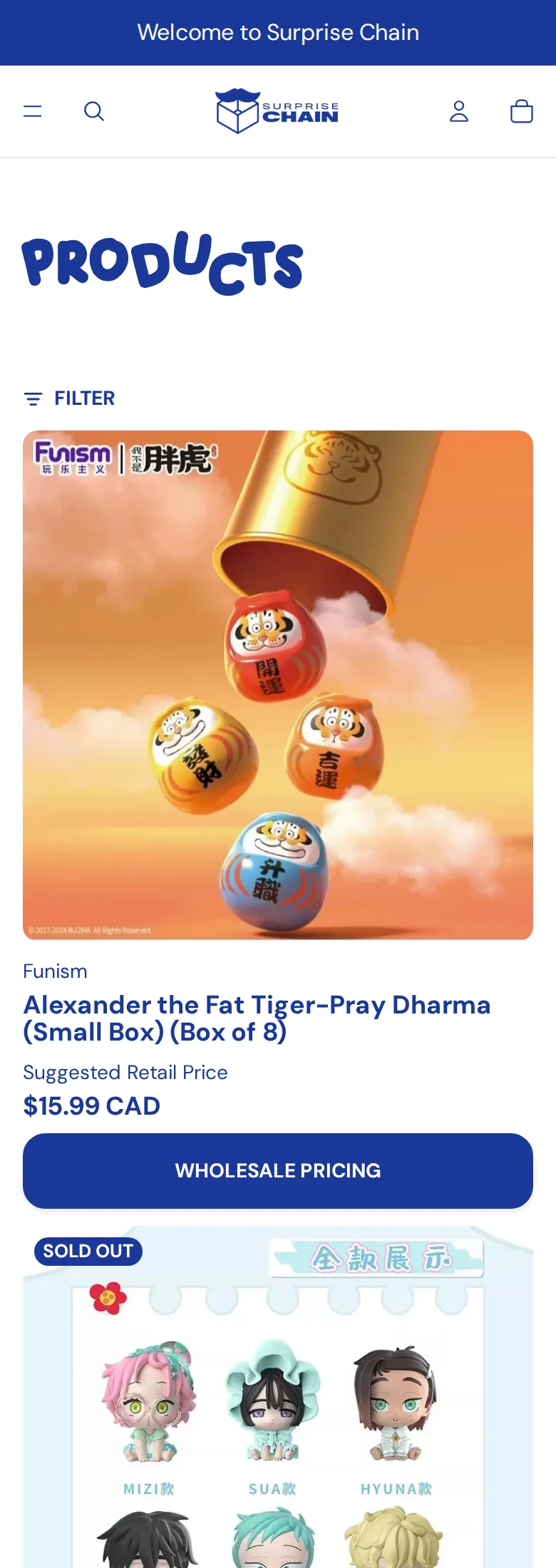
Each product card on the home page and in collections shows three things: the brand, the title, and “Suggested Retail Price” with an amount such as $16.99 CAD. Under it is a full-width button, “Wholesale Pricing”. The same pair appears on the product page.
This is exactly what the store’s Lock review describes: hiding wholesale prices from non-logged-in customers “while still displaying the suggested retail price”. The button is a BSS B2B Lock element (the page carries the Lock markup with a numbered message), and it leads to the Shopify customer account sign-in page. A retailer sees what the product will sell for and understands that a better price exists for approved buyers.
The wholesale application
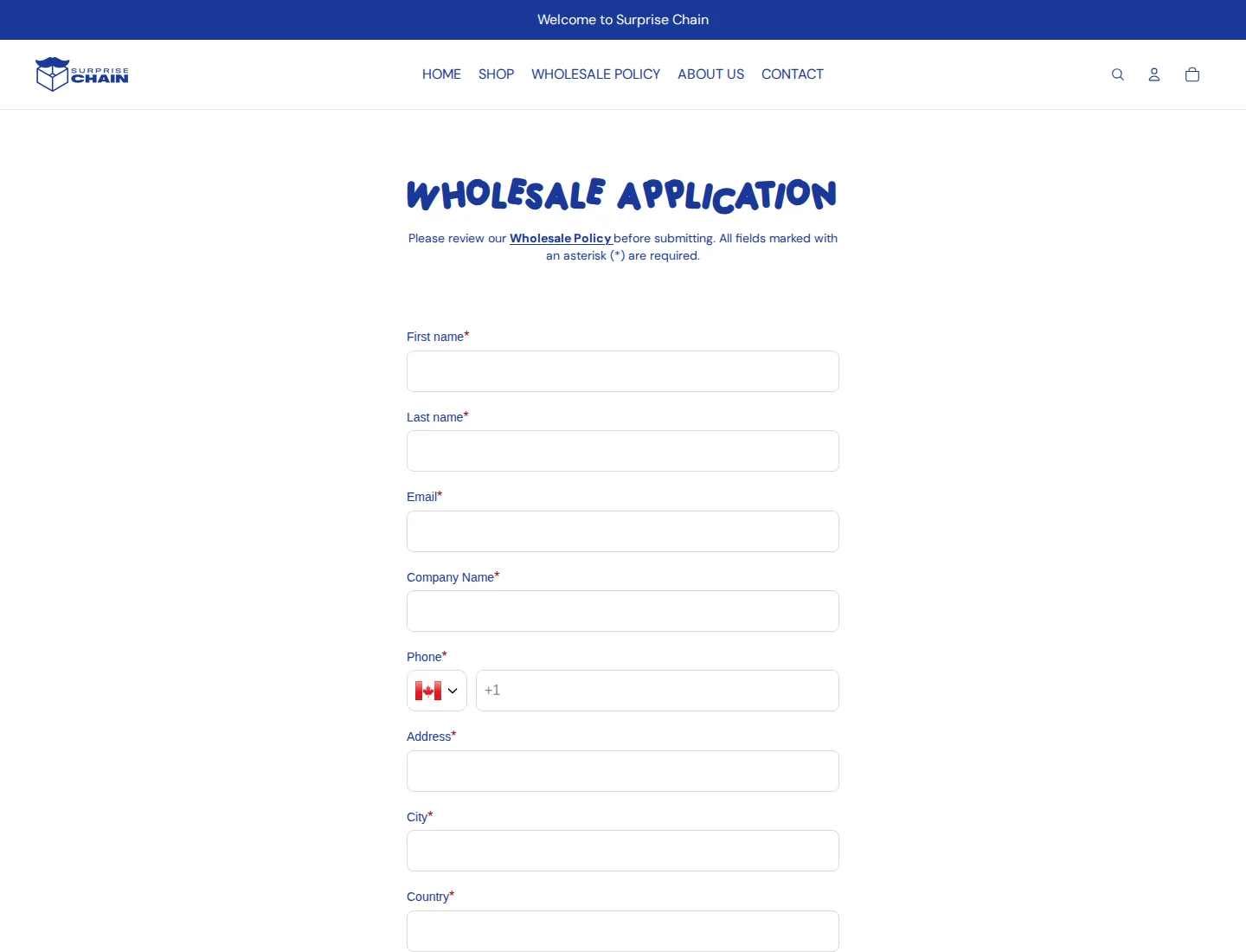
The application page is short. It says “Please review our Wholesale Policy before submitting” and links to it, then asks for first name, last name, email, company name, phone, address, city, country and zip code, all marked as required. The form is a BSS B2B Solution registration form: the page loads the BSS form block. Asking for only company details keeps the application light, and the policy page does the screening.
On a phone
The mobile layout keeps the menu in a drawer and puts each product in a single column with the same Wholesale Pricing button below the suggested price, which keeps the sign-in path one tap away.
Which BSS features power it
We read, with read-only queries, which BSS B2B Solution features are switched on for the shop, and we used the storefront markers for BSS B2B Lock. We did not look at orders, revenue or customers. Lock settings sit in a separate database that we did not access. As of October 5, 2026:
- BSS B2B Lock: hidden wholesale prices. The Wholesale Pricing button on every product card is Lock markup. See Hide wholesale prices from guest visitors and the BSS guide to hiding prices from guests.
- Registration form: 1 live form with manual approval and a customer tag applied on approval (wholesale registration with approval).
- Quantity increments: 22 enabled rules, one per collection, with increments ranging from 3 to 42. They cover 200 of the 239 public products, about 84%. This is the feature the store’s own Solution review calls out. See Sell in case packs and multiples and the quantity increments guide.
- Custom pricing: 13 enabled percentage rules. Twelve target tagged customers (11 by collection and 1 across the catalog) and one targets all customers by collection. See Wholesale discounts by collection or product tag.
- Order limits: 2 enabled rules. One sets a minimum order amount of $500, the same figure as in the published policy. The other sets a maximum quantity on specific products. See Enforce minimum order quantity and value.
- Net Terms: 1 enabled rule with payment due within 7 days (payment terms for wholesale buyers).
The 84% figure is the share of the public catalog in collections targeted by enabled quantity rules. It is taken from rule configuration, is not a sales figure, and ignores exclusions.
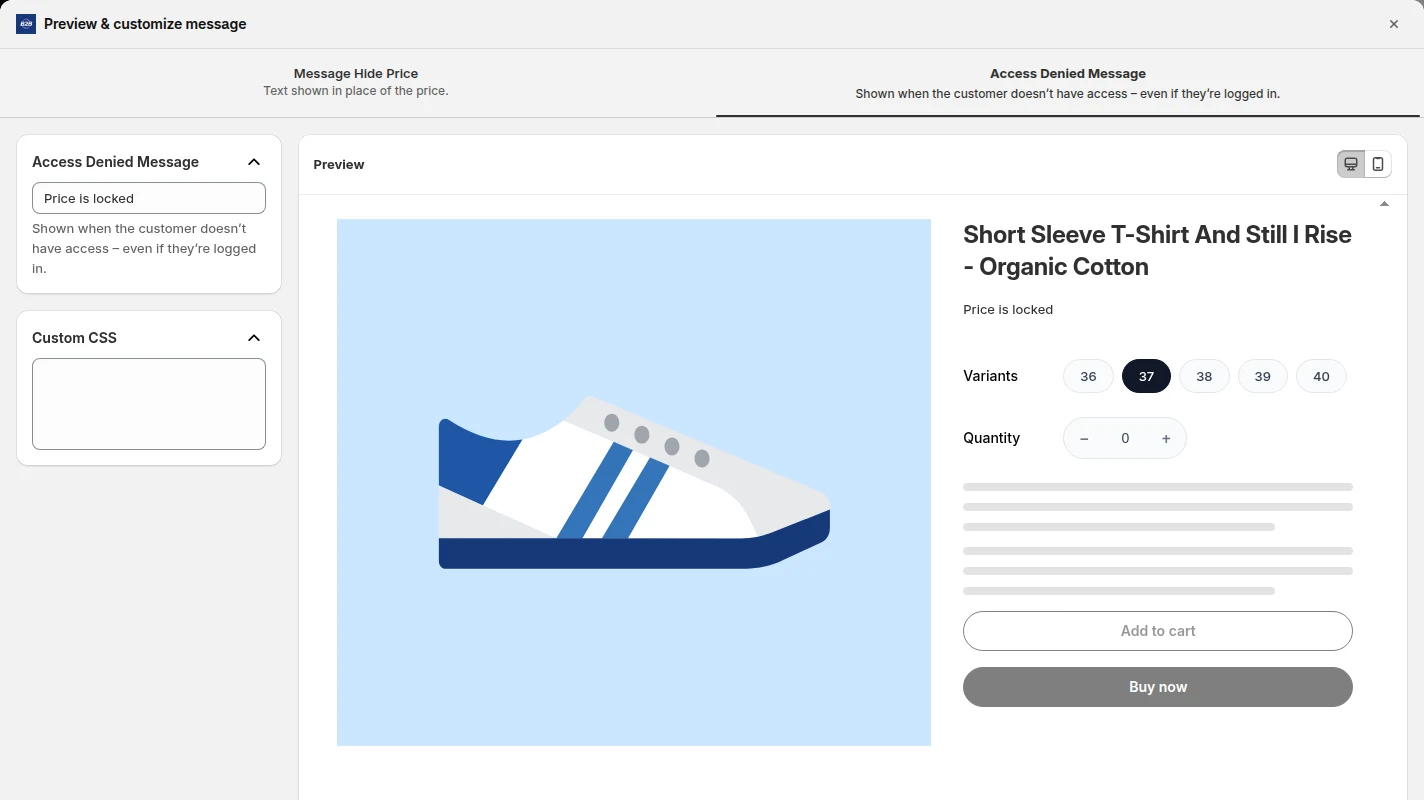
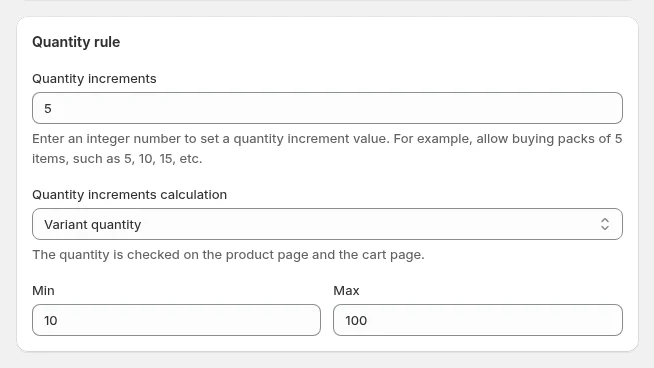
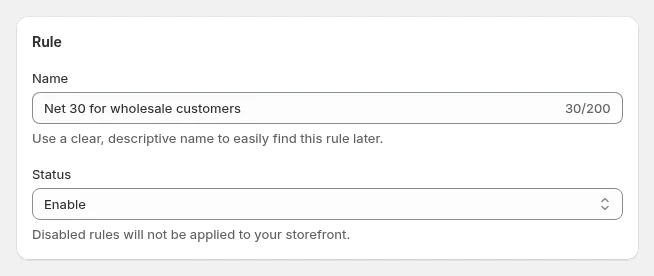
The three images above are examples from BSS demo configurations, not Surprise Chain’s admin.
How the pieces fit together
Read side by side, the public pages and the configuration describe one buyer journey. The visitor lands on a product card and sees a suggested retail price. The Wholesale Pricing button takes them to sign-in. A new retailer reads the policy and applies through the short form, and the store approves the application by hand. Once the buyer has a tagged account, percentage rules by collection are configured to set the wholesale price, quantity increments make sure sets are bought in whole multiples, and the order limit enforces the published minimum. The fulfilment steps in the policy (confirmation, payment link, pick-up) happen outside the storefront, and we do not describe how they are handled.
What the storefront does not show
We cannot log in, so we cannot see the wholesale prices, the Net Terms checkout or the payment-link step in the policy. We cannot tell how the Net Terms rule relates to the 48-hour payment window in the policy, or how the order limit rule is applied across customer types, so we only list what is switched on. No sales, order or customer figures are part of this story.
Hide prices, pages, products or the whole storefront from guests, and let approved or tagged customers in. Request-access and login options included.
Install BSS B2B Lock See pricingWhat other merchants can copy
- Show a suggested retail price, then lock the wholesale one. Visitors learn the retail value and see why an approved account is worth having.
- Turn the price slot into a call to action. A button that says “Wholesale Pricing” is more useful than a blank space.
- Publish the policy before the application. Minimum, processing time, pick-up, payment window and return terms in plain Q and A.
- Keep the form short if the policy does the screening.
- Use quantity increments for sealed sets. One rule per collection beats a variant for every pack size.
- Match the policy to the rules. If the policy says $500, set an order limit for $500.
- Use percentage rules per collection when margins differ between brands.
What Surprise Chain says about the apps
Surprise Chain left two public reviews on June 16, 2025, both five of five stars. For BSS B2B Lock (17 days of use) it wrote:
“We chose B2B Lock, Login & Password because we needed a way to hide wholesale prices from non-logged-in customers while still displaying the suggested retail price. My favorite feature is the customizable button on the product card that directs users to sign in, which makes the B2B user flow clear and intuitive.”
For BSS B2B Solution (about one month of use) it wrote:
“One of our favorite features is the product incremental feature, which allows us to control order quantities without having to create separate variants in our inventory system. This has saved us a lot of time and effort in product setup and management.”
Both reviews also thank the BSS support team. Read them on the BSS B2B Lock reviews page and the BSS B2B Solution reviews page.
Frequently asked questions
Can I show a suggested retail price and still hide the wholesale price?
Yes. Surprise Chain’s product cards show a suggested retail price to everyone and replace the wholesale price with a button that leads to sign-in. BSS B2B Lock hides the price from guests and lets you customize what appears in its place. See Hide wholesale prices from guest visitors.
How do I sell blind boxes or other products only in sets?
Set a quantity rule with an increment for the products or collections concerned. Surprise Chain has 22 enabled rules, each tied to a collection, with increments from 3 to 42. Using a rule means you do not need a separate variant for every pack size. See Sell in case packs and multiples.
Can I set a minimum order amount for wholesale buyers?
Yes. An order limit rule in BSS B2B Solution can set a minimum order amount or quantity, or a maximum. Surprise Chain publishes a $500 CAD minimum in its policy and has an enabled order limit rule with the same amount. See Enforce minimum order quantity and value.
Can different product collections get different wholesale discounts?
Yes. A custom pricing rule can target a collection and a customer tag, with a percentage or fixed discount. See Wholesale discounts by collection or product tag.
Can I offer payment terms to approved buyers?
Yes. BSS B2B Solution’s Net Terms lets you set when payment is due, for example within 7, 15 or 30 days, and applies it by customer group. See Offer Net 30 and other payment terms.
This store spotlight is based on Surprise Chain’s public website and its public reviews on the Shopify App Store, as of October 5, 2026. Screenshots show the public storefront. Feature details come from BSS B2B Solution’s own configuration data, read without customer, order or revenue information. Surprise Chain has not reviewed this page.