


Musiclily, a Shenzhen-based supplier of guitar and bass parts, runs two trade programs on its Shopify store: a Dealer Program and a Dropship Program. Each has its own registration page and form, and the menu also links to B2B Quick Order and B2B Quote pages. This spotlight shows how the storefront works and which BSS B2B Solution features sit behind it.
Key takeaways
- Musiclily keeps a public catalog with visible prices and puts wholesale terms behind two registration programs: Dealer and Dropship.
- Both programs use a BSS registration form with an EU VAT validation field, a website field and a free-text business introduction.
- The dealer form ends with an agreement to a Dealer Code of Conduct, so the brand rules are accepted at sign-up, not after the first order.
- The store’s public App Store review praises Custom Pricing as the way it offers special discounts to its customers.
About Musiclily
Musiclily describes itself as a one-stop seller of guitar and bass parts. Its About page says the company was founded in 2013 and began when someone asked it to distribute part of an inventory of guitar and instrument accessories. From that small shelf it grew into a catalog of more than 5,000 SKUs, headquartered in Shenzhen, China. The range covers tuners and machine heads, bridges and tailpieces, pickups, pickguards and backplates, electronics, knobs, hardware, neck parts, screws and luthier tools.
The company sells under its own Musiclily name in three tiers, called Basic, Pro and Ultra, and distributes some brand-name parts as well. Basic is the entry-level line for quick repairs, Pro is the mid-range line for replacements and upgrades, and Ultra is the high-end line. That mix matters for wholesale, because a parts business has two kinds of professional buyer: people who resell branded stock, and people who need a reliable source of components to repair, build or rebrand instruments.
The public storefront is built for both worlds. It quotes prices in US dollars, offers a language and country selector, runs a points-based loyalty program and links to knowledge-base articles about tuners, pickups, electronics and bridges. A banner in the announcement bar advertises a coupon for new dealer customers, which tells you the wholesale channel is promoted in the same place as consumer offers.
Musiclily’s B2B model: two programs, one catalog
Musiclily does not run a separate wholesale website. Instead, a visitor who browses the catalog sees prices, and a visitor who wants trade terms opens the B2B Program menu. It has four entries: Register as Dealer, Register as Dropship, B2B Quick Order and B2B Quote.
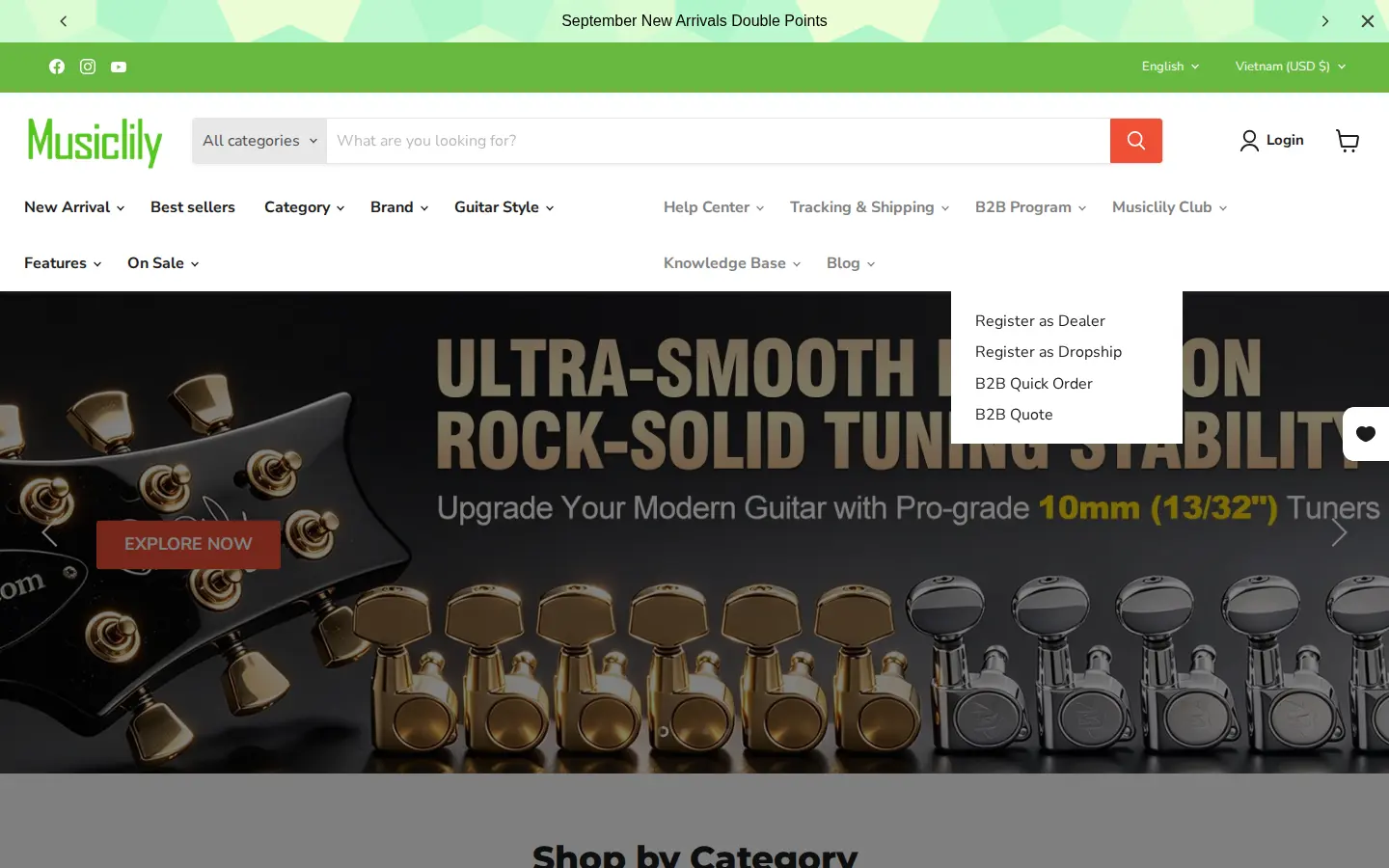
The two registration entries describe two different customers:
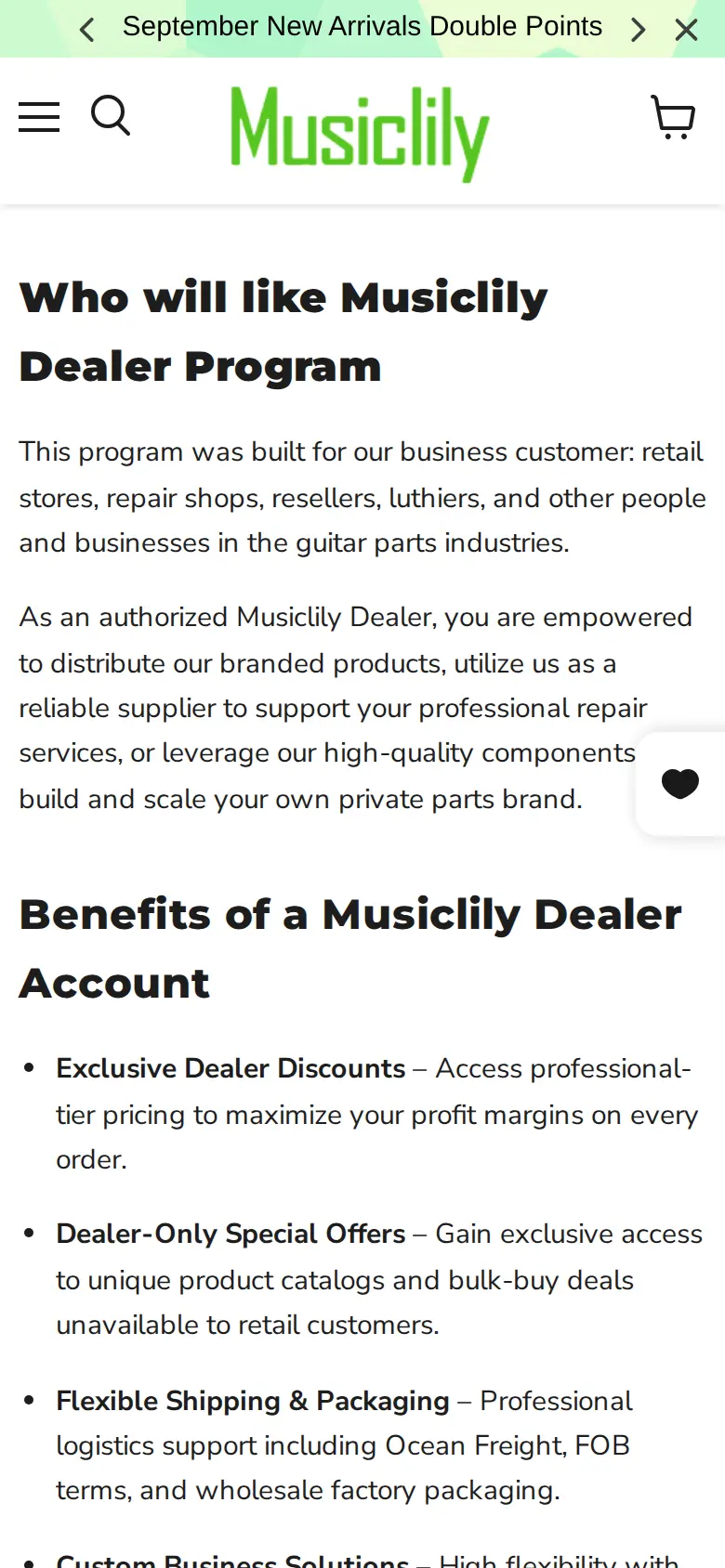
- Dealers are retail stores, repair shops, resellers, luthiers and other businesses in the guitar parts industry. The page promises professional-tier pricing, dealer-only offers and bulk-buy deals that retail customers do not get, flexible logistics (it names ocean freight, FOB terms and wholesale factory packaging), mix-and-match SKUs, custom logo labeling and bespoke packaging, and a PDF authorization certificate on request.
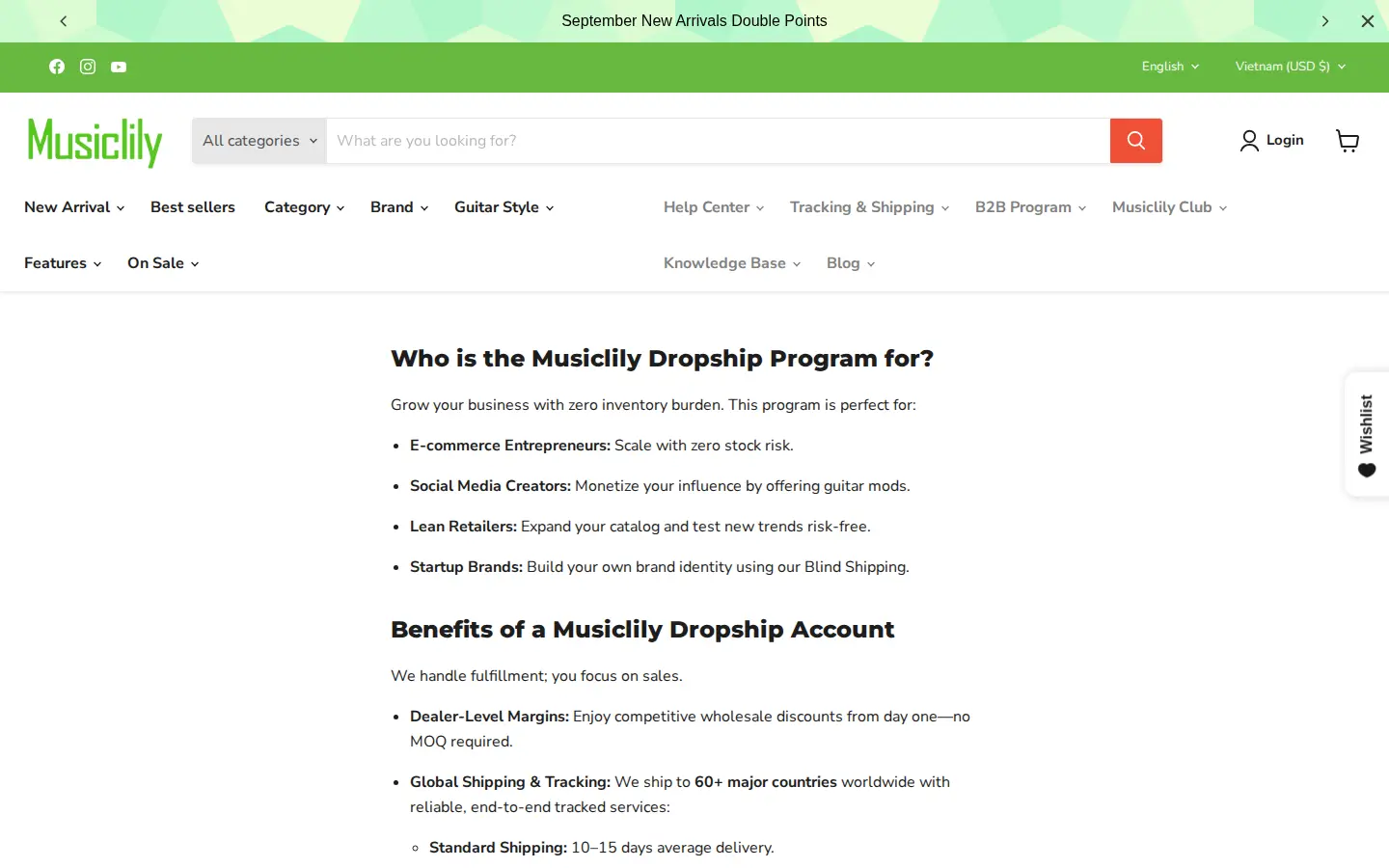
- Dropship partners are e-commerce entrepreneurs, social media creators, lean retailers and startup brands. The page promises dealer-level margins with no minimum order quantity, shipping to more than 60 countries, tracked standard and express services, blind dropshipping in neutral packaging, and product assets and technical specifications for listings.
This split is a useful pattern. A dealer buys stock and carries inventory risk; a dropship partner sells first and has Musiclily ship the order. Margins, shipping needs and brand rules differ, so each gets a separate door.
How the storefront handles wholesale
A program page that sells the relationship
Before a dealer sees any form field, the page tells them who the program is for and what they get. It reads like a short partner brochure for a repair shop or luthier deciding where to source.
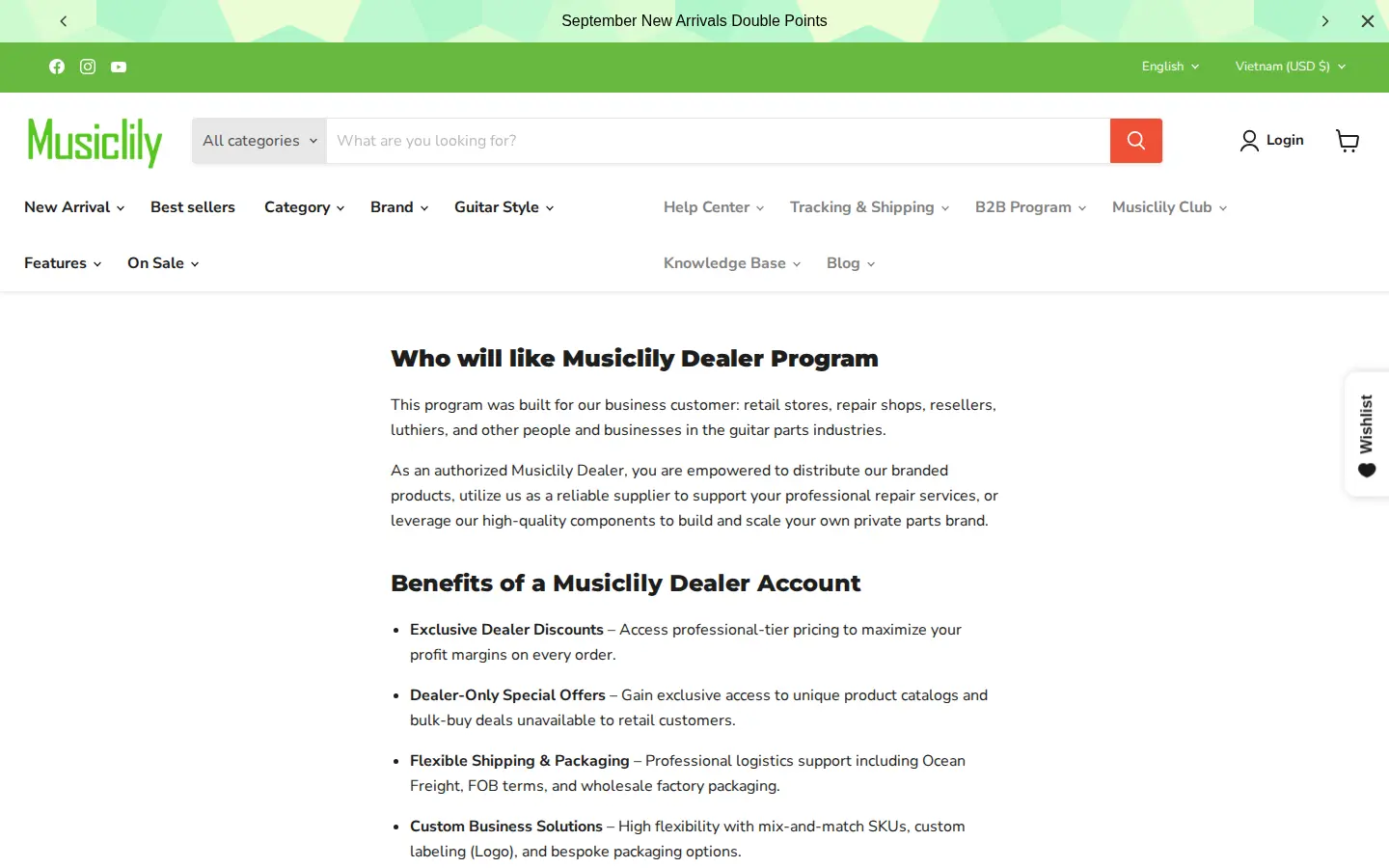
Two details stand out. First, the page is explicit about private label: dealers can use Musiclily as a supplier to build their own parts brand. Second, the authorization certificate is offered with a validity period, so a dealer can prove their status to a marketplace or a customer. Both are business rules, not software settings, and the registration flow is where Musiclily gets the buyer to read them.
The registration form
Below the benefits sits the form itself. It asks for first name, last name, email and a password, then business details: company, phone with a country selector, address, city, country, zip code, an EU VAT validation field, a website and a free-text introduction of the applicant and their business. A final checkbox confirms the applicant has read the brand protection and compliance terms, and that a violation leads to immediate revocation of dealer status.
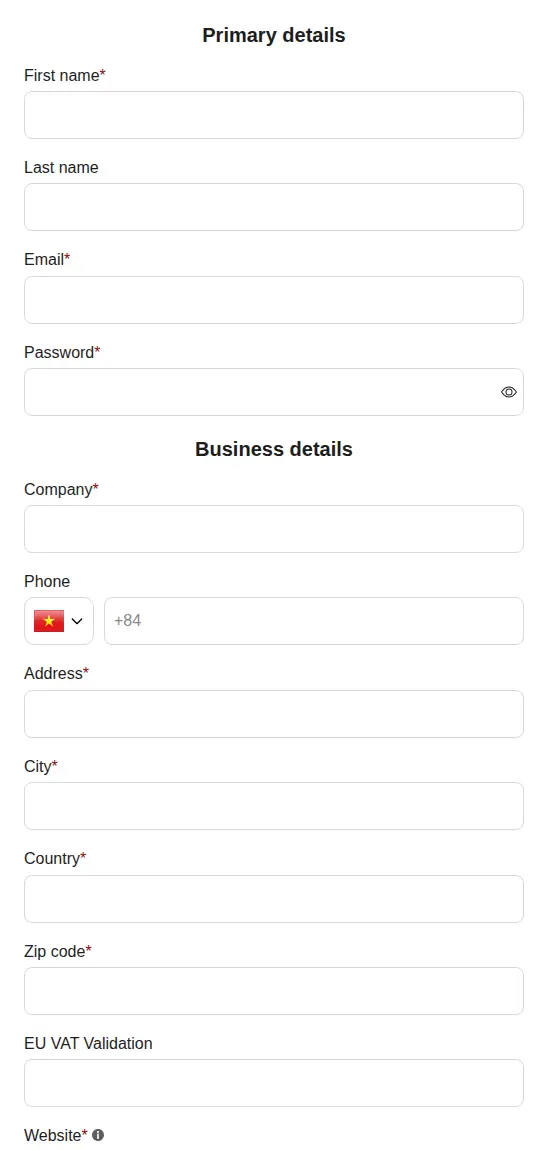
The field names tell you how the form is built. The website and introduction fields are required, which gives Musiclily something to check before it approves an account. The VAT field is optional, so European buyers can add a number without blocking buyers from other regions. According to the BSS feature reference, a tax ID field validates the number live as it is typed and blocks submission only when the field is marked required, so an optional VAT field never stops a buyer from applying.
For the build steps behind a form like this, see the BSS guide on building a wholesale registration form and the use case on a registration form with approval.
Terms the applicant accepts up front
Musiclily publishes a Dealer Code of Conduct and links it from the form. It has five parts: brand integrity and reputation, supply and re-branding (private label), anti-counterfeiting and authenticity, authorized channel compliance (it prohibits sales on Amazon marketplaces unless agreed in writing) and termination of authorization.
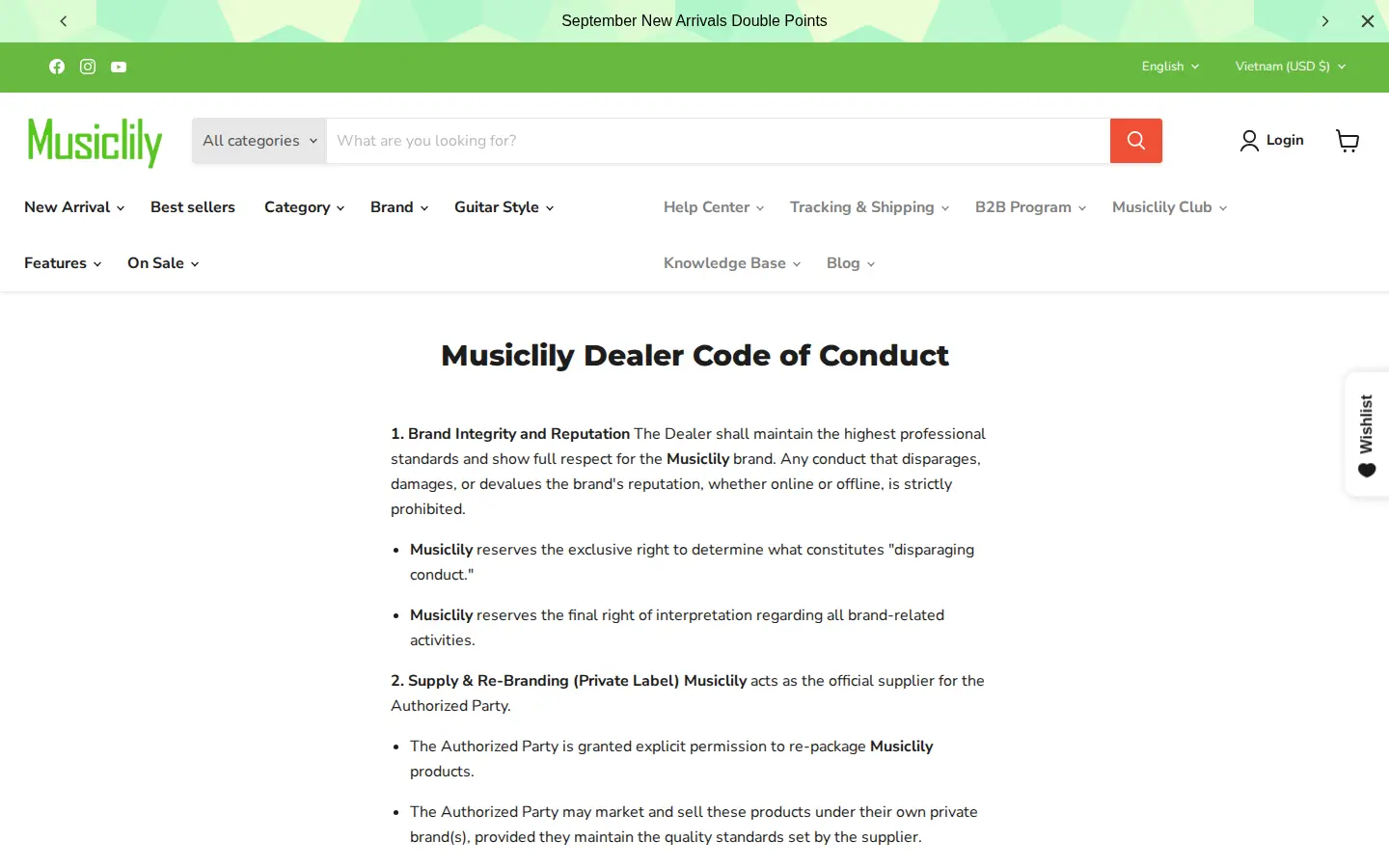
For a store that distributes a house brand worldwide, this page does real work: it defines allowed channels, grants permission to repackage and says what happens if the rules are broken. Placing it next to the form means the buyer agrees before the account exists.
A separate door for dropshippers
The dropship page follows the same layout as the dealer page, with a different promise: no stock, no minimum order quantity, tracked shipping and blind packaging. It has its own form and its own terms of service, and the checkbox again warns that a violation will revoke dropship status.
On a phone
The dealer page keeps the same order on a phone: who it is for, the benefits, then the form.
Quick order and quote pages
The last two menu entries lead to pages on the store’s app proxy path, under /apps/customer-portal. They show a Quick Order product list and a Request for Quote area with a quote cart and a My Quotes tab. As a guest, we got a message that the account is not allowed to use them, which is what you want from tools meant for approved buyers. The pages carry BSS B2B Quote markup, and the review we cite below covers BSS B2B Solution only.
Which BSS features power it
We checked the storefront source and read-only configuration flags in BSS production data. We did not read prices, orders or customers. Here is what is visible and what is configured.
| What buyers see | BSS feature | How we know |
|---|---|---|
| Dealer and dropship sign-up forms with EU VAT, website and introduction fields | Registration forms (BSS B2B Solution) | Both forms render with the BSS form container on the page; production data shows a registration form was created and edited |
| Special prices for approved dealers | Custom Pricing | The store’s App Store review names it; production data shows active Custom Pricing rules |
| Tiered prices by quantity | Quantity break (volume pricing) | Production data shows active quantity-break rules and the storefront loads the quantity-break script |
| Coupon-style offers | Discount code rules | Production data shows active discount code rules |
| Quick Order and Quote pages | BSS B2B Quote | Page source carries the BSS B2B Quote markup; not covered by the cited review |
Custom pricing, the feature the review names
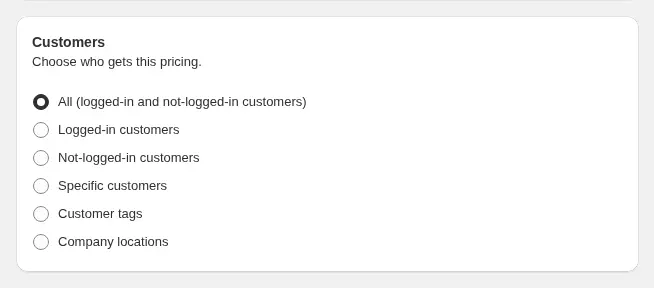
A Custom Pricing rule gives a chosen group a chosen price. The rule decides who gets the price: everyone, logged-in customers, guests, specific customers, customer tags or company locations. For a dealer program, the natural choice is a customer tag applied on approval. Guests keep seeing the normal price; dealers see the dealer price after they log in.
The BSS guide to setting unique prices for wholesale customers walks through the rule, and the use case on wholesale price by customer tag shows the tag pattern in a store like this one.
Quantity breaks for bulk buyers
Musiclily’s dealer page mentions bulk-buy deals. Quantity breaks are the standard way to do that on Shopify: the unit price falls as the quantity enters a higher range. Production data shows that active quantity-break rules exist on the store. In BSS B2B Solution, a quantity break stacks on the price the buyer already has, so a dealer price and a volume tier can work together.
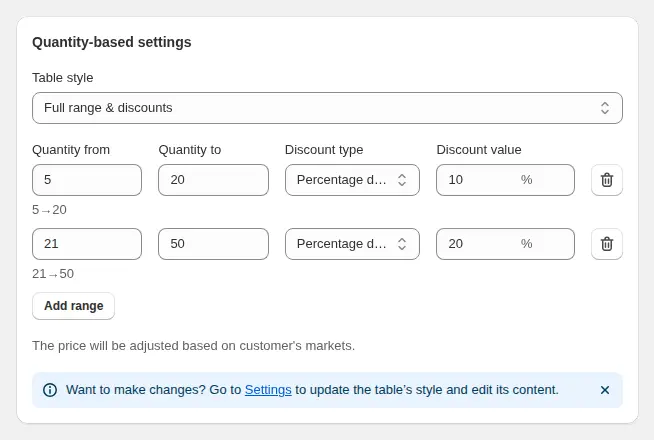
See tiered quantity break pricing for the pattern and the BSS guide to tiered pricing by purchase volume for the settings.
Registration with approval
The BSS form builder lets a store choose the fields, translate the form and decide what happens after submission, including approval and tagging. The key idea for pricing is simple: approval creates or updates the Shopify customer and can add the tag that a pricing rule targets.
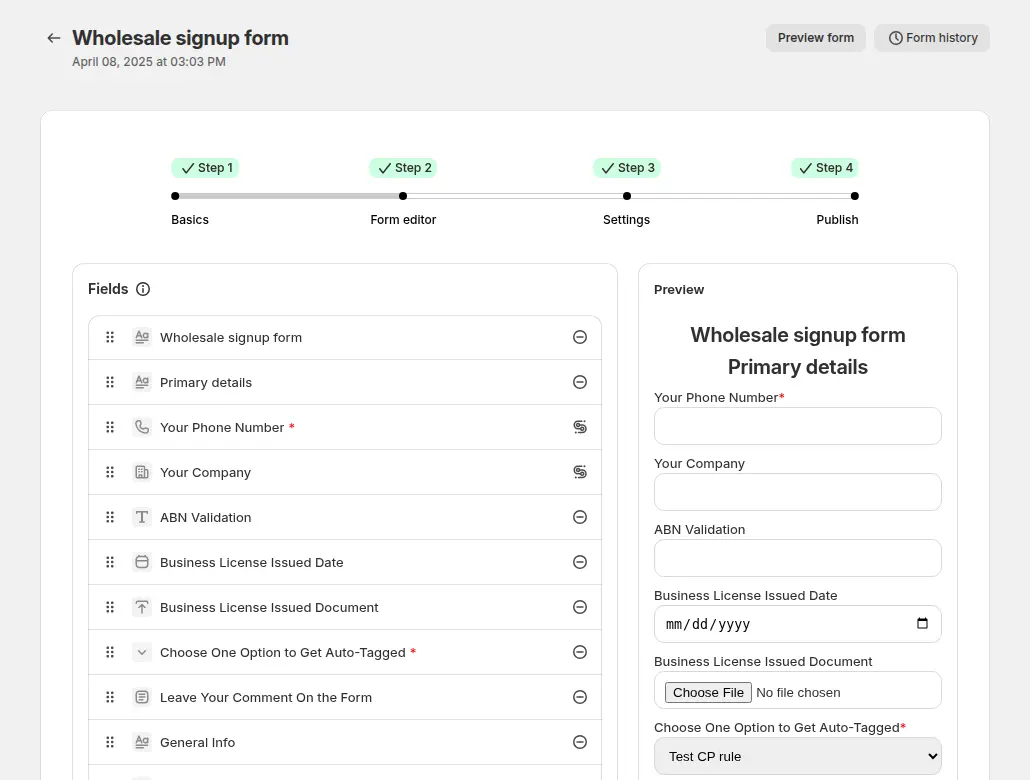
The use case on verifying a business tax ID at registration covers the VAT field, and approving and notifying wholesale applicants covers the approval step.
What other merchants can copy
These moves carry over to any supplier with more than one type of trade buyer.
- Give each buyer type its own page and form. A dealer and a dropshipper want different things. Two short pages beat one long one.
- Say who the program is for, then what it gives. The first screen should let a repair shop or reseller confirm they are in the right place.
- Ask for a website and a short introduction. Two required fields give you something to review before you approve.
- Keep the tax field optional unless you must enforce it. A VAT field that validates as it is typed helps European buyers without blocking others.
- Put your channel rules next to the form. If you ban marketplace resale or allow private label, say so before the account exists.
- Link quick order and quote from the same menu. Approved buyers should find every trade tool in one place.
If you are choosing between a public-price model and a hidden-price model, the use case on running B2B and B2C on one Shopify store compares the options. For the wider picture, start from the Shopify B2B guide or the BSS B2B Solution page.
Musiclily’s review
Musiclily’s public review of BSS B2B Solution on the Shopify App Store is a five-star review from July 8, 2025, written after four months of use. We quote it as published, leaving out the name of a support agent.
The Custom Pricing function in BSS is very powerful, allowing me to easily offer special discounts to my customers, which is very helpful in increasing order volume.
[…] When I reported an issue, they responded immediately and followed up to ensure everything worked perfectly. Their fast, professional after-sales service makes this app stand out. Highly recommended!
musiclily (China), 5-star review of BSS B2B Solution (listed as BSS B2B Wholesale Pricing), July 8, 2025, four months using the app. Read it on the Shopify App Store
Two points match what the storefront shows. The merchant ties Custom Pricing to special discounts for its customers, which fits a dealer program. And it values support that follows an issue through to the end, which matters when pricing rules change while orders are coming in.
FAQ
Can a Shopify store show public prices and still offer dealer pricing?
Yes. Musiclily’s guests see normal prices, and approved dealers get trade terms after they register. In BSS B2B Solution, a Custom Pricing rule can target logged-in customers or customer tags, so the same product can show a retail price to guests and a dealer price to approved buyers.
How do I run a dealer program and a dropship program on one store?
Create one registration form for each audience and link both from a B2B menu, as Musiclily does. Each form can have its own fields, terms and approval path, and the approved customer can receive a tag that points to the pricing or terms you want to apply.
Should a VAT number be required on a wholesale registration form?
It depends on where your buyers are. Musiclily leaves the EU VAT field optional. A tax ID field in BSS validates live and blocks submission only when the field is required, so make it required only for markets where you must collect the number.
Where do I put brand rules such as private label or marketplace bans?
Publish them on a page and link them from the form, with a checkbox that the applicant must tick. Musiclily uses a Dealer Code of Conduct and a Dropship Terms of Service for this.
Does BSS B2B Solution include quick order and quote tools?
Quick order and request-for-quote pages are part of BSS B2B Quote. They use Solution pricing when the store runs both apps, so a quick order list can show dealer prices. Check the plan limits of each app before you rely on them.
This store spotlight is based on Musiclily’s public website and its public review on the Shopify App Store, as of 2026-10-05. Screenshots show the public storefront. Images labelled Example configuration in BSS B2B Solution come from the BSS user guide and are not the merchant’s admin.