
It is a self-declaration
The visitor clicks a button. Nothing checks a birth date or an ID. The Require Date of Birth option is listed as Coming Soon and cannot be turned on.
BSS B2B Lock: age verification
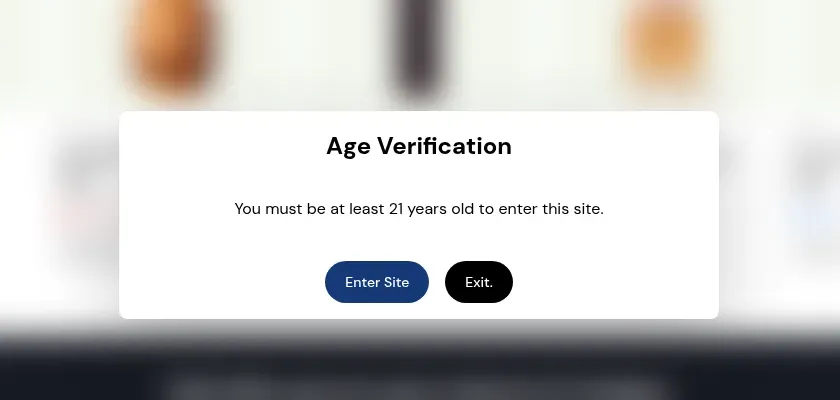
The age verification popup in BSS B2B Lock asks each visitor to confirm a minimum age you set, such as 18 or 21, before they see the store, a product or a collection. Enter Site lets them in. Exit sends them to a URL you choose. It is a self-declaration: the app checks no birth date or ID.
BSS B2B Lock puts a popup over the page with two buttons, Enter Site and Exit. The page behind it is blurred. A visitor who clicks Enter Site gets in. A visitor who clicks Exit goes to the URL you set, which defaults to /index.
You choose the minimum age. Eighteen and twenty-one are common, and any number works. The popup is one condition inside a lock rule, called Age verified: Must confirm age, so it sits next to the other Lock conditions. When a rule holds several conditions, a secret link and a passcode run first, then age verification, then date and time and customer tag rules.
The popup is a self-declaration. The visitor says they are old enough and the app takes their word for it.
Everything below is edited in the Customize message window of the lock, and the preview updates as you type.
| Setting | What it controls | Note |
|---|---|---|
| Lock target | Where the popup appears: the entire store, selected products or selected collections | The Variants and Price and add to cart targets do not offer age verification |
| Minimum Required Age | The age shown in the popup | Any number. Use 18, 21 or your own |
| Heading and description text | The title and the message | A placeholder in the description is replaced by the minimum age, so you edit the age in one place |
| Button labels | The text on the confirm button and the exit button | For example Enter Site, I am 18 or older, Exit |
| Colors | Popup background, title, both buttons and both button texts | Defaults are a white background, a black title and white button text |
| Redirect URL (On Exit) | Where the Exit button sends a visitor | Default is /index. The user guide suggests a page that explains the age rule |
| Custom CSS | Overrides the default popup styles | For advanced users |
| Require Date of Birth, background image | A date of birth field and a popup background | Shown in the app as Coming Soon. They cannot be turned on yet |
These steps follow the BSS B2B Lock user guide and the app code as reviewed in October 2026.
In Shopify admin open Apps, then BSS B2B Lock, then Locks, and click Add lock rule. Choose Create my own lock, name it, then open What do you want to lock? and pick Entire store, Products or Collections.
In Step 2, Access and Message, open More and choose Other condition. In Select access rule pick Age verified: Must confirm age, then click Done.
On the Preview card click Customize message. Under General Configuration enter the Minimum Required Age and check the preview.
Set the colors under Appearance and the Redirect URL (On Exit) under Behavior. In the content section edit the heading, the description and both button labels.
Save the lock and open the storefront in a private browser window. Check that the popup shows on a covered page, that Enter Site lets you in and that Exit lands on your redirect page. Test again in a new private window, because a confirmed visitor does not see the popup again while the same cart exists.
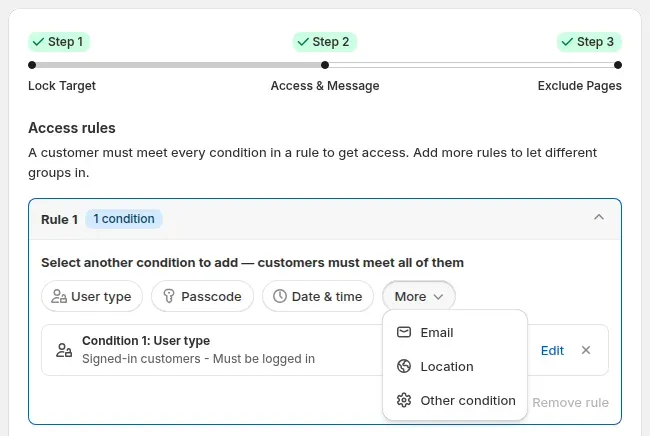
Start with the entire-store popup on the Free plan. Targeting products or collections needs a paid plan. The listing shows a 7-day free trial on paid plans.
When a visitor clicks Enter Site, the app writes a cart attribute named age-verified plus the ID of the age condition on the Shopify cart, then reloads the page. The lock passes while that attribute is on the cart. Nothing is stored in a cookie.
So the popup comes back when the cart is cleared, or when the visitor switches browser or device. How long a cart lasts depends on Shopify, so we do not promise a number of days. The user guide lists the returning popup as expected behavior.
Read these before you decide whether the popup is enough for your products.
The visitor clicks a button. Nothing checks a birth date or an ID. The Require Date of Birth option is listed as Coming Soon and cannot be turned on.
The popup blurs the page and blocks clicks with CSS. On an age lock the page content stays in the HTML, and the confirmation is a cart attribute that a technical visitor can set. Treat it as a notice for ordinary visitors, not as a barrier.
The popup does not satisfy any law or rule on its own. If you sell age-restricted goods, check the requirements for your products and market and use a method that fits them.
Age verification works on the entire store, products and collections. The Variants target shows a warning in the app that locking variants does not support age verification.
The user guide lists a standard Shopify online store as a requirement. Headless and custom frontends are not supported.
A cleared cart, a new browser or a new device shows the popup again. Test in a new private window each time you change the lock.
Age verification is one condition in a lock rule. In the lock editor, a visitor must meet every condition in a rule to get in, and you can add more rules to let other groups in. A rule can therefore ask for an age confirmation and, for example, a passcode together.
If your catalog is for trade buyers only, a login or customer tag lock on a page, product or collection is the stronger tool, because it removes the real content from the HTML for visitors who do not qualify. The age popup suits an open store that needs a notice before browsing.
BSS B2B Lock has a Free plan that locks the entire store by condition. Paid plans add hiding products, collections and pages, locks by URL or customer tag, passcodes and checkout locks. Paid plans start at $9.99 per month with a 7-day free trial on paid plans, and the tier follows your Shopify plan. Prices are from the App Store listing on October 10, 2026.
On the Free plan only the entire store target works. Products and collections need a paid plan or the trial. Questions about your plan go to [email protected].
There is no age verification use case yet. These lock setups use the same lock editor. Browse all use cases.
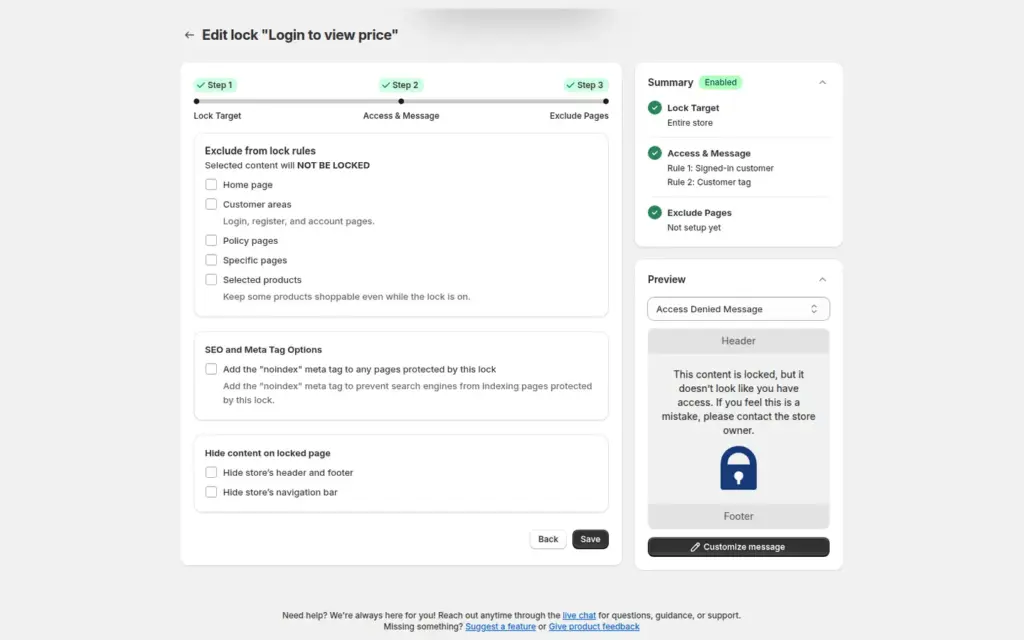
Lock your whole Shopify store so only approved, tagged wholesale customers can browse. Guests see a custom login or sign-up message with BSS B2B Lock, while approved buyers shop normally and applicants can still register.
Explore use case: Lock the Entire Store for Approved Wholesale Customers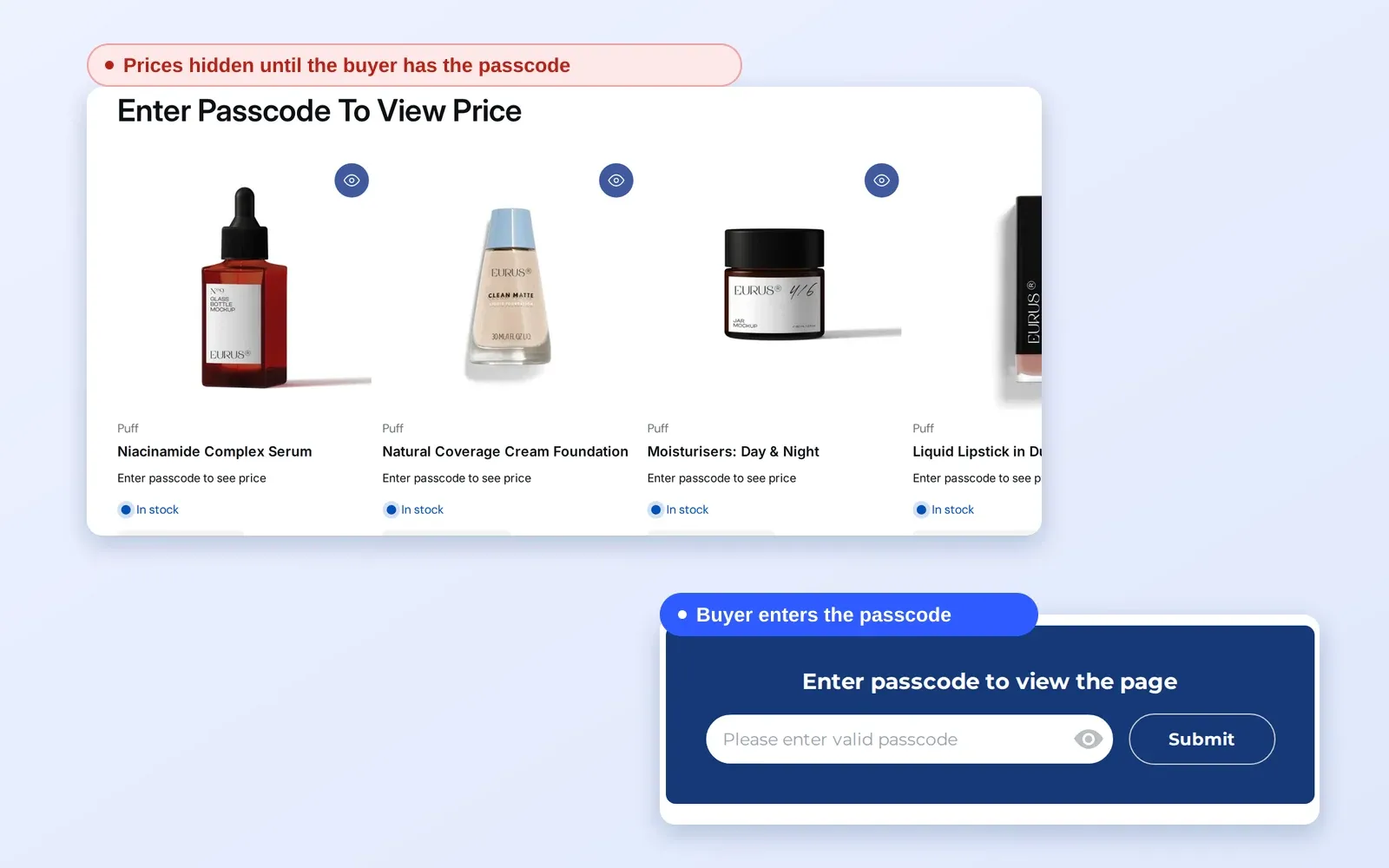
Give buyers instant passcode access to wholesale pricing and catalogs without requiring account registration. Streamlining B2B Sales by Removing Onboarding Friction and Manual Workflows
Explore use case: Give B2B Buyers Access With Passcode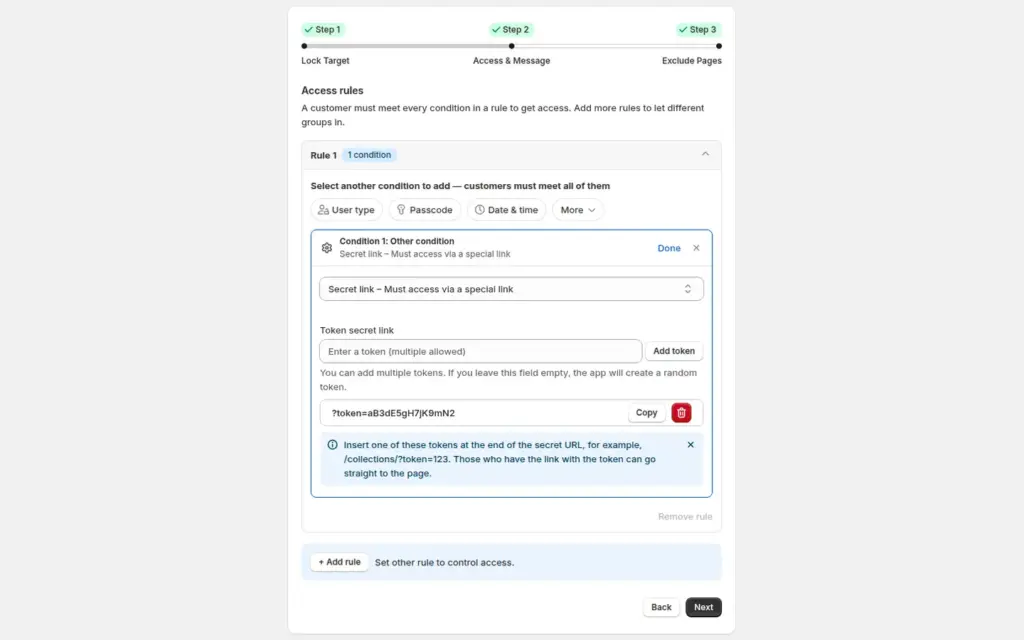
Share a line sheet, preorder or private collection only through a secret link, with no customer accounts needed, using the Secret link lock in BSS B2B Lock.
Explore use case: Share a Private Collection With a Secret LinkEach topic has one page that owns it. Start from these.
Hide prices, lock pages and gate catalogs.
Password options for a page or a store, and where a lock app fits.
Hide prices from guests, gate wholesale catalogs and protect pages with passcodes.
Gated catalogPasscodeSecret linkCustomer tag
Each feature has its own page. See also all BSS B2B Lock features.
Hide chosen payment or shipping methods at checkout by customer tag, cart total or product, and hide express buttons on product and cart pages.
BSS B2B Lock adds the popup to your store, products or collections, next to passcodes, secret links and customer tag locks.
Also: BSS B2B Lock for age popups, hidden prices and locked pages and BSS B2B Quote for quotes and quick order.
No. It is a self-declaration: the visitor clicks Enter Site to say they meet the minimum age. The app does not check a birth date or an ID, and the Date of Birth option is still marked Coming Soon. Check the rules for your products and market before you rely on it.
Yes. Enter any number as the Minimum Required Age, such as 18 or 21. If your description text uses the age placeholder, the popup shows the number you set, so you only change the age in one place.
Yes. The lock target can be the entire store, selected products or selected collections. Prices, Add to cart and variants do not offer age verification. On the Free plan only the entire store target works. Products and collections need a paid plan or the trial.
The confirmation is saved as a cart attribute on the visitor's Shopify cart. The popup stays away while that cart exists and returns after a cleared cart or on a new browser or device. We do not publish a fixed duration because it depends on the cart.
The visitor goes to the Redirect URL (On Exit) that you set. The default is /index. The user guide suggests a dedicated page that explains the age restriction. You can also change the Exit button text in the same window.
Feature behavior follows our review of the BSS B2B Lock code on October 3, 2026 and the BSS user guides, and the code decides when they disagree. For example, the code stores the confirmation as an attribute on the Shopify cart. Prices come from the App Store listings on the date shown. We make BSS B2B Solution, BSS B2B Lock and BSS B2B Quote.