


Luxtex Balloons is an Australian wholesale supplier for professional balloon stylists. Visitors can browse every colour and size, but the price of each pack is replaced by a “Trade account required” message, and the application form checks the applicant’s ABN. This spotlight walks through the public storefront and the BSS B2B Lock and BSS B2B Solution features behind it.
About Luxtex Balloons
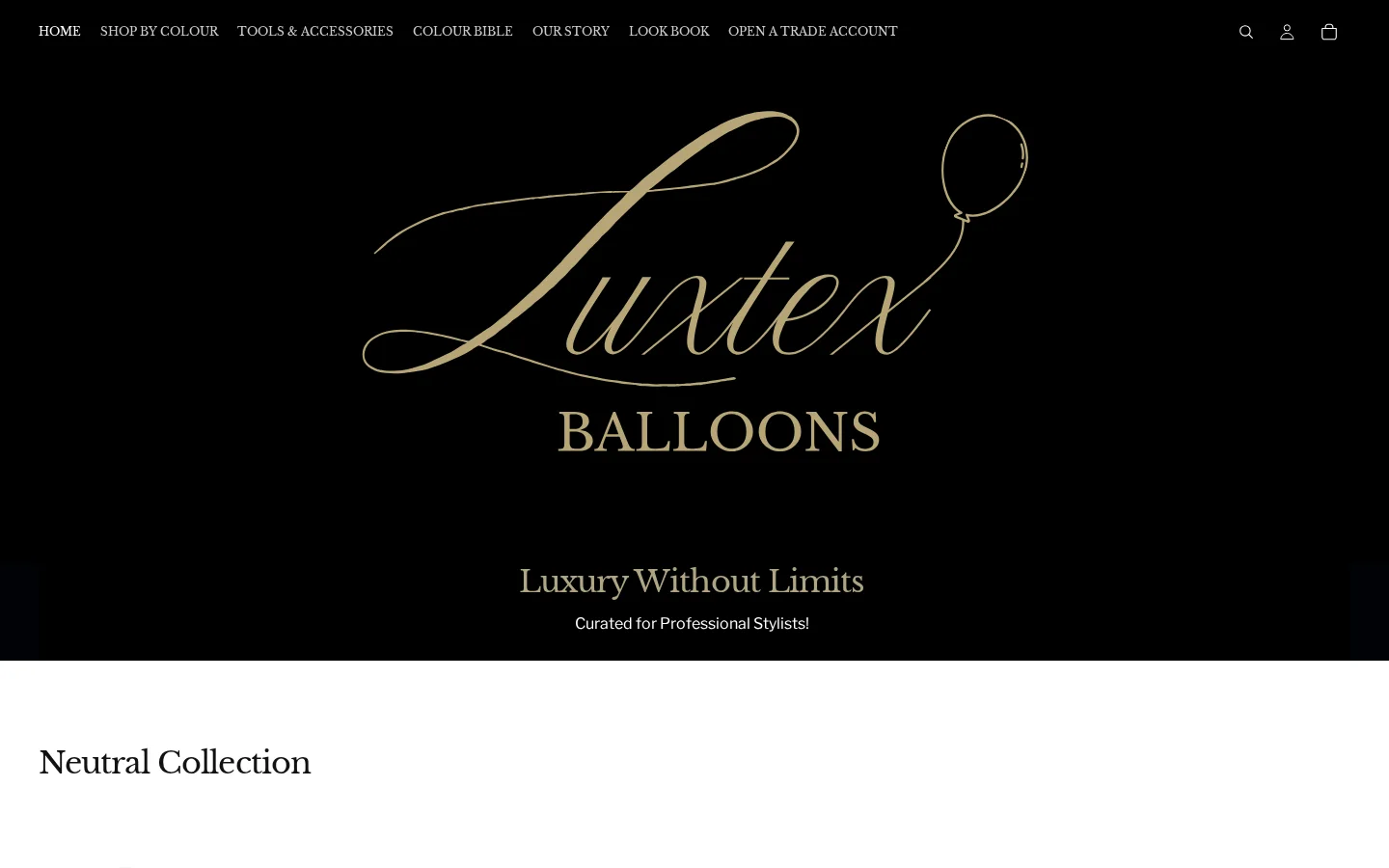
Luxtex’s “Our Story” page says the brand was built by a professional balloon stylist who got tired of ordering from several suppliers, of balloon colours that looked different on arrival, and of packaging that spilled. The page calls Luxtex “an Australian wholesale brand built specifically for professional balloon stylists”, and the home page repeats the idea with “Luxury Without Limits” and “Curated for Professional Stylists!”.
The catalog is organized by colour, which is how stylists think. The home page groups balloons into collections such as Neutral, Warm, Pink, Purple, Blue, Green, Macaron, Dusk and Chrome, and a “Colour Bible” and a “Look Book” sit in the menu next to Tools and Accessories. In total the store lists 186 products, sold as packs: for example, 12-inch balloons in packs of 100, 18-inch in packs of 25 and 36-inch in packs of 2.
How Luxtex structures its B2B program
Luxtex is a trade-only supplier: the last item in the menu is “Open a Trade Account”. The home page, the story and the colour guides are open so that a stylist can learn the brand, and the commercial part is behind an approved account. The model, as visible on the storefront:
- Who can buy. Trade accounts, which the site aims at professional balloon stylists. The form asks for a company, a website or social media account and an ABN.
- How they apply. Through the “Open a Trade Account” page.
- What they see before approval. The full catalog, product descriptions, sizes, colours and pack sizes, but not prices.
- What they see after approval. Prices, after login. We cannot log in, so we describe only the guest view.
The setup is recent. BSS production data records the installation in July 2026, and both of Luxtex’s public reviews are dated August 24, 2026, so the shop went from install to a public review inside about two months.
How the storefront handles wholesale
A price lock with two clear next steps
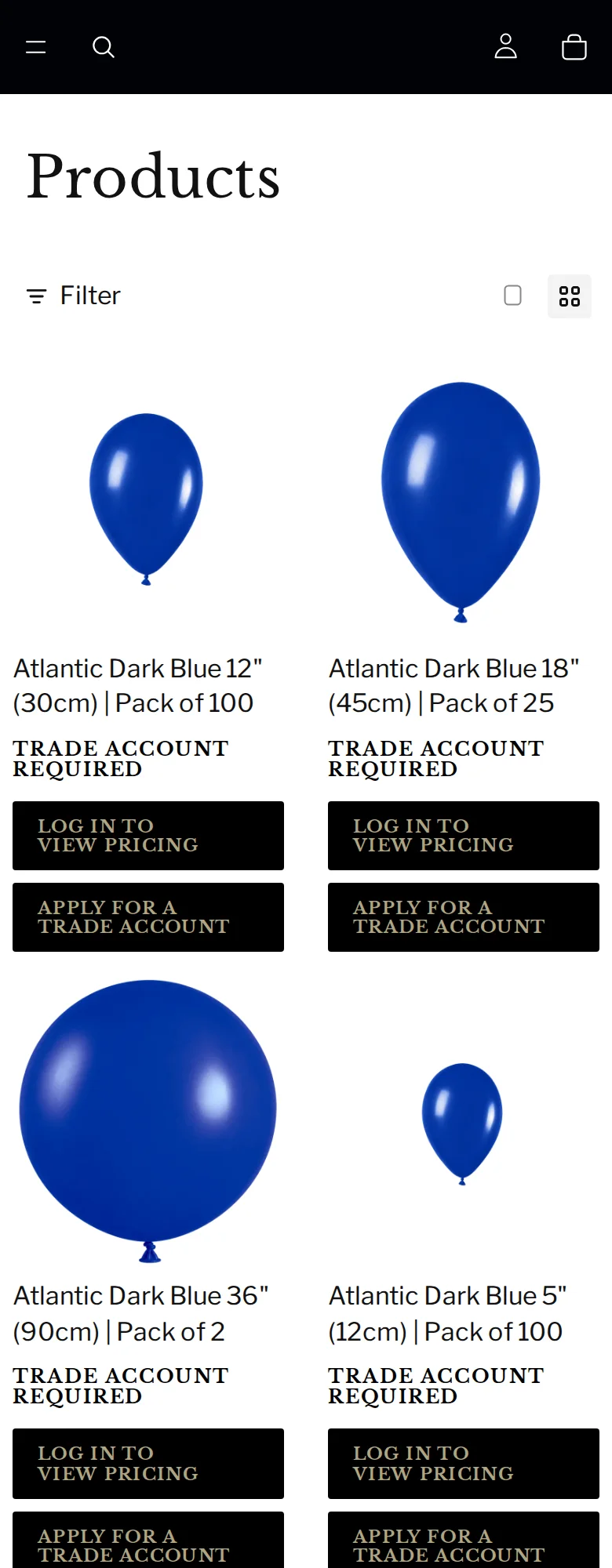
On the main collection page, all 24 product cards on the first page replace the price with the same block: “TRADE ACCOUNT REQUIRED” and two buttons, “LOG IN TO VIEW PRICING” and “APPLY FOR A TRADE ACCOUNT”. A product page uses the same block under the title, followed by the description with its colour, size, pack and finish.
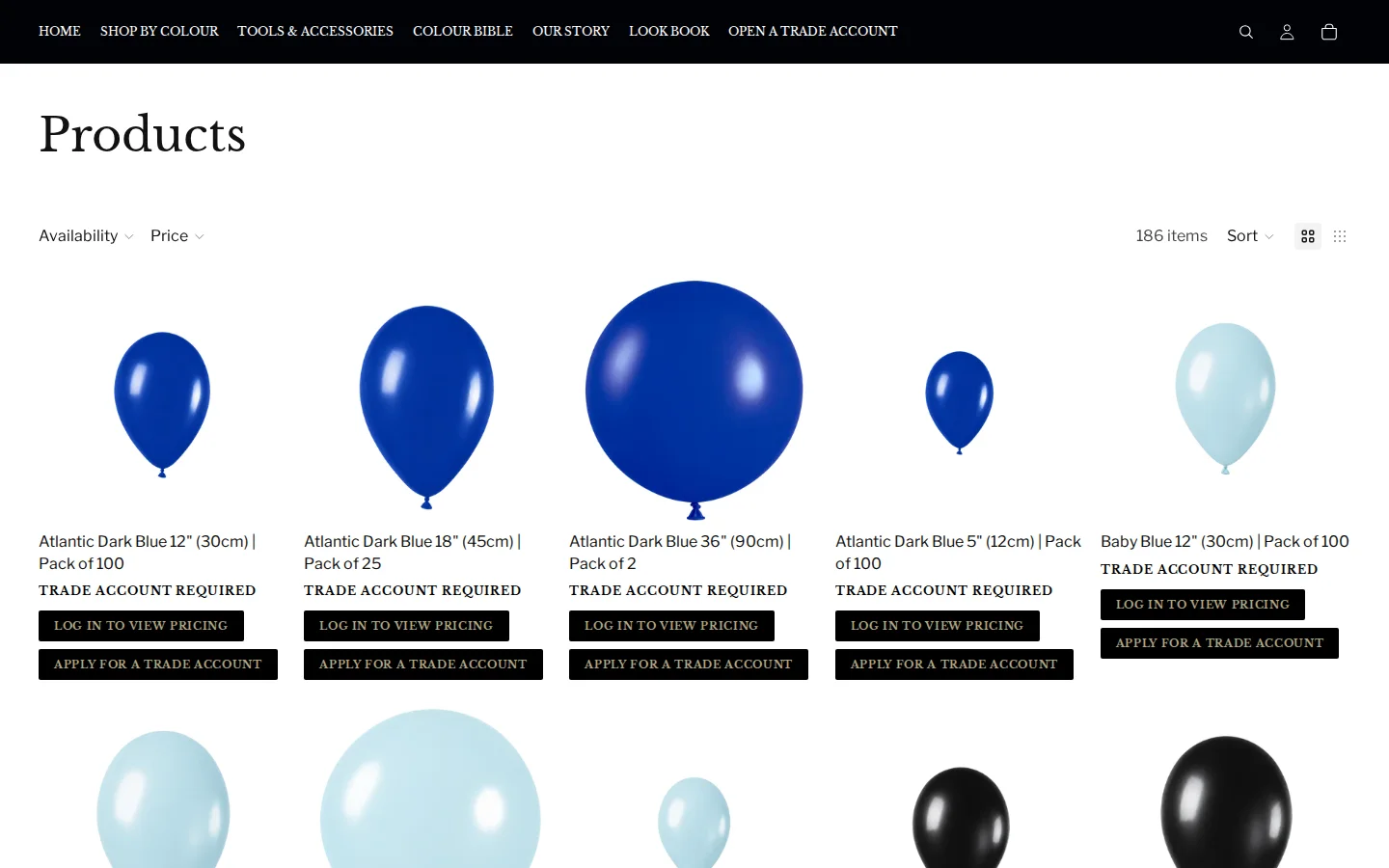
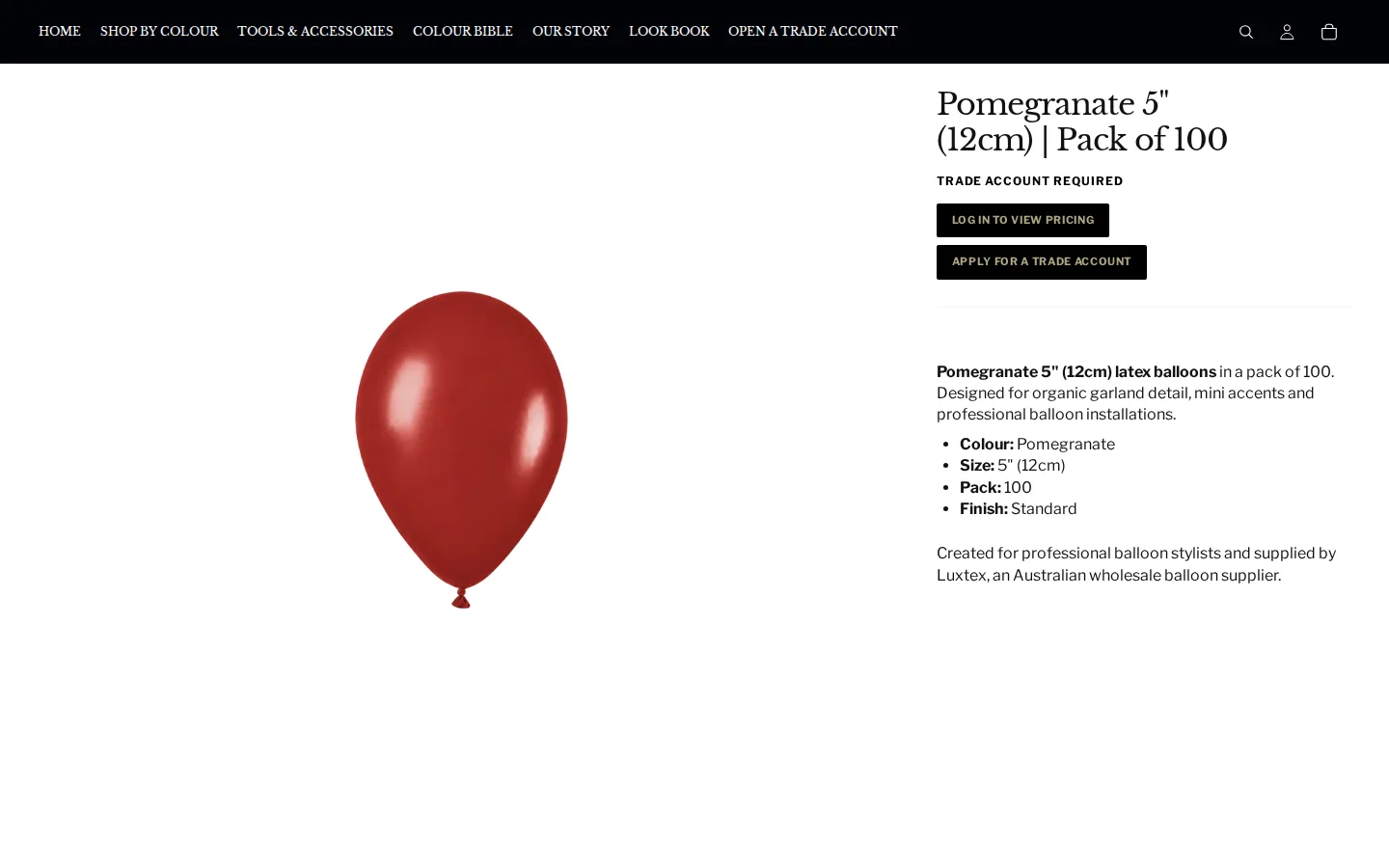
The block is a BSS B2B Lock element, and the page loads the Lock app’s scripts. The pattern deals with a typical wholesale problem. A hidden price on its own makes a buyer wonder whether there is any price at all. A message with a login button for existing customers and an application button for new ones tells each type of visitor what to do next.
The trade account form
The “Open a Trade Account” page is an application form with two groups of fields. “Primary details” asks for first name, last name and email. “Business details” asks for company, phone (with a country selector that starts at +61), address, city, country, state, post code, an “ABN Validation” field, and a “Website / Social Media Account” field. A privacy policy confirmation comes before the submit button, and the form carries a reCAPTCHA.
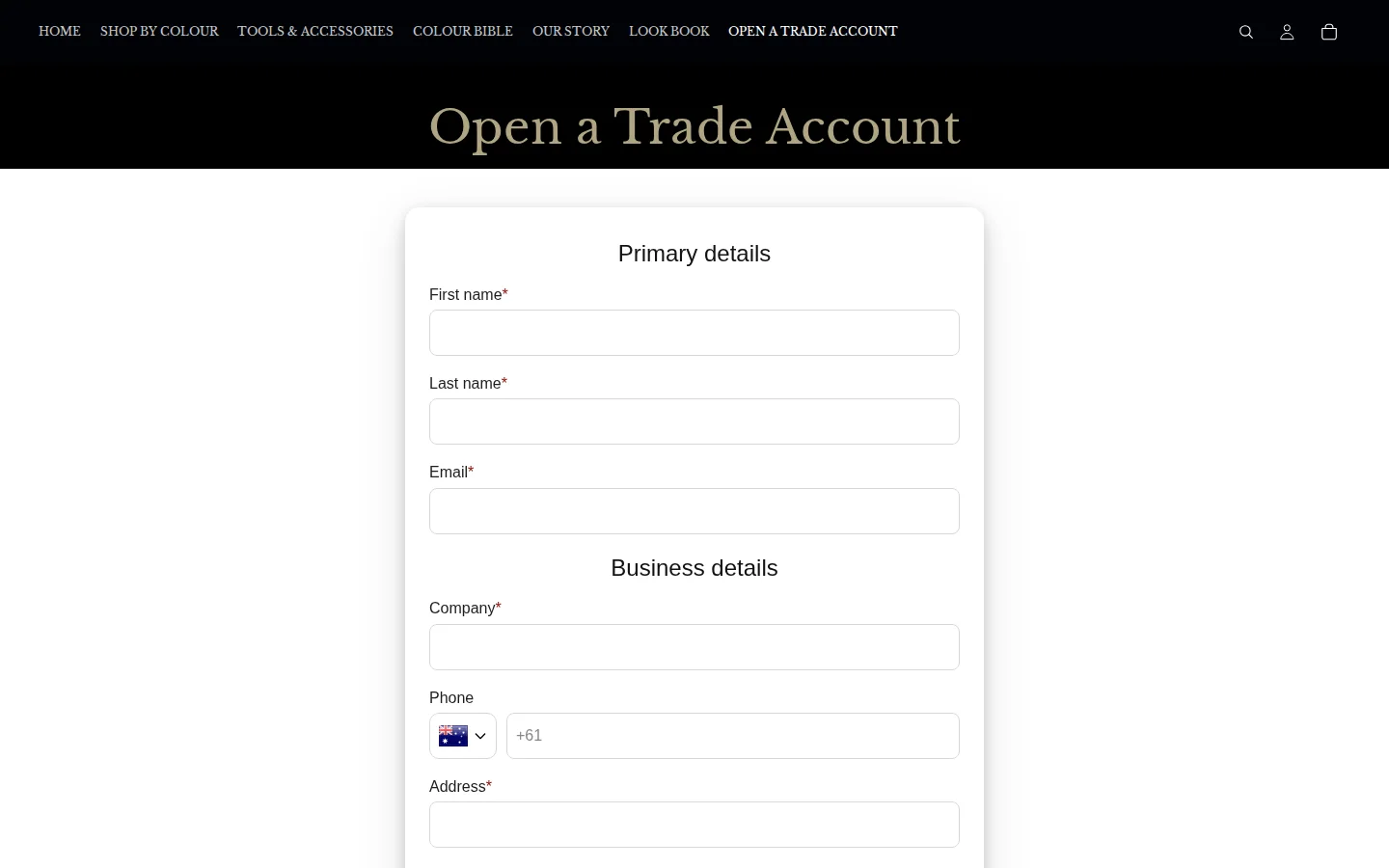
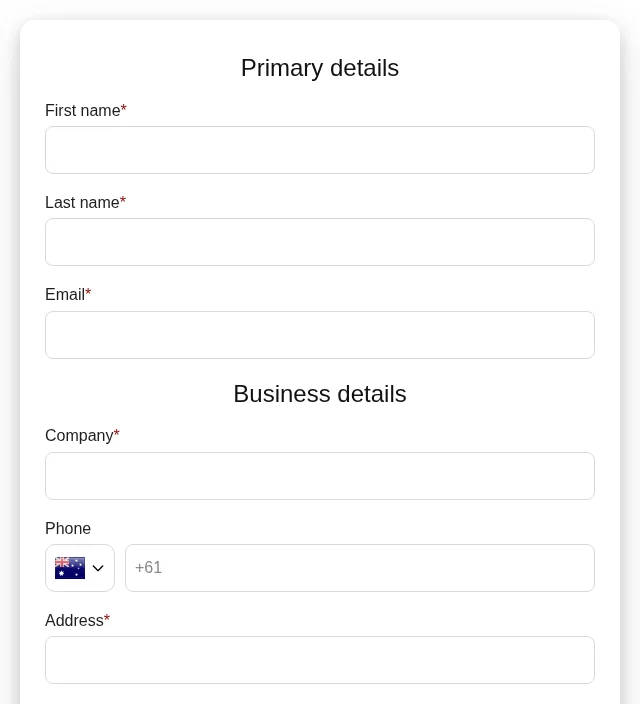
The ABN field is the feature that matters most here. An Australian Business Number is the identifier Australian businesses use, so asking for it, and checking it, takes a lot of manual work out of approval. In BSS B2B Solution, an ABN field is checked as the applicant types, against the Australian ABN lookup, and only an active ABN passes. The check blocks the submit when the field is required, and Luxtex’s field is marked as required.
On a phone
The mobile layout stacks the packs in two columns with the lock message and both buttons under each, so the application is one tap away on a phone.
Which BSS features power it
We used the storefront markers for BSS B2B Lock, and, with read-only queries, the on-and-off state of BSS B2B Solution features for the shop. We did not look at orders, revenue or customers. Lock settings sit in a separate database that we did not access. As of October 5, 2026:
- BSS B2B Lock: price lock. The Trade account required block with login and application buttons. See Hide wholesale prices from guest visitors.
- Registration form: 1 live form with manual approval, CAPTCHA, a privacy policy confirmation and a customer tag applied on approval. See Wholesale registration form with approval and Verify a business tax ID before approving.
- Custom pricing: 1 enabled rule, a percentage discount that covers the whole catalog (186 of 186 products). See Give tagged wholesale customers special prices.
That is a small configuration, and it is the point: one lock, one form and one pricing rule are enough to run a trade-only store. We do not count the one pricing rule as a measure of the store’s size, and no business volume figure is part of this story.
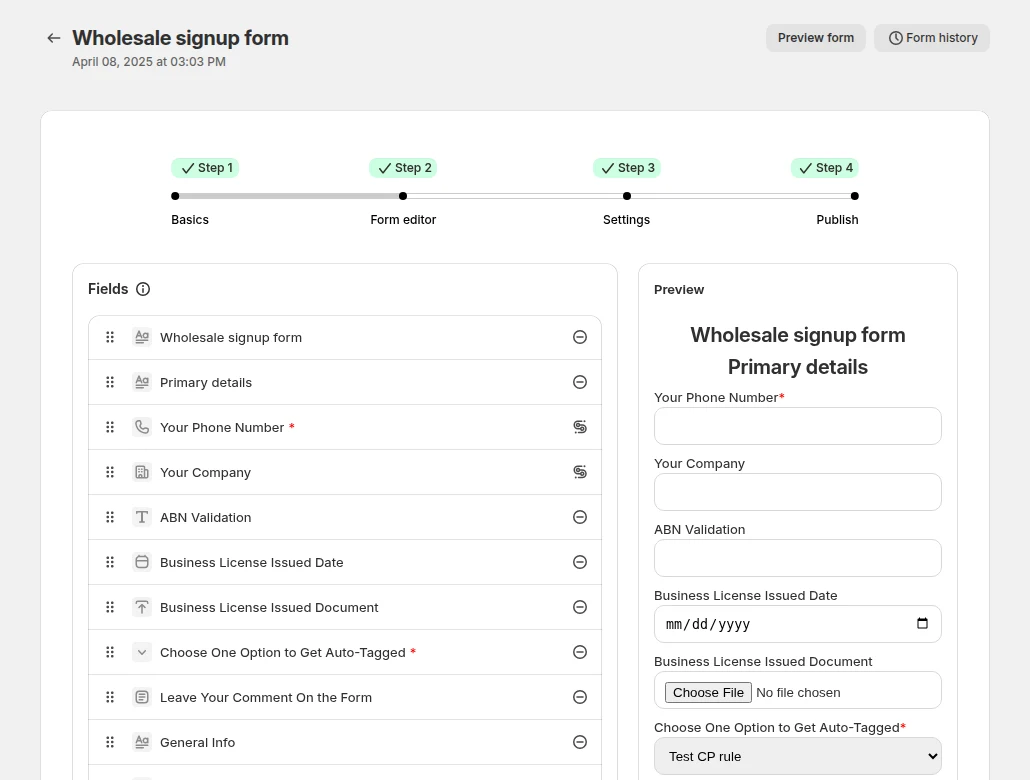
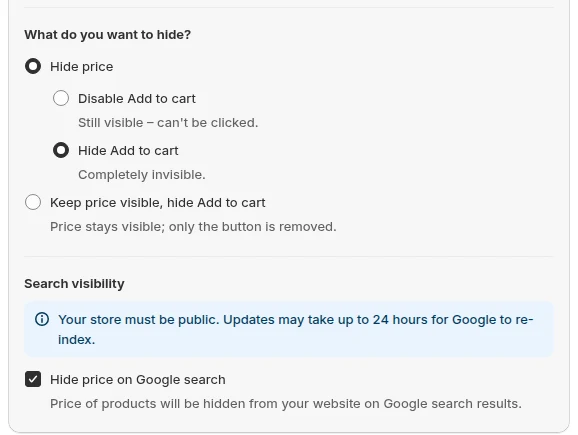
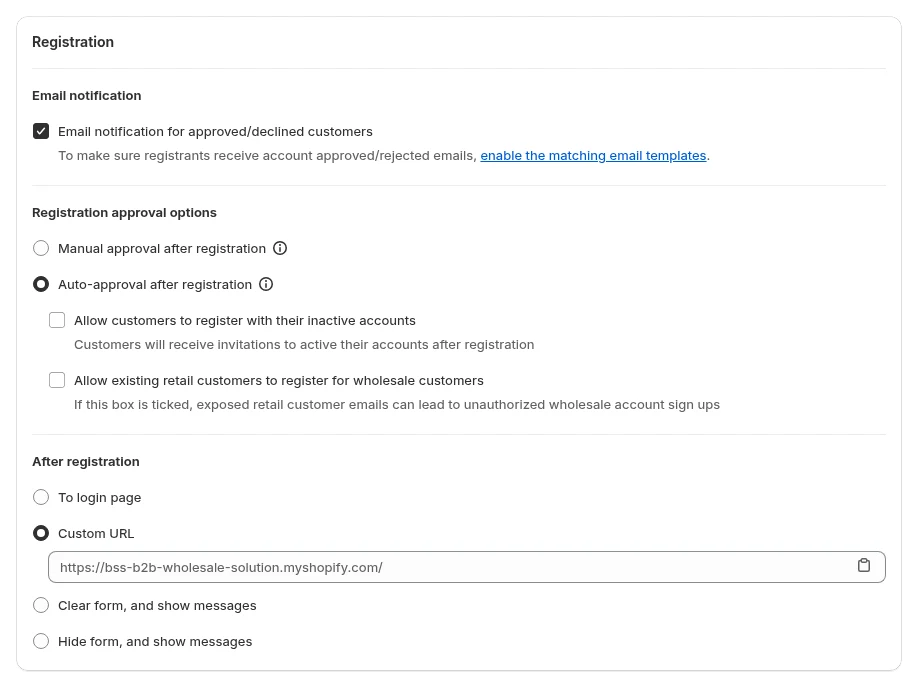
The three images above are examples from BSS demo configurations, not Luxtex’s admin. The first shows an ABN Validation field in the form editor.
How to set up the same flow
You can rebuild this pattern in an afternoon, and the order below is the one that avoids rework.
- 1. Create the lock first. In BSS B2B Lock, add a rule that hides the price for guests, then write the message that replaces it, with a login link and an application link. Follow the guide to hiding prices from guests.
- 2. Build the form. In BSS B2B Solution, add the contact and business fields, an ABN field if you sell in Australia (or the tax ID field for your country), and a customer tag to apply on approval. See the guide to building a registration form.
- 3. Publish it on a page and add that page to the main menu (publishing guide).
- 4. Choose manual or automatic approval and test the emails an applicant receives.
- 5. Add a pricing rule for the tag so that approved buyers see their prices after login.
- 6. Test as a guest in a private window to check the lock message, both buttons and the form on desktop and phone.
What the storefront does not show
We cannot see the pro view, the emails Luxtex sends, or the checkout. Luxtex’s review says the BSS team customized all the emails to match the brand, and we have no way to check that from outside. We also do not know how many applications are approved or how fast.
Hide prices, pages, products or the whole storefront from guests, and let approved or tagged customers in. Request-access and login options included.
Install BSS B2B Lock See pricingWhat other merchants can copy
- Keep the brand story and catalog open. Trade buyers want to see the range before they apply.
- Replace the price with a two-button message. One button for people who already have an account and one for people who do not.
- Ask for a business identifier your country can validate. In Australia that is the ABN, and a valid ABN is easy to check.
- Put the application in the main menu with the same weight as the other items.
- Add a CAPTCHA to the form so that approval time goes to real applicants.
- Start small. A lock, a form and one pricing rule can go live before you build a full tier structure.
- Match the look. Make the lock message and the emails sound like your brand.
What Luxtex says about the apps
Luxtex left two public reviews on August 24, 2026, both five of five stars: one for BSS B2B Solution (about one month of use) and one for BSS B2B Lock (three days of use). From the Solution review:
“The team from BSS B2B are amazing!!”
“now everything is flowing smoothly.”
The Lock review says the lock message was customized to match the store’s look and feel, with the BSS team finishing it in a few hours. Read the full reviews on the BSS B2B Solution reviews page and the BSS B2B Lock reviews page.
Frequently asked questions
How do I check an Australian Business Number on a Shopify application form?
Add an ABN field to the BSS B2B Solution registration form. The number is checked as the applicant types, against the Australian ABN lookup, and only an active ABN passes. When the field is required, an invalid number blocks the submit. See Verify a business tax ID before approving.
Can I show a message and two buttons instead of the price?
Yes. BSS B2B Lock lets you hide the price from guests and write the message that replaces it, with login and application links. See Hide wholesale prices from guest visitors.
Can I match the lock and the emails to my store’s branding?
Yes. The lock message and its style can be customized in BSS B2B Lock, and the registration emails can be edited in BSS B2B Solution. Luxtex’s reviews say the BSS team helped with this setup. See the BSS guide to access and messages.
Should every application be approved by hand?
It depends on the risk. BSS B2B Solution supports manual approval and auto-approval. Luxtex uses manual approval, with an ABN check and a CAPTCHA in front of it. See Approve, reject and notify wholesale applicants.
How quickly can a small supplier get this live?
Luxtex’s BSS data shows an installation in July 2026, and both of its public reviews are dated August 24, 2026. A first setup of a lock and a form can be short, but your own timeline depends on your catalog, theme and approval process.
This store spotlight is based on Luxtex Balloons’ public website and its public reviews on the Shopify App Store, as of October 5, 2026. Screenshots show the public storefront. Feature details come from BSS B2B Solution’s own configuration data, read without customer, order or revenue information. Luxtex Balloons has not reviewed this page.