


Mockneck & Co, a US wholesale brand of women’s mockneck sweatshirts, blanks and custom decoration, locks its whole catalog behind a wholesale application. Guests see styles with a Login to view prices button, and collection and product pages ask them to log in. This spotlight shows how the storefront works and which BSS features sit behind it.
Key takeaways
- Mockneck & Co is a trade-only store: prices, collections and product pages are hidden until a buyer logs in.
- Its policy page states the rules up front: 12 units for blanks, 36 units per style and colour for custom art, ACH or card payment and 48-hour approvals.
- The wholesale application collects a Tax ID and a reseller certificate upload.
- The merchant’s public App Store review says the app has been crucial to its B2B setup so far, written three days after install.
About Mockneck & Co
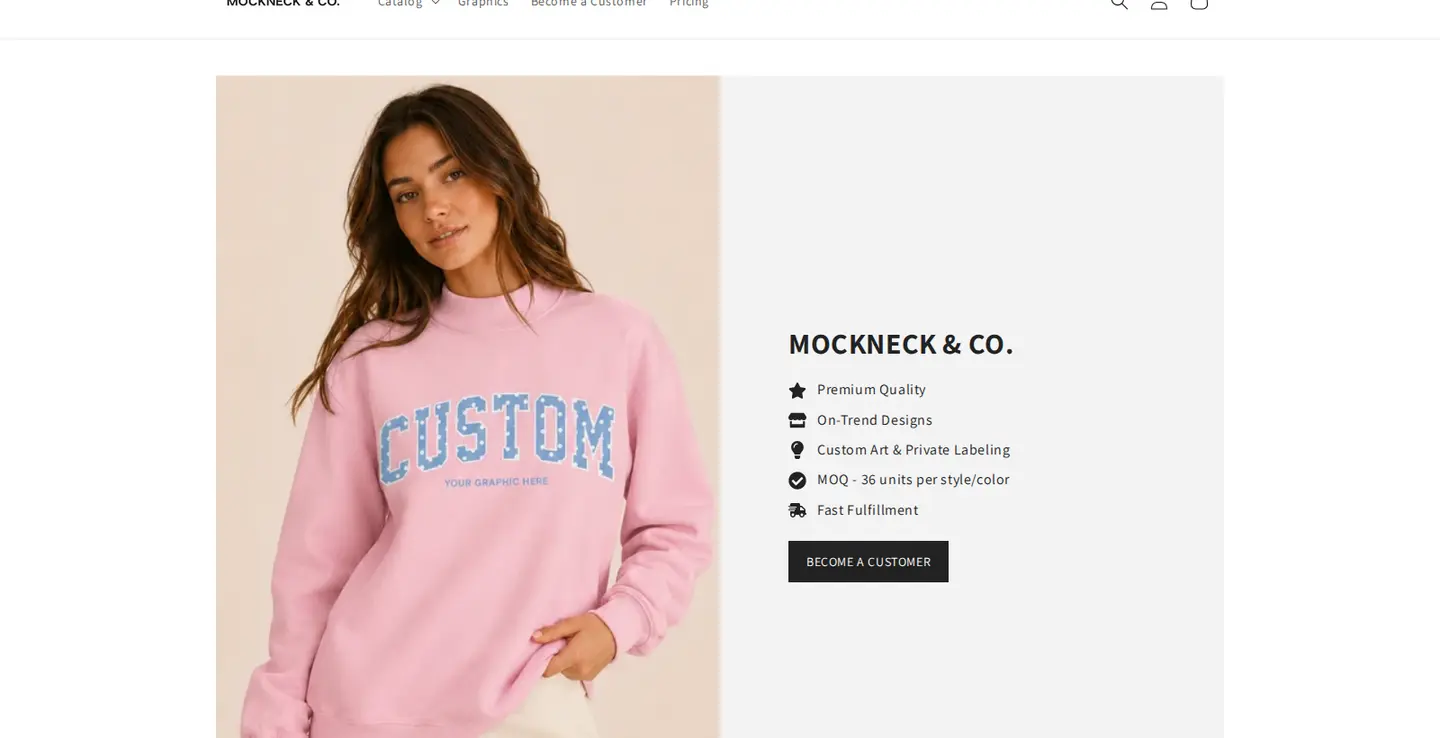
Mockneck & Co describes itself as the premier wholesale destination for elevated women’s mockneck styles. The storefront banner reads Custom Graphics, Blanks, Private Label, and the footer explains the offer: from premium blanks to custom graphics and private label programs, it helps boutiques, brands, teams and events create products customers love.
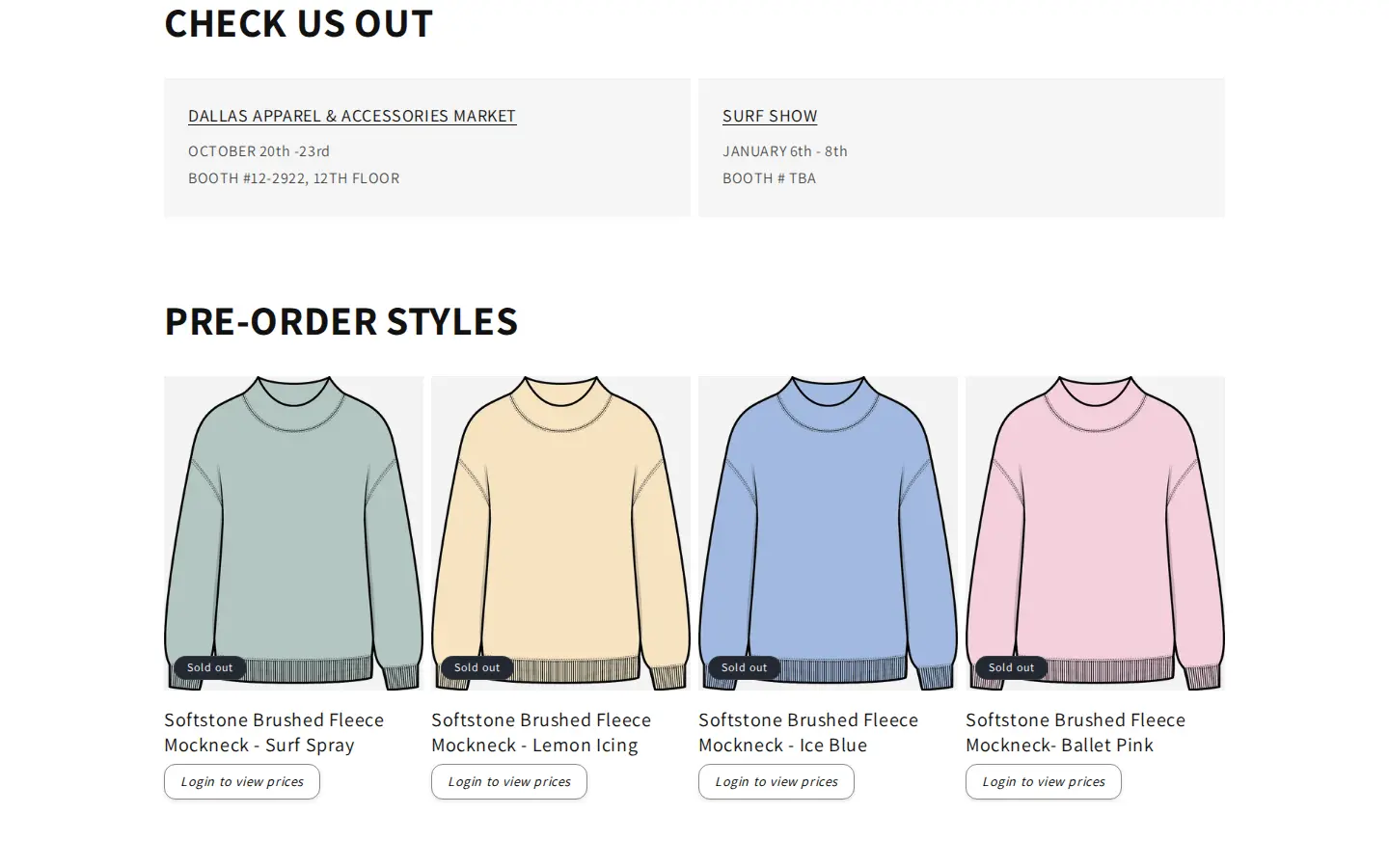
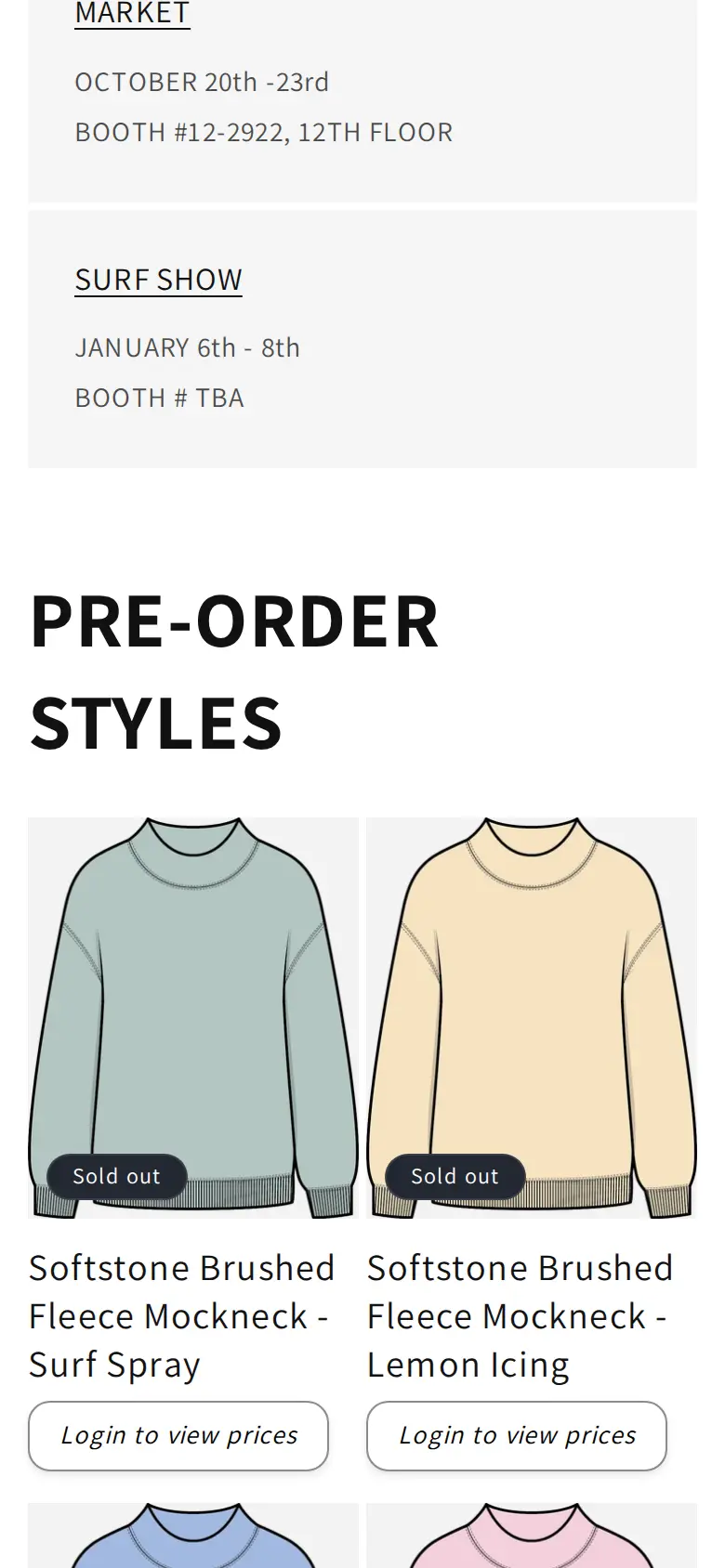
The product line is narrow on purpose. The homepage shows brushed fleece mockneck styles in pre-order colours, such as Surf Spray, Lemon Icing, Ice Blue and Ballet Pink, and an in-stock group called The Original Mockneck in colours such as Oak Haze Camo, Bandana, Butter Yellow and Sweet Pink. A narrow range is easier to sell wholesale, because a retailer can understand it in one visit and reorder by style and colour.
The brand also sells a service: decoration. Buyers can add embroidery, screen printing or appliqué to a blank, and can ask for private labeling, which adds the buyer’s logo to the back-neck label for an extra fee. The homepage also lists upcoming trade-show appearances.
Mockneck & Co’s B2B model: trade only, approval first
There is no consumer checkout to protect. The page that explains the wholesale program starts with a plain instruction: to gain access to the wholesale portal, fill out the wholesale account application, and approvals are granted within 48 hours. It then lists five steps: submit the application, the team reviews your information, once approved you receive access to wholesale pricing, shop from in-stock or pre-order blanks, and add custom decoration if you want to customise them.
The policies that follow are short and exact. The minimum order quantity for blanks is 12 units. The minimum for custom art is 36 units per style and colour. Payment is accepted by ACH or credit card, with a 3 percent processing fee for cards. Blanks ship within three to four business days, and custom embellished orders ship within ten to fourteen business days. The page also says what to expect on art: buyers do not see a mock-up before checkout, the art team sends proofs after the order is placed, and production starts after the artwork is approved.
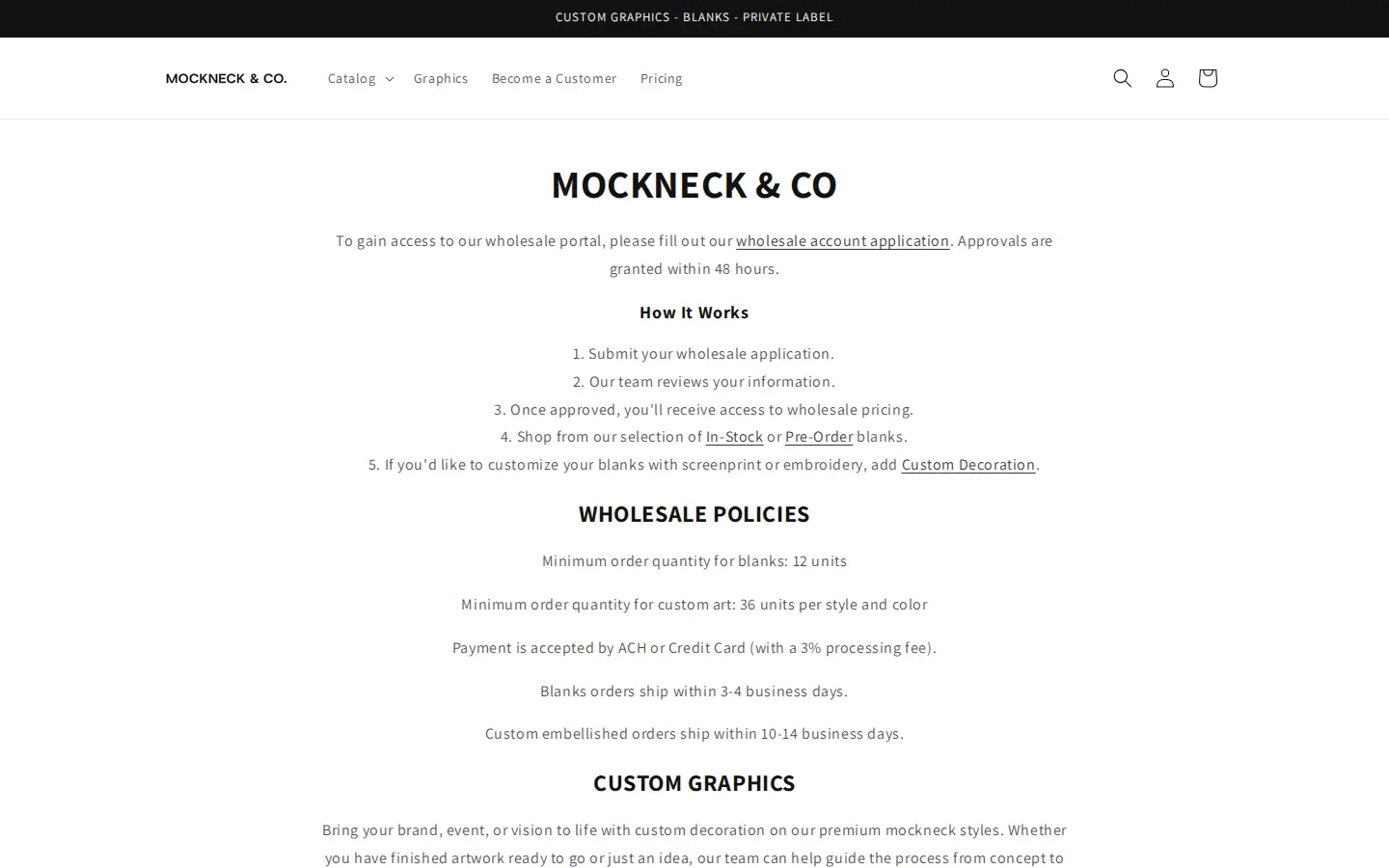
This level of detail is a feature in itself. A buyer who reads it knows the rules before applying, and a team that publishes it does not have to explain them one email at a time.
How the storefront handles wholesale
A button where the price would be
On the homepage, each product card shows the style name and colour, and a Login to view prices button where the price would normally be. The photo, the name and the colour are public, because they sell the range. The number is not.
Collections and product pages are locked too
The button is only the first layer. When a guest opens a collection page or a product page, the store does not show a list of products with hidden prices. It shows a short message: To view this page please login or create an account. The same message appears on the Pricing page that the main menu links to, so the pricing grid is private too.
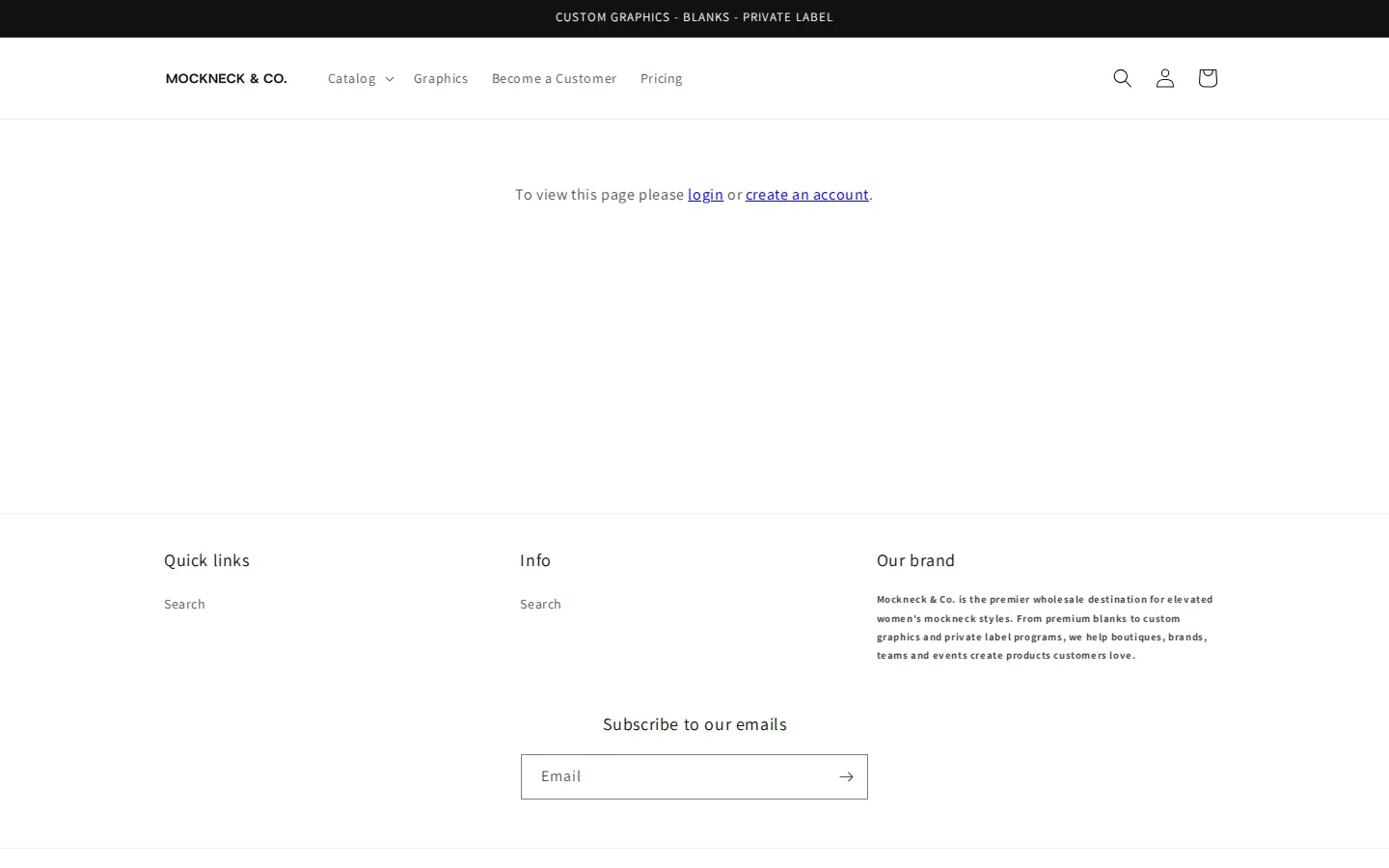
This is stricter than the Register to view prices pattern that many stores use. It fits a brand whose product and price are both part of a private program. It also keeps the public site small: the pages we could open as a guest were the homepage, the application page and the policy page, and the rest waited for a login.
A short application with proof of business
The application is titled Wholesale application. It asks for buyer first name, last name and email, then company, website, billing phone, billing address, city, country and zip code. The last two fields are a Tax ID and a reseller certificate, which is a file upload. Name, email, company and address fields are required, while website, phone, Tax ID and the certificate are optional, which lets the team decide how strict to be with each applicant.
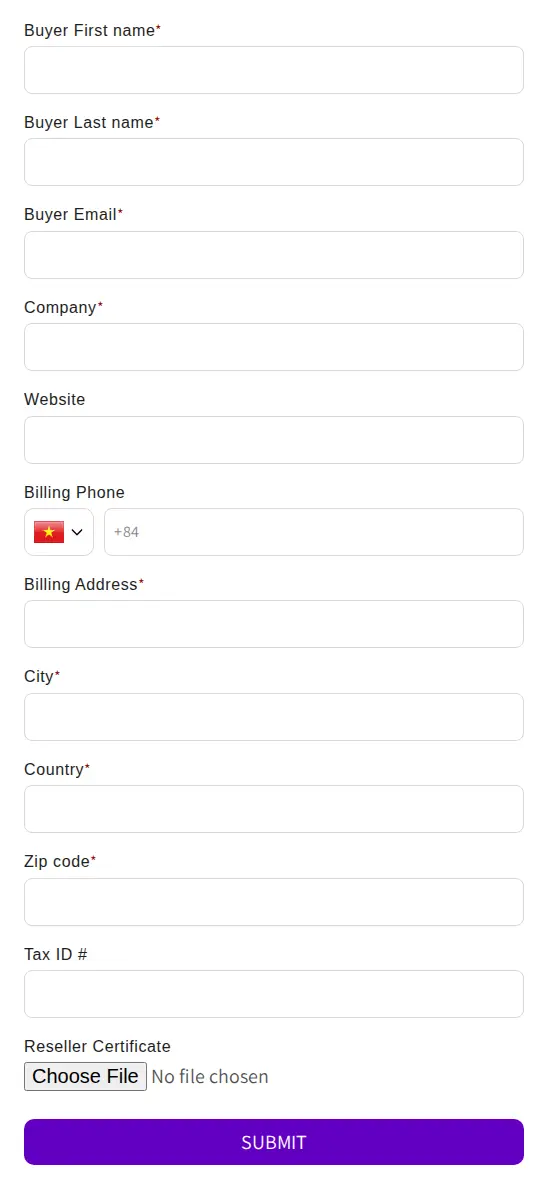
The form is deliberately short. A buyer for a boutique can finish it in a minute, and the team has the company name, a website to check and an address to match. Approval then turns the applicant into a customer who can log in.
For the steps behind a form like this, see the BSS guide on building a wholesale registration form and the use case on a B2B-only store with register, approve, price unlock and order.
On a phone
On a phone the cards stack in two columns, and the Login to view prices button stays under each name.
Which BSS features power it
We checked the storefront source and read-only configuration flags in BSS production data, which say whether a feature has an active rule, not what it is set to. We did not read prices, orders or customer data. The store installed BSS B2B Solution in June 2026, so this is a very recent setup.
| What buyers see | BSS feature | How we know |
|---|---|---|
| Login to view prices on product cards | BSS B2B Lock (price lock) | The buttons and the page source carry BSS B2B Lock markup |
| Collection, product and pricing pages that ask for login | BSS B2B Lock (page lock) | The locked pages carry the same markup; the review is for the Lock app as well as Solution |
| Wholesale application with Tax ID and reseller certificate | Registration form (BSS B2B Solution) | The form uses the BSS form container; production data shows a form was created and edited |
| Tiered wholesale pricing | Quantity break (volume pricing) | Production data shows an active quantity-break rule; we cannot see the values |
| Orders created by the team, for example for decorated styles | Manual orders | Production data shows manual orders exist; we do not know how they are used |
BSS B2B Lock: price lock and page lock
BSS B2B Lock can lock different targets. One is the price and Add to cart, which gives the button on the cards. Another is a whole page, a product or a collection, which gives the login message. In BSS B2B Lock, a page, product or collection lock keeps the main content out of the page HTML while it is locked, and a price lock is a storefront control that depends on the theme.
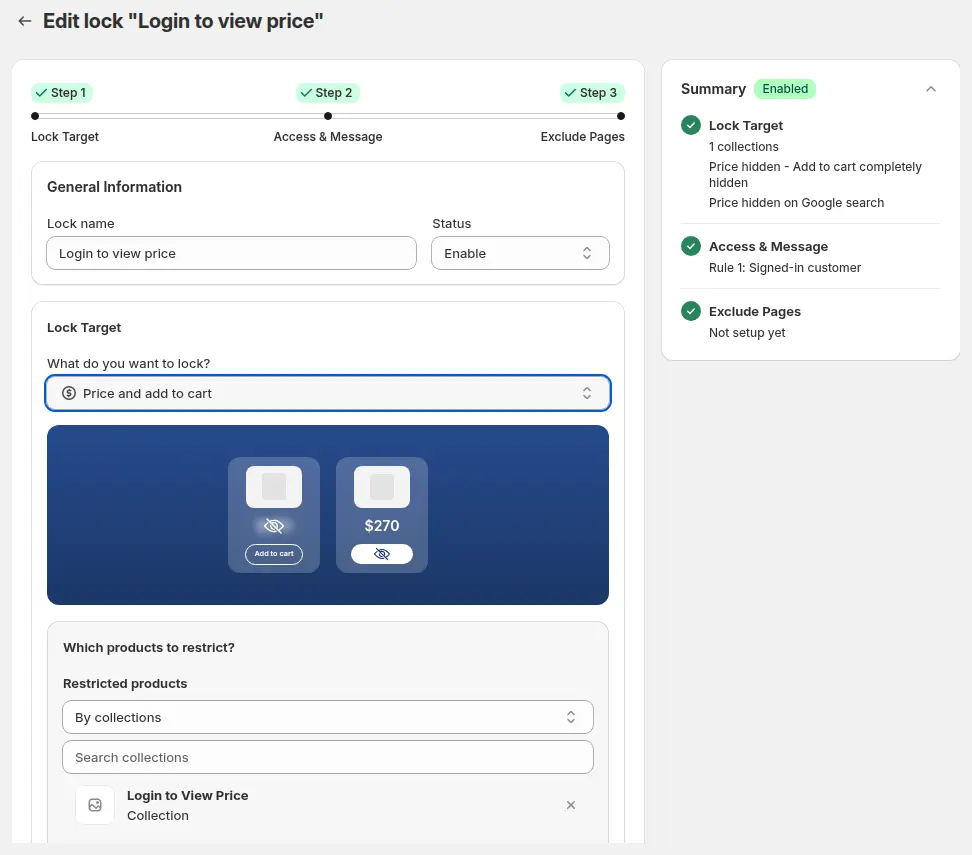
See the use cases on hiding wholesale prices from guest visitors, hiding wholesale collections from guests and locking the entire store for approved B2B buyers, and the BSS guides to hiding prices from guest users and locking pages with a login or custom message.
Quantity breaks
Mockneck & Co sells by the unit with minimums, which is the natural setting for quantity breaks. In BSS B2B Solution a quantity break lowers the unit price when the quantity enters a higher range, and it stacks on the price a buyer already has. Production data shows that an active rule exists. The pricing a buyer sees after approval is behind the login, so we do not show it.
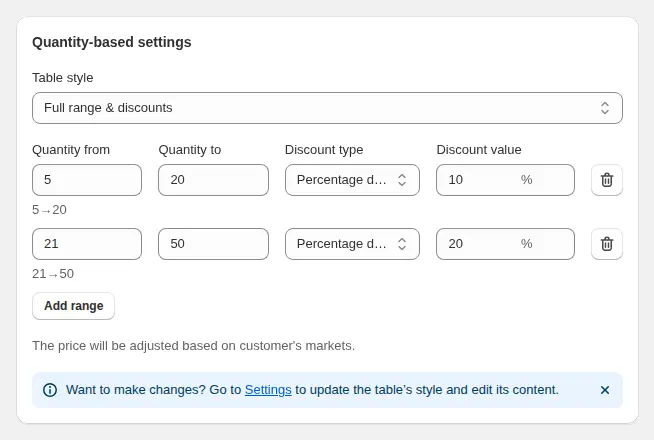
See tiered quantity break pricing and the BSS guide to tiered pricing by purchase volume.
Manual orders for custom work
A decorated order does not always fit a checkout. The art team sends proofs after the order, and upcharges may apply if the art changes. A manual order lets staff build an order in the admin, apply the customer’s pricing and send an invoice or draft order. Production data shows manual orders exist in the store, and the use case below shows the pattern.
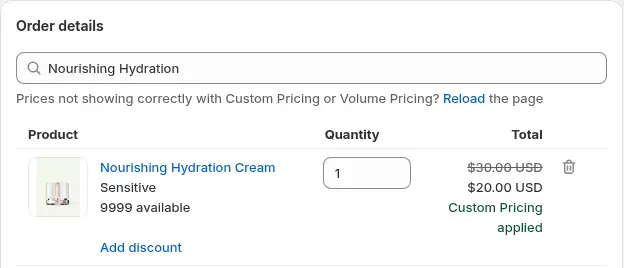
See placing orders on behalf of customers and the BSS guide to creating a manual order with discounts.
What other merchants can copy
- Publish your rules before the application. Minimums, payment methods, lead times and art rules cut back-and-forth email.
- Lock more than the price. If the catalog is private, lock collections and product pages and keep only the homepage, application and policy pages public.
- State the approval time. Forty-eight hours is a promise a buyer can plan around.
- Ask for a tax ID and a reseller certificate. Make them optional if you want to review cases one by one.
- Keep the range narrow. A short list of styles and colours is easier for a retailer to understand and reorder.
- Use manual orders for custom work. When an order needs proofs and approvals, build it in the admin.
If you want to compare the models first, read running B2B and B2C on one Shopify store or the Shopify B2B guide.
Mockneck & Co’s review
Mockneck & Co’s public review of BSS B2B Wholesale Pricing, the App Store name of BSS B2B Solution, is a five-star review from June 3, 2026, after three days of use. The merchant also left a five-star review for BSS B2B Lock on the same day. We quote the Solution review and leave out the name of a support agent.
This app has been crucial to our B2B setup so far. […] helped solve all of our problems quickly and efficiently.
Mockneck & Co (United States), 5-star review of BSS B2B Solution (listed as BSS B2B Wholesale Pricing), June 3, 2026, three days using the app. Read it on the Shopify App Store
A review after three days is an onboarding review, and the point it makes is about setup: the store had locks, a form and pricing to configure in its first week. The quick turnaround it credits to support is what lets a new store go live with a locked catalog and an application page without weeks of delay.
FAQ
How do I lock an entire Shopify wholesale catalog?
Use a page lock for collections and product pages, and a price lock for cards on public pages. Mockneck & Co does both: cards show Login to view prices, and collection and product pages show a login message to guests. In BSS B2B Lock you choose the lock target and who can get access.
Is it a problem if search engines cannot see a locked catalog?
A locked catalog is not meant to rank for product searches. Keep the homepage, the application page and the policy page public and descriptive, because those are the pages a new retailer will find and read.
What should a wholesale application page say?
Say how approval works, how long it takes, the minimum order, the payment methods and the lead times. Mockneck & Co publishes all five on one page, with a five-step How it works list.
Can I add a custom decoration service to a wholesale store?
Yes, as a product or add-on, with rules for minimum quantities, file upload and proofs. Mockneck & Co sets 36 units per style and colour for custom art, and sends art proofs after the order is placed.
How do tiered prices work for apparel blanks?
A quantity break rule lowers the unit price as the quantity enters a higher range, and it can apply to selected products, tags or customers. Only approved buyers see the prices when the catalog is locked.
This store spotlight is based on Mockneck & Co’s public website and its public review on the Shopify App Store, as of 2026-10-05. Screenshots show the public storefront. Images labelled Example configuration in BSS B2B Solution come from the BSS user guide and are not the merchant’s admin.