


B2B CombatShop, the Australian wholesale site of an official distributor for adidas combat sports, hides prices and the Add to cart button from visitors and shows a Register now button instead. A Reseller signup form in the main menu collects company and ABN details and asks which discipline a club sells. This spotlight shows how the storefront works and which BSS features sit behind it.
Key takeaways
- B2B CombatShop is a trade-only store: guests see products and names, but no prices and no Add to cart.
- A Register now button on every product page leads to a reseller form with ABN, company and discipline fields.
- The catalog has 166 products across boxing, judo, karate, taekwondo, shoes and bags, and a Coming Soon page covers stock that is on its way.
- In a public review, the merchant says wholesale customers find it easy to sign up and that the app is a cost-efficient way to manage wholesale accounts.
About B2B CombatShop
The storefront announces itself in the top bar: Welcome to Combat Shop B2B, the official distributor for adidas combat sports. The homepage says Combat Shop is proud to be the new official distributor for adidas combat sports in Australia. The audience is clear from the menu, which is organised by discipline and product type: Sport, Apparel, Bags, Shoes and Federations.
The range covers uniforms, protective gear, belts, bags and shoes for four main disciplines: boxing, karate, judo and taekwondo, with Muay Thai apparel as well. The homepage groups products under Federation Approved headings such as World Boxing, IJF, WBC, WKF and WT, which matters to a club buying uniforms for competition. The main product list shows 166 products over eleven pages.
This is a classic distribution model. A brand grants a distributor the right to sell in a country, and the distributor sells to clubs, schools, gyms and retailers. Those buyers want to know three things: is the range authentic, what do I pay, and how do I open an account. A B2B site answers the first on the first screen and the other two behind a registration.
B2B CombatShop’s B2B model: a closed catalog for resellers
The store name carries the model. This is the B2B CombatShop, a separate site from any consumer shop, and every buyer is expected to be a reseller. Visitors can browse the range and read product details, but they cannot see a price or add to cart until they register and are approved.
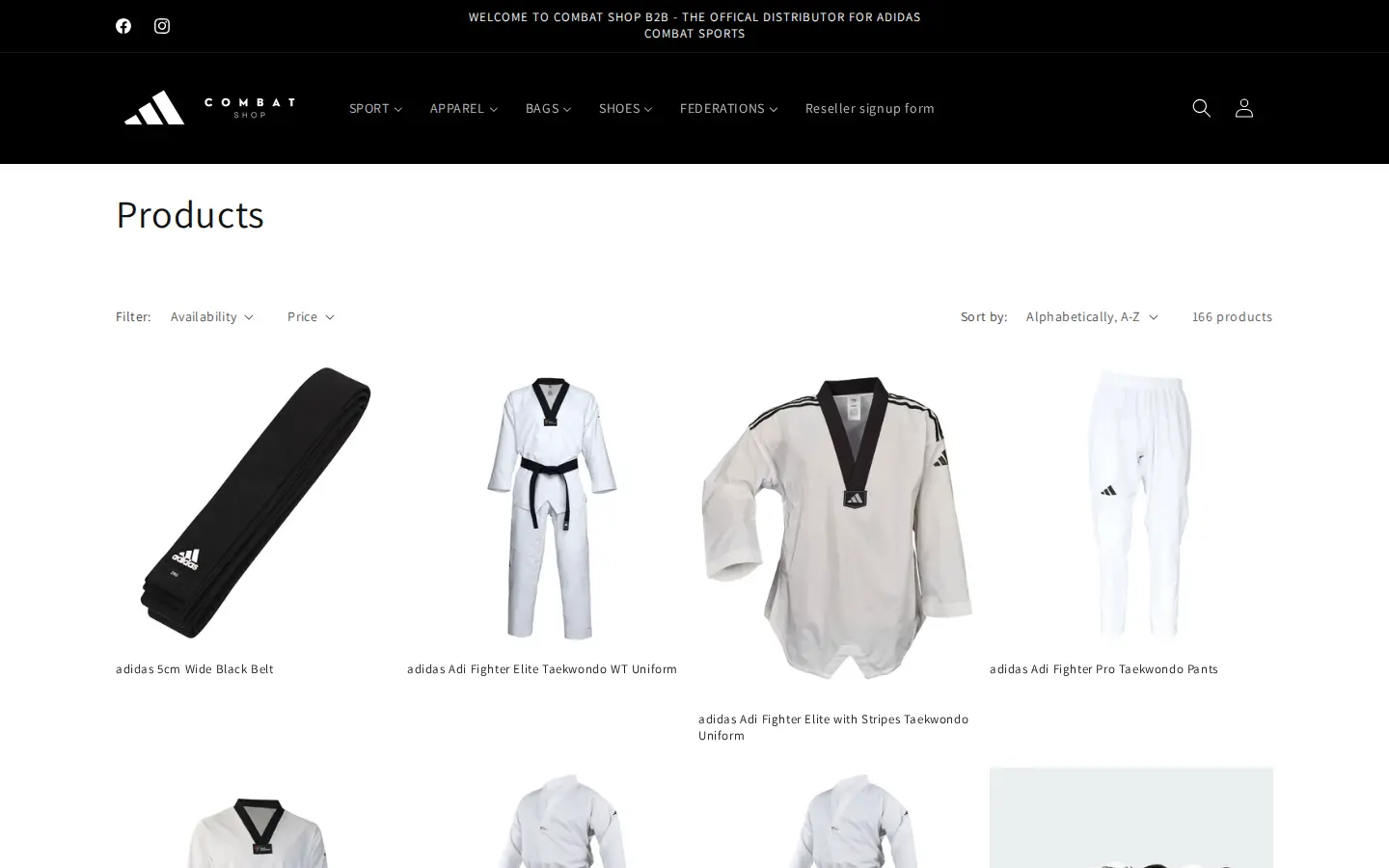
The collection grid shows the images and names and nothing else. There are no prices, no sale badges and no quick-add buttons. The visual result is a clean catalog, which is what a buyer needs to evaluate a range, and the price stays with the registered account.
How the storefront handles wholesale
Register now in place of the price
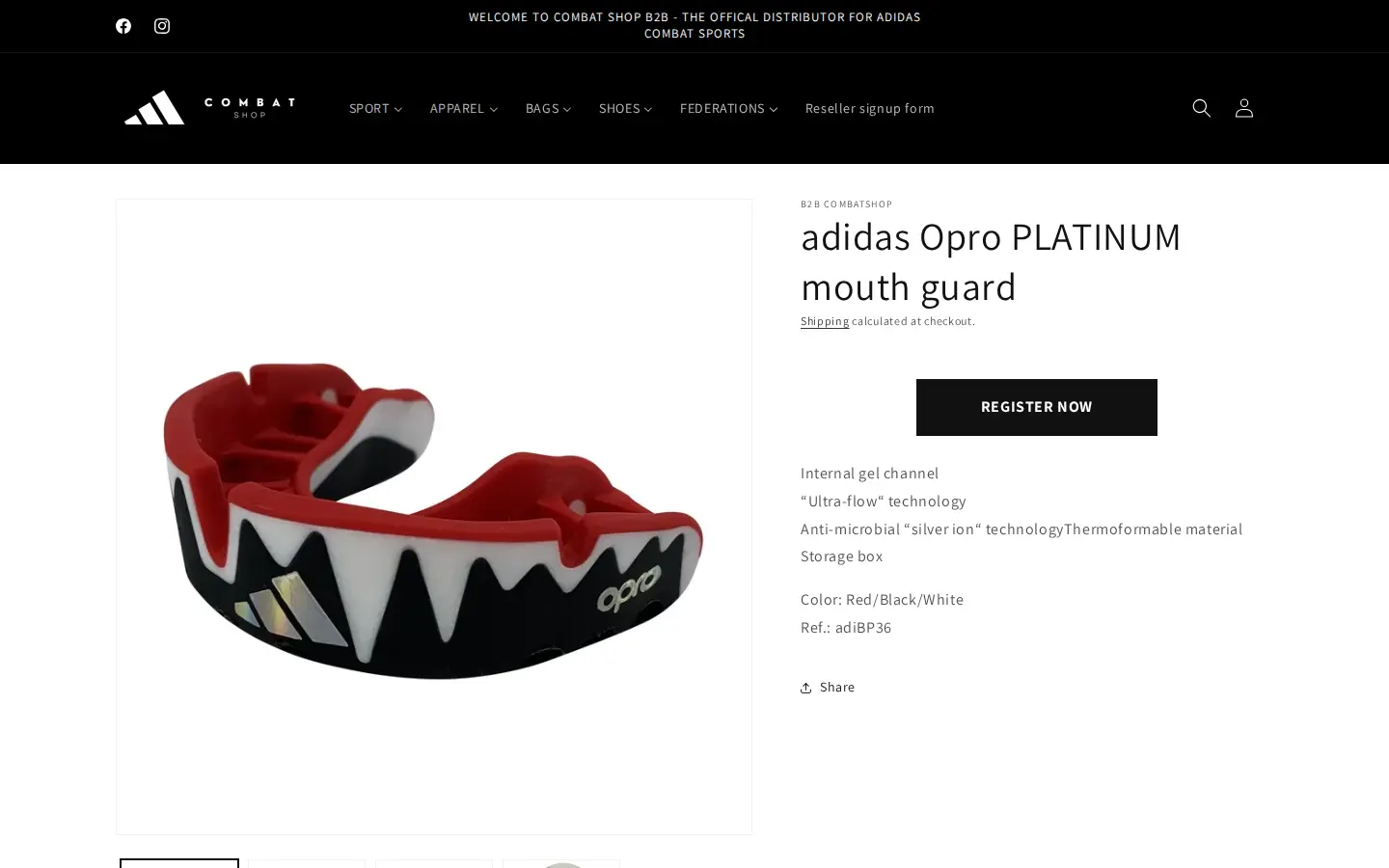
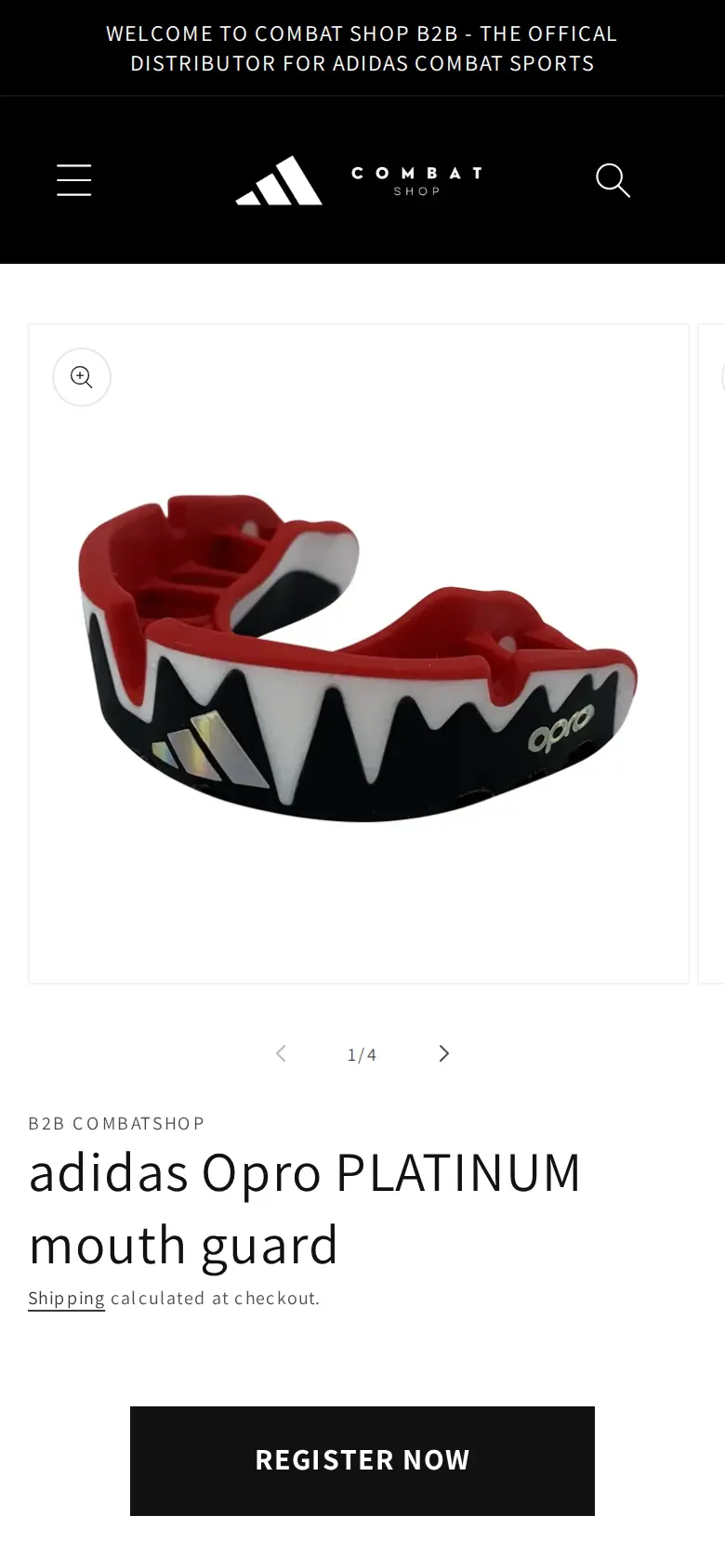
On a product page, the area where the price and the Add to cart button normally sit holds a single dark Register now button. The page still shows the product features, such as the internal gel channel, the ultra-flow technology and the storage box for the mouth guard, plus the colour and the reference number. A club buyer can compare specifications first, and the button sends them to the reseller form when they are ready.
On a phone the button sits under the product title, in the same spot.
A reseller form that asks about the discipline
The main menu includes a Reseller signup form link, so a buyer does not have to hunt for it. The form has primary details, which are first name, last name and email, and business details: website, company, ABN, discipline, phone, address, city, country and postcode. First name, email, company, phone, address, city, country and postcode are required, and the last name, the website, the ABN and the discipline are not.
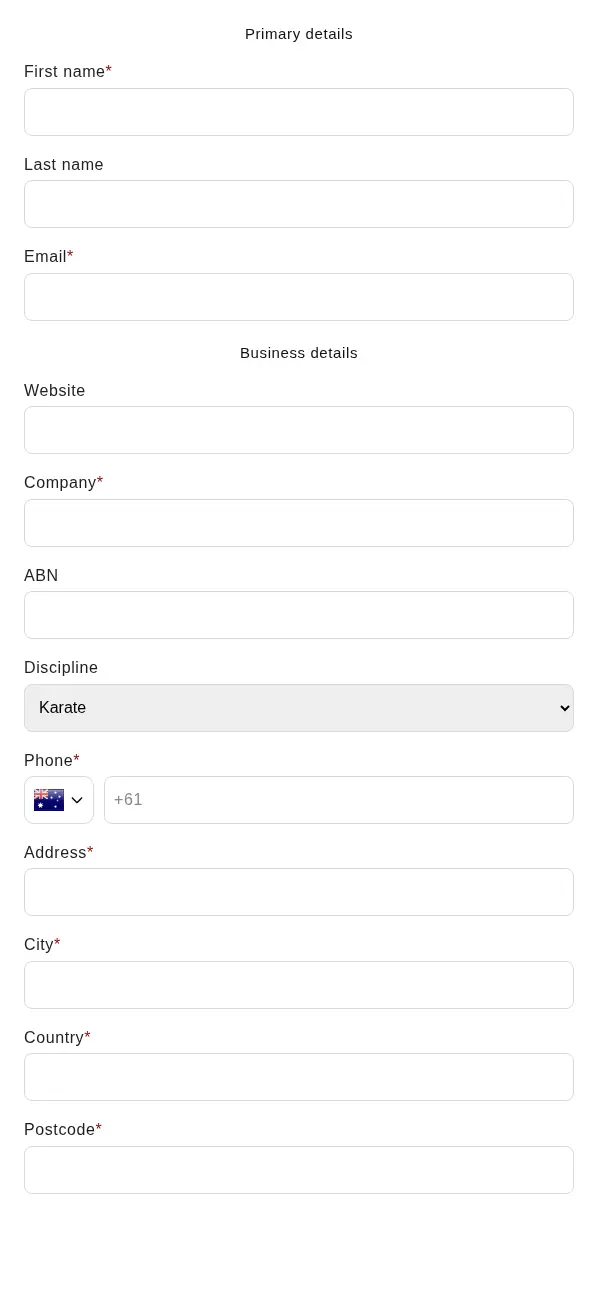
Two fields stand out. The first is the ABN, the Australian Business Number, which is how a distributor checks that a buyer is a registered business. The second is the Discipline dropdown, with Karate, Taekwondo, Boxing, Judo and Other. That one question tells the sales team what kind of club is applying and which product range to discuss. BSS registration forms support an ABN field that checks the number against the Australian business register. The check runs in the browser and blocks submission only when the field is required. We cannot tell from outside whether this store uses the validated field or a plain text field.
For the build steps, see the BSS guide on building a wholesale registration form and the use cases on verifying a business tax ID at registration and approving and notifying wholesale applicants.
A Coming Soon page for stock that has not landed
A distributor that has just taken on a brand will sometimes have products in the catalog or in the plan before the stock arrives. B2B CombatShop uses a Coming Soon page for that. It says that new adidas gear is coming soon, apologises for the wait and invites visitors to subscribe to the newsletter to be first to know when stock is available.
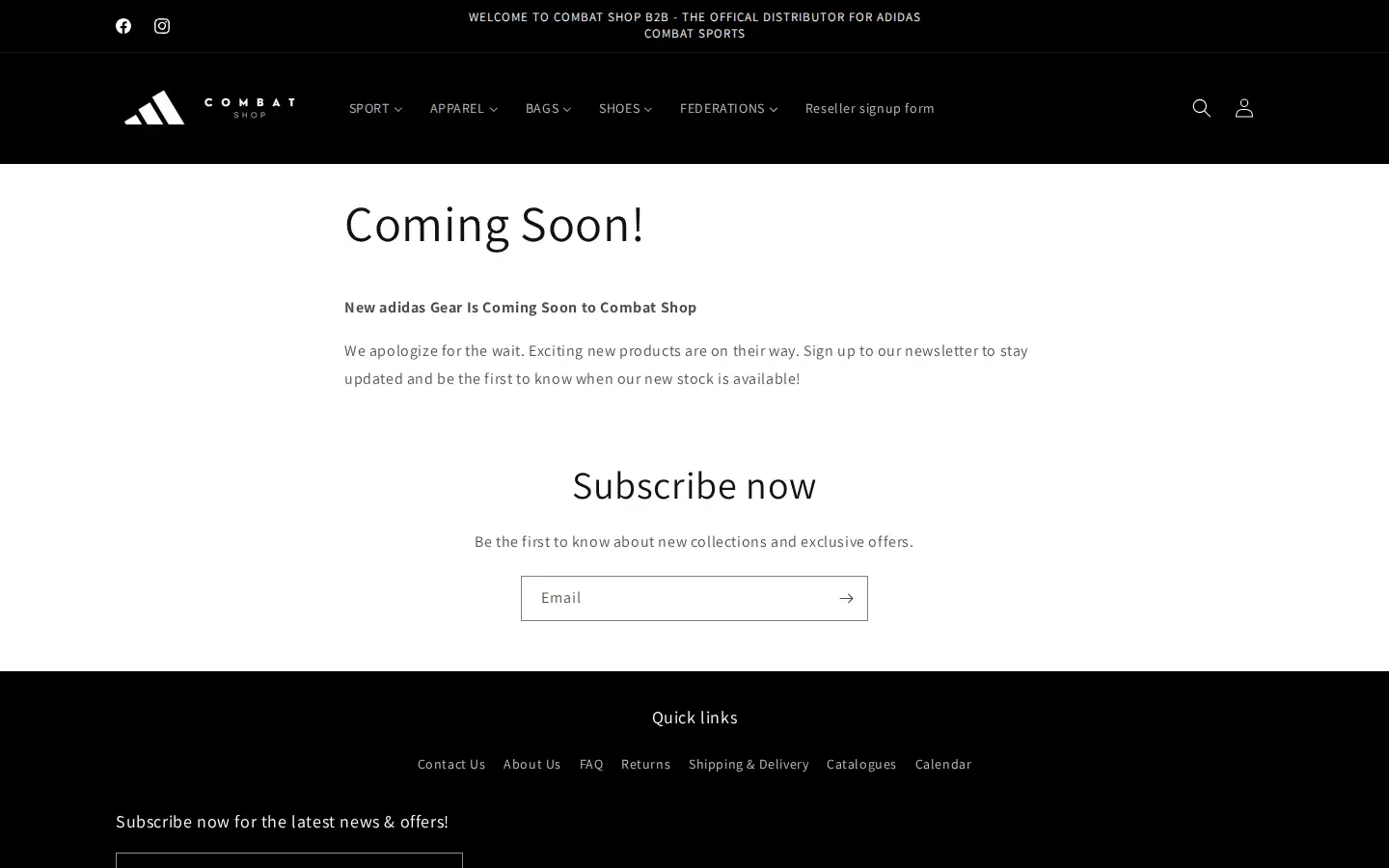
The page is simple, and it turns a gap in stock into a newsletter signup.
Which BSS features power it
We checked the storefront source and read-only configuration flags in BSS production data, which say whether a feature has an active rule, not what it is set to. We did not read prices, orders or customer data.
| What buyers see | BSS feature | How we know |
|---|---|---|
| Reseller signup form with ABN and discipline | Registration form (BSS B2B Solution) | The form uses the BSS form container; production data shows a form was created and edited |
| Register now in place of price and Add to cart | BSS B2B code on the page | BSS B2B scripts and a BSS B2B Lock hook are present in the product page source; we cannot tell which BSS app draws the button |
| Approved resellers see their own prices | Custom Pricing | Production data shows an active Custom Pricing rule; we cannot see the values |
| Prices shown with or without tax for business buyers | Tax display | Production data shows an active tax display rule |
| Payment terms for approved accounts | Net Terms | Production data shows an active Net Terms rule |
| Discount rules | Discount code rules | Production data shows active rules |
Registration and approval
The form is the center of this store. A BSS registration form lets a store choose fields, add a document upload, tag customers on approval and approve manually or automatically. For a distributor, manual approval is usually the right choice: the team reads the ABN and the discipline, and then opens the account.
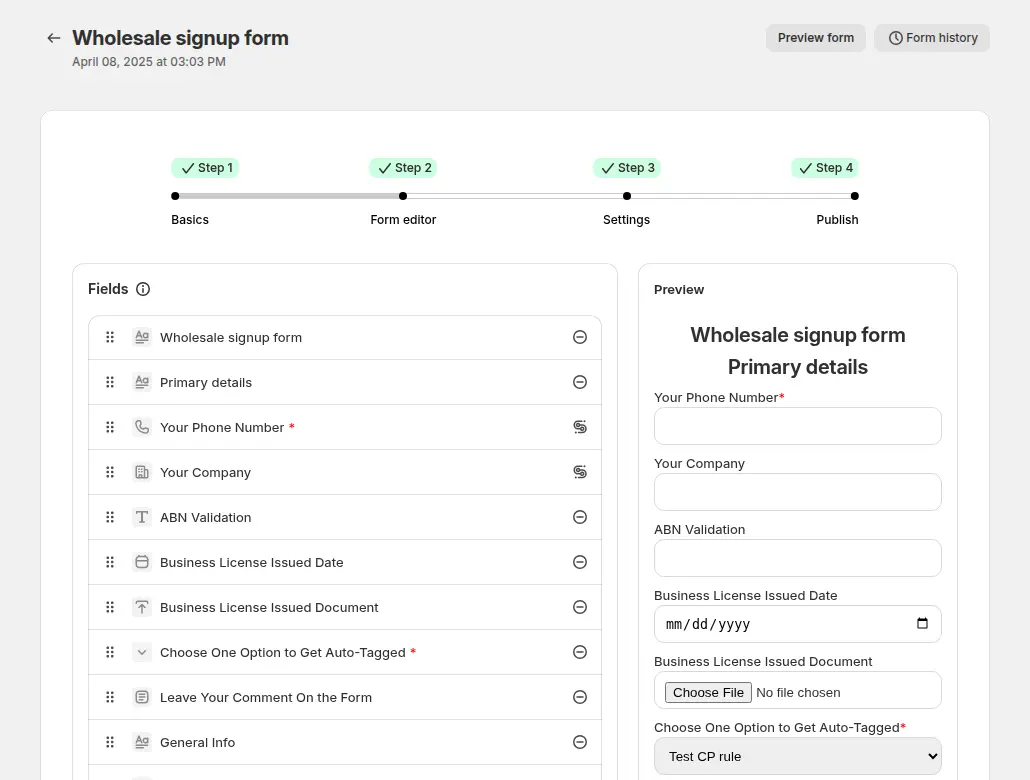
Custom pricing after approval
Once a reseller is approved, a Custom Pricing rule can show them a different price from the public one. The rule can target logged-in customers, specific customers, customer tags or company locations, and the customer sees the new price next to the regular one, crossed out, in a grid like this.
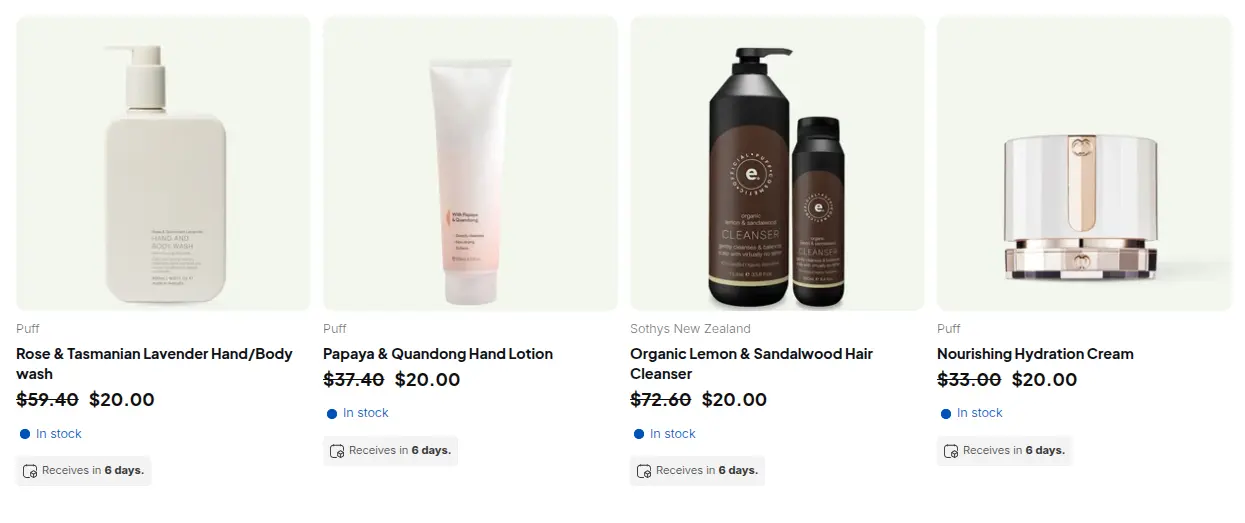
See wholesale price by customer tag for the pattern and the BSS guide to setting unique prices for wholesale customers.
Tax display for business buyers
An Australian business buyer usually wants to see a price without GST. BSS B2B Solution has a Tax Display feature that shows prices with and without tax, and production data shows an active rule on this store. The exact wording on the storefront is behind the login, so we only show the pattern.
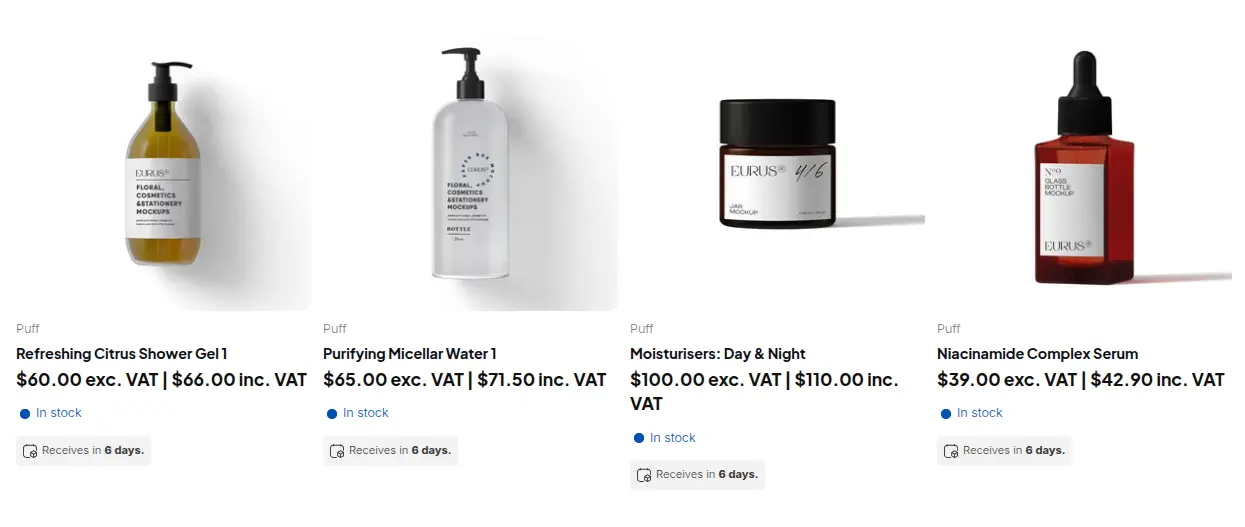
The use case on showing prices excluding VAT to B2B buyers explains the setup, and the BSS guide covers displaying prices with and without tax.
What other merchants can copy
- Show the range, hide the price. Let clubs and retailers evaluate your catalog before they register.
- Use one clear button. A Register now button where the price would be tells a buyer exactly what to do next.
- Ask for the business number. An ABN, a VAT number or a resale certificate is the simplest proof of a business.
- Ask what they sell. A discipline, category or store type dropdown tells your team how to follow up.
- Link the form in the main menu. A Reseller signup form item is easier to find than a banner.
- Use a Coming Soon page. Turn a stock gap into a newsletter signup instead of an empty category.
For a wider look at closed catalogs, read hiding Add to cart and the cart from guests and the Shopify B2B guide.
B2B CombatShop’s review
B2B CombatShop’s public review of BSS B2B Wholesale Pricing, the App Store name of BSS B2B Solution, is a five-star review from February 2, 2026, written after seven months of use. We quote it in full.
I find BSS B2B well worth the money. Easy for wholesale customers to sign up, and easy to navigate in the backend.
I recommend this app for all business looking for a cost efficient way to manage wholesale accounts.
B2B CombatShop (Australia), 5-star review of BSS B2B Solution (listed as BSS B2B Wholesale Pricing), February 2, 2026, seven months using the app. Read it on the Shopify App Store
The review names the two things the storefront shows: wholesale customers can sign up, and the team can run the accounts from the backend. After seven months of use, a merchant who says the app is cost efficient is making a comparison with the effort it replaced.
FAQ
How do I hide prices and Add to cart from visitors on Shopify?
Use a price lock that replaces the price and the Add to cart button with a button that points to your registration form. B2B CombatShop shows a Register now button on every product page. In BSS B2B Lock you can hide the price, the Add to cart button or both, and choose which products it applies to.
What should a distributor ask for on a reseller form?
Ask for the company, the business number and what the buyer sells. B2B CombatShop asks for an ABN and a discipline. In BSS B2B Solution, you can also add a document upload and a tax ID field for several countries.
Can BSS validate an Australian ABN?
BSS registration forms include an ABN field that checks the number against the Australian register and accepts active numbers. The check runs in the browser and blocks submission only if the field is marked required.
How do I show business buyers prices without tax?
Use a tax display rule that shows prices with and without tax, or only without tax, for chosen customers. B2B CombatShop has an active tax display rule in production data.
What can I put on a page for stock that has not arrived?
Use a Coming Soon page that explains the delay and collects a newsletter signup, as B2B CombatShop does for new adidas gear.
This store spotlight is based on B2B CombatShop’s public website and its public review on the Shopify App Store, as of 2026-10-05. Screenshots show the public storefront. Images labelled Example configuration in BSS B2B Solution come from the BSS user guide and are not the merchant’s admin.