


Houtdirect, a Dutch timber and building materials supplier, sells to consumers and to trade buyers from one Shopify store. Business customers register for discounts and custom work, and any visitor can add products to a quote request. This store spotlight explains how the pieces fit and which BSS apps sit behind them.
Key takeaways
- Houtdirect is a hybrid store: public prices including VAT, plus a sign-up for gardeners, builders and interior builders.
- Every product page offers Add to cart and Add to quote side by side.
- A header toggle switches between prices excluding and including VAT.
- The merchant’s public reviews praise customizations for its B2B and quote setup.
About Houtdirect
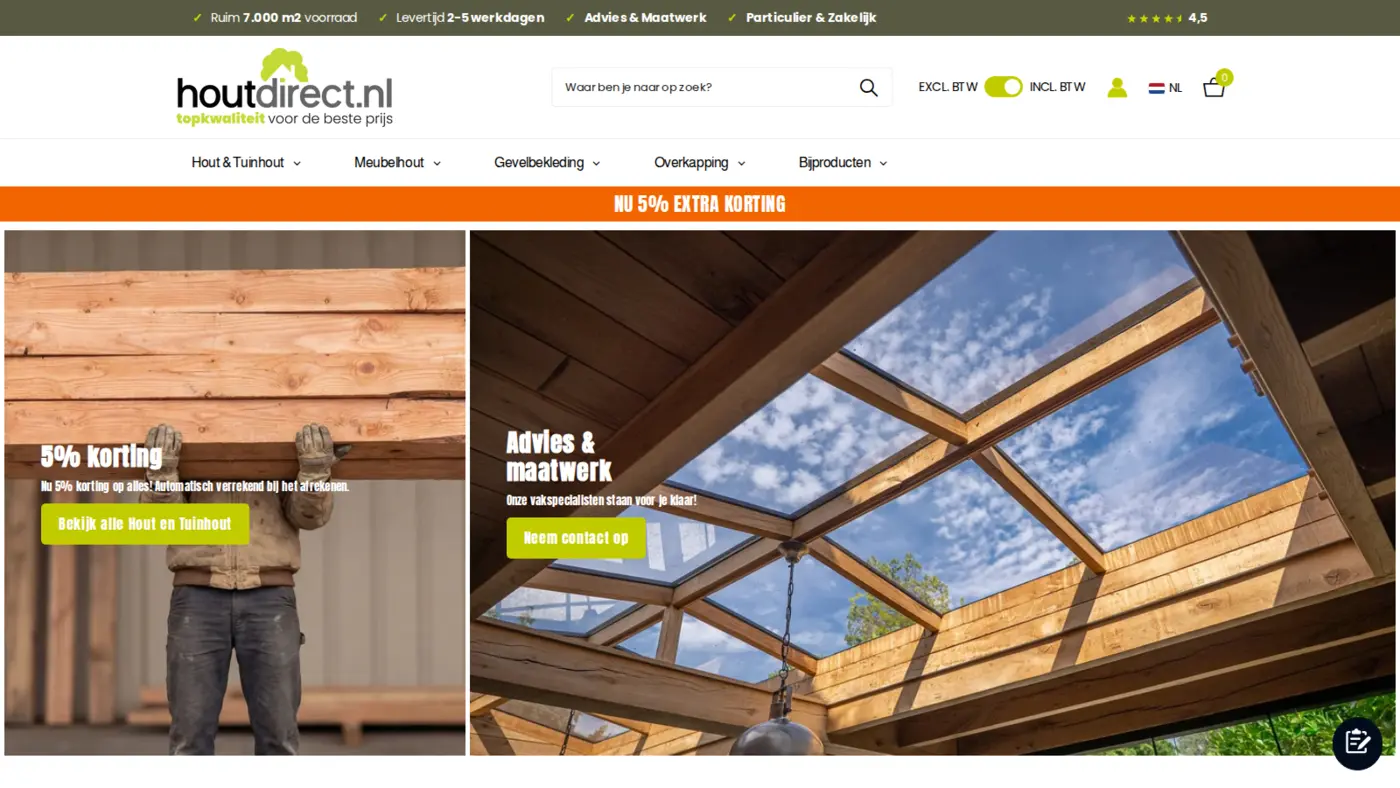
Houtdirect is a Dutch online timber shop based in ‘s-Gravendeel, in the south of the Netherlands. The footer identifies it as part of Van Feij. The range is broad and practical: garden and landscaping timber such as poles and bulkhead boards, furniture timber, facade cladding, roof boarding, canopy kits sold by depth, and a very large range of accessories and fixings, including screws, doors and concrete foundations. Hardwoods such as azobe and bankirai sit next to Douglas fir, oak, chestnut and barnwood.
The storefront sells the basics of trust before it sells wood. The top bar advertises more than 7,000 square meters of stock, delivery in 2 to 5 working days, advice and custom work, and service for both private and business customers. Delivery covers the Netherlands and Belgium, shipping is free from 1,500 euros, and customers can collect from the yard. Payment options include iDeal and Klarna, and the header shows a 4.5 review score.
What sets it apart from a generic timber shop is custom work. The business sign-up page mentions its own sawmill and a CNC saw robot for cut-to-size orders, and kits for canopies. That is a classic reason to add a quote path: a cut list, a size or a project is rarely a single click.
Houtdirect’s B2B model: one store for private and business buyers
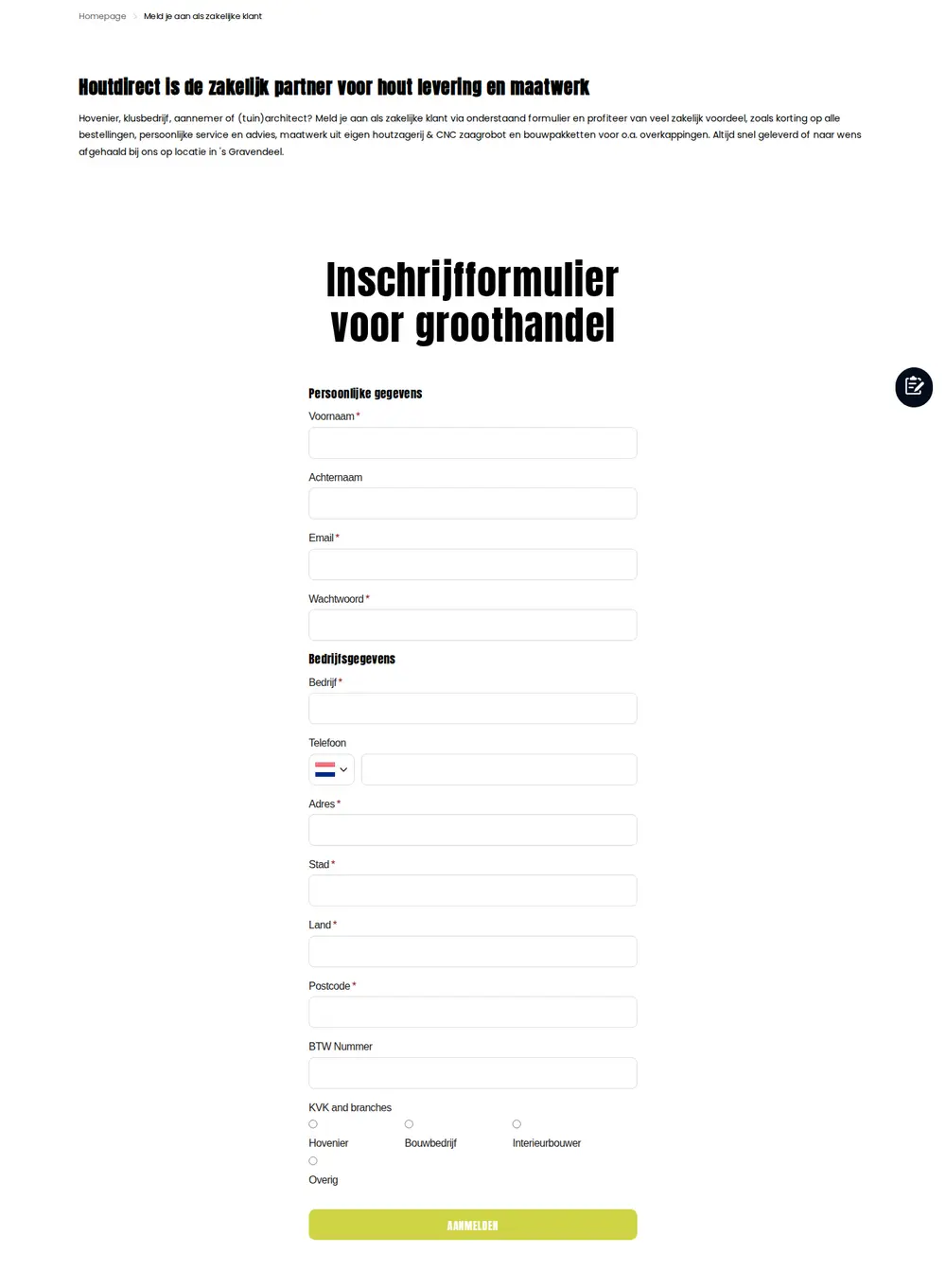
The footer has a link called Zakelijke klant (business customer). It leads to a page that opens with the line Houtdirect is the business partner for timber delivery and custom work. It addresses gardeners, handymen’s businesses, contractors and garden architects, and promises discounts on all orders, personal service and advice, custom work from its own sawmill and CNC robot, and building kits such as canopies, delivered quickly or collected on site.
The public store stays open to everyone. Prices are shown including VAT, anybody can buy, and private customers are welcome, which the top bar says directly. Trade buyers get the account and the discount on top. This is the hybrid model that many Shopify merchants want, and it avoids two storefronts. See selling B2B and B2C from one Shopify store for the pattern.
| Question | What the storefront says or shows |
|---|---|
| Who buys? | Private and business customers; gardeners, builders, contractors and garden architects are addressed directly |
| How do trade buyers sign up? | Inschrijfformulier voor groothandel (wholesale sign-up form), linked from Zakelijke klant |
| What do prices look like? | Including VAT by default, with an EXCL. BTW / INCL. BTW toggle in the header |
| How do buyers ask for a price? | Add to quote on product pages, or the custom quote page |
| What is the trade promise? | Discount on orders, personal advice, custom cutting, building kits |
How the Houtdirect storefront handles wholesale
1. A business sign-up that asks the right questions
The sign-up form asks for first name, last name, email and a password, then business details: company, phone with a Dutch prefix, address, city, country, postcode and a VAT number. The last question is a radio choice labelled KVK and branches, with four options: Hovenier (gardener or landscaper), Bouwbedrijf (construction company), Interieurbouwer (interior builder) and Overig (other). KVK is the Dutch chamber of commerce register, so the question doubles as a business check.
The branch choice is useful beyond vetting. A landscaper buys poles and bulkheads, an interior builder buys panels and cladding, and a contractor buys canopy kits. Each can be tagged differently. The registration form in BSS B2B Solution can assign a tag to the applicant, and tags are what pricing rules use later. See wholesale registration form with approval.
2. Add to cart and Add to quote, side by side
The product pages we checked show the price including VAT, an Add to cart button with a quantity box, and a grey Add to quote (Toevoegen aan offerte) button underneath. Clicking it shows a message that the item was added to the quote request list, and a floating button at the bottom right keeps the list one click away.
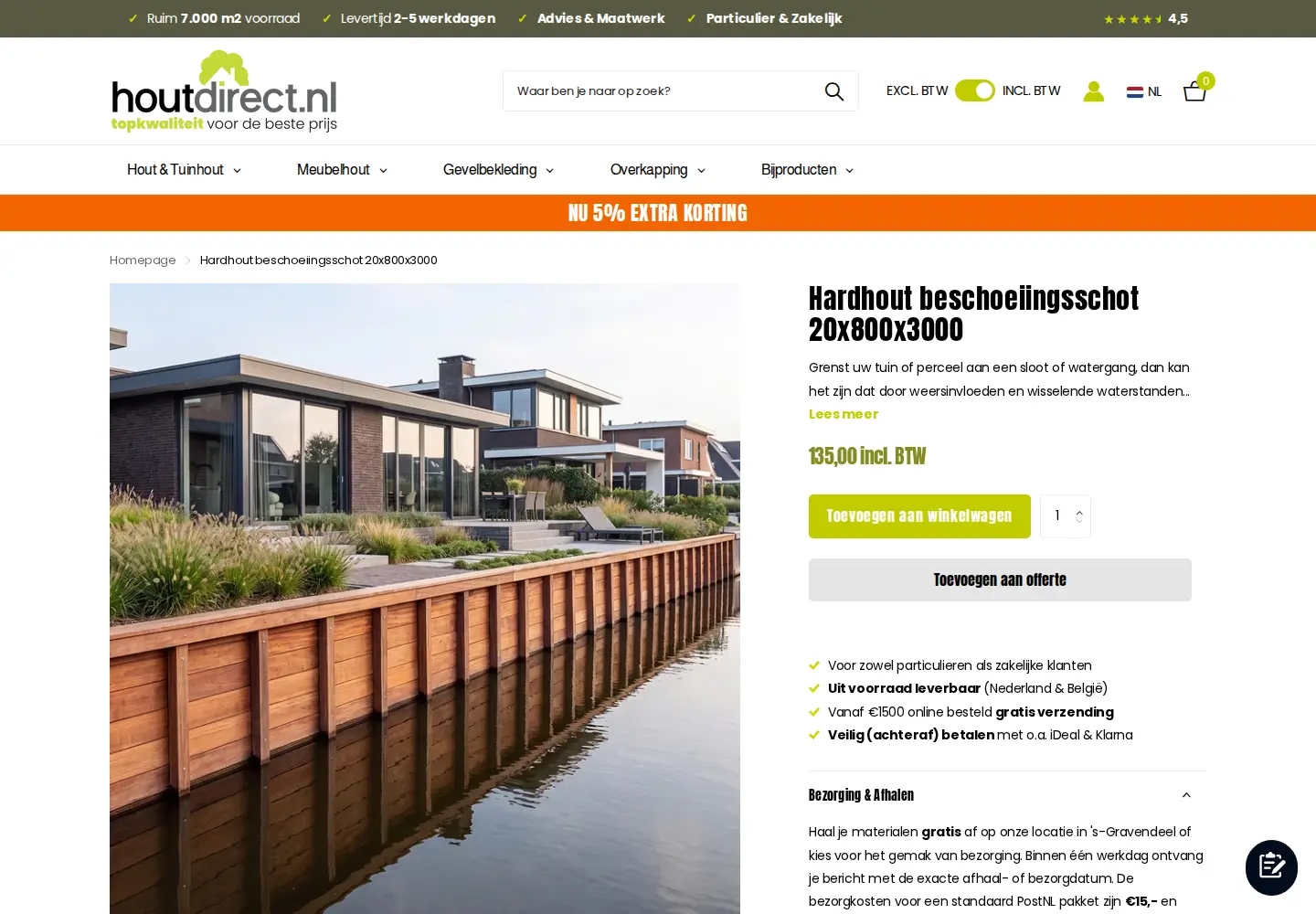
A buyer who needs 400 meters of cladding, or a cut-to-size canopy kit, does not want to pay list price at checkout. They want a figure back. By putting both buttons on the same page, Houtdirect lets each buyer choose the path. The merchant’s own review calls this its quote system, so we can attribute the quote path to BSS B2B Quote with confidence.
3. A quote request window that collects what staff need
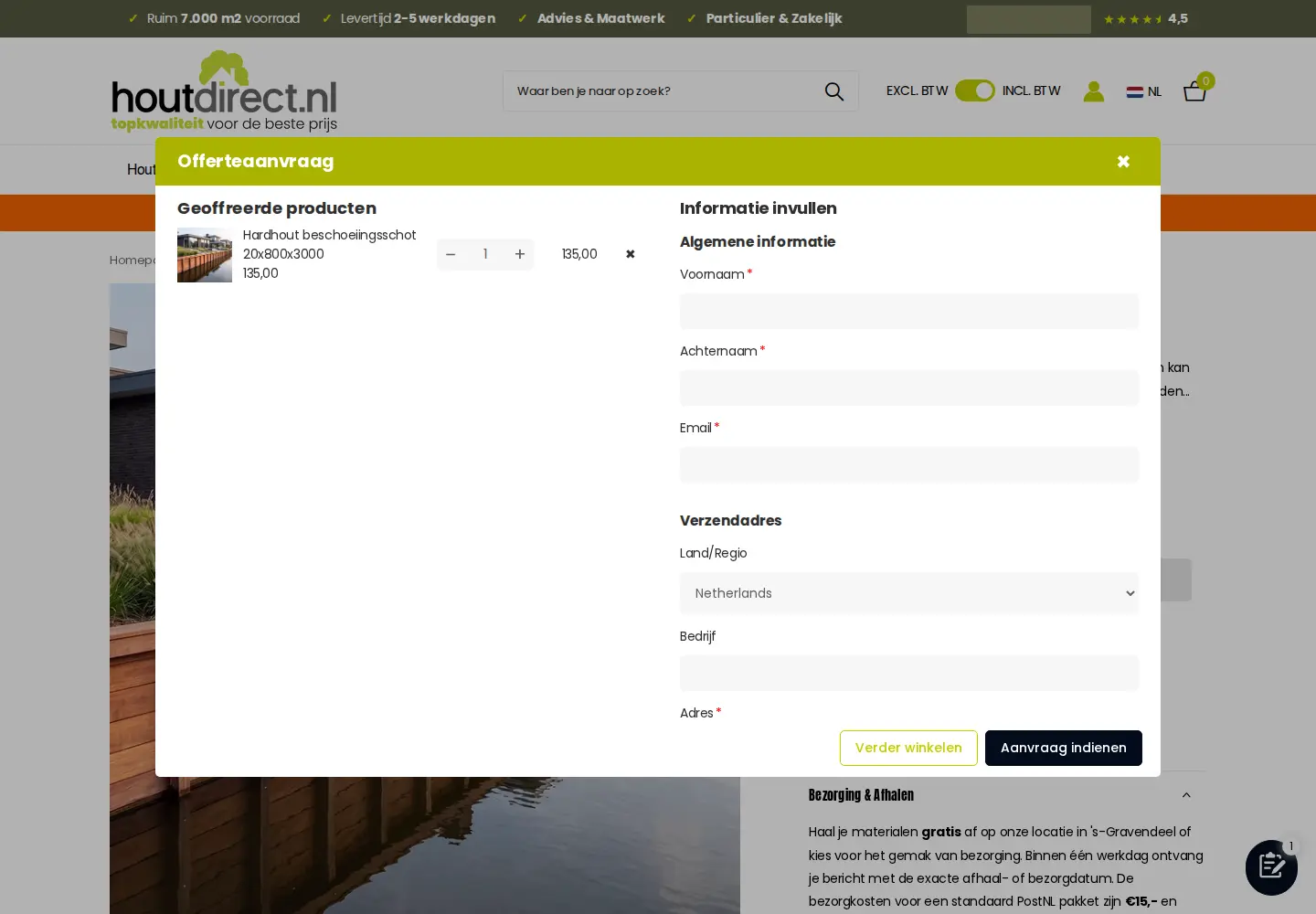
Open the request list and a window titled Offerteaanvraag (quote request) appears. On the left are the quoted products with a quantity stepper and a remove button. On the right is a form: first name, last name and email, then shipping country, company and address. Visitors can keep shopping or submit the request.
In the BSS B2B Quote flow that follows, the merchant reviews the request, adjusts the quoted prices, shipping and expiry, and sends a proposal by email. A logged-in customer who approves it turns it into a draft order and an invoice. See approve a quote and turn it into a draft order and automated B2B quote pricing.
Houtdirect also has a plain page called Offerte op maat (custom quote) that invites visitors to call, email, drop by or send a message through a contact form when they want advice or the best price for a project. That is a human channel next to the app-based request list, and it suits projects that need an expert before a price exists.
4. Prices excluding or including VAT
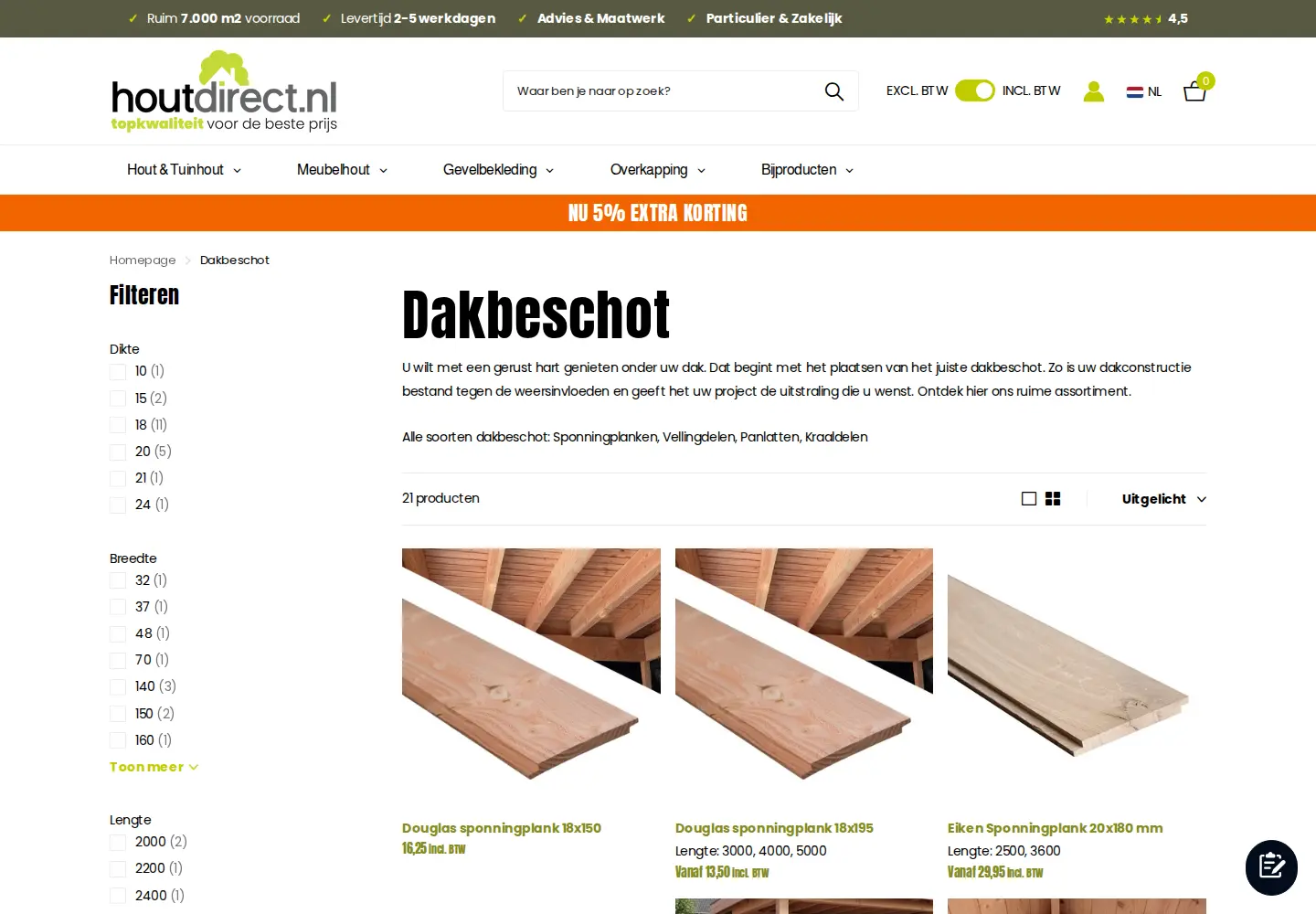
The header toggle labelled EXCL. BTW and INCL. BTW is a small detail with a big effect for trade buyers. Dutch contractors and gardeners that reclaim VAT compare prices without it, while private buyers expect the consumer price. The toggle sits on every page, including collections with filters for thickness, width and length.
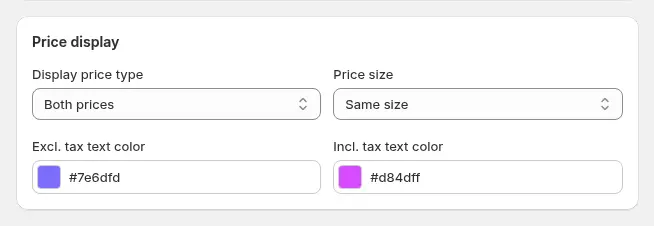
Our configuration data shows a tax display rule is active for this store. Tax display rules decide whether prices appear with tax, without tax or both, for the audience they target. Whether the header toggle itself is built from that rule is not visible from outside, so treat it as consistent with, not proof of, the setup. Read show prices excluding VAT to business buyers.
5. The same choices on a phone
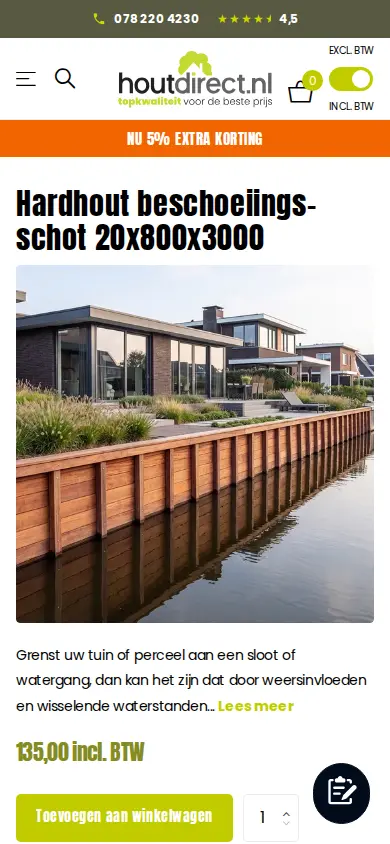
Trade buyers often work on site. On a phone the product page stacks the two buttons and keeps the quote list in a floating button, so a buyer can add items while standing at a job.
Which BSS features power the Houtdirect setup
Aggregated configuration data from the BSS B2B Solution backend, as of October 5, 2026, shows the app on a paid plan with these modules active:
- Custom Pricing. Several active percentage rules target specific customers across all products, so a negotiated discount can follow an account. One further tag-based rule exists but is switched off.
- Quantity breaks (volume pricing). One active rule targets specific customers.
- Auto-tagging. One automatic tagging rule is on.
- Tax display. One tax display rule is active.
- Registration form. One form is active and assigns a tag to applicants.
The BSS B2B Quote part is visible on the public pages: the Add to quote button, the request list window and the floating list button. Rule settings for Quote are not public, so we describe what a visitor can see.
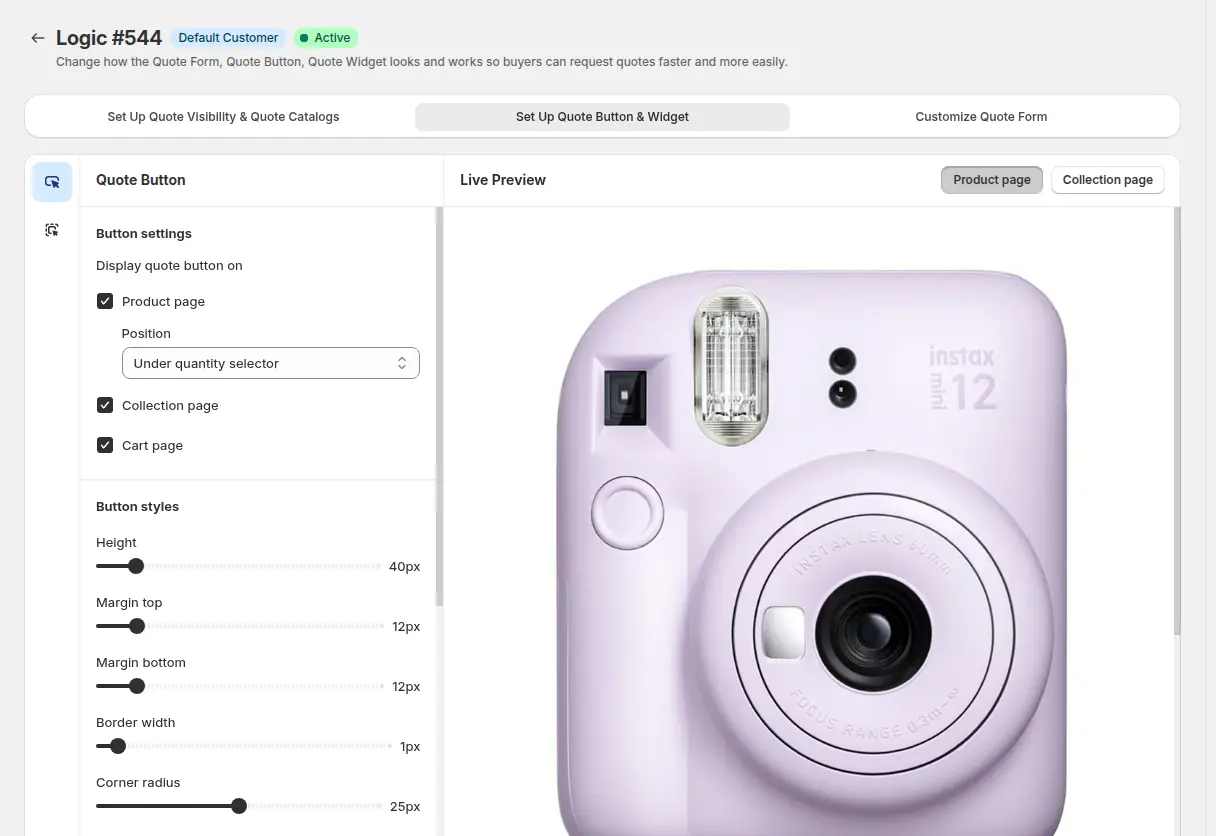
The quote button settings let a merchant choose where the button appears (product page, collection page and cart page), its position under the quantity selector and its styling. Houtdirect shows it on product pages. Related guides: add a Request a Quote button and give tagged wholesale customers special prices.
For pricing, customer-specific rules fit a supplier whose trade terms are agreed with each account. Rules can target specific customers, customer tags or company locations, and when two rules could apply the lower priority number wins within the same module. See how rule priority works.
What other merchants can copy from Houtdirect
- Offer both paths on the same page. Add to cart for standard items, Add to quote for projects.
- Link the business sign-up from the footer and name it clearly. Zakelijke klant tells a trade buyer where to go.
- Use the sign-up form to learn the buyer’s trade. A branch choice gives you a tag and a way to speak to each audience.
- Let people switch VAT display. Trade buyers think in prices excluding VAT.
- Keep an expert channel for projects. A phone, email and contact form page handles what an app cannot.
- Ask support to adapt the setup. Both Houtdirect reviews mention customizations.
If you are starting from scratch, set up a wholesale store from scratch is the closest guide.
The merchant’s reviews
Houtdirect has left two five-star reviews on the Shopify App Store. We quote them verbatim.
BSS B2B Quote, July 6, 2026, after about three months of use:
Great app and company. They helped us set up our B2B and quote system exactly the way we needed, even with a few non-standard requests. Customizations were handled smoothly, and their support was responsive throughout. Highly recommend to try.
Houtdirect, Netherlands, 5 stars, July 6, 2026. Read the review on the Shopify App Store
BSS B2B Solution, June 10, 2026, after about two months of use:
App is flexible and developers can ajust it for your needs. Their team provided to us a lot of customizations and was open to our requests.
Houtdirect, Netherlands, 5 stars, June 10, 2026. Read the review on the Shopify App Store
Both reviews make the same point: the value came from tailoring. A hybrid timber store with custom cuts, a VAT toggle and a branch-based sign-up is not a standard template, so the willingness to adapt the app matters as much as the feature list.
FAQ: running trade and retail on one Shopify store
Can I offer Add to cart and Add to quote on the same product?
Yes. BSS B2B Quote can show a quote button on product, collection and cart pages. Houtdirect shows it under the Add to cart button. See add a Request a Quote button and hide the price if you also want to hide the price for some visitors.
What happens after a visitor submits a quote request?
The merchant reviews it, edits prices, shipping and expiry, and sends a proposal. A logged-in customer who approves it by email gets a draft order and an invoice. See the approve or reject quotes guide.
How can business buyers see prices without VAT?
Use a tax display rule to show prices excluding tax, including tax or both to a chosen audience. See show prices excluding VAT to business buyers.
Can a sign-up form tell me what trade a buyer is in?
Yes. Add a radio or dropdown field for the trade, and assign a customer tag when the applicant is approved. Tags can then drive pricing rules. See approve, reject and notify wholesale applicants.
Is a quote request the same as a wholesale price?
No. A quote is a price proposed for a specific list of items and quantities. A wholesale price applies to an approved account whenever it shops. Many stores use both: tag-based pricing for regular items and quotes for projects.
Want a similar setup? Start with the BSS B2B Quote page, then add BSS B2B Solution for pricing and registration.
This store spotlight is based on Houtdirect’s public website and its public reviews on the Shopify App Store, as of October 5, 2026. Screenshots show the public storefront, with a business phone number masked; Dutch text is translated by us. Images labelled Example configuration or demo store come from our documentation and are not Houtdirect’s admin or storefront.