


Monteed is a UK supplier of high-security padlocks that sells to homeowners and to businesses from one Shopify store. Retail shoppers see every price with and without VAT, while trade buyers sign in through a dedicated trade login. This spotlight shows what the storefront reveals and which BSS B2B apps sit behind trade pricing, quantity rules and payment terms.
At a glance
- Store: Monteed, United Kingdom, padlocks and security hardware
- Model: hybrid. Retail shoppers and trade customers share one catalog
- What guests see: prices shown with and without tax, a tax switch in the header and a dedicated “Trade Login” in the main menu
- How trade buyers get in: sign in, or apply for a trade account from the trade login page
- Apps named in the merchant’s reviews: BSS B2B Solution and BSS B2B Lock
About Monteed
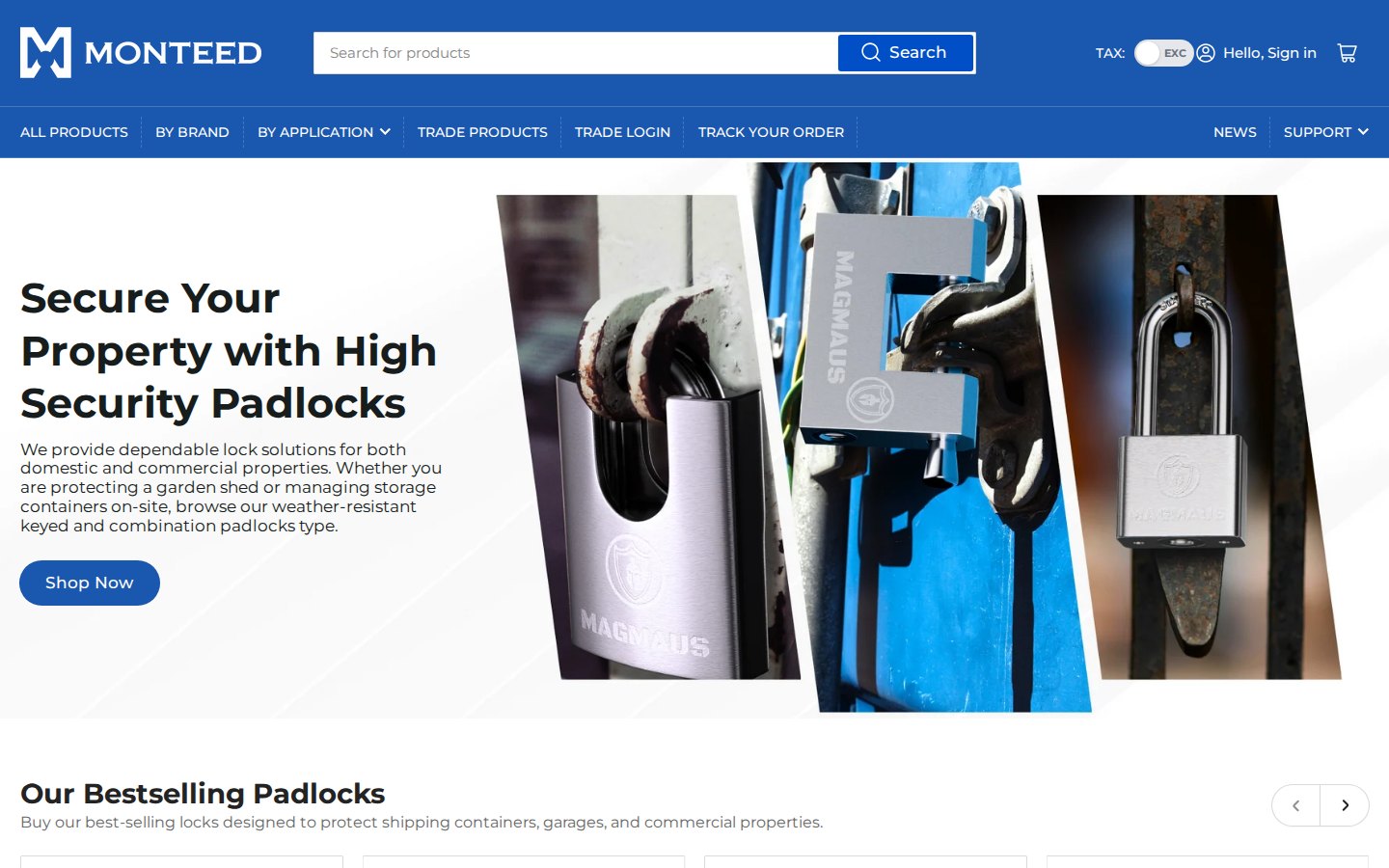
Monteed describes itself as a family-run business that started in self-storage and realised how much it mattered to protect goods with high-quality products. After sourcing for its own sites, it began to supply locks for domestic and commercial use. The range covers biometric padlocks, shipping-container padlocks, high-security and heavy-duty padlocks, bike locks and locker padlocks, organised under four brands that the company designs and supplies: Magmaus, Britanium, Maudex and Jekosa.
The About page says every order ships directly from the UK, and that the company caters to both small and bulk orders, from securing a garden shed to industrial storage facilities. It adds that bulk orders carry discounted prices and invites buyers to get in touch about wholesale and bulk discounts. That one sentence explains the shop’s architecture: the same catalog has to be sellable to a person buying one padlock and to a business buying a carton.
Their B2B model: one catalog, two ways to buy
Monteed’s menu makes both audiences visible. Retail shoppers use All Products, By Brand and By Application. Business buyers have two more entries, Trade Products and Trade Login. The Trade Terms of Sales page spells out the rules for the second group. It applies strictly to business-to-business transactions, covers the bulk supply of padlocks, whether off-the-shelf or custom, at trade-discounted rates, asks that wholesale enquiries come from a verified company email address, and treats a valid purchase order as the confirmation of a sale.
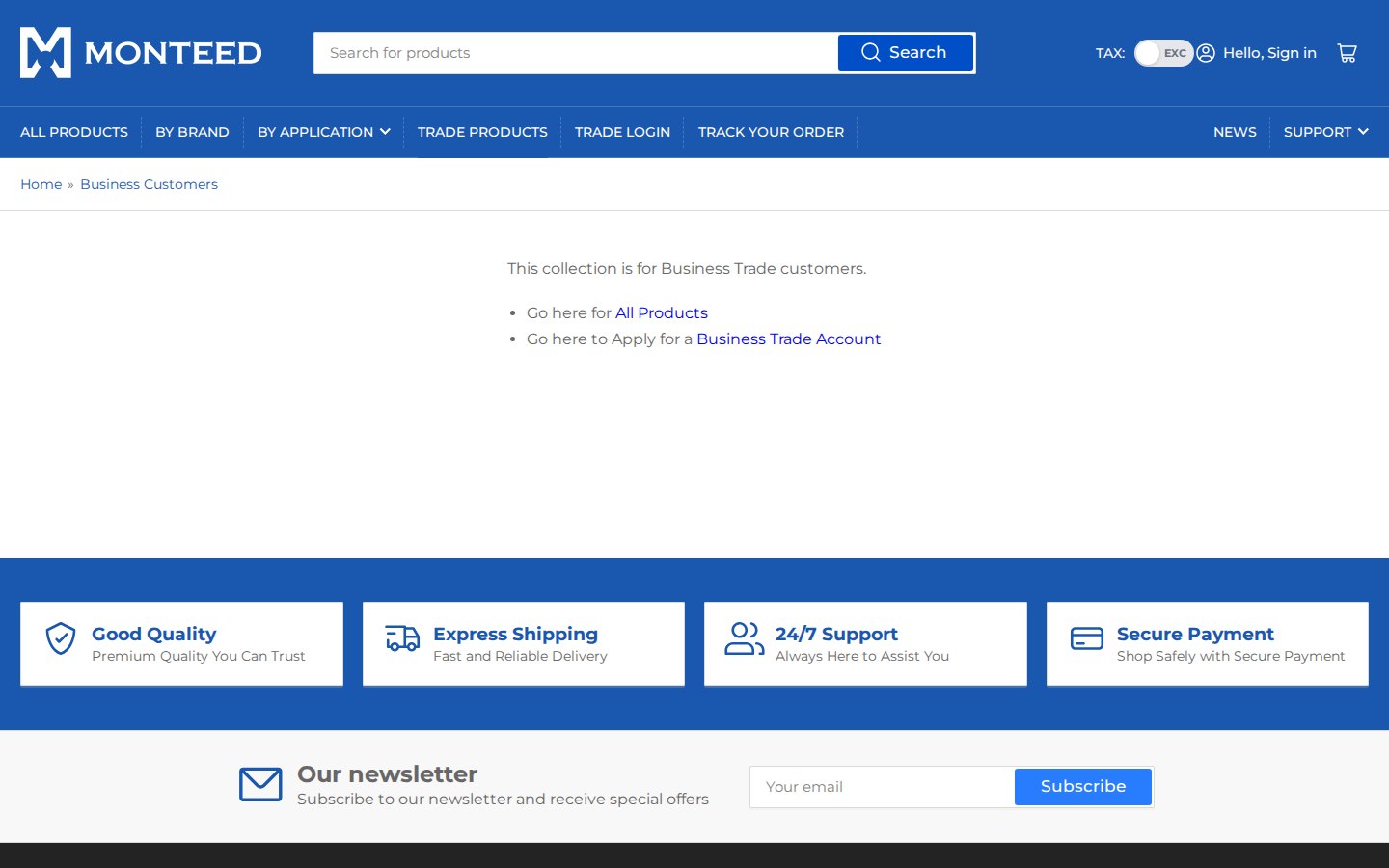
The Trade Products entry leads to a “Business Customers” collection. A guest who opens it does not see a product grid. A short message says that the collection is for business trade customers and links to the full retail catalog and to the trade account application. That is a clean way to separate the audiences without a dead end: nobody lands on an empty page, and every visitor has a next step.
How the storefront handles wholesale
1. Prices shown with and without tax
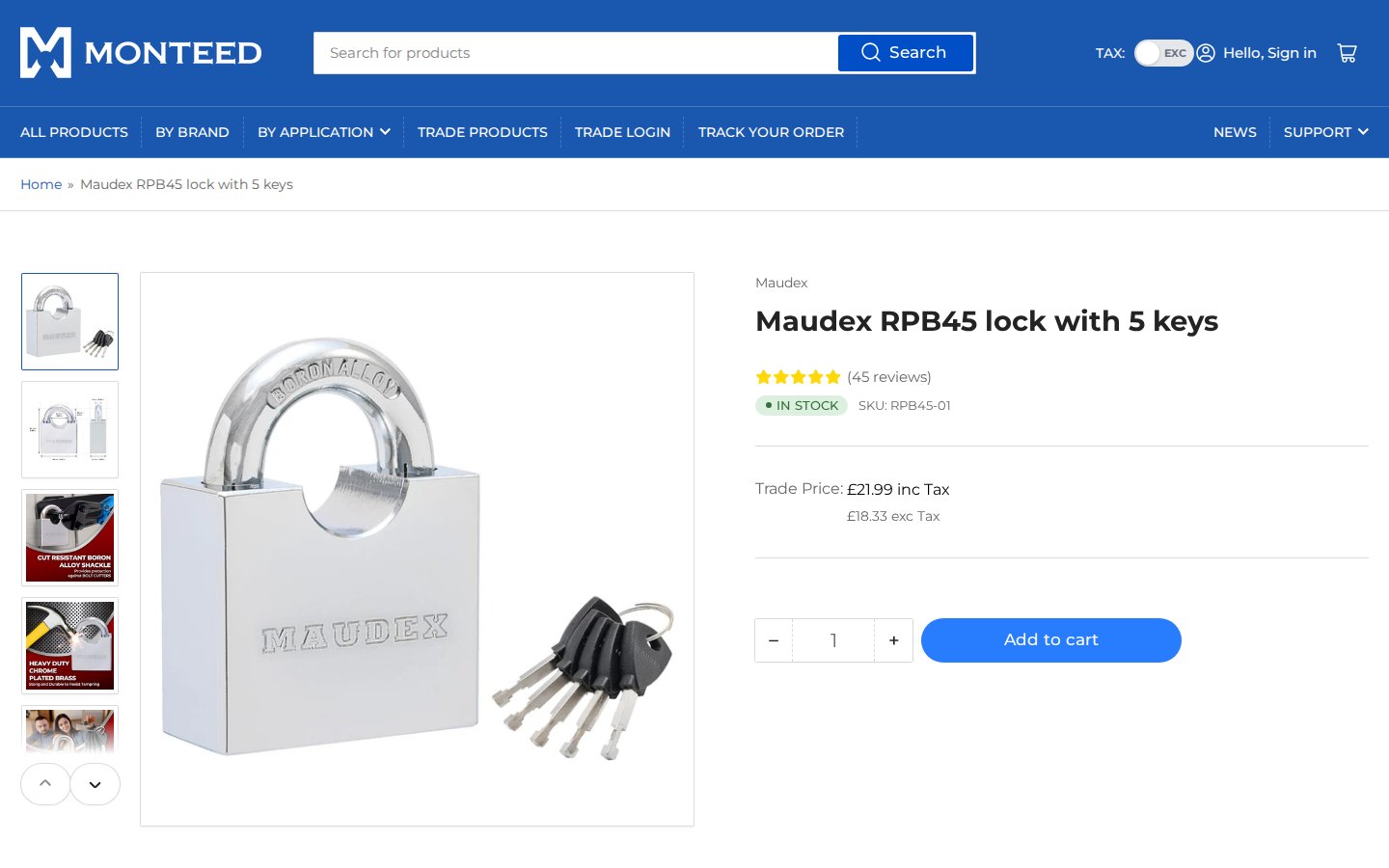
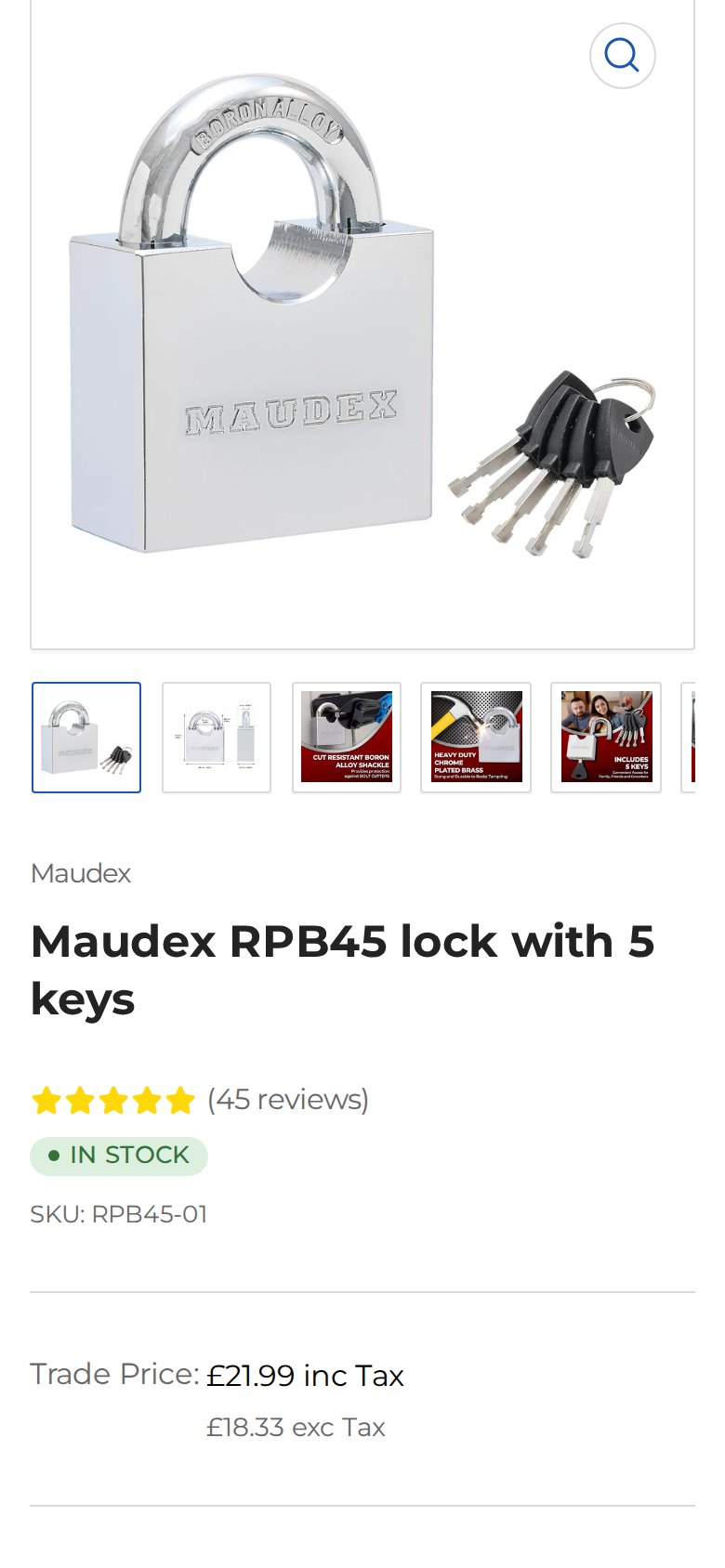
The header carries a switch labeled TAX with the options INC and EXC. Product cards show both values, for example a price “inc Tax” with the same price “exc Tax” underneath. For a supplier that sells to private buyers, who think in VAT-inclusive prices, and to businesses, who think in VAT-exclusive prices, showing both removes a question before it is asked.
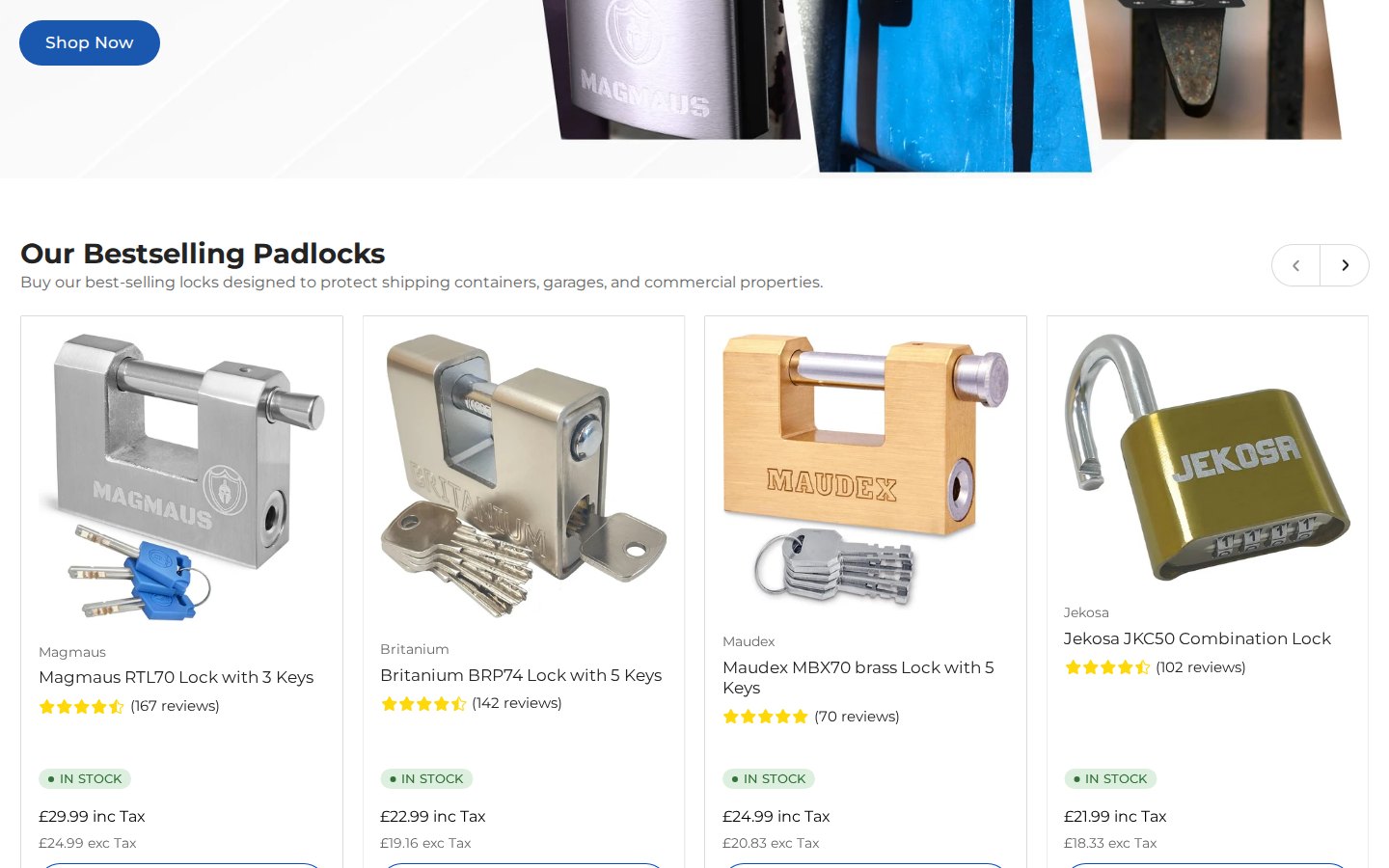
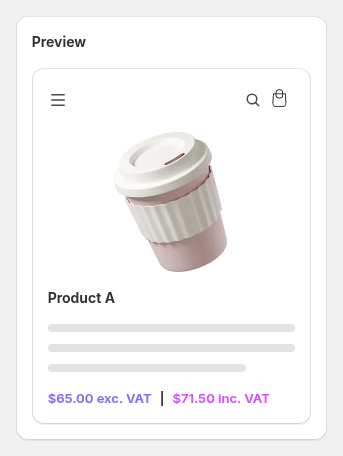
Showing both values side by side is the default display type of the BSS B2B Solution Tax Display module, which is enabled in production data for this store. The module can also show only one value or a one-price-at-a-time toggle. The INC/EXC switch in the header looks like a theme control, so we do not attribute it to BSS. BSS documents the setup in its guide on displaying prices with and without tax, and our use case on showing prices excluding VAT to business buyers explains when to use it.
2. A trade login and application
The trade login page welcomes buyers with “Sign in below to get instant access to your trade account and start placing orders.” Below the sign-in button, a second block asks, “Interested in opening a trade account?” and offers an application button that reveals a contact-style form. There are only two paths, and they stack neatly on a phone.
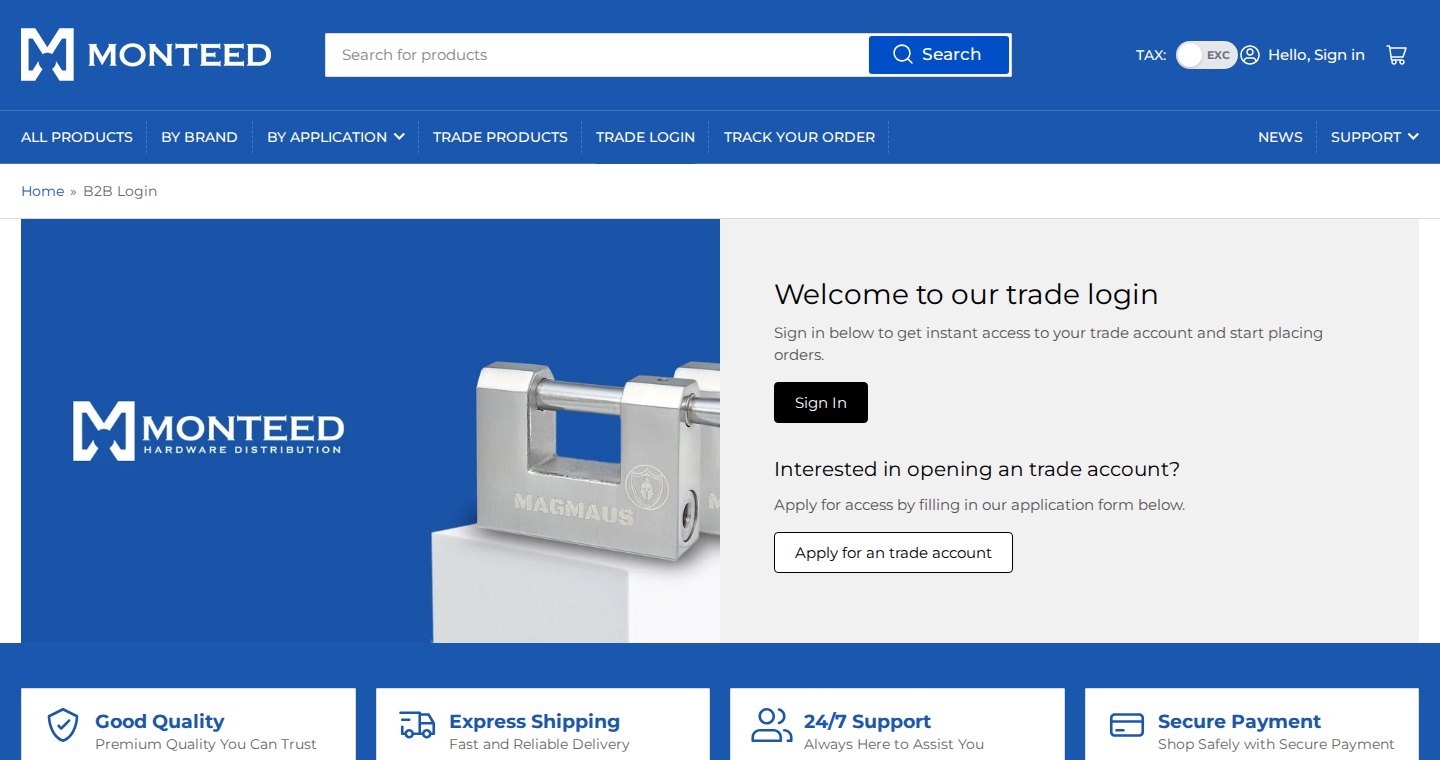
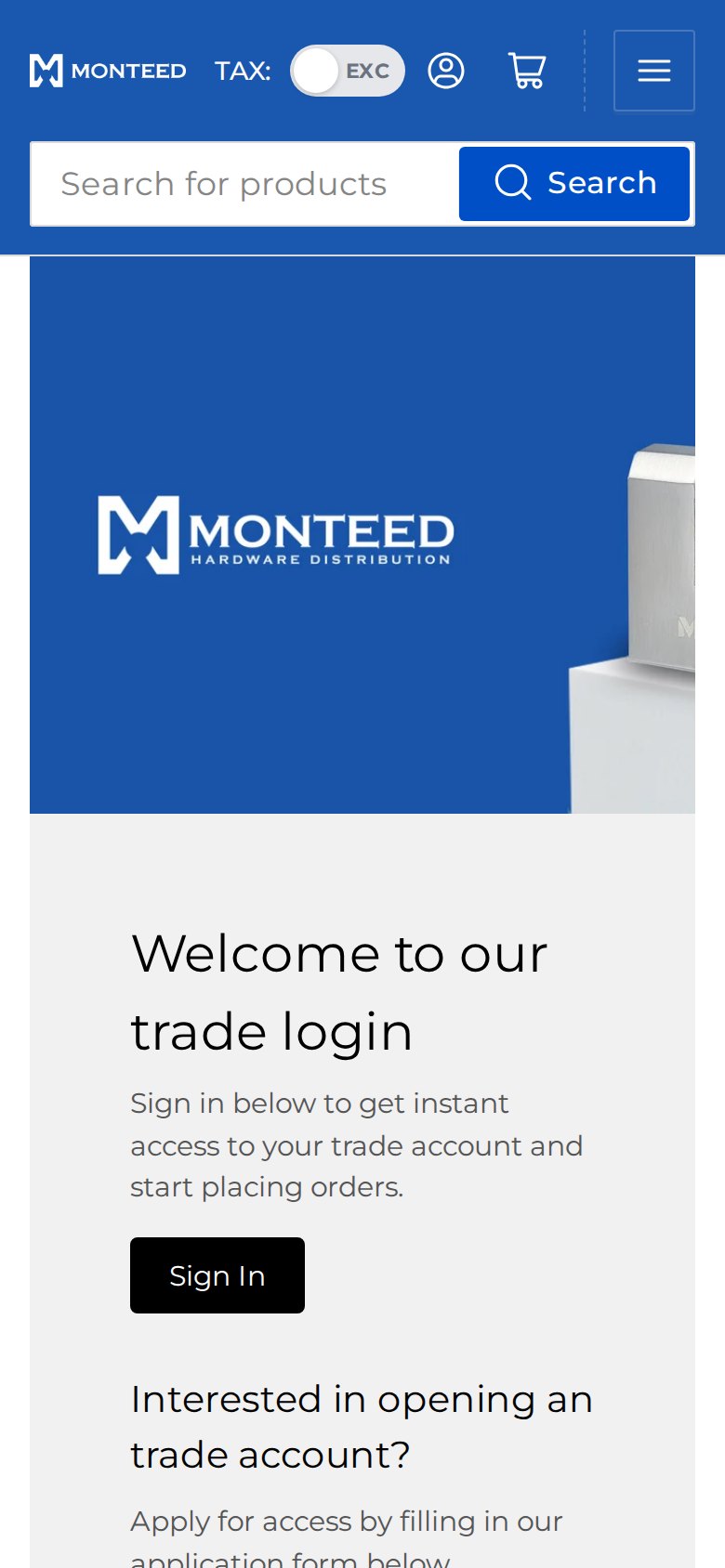
A BSS registration form for Monteed exists in production data (built in October 2025), but it is currently switched off, so the application path we see on the storefront comes from the theme. We mention it because it shows a real choice that many merchants face: use a form that creates tagged customers automatically, or take applications as messages and tag customers by hand. Monteed has gone with the second for now, and either way the tag is what drives pricing.
Separately, Monteed publishes a “B2B Onboarding” page for new trade accounts. It describes the merchant’s own account area: order history, invoices, quick ordering and reordering, shopping lists, pay-on-account at agreed terms and custom pricing. Some of those are storefront or Shopify capabilities rather than BSS features, so we cite the page as the merchant’s own description and not as a list of what BSS provides.
3. Trade pricing, volume rules and terms behind the login
Trade prices appear after login, so we cannot show them. The configuration behind them is visible in production data for BSS B2B Solution, which has been installed since September 2025. It contains a set of enabled Custom Pricing rules that apply a percentage discount, most of them to customers with a specific tag and limited to particular collections, so each product range can have its own trade discount. A further rule applies to a specific customer. Volume pricing includes a product-level rule for specific customers and two order-level rules limited to collections. There are two quantity increment rules, one for specific customers and one for tagged customers on selected collections, and a Net Terms rule for tagged customers on selected collections.
Put together, this is a complete trade rulebook. Tag-based discounts per collection give every buyer group a price. Volume rules reward bigger baskets. Quantity increments keep bulk orders in sensible multiples, such as a box of locks. Net terms let approved customers pay later. A supplier of this type typically wants all four, because trade buyers compare suppliers on price, minimums and terms.
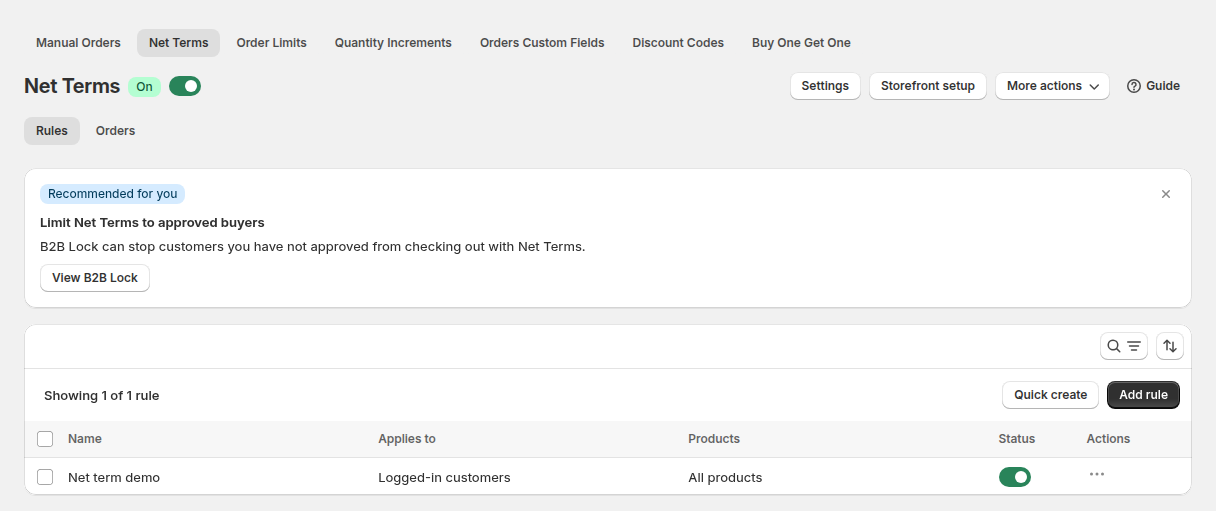
Net Terms in BSS B2B Solution works on customers that a rule targets, in this store by tag. For the setup, see BSS set up net terms and our use case on Net 30 payment terms for wholesale buyers. Volume and increment rules are covered in tiered pricing and quantity breaks and selling in case packs and multiples.
Which BSS features power it
| Visible or configured | BSS feature | How we know |
|---|---|---|
| Prices shown with and without tax | BSS B2B Solution, Tax Display | Both values visible on cards; one enabled rule in production data |
| Trade discounts by product range for tagged customers | BSS B2B Solution, Custom Pricing | Enabled percentage rules targeted by customer tag and collection |
| Quantity-based discounts | BSS B2B Solution, Volume Pricing | Enabled product-level and order-level rules |
| Purchase multiples | BSS B2B Solution, Quantity Increments | Two enabled rules |
| Pay later for approved buyers | BSS B2B Solution, Net Terms | One enabled rule for tagged customers |
| Business Customers collection message for guests | BSS B2B Lock, hide wholesale collections from guests | Storefront behavior, Lock scripts on the page, the review |
BSS B2B Lock rules live in a separate system that we did not query. We are therefore careful here: the Lock scripts are on the storefront and the review names the app, and the Business Customers collection behaves the way a Lock collection rule does, but we cannot see the rule settings. Both reviews also say that the BSS team makes changes to fit the site’s needs, which suggests the setup was adapted to the store rather than used as installed.
Two details about how these rules combine are worth knowing before you copy the setup. Custom Pricing and Volume Pricing can work together, with quantity bands applied on top of the customer’s discounted price, which our use case on combining custom and volume pricing explains. And an order-level volume rule adds up the quantity of all eligible products in the order instead of counting each product on its own, which is how a buyer who mixes several lock models in one order can still reach a bulk band.
What other merchants can copy
- Give trade its own entry in the main menu. “Trade Products” and “Trade Login” cost nothing and tell business buyers where to go.
- Show prices with and without VAT. A switch beats explaining the difference in your shipping policy.
- Never leave a locked collection empty. A one-line message with two links, as Monteed does, keeps both audiences moving.
- Price by product range with tags. One discount per collection per buyer group is easier to maintain than per-product prices.
- Protect bulk orders with increments. Sell locks in multiples that match how you pack them.
- Decide how you take applications. A tagging form scales better, a simple contact-style form is faster to launch, and you can switch later.
- Publish trade terms. Purchase orders, payment methods and accepted enquiry sources belong on a public page.
The merchant’s reviews
Monteed left two five-star reviews on January 19, 2026, one per app, after about four months of use. They are quoted as published from the BSS B2B Solution reviews and the BSS B2B Lock reviews.
If you’re looking for b2b app then BSS B2B is a great app as they fulfil all the area that we actually wanted and even they do customization as per the suggest which is most interesting part. their customer support is awesome as well.
Monteed, public Shopify App Store review of BSS B2B Solution, 5 stars, January 19, 2026
They are incredibly responsive, helpful support team and they make changes according to desire requirements in the site
Monteed, public Shopify App Store review of BSS B2B Lock, 5 stars, January 19, 2026
Both reviews are the merchant’s opinion. Their common thread is flexibility: the merchant valued that the apps cover the areas it needed and that the team adjusts the setup when asked.
FAQ: trade pricing for a hybrid store
How can one Shopify store show both VAT-inclusive and VAT-exclusive prices?
Use the Tax Display module in BSS B2B Solution. It can show prices including tax, excluding tax, both side by side, or a toggle the customer can switch, and rules can target customers by group. Monteed shows both values side by side.
How do I give each product range its own trade discount?
Create a Custom Pricing rule per collection, target it at a customer tag and set a percentage off. Customers who carry the tag see the discounted price on that collection. Rule priority resolves overlaps.
Can I make trade buyers order in multiples?
Yes. Quantity Increments in BSS B2B Solution require buyers to purchase in multiples, with an optional minimum, and a rule can target customers by tag or specific customers.
How do approved customers pay later?
Create a Net Terms rule for the customer tag. Approved customers can then choose to pay later at checkout according to the terms you set, such as Net 30.
Do I have to use a registration form?
No. You can take applications by a contact-style form and tag customers manually, or use a BSS B2B Solution registration form that tags approved customers automatically. Monteed currently uses a theme-level application with tagging.
This store spotlight is based on Monteed’s public website and its public reviews on the Shopify App Store, as of October 5, 2026. Screenshots show the public storefront with contact details masked. Configuration screenshots labeled “Example configuration” come from BSS documentation and do not show the merchant’s admin. Monteed has not reviewed this article.