Yes, you can combine custom pricing and volume pricing on Shopify with BSS B2B Solution, and the order is fixed: Custom Pricing (or a Price List) sets the buyer’s base price first, then Volume Pricing applies its quantity tier on top of that price. A $22.50 negotiated price with a 10% tier costs $20.25, not 10% off the retail price.
Knowing that order lets you design both rules on purpose. You agree a price with a customer group, add breaks that still protect your margin, and check the cart total before the offer goes live. Buyers see a price that makes sense: the tier table works from their own price, not from a number they never see.
Who this is for
This is the setup for you when:
- You give a customer group a negotiated price, for example through a customer tag, and you also want bigger orders to earn a lower unit price.
- You have heard “does the tier start from the retail price or from my price?” from buyers or from your own sales team.
- You sell to retail and wholesale from one store and want tiers only for logged-in trade buyers.
- Your margin is thin and you need to know the lowest price a buyer can reach.
- You are adding Volume Pricing to a store that already has Custom Pricing or Price List rules and want to avoid surprises.
Why this matters
When two discount mechanisms run on one product, the order decides the price. If the tier took its percentage from the retail price and then the negotiated price replaced it, a buyer could end up paying more for ordering more. If the tier were added on top of a deeper cut than you expected, margin disappears. The app avoids both problems with one fixed chain, and you can describe it in a sentence your sales team repeats.
The chain also keeps your rules short. Without it, a business with three customer groups and three tiers would need nine combined rules. With it, you keep three base-price rules and one set of tiers, and the app multiplies them for you.
A habit that helps: write the expected result in the rule name or notes, such as “base 25% off, then 5/10% tiers from 6/12”. Anyone on the team can then check the storefront price without recalculating, which matters when a buyer disputes a total.
What Shopify covers natively, and where an app helps
Shopify’s native B2B gives business buyers catalogs with their own prices, and its quantity rules cover minimums and increments, according to the Shopify Help Center (read on 2026-10-02). Our Shopify B2B guide explains where native B2B is enough. BSS B2B Solution adds the stacked logic in this use case: a base price by customer tag, customer or company location, followed by tiers calculated from that price, and a published tier table for the group you choose. See the wholesale pricing hub for the full set of pricing guides.
How the app calculates the price
Think of the price as a short pipeline. Step one picks the base price: if a Price List rule applies to the variant it sets the price, otherwise a matching Custom Pricing rule does, and with neither the original price stays. Step two applies the Volume Pricing tier that the quantity reaches, calculated from the step-one price. Step three, a discount code the buyer enters, starts from that result. The price in the cart is the output of the last step that applies.
The user guide gives its own worked example. The original price is $12 and the custom price is $10, with tiers of 10% off from 3 items, 15% from 9 and 20% from 15. A customer who buys 16 items reaches the 20% tier, and the discount is taken from the $10 custom price: 16 x $10 = $160, minus 20% is $128. Taking the tier from the price the buyer actually sees keeps the total predictable.
How to combine the two rules in BSS B2B Solution
Step 1: Create the base price rule
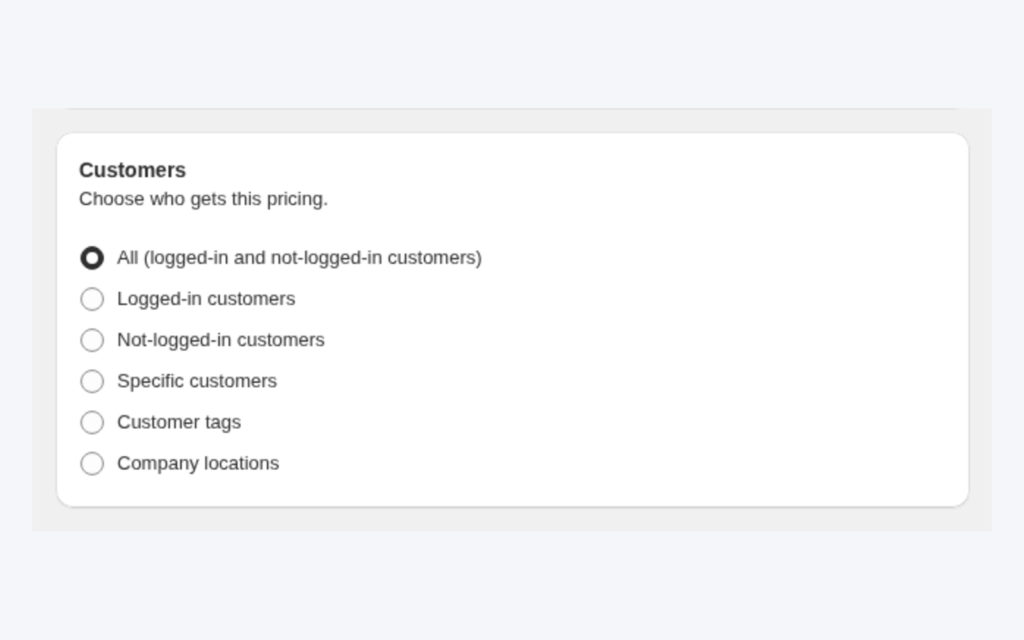
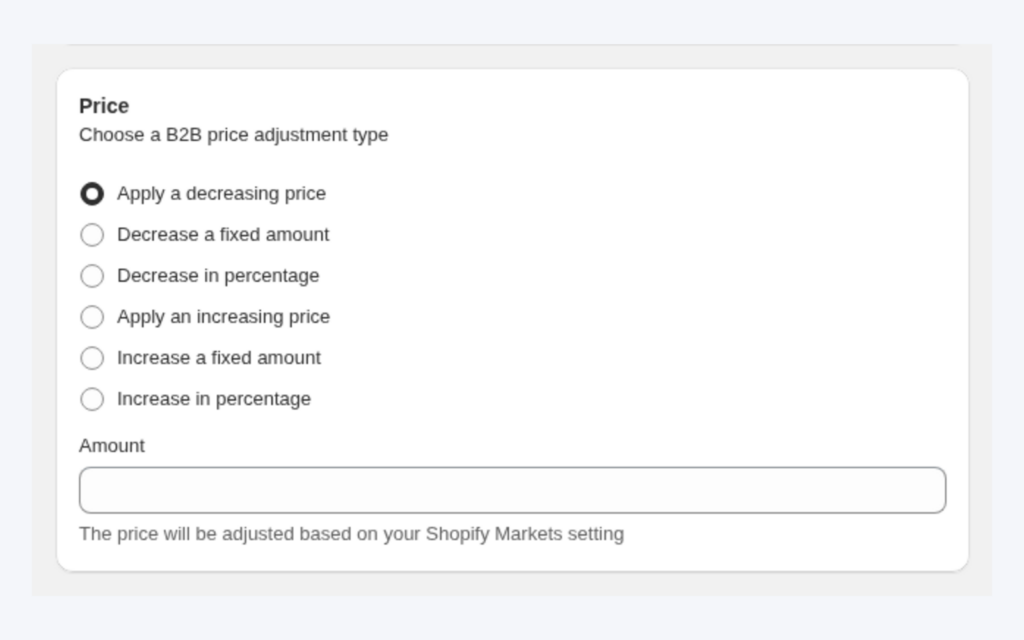
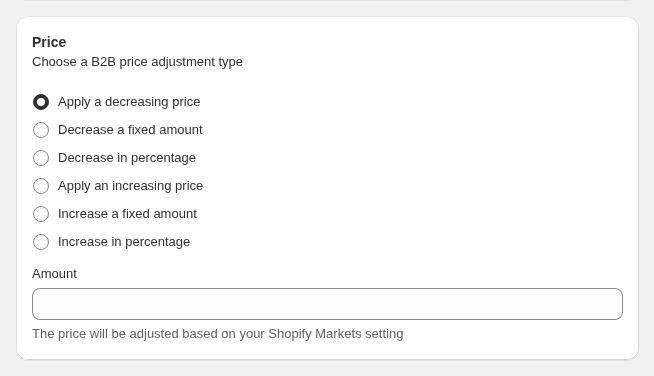
Open B2B Pricing > Custom Pricing, turn it on and click Add rule. Under Customers choose the tag, under Products choose the scope, and in the Price card set the price: a percentage off, an amount off or a fixed price. If you need a different exact price for each SKU, build a price list instead. A Price List is used first, and Custom Pricing is skipped for any variant the list covers.
Step 2: Create the Volume Pricing rule for the same audience
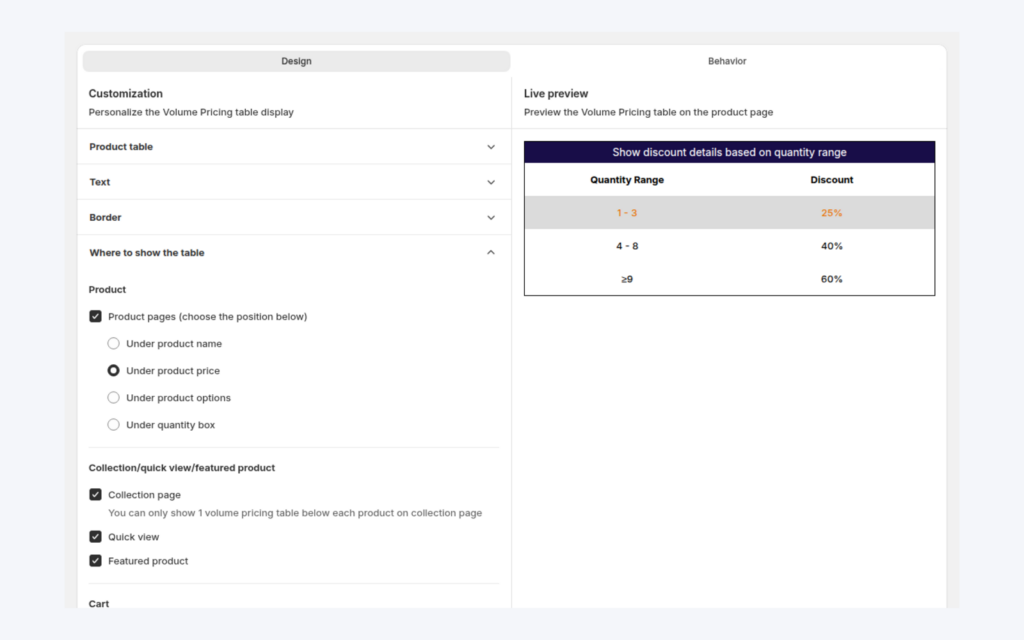
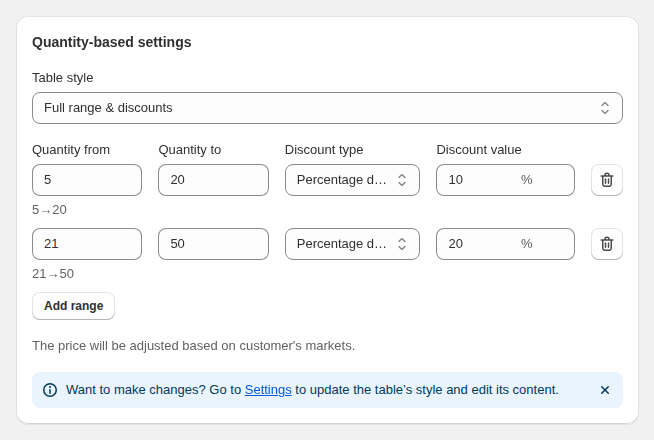
Open B2B Pricing > Volume Pricing, click Add rule, choose the same customer tag and the same products, then pick the type and Apply to option. Add ranges, for example 6 to 11 units at 5% off, 12 to 23 at 10% off and 24 and above at a fixed price.
Step 3: Choose what the buyer sees next to the price
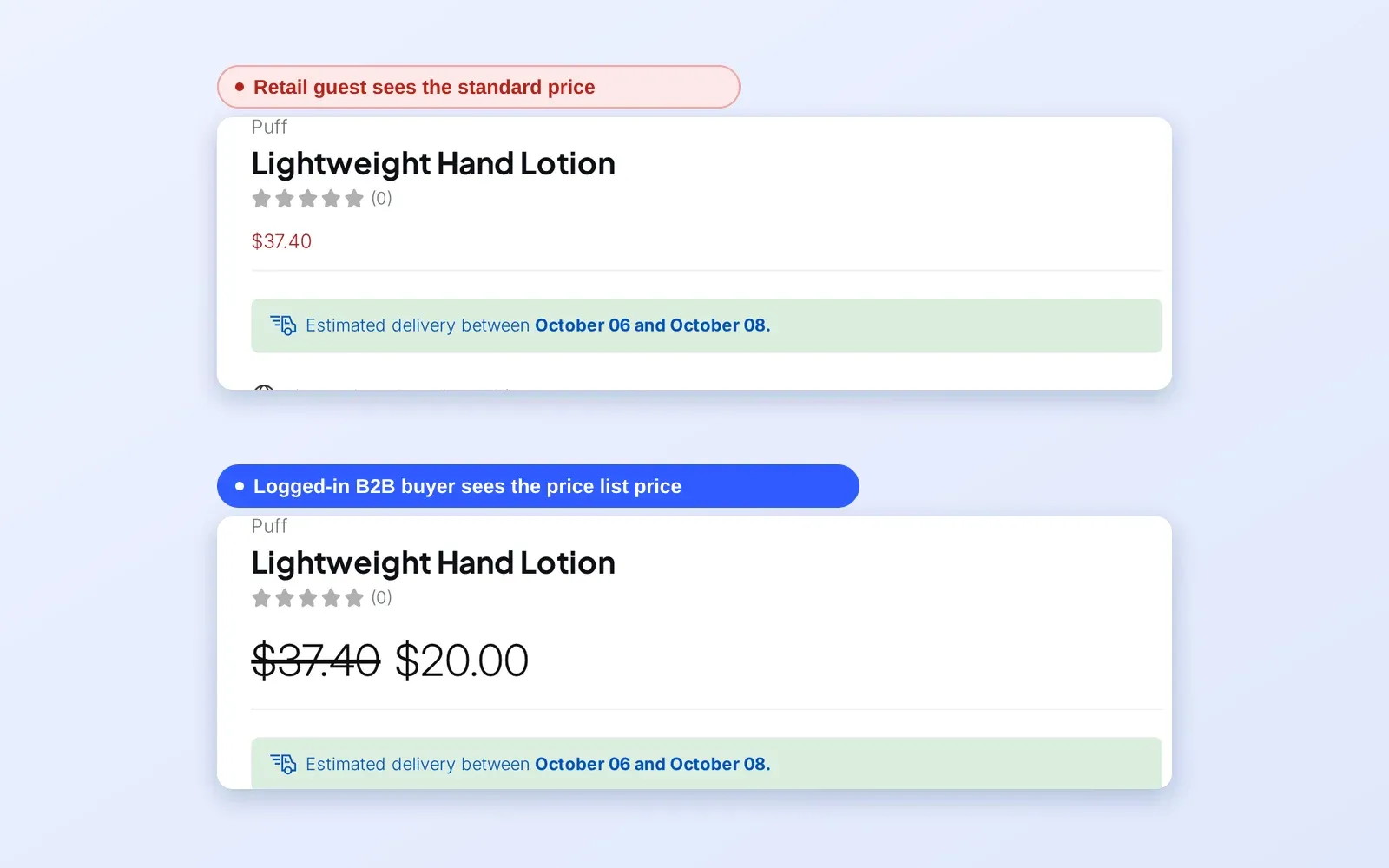
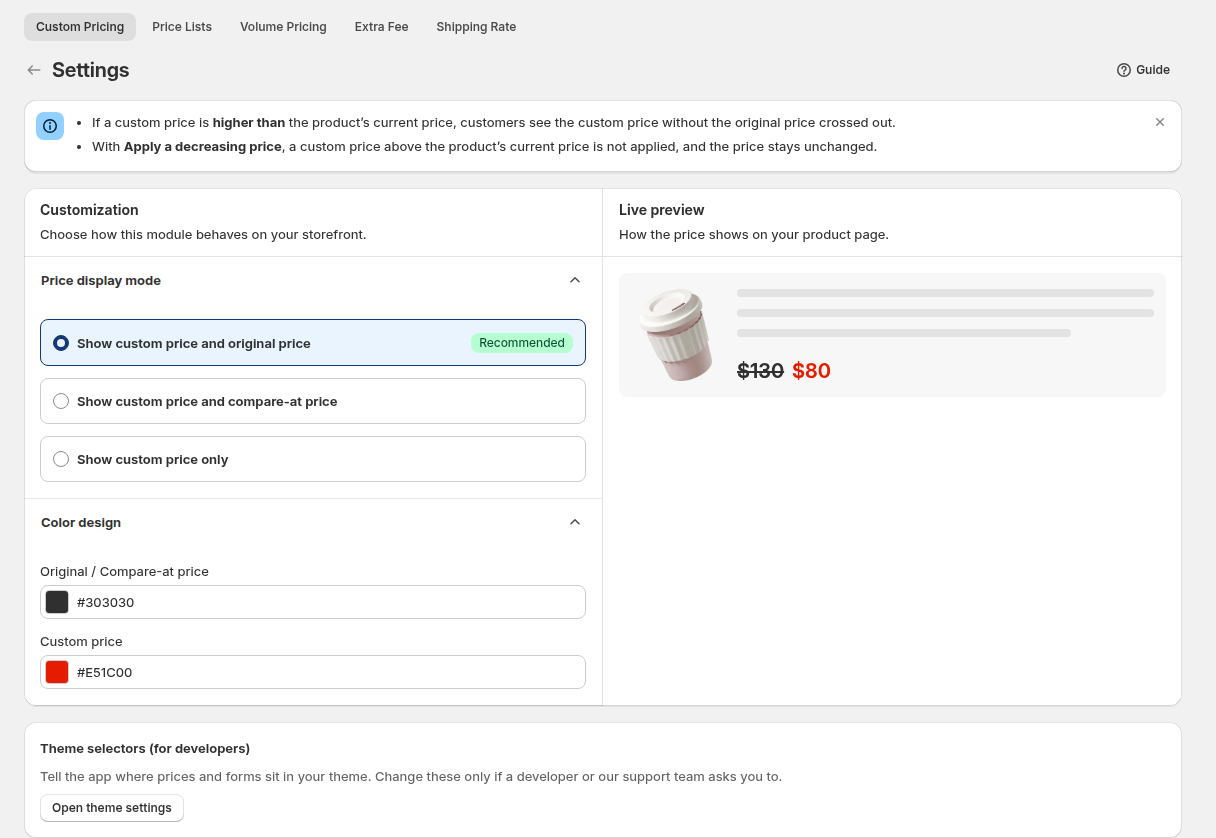
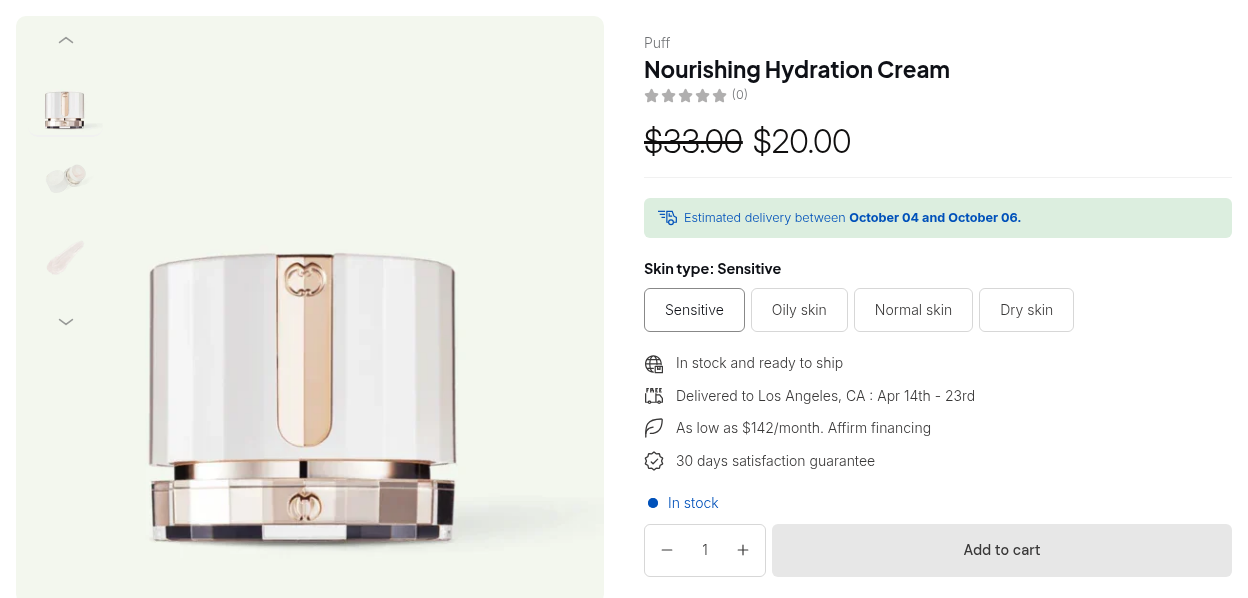
Open Custom Pricing > Settings and choose the display mode: custom price with the original price, custom price with the compare-at price, or the custom price alone. If a product has no compare-at price, the compare-at mode falls back to the original price. Colors for the original and custom price can be set there too.
Step 4: Test with the exact tag and quantity
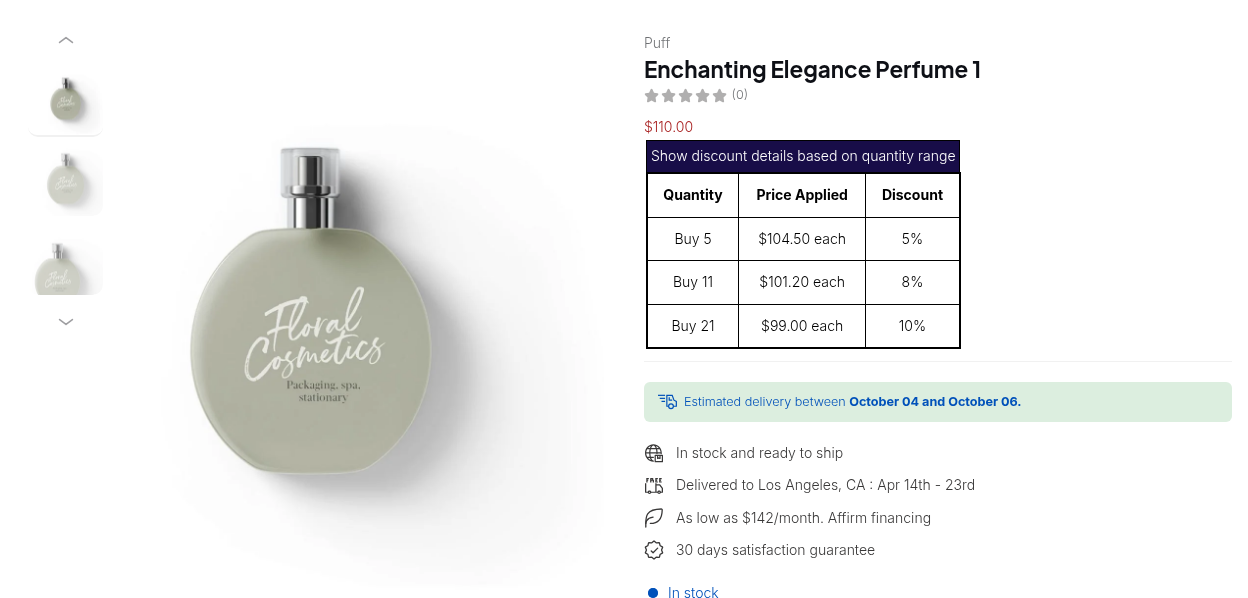
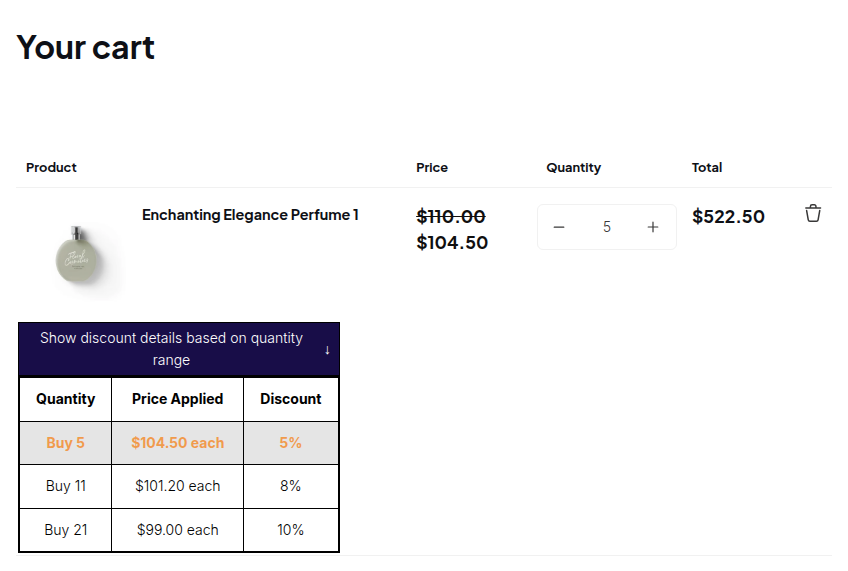
Both rules must match, so test as a customer with the exact tag and with a quantity that reaches a tier. Open the product page to see the tier table, then add the quantity to the cart and check the line price.
Example: a skincare brand selling to salons
This is an illustration with made-up numbers, not a customer result. A serum retails at $30. A Custom Pricing rule gives customers tagged salon 25% off, so their base price is $22.50. A Volume Pricing rule for the same tag adds three tiers.
| Quantity | Tier | Price per unit | Line total |
|---|---|---|---|
| 1 to 5 | none | $22.50 | 5 units: $112.50 |
| 6 to 11 | 5% off the base | $21.375, shown as $21.38 | 8 units: $171.00 |
| 12 to 23 | 10% off the base | $20.25 | 12 units: $243.00 |
| 24 and above | fixed price | $18.00 | 24 units: $432.00 |
Buying 24 units costs $432.00, against $720.00 at retail and $540.00 at the salon base price. If the same salon had a Price List price of $24.00 for this serum, the Price List would be used and Custom Pricing skipped, and the 10% tier at 12 units would give $21.60.
Works well with
- Predicting the winner. Which B2B rule wins explains priority inside each module and the order between modules.
- A visible table. Put the tiers where buyers decide with a volume pricing table on product and collection pages.
- Tier design. Tiered quantity break pricing covers the type, the Apply to option and the ranges.
- Silver and gold groups. See how tiers by customer level use more than one base price.
Terms worth knowing are volume pricing, quantity break and wholesale price.
Limits and common mistakes
- Priority does not decide between modules. The Priority number (0 to 99) only compares rules of the same module, and the lowest number wins. A Custom Pricing rule with priority 0 does not beat a Volume Pricing rule with priority 5; they combine.
- A Price List replaces Custom Pricing on the same variant. The tier still applies on top of the list price.
- Both conditions must match. Volume Pricing applies only when its own customer, product and schedule conditions match, so test with the exact tag.
- Automatic Shopify discounts do not work with Custom Pricing or Volume Pricing. Manual Shopify discount codes work only if you enable the Shopify Discount option under Advanced Settings; otherwise the discount box stays hidden at checkout. Enabling it can stack two discounts on one order, so place a test order first.
- The in-app Discount Code module is the alternative. It shows a code box on the cart page and calculates with your pricing rules.
- Extra fees are separate. An Extra Fee is added afterwards as a fee line and does not change the product price.
- Higher prices are not shown. A custom price above the original or compare-at price does not display.
Setup checklist
- Decide the base price for each customer group first.
- Create the Custom Pricing or Price List rule and name it with its price.
- Create the Volume Pricing rule for the same tag and products.
- Write the expected tier prices in the rule names or notes.
- Choose the display mode in Custom Pricing settings.
- Test with the exact tag and a quantity at each tier.
- Check the cart total, then place a test order if you allow discount codes.
Plans and requirements
Custom Pricing and Volume Pricing run on every plan, in a limited form on Free: one Custom Pricing rule, and a Volume Pricing rule that is the newest quantity-based rule without market, variant, collection or tag conditions. Paid plans lift those limits; Price List needs Platinum. The in-app Discount Code module is listed on Advanced and Platinum in the user guide. See the BSS B2B Solutions pricing page for current plan details.
You can install BSS B2B Solution from the Shopify App Store (4.9 rating from 1,185 reviews as of 2026-10-02, 14-day free trial on paid plans), read the app overview, or follow the guide to combining Custom Pricing and Volume Pricing in the docs. The guide on additional discounts explains codes and automatic discounts.