


soleg GmbH is a German wholesaler of solar modules, inverters and storage for installers, planners and investors, and it moved its trade shop to Shopify with BSS B2B apps. Guests see products but must log in to buy, companies register through a form, and approved customers get group prices. This spotlight shows how the public storefront works.
At a glance
- Store: soleg GmbH, Germany, wholesale of renewable energy equipment since 1995 (the company’s own statement)
- Model: trade-oriented. Prices exclude VAT and buying requires a login
- What guests see: catalog, article numbers and a “log in to buy” button instead of a price and cart button
- How buyers get in: a registration form with company, VAT ID and contact fields
- Apps named in the merchant’s reviews: BSS B2B Solution and BSS B2B Lock
About soleg
soleg describes itself as a wholesaler for renewable energy that has planned and distributed installations for harnessing renewable power since 1995. The audience named on its home page is partners from the trades, plus planners, architects and investors. The tagline under the logo reads “Energie aus Sonne” (energy from sun), and the company is based in Teisnach, Germany.
The catalog is organised the way an installer thinks about a project: solar modules, mounting systems, inverters, storage, e-mobility, power-to-heat, monitoring and energy management, and accessories, plus a promotions category for reduced items. Product names carry the manufacturer and model, and every product shows an article number, which is how trade buyers search and reorder. Alongside the shop, a separate service area covers inspection, maintenance, technical operations management, yield analysis and repowering of existing photovoltaic plants, so the shop sits inside a wider trade relationship.
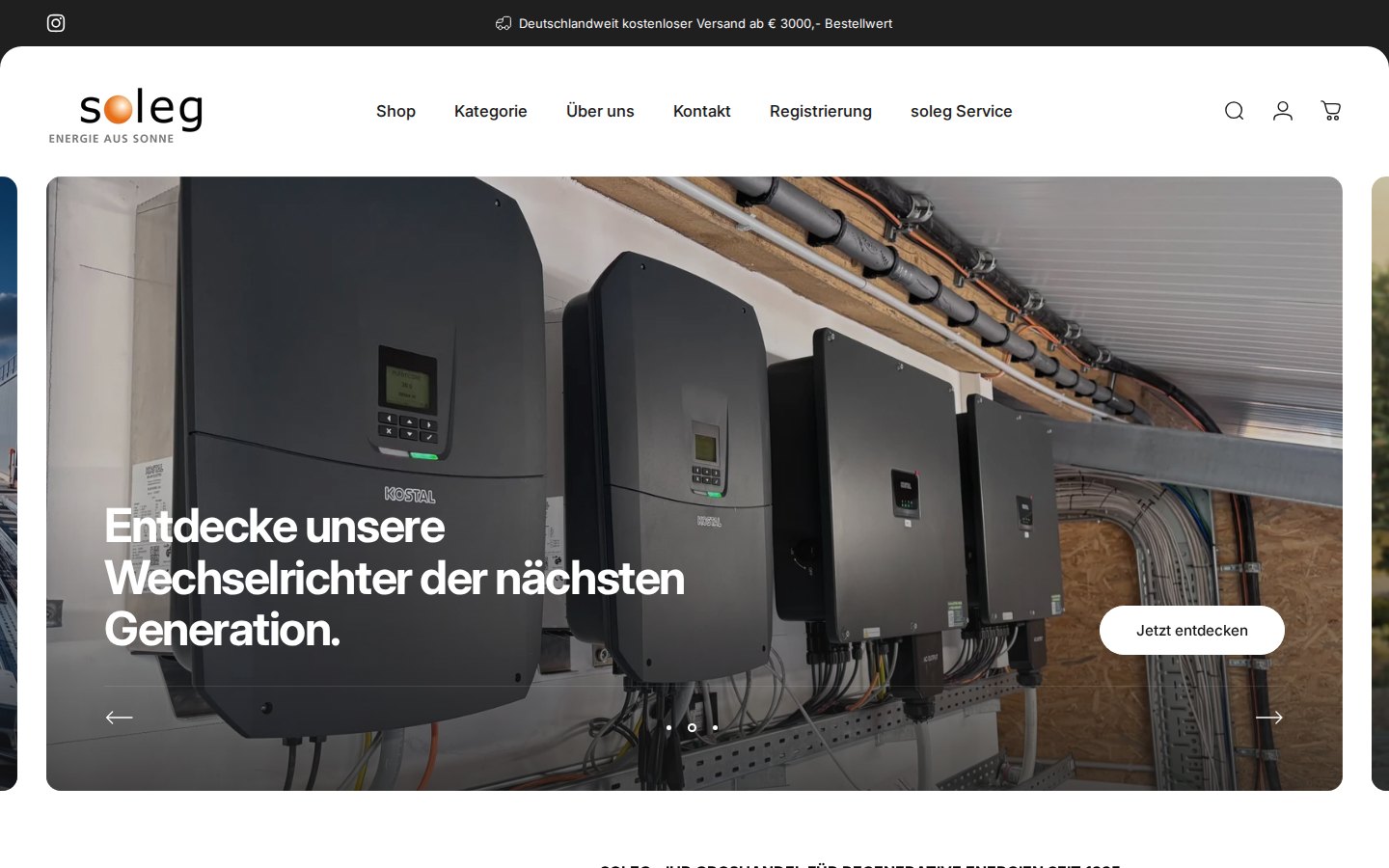
Two details on this first screen matter for a B2B shop. The menu puts registration on the same level as the shop itself, so a new buyer is never more than one click from the form. And the banner above the header states the delivery rule that applies to trade orders: free shipping within Germany above a stated order value.
Their B2B model: a trade shop with login before buying
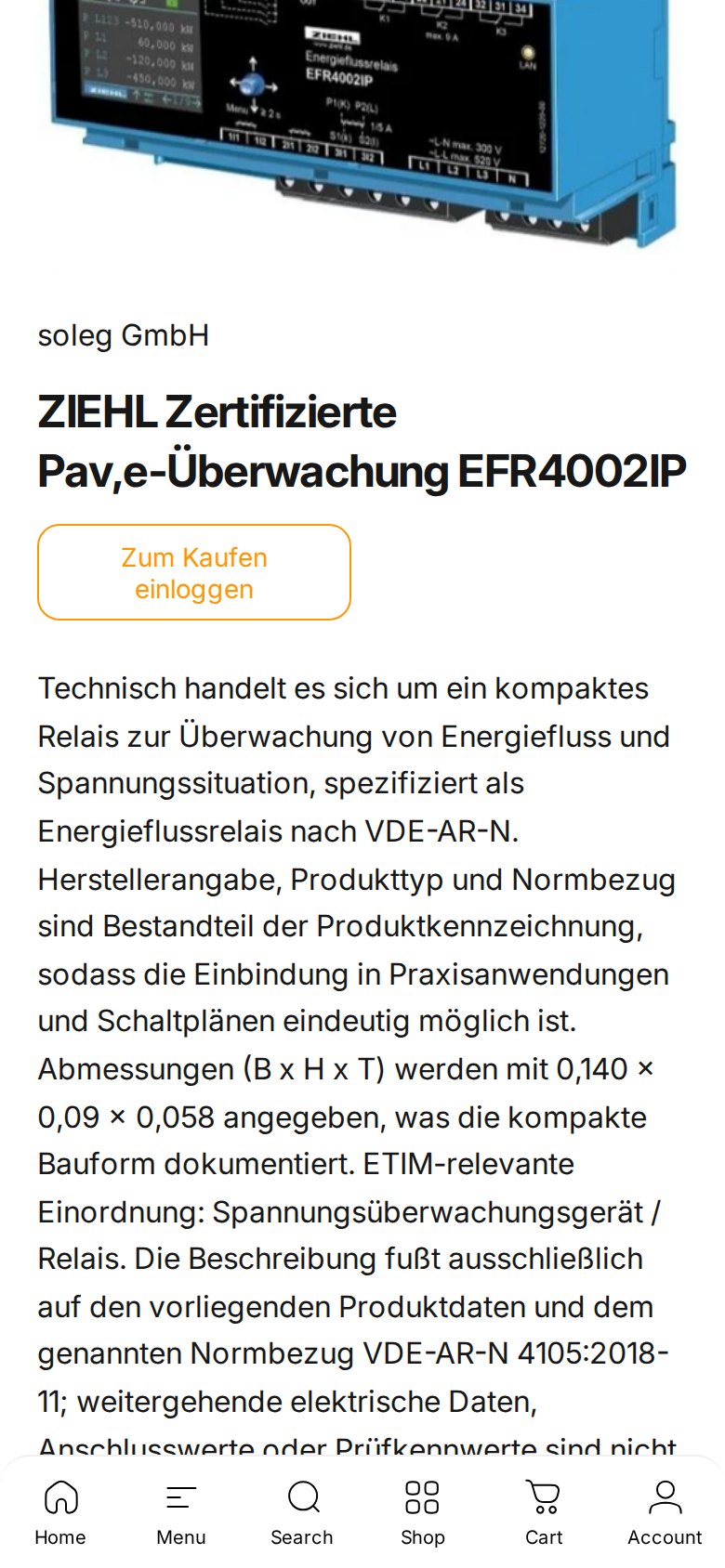
soleg’s footer states that all prices are net of VAT and exclude shipping costs, which is the convention for business customers in Germany. Visitors can browse every category, but the product card does not offer a price or a cart button. It offers a button labeled “Zum Kaufen einloggen” (translated: “Log in to buy”). A buyer therefore has one path forward: register, get approved, log in.
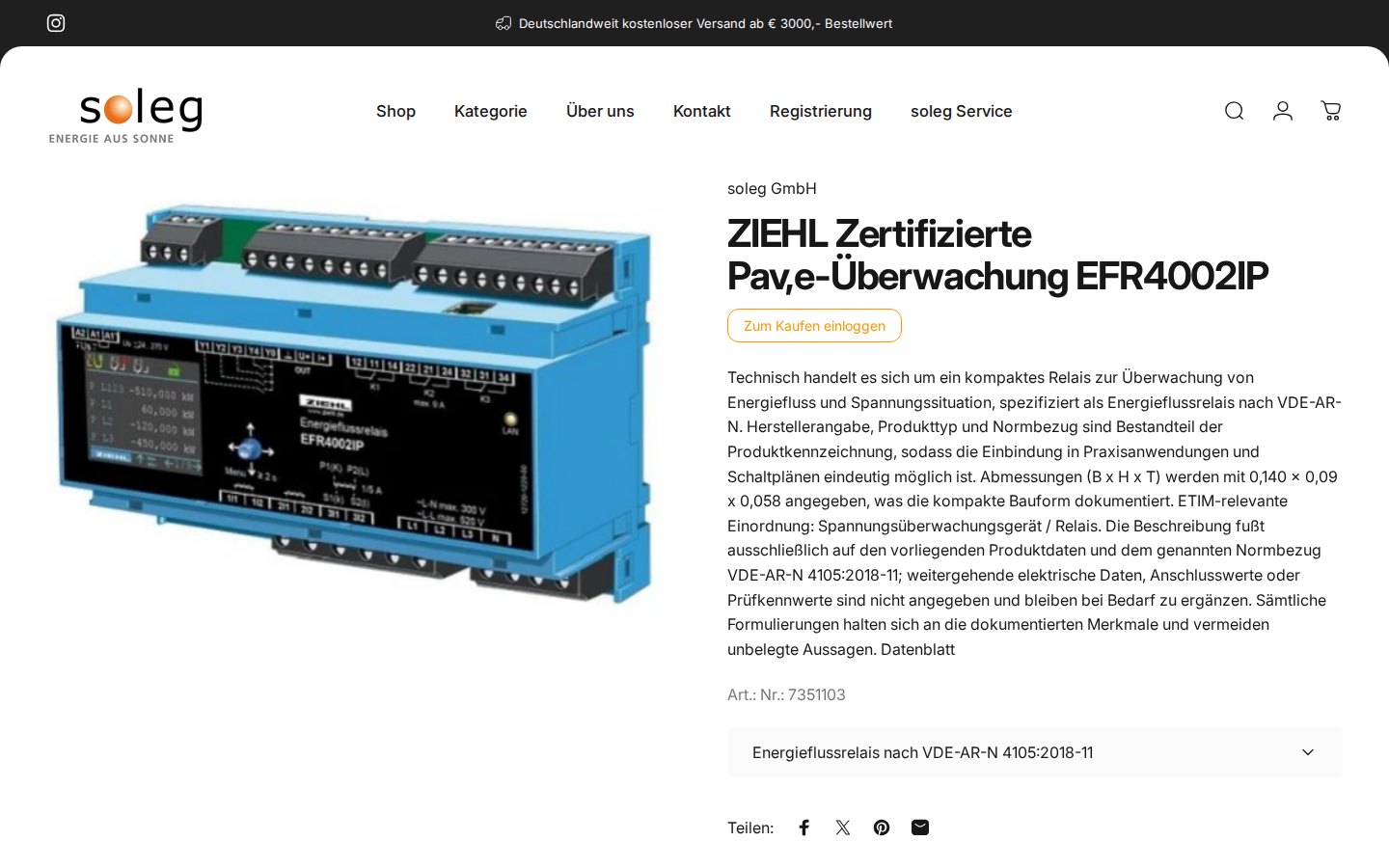
The product page is generous with technical detail. The description text gives dimensions, the standard the product refers to and the article number, and a variant selector is present. That makes sense for an audience of professionals who need to confirm a part number before they ask for terms. What stays private is the commercial layer: price and ordering.
Something unusual happens on the collection pages. When we opened an inverter category, a welcome dialog appeared with the headline “Willkommen bei soleg!”. In translation it says that the company has completely renewed its shop system, and that for security reasons existing customer accounts and passwords could not be carried over, so existing customers should register once more and can then use the shop as usual. A button, “Jetzt registrieren” (register now), leads straight to the form.
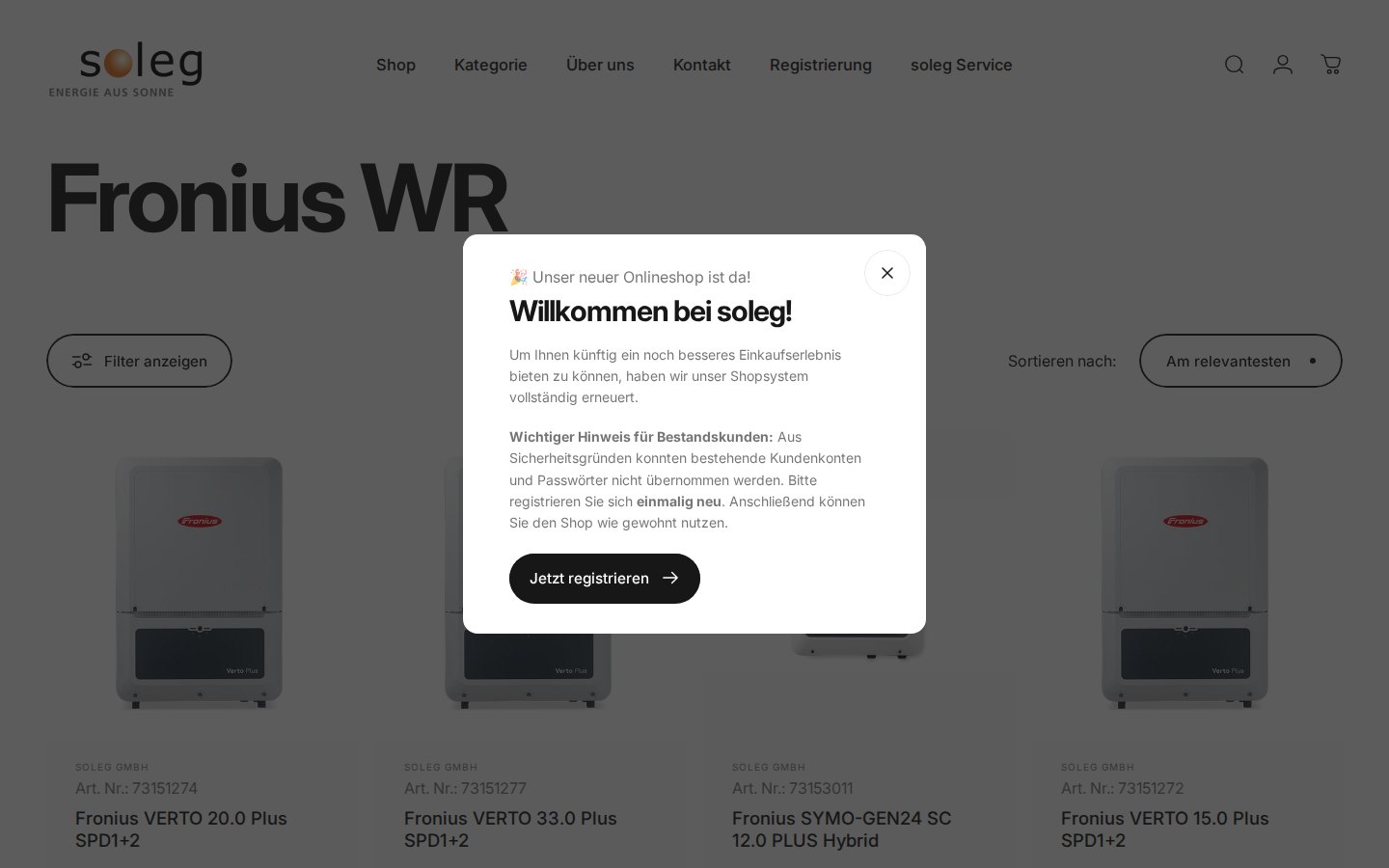
That dialog is a useful pattern for anyone migrating a B2B shop. Customers lose accounts when a platform changes, and the cheapest fix is a short, honest message at the point where they notice the problem, with a direct link to the registration form.
How the storefront handles wholesale
1. A registration form that creates the account
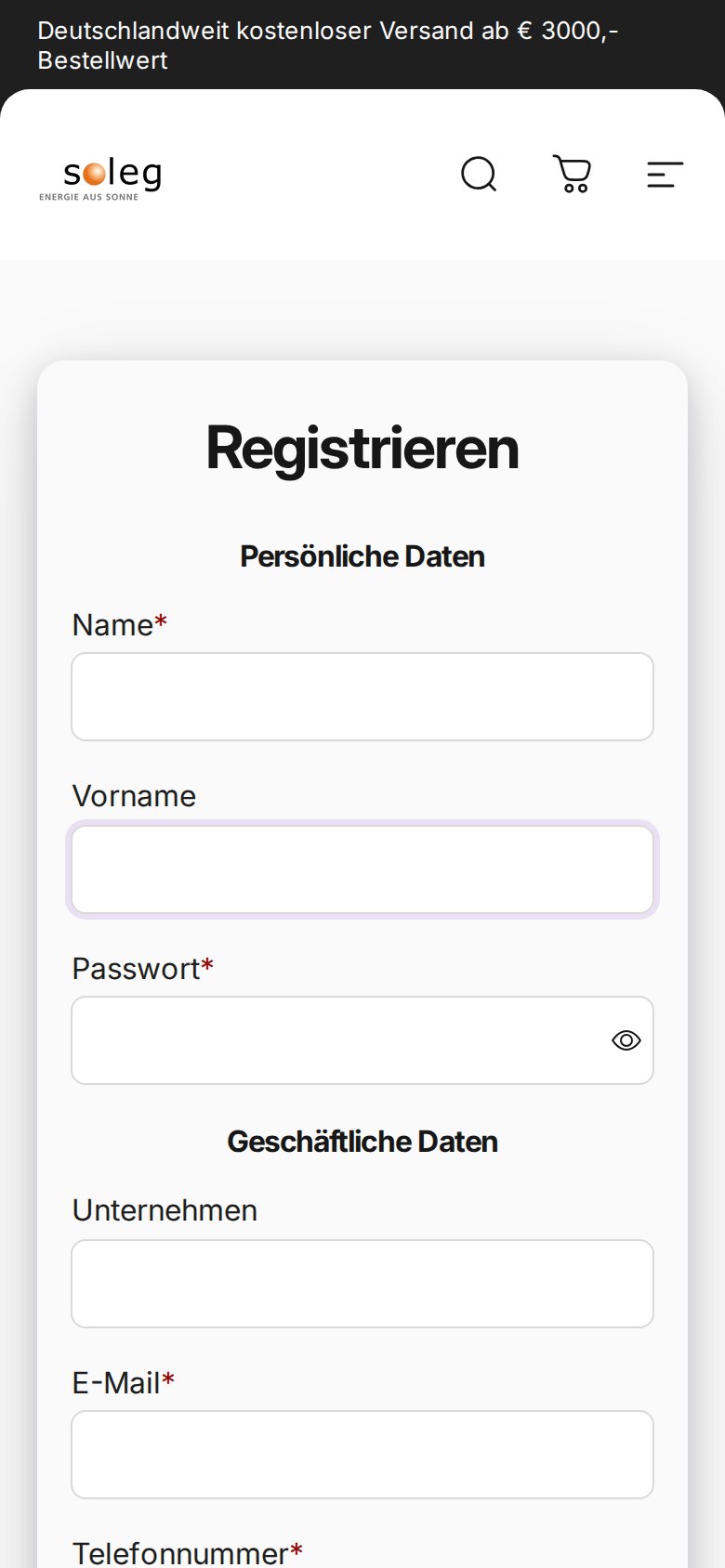
The registration page asks for personal data first (last name, first name and a password) and business data second (company, email, phone with a country selector, address, city, country, postcode and a VAT ID labeled “EU VAT”), followed by a privacy-policy consent checkbox and a submit button. The password field means that the form creates the customer account in the same step, so the buyer does not need a second sign-up after approval.
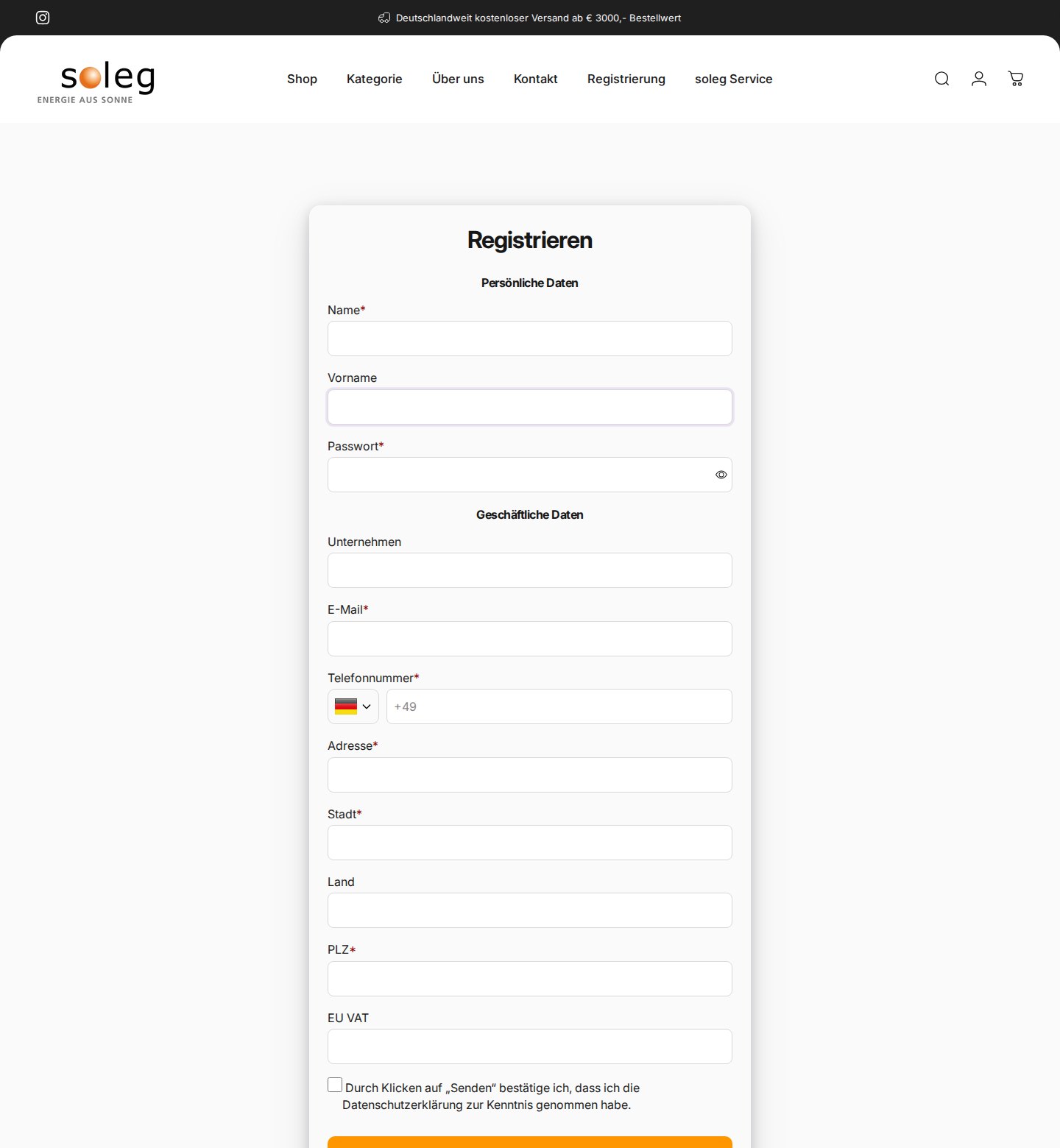
Production data for this store matches what the page shows. The form is active, it sends email notifications, it asks for privacy consent, and it assigns a customer tag to applicants. One conditional-logic rule exists but is switched off.
The confirmation after registration is also configured. One of the merchant’s public reviews says the BSS team helped add a button linking back to the homepage in the confirmation message that appears once the form is submitted. That is a small touch with a clear purpose: a new applicant does not end on a dead page.
2. Customer-group pricing, quantity rules and tags
The group prices live behind the login, so we cannot show them. What we can see is the configuration behind them. BSS B2B Solution has a set of enabled Custom Pricing rules. Most of them apply a percentage discount to customers who carry a specific tag, and one more rule applies to a specific customer. On top of that, the store uses volume pricing for logged-in customers, a quantity increment rule, a shipping rate rule, one rule with a minimum and one with a maximum order quantity, two tax display rules, two buy-one-get-one rules and an automatic tagging rule.
That combination fits the product. Inverters, modules and storage are bought in pallets, strings or sets, so increments and limits protect against wrong quantities. Tag-based discounts let the merchant maintain one price relationship per customer group instead of one per product. Automatic tags can move a buyer from one group to another based on activity, so the merchant does not have to re-tag by hand.
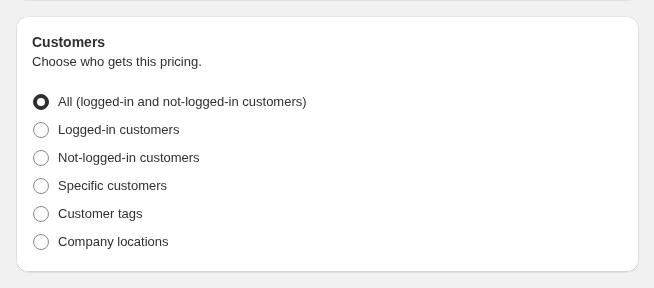
Customer tags are the simplest targeting method to reason about. You decide which tag stands for which price relationship (for example one tag per discount level), and every rule reads that tag. BSS customer targeting explains the options, and our use case on giving tagged wholesale customers special prices walks through a full setup. When several rules could match the same product, rule priority decides, and our guide on which B2B pricing rule wins shows examples.
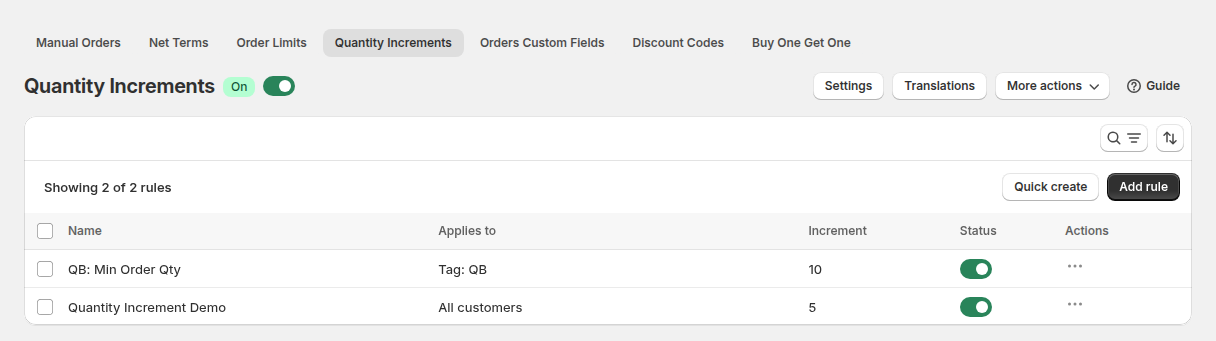
Quantity increments enforce purchase multiples such as packs or sets. See the use case on selling in case packs and multiples and the quantity increments guide.
3. Login to buy, handled by BSS B2B Lock
The “log in to buy” behavior on product cards matches BSS B2B Lock’s option to replace price and add-to-cart for visitors who do not meet a condition. The storefront loads Lock scripts, and one of the merchant’s reviews says the BSS team helped install B2B Lock, create customer tags and correct the linked pages. Lock rules live in a separate system that we did not query, so we describe the behavior we saw and what the review states rather than the rule settings. BSS documents the pattern in its guide on hiding prices from guest users.
Which BSS features power it
| Visible or configured | BSS feature | How we know |
|---|---|---|
| Registration form that creates the account, with consent and email notifications | BSS B2B Solution, Registration Form | Public form; form active in production data |
| Applicants receive a customer tag | BSS B2B Solution, tags on the form and Auto Tags | Tag setting on the form; one enabled auto-tag rule |
| Group discounts by customer tag | BSS B2B Solution, Custom Pricing | Enabled rules, most targeted by customer tag |
| Volume pricing for logged-in customers | BSS B2B Solution, Volume Pricing | One enabled rule |
| Purchase multiples and quantity limits | BSS B2B Solution, Quantity Increments and Order Limits | Enabled rules in production data |
| Prices stated net of VAT | BSS B2B Solution, Tax Display | Two enabled tax display rules; the footer states that prices exclude VAT |
| “Log in to buy” button instead of price and cart | BSS B2B Lock, hide price and add to cart | Storefront behavior, Lock scripts on the page, the review |
BSS B2B Solution and BSS B2B Lock are designed to work on the same customer tags. That is why the review about Lock mentions creating customer tags: the tag that Lock reads is the same tag that Solution’s registration form assigns and that Custom Pricing rules target. If you want the full pattern, read our use case on running a B2B-only store with all three apps and the combination guide.

What other merchants can copy
- Put registration in the main menu. soleg lists it next to Shop and Contact, so new buyers do not search for it.
- Replace the price with a clear action. “Log in to buy” tells a professional exactly what to do next.
- Use customer tags as the single source of truth. The form, the pricing rules and the lock all read the same tag.
- Add increments and limits for bulk goods. Pallets, strings and sets are easy to order wrongly.
- Show net prices when your buyers are businesses. A tax display rule keeps the VAT convention consistent.
- If you migrate, warn existing customers at the point of friction. A short dialog with a register button beats a flood of support tickets.
- Customize the confirmation step. Link the confirmation message back to the homepage so applicants do not dead-end.
The merchant’s reviews
soleg left two public five-star reviews on February 9, 2026, one for each app. Both are about support, and both describe concrete work. They are quoted as published, on the BSS B2B Lock reviews and the BSS B2B Solution reviews.
Ruby has helped us with installing the B2B Lock app, creation of customer tags and correction of the linked pages. She was really quick to response and we appreciate that!
soleg GmbH, public Shopify App Store review of BSS B2B Lock, 5 stars, February 9, 2026
Anne and Emma had helped me with creation of a linked button to my homepage in the message confirmation after customer registration form being filled.
soleg GmbH, public Shopify App Store review of BSS B2B Solution, 5 stars, February 9, 2026
The reviews are the merchant’s opinion. They confirm what the storefront suggests: Lock and the registration form were set up together, with tags as the link between them.
FAQ: building a trade shop with login-to-buy on Shopify
How do I replace the price with a login button on Shopify?
Use BSS B2B Lock to hide the price and the add-to-cart button for visitors who are not logged in or do not carry your trade tag, and show a login message or button in their place. soleg’s product cards follow this pattern.
Should the registration form create the customer account?
It can. BSS B2B Solution forms can create the account when the applicant submits, which is why soleg’s form asks for a password. Approval then changes what the account can see or buy, instead of requiring a second sign-up.
How do I give each customer group its own discount?
Create one Custom Pricing rule per group, target it at a customer tag and set a percentage discount. Assign the tag through the registration form or an auto-tag rule. Rule priority resolves overlaps.
How do I stop buyers from ordering partial pallets or odd quantities?
Use Quantity Increments for multiples and Order Limits for minimum and maximum quantity or amount. Both are BSS B2B Solution modules and can target customer groups.
What should I tell existing customers when I move my shop to Shopify?
Tell them early, in the shop, that accounts have to be created again and give them a direct registration link. soleg does this with a welcome dialog on collection pages.
Does a locked price hide it from search engines?
Not automatically. BSS B2B Lock has a separate option to hide the price from Google. Our use case on hiding prices from Google search results explains when to use it.
This store spotlight is based on soleg’s public website and its public reviews on the Shopify App Store, as of October 5, 2026. Screenshots show the public storefront with contact details masked. Configuration screenshots labeled “Example configuration” come from BSS documentation and do not show the merchant’s admin. soleg has not reviewed this article.