


Tolutions Supply is a Chicago-area supplier of decking, siding, ground screws, fasteners and shower systems, and its Shopify store has a “B2B Pricing” page for licensed contractors. Anyone can shop at list price, while approved contractors apply through a signup form and see their own prices after login. This spotlight shows how that works on the public storefront.
At a glance
- Store: Tolutions Supply, Lombard, Illinois (Chicago area), building materials and contractor supplies
- Model: hybrid. List prices are public, wholesale and contractor pricing is for approved accounts
- How contractors get in: a “B2B Pricing Signup” form, reviewed manually, with a published FAQ
- What changes after approval: the buyer logs in and sees discounted pricing in the catalog
- App named in the merchant’s review: BSS B2B Solution
About Tolutions Supply
Tolutions Supply says it was born from more than 30 years of its founder’s experience on job sites, sourcing, testing and installing building materials. Its pitch is a curated catalog of high-performance materials that contractors cannot easily find in big-box stores, with transparent contractor pricing, nationwide shipping and a focus on sustainable, low-VOC products. The company is located in Lombard, Illinois, and it states that it partners with a sister contractor company for installation work.
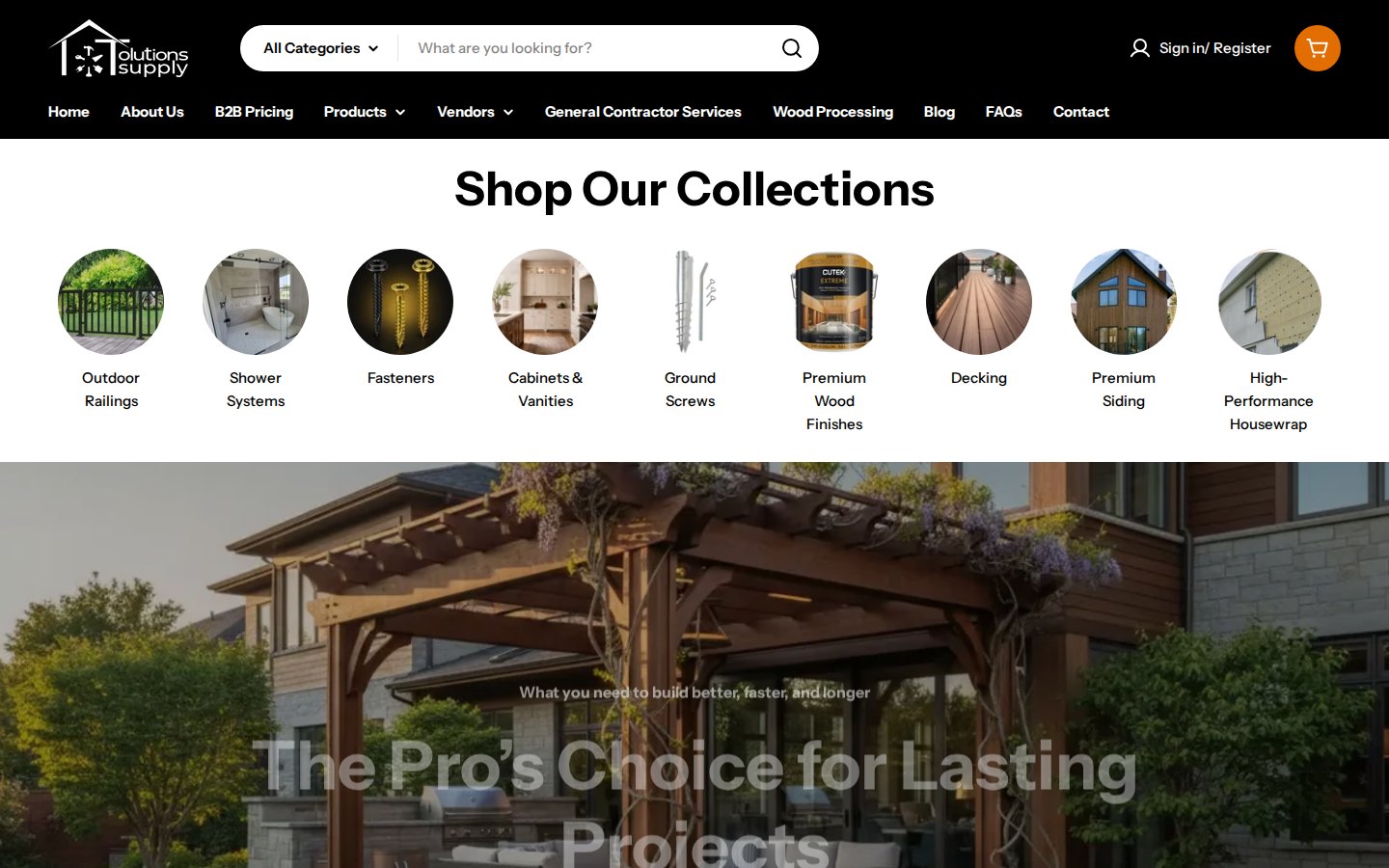
The catalog shows the range: outdoor railings, shower systems, fasteners, cabinets and vanities, ground screws, premium wood finishes, decking, siding and high-performance housewrap, plus installation tools, heaters and wood processing. The vendors menu lists the manufacturer brands, and collections exist for brands such as American Ground Screw, KurbX, Cutek and Armadillo. For an audience of builders, this is a typical long-tail catalog: many specialized SKUs, each bought by a small number of professionals.
Their B2B model: public list prices, contractor pricing by application
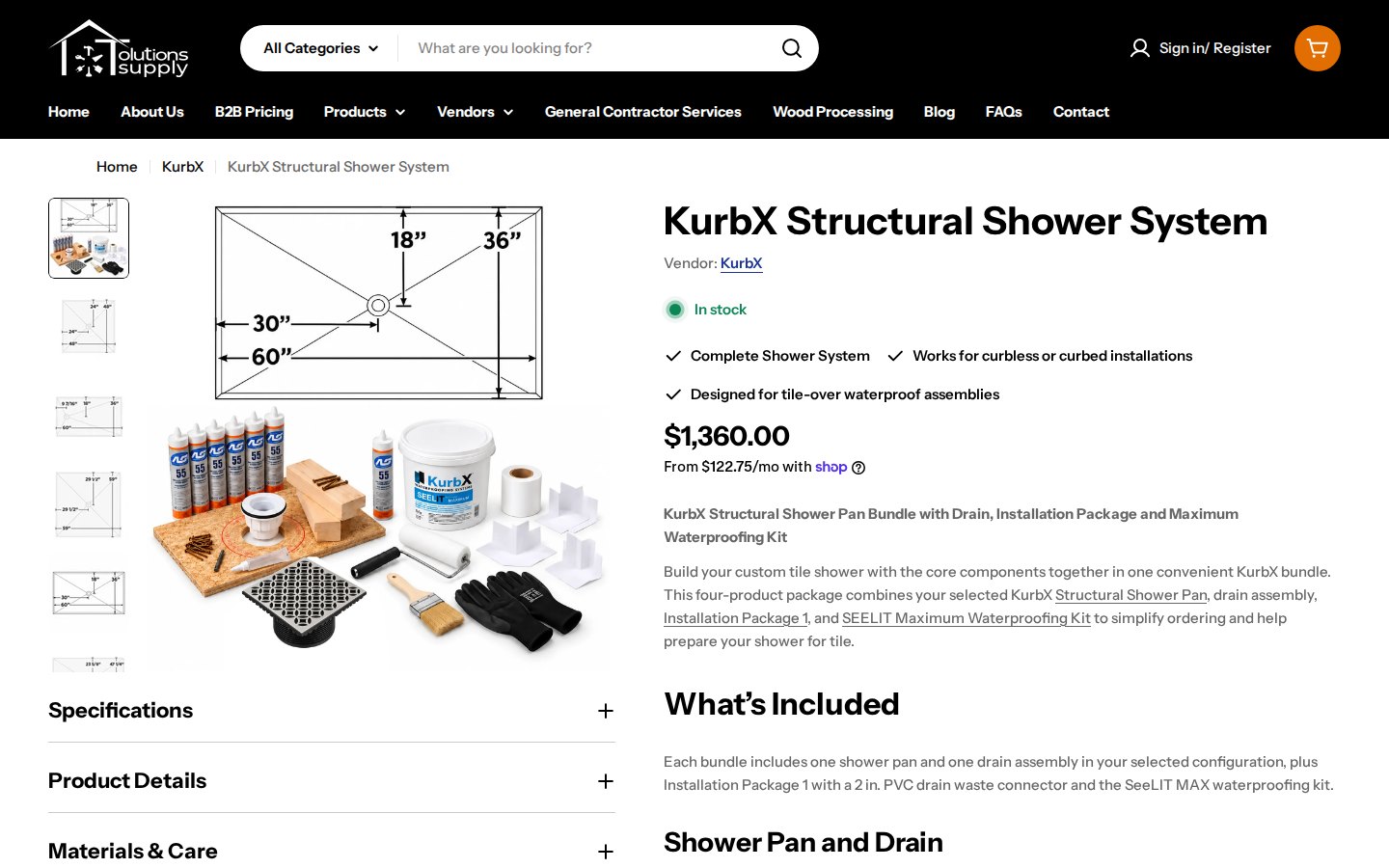
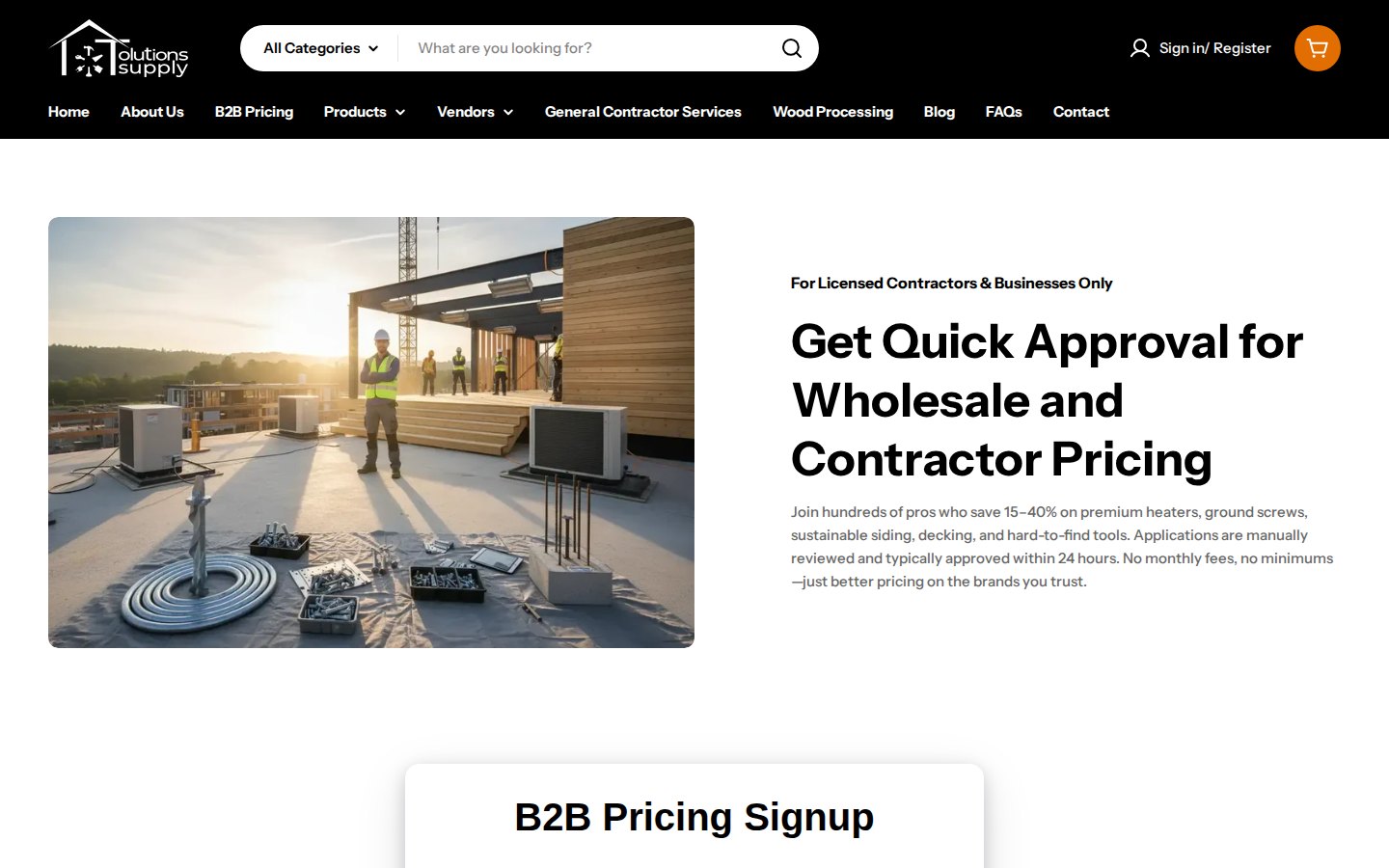
Tolutions Supply does not hide its prices. A product such as a structural shower system shows its list price and a Shop Pay installment option to any visitor. What it adds is a dedicated path for professionals. The B2B Pricing page opens with the line “For Licensed Contractors & Businesses Only” and the headline “Get Quick Approval for Wholesale and Contractor Pricing”, and the header carries a “Sign in / Register” link.
The page explains the program before it asks for anything, and it publishes the terms. Applications are manually reviewed and typically approved within 24 hours, there are no monthly fees and no minimums, and the store states that approved accounts see discounted pricing across the catalog once logged in. It also states that savings depend on the product category and order volume. These are the merchant’s own statements on its public page, and they set clear expectations for an applicant.
How the storefront handles wholesale
1. A short signup form
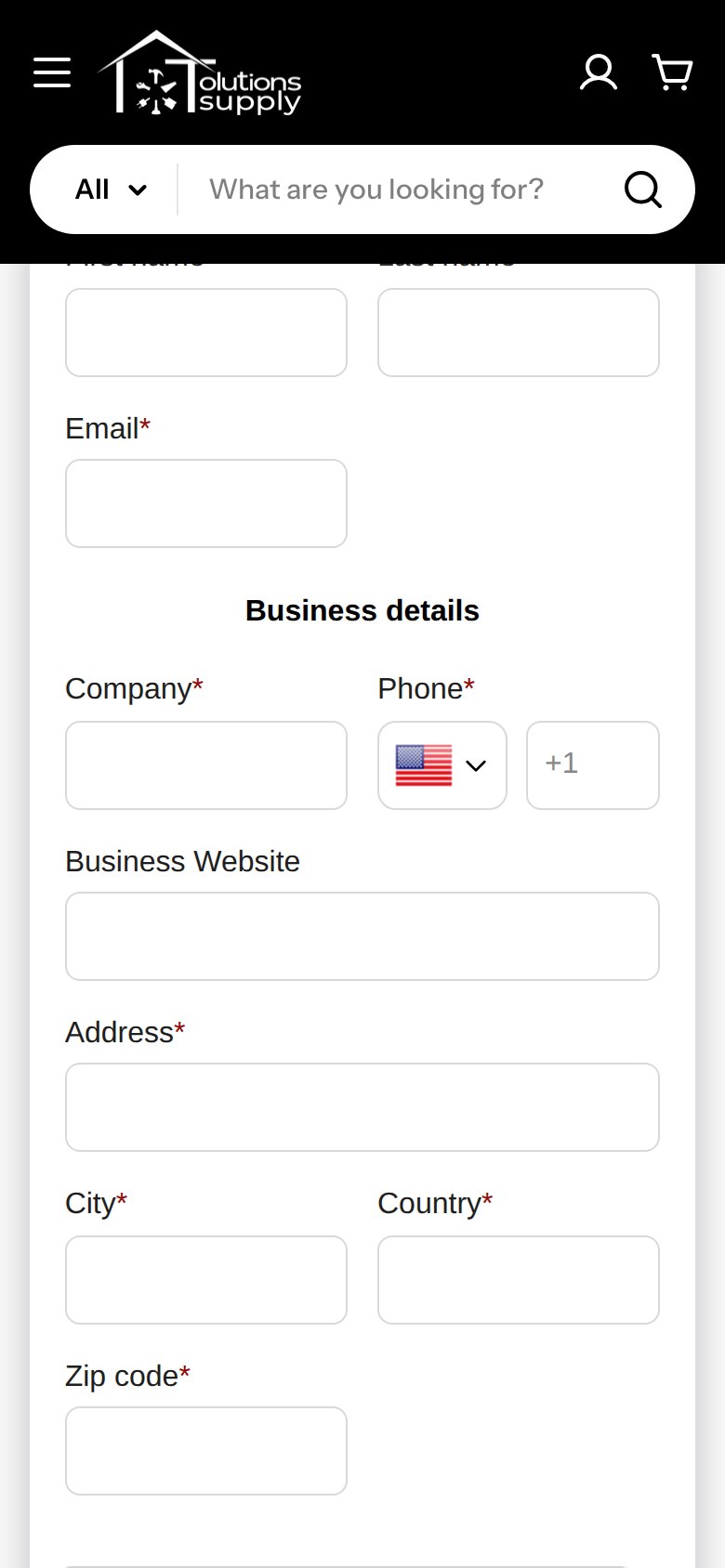
The “B2B Pricing Signup” form is deliberately short: first name, last name and email, then business details (company, phone, business website, address, city, country and zip code), with a reCAPTCHA check above the submit button. It does not ask for a password. The FAQ tells applicants that a business license, contractor license or tax ID is needed, so the merchant verifies credentials in the review rather than collecting documents in the form.
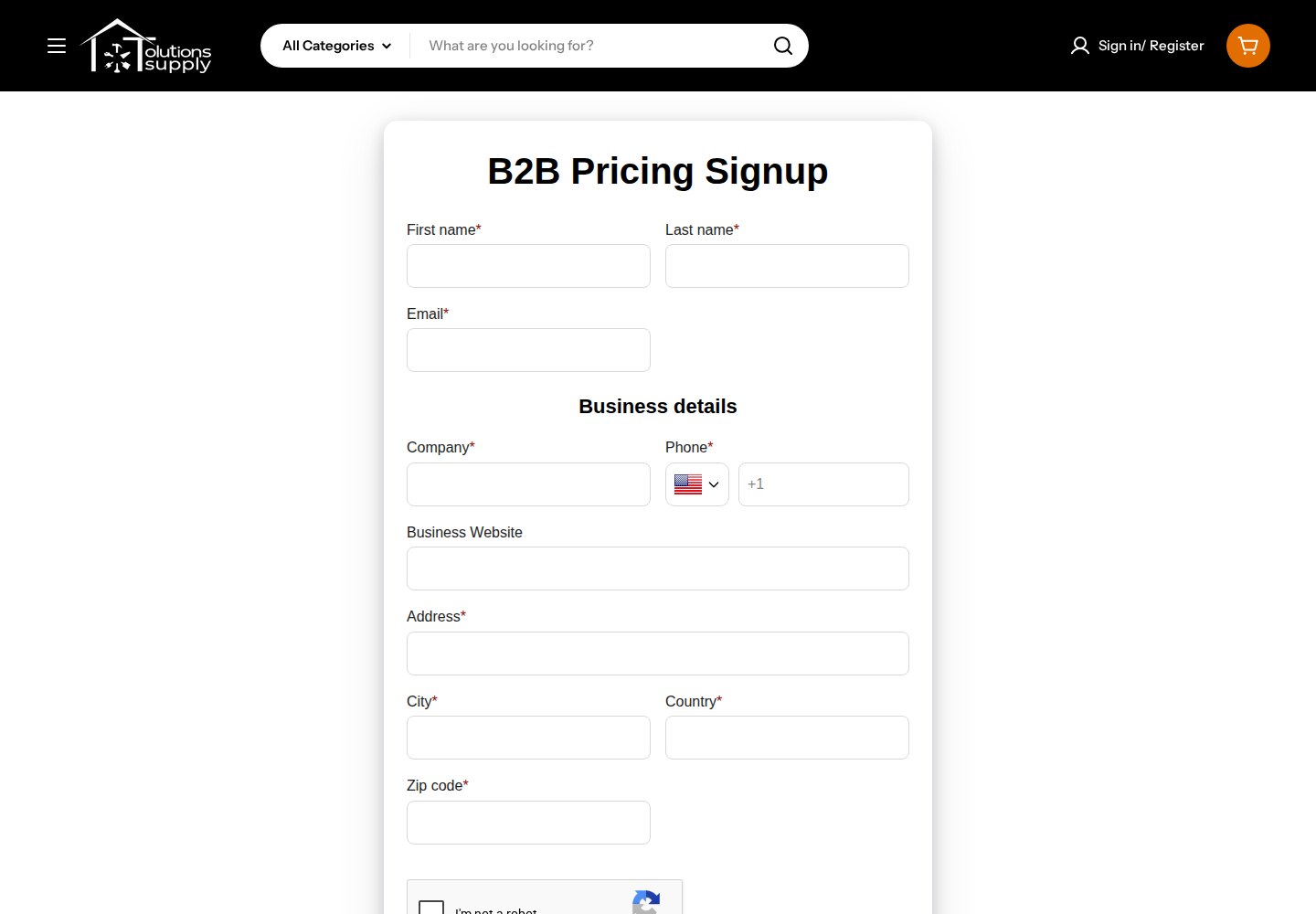
Production data for this store matches the page. The form is active, it has spam protection on, it sends email notifications, it assigns a customer tag to applicants, and it accepts applicants who already have a customer record. The tag is what the pricing rules read later. The merchant’s FAQ also promises an immediate confirmation email, which is the notification the form sends.
2. An FAQ that does the qualifying
Below the form, a set of expandable questions answers what a contractor wants to know before applying: who qualifies, how long approval takes, what discounts to expect, whether there are minimums or monthly fees, whether a business license is required, which products are included, whether resale is allowed, whether the store ships nationwide, how pricing compares to big-box stores and what happens after applying.
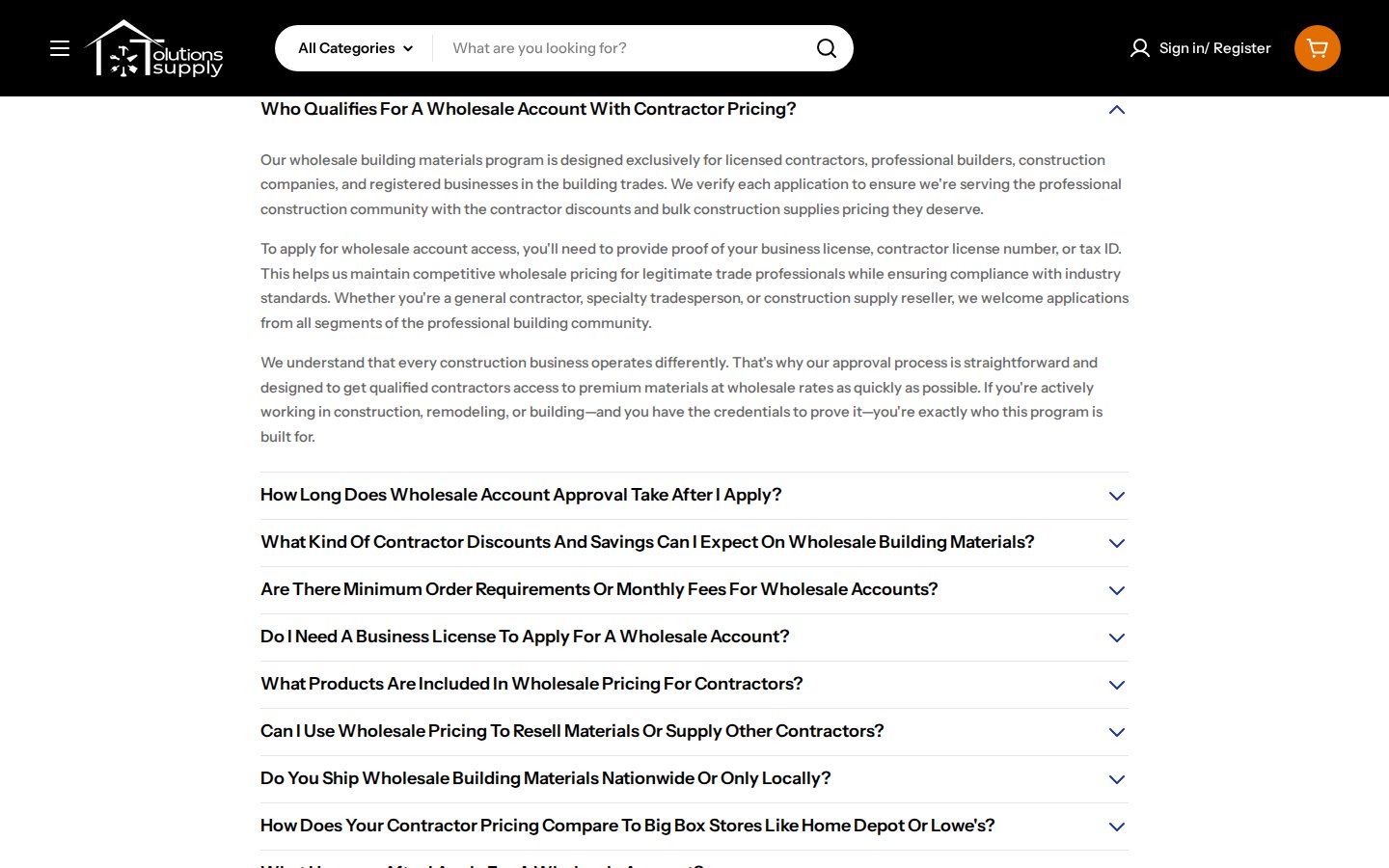
This FAQ does two jobs. For buyers, it removes the main objections to applying. For search, each question is phrased the way a contractor would type it, which is a good pattern for a B2B pricing page. We would add one caution for merchants who copy it: keep claims such as comparisons with other retailers within what you can support, since they are your statements on your page.
3. Pricing rules after login
Prices after approval live behind the login, so we cannot show them. In production data for BSS B2B Solution, installed in November 2025, the store has a set of enabled Custom Pricing rules that apply a percentage discount to customers with specific tags, mostly limited to chosen collections and in one case to product tags, plus a further rule for logged-in customers on a collection. It also has a volume pricing rule for tagged customers across all products and a quantity increment rule at product level with a minimum quantity. Several other Custom Pricing rules exist but are switched off, which is normal for a store that tests its setup.
The merchant’s review confirms the picture: “We use most pricing modules, including custom.” For a catalog with many vendors, collection-level percentage rules are practical. A contractor tag might get one percentage on decking and another on fasteners, and volume rules reward larger project orders.
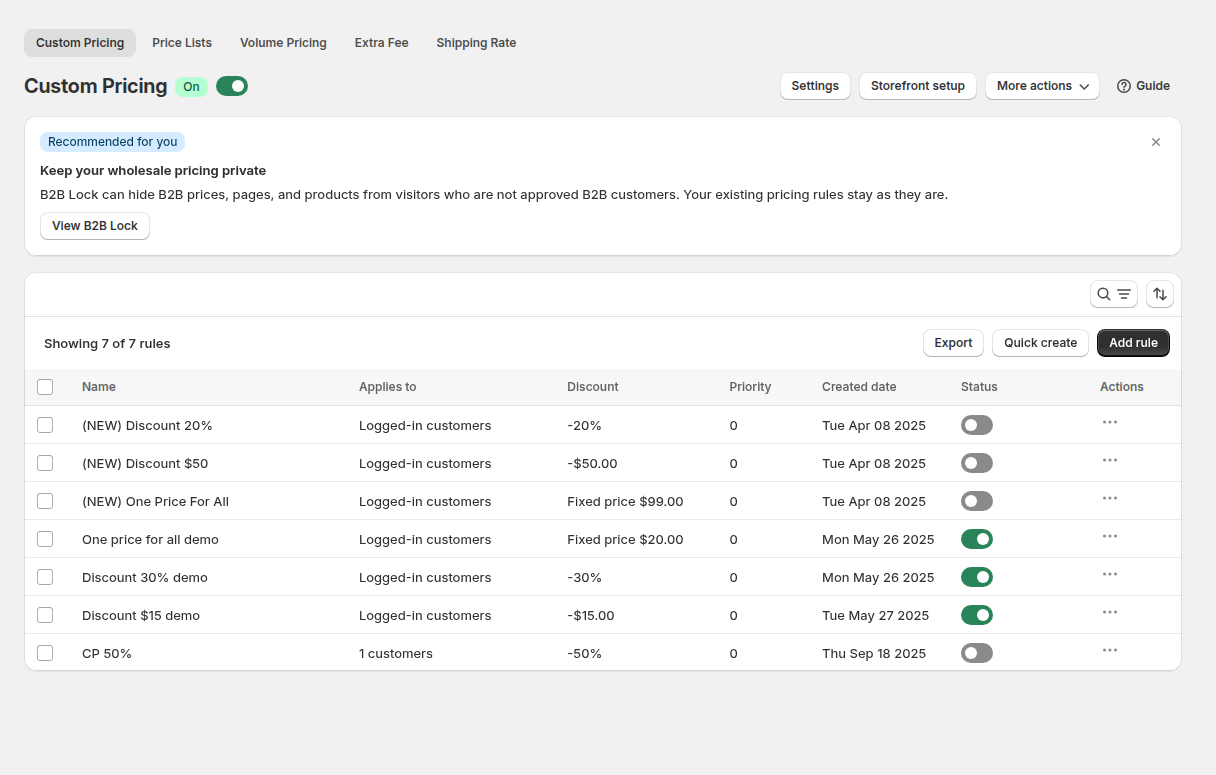
Read the BSS guide on setting unique prices for wholesale customers and our use cases on wholesale discounts by collection or product tag and silver, gold and platinum wholesale tiers with tags. When rules overlap, rule priority decides which one applies.
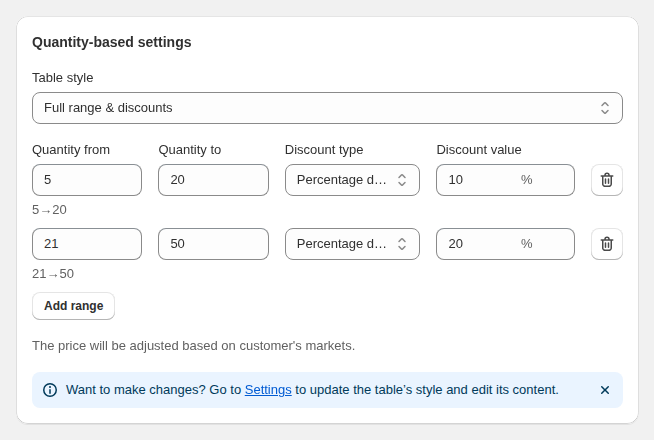
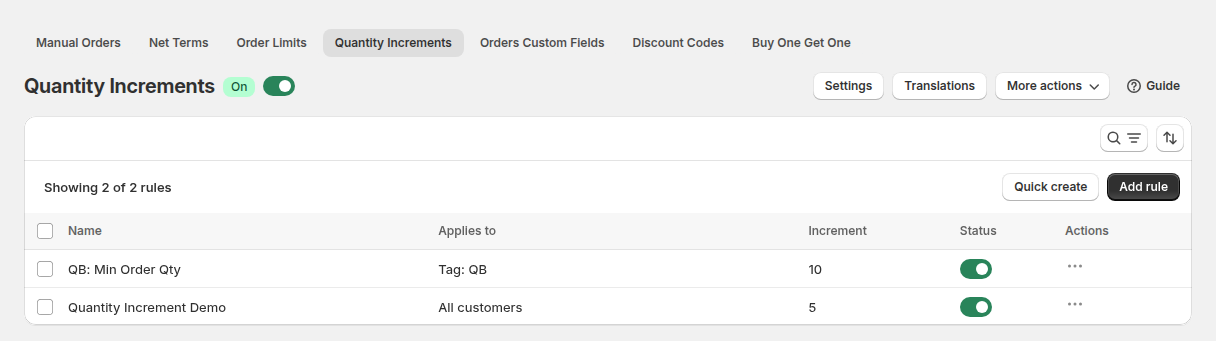
Volume tiers and quantity increments suit a materials supplier. Tiers turn “the more you order, the better your pricing” into a visible table, as the store’s FAQ promises, and increments keep orders of boxed items to sensible multiples. See tiered pricing and quantity breaks and selling in case packs and multiples.
Which BSS features power it
| Visible or configured | BSS feature | How we know |
|---|---|---|
| B2B Pricing Signup form with captcha and email notifications | BSS B2B Solution, Registration Form | Public form; form active in production data |
| Applicants tagged, existing customers allowed | BSS B2B Solution, tags on the form | Form settings in production data |
| Percentage discounts for tagged contractors by collection | BSS B2B Solution, Custom Pricing | Enabled rules targeted by customer tag |
| Volume discounts for tagged contractors | BSS B2B Solution, Volume Pricing | One enabled rule for tagged customers |
| Purchase multiples with a minimum | BSS B2B Solution, Quantity Increments | One enabled product-level rule |
The sequence is simple and repeatable: the form tags an applicant, the merchant reviews and approves, and pricing rules read the tag. For the full step-by-step pattern, see our use case on a wholesale registration form with approval and the BSS guide on managing, approving and notifying wholesale customers.
A contractor’s path on this kind of setup
The steps below are illustrative. They combine what the public pages state with what the configuration data shows, and they are not a record of any real order.
- Research. A contractor finds a ground screw, a decking line or a shower system through search and sees a public list price on the product page.
- Qualification. The B2B Pricing page answers the first questions: who qualifies, how long approval takes, whether there are minimums or monthly fees and which documents count as proof of a business.
- Application. The contractor fills in the short signup form. The form assigns a customer tag and the merchant receives an email notification.
- Review. The merchant checks a license or tax ID, typically within a day according to its FAQ, and approves the account.
- Ordering. After login, Custom Pricing rules read the tag and apply a percentage per collection. Volume pricing and quantity increments shape larger project orders.
The long-tail nature of a building materials catalog explains why tags and collections matter. With many vendors and product families, a merchant cannot maintain a price per product for every customer group. One rule per collection and tag keeps the setup manageable, and a new product that joins an existing collection inherits the discount without any extra work.
What other merchants can copy
- Give contractors a page of their own. A “B2B Pricing” menu item with a headline, a form and an FAQ converts better than a footer link.
- Publish your review time. “Typically within 24 hours” tells an applicant what to expect, as long as you keep it.
- State your minimums and fees. If there are none, say so. It removes the most common objection.
- Keep the form short. Contact and business details are enough when you verify credentials by email or phone.
- Write the FAQ in your buyers’ words. Each question can double as a search query.
- Discount by collection or vendor. It maps to how contractors think about product groups.
- Test rules before switching them on. Keeping some rules disabled while you try them is a safe way to refine pricing.
The merchant’s review
Tolutions Supply published a five-star review on May 8, 2026, after about six months of use, on the BSS B2B Solution reviews. It includes a candid note about the interface, which we quote in full.
support is solid. the product does exactly what I need it to do. We use most pricing modules, including custom. I do think the UI could be more intuitive, but once it’s set it works as intended. So they get 5 stars for this reason. I’ve had to use support a couple three times and each time their response time is super quick and my challenges are solved. So hats off to this.
Tolutions Supply, public Shopify App Store review of BSS B2B Solution, 5 stars, May 8, 2026
We include the comment about the interface because it is part of the review, and it is useful for readers: the app has many modules, and once rules are configured they keep working. If you are setting up for the first time, the BSS onboarding guide is the quickest way in.
FAQ: contractor pricing on a Shopify store
Can I show list prices to everyone and still offer contractor pricing?
Yes. Keep prices public, then use BSS B2B Solution Custom Pricing to give tagged customers a percentage or fixed discount. Tolutions Supply shows list prices and gives approved contractors discounted pricing after login.
How do I approve contractors and tag them?
Publish a BSS B2B Solution registration form, set the tag it assigns and review applications in the app. Approving an application activates the tag, which the pricing rules read.
How do I give different percentages to different product groups?
Create one Custom Pricing rule per collection, target the same customer tag, and set the percentage for each. Rule priority decides which rule applies when more than one matches.
Can I reward larger orders?
Yes. Volume Pricing lets you define quantity ranges with a discount for each range, and you can limit the rule to customers with a tag.
What should the signup form ask for?
Keep it short. Contact details, company, business website and address are enough if you check licenses or tax IDs during review, as Tolutions Supply does.
This store spotlight is based on Tolutions Supply’s public website and its public review on the Shopify App Store, as of October 5, 2026. Screenshots show the public storefront with contact details masked. Configuration screenshots labeled “Example configuration” come from BSS documentation and do not show the merchant’s admin. Statements about approval times, discounts and terms are Tolutions Supply’s own and have not been verified by BSS. Tolutions Supply has not reviewed this article.