
Checkout is not converted
Buyers pay in your store currency, or in the currency Shopify Markets sets. The module changes what they see, not what they are charged.
BSS B2B Solution: Multi-currency
The Multi-currency module in BSS B2B Solution shows storefront prices, including B2B prices, in a currency the buyer picks from a switcher, converted at Shopify's exchange rate with optional rounding. It is display only. Checkout stays in your store or Markets currency. There are no fixed prices per currency. It needs the Advanced or Platinum plan.
Setup has four parts: turn the module on, give the app your money format, choose currencies and look, and check the storefront.
In the app, go to B2B Tax & Currency > Multiple Currency and switch the module on.
The app finds prices on your pages through your store's money format. In the Manual Installation section, click Open Edit Money Format Window, or go to Shopify Settings > General > Store currency > Change formatting. Paste the two values the app shows into HTML with currency and HTML without currency, save, then click Verify Currency Setting in the app.
In Online Store > Themes > Customize > App embeds, make sure the B2B Solution embed is on. Without it the switcher never appears.
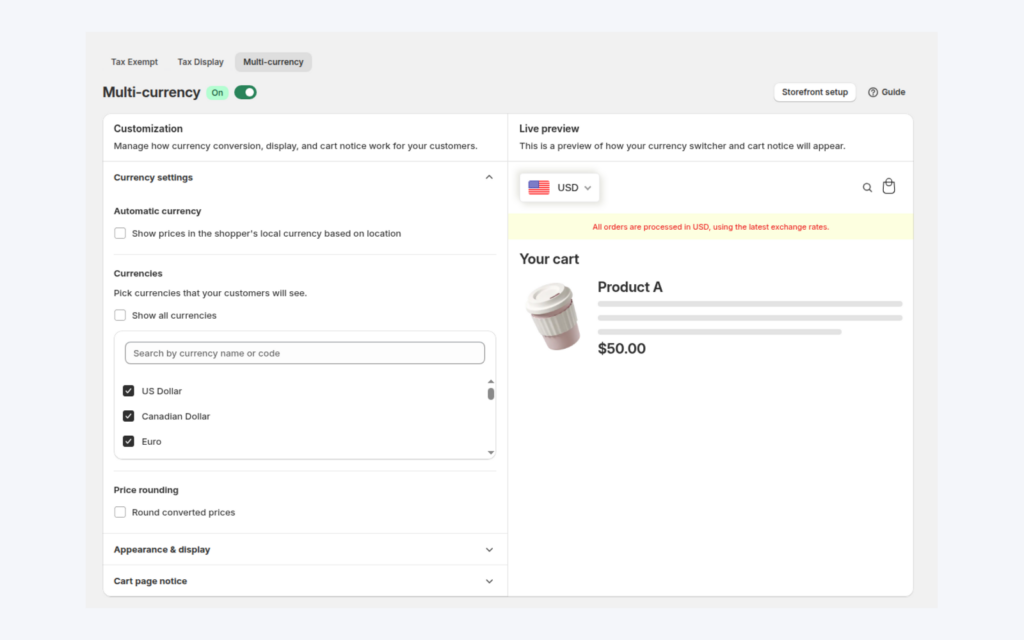
Pick the currencies buyers can choose, or show all. Your store currency is always included. Tick automatic currency to switch a first-time visitor to the currency of their location when it is in your list. Turn on rounding to remove decimals (for example 18 euros) or round to a set decimal (18.00 euros).
Choose whether the bar shows a flag and currency or currency only, the colors, and where it sits on mobile and desktop. Tick Show Notification on Cart Page and edit the text. Use `[checkout_currency]` for your store currency. Click Save, because the switcher only shows after you save.
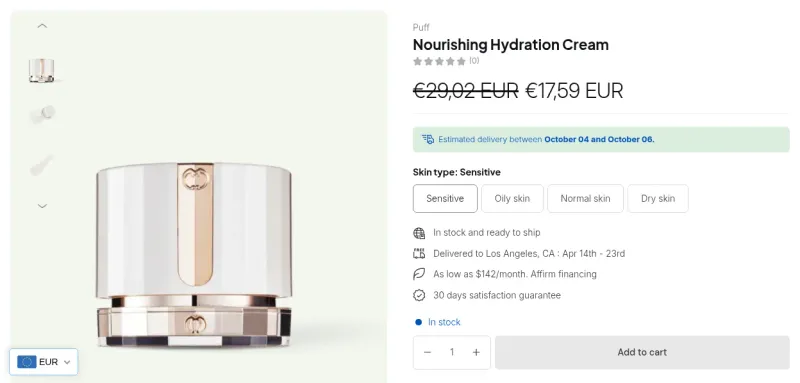
Open the store, use the switcher and compare a product in two currencies. Cart totals and B2B prices convert too.
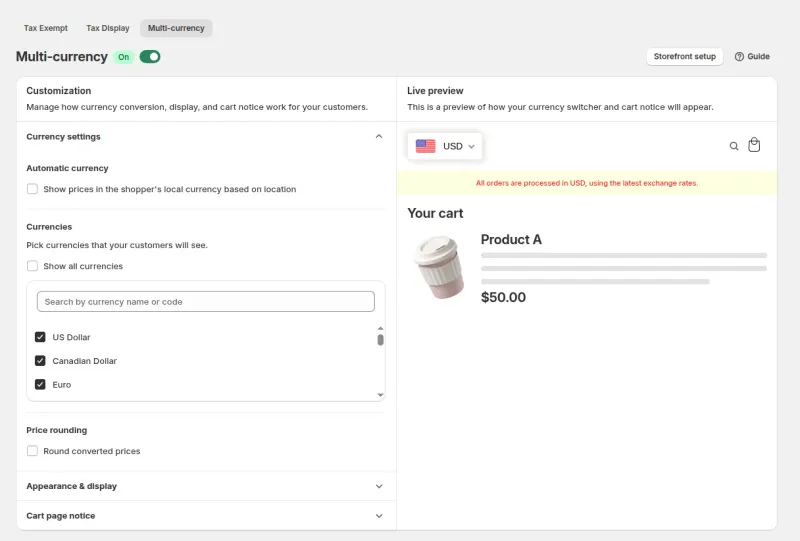
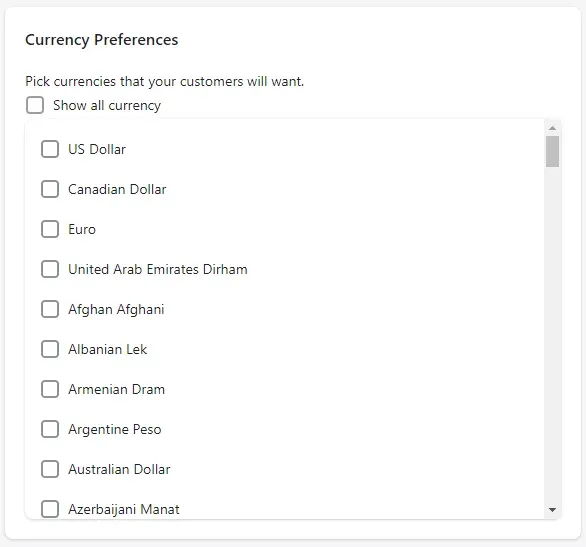
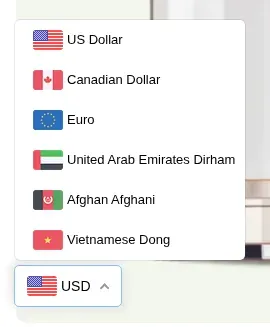
Turn on the Multi-currency module on an Advanced or Platinum plan. The listing shows a 14-day free trial on paid plans.
The module takes the price in your store currency and multiplies it by Shopify's exchange rate for the selected currency. On the storefront it uses the theme's currency conversion script. A product at $100 with EUR and GBP enabled shows the euro and pound equivalent at current rates, and the buyer still pays $100 at checkout.
B2B prices follow the same path. A Custom Pricing price of $20.00 against an original $33.00 shows as converted amounts for both when the buyer switches to euros. Cart totals convert too. Pricing rules can also target a Shopify Market, and the discount logic uses the market's rate when it converts a fixed price.
| Setting | Options | Notes |
|---|---|---|
| Currencies | Show all, or pick from a list | Your store currency is always included. |
| Automatic currency | On or off | Switches a first-time visitor to the currency of their location, if it is in your list. |
| Price rounding | Remove decimals, or round to decimal | Applies after conversion. Optional. |
| Currency bar design | Flag and currency, or currency only; colors; shadow | Set on the Appearance and display settings. |
| Device settings | Mobile and desktop, six positions | Top, center or bottom, left or right. |
| Cart page notice | Text with a checkout currency placeholder; colors | Tells buyers which currency they pay in. |
Source: the BSS user guide for Multi-currency, checked October 9, 2026.
Buyers pay in your store currency, or in the currency Shopify Markets sets. The module changes what they see, not what they are charged.
Prices are stored in the store currency and multiplied by the exchange rate. You cannot enter 19.00 euros as a separate price.
The module converts at Shopify's exchange rates.
Advanced or Platinum. Essential does not include the module. Free gets it on development stores only.
The money format edit is required once, because the app finds prices on your pages through it.
The switcher only appears when the B2B Solution app embed is on in the theme.
If you use Shopify Markets, checkout follows the Markets currency. Custom Pricing, Price List and Volume Pricing rules can also target a region market, so a price can differ by region while the currency display stays a display layer. Wholesale prices per market shows that setup.
Because the rules store one price in the store currency, plan your prices in that currency first, then let the module show the conversion. The cart notice keeps buyers from expecting to pay in the displayed currency.
A merchant that sells wholesale to buyers in several countries and wants them to read prices in their own currency, while the store keeps one checkout currency. If you need fixed prices in each currency or checkout in the buyer's currency, check what Shopify Markets offers for your store instead of relying on this module.
Multi-currency is on the Advanced and Platinum plans. On the Shopify App Store listing, as of October 9, 2026, Advanced is $49 per month and Platinum is $99 per month, with 10% off on yearly billing and a 14-day free trial on paid plans.
Each use case shows one setup with screenshots. Browse all use cases.
Cross-border buyers want prices in their own currency. The Multi-currency module adds a currency switcher and converts B2B prices for display at Shopify's rate, while checkout stays in your store currency.
Explore use case: Show Wholesale Prices in the Buyer Currency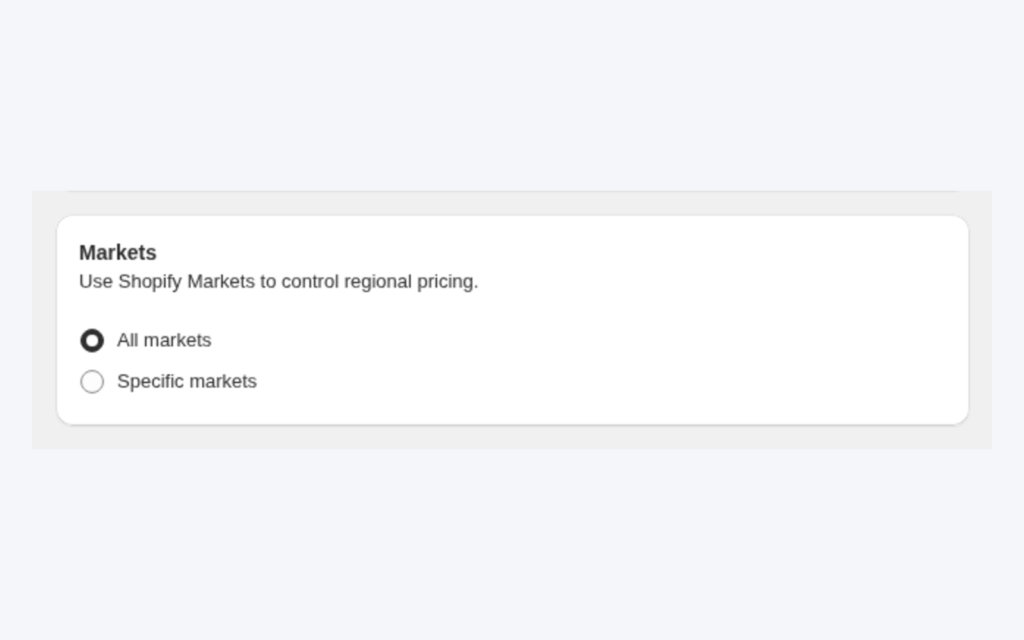
The same buyer group sometimes needs different prices in different countries. Custom Pricing and Price List rules can be limited to specific Shopify Markets, and customer targeting narrows who sees them.
Explore use case: Wholesale Prices per Country With Shopify MarketsEach topic has one page that owns it. Start from these.
Custom pricing, price lists and quantity breaks.
Wholesale prices at the counter.
Show business buyers their own prices with price lists, custom pricing and quantity breaks.
Price listCustomer-specific pricing
Each feature has its own page. See also all BSS B2B Solution features.
Add or remove customer and order tags when a Shopify event matches your rules, so tag-based prices and access follow the buyer.
Give wholesale buyers a private code they enter in the cart, with rules for who can use it, what it covers and how often.
Read and write B2B pricing rules, registrations and customer lookups from your ERP or PIM with one API key.
Add a handling fee by quantity or amount, and set wholesale shipping rates by customer, product, market and weight.
Build a Shopify draft order for a customer in the admin, with their wholesale prices already applied.
The B2B Price tile in Shopify POS shows the wholesale discount for the cart. Staff apply or remove it from the tile.
Install BSS B2B Solution from the Shopify App Store, with a 14-day free trial on paid plans.
Also: BSS B2B Lock for hidden prices for guests and BSS B2B Quote for quotes and quick order.
No. The Multi-currency module is display only. Buyers pay in your store currency, or in the currency set by Shopify Markets if it is on. A cart notice can tell buyers which currency they pay in.
No. Prices are stored in your store currency and multiplied by Shopify's exchange rate. There are no per-currency fixed prices in the app.
Advanced or Platinum. As of October 9, 2026 the App Store listing shows Advanced at $49 per month and Platinum at $99 per month.
Yes. Custom Pricing prices, Volume Pricing tables and cart totals convert with the same exchange rate, so a $20.00 price shows as the euro equivalent when the buyer picks euros.
Check that the B2B Solution app embed is on under Online Store, Themes, Customize, App embeds, and that you finished the money format step and clicked Verify Currency Setting.
Feature behavior follows our review of the BSS B2B Solution app code on October 3, 2026 and the BSS user guides, and where the guides and the code differ we follow the code. Prices and ratings come from the App Store listing on the date shown. We make BSS B2B Solution, BSS B2B Lock and BSS B2B Quote.