
Platinum only
Public API access needs the Platinum plan on a live store, or Enterprise on a legacy plan. One key per store.
BSS B2B Solution: Public API
The Public API in BSS B2B Solution lets your ERP, PIM or custom tool create, update and delete Custom Pricing, Volume Pricing, Price List and Discount Code rules, handle registration forms, and look up customers, products and collections. It needs the Platinum plan on a live store and one API key per store. There is no orders endpoint.
You set up the key inside the app. The calls themselves are made by your developer or integration partner, using the endpoint pages in the user guide.
The Public API needs the Platinum plan, or the Enterprise plan on a legacy plan. The key cannot be created on other plans.
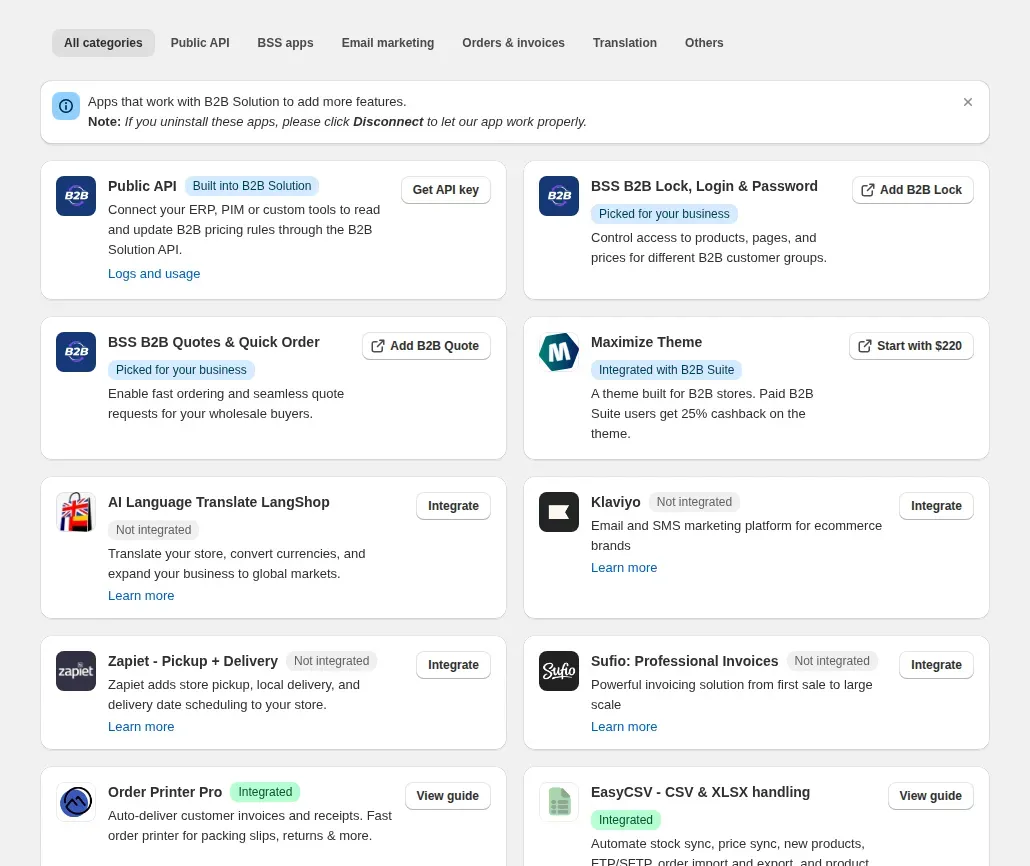
In the app menu, click Integrations and find the Public API card. Click Get API key.
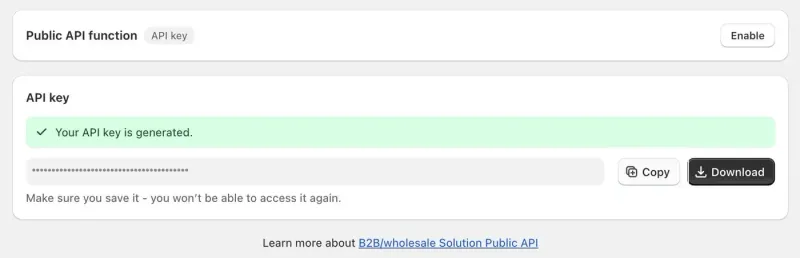
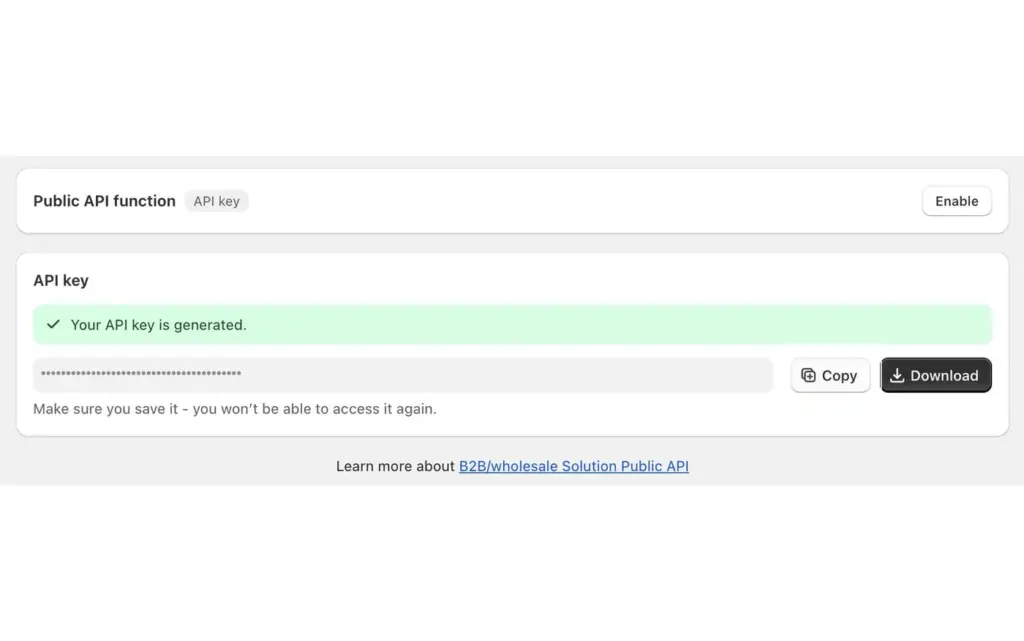
Generate the key, then click Copy or Download straight away. The app shows it once. Treat it like a password: anyone who has it can read your B2B data and call the write endpoints.
The page that holds the key has a Public API function control with an Enable button. Requests, version 1 and version 2, are accepted only while the function is on.
For version 1, pass `accessKey` in the request body or the header `x-bss-b2b-api-key`, together with your shop `domain`. Version 2 uses the header `x-api-key`. A few version 1 endpoints read the key from the body only: the Custom Pricing, Volume Pricing and Price List upload endpoints, `PUT /rule/delete-items`, `PUT /pl/delete-items` and `PUT /pl/update-items`. The Discount Code upload endpoint reads the key from the `x-bss-b2b-api-key` header only.
Create or update rules with the Custom Pricing, Volume Pricing or Price List endpoints. Then call the upload endpoint for the module so the enabled rules reach the live theme.
On the Public API card, click Logs and usage. It lists recent requests with their status, method and path, and you can open a row to see the full request and response.
Generate an API key and make your first call on the Platinum plan. The listing shows a 14-day free trial on paid plans.
This is what the user guide and the app code document, grouped by module. The user guide has a page with payloads for the Custom Pricing, Volume Pricing, Price List, Registration Form and upload groups.
| Module | What you can do | Notes |
|---|---|---|
| Custom Pricing | Get rules by domain or ID, save, bulk save, delete, mass delete, upload, and look up rules by products or by customers. | Version 1, path /rule/*. |
| Volume Pricing | The same set as Custom Pricing, without the by-products and by-customers lookups and without delete-items. Version 2 adds GET /vp/rules. | Version 1, path /qb/*. |
| Price List | The Custom Pricing set plus update status, update, delete items and update items. | Version 1, path /pl/*. |
| Discount Code | Get, create and delete rules, plus an upload endpoint. | Version 1, path /dc/*. |
| Registration Form | Fetch a form schema, submit a wholesale registration, filter applications and change the status of pending applications. | Status changes work on pending accounts only. Multi-step forms always need an email. |
| Order Limit | Read the rules and update a rule. | Version 1, path /ol/*. |
| Customers, products, collections | Look up customer tags, search customers, get customers by IDs or tags, list products and collections. | Read-only. You cannot create or edit customers or products through the API. |
| Orders | Not available. | There is no orders endpoint. |
Source: the BSS B2B Solution Public API code and the BSS user guide for Public APIs, checked October 9, 2026.
Each store has one API key. If a key already exists, the app will not create a second one. To rotate it, delete the key on the Public API card, which stops every client using it at once, then generate a new one.
The two API versions use different header names. Version 1 (`/api/v1/...`) reads `x-bss-b2b-api-key`, or `accessKey` in the body. Version 2 (`/api/v2/...`) reads `x-api-key`. If you integrate several groups, check the header per endpoint. Do not send the key as `Authorization: Bearer`. Version 2 answers that with `401 ACCESS_KEY_MISSING`. Version 1 answers with HTTP 200 and `success: false`, so read the `success` field and not only the HTTP status.
Public API access needs the Platinum plan on a live store, or Enterprise on a legacy plan. One key per store.
60 requests per 60 seconds per store, with X-RateLimit headers. Going over returns 429.
Each upload endpoint allows one request per module every 5 minutes. Batch your changes, then upload once.
While a bulk save, mass delete, bulk delete, delete-items or update-items call runs for a store, other bulk writes in Custom Pricing, Price List and Volume Pricing return 429 with the message that the domain is executing another process. After a server error, wait up to 3 minutes.
Uploaded rules live in Shopify metafields: 10 keys, 2,000,000 characters per key, about 20,000,000 in total. Rules beyond the cap are skipped and listed in a partial_success report. Only enabled rules are uploaded.
The API manages rules, registrations and lookups. It cannot create, read or change orders.
You can search and read them. To change a customer tag by event, use Auto Tag in the app.
Version 1 returns HTTP 200 for some failures, and partial uploads also return 200. Test the success field in your job.
The API writes the same rule types you create in the admin, so Custom Pricing, Volume Pricing and Price List rules follow the usual order in the cart. Price List rules are checked first, then Custom Pricing, with Volume Pricing on top. Rules made through the API show in the app lists next to rules made by hand.
Pushing rules for tagged buyers pairs well with Auto Tag, which adds the customer tags that those rules target. If your price list changes a few times a year, a CSV import is simpler than an integration.
Distributors and manufacturers whose prices, price classes or customer groups already live in an ERP, a PIM or a data pipeline, and who have a developer or integration partner to write a scheduled job. The API suits large catalogs where changing rules by hand takes too long.
If nobody on your side writes code, use the admin screens or CSV import instead. The user guide describes the API as a toolkit for developers and integration partners, not as a connector for one named ERP product.
The Public API is on the Platinum plan. On the Shopify App Store listing, as of October 9, 2026, Platinum is $99 per month, or $1,069.20 per year with 10% off yearly billing. The listing shows a 14-day free trial on paid plans.
Each use case shows one setup with screenshots. Browse all use cases.
Use the Public API in BSS B2B Solution to create and update Custom Pricing, Price List, Volume Pricing and registration data from your ERP or PIM with an API key, instead of editing rules by hand.
Explore use case: Sync B2B Rules and Customers With Your ERP via API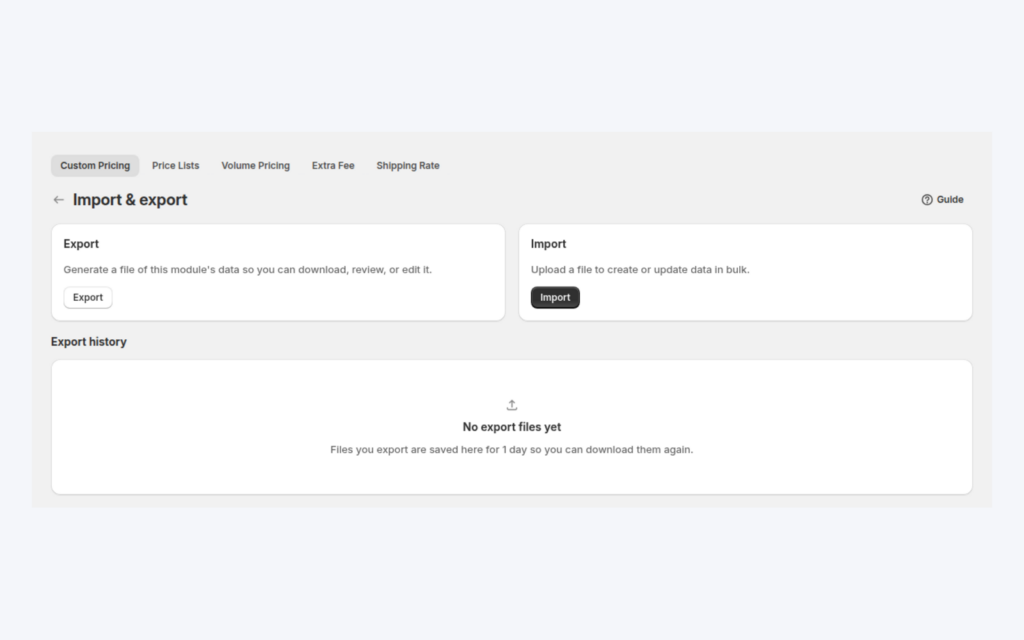
Export your price rules, edit the prices in a spreadsheet and import the file back. The same CSV flow works for Custom Pricing, Price Lists and Volume Pricing, so large catalogs and many customer groups stay manageable.
Explore use case: Import Wholesale Prices From CSVEach topic has one page that owns it. Start from these.
Tag buyers by event so tag-based rules apply.
Orders are taken in the admin, not through the API.
Show business buyers their own prices with price lists, custom pricing and quantity breaks.
Turn applicants into approved wholesale buyers with registration forms, approval and customer tags.
ERP integrationPrice listCustomer tag
Each feature has its own page. See also all BSS B2B Solution features.
Add or remove customer and order tags when a Shopify event matches your rules, so tag-based prices and access follow the buyer.
Give wholesale buyers a private code they enter in the cart, with rules for who can use it, what it covers and how often.
Add a handling fee by quantity or amount, and set wholesale shipping rates by customer, product, market and weight.
Build a Shopify draft order for a customer in the admin, with their wholesale prices already applied.
Show wholesale prices in the buyer's currency with a switcher. Checkout stays in your store or Markets currency.
The B2B Price tile in Shopify POS shows the wholesale discount for the cart. Staff apply or remove it from the tile.
Install BSS B2B Solution from the Shopify App Store, with a 14-day free trial on paid plans.
Also: BSS B2B Lock for hidden prices for guests and BSS B2B Quote for quotes and quick order.
The Platinum plan, or Enterprise on a legacy plan. As of October 9, 2026 the App Store listing shows Platinum at $99 per month. A store gets one API key, which the app shows only once.
Custom Pricing, Volume Pricing, Price List and Discount Code rules, registration form submissions and status changes, and Order Limit updates. Customers, products and collections can be read and searched but not changed.
No. There is no orders endpoint. The API manages pricing rules, registrations and lookups. To place an order for a buyer, use Manual Orders in the app admin, which builds a Shopify draft order with the buyer's prices.
Version 2 allows 60 requests per 60 seconds per store. Each upload endpoint allows one request per module every 5 minutes. Bulk writes for one store run one at a time, and extra calls get a 429 response.
Send the key as `accessKey` in the body or in a header: x-bss-b2b-api-key for version 1, x-api-key for version 2. Bearer tokens are not supported, so Authorization: Bearer fails with a 401 on version 2.
Delete the key on the Public API card. Clients using it stop working at once. Then generate a new key and copy it immediately, because it is shown only once.
Feature behavior follows our review of the BSS B2B Solution app code on October 3, 2026 and the BSS user guides. Prices and ratings come from the App Store listing on the date shown. We make BSS B2B Solution, BSS B2B Lock and BSS B2B Quote.