
Platinum plan only
The POS extension is allowed for the Platinum plan. Shops on another plan get an upgrade prompt in POS.
BSS B2B Solution: Shopify POS
BSS B2B POS adds wholesale prices to Shopify POS. Staff add a customer and products to the cart, and the B2B Price tile shows the wholesale discount, which staff can apply or remove. It uses Custom Pricing, Price List and quantity break rules and needs the Platinum plan. Market, company-location and collection conditions are not supported.
BSS B2B POS is a POS app that ships with BSS B2B Solution. It reads the rules you already built for the online store, so you do not rebuild prices for the counter.
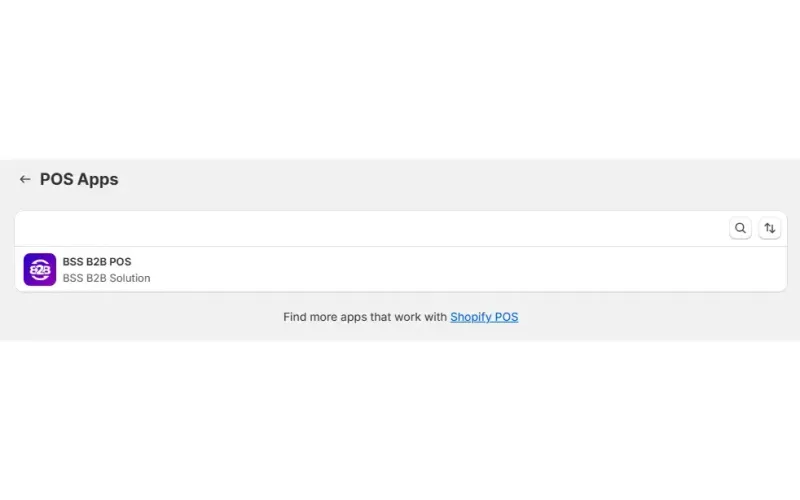
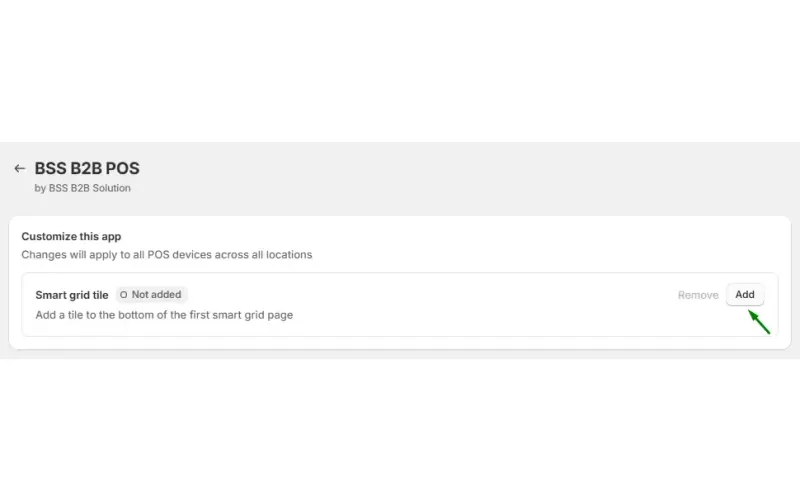
In your Shopify admin, go to Sales channels > POS > Settings > General > POS app. Select BSS B2B POS and click Add to put the smart grid tile on your POS device.
Create the rules in the app as usual. For POS they can be Custom Pricing, Price List or quantity break rules, and they can target customer tags or specific customers.
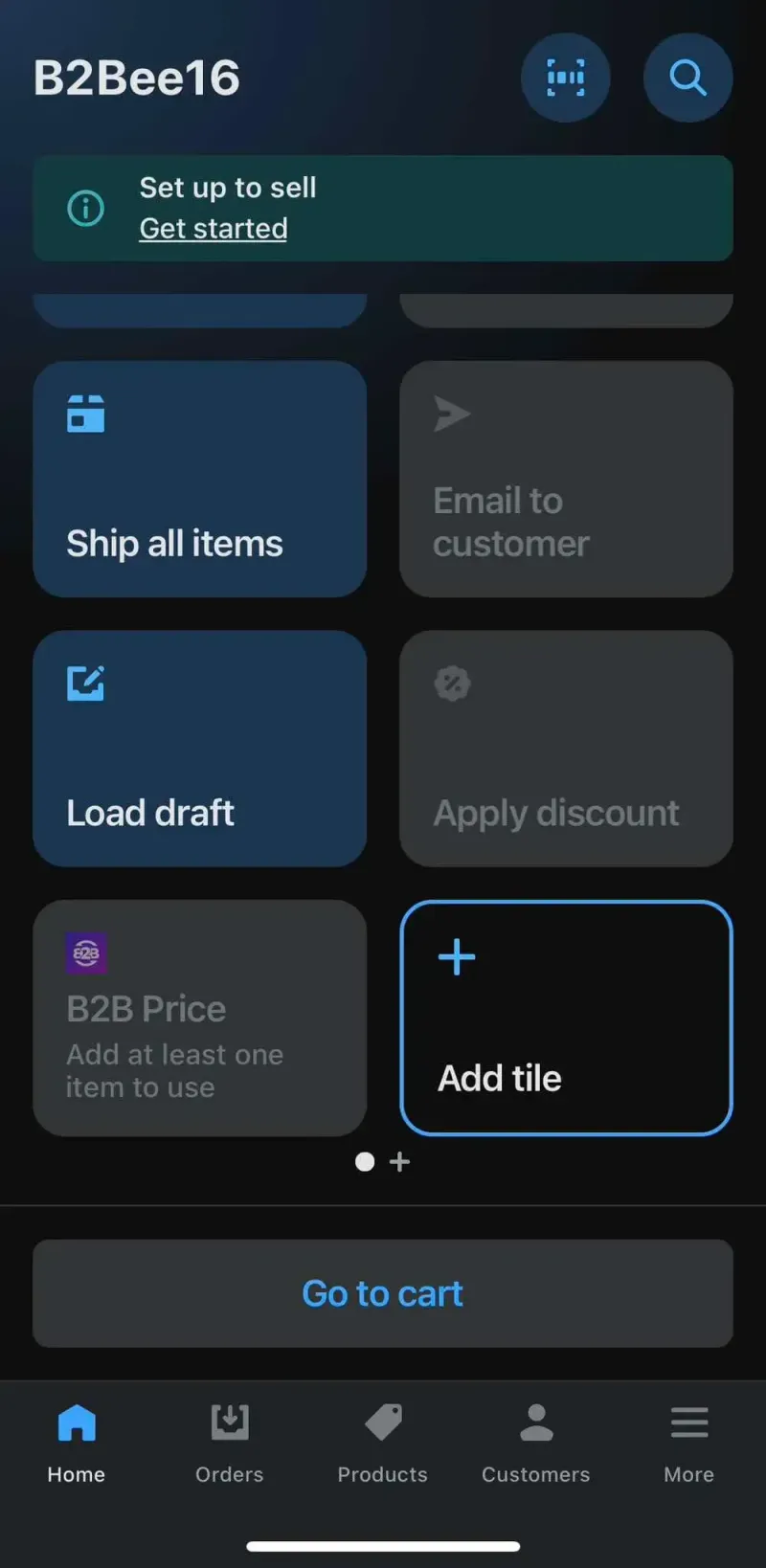
The tile needs a cart with at least one item. Until then it shows the hint Add at least one item to use. Add the customer too, because the app matches customer tags and customer IDs against the rule.
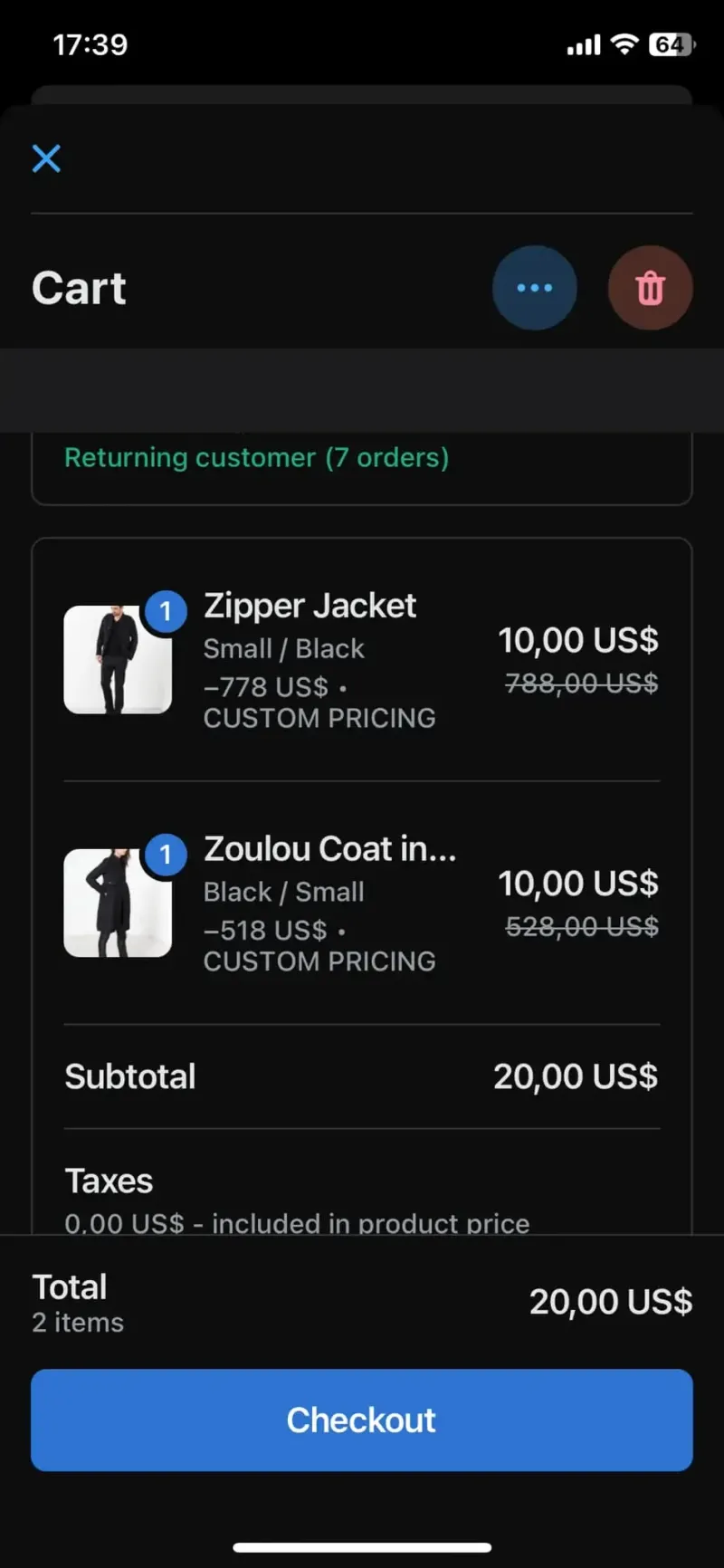
The app loads your rules, checks the customer and each product, and sets a fixed-amount discount on every line that matches. The tile shows the discount for the cart, and staff apply or remove the prices from it. A discounted line shows the original price crossed out, the B2B price and a discount label, CUSTOM PRICING by default.
Check out in Shopify POS as usual. To take the B2B prices off, remove them from the tile.
Price your first POS sale on the Platinum plan. The listing shows a 14-day free trial on paid plans.
The POS extension reads three rule types. Everything else in the app is storefront or checkout logic that POS does not run.
| Rule or condition | At POS | Notes |
|---|---|---|
| Custom Pricing | Applied | Matched by customer tag, customer ID or logged-in customer, and by product, tag or variant. |
| Price List | Applied | If a Price List rule and a Custom Pricing rule both match a variant, the Price List price is used. |
| Volume Pricing (quantity break) | Applied | The POS extension loads these as quantity break rules. |
| Discount Code, Extra Fee, Shipping Rate | Not applied | These are not supported at POS. |
| Specific markets condition | Not applied | A rule with this condition does not work at POS. |
| Company-location condition | Not applied | POS has no company location for the buyer, so the rule never matches. |
| Product collection condition | Not applied | Use product, tag or variant conditions for rules that must work at POS. |
Source: the BSS B2B POS extension code and the Shopify POS user guide, checked October 9, 2026.
The tile is the control for B2B prices in POS. It shows the wholesale discount for the cart, and staff can apply or remove the prices from it. Check the cart totals before you take payment, so the B2B prices are on the lines you expect.
If the app cannot load your rules, for example after a short network drop, the tile shows Couldn't check discounts. Tap to retry. It does not retry on its own, so tap it again.
The POS extension is allowed for the Platinum plan. Shops on another plan get an upgrade prompt in POS.
Staff apply or remove the B2B prices from the tile. A cart without a customer or without matching rules stays at the retail price, so check the totals before payment.
Custom Pricing, Price List and quantity break. Discount codes, Extra Fee and Shipping Rate are not applied at POS.
The Specific markets condition is not supported at POS, so do not rely on market-targeted rules for in-store sales. Company-location rules never match, and a rule with a product collection condition does not match either.
The extension matches customer tags, customer IDs and logged-in status. It has no company location for the buyer.
When rules fail to load the tile shows a retry message. The app does not retry for you.
Shopify POS pricing is on the Platinum plan. On the Shopify App Store listing, as of October 9, 2026, Platinum is $99 per month, or $1,069.20 per year with the 10% yearly saving. The listing also shows a 14-day free trial on paid plans.
Custom Pricing and Price List rules you already built for the online store are reused at POS, so the same rule can price the online cart and the counter.
The POS rules are the same ones that run online. Custom Pricing sets a price by customer tag, Price List holds a fixed price per buyer group and quantity break rules lower the price as the quantity grows. A shop that sells wholesale in a showroom and online can keep one set of rules for both.
For orders taken away from the counter, for example by phone, use Manual Orders. For prices shown in several currencies on the storefront, see Multi-Currency. That module is display only and does not change POS.
It suits a merchant that sells to trade buyers at a counter, a pop-up, a trade show or a warehouse pickup, and wants staff to charge the same wholesale price the buyer sees online. It does not suit a shop that needs discount codes at the register, because POS does not apply them, or a shop that is not on the Platinum plan.
Each use case shows a full setup with screenshots. Browse all use cases.
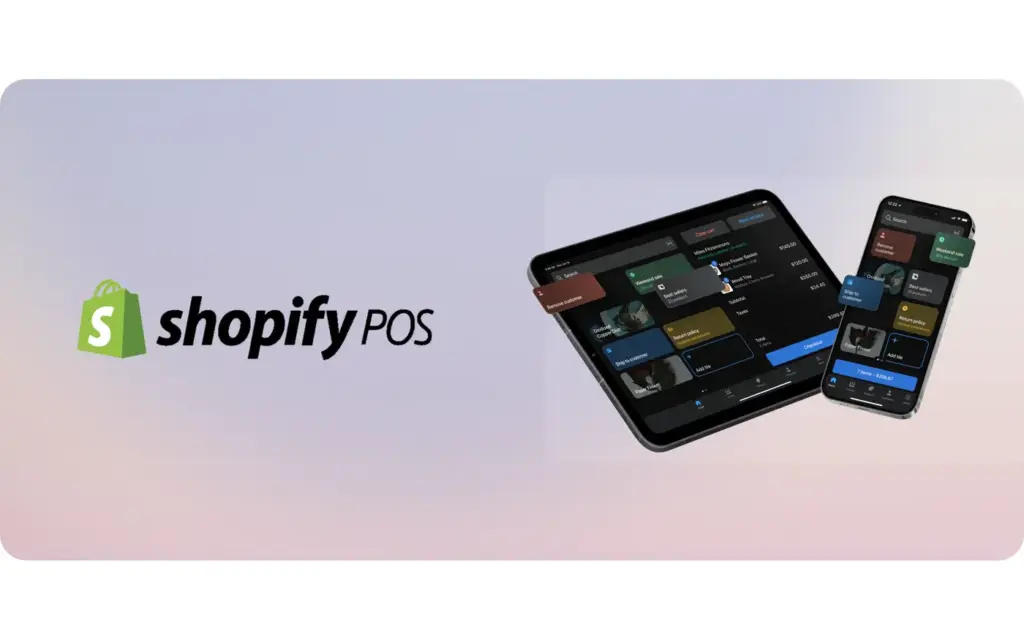
Staff tap a B2B Price tile in Shopify POS to apply Custom Pricing, Price List and Quantity Break rules to a trade customer's cart at a market or showroom, using BSS B2B Solution on the Platinum plan.
Explore use case: Keep Wholesale Pricing Consistent in Shopify POS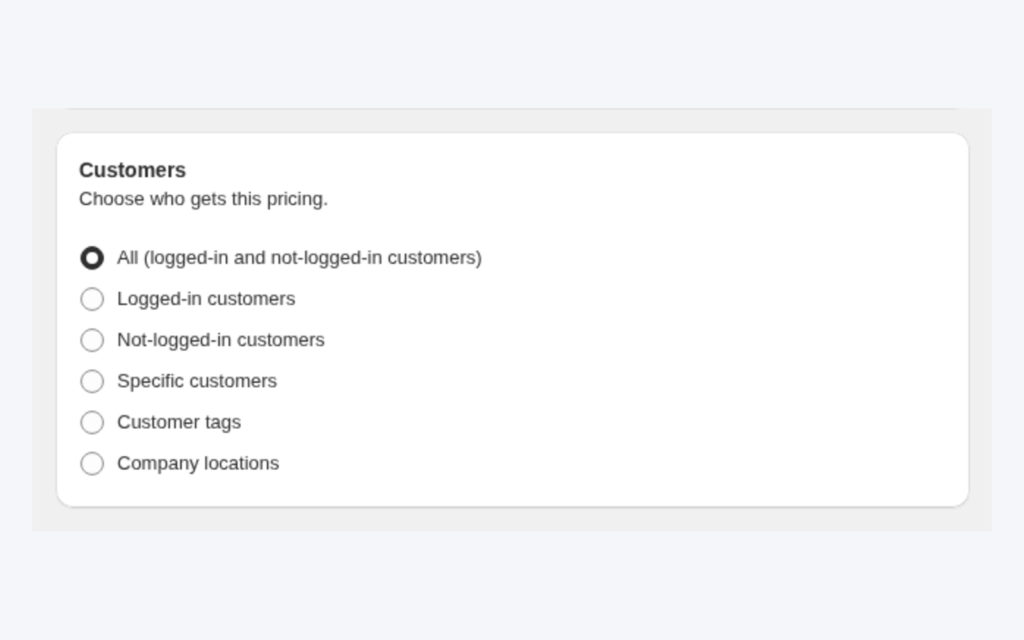
Tag your wholesale customers and create a Custom Pricing rule that targets the tag. Logged-in tagged buyers see fixed, amount-off or percent-off prices automatically, while retail visitors keep seeing your normal prices.
Explore use case: Give Tagged Wholesale Customers Special Prices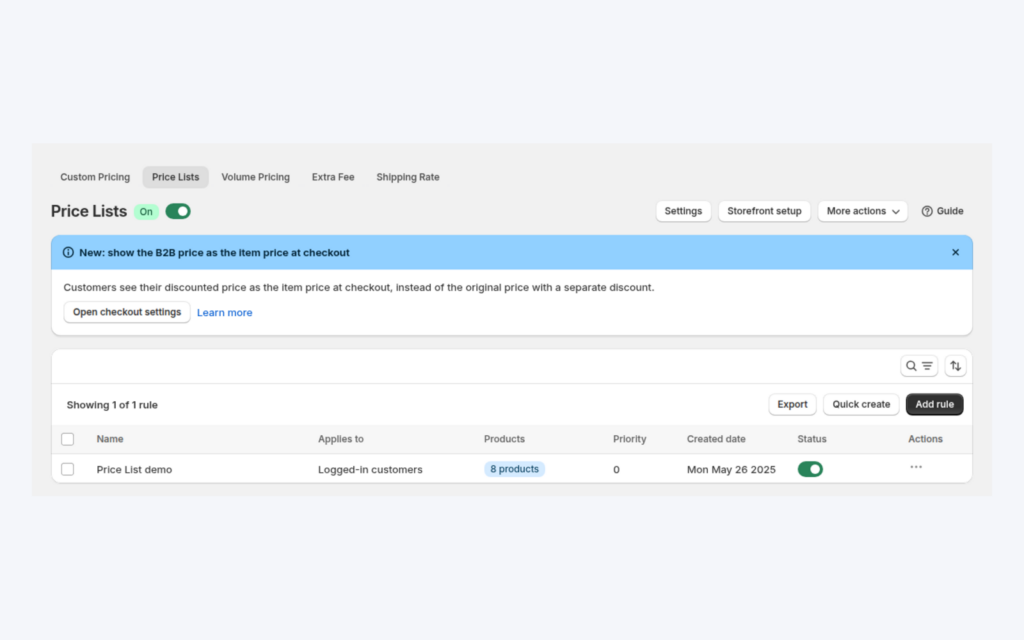
Use a Price List when distributors need an exact price for each SKU, not just a percent discount. Target customers or tags, set prices per product or variant, and import or export them with CSV.
Explore use case: Build a B2B Price List per Buyer GroupEach topic has one page that owns it. Start from these.
Quotes, manual orders and customer prices for the rep.
Place an order for a customer from the admin.
Show business buyers their own prices with price lists, custom pricing and quantity breaks.
Price listQuantity breakCustomer-specific pricing
Each feature has its own page. See also all BSS B2B Solution features.
Add or remove customer and order tags when a Shopify event matches your rules, so tag-based prices and access follow the buyer.
Give wholesale buyers a private code they enter in the cart, with rules for who can use it, what it covers and how often.
Read and write B2B pricing rules, registrations and customer lookups from your ERP or PIM with one API key.
Add a handling fee by quantity or amount, and set wholesale shipping rates by customer, product, market and weight.
Build a Shopify draft order for a customer in the admin, with their wholesale prices already applied.
Show wholesale prices in the buyer's currency with a switcher. Checkout stays in your store or Markets currency.
Install BSS B2B Solution from the Shopify App Store, with a 14-day free trial on paid plans.
Also: BSS B2B Lock for hidden prices for guests and BSS B2B Quote for quotes and quick order.
Yes, on the Platinum plan. The BSS B2B POS app adds a B2B Price tile to POS. Staff add a customer and products to the cart, and the tile shows the wholesale discount for the matching lines. Staff can apply or remove the prices from the tile.
Add the customer and the products to the cart. The B2B Price tile shows the wholesale discount for the cart, and staff can apply or remove the prices from the tile. Check the cart totals before payment.
Custom Pricing, Price List and quantity break rules. Discount codes, Extra Fee and Shipping Rate are not applied at POS.
Common causes: the cart has no customer or no item, the rule uses a Specific markets, company-location or product collection condition, or the rules failed to load. A failed load shows Couldn't check discounts. Tap to retry.
The Platinum plan. As of October 9, 2026 it is $99 per month on the App Store listing. Shops on other plans see an upgrade prompt in POS.
Feature behavior follows our review of the BSS B2B Solution app code on October 3, 2026 and the BSS user guides, and where the guides and the code differ we follow the code. Prices and ratings come from the App Store listing on the date shown. We make BSS B2B Solution, BSS B2B Lock and BSS B2B Quote.