


Edlich & Habel is a German wholesaler of medical consumables for clinics, care homes and practices, and its Shopify store is business-only. Visitors can browse the catalog but see no prices. Companies apply through a registration form and unlock pricing after approval. This spotlight walks through what the public storefront shows and which BSS B2B apps sit behind it.
At a glance
- Store: Edlich & Habel, Germany, medical consumables and clinic supplies
- Model: B2B-only. The store states that it supplies business customers exclusively
- What guests see: products, categories and stock status, but no prices and no way to order
- How buyers get in: a registration form for business customers, then login to see prices
- Apps named in the merchant’s review: BSS B2B Solution and BSS B2B Lock
About Edlich & Habel
Edlich & Habel trades in medical consumables and clinic supplies. Its own site describes the audience as hospitals, care and senior homes, doctors’ practices and funeral homes, and the range is organised into seven top-level groups. In English they read as ward and patient supplies, endoscopy, instruments, protective products, operating-room supplies, sterilization, and diagnostics and accessories. Below those sit dozens of narrower categories such as examination gloves, FFP2 masks, examination gowns, nebulizer sets and sterile water.
The company presents itself as a young supplier that combines quality, reliability and personal service in the trade of medical consumables. It says its processes are certified to ISO 13485, and it publishes practical service terms: in-stock items normally ship within 24 to 48 hours of the order, partial deliveries are possible when an item is temporarily unavailable, and orders above a stated net value ship free.
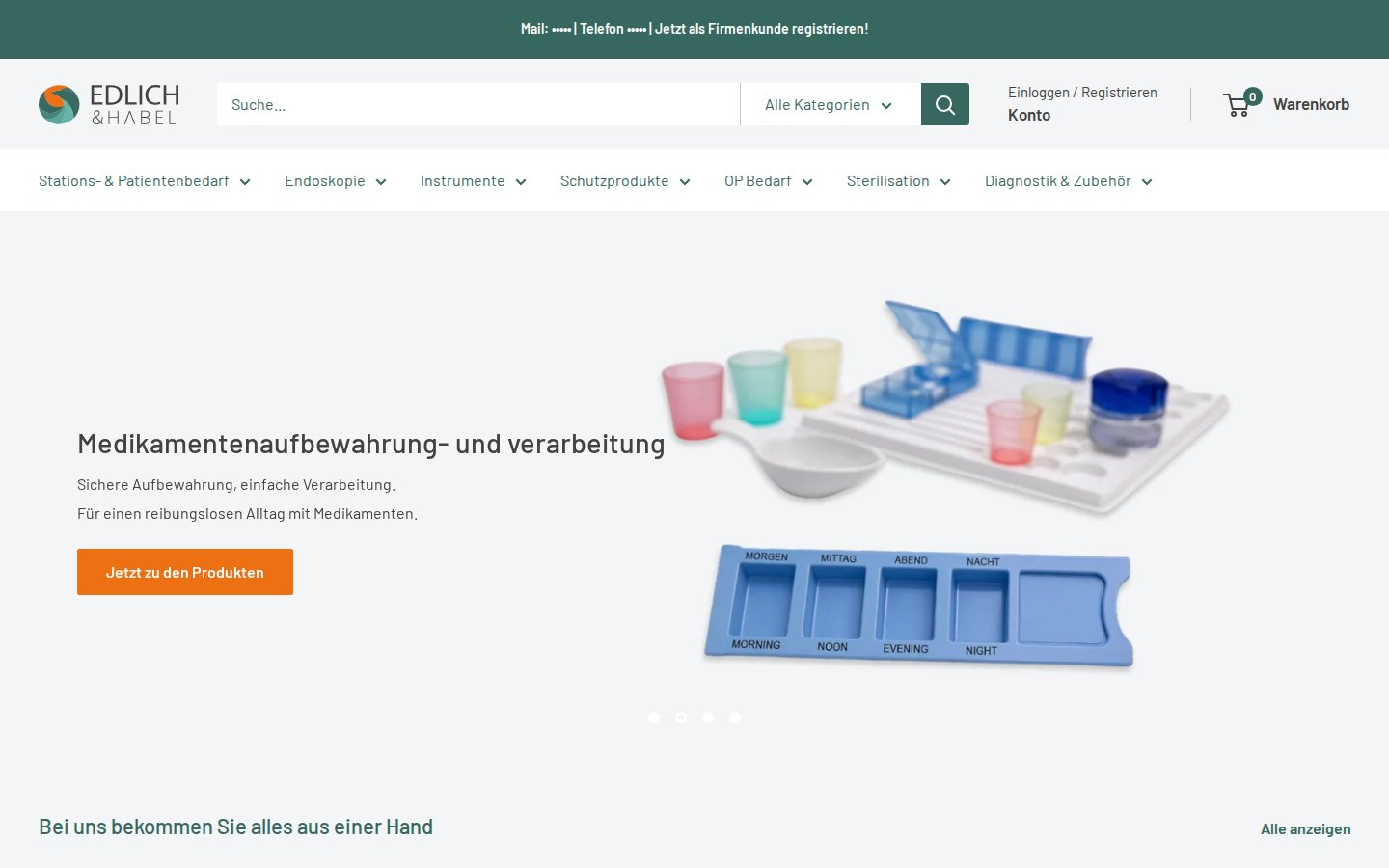
Their B2B model: business customers only, access after approval
This is a B2B-only store, not a hybrid. The home page has a dedicated block that says, in German, “Wir liefern ausschließlich an Firmenkunden” (translated: “We supply business customers exclusively”). The text beneath it explains the whole access model in three sentences: log in to see your prices; if you do not have an account yet, register through the link below and the company will get back to you with access.
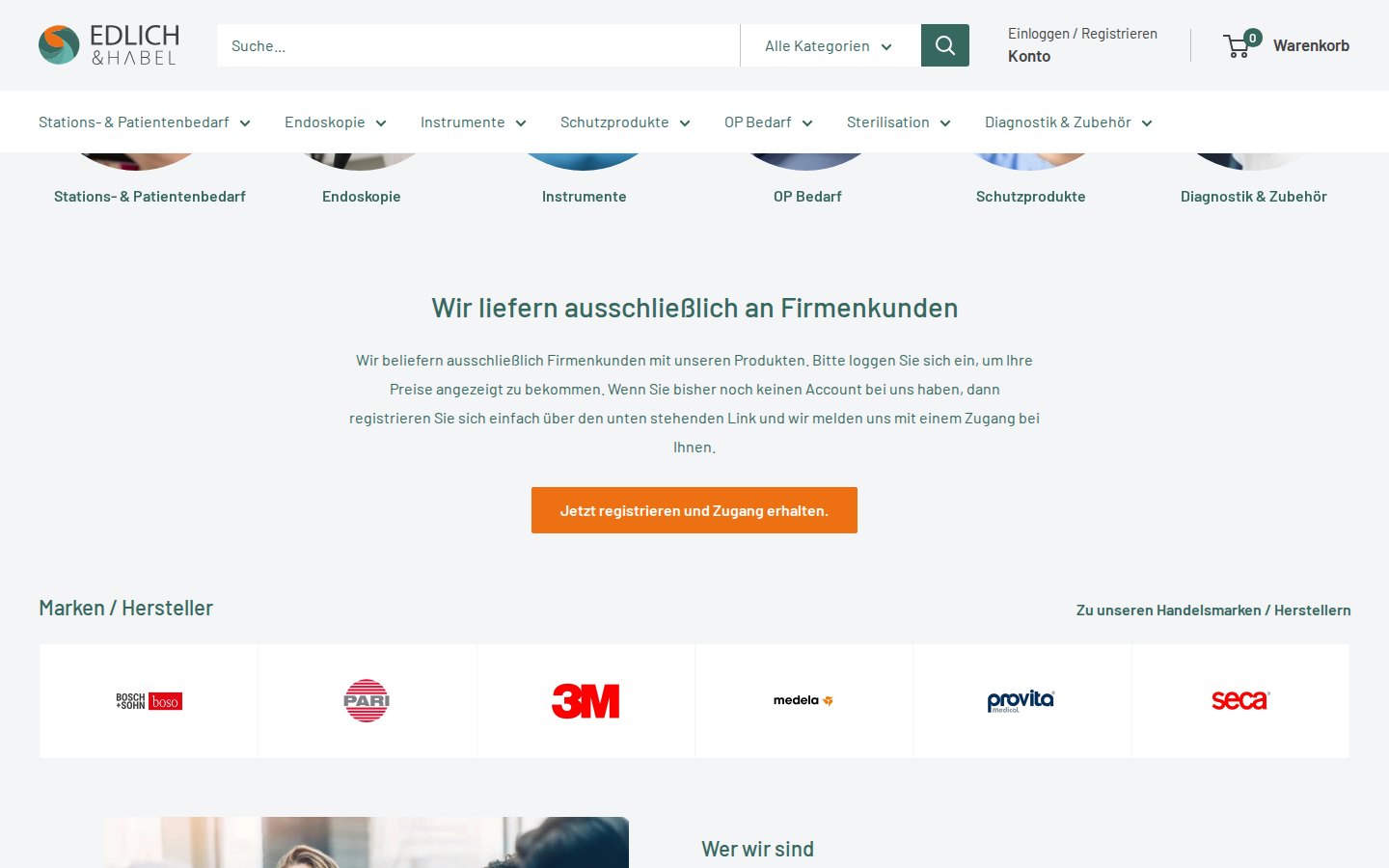
Two things follow from that wording. The shop is open to anyone who wants to look, so product pages can still be read. And price is something a buyer sees only after the merchant has approved the account, which is a manual step: the merchant reviews the application and then provides access.
The same message is repeated in the announcement bar above the header (“register now as a business customer”) and in a “Sales to business customers only” notice lower on the home page.
How the storefront handles wholesale
1. A registration form built for companies
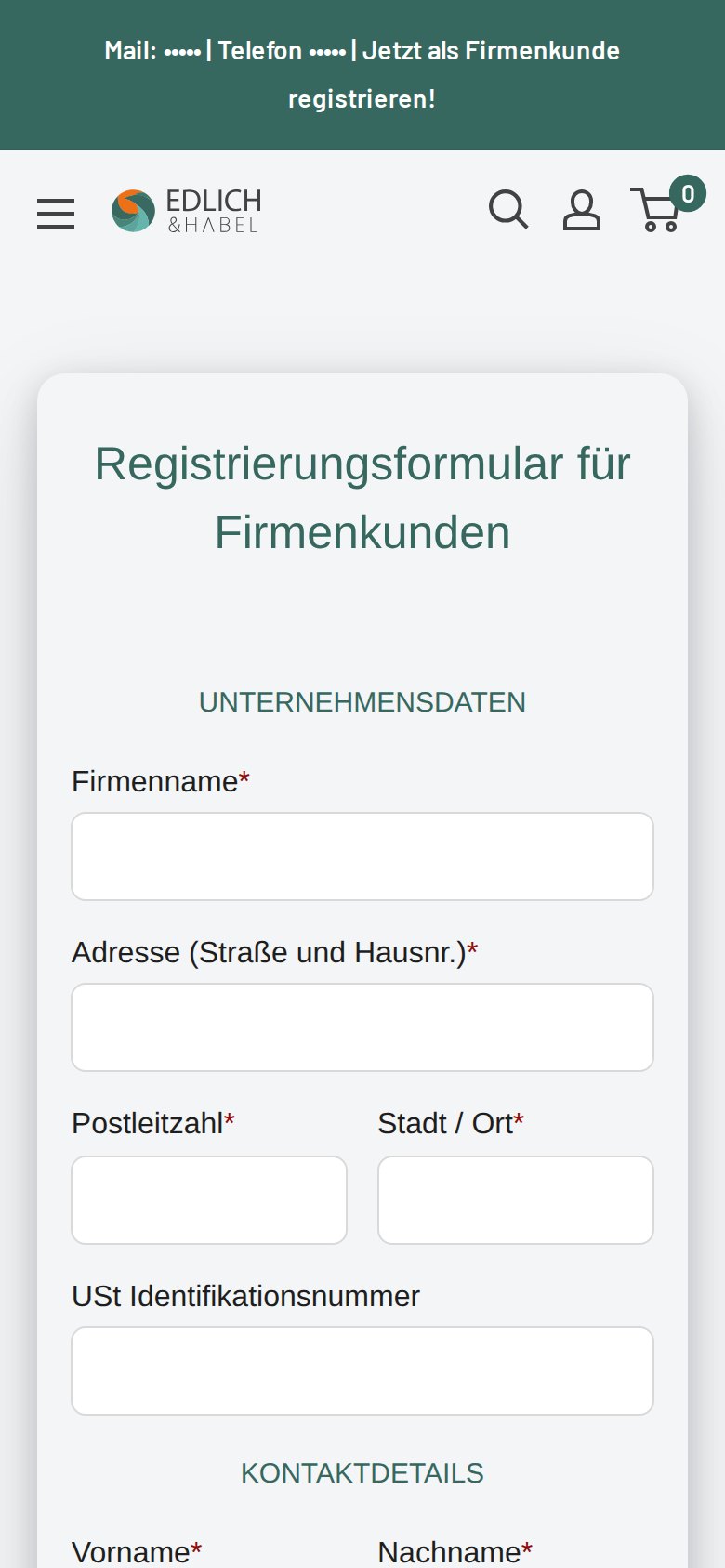
The registration page is titled “Registrierungsformular für Firmenkunden” (translated: “Registration form for business customers”). It opens with company data, then contact details. The fields visible on the public page are company name, street address, postcode, city and an optional VAT ID, then first name, last name, department, email address and phone number with a country selector, followed by an “interested in” dropdown, a privacy-policy consent checkbox and a submit button.
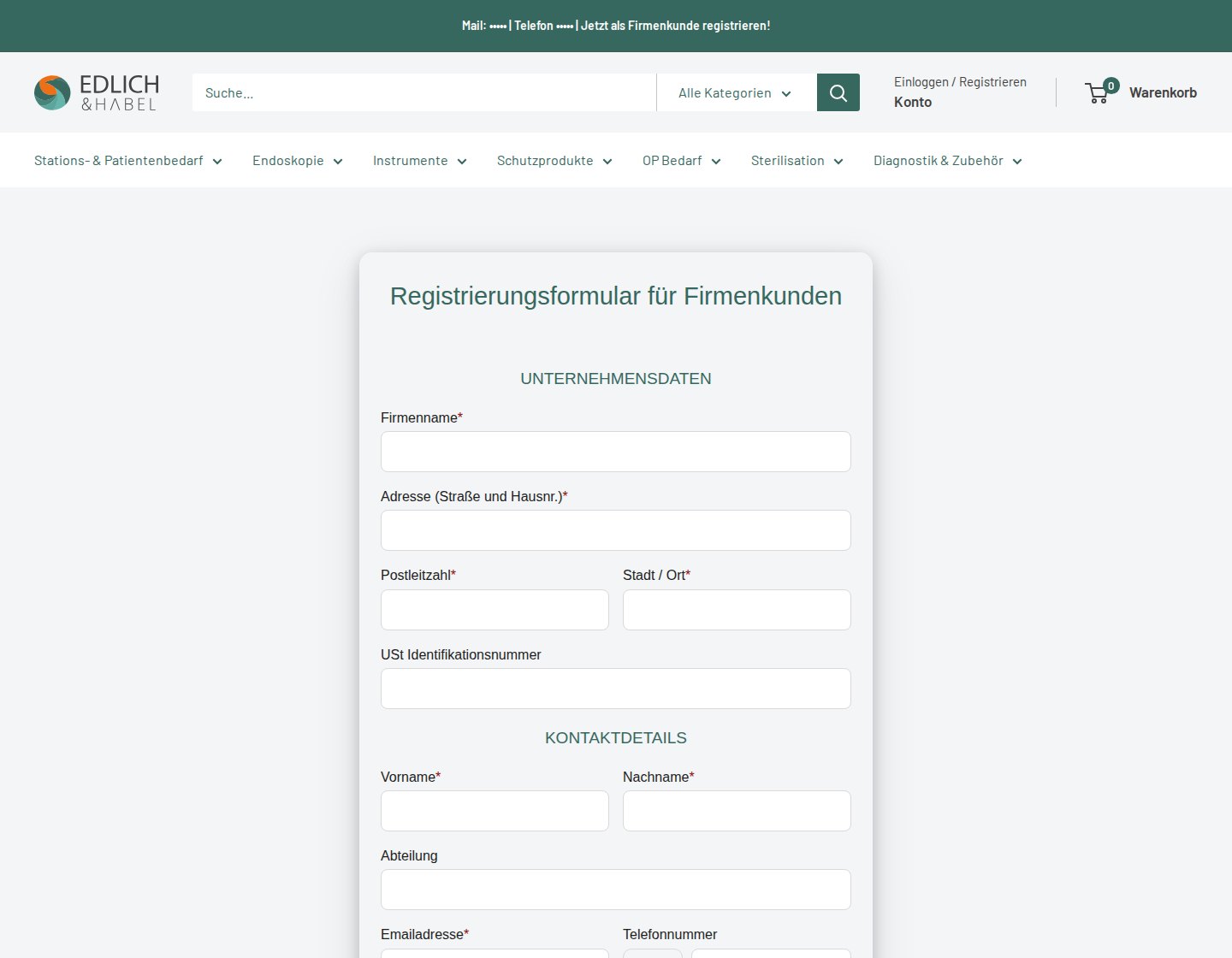
The order of the fields is worth copying. Company data comes first, so the merchant can judge in seconds whether the applicant is a clinic, a care home or something outside the target group. The VAT ID is optional, which keeps the form short for small practices, while the “interested in” dropdown tells the sales team which product group to prepare for the first conversation.
Production data for this store shows that the form is active, has spam protection switched on, requires the privacy-policy confirmation and assigns a customer tag to approved applicants. That tag is the hinge of the whole setup, because it is what later separates an approved buyer from an anonymous visitor.
2. Prices and ordering are hidden from guests
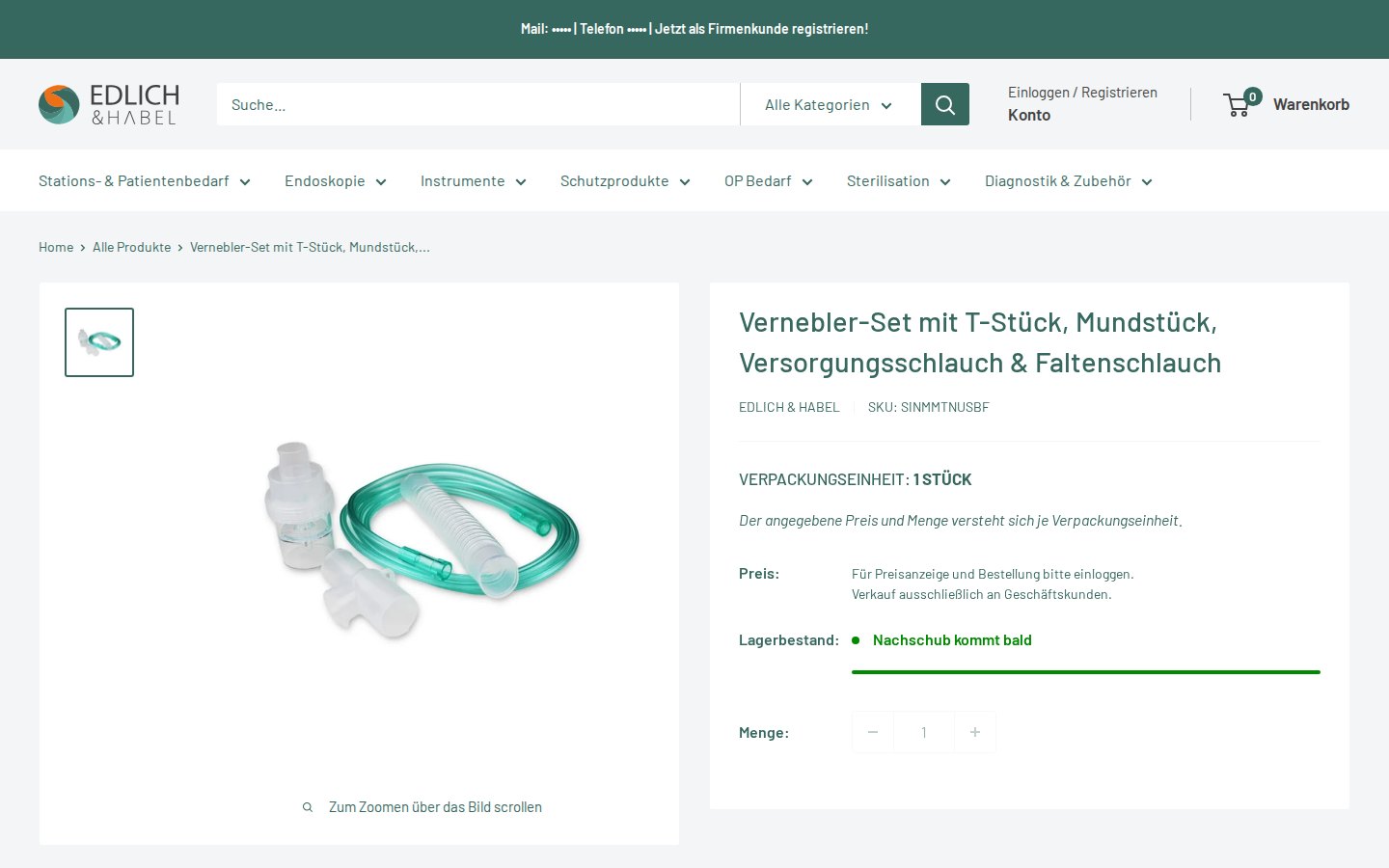
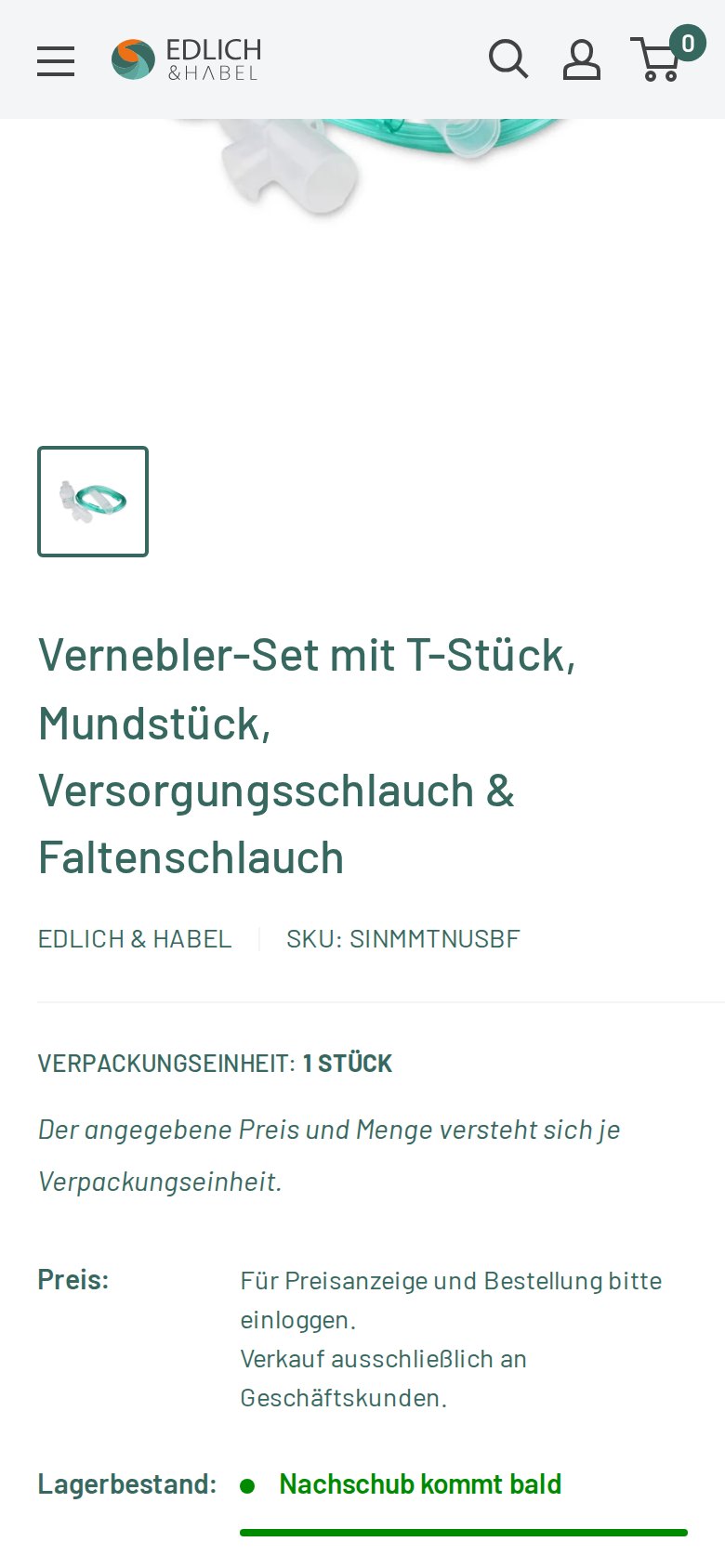
On a product page, a guest sees the title, brand, SKU, pack size (“Verpackungseinheit: 1 Stück”) and stock status. Where the price would normally appear, the page says, in translation: “Please log in to see prices and to order. Sales to business customers only.” There is no add-to-cart button, only a quantity field.
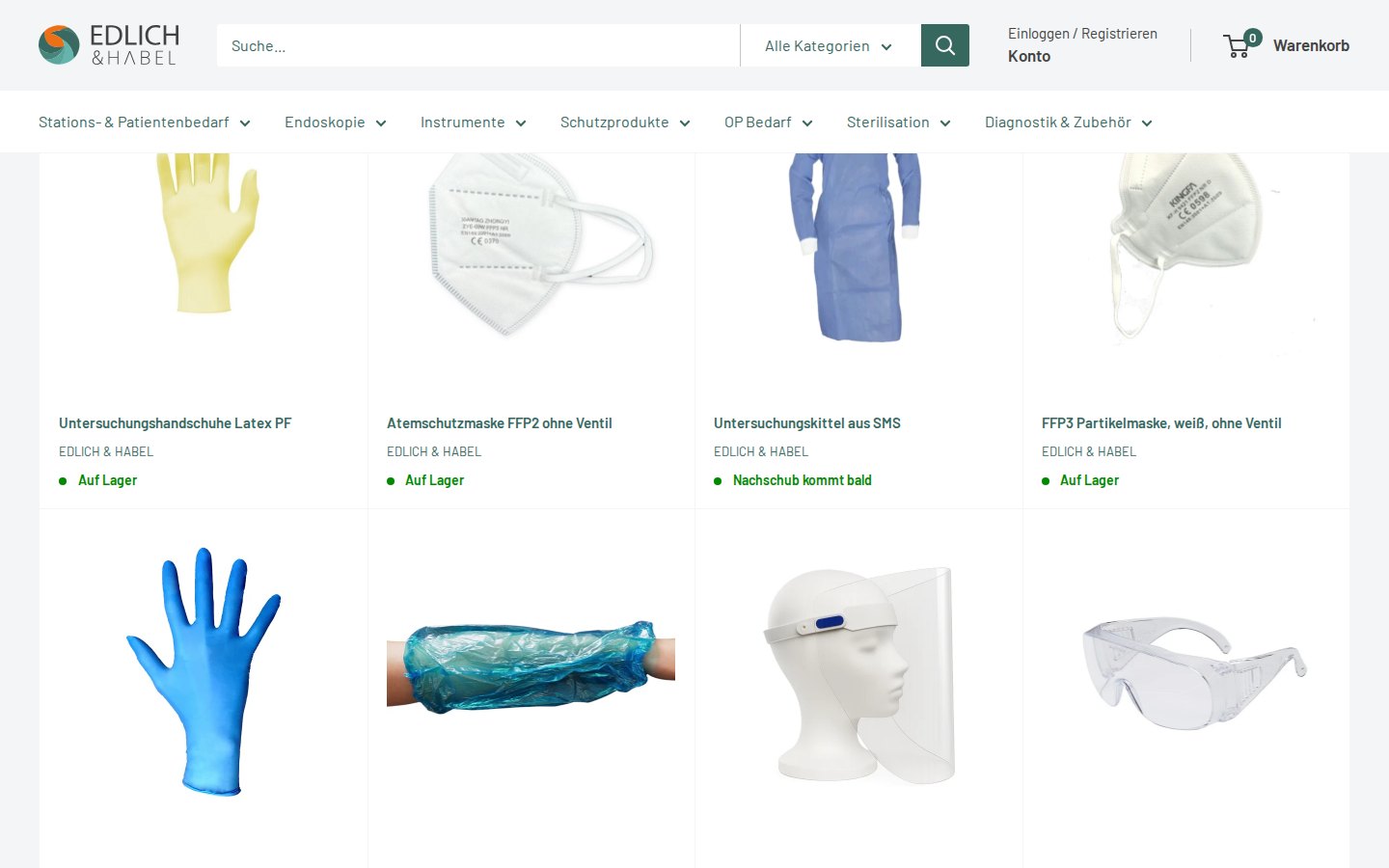
Category pages follow the same rule. A grid of protective products shows image, name, brand and availability (“Auf Lager” or “Nachschub kommt bald”, translated as “in stock” or “restock coming soon”) and nothing else. Availability stays visible, while price and ordering are reserved for approved accounts.
3. Access templates in the page code
The pages also load templates for a “request access to this content” form (email, full name and an optional message) and for a passcode dialog. We did not see either one triggered on the public pages we visited, so we cannot say how Edlich & Habel uses them. They are listed here because they show the tools that are installed and ready if the merchant wants to protect a section of the shop with a request or a code.
Which BSS features power it
The merchant’s public review names two apps: BSS B2B Solution and BSS B2B Lock. The storefront loads scripts from both, and production data for BSS B2B Solution confirms three modules in use. The table separates what we saw on the storefront from what the configuration data shows. BSS B2B Lock stores its rules in a separate system that we did not query, so for Lock we rely on the storefront and the review.
| Visible on the storefront | BSS feature | How we know |
|---|---|---|
| Registration form for companies with consent and spam protection | BSS B2B Solution, Registration Form | Public form; form active in production data |
| Approved applicants become tagged customers | BSS B2B Solution, auto-tag on approval | Tag assignment configured on the form |
| Prices that depend on the buyer’s group | BSS B2B Solution, Price Lists targeted by customer tag | Active price list rules at variant level, targeted by customer tag |
| Prices shown with or without VAT | BSS B2B Solution, Tax Display | Tax display rule enabled in production data |
| Price and order button replaced by a login message | BSS B2B Lock, hide prices from guests | Storefront behavior, Lock scripts on the page and the review |
| Request-access and passcode templates | BSS B2B Lock, Request Access | Templates present in the page code, not seen in use |
A short note on how the pieces fit. BSS B2B Solution decides who gets which price: the registration form puts a tag on the customer, and price list rules read that tag. BSS B2B Lock decides who gets to see price and ordering at all. Both apps can read the same customer tags, which is why a single approval step is enough to switch an applicant from locked to priced. BSS documents this pairing in its guide on combining B2B Solution and B2B Lock and in the Lock guide on using registration tags.
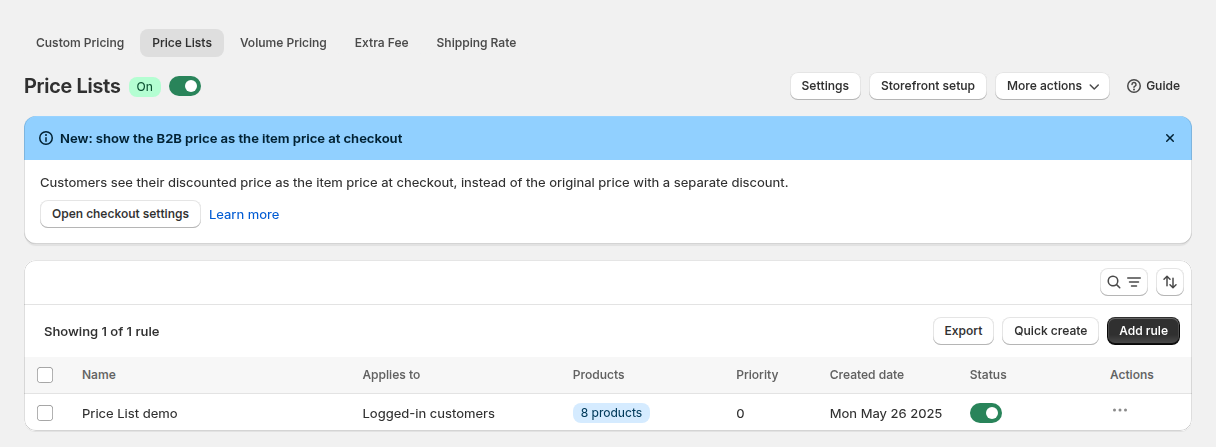
Price Lists are the right module for a catalog of this shape. A medical wholesaler sells thousands of variants, and different groups of buyers can have their own price per variant. A price list rule applies a set of prices to a group of customers, here selected by customer tag, and BSS rule priority decides which rule wins when more than one matches. Our use case on building a B2B price list per buyer group shows the mechanism step by step.
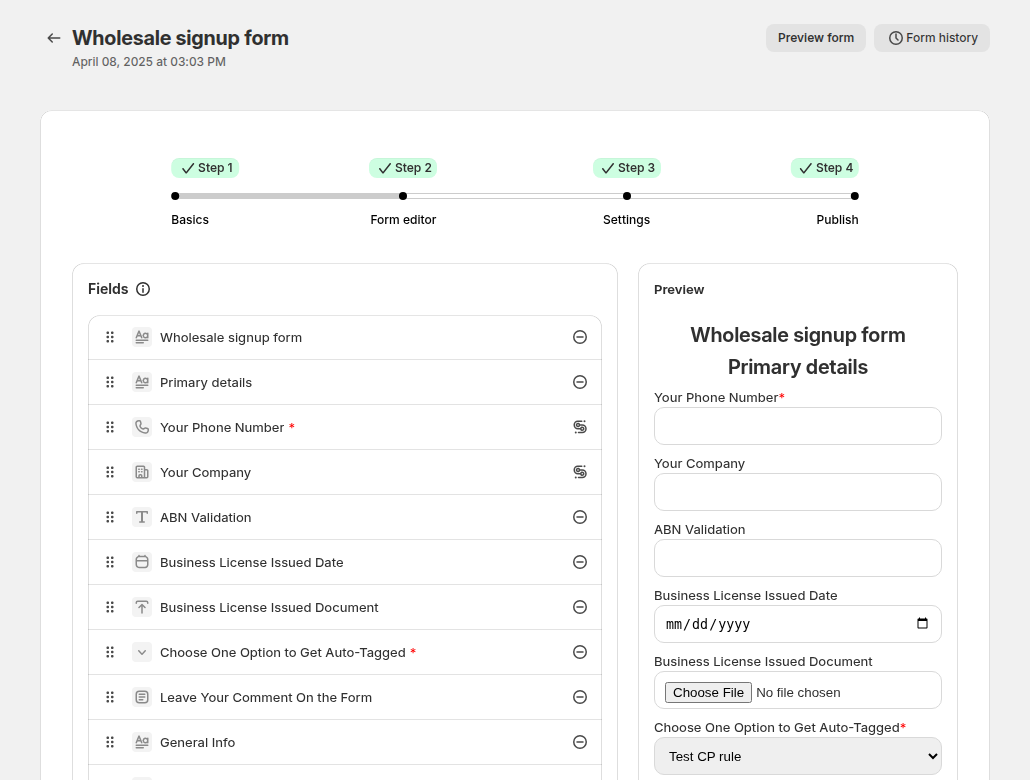
The registration form is built in a drag-and-drop editor, and the same form can be translated for cross-border buyers. Our use case on a wholesale registration form with approval shows the approval flow step by step.
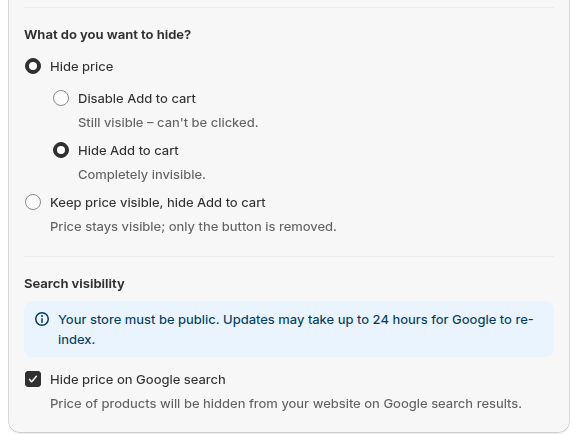
On the Lock side, a rule decides what a visitor who does not match the condition sees instead of the price. The options shown above include hiding the price together with the add-to-cart button, which is the behavior visible on this storefront. Lock writes its rules into the theme’s Liquid code, so the price is not printed for visitors who do not match the rule. This is a storefront display control and not a legal or security guarantee, and BSS recommends designing the locked experience deliberately; see its guide on designing a clean locked experience. For the general pattern, read our use case on hiding wholesale prices from guest visitors.
What other merchants can copy
You do not need a medical catalog to reuse this model. The checklist below works for any supplier that sells to professionals and wants to keep prices private.
- Say who the shop is for in one sentence on the home page. Edlich & Habel states it right under the categories, so no visitor is left guessing.
- Keep browsing open and lock only price and ordering. Product pages stay readable and indexable for people who are researching, while commercial terms stay private.
- Put company data first in the registration form. Company name, address and VAT ID let you qualify an applicant before you read anything else.
- Tag every approved applicant automatically. One tag per approval is enough to drive price lists, tax display and access rules without extra manual work.
- Write the login message in the buyer’s language. Here it is German, short and says both what to do (log in) and why (business customers only).
- Link the registration page from every page, for example in the announcement bar.
If you are starting from zero, our walkthrough on running a B2B-only Shopify store with all three apps describes the same sequence of register, approve, unlock price and order. For a catalog with many price points, showing prices excluding VAT to business buyers is a natural next step.
The merchant’s review
Edlich & Habel left a public review on the Shopify App Store with five stars. The listing shows it as edited on January 27, 2026, and the same text appears on both the BSS B2B Solution reviews and the BSS B2B Lock reviews. The original German text is below, followed by an English translation.
Wir nutzen die BSS B2B Großhandelslösung und B2B Lock und es funktioniert echt super. Wir konnten auf diese Art einen Online Shop bauen, der unseren Bedürfnissen gerecht wird. Besonders hervorzuheben ist der grandiose Support – teils sogar Antworten am Wochenende und bereits am Montag die fertige Lösung. Weiter so! 🙂
(translated) We use the BSS B2B wholesale solution and B2B Lock and it works really well. This way we were able to build an online shop that meets our needs. Particularly worth highlighting is the great support, sometimes even answers on the weekend and the finished solution already on Monday. Keep it up! 🙂
Edlich & Habel, public Shopify App Store review, 5 stars, edited January 27, 2026
The review is the merchant’s own opinion, quoted as published. It matches what the storefront shows: a shop that was built around the store’s specific need of a closed, business-only catalog, using two apps that cover registration and price on one side and access on the other.
FAQ: running a business-only store on Shopify
How do I hide prices from visitors who are not approved buyers?
Create a price rule in BSS B2B Lock that targets visitors who are not logged in or do not carry your wholesale tag, and choose to hide the price and the add-to-cart button. Add a short message that tells the visitor to log in or register. Edlich & Habel’s product pages follow this pattern.
How do approved companies see their own prices?
Approve the registration, which tags the customer, then target a BSS B2B Solution Price List or Custom Pricing rule at that tag. The buyer logs in and sees the price that belongs to the group. Rule priority decides which rule wins if several apply.
Can the registration form ask for a VAT ID?
Yes. BSS B2B Solution forms support tax ID fields, including EU VAT, UK VAT, US EIN, Australian ABN and Indian GST numbers, with live validation when the field is set up that way. Edlich & Habel uses an optional VAT ID field on its form.
Can I show the form in the buyer’s language?
Yes. Registration forms in BSS B2B Solution can be translated, so a German store can present German labels and messages to its applicants.
Is hiding a price in the theme a security measure?
No. It is a display control. BSS B2B Lock writes its rules into the theme code, so the price is not printed for visitors who do not match the rule, but you should not treat it as legal compliance or as protection for confidential data. Keep truly confidential material out of the storefront.
Can I keep the catalog visible and still stay B2B-only?
Yes. Locking price and ordering, rather than whole pages, lets researchers read product pages while commercial terms stay reserved for approved accounts.
This store spotlight is based on Edlich & Habel’s public website and its public review on the Shopify App Store, as of October 5, 2026. Screenshots show the public storefront with contact details masked. Configuration screenshots labeled “Example configuration” come from BSS documentation and do not show the merchant’s admin. Edlich & Habel has not reviewed this article.