


Flying Fisherman is a US maker of polarized sunglasses and sun-protective gear for anglers, sold on Shopify to consumers and through authorized dealers. Anyone can buy online, while tackle shops, marinas and other retailers apply through a dealer registration form and log in to a dealer portal. Here is how that dealer path works with BSS B2B Solution.
Key takeaways
- The consumer store stays open, and the dealer path is two links in the main menu: Find A Dealer for shoppers and Dealer Login for retailers.
- The Dealer Registration page tells applicants who can sell the brand and who cannot, and the form asks for a resale certificate number and the type of business.
- Behind it, BSS B2B Solution handles custom pricing, price lists and net terms for tagged dealer accounts.
- The merchant’s public review, written after eight months of use, praises support for price list updates and customer tagging.
About Flying Fisherman
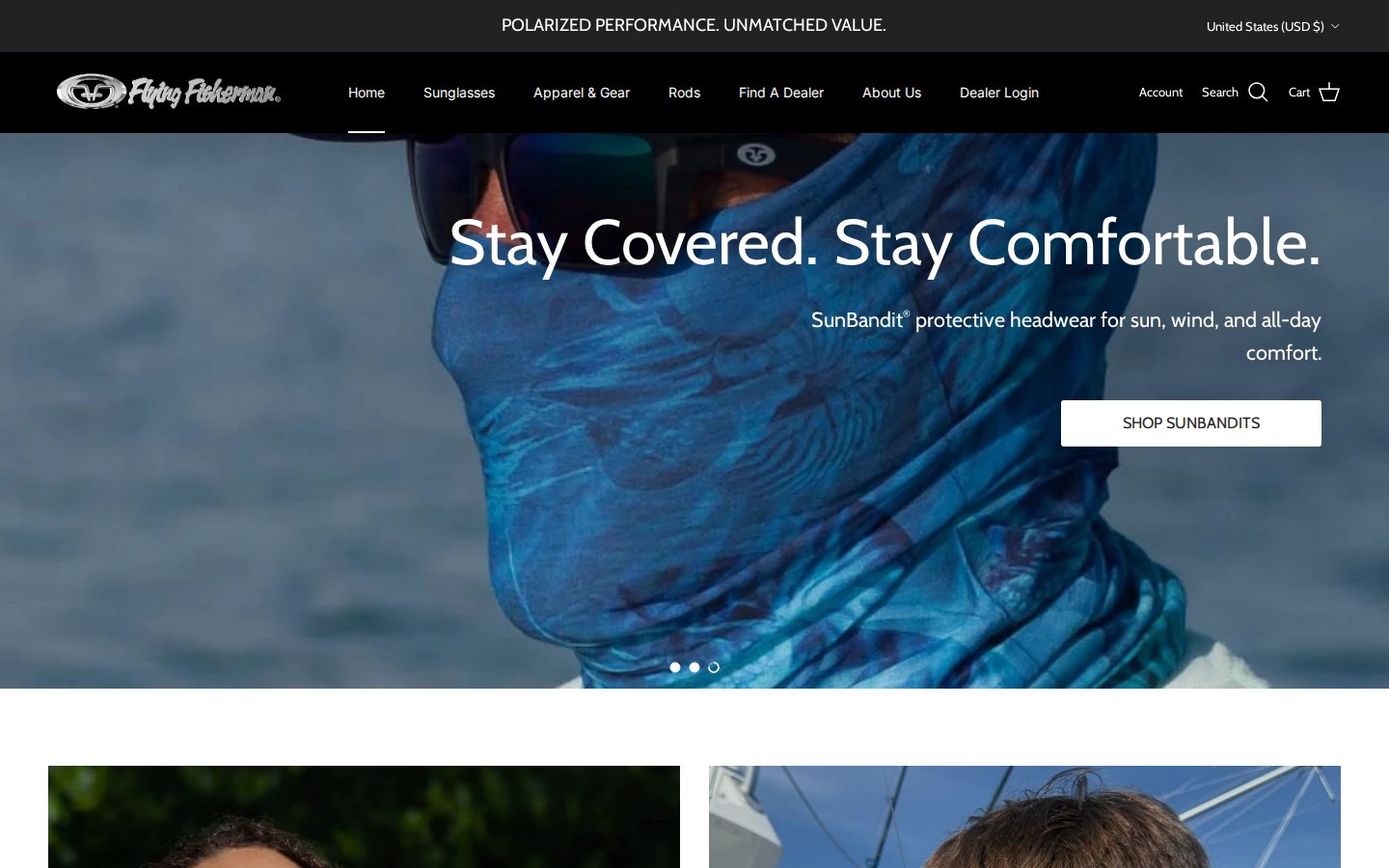
Flying Fisherman describes itself as “Born in the Florida Keys. Built for the Water.” and says it has been outfitting anglers with polarized eyewear since 1985. The range covers polarized sunglasses (including floating styles and junior sizes), eyewear accessories, SunBandit headwear and gloves, hats, shirts and Passport travel rods, and the site has pages for its warranty and a passport replacement program. Shoppers can buy directly online, in US dollars on the version we captured, and product pages offer a Shop Pay button.
A brand like this lives on two kinds of shelf. Anglers find it in tackle shops, marinas and sporting goods stores, and they also buy straight from the website. The site is explicit about the retail side: it has a “Find A Dealer” page for shoppers, and a “Become A Dealer” link in the footer for businesses.
The B2B model: authorized dealers with a portal
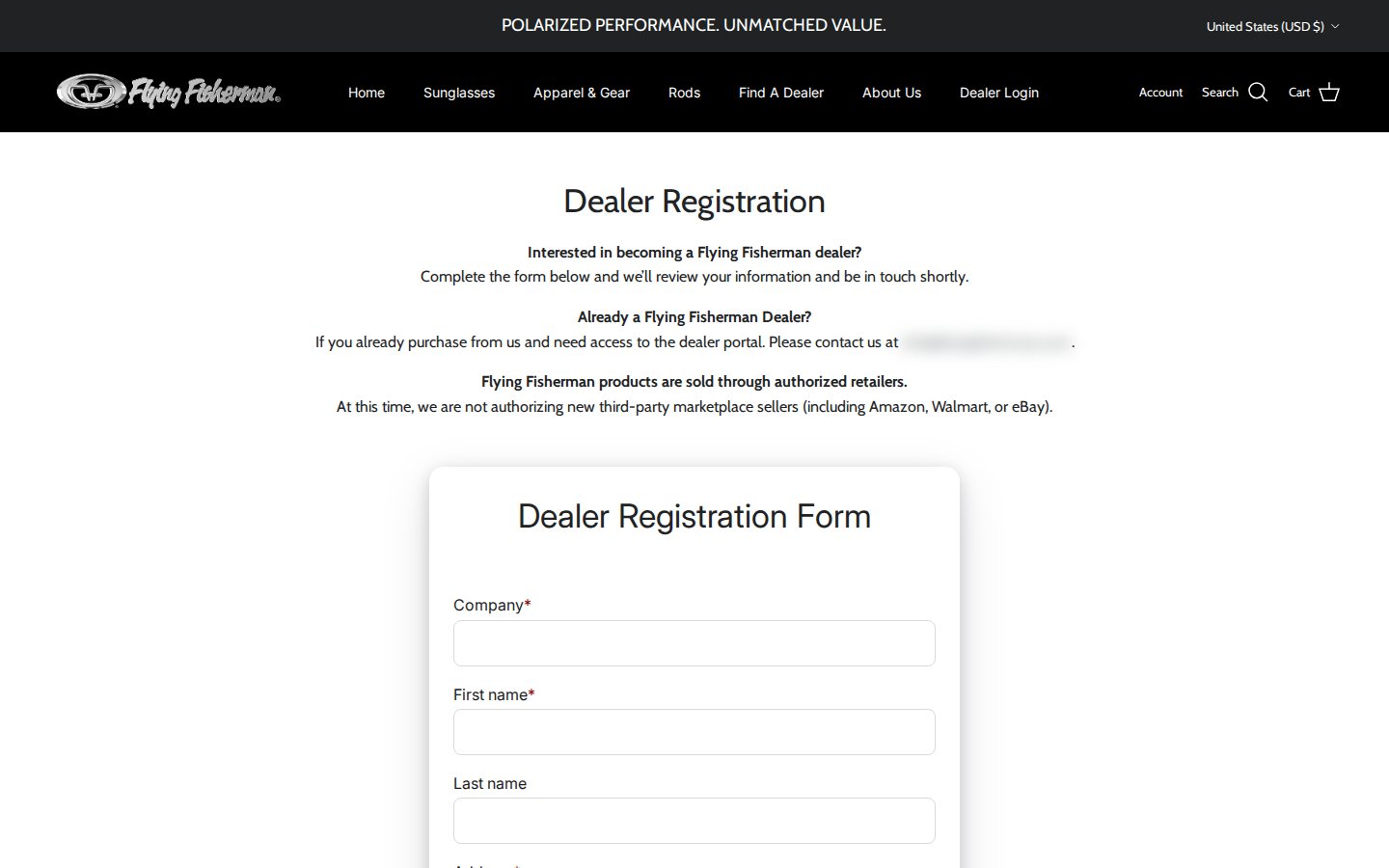
The dealer program is built around authorization. The Dealer Registration page states that “Flying Fisherman products are sold through authorized retailers” and that the brand is “not authorizing new third-party marketplace sellers (including Amazon, Walmart, or eBay)” at this time. It also separates two audiences. Prospective dealers complete the form and the team will “review your information and be in touch shortly”. Existing dealers who need access to the dealer portal are told to contact the company directly.
That structure explains the menu. “Find A Dealer” serves shoppers, “Dealer Login” serves retailers, and both live next to the consumer categories without cluttering them. It is a strong pattern for a brand that protects its channel: the application doubles as a screening step, the marketplace statement sets expectations, and the login makes dealer pricing available only to approved accounts. See our hubs on customer onboarding and wholesale pricing for the wider approach.
There is a practical reason to design the dealer path this way. A brand with authorized retailers has to answer three questions for every applicant: is this a real business, does it fit the channel, and will it respect the price policy? A form with a resale certificate and a business type answers the first two, and the published policy answers the third. Once the answers are acceptable, the merchant approves the account, and the customer tag applied at approval switches on dealer pricing and terms. Nothing about the consumer storefront has to change.
A walkthrough of the wholesale surfaces
What a guest sees
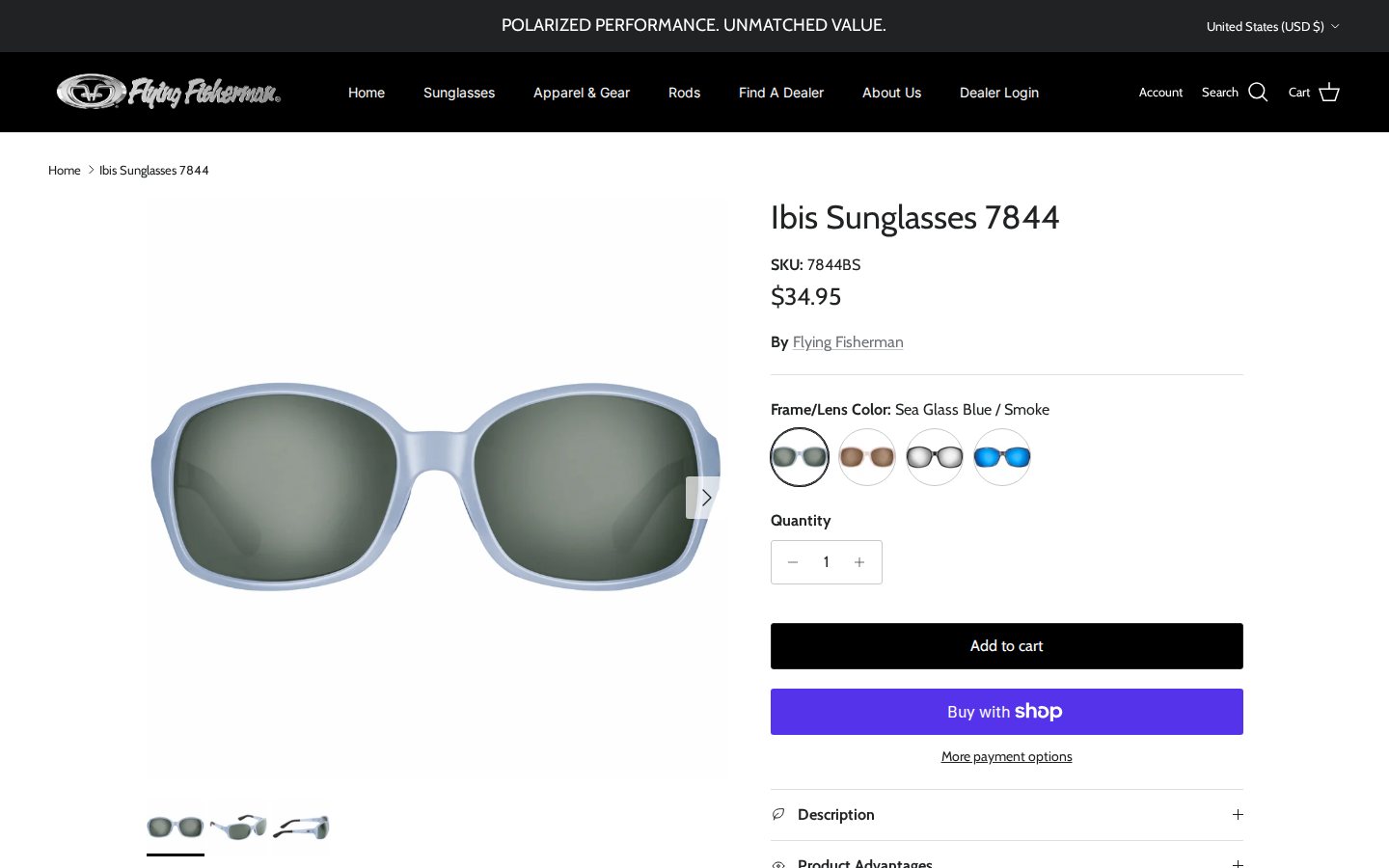
A visitor sees consumer prices everywhere. On a sunglasses product page we saw a regular price of $34.95, color swatches, Add to cart and a Buy with Shop Pay button, and nothing that hints at dealer pricing. This is the same price a retail customer pays, and it is the right design for a brand whose dealers should see their own prices only after they sign in. We do not sign in to merchant storefronts for these spotlights, so the dealer view is described from configuration data only.
The Dealer Registration page
The page opens with three short paragraphs: who the program is for, how existing dealers get portal access, and the authorization policy described above. It then presents the form. Putting the policy above the form is a quiet filter. Marketplace sellers can see before they type that they will not be approved.
A form that collects what a reviewer needs
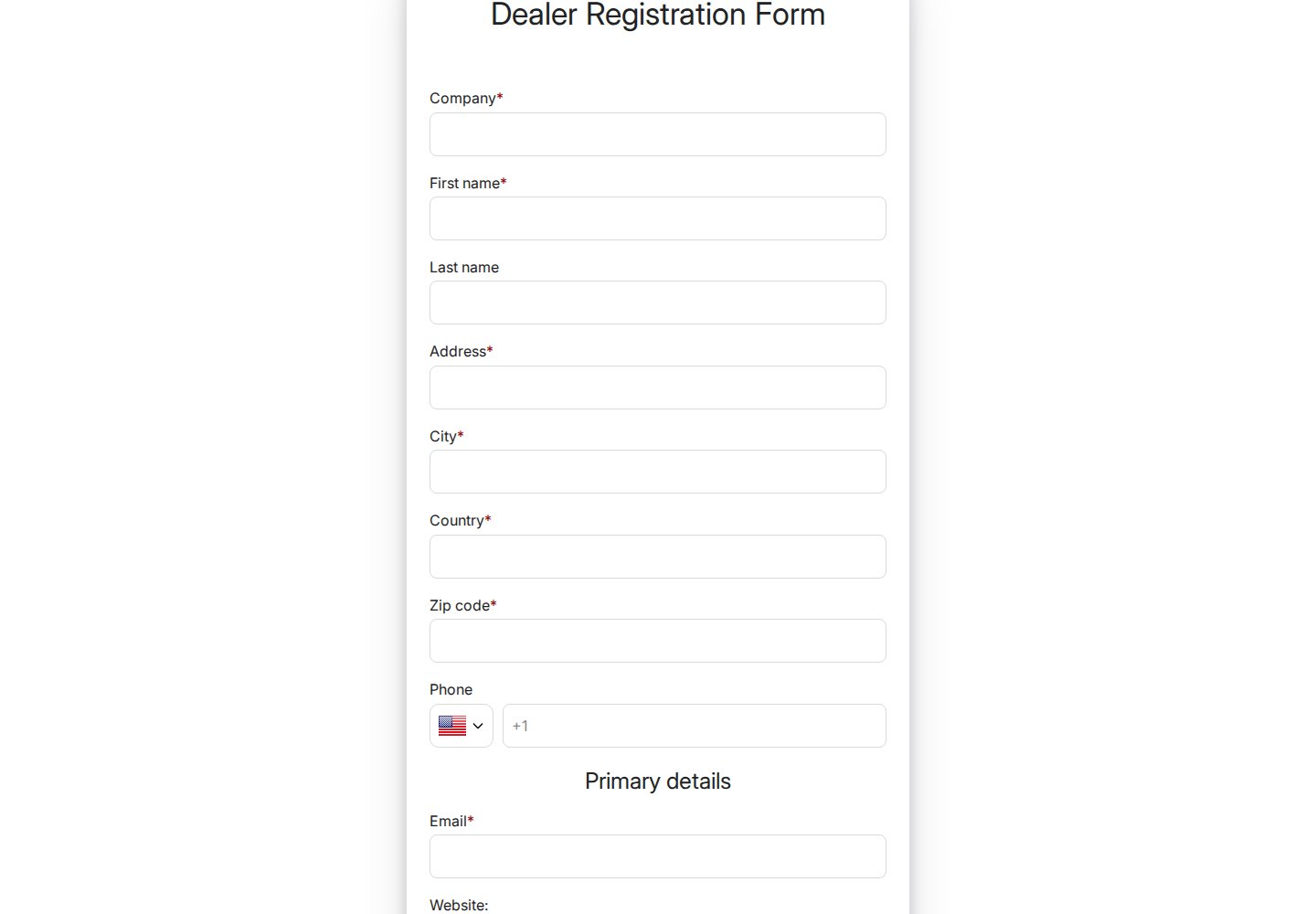
The Dealer Registration Form asks for company (required), first name (required), last name, address, city, country and zip code (all required) and phone, followed by a “Primary details” group with email (required), website, a required Tax Resale Certificate No. and a required Type of Business drop-down. The business type list reads: Tackle Shop / Marina, Sporting Goods Store, Hardware Store, Gift Shop, Online Retailer, Chain or Multi-Location Store, Wholesaler and Other. Those eight options tell the reviewer at a glance which channel the applicant belongs to.
In the configuration data, the form has a captcha, applies a customer tag when the application is approved, and includes tax exemption handling. It does not ask the applicant to choose a password, so the account is created when the merchant approves, not when the applicant submits. That is the manual approval flow described in our guide on managing, approving and notifying wholesale customers.
On a phone
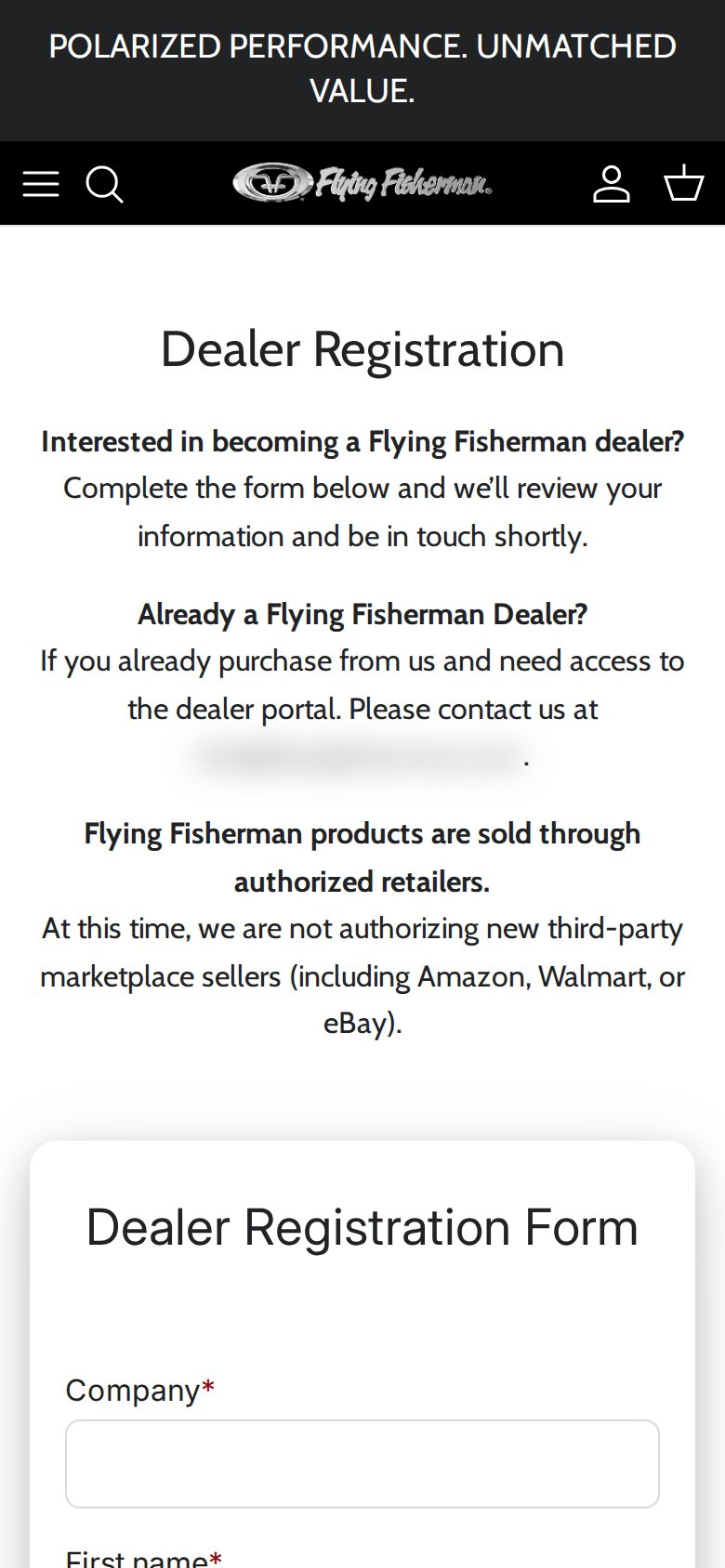
Tackle shop owners are often on the water or in the store, not at a desk. The registration page works on a phone, with the policy text and the form stacked vertically.
Which BSS features power it
Flying Fisherman installed BSS B2B Solution in December 2025 on a Platinum plan. For this spotlight we confirmed the feature types from the app’s configuration data, without looking at business volumes.
- Registration form with approval and tags. The dealer form creates the customer on approval and assigns a tag, which the other rules then read. See a wholesale registration form with approval and approving and notifying applicants.
- Price lists for tagged dealers. Several price list rules target customer tags, which is how a dealer sees a dealer price list instead of the consumer price. Price Lists are a Platinum feature. See building a price list per buyer group.
- Custom pricing for selected products. Custom pricing rules target tagged customers and apply to selected products, a way to set dealer discounts on part of the range, such as display packages or particular lines. See giving tagged wholesale customers special prices and which rule wins.
- Net terms. Two net terms rules are active, one for tagged customers and one for specific customers, so credit terms can follow the account. See offering Net 30 and other payment terms.
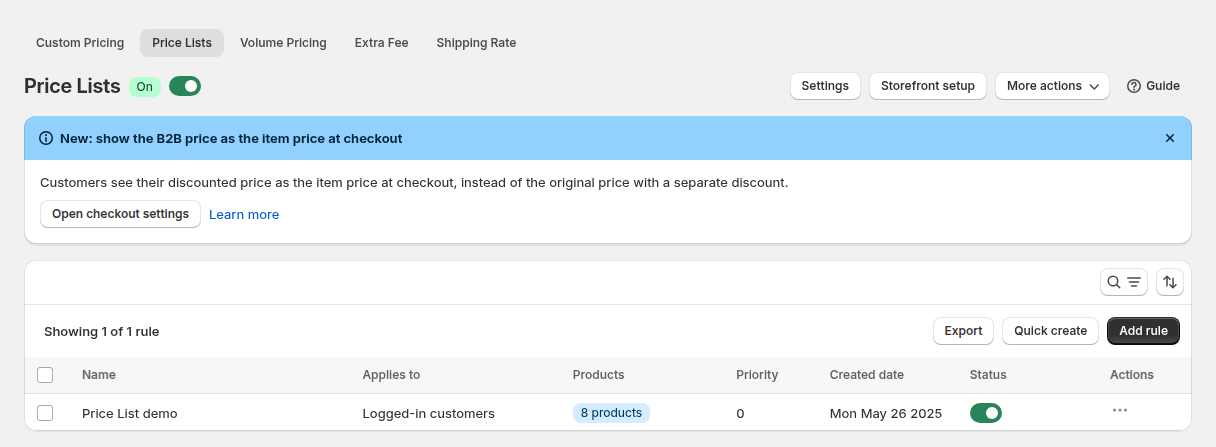
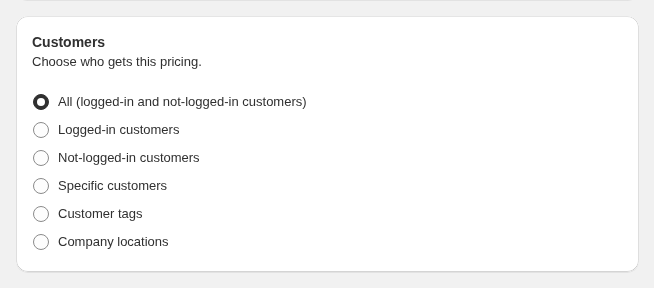
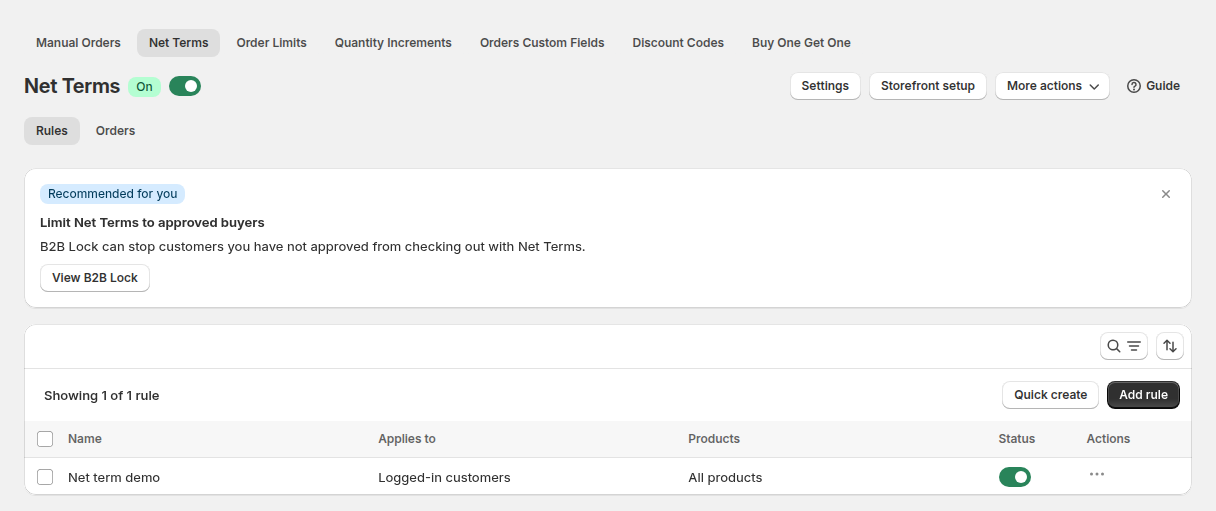

The four images above come from a demo store or a documentation example. They show the mechanics: a price list rule has a name, an audience and a switch; a custom pricing rule can target customer tags among other audiences; a net terms rule works the same way; and a registration form has a setting that assigns a tag when a customer is approved. Because every rule can read the same tag, approving a dealer changes prices, terms and access at once. Our guide to how customer targeting works explains the audience options.
If you run a similar program, plan the first thirty days after approval as carefully as the application. Approved dealers should receive a clear email with how to log in, which price list they are on and who to contact. Test the experience by registering a dummy dealer, approving it and walking through a product page, the cart and the checkout as that dealer. Fix what looks wrong before you invite real retailers.
What other merchants can copy
- Put the dealer path in the main menu. A Find A Dealer link for shoppers and a Dealer Login for retailers keeps both audiences happy.
- State your authorization policy before the form. If you do not authorize marketplace sellers, say so. It saves review time.
- Require a resale certificate and a business type. Two required fields give you a quick screening decision for every application.
- Offer a business-type list that mirrors your channels. Tackle shop, sporting goods, gift shop and online retailer tell you where the account will sell.
- Route existing dealers to a different action. A line that tells current customers how to get portal access prevents duplicate applications.
- Keep consumer pricing public and dealer pricing behind the tag. One storefront, two price lists.
The merchant’s review
Flying Fisherman left a five-star review of BSS B2B Solution on the Shopify App Store on August 3, 2026, after about eight months of use. We quote the public text as written:
The support team at BSS B2B has been incredibly helpful with our wholesale pricing set up and configurations. Pauline has been especially great in getting us answers quickly and walking us through the process of updating our price lists, customer tagging, and other aspects we were having issues with. We are very pleased with this app and the level of support!
Flying Fisherman, United States, 5 stars, August 3, 2026, BSS B2B Solution reviews on the Shopify App Store
The reviewer names two of the same building blocks we saw in the configuration: price lists and customer tagging. After eight months, the praise is about ongoing help with updates, not only about the initial setup.
Create a dealer registration form, tag approved accounts and attach a price list to the tag.
See BSS B2B Solution on the Shopify App StoreFAQ: building a dealer program on Shopify
How can a brand sell to consumers and to dealers on one Shopify store?
Keep the store open for consumers and give approved dealers a customer tag. Price list, custom pricing and net terms rules for that tag then apply only when a tagged dealer is signed in. Everyone else sees consumer prices.
What should a dealer application ask for?
Company name, contact details, address, a resale certificate number where required, the type of business and a website. A required business type helps you tell a tackle shop from an online retailer.
Can I stop marketplace sellers from getting dealer accounts?
You can state your policy on the registration page and review each application manually before approval. The app does not decide who qualifies. Your team does, based on the policy you publish.
Do dealers choose a password when they apply?
It depends on the form. Flying Fisherman’s form has no password field, so the account is created when the merchant approves the application. Other forms ask for a password at submission.
Can dealers have different payment terms?
Yes. A net terms rule can target a customer tag or specific customers, and BSS creates the order with Shopify’s native payment terms when the rule applies.
This store spotlight is based on Flying Fisherman’s public website and its public review on the Shopify App Store, as of October 5, 2026. Screenshots show the public storefront; admin images are labelled as example configuration and are not the merchant’s admin. Feature types were confirmed against app configuration data; no sales, order or customer figures are used.