


Holy Mountain Supplies is an Irish supplier of tattoo, permanent make-up and hygiene products for professional studios, selling from one Shopify store. Its product pages show prices both with and without VAT and a table of quantity discounts of up to 40%. This spotlight explains how that pricing works with BSS B2B Solution and what other suppliers can copy.
Key takeaways
- Public product pages show every price excluding and including VAT, which suits studios that reclaim VAT.
- A visible quantity discount table runs from 10% at five units to 40% at 500 units on cartridges, with a mix and match message.
- Behind it, BSS B2B Solution runs a large set of quantity break rules, plus custom pricing for tagged and selected customers, a tax display rule and a buy one get one rule.
- The merchant’s public review calls BSS timely and professional in helping set up the app.
About Holy Mountain Supplies
Holy Mountain Supplies describes itself as “Ireland’s Leading Studio Supplies” for tattoo, permanent make-up (PMU), art and more. The menu covers Tattoo & Piercing, Permanent Make Up, Gloves & Hygiene, Art & Apparel, Promotions and New Arrivals, and a banner promises stock sent from Ireland, a best range of products and specialist knowledge and advice. Product types in the catalog include inks, tattoo supplies, permanent make-up products, care products, hygiene and protective equipment, machines, needles, and grips and tips, from brands such as Xtreme, The Inked Army, Electric Ink, Nuva and Kwadron.
The About page is written around a working tattoo artist and fine artist from Wexford, which signals that the business comes from the trade it serves. The site also lists featured, sponsored and merch artists, a way to suggest a new product, delivery information, opening hours (weekdays and Saturday) and several compliance pages for different regions. Product pages offer in-store pickup, usually ready within two hours, and the country selector is set to Ireland and euro.
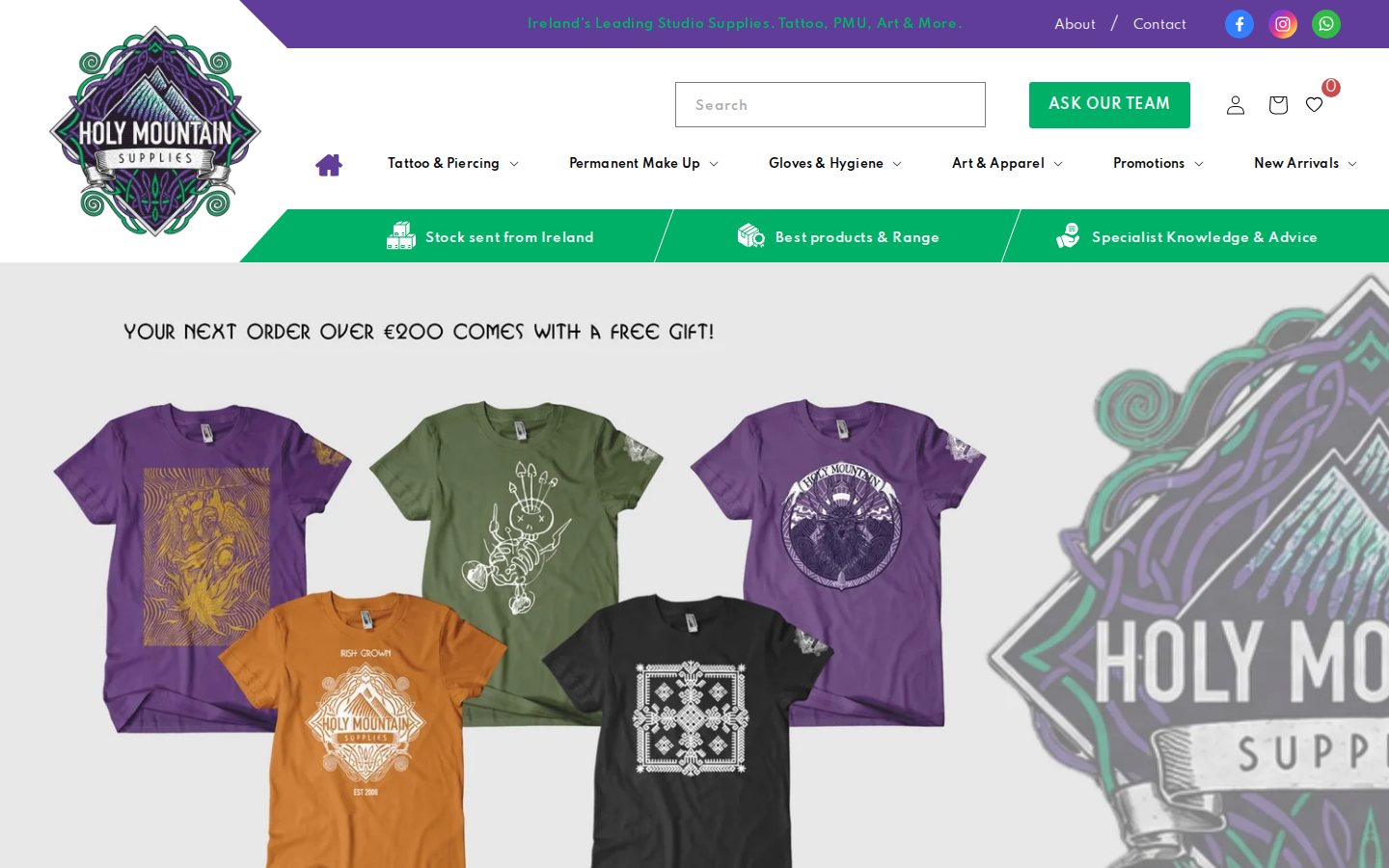
The B2B model: open prices for professionals, with built-in volume discounts
Holy Mountain Supplies does not hide its prices. Everything is visible, which fits a supplier whose customers are professional studios and artists who compare prices constantly and who already know the products. What the store does is make the commercial terms visible: prices are shown excluding VAT and including VAT side by side, and quantity discounts are listed in a table directly on the product page. A studio manager can see at a glance what a box costs, what it costs net of VAT and how much cheaper it gets at 10, 100 or 500 units.
Studios can also register through a “Register your studio” page. That form appears to be built with a different form app, not BSS, so we do not cover it in this spotlight. The pricing, tax display and promotions that this story covers are the BSS side of the store. If you are deciding between hidden and visible prices for your own catalog, our use case on tiered pricing and quantity breaks and the wholesale pricing hub are a good starting point.
A walkthrough of the pricing surfaces
Prices with and without VAT
On the cartridge product page the price reads “€21,00 exc. VAT | €25,83 inc. VAT”. The second number is the first plus 23% Irish VAT. Showing both is useful in a studio supply business because many buyers are VAT-registered businesses, which read the net price, while smaller buyers and sole traders look at the gross price. The module behind this is BSS’s tax display feature, which can show prices with tax, without tax or both, and which the configuration data shows is active on this store. The guide on displaying prices with and without tax covers the options.
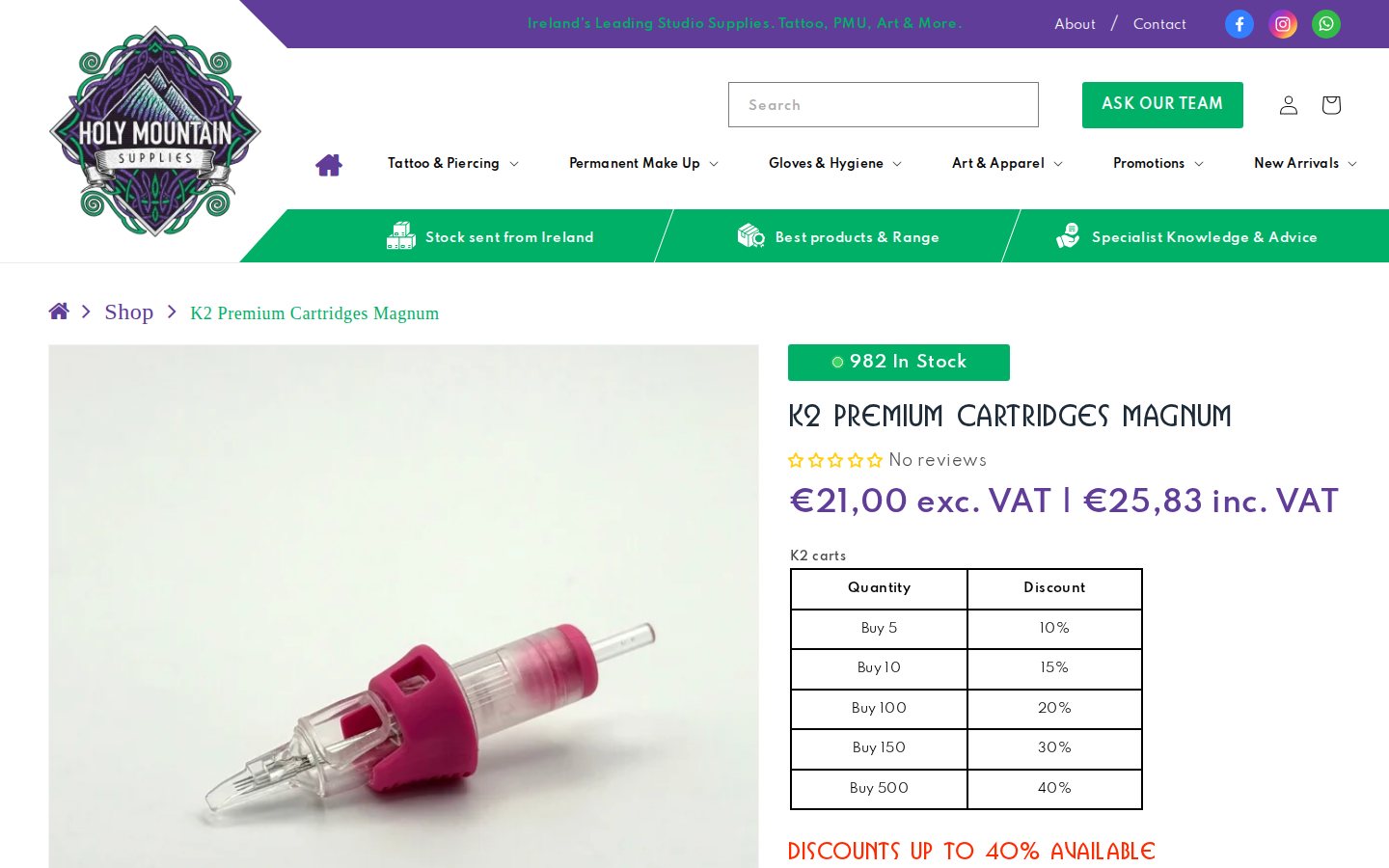
A quantity discount table on the product page
Under the price, the page shows “Show discount details based on quantity range” and a table. The values on the page we captured are:
| Quantity | Discount |
|---|---|
| Buy 5 | 10% |
| Buy 10 | 15% |
| Buy 100 | 20% |
| Buy 150 | 30% |
| Buy 500 | 40% |
A line below says “Discounts Up To 40% Available” and the product copy mentions “Mix and Match K2 Cartridges”, which suggests that buyers can build up the quantity across related variants such as needle sizes. That is a popular choice for consumables: it removes the penalty for ordering a range of sizes and encourages a bigger basket. The percentages come from the merchant’s volume pricing configuration and are the same figures any visitor can read on the page.
The five steps are not evenly spaced, and that is deliberate. Early steps reward small studios for stocking a few boxes; the later ones, from 100 units upward, reward distributors and busy studios. If you design a table like this, sketch the discount curve against your margin before you publish it. Our guide to tiered pricing by purchase volume shows how to enter ranges.
On a phone and on a collection page
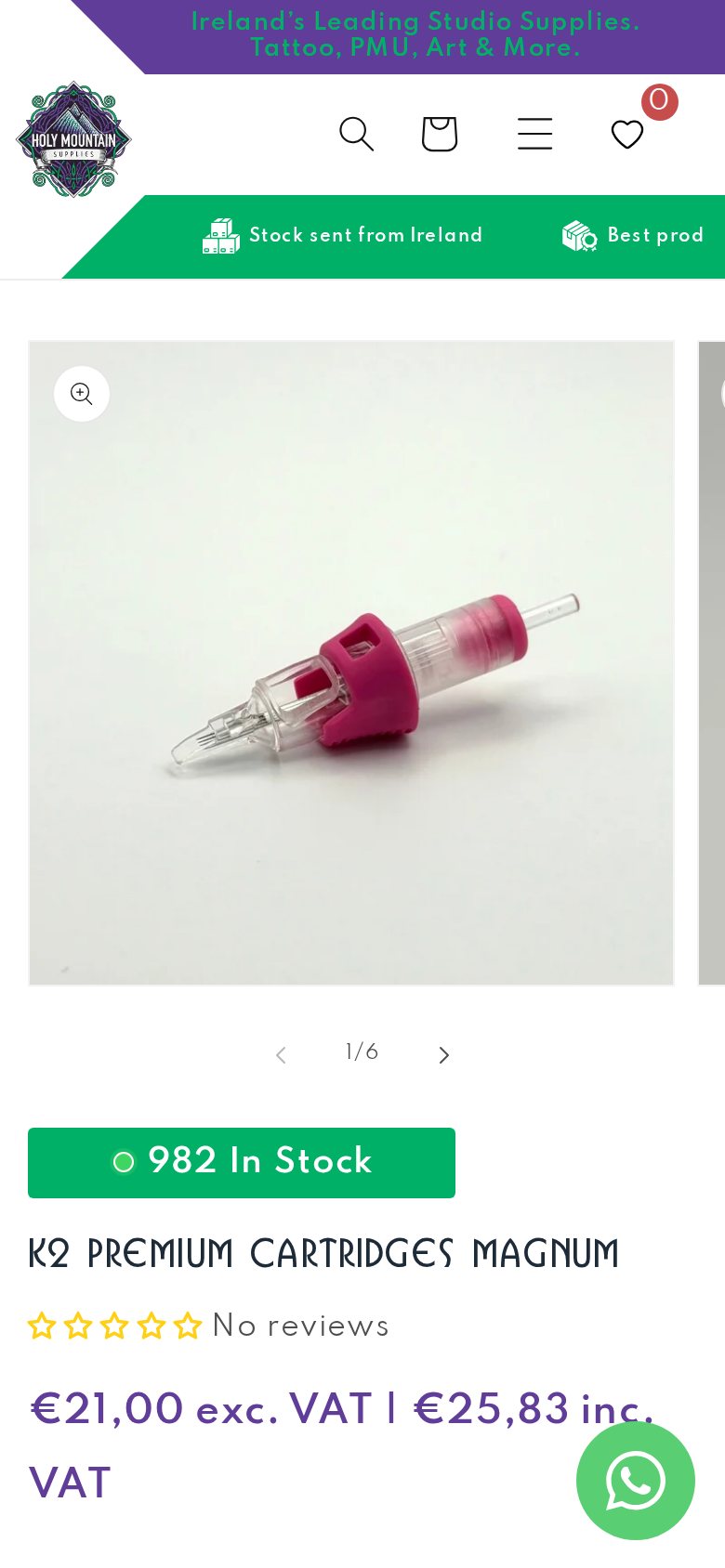
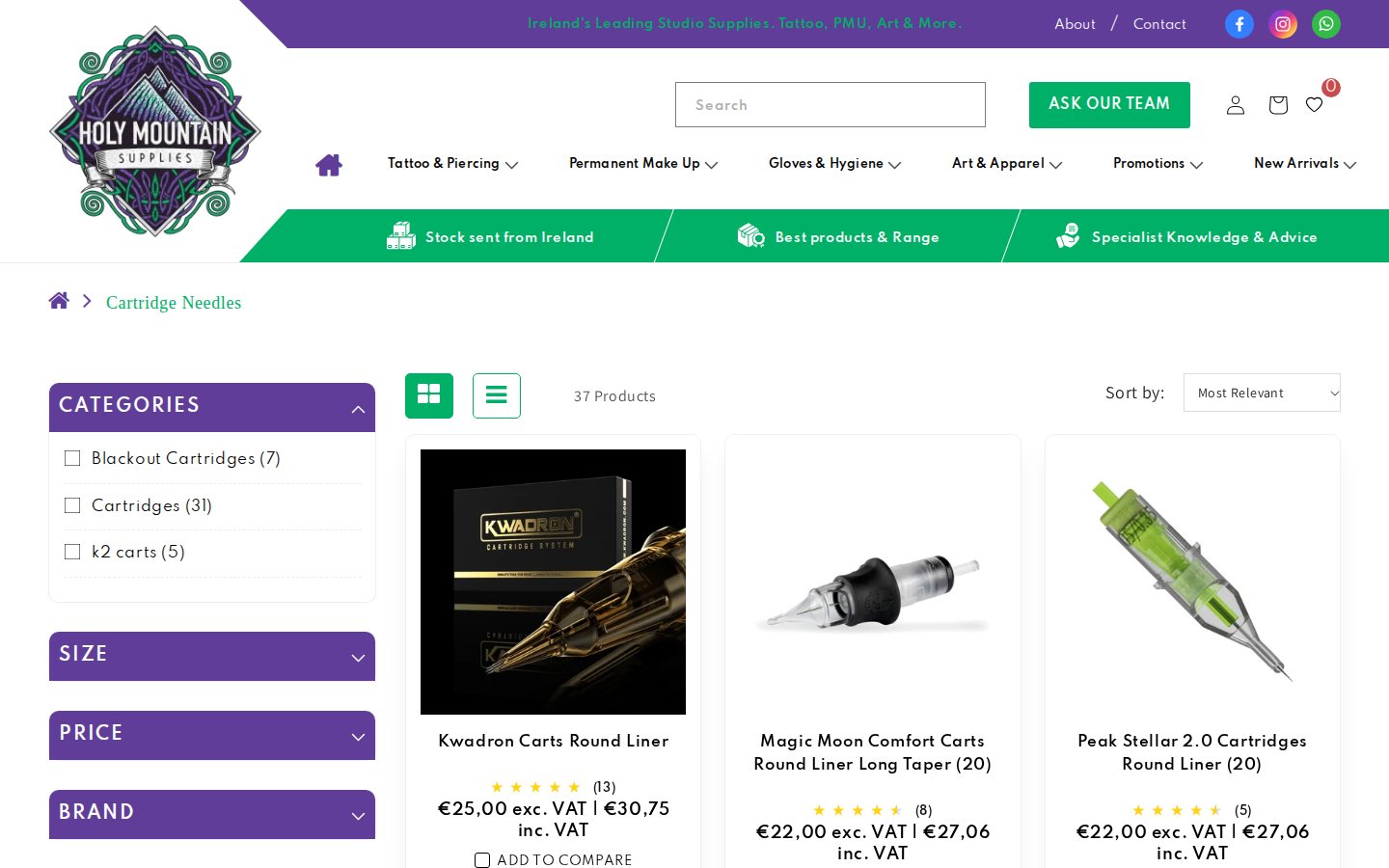
The dual VAT price stays above the fold on a phone, so a tattoo artist standing in a studio can check the net price quickly. Collection pages for ranges such as cartridge needles let buyers drill into the specific type before they reach the quantity table.
Which BSS features power it
Holy Mountain Supplies installed BSS B2B Solution in August 2024 on a Platinum plan. For this spotlight we confirmed the feature types from the app’s configuration data, without looking at business volumes.
- Volume pricing, at scale. Well over twenty quantity break rules are active. They cover different product scopes (selected products, tags and variants), different table styles and different rule types, and some exclude customers with particular tags. This is how a large catalog of consumables can carry different breaks by family. See showing a volume pricing table on product pages and combining custom and volume pricing.
- Custom pricing for tagged and selected customers. Several custom pricing rules are active: some target customer tags, others selected customers. They let the merchant give a particular studio or artist group a better price on top of the public breaks. See giving tagged wholesale customers special prices and which rule wins.
- Tax display. An active tax display rule produces the “exc. VAT | inc. VAT” pairs. See showing prices excluding VAT to business buyers.
- Buy one get one. One buy one get one rule is active, in line with the free gift promotion on the home page for orders over 200 euros. We cannot see which rule powers that promotion, so treat the link as a suggestion rather than a fact. See the guide on offering volume discounts and free gifts.
- Manual orders. The Manual Orders module is in use, which lets the team build orders for customers who phone or message. See placing orders on behalf of customers.
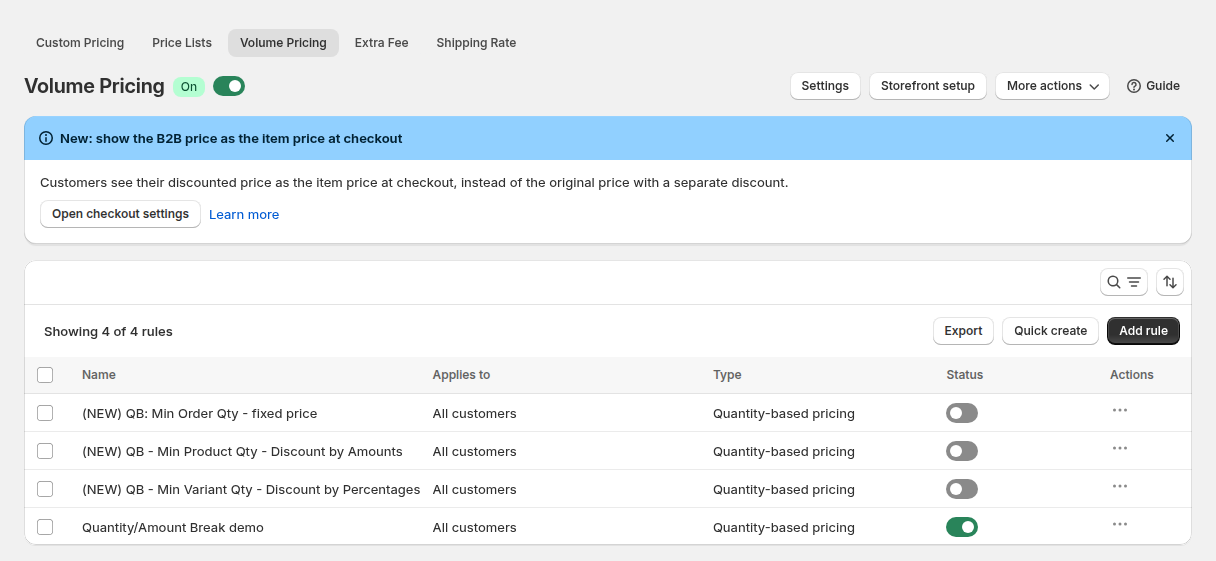
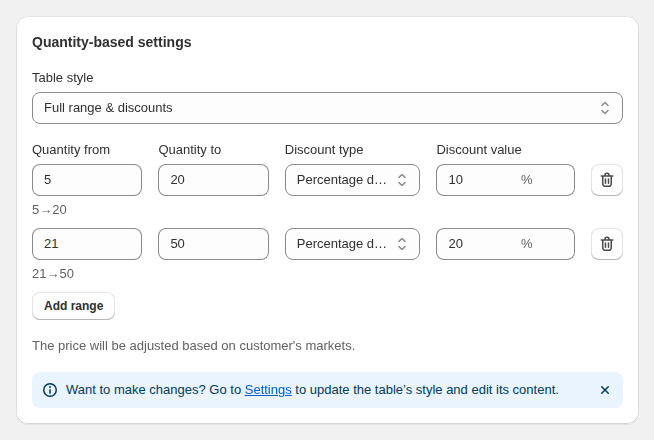
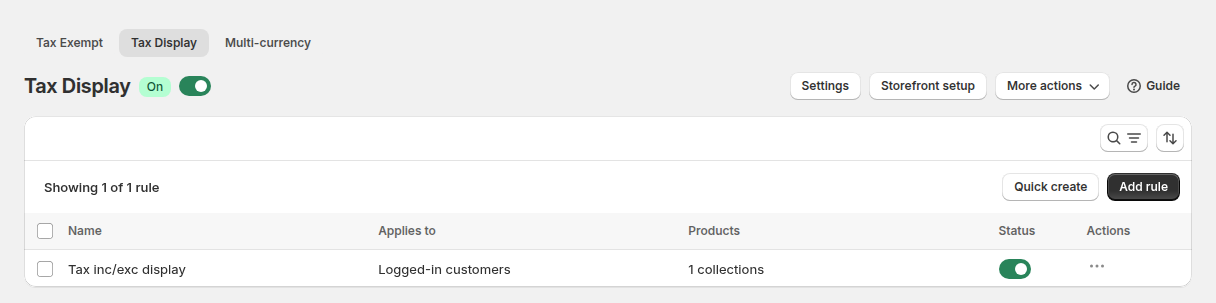
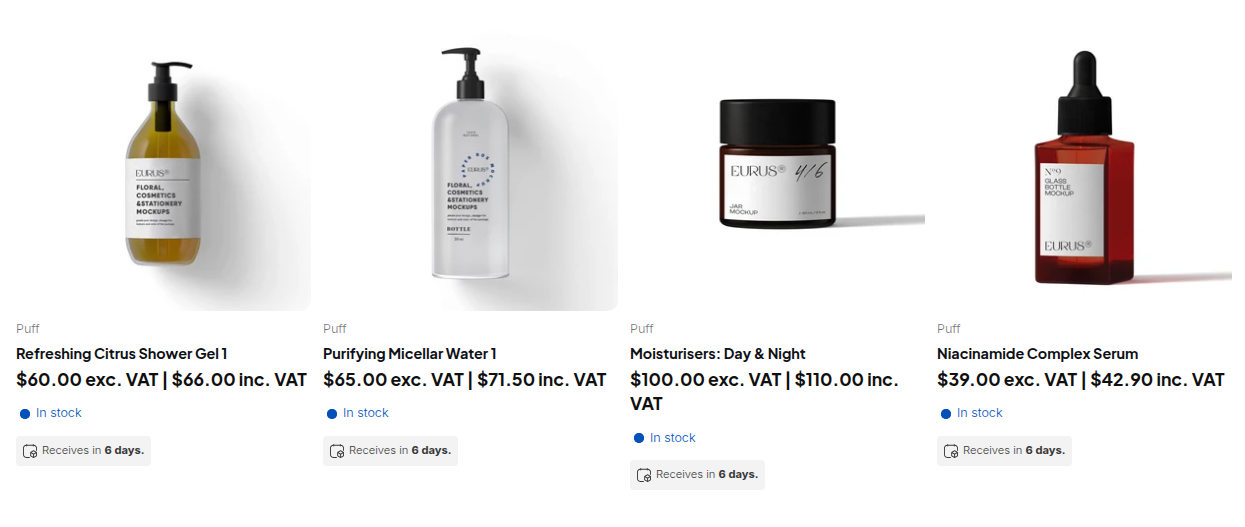
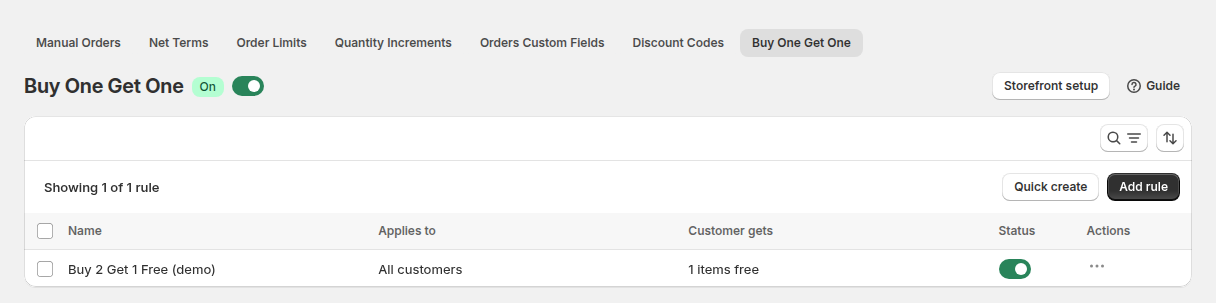
The five images above come from a demo store. They show a volume pricing rule list, the quantity ranges that produce a table, the tax display rule list and its result on a storefront grid, and a buy one get one rule list. Real catalogs like this one have many more rules, which is why a naming convention and the rule priority guide matter once you pass a handful.
What other merchants can copy
- Show net and gross prices together. If many of your buyers are VAT-registered, a dual price removes a calculation from every purchase.
- Put the quantity table on the product page. Buyers see the reward for ordering more at the moment they decide.
- Keep early steps small. A 10% step at five units gets a first bulk order; the 30% and 40% steps serve high-volume buyers.
- Allow mix and match. Let buyers combine variants of the same product family to reach a tier.
- Organize rules by product family. Tags or collections help you manage dozens of rules without confusion.
- Use a free gift threshold on the home page. A visible threshold nudges baskets upward without touching list prices.
The merchant’s review
Holy Mountain Supplies left a five-star review of BSS B2B Solution on the Shopify App Store on October 8, 2024, after about one month of use. We quote the public text as written:
We found BSS: B2B very timely and professional in helping us set up their app on our store
Holy Mountain Supplies, Ireland, 5 stars, October 8, 2024, BSS B2B Solution reviews on the Shopify App Store
The review is short and written early in the relationship. What stands out is the setup. A store with this many quantity break rules is a real configuration project, and the merchant chose to praise the speed and professionalism of the help it received while building it.
Start with one volume pricing rule for a product family, then add tags, collections and custom prices as your catalog grows.
See BSS B2B Solution on the Shopify App StoreFAQ: quantity discounts and VAT display on Shopify
How do I show quantity discounts on a Shopify product page?
Create a volume pricing rule with quantity ranges and discounts, choose the products it affects and make sure the app is enabled in your theme. The table then appears on the product page. A discount can be a percentage, an amount off or a fixed price per range.
Can buyers mix variants to reach a discount tier?
BSS B2B Solution has volume pricing rules that count quantity per product and rules that count it per variant, so a mix and match offer is possible. Choose the counting level when you create the rule and test it with a mixed cart.
How do I show prices both with and without VAT?
A tax display rule can show prices including tax, excluding tax or both, and it can apply to selected pages and collections. Tax display changes what the page shows, not how Shopify calculates tax at checkout.
Is it a problem to publish discount percentages publicly?
Many suppliers do, especially in trades where buyers compare prices. If you prefer to keep them private, a rule can target logged-in customers or customer tags so only approved buyers see the table.
Can I offer a free gift above a basket value?
Yes. A buy one get one rule or a discount code can add a free gift, and a store can add a message on the home page. Check the rules together so a gift and a quantity break do not conflict.
This store spotlight is based on Holy Mountain Supplies’ public website and its public review on the Shopify App Store, as of October 5, 2026. Screenshots show the public storefront; admin images are labelled as example configuration and are not the merchant’s admin. Feature types were confirmed against app configuration data; no sales, order or customer figures are used.