


JPRO Supplies is a Florida janitorial, facility and school supply store that sells to the public and to organizations from one Shopify store. Guests browse and buy at regular prices, while businesses apply for an account that unlocks net terms, tax-exempt purchasing and bulk pricing. Here is how the storefront and BSS B2B Solution fit together.
Key takeaways
- One store serves two audiences: open retail browsing for everyone, plus an approval-based business account for schools, hospitals and facilities.
- The application page does the selling: six benefits above the form, a review promise, and fields for an EIN, a resale certificate and a net terms request.
- Behind the form, BSS rules (price lists, net terms, tax exemption, shipping rates and auto tags) respond to the customer tag the approved account receives.
- The merchant’s public review praises support for custom theme integration and for making Net Terms and tax calculation work on wholesale orders.
About JPRO Supplies
JPRO Supplies sells janitorial and facility supplies, breakroom items, office and school supplies, safety gear and technology to commercial and institutional buyers. According to the About page on its website, the company was founded in the summer of 2020 around a simple belief: schools deserve better. The founders saw that many janitorial suppliers promoted a few temporary deals while leaving everything else tied to unpredictable market pricing, so JPRO set out to offer consistent pricing and simpler chemical programs, first working closely with a large charter school network and later widening to hospitals, manufacturers and other facilities.
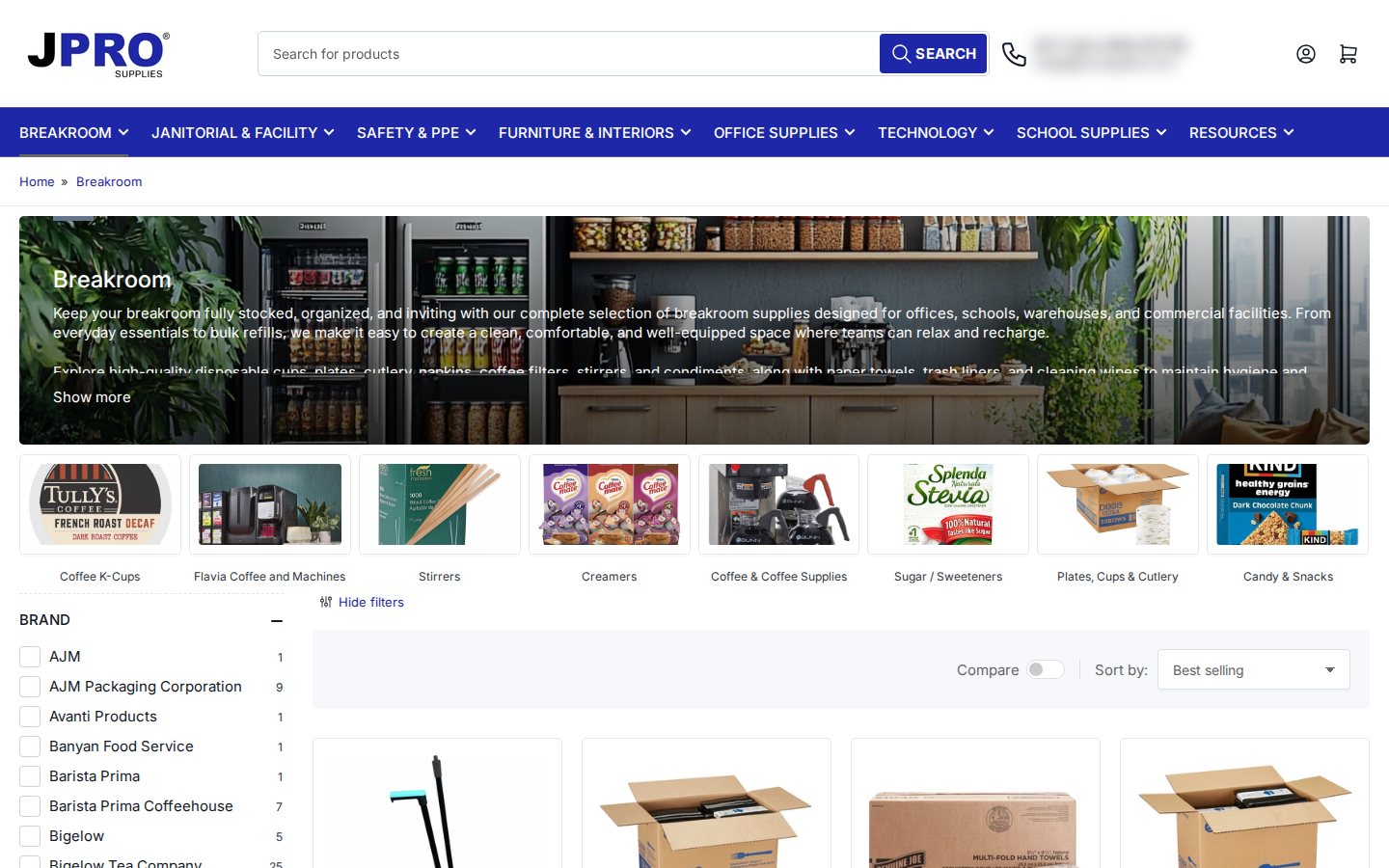
The catalog is broad. Navigation runs from Breakroom and Janitorial & Facility through Safety & PPE, Furniture & Interiors, Office Supplies and Technology to School Supplies, and the About page lists trusted brands such as Clorox, Genuine Joe, Purell and Rubbermaid. JPRO also describes custom ordering catalogs, facility maintenance programs and on-site training for janitorial staff. Its FAQ states that it ships within the continental United States only (the Lower 48 states) and accepts major credit cards, Shop Pay, Google Pay and Apple Pay.
How JPRO sells: a hybrid store with a business account on top
JPRO does not hide its catalog. A first-time visitor can open any category, see a price and add an item to the cart, which is the right call for a supplier whose buyers range from a school office manager buying one case of copy paper to a facilities team standing up a recurring chemical program. What changes for approved businesses is the commercial terms. The application page and the product-page panel promise net terms, bulk pricing, custom catalogs, a dedicated account manager, purchase orders and tax-exempt purchasing.
That split is the classic hybrid B2B and B2C model on Shopify. The retail experience stays simple and indexable, and the wholesale layer is added through customer tags. A buyer applies, JPRO reviews the application, and the approved customer receives a tag. From then on, rules in the app can recognize that tag and change prices, payment terms, tax handling or shipping for that customer only. If you are weighing this model, our use case on selling B2B and B2C from one Shopify store walks through the decisions in more detail, and the customer onboarding hub covers the application side.
The FAQ on the JPRO site also tells visitors that volume discounts and custom quotes are available by contacting customer service. In other words, the public pages do not show a volume table, and the negotiated terms live in the account rather than on the shelf.
A walkthrough of the wholesale surfaces
The application page sells the account before it asks for anything
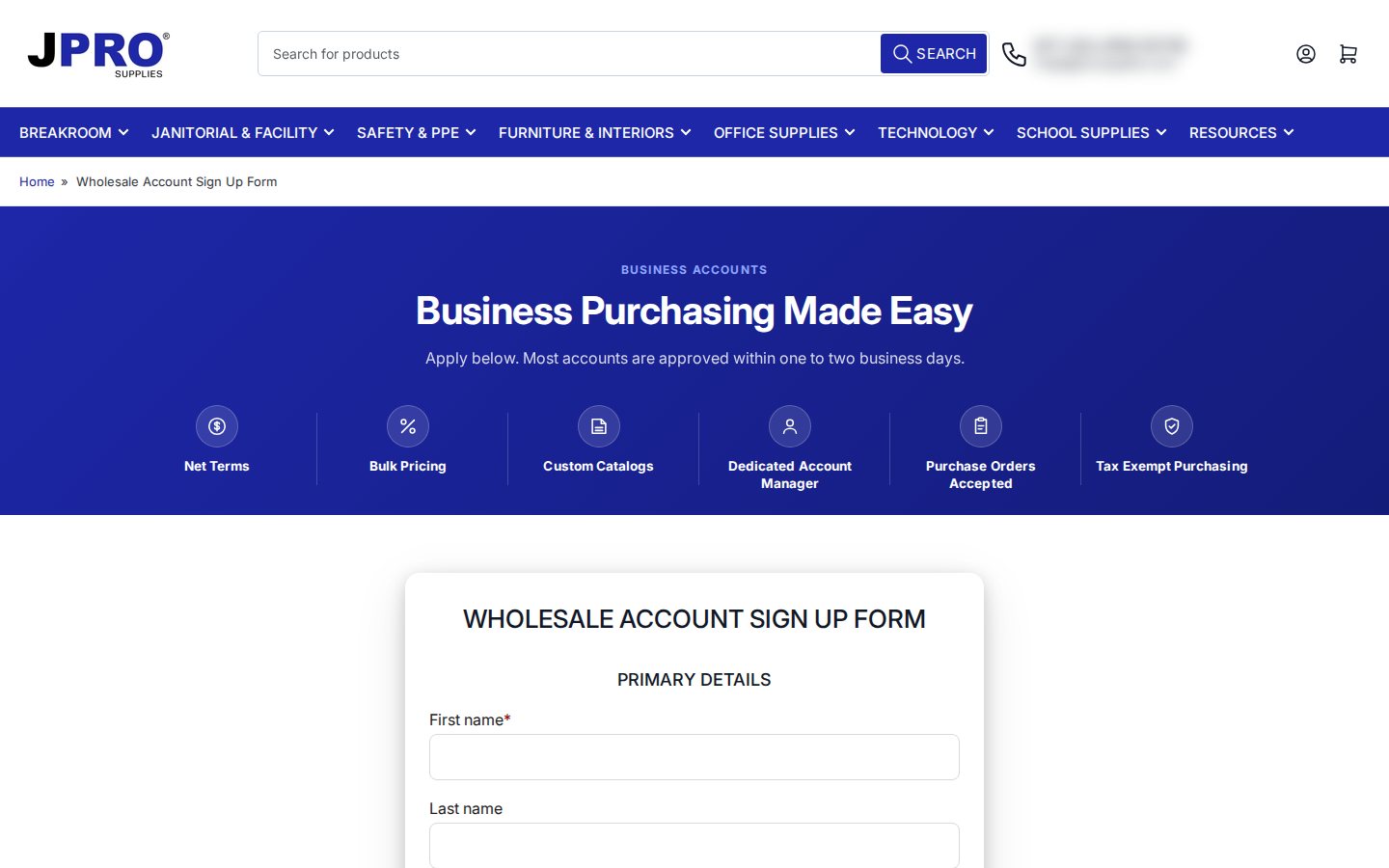
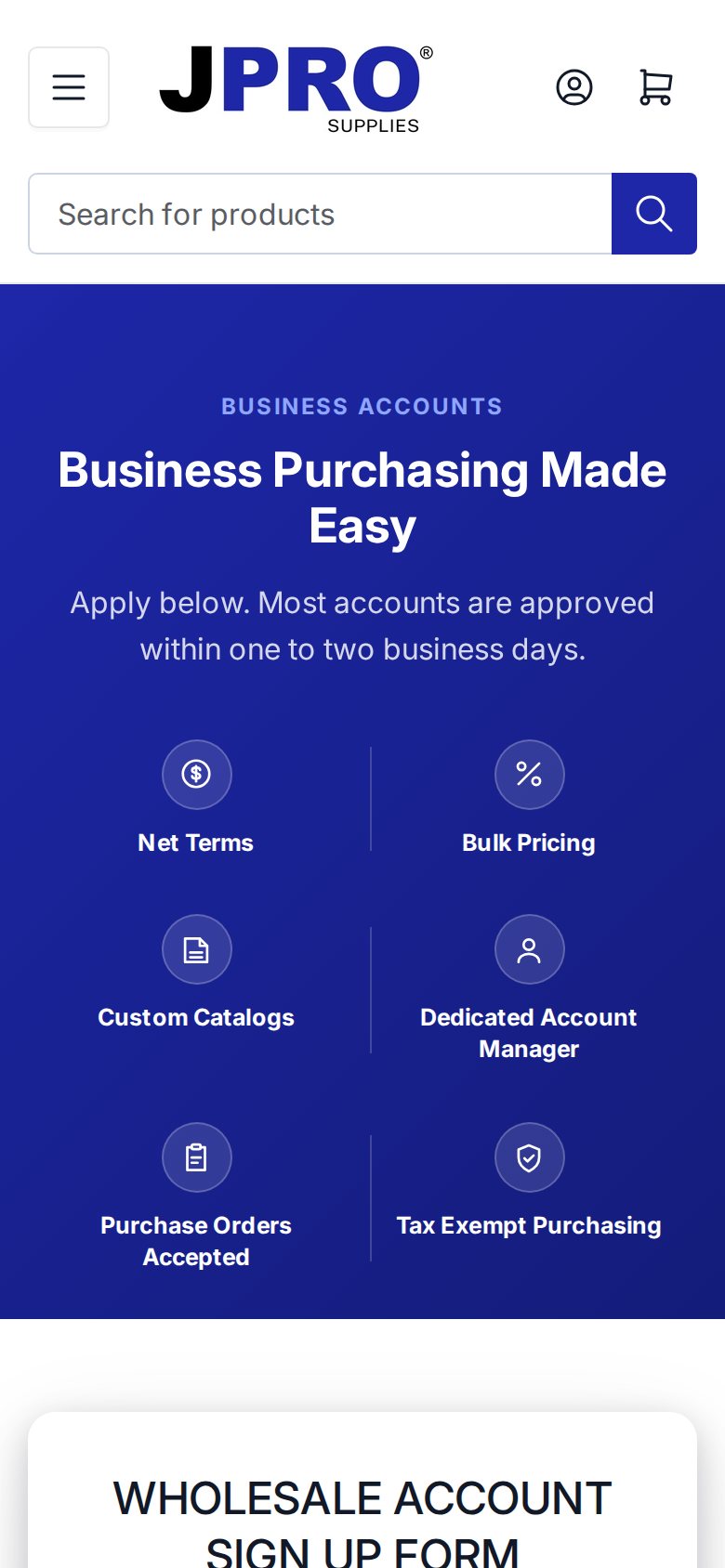
The wholesale account sign up page opens with a deep blue banner titled “Business Purchasing Made Easy” and a line that reads “Apply below. Most accounts are approved within one to two business days.” Under it sit six short benefits with icons. On a phone the grid collapses into two columns, so the benefits are still the first thing a buyer reads before scrolling to the form.
The form asks the questions a reviewer actually needs
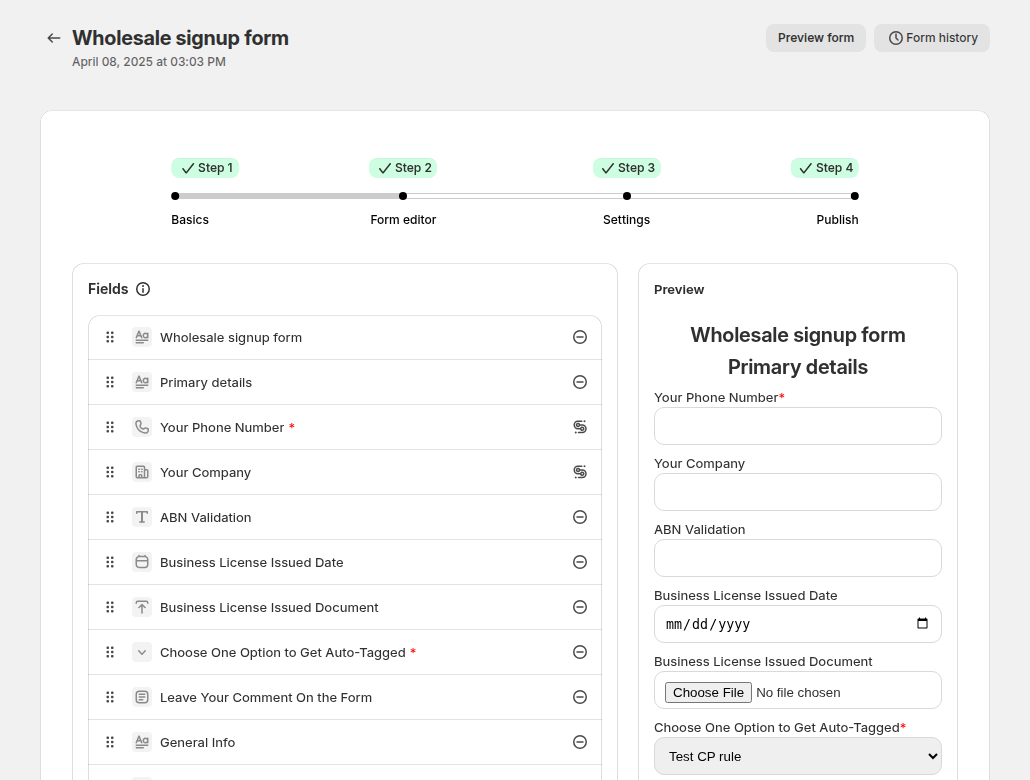
The registration form is a BSS B2B Solution form embedded in a Shopify page. It starts with first name, last name, email and password, which means the applicant sets a login at the moment of applying. It then asks for the company, the primary business, phone, address and a free-text description of the business. A section titled “Please provide your EIN and tax exempt / state reseller certificate (if applicable)” follows with a US EIN field and a file upload.
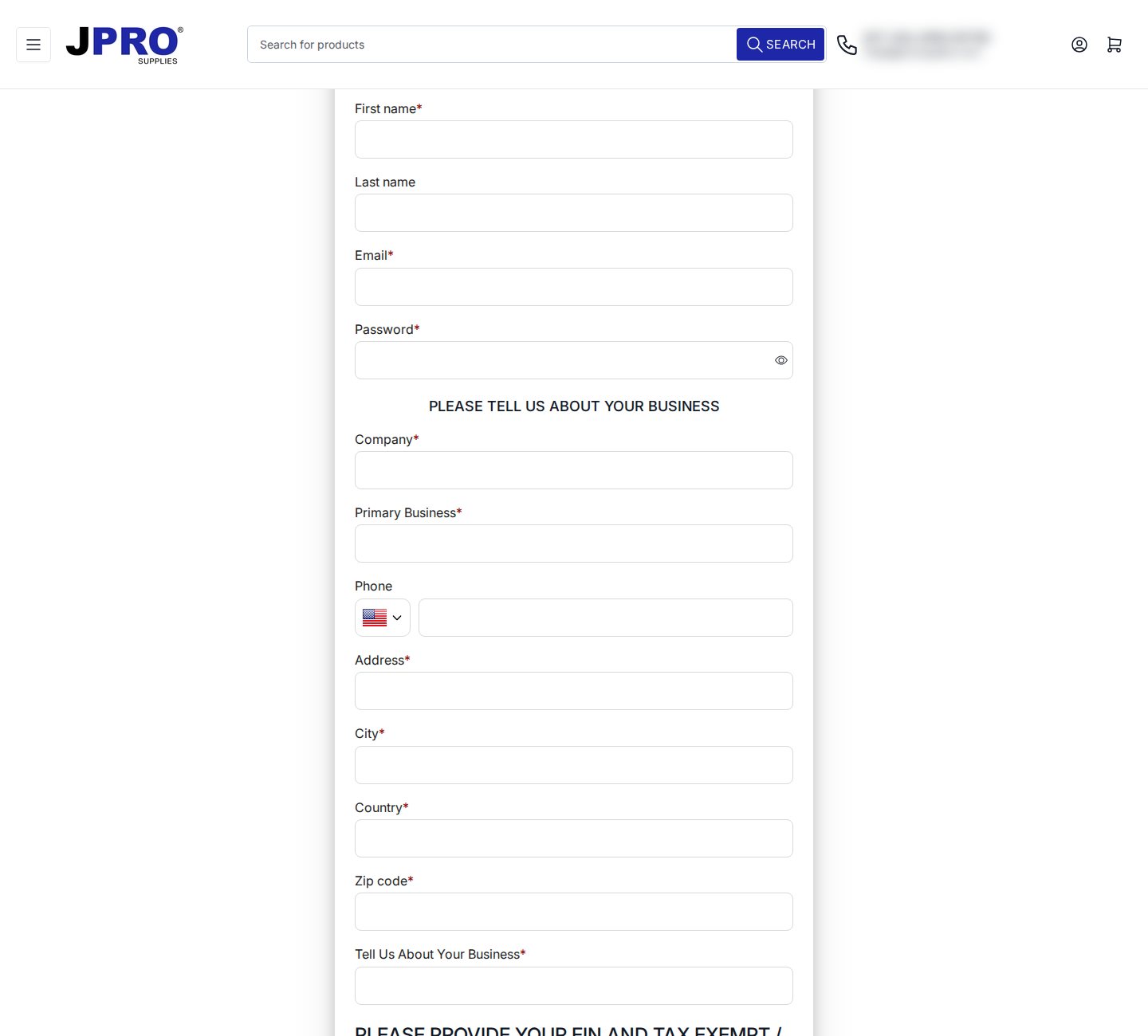
The next part is where the form earns its keep. A yes or no question, “I would like to apply for Net Terms”, tells the reviewer who wants credit before anyone is approved. A checklist of seven product categories (trash liners, paper products, breakroom supplies, cleaning chemicals, JanSan supplies and equipment, copy paper and office supplies) tells the account manager what to prepare, and a required field for the approximate monthly purchase amount sizes the account. A reCAPTCHA box closes the form.
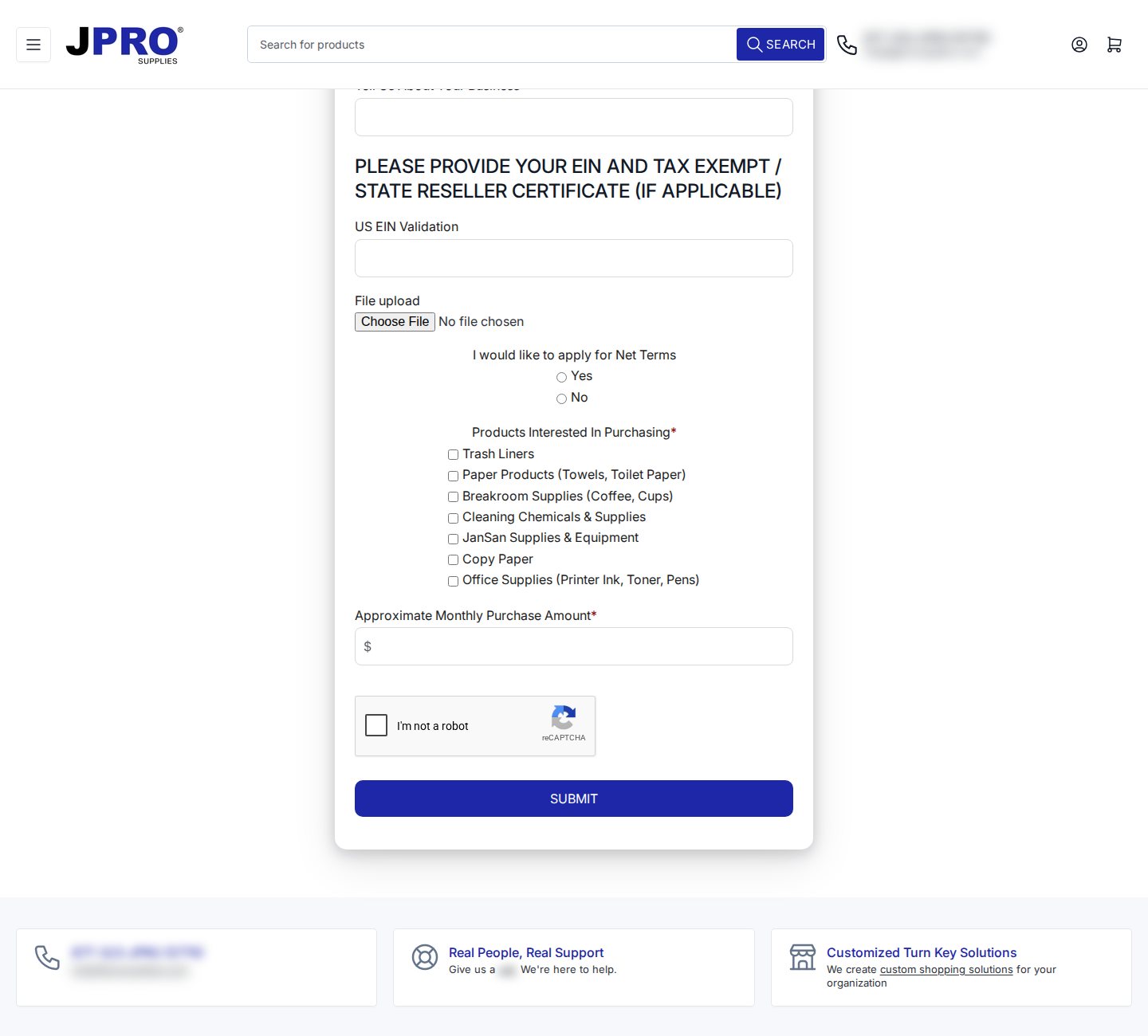
Two details are worth noting. The EIN field is labelled “US EIN Validation” and is not marked required, which fits the way the feature works: BSS checks a US EIN while the buyer types it, but it blocks submission only when the field is required, so applicants who have no EIN yet are not turned away at the door. And the certificate upload is a standard file field, so the reviewer sees the document next to the application instead of chasing it by email. Our guide to building a wholesale registration form lists the field types, including tax ID fields and file uploads.
Every product page keeps the invitation visible
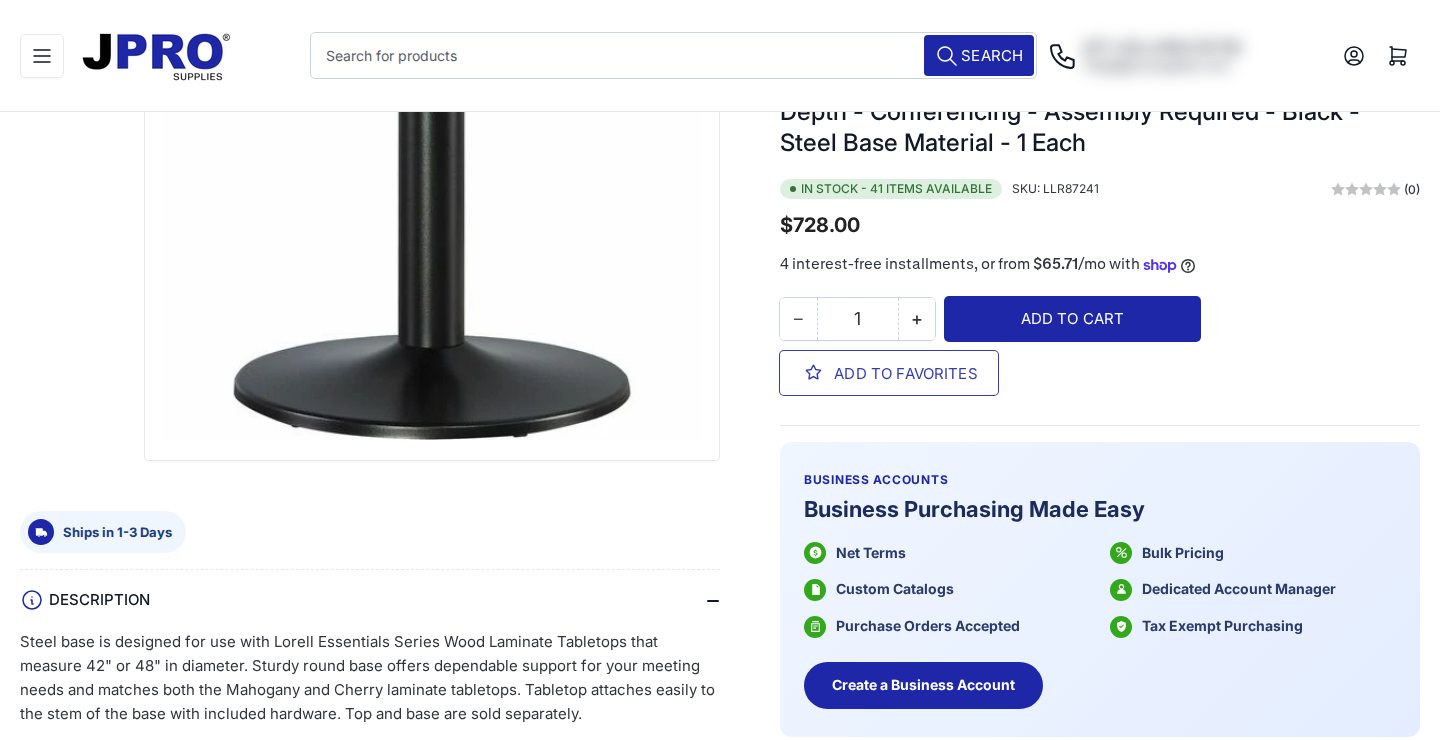
Product pages carry the same Business Accounts panel with a “Create a Business Account” button, so a buyer who lands from search on a specific item does not need to find the application page first. The regular price and Add to cart stay in place for guests.
Which BSS features power it
The storefront shows the registration form and the retail-facing panels. The rest of the setup is configuration inside BSS B2B Solution, which we checked against the app’s production data for this spotlight (feature types only, no business volumes). JPRO is on a Platinum plan and has the following modules switched on.
- Registration form with tags. The form creates a Shopify customer account and applies a tag, with a captcha enabled. The tag is the hinge for everything below. See the use case on a wholesale registration form with approval and the one on verifying a business tax ID before approving.
- Price lists for tagged customers. Several price list rules target customer tags, which lets different buyer groups see different prices. Price Lists are a Platinum feature; read how to build a price list per buyer group and which rule wins when several apply.
- Net terms rules. Net terms rules, including a 30-day term, are active for tagged customers. BSS attaches Shopify’s native payment terms to the order it creates, so the due date appears where Shopify buyers and merchants expect it. See offering Net 30 and other payment terms and the net terms setup guide.
- Tax exemption and tax display. A tax-exempt rule for tagged customers and a tax display rule are on, which matches the “Tax Exempt Purchasing” promise on the sign up page. See onboarding tax-exempt buyers with net terms and the tax exempt guide.
- Shipping rates, order limits and auto tags. Shipping rate rules for tagged customers, order limit rules that set minimums and several auto tag rules round out the setup. For ideas, see handling fees and custom shipping for wholesale, enforcing minimum order quantity and value and auto-tagging customers by spend or order count.
A custom pricing rule also exists in the account but is currently switched off. That is normal. Merchants often keep a rule they may want again.
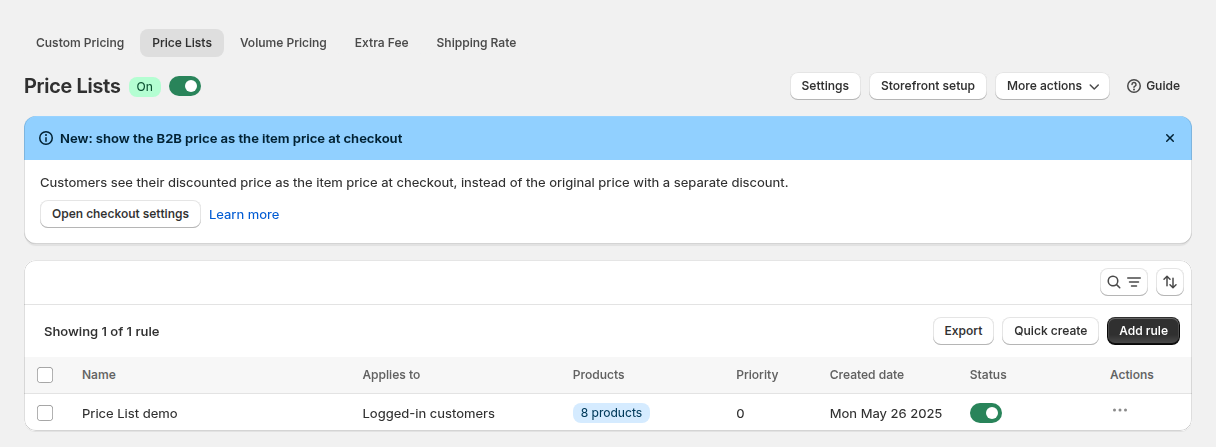
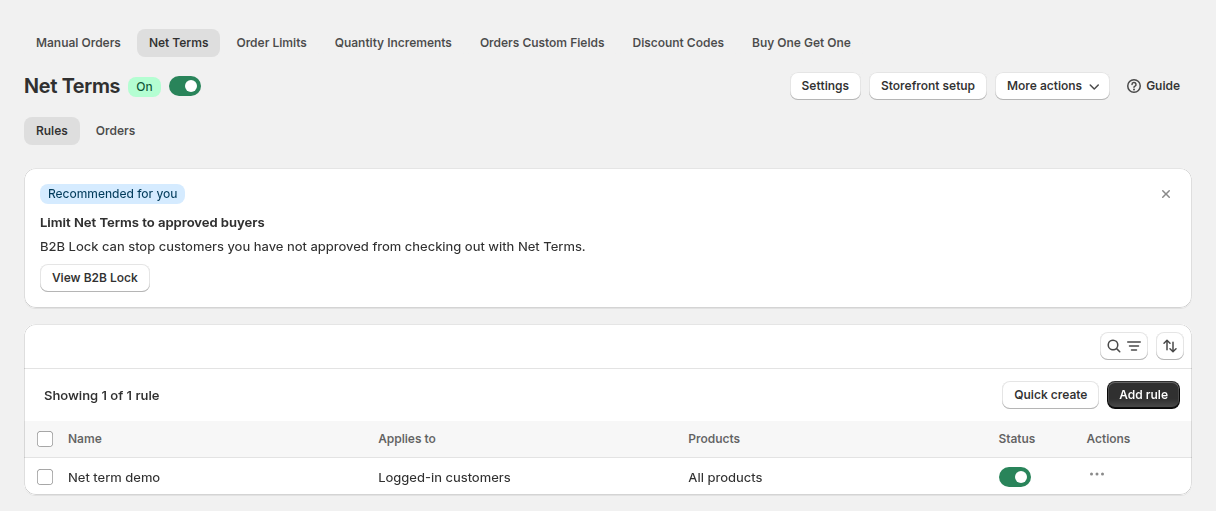
The two screens above come from a demo store. They show the shape of the configuration: a rule has a name, an audience (here, logged-in customers), and a status switch. JPRO’s rules target customer tags instead of all logged-in customers, and the hub pages on wholesale pricing and order rules and terms explain how those audiences are chosen.
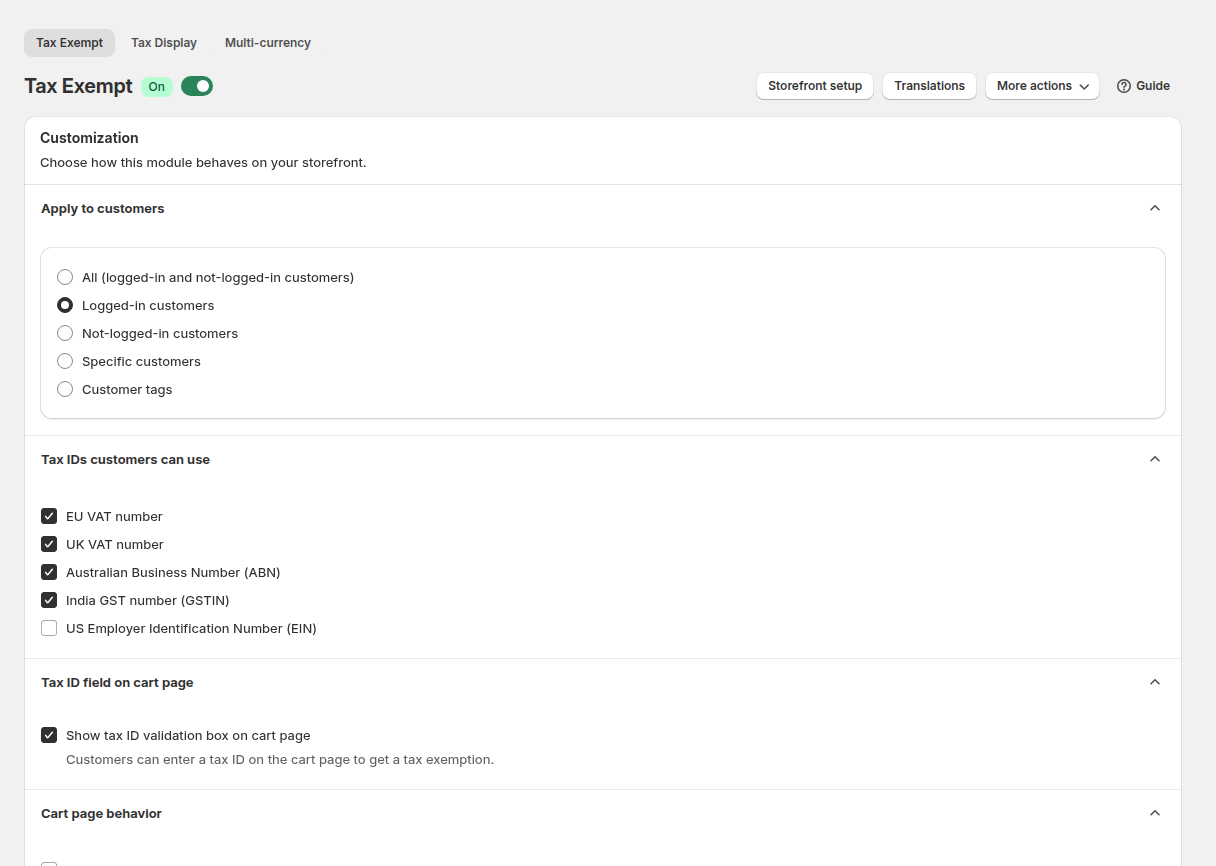
Tax exemption deserves a short caveat. The buyer enters a tax ID on the cart page, and BSS creates the order as tax exempt through a draft order. That flow lives in the storefront and the app’s checkout service, not in Shopify’s native tax settings, so it is worth testing with a real buyer account on your theme. Our tax compliance hub collects the details.
What other merchants can copy
You do not need a janitorial catalog to reuse this pattern. These are the parts of JPRO’s setup that transfer to almost any supplier with a mix of retail and institutional buyers.
- Lead with benefits, then ask for details. Put the account perks and the review promise above the form. Applicants who understand what they get finish the form more often.
- Collect reviewer fields, not just contact fields. A tax ID, a certificate upload, a credit request and an expected spend let you approve in minutes instead of writing back.
- Treat the customer tag as the product. Registration, auto tags and manual approval all end in a tag, and every price, term and tax rule reads the same tag. One tag per buyer group keeps the rule list short.
- Keep checkout open to guests if you are hybrid. JPRO lets anyone buy. You can add stricter access later with a login lock, see the access control hub, if a part of your catalog should be for approved buyers only.
- Plan for theme integration. Embedded forms and panels may need small theme edits. JPRO’s review mentions exactly that, and the guide on enabling the app in your theme is the place to start.
- Test as a buyer. Register a test account, tag it, and walk through price, tax and payment terms before you announce the program.
The merchant’s review
JPRO Supplies left a five-star review of BSS B2B Solution on the Shopify App Store on November 7, 2025, after about three months of use. The review is public, and we quote it as written:
This team offers great support. We had a few issues which needed custom integration into our theme and they’ve been helpful throughout the entire process to get it working. It takes some back and forth due to the time zone difference, but they’ve made the Net Terms and Tax calculation work on wholesale orders that I haven’t found on other apps. Thanks
JPRO Supplies, United States, 5 stars, November 7, 2025, BSS B2B Solution reviews on the Shopify App Store
Note what the reviewer chose to praise. It is not a headline feature but the work of getting net terms and tax calculation to behave on wholesale orders inside a customized theme. For a supplier whose buyers pay on terms and claim exemptions, that is the difference between a program that exists on paper and one that runs.
Start with a registration form, a tag and one price list, then add net terms and tax rules as your buyers ask for them.
See BSS B2B Solution on the Shopify App StoreFAQ: selling to businesses and the public from one Shopify store
Can one Shopify store serve both public customers and business buyers?
Yes. Many merchants keep the storefront open and use customer tags to give approved businesses different prices, payment terms and tax handling. JPRO Supplies shows prices and Add to cart to guests, and invites businesses to apply for an account with extra terms.
What should a wholesale application form ask?
Ask what your reviewer needs to decide: company, type of business, address, a tax ID or resale certificate where relevant, whether the applicant wants credit terms, which categories they buy and roughly how much. Fewer open-ended fields means faster approvals.
How do net terms work with BSS B2B Solution?
A net terms rule targets customers (for example by tag) and, when a rule applies, the order is created with Shopify’s native payment terms such as Net 30. The terms options include due on receipt, due on fulfillment, Net 7, 15, 30, 60 and 90, and several date-based options.
Does BSS check a buyer’s EIN?
On a registration form, a US EIN field is checked as the buyer types and marks an invalid entry. The check blocks submission only when the field is required. Because tax IDs can change, treat it as a screening aid, not as legal verification.
Do I need a Shopify Plus plan for business accounts?
No Shopify plan requirement is part of the registration, pricing or net terms features described here. Check the Shopify B2B guide for what Shopify itself offers on each plan.
This store spotlight is based on JPRO Supplies’ public website and its public review on the Shopify App Store, as of October 5, 2026. Screenshots show the public storefront; admin images are labelled as example configuration and are not JPRO’s admin. Feature types were confirmed against app configuration data; no sales, order or customer figures are used.