


Orthodox Heritage, a UK shop for Orthodox icons, books and candles, treats parishes and churches as trade customers. They register with a charity and VAT form, then see members-only collections, request quotes, and pay on 30 or 60 day terms, using BSS B2B Solution, BSS B2B Lock and BSS B2B Quote together.
About Orthodox Heritage
Orthodox Heritage is an online shop for Orthodox Christian goods, based in the United Kingdom with a pickup point in Reading. Its about page says the initiative was established with the blessing of the Romanian Orthodox Archdiocese of Great Britain and Northern Ireland, and a news post on the site records the shop’s blessing service in July 2025. The home page puts its purpose in one line: where faith, peace and tradition come home.
The range is organized the way worshippers and parish councils shop for it. Books are split into English titles, Romanian-language titles, children’s books, theology and prayer books. Icons run from classic printed and lithographed pieces to wooden Mount Athos icons. Church supplies include beeswax candles, vigil lamps, incense and charcoal, crosses and liturgical accessories. A separate Mount Athos monastic collection offers myrrh, incense, teas, oils and olives. The site is available in English and Romanian, with a language switcher for several more.
Two kinds of buyer share that catalog. Individuals buy a book or an icon for the home at the listed price, with free shipping over £60. Parishes and churches buy candles, incense and books in volume, and they care about invoices, charity status and VAT. The Shopify store has to speak to both without confusing either.
The B2B model: a parish and church community
Orthodox Heritage does not call its trade program wholesale. It calls it the Parish and Church Community, and the language is about membership rather than discounts. The store’s Parishes and Churches menu has three paths: Existing Members (member sign in and a quick order form), New Members (sign up) and a contact page. Registered members get reduced prices on most products, payment terms, priority ordering and a dedicated account manager.
That is a sensible match for institutional buyers. Thirty or sixty days to pay is a familiar request from organizations whose payments run through a treasurer or a council rather than a card at the till, and it turns an order from a personal favor into a normal purchase. Offering delivery to the parish or collection in Reading, and a named person to call, are the services a small trade desk would give a larger customer.
The public does not see all of this. The member collections and the quote request pages are closed to visitors, and member prices are not shown to guests. That keeps the retail shop clean for everyone else while giving members a separate door.
How the storefront handles wholesale
Benefits first, then the form
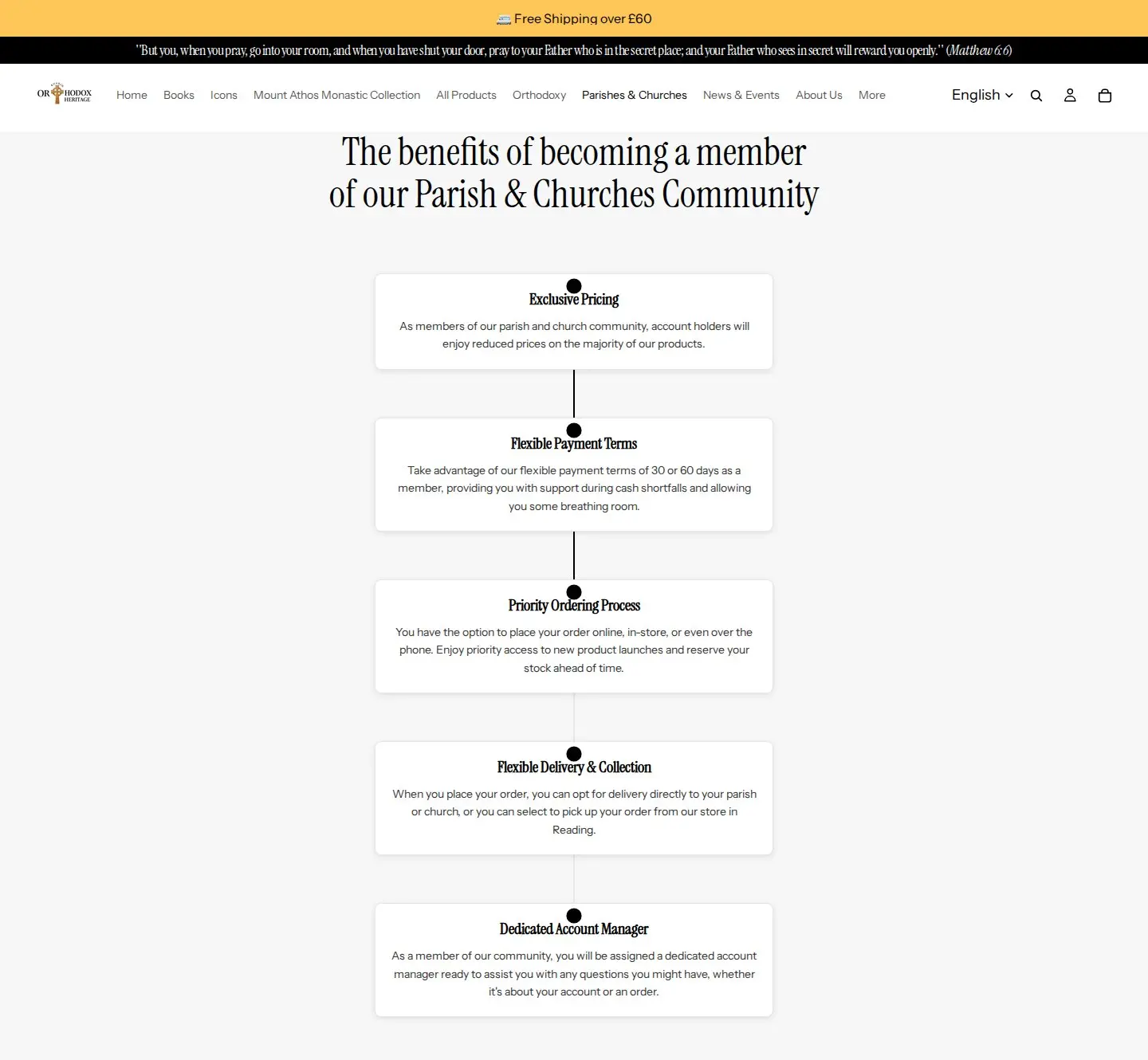
The Parishes and Churches page opens with five benefits, each in a card: exclusive pricing, flexible payment terms of 30 or 60 days, a priority ordering process (online, in store or by phone, with early access to new products), flexible delivery and collection, and a dedicated account manager. The registration form comes after. The order matters. A parish that has not been sold on the program will not fill in a long form, so the page sells before it asks.
A form written for institutions
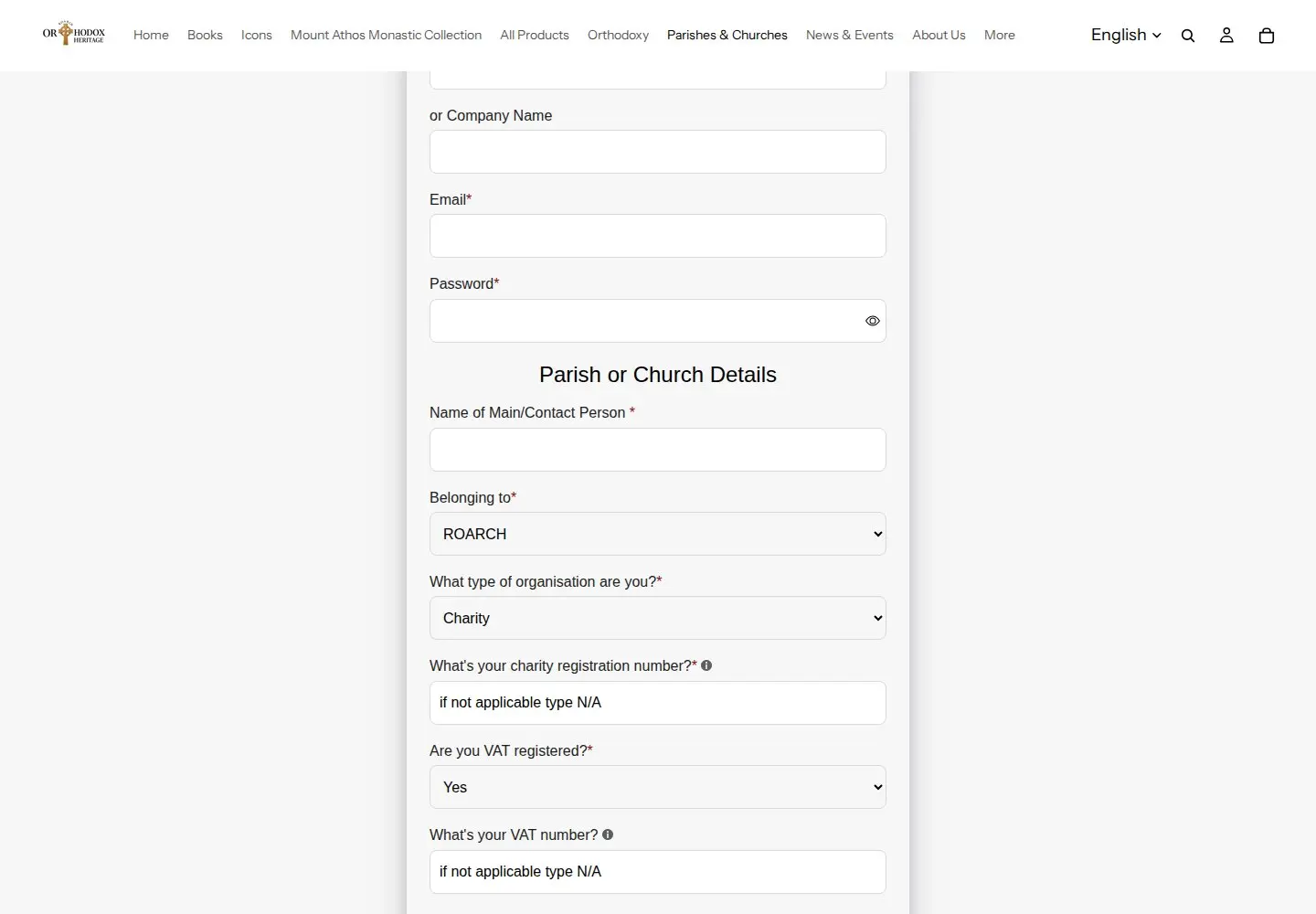
The form is titled Parish and Church Community Registration and its questions are not the ones a retail shop asks. It takes a parish or church name or a company name, an email and a password, then a section called Parish or Church Details: the main contact person, the jurisdiction the parish belongs to (a dropdown that starts with the Romanian Orthodox Archdiocese and lists the Greek Orthodox Archdiocese, the Diocese of Sourozh, the Antiochian Orthodox Archdiocese and an Other option for ROCOR, Serbian, Bulgarian, Ukrainian and similar), and the type of organisation: charity, limited company or community interest company.
Two follow-up questions handle the money side. A charity registration number is required, with a hint to type N/A if it does not apply, and the form asks whether the organisation is VAT registered and for the VAT number if so. Those answers decide whether the buyer is a registered charity or a company and how its invoice is treated, which is exactly what an account manager needs before offering credit terms. Phone, registered address, city and a newsletter checkbox complete the form.
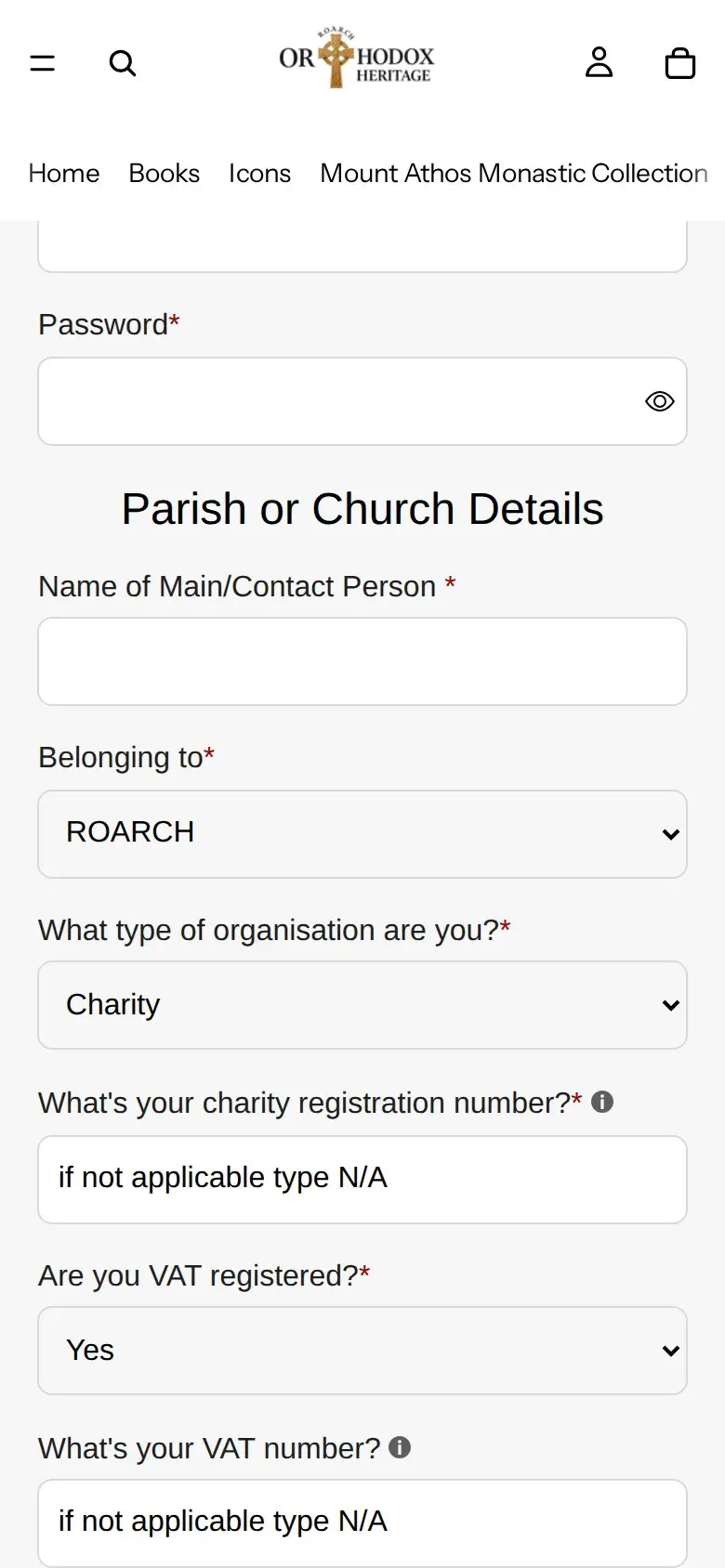
On a phone the form stays in one column with the same questions.
Closed doors with a way in
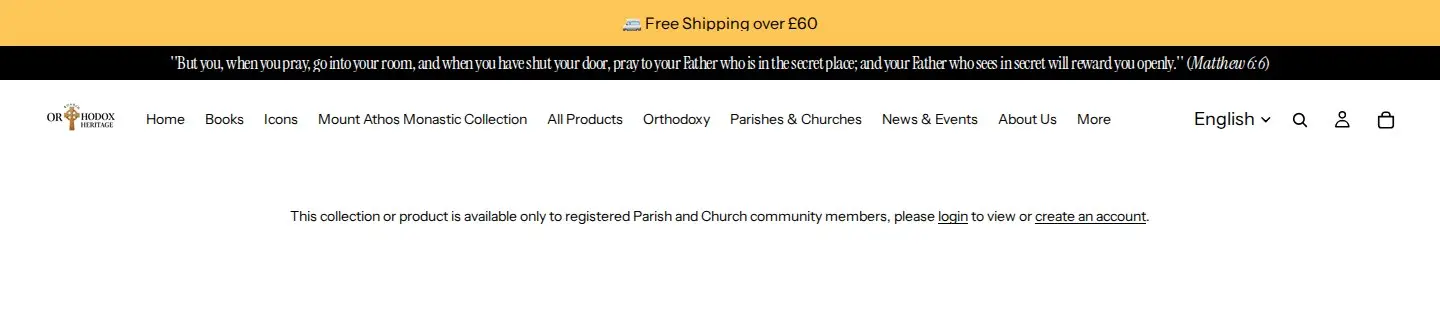
Two collections, B2B and Parishes and Churches, show guests no products. Instead the page says the collection or product is available only to registered Parish and Church community members, with login and create-an-account links. We opened each page without signing in on October 5, 2026 and the products were absent, not just the prices.
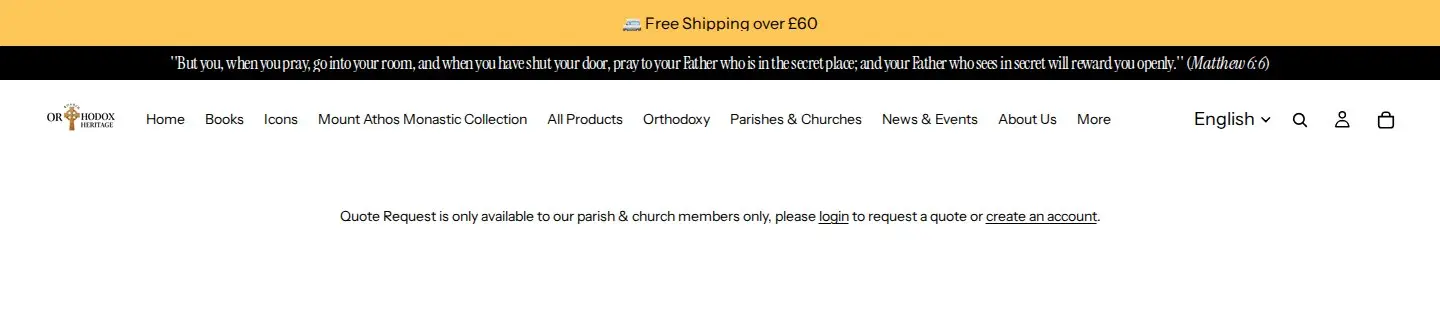
The quote request pages behave the same way. A visitor who opens either one sees a short message that quote requests are for members only, with the same two links. Keeping the quote form behind membership means requests arrive from accounts the team already knows, and it suits larger orders that do not fit a fixed price.
Which BSS features power it
Three BSS apps are present in the store’s markup: BSS B2B Solution, BSS B2B Lock and BSS B2B Quote. We also checked the app’s production configuration, a read-only check of which modules have active rules with no customer or order data. Rule contents such as prices and terms are not published here.
| Feature | What we found | Learn more |
|---|---|---|
| Registration form | A live Parish and Church Community Registration form with a jurisdiction dropdown, charity and VAT questions | Registration form with approval |
| Custom pricing | Active rules for specific customers and for customer tags, one of them limited to a collection | Tagged customer prices |
| Volume pricing | An active rule for logged-in customers on specific products | Quantity breaks |
| Net terms | An active rule targeted by customer tag; the storefront advertises 30 or 60 days | Net 30 and other terms |
| Auto-tag | Active rules that run when a customer registers | Automatic tags |
| Shipping rate and discount code | A shipping rate rule for tagged customers and a discount code rule for logged-in customers | Custom shipping for wholesale |
| Manual orders | The module is in use, for orders a team member places for an account | Orders on behalf of customers |
| Locked pages and collections | BSS B2B Lock page lock on two collections and two request pages | Hide wholesale collections |
| Quote requests | BSS B2B Quote installed; quote request pages visible to members only | Quote button and hidden price |
Solution handles accounts, prices and terms
The registration form creates the account, and auto-tag rules mark it when it registers. Pricing rules then read the tags, so a member sees member prices after login. The volume pricing rule is limited to logged-in customers, so quantity breaks are another member benefit. The net terms rule is aimed at a customer tag, so only tagged members are offered credit. The manual orders module lets staff place an order for an account that orders in store or by phone, which fits the ordering options on the benefits page.
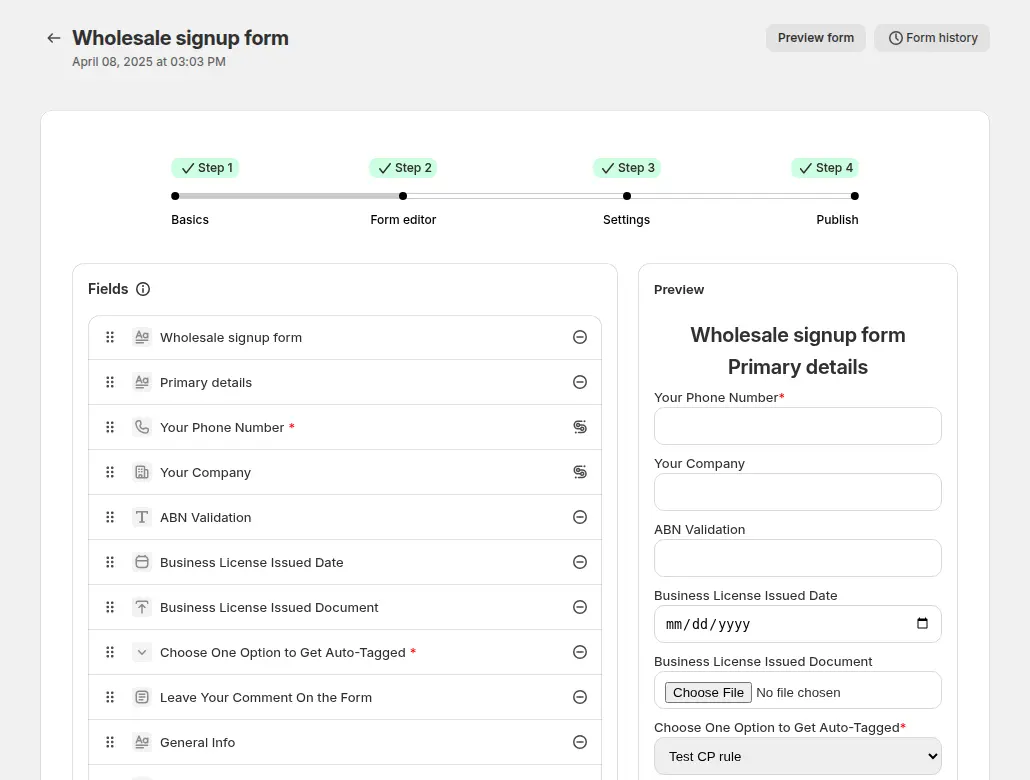
The form editor is where the institutional questions are added: a dropdown for jurisdiction, a field for the charity number and a yes or no for VAT. On plans that include it, conditional logic can show the VAT number field only when the answer is yes. The guide covers it in conditional logic for registration forms.
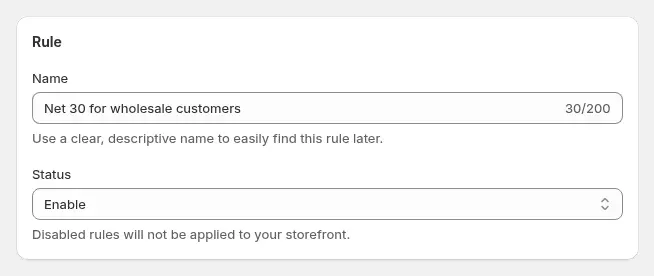
A net terms rule picks the customers who may pay later and the due period. The net terms guide explains how the option appears at checkout and how the due date is tracked. Pairing net terms with a tag means credit is a decision you make once per account, not per order.
Lock keeps the member shop closed to guests
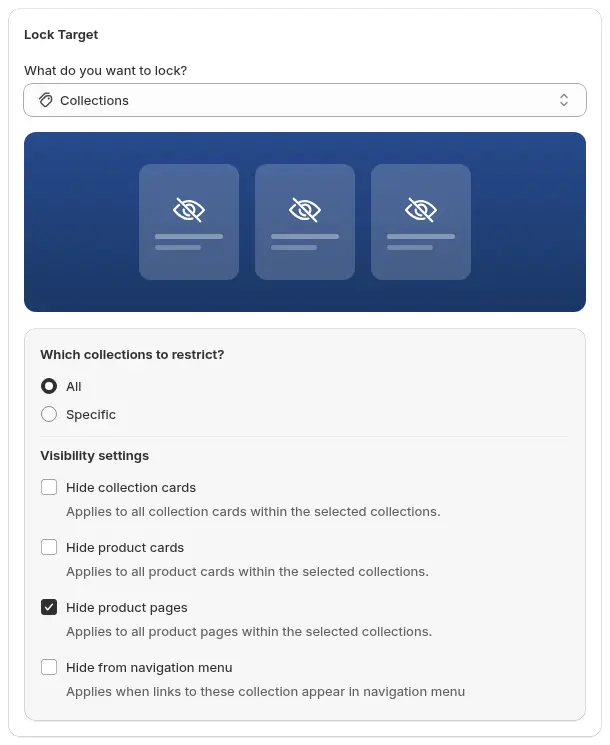
BSS B2B Lock is the app that makes the guest page show a message instead of products. A lock rule chooses a target (here, collections and pages), decides who gets in (logged-in or tagged customers) and writes the message and the login and register buttons. The guide to hiding wholesale collections shows the steps. Lock hides what the storefront shows. It is not a security boundary, so do not store confidential information in a locked page.
Quote adds a request path for large orders
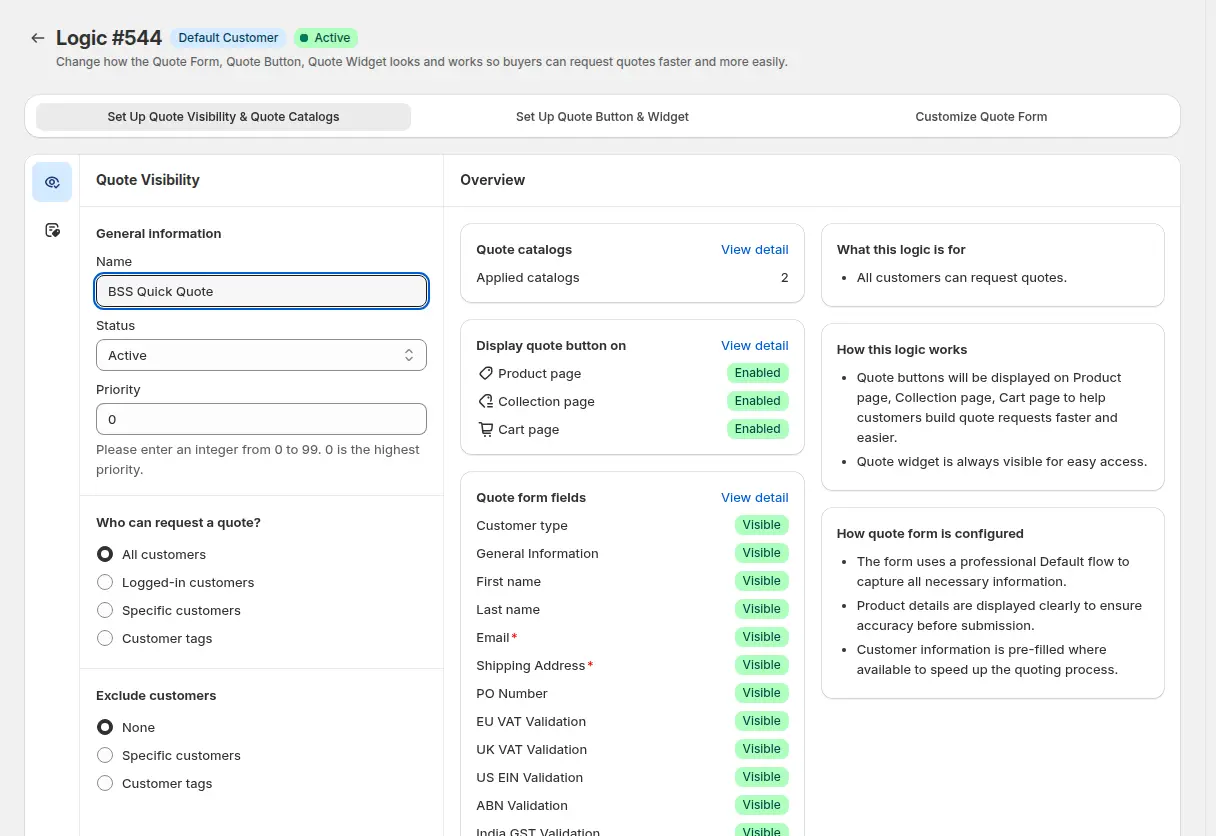
BSS B2B Quote lets a buyer ask for a price instead of paying a listed one, and the merchant replies with a proposal. Its logic screen controls who may request quotes and where the buttons appear. Orthodox Heritage keeps the request pages for members, which pairs the quote flow with the account the parish already has. The quote visibility guide shows the options.
What other merchants can copy
- Call it membership if your buyers are institutions. Churches, schools and clubs respond to a community and to services, not to a wholesale discount.
- Sell the benefits before the form. Five short cards answer why register before the buyer reaches the first field.
- Ask the questions your invoice needs. Organisation type, charity number and VAT status let you set terms and tax correctly from day one.
- Lock the member shop, not the whole store. Keep retail open and close only the collections and pages that carry member pricing or services.
- Tie payment terms to a tag. A net terms rule on a tag turns credit into an account decision.
- Give large orders a quote path. A members-only quote request page captures larger orders that never fit a cart.
- Say who the account manager is. A named contact is part of what members are joining, so mention it on the benefits page.
Orthodox Heritage’s reviews
Orthodox Heritage left two public reviews on the Shopify App Store on May 12, 2026, both 5 out of 5. The first is for BSS B2B Solution, after about two months of use, and covers the demo call and setup. The second is for BSS B2B Quote, after 19 days of use. The Quote review reads, verbatim:
"[…] The solution is working well so far and looks like a great fit for improving the B2B buying experience. It gives customers a simple way to request quotes, while making the process more professional and efficient from the store owner’s side. Great support and a very positive experience overall."
Orthodox Heritage, public review on the BSS B2B Quote listing, 5 stars, May 12, 2026
The Solution review says the app “is working well so far and looks like a strong fit for what we need” and calls the setup guidance clear; it is on the BSS B2B Solution listing. Both reviews are early impressions, written within the first two months of use, so they say more about onboarding than about long-term use.
FAQ
Can a Shopify store sell to churches or charities with special terms?
Yes. A registration form can ask the questions a charity buyer needs, such as organisation type, charity number and VAT status. Customer tags then drive prices, and a net terms rule can offer 30 or 60 days to tagged accounts.
How do I hide collections from guests but keep the rest of the store open?
Use a lock rule that targets specific collections and lets logged-in or tagged customers in. Guests see a message with login and sign-up links. See hide wholesale collections from guests.
Can members request quotes while guests cannot?
Yes. Quote visibility can be limited to logged-in customers or specific tags, and a locked page can carry the quote form. The merchant then replies with a proposal. See approving a quote and turning it into a draft order.
Does a locked page protect confidential information?
No. A lock controls what the storefront shows. Product and price data can still be reachable through other routes, so use it to shape what visitors see, not to protect secrets.
Do I need all three BSS apps?
No. Orthodox Heritage uses Solution for accounts, prices and terms, Lock for member-only pages and Quote for requests. A store can start with the registration form and tag-based prices, and add Lock or Quote when the model needs them.
This store spotlight is based on Orthodox Heritage’s public website and its public reviews on the Shopify App Store, as of October 5, 2026. Screenshots show the public storefront. Admin screenshots are labelled examples from the BSS user guide, and the descriptions of active features come from a read-only check of feature configuration.