To exempt EU business buyers from VAT on Shopify, add a VAT ID box to your cart with the Tax Exempt module in BSS B2B Solution. The buyer types their number, the app checks it while they type, and when it is valid the order is created without tax.
This page is for merchants who sell to businesses in several EU countries and are tired of charging VAT first and refunding it later, or of exempting buyers on trust. It covers the setup, what the buyer sees, the limits of a cart-based check, and a worked example with illustrative numbers.
Who this is for
A VAT ID check at the cart suits you if:
- You sell to business customers in more than one EU country and some of them hold a valid VAT number.
- You currently refund VAT by hand after the order, or ask buyers to email their number first.
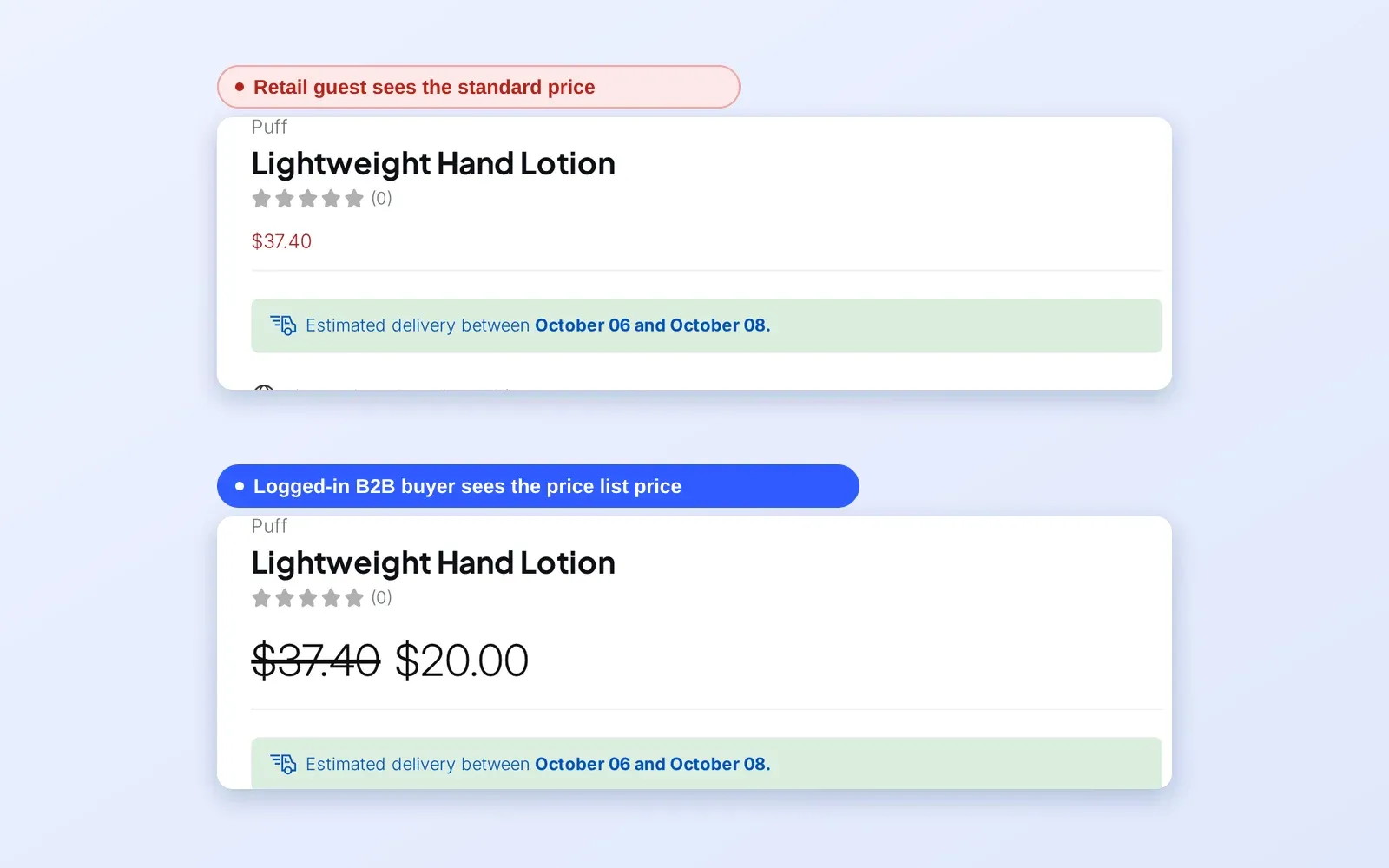
- You run retail and wholesale on one storefront, so the box must appear only for the right visitors.
- You want a record on each exempt order, such as an order tag and the number that was entered.
- You also sell to UK, Australian, Indian or US business buyers and want the same flow for their tax numbers.
- You want to limit which countries can use the exemption.
Why this matters
Without validation, merchants fall into one of two traps. Either they charge VAT to everyone and refund it afterwards, which is slow and irritates the buyer, or they exempt buyers on trust and hope the number is real. Both cost time. A wholesale buyer who is charged VAT they should not pay may simply take the order to a competitor who handles it cleanly.
For the buyer, the friction is the delay. A business in another EU country wants the price they expect at the point of ordering, not a promise of a refund in a week. For the merchant, the risk runs the other way: every exemption granted without a check is a decision you may have to defend later.
The pattern shows up in real stores. Koppi Roasters, a Swedish coffee roaster, used VAT exemption alongside a registration form and custom pricing, and Lift-Spares, a Swedish industrial supplier, needed tax-exempt handling for cross-border European trade without manual checks. Read both on the Koppi Roasters and Lift-Spares pages.
Think of a Dutch craft-ingredients seller with customers in Germany, Belgium and France. Each new business buyer would email a VAT number, someone would look it up, and the order would wait. A box on the cart that validates the number as it is typed turns that exchange into a few seconds at checkout.
What Shopify covers natively, and where an app helps
Shopify lets you mark a customer as exempt from tax in the customer record, and you manage tax regions and rates under Taxes and duties. What it does not give you is a box where a buyer enters a number that is checked automatically. The B2B features by plan page in the Help Center lists companies, catalogs, payment terms and quantity rules, not tax ID validation, and the tax and compliance hub walks through the surrounding choices.
BSS B2B Solution adds the missing step. The Tax Exempt module places a validation box on the cart, checks EU VAT, UK VAT, Australian ABN, India GST and US EIN numbers, and creates the order without tax when the number is valid. The module works from the tax settings you already have in Shopify, which you sync into the app.
How to set it up with BSS B2B Solution
1. Add the Tax Exempt block to your cart
The form is a theme app block. In Shopify admin, open Online Store > Themes > Customize, go to the Cart template, add the Tax Exempt block from BSS B2B Solution and save. Without the block, buyers never see the form.
2. Turn the module on and sync your tax settings
Go to B2B tax & currency > Tax Exempt and switch the module on. Click Sync from Shopify so the app reads your Taxes and duties settings. If you change those settings in Shopify later, sync again, because the app cannot detect the change on its own.
3. Choose the tax ID types buyers can enter
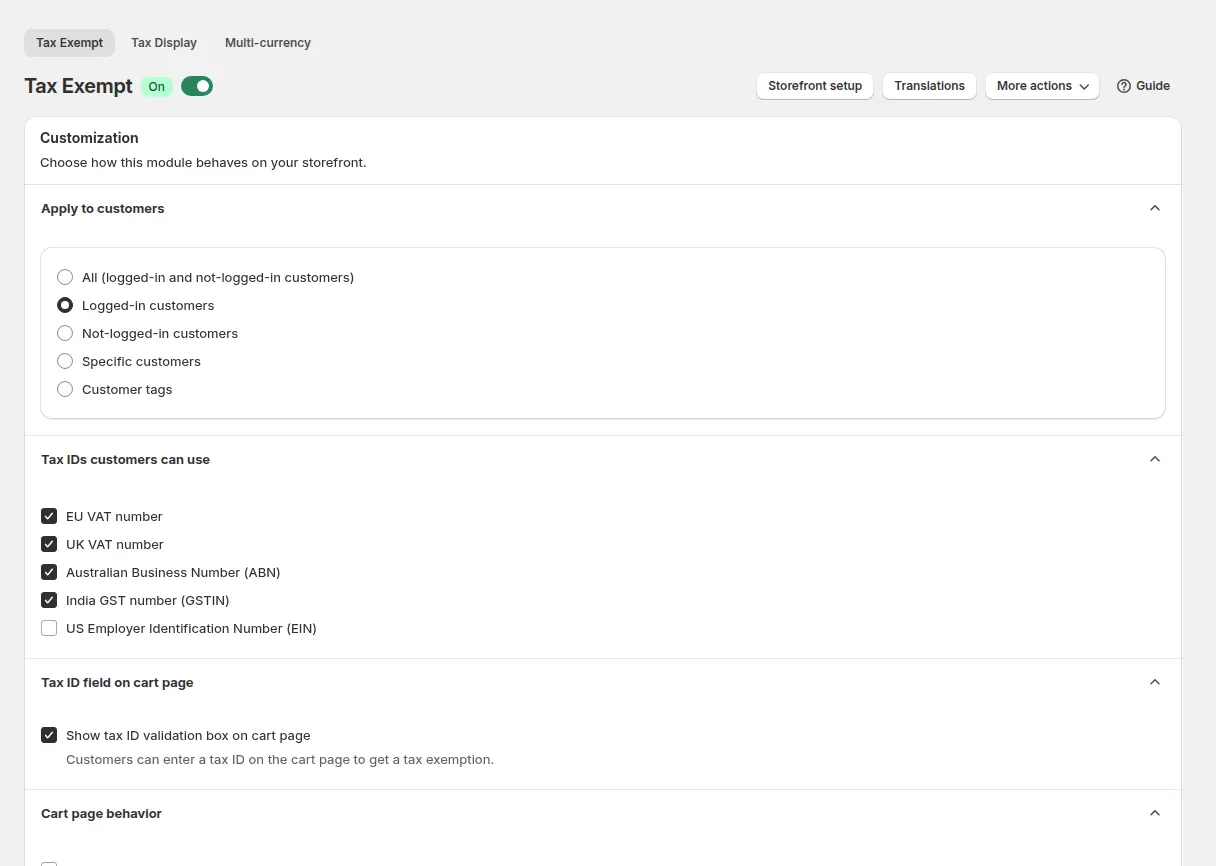
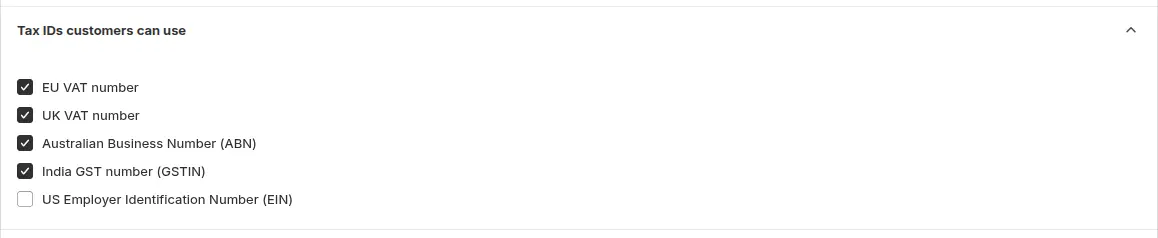
Tick the types you accept: EU VAT, UK VAT, Australian ABN, India GST and US EIN. With more than one type enabled, buyers pick the type from a dropdown. EU numbers are checked against the European VIES service first, and UK numbers entered in the EU field are rejected, so offer UK VAT separately if you sell to the UK.
4. Decide who sees the box and what happens next
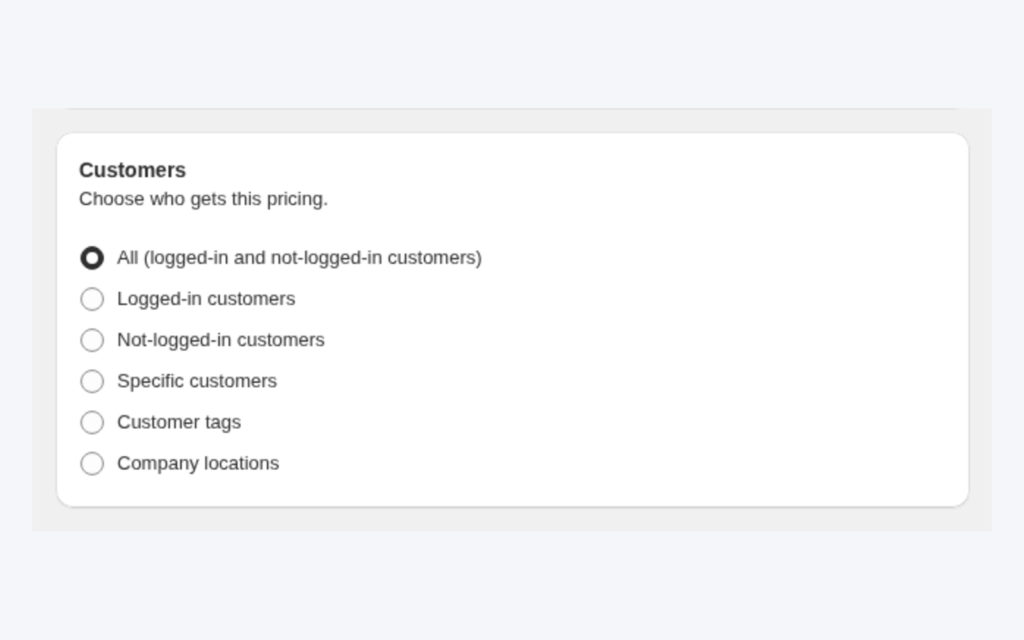
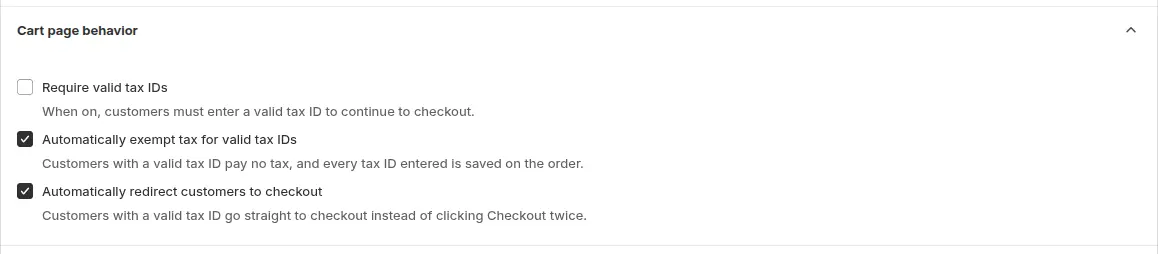
Choose who sees the box: all visitors, logged-in customers, guests only, customers with specific tags or specific customers. Then set the cart behavior. Require valid tax IDs stops the buyer from continuing to checkout without a valid number, and Automatically redirect to checkout sends the buyer on right after validation.
5. Limit the countries and tag the orders
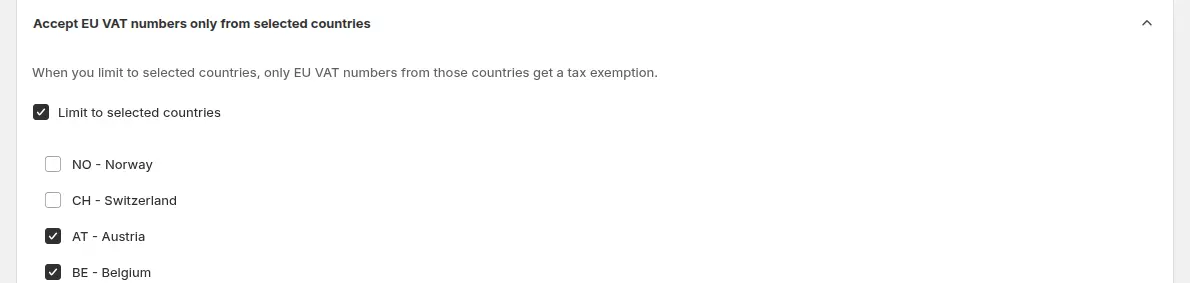
If you only want to accept VAT numbers from certain countries, enable the option to accept EU VAT IDs only from the countries you select. An ID from another country shows a message that the country is not eligible, and tax stays on the order. Add an order tag, such as tax-exempt, to find these orders in Shopify admin.
6. Handle prices that include tax
If your product prices include tax and Shopify is not set to include or exclude tax by the customer’s country, tick the option that adds a discount to exclude tax. The app then subtracts the tax as a discount line named Excluded Tax. If the buyer’s market already shows prices without tax, nothing is deducted, so check Markets > Duties and taxes for each market.
7. Check the buyer experience and translations
If a wholesale buyer entered a tax ID on your registration form and was approved, the ID is saved on their customer profile. When that buyer is logged in, the cart box is pre-filled with it, so they do not retype it on every order, and they can still edit it before validating. Open Translations to change every text buyers see on the cart and on the order details page, and add a language for each market you sell to. Languages without a translation show the default text.
8. Test as a buyer
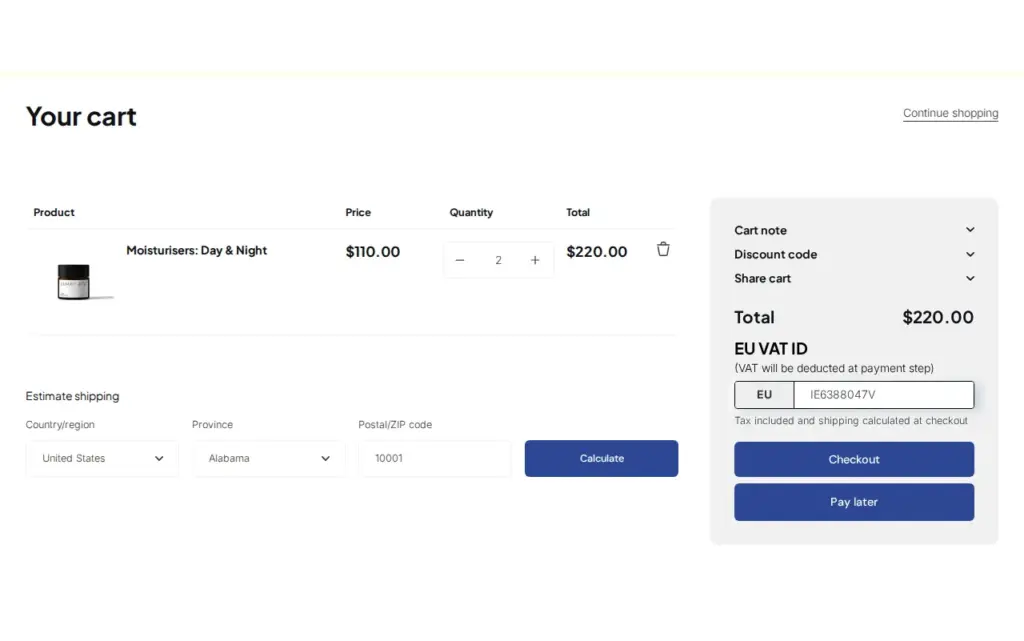
Open the store as a visitor who should see the box, add a product and enter a valid number in the cart. A valid number shows a confirmation message and tax is removed from the order.
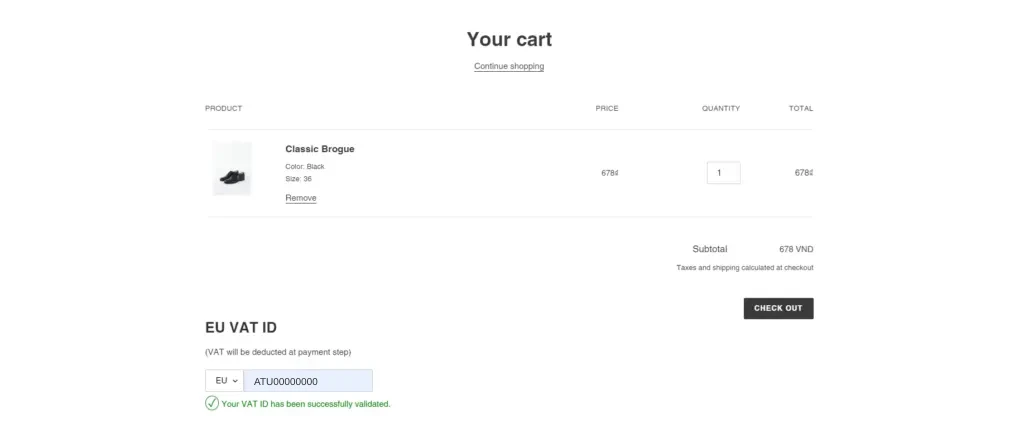
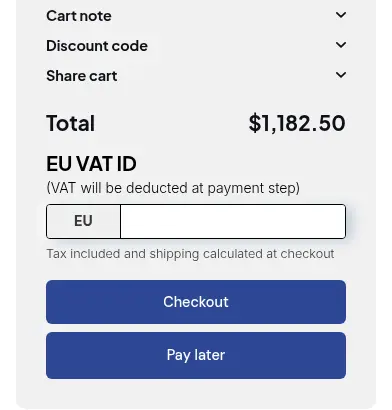
The box sits in the cart, above the checkout buttons.
Example
Example for illustration only, not a customer result. A seller’s prices include tax, and a simplified rate of 20% applies to a €120 case of specialty sugar. A retail shopper in the seller’s own country sees €120 and pays it. A bakery in another EU member state enters its VAT ID in the cart. The app checks the number, shows the success message and subtracts the tax as an Excluded Tax discount, so the bakery pays €100 for the case. The order is tagged tax-exempt and carries the number the bakery entered, so the bookkeeper can find it. If the bakery had typed a number from a country not on your allowed list, the message would say that country is not eligible and the €120 would stand.
Works well with
- Verify business tax ID at registration to check the number once, when the buyer applies.
- Show prices excluding VAT to B2B buyers so the price on the page matches the price the exempt buyer pays.
- Exempt tax for non-VAT-registered customers for buyers who are exempt for other reasons.
- Onboard tax-exempt buyers with Net terms to pair the exemption with payment terms.
Terms used here are explained in the glossary: tax ID, tax exemption and VAT reverse charge. Related buyer-side steps are in the customer onboarding hub.
Limits and common mistakes
- The exemption is per order. The buyer enters the tax ID in the cart and the app creates that purchase as a draft order with tax exempt turned on. Do not count on it to flag the customer for future orders. Bulk tax exempt marks chosen customers as exempt in Shopify, and the app cannot undo it.
- The box is in the cart, not in Shopify checkout. Unless Require valid tax IDs is on, a buyer can still go to checkout without a valid ID and pay tax. A buyer who opens the Shopify checkout URL directly skips the box and is taxed normally.
- The check runs in the browser. The number is validated as it is entered, and the order is created from that entry. The app does not re-validate on the server. You still decide who qualifies, so keep your records.
- Not a legal or tax-authority ruling. A valid number does not tell you whether an exemption applies to a given sale. Rules differ by country and goods, so confirm them with your accountant.
- No reverse-charge wording. The app removes tax from the order. It does not write reverse-charge text on invoices, so check what your invoices need.
- If the app’s checkout step fails, the buyer is sent to the normal checkout and is taxed. Test after theme changes.
- Storefront v4. Tax Exempt does not run on the newest storefront bundle (v4). Ask BSS support which version your store uses.
Setup checklist
- Add the Tax Exempt block to the Cart template and save the theme.
- Switch the module on and click Sync from Shopify.
- Choose the tax ID types you accept and who sees the box.
- Decide whether to require a valid ID before checkout.
- Select the countries you accept, and add an order tag.
- Turn on the Excluded Tax discount only if your prices include tax and Shopify is not already adjusting them by country.
- Test with a valid number, an invalid number and a number from a country you excluded.
- Read the Tax Exempt use case guide.
Plans and requirements
Tax Exempt with EU VAT validation on the cart is available on the Advanced and Platinum plans of BSS B2B Solution ($49 and $99 per month, with yearly billing saving 10%); the US EIN field needs Platinum. See the pricing page for the full comparison, then install BSS B2B Solution to try it.