To sync B2B pricing from an ERP to Shopify, use the Public API in BSS B2B Solution: generate one API key on the Platinum plan, then have your developer or integration partner create, update and delete Custom Pricing, Price List and Volume Pricing rules from your system of record, and call the upload endpoint so the enabled rules reach the live theme. Your team stops retyping prices into an admin screen.
This guide is for distributors and manufacturers whose prices, price classes or customer groups already live in an ERP, a PIM or a data pipeline. It explains who benefits, what the API covers and does not cover, a five-step integration outline, a worked example, and the limits to plan around, including the fact that there is no orders endpoint. It is written for the person who decides whether to build the integration, and it points to the developer docs for exact payloads.
Who this is for
The Public API suits you if most of these describe your store:
- Your prices are maintained in an ERP, a PIM or a master spreadsheet, and the Shopify store is a second copy.
- You have several price classes or customer groups, and a price change touches hundreds or thousands of variants.
- Prices change weekly or daily, so a manual update falls behind between runs.
- You have a developer, an agency or an integration partner who can write a scheduled job.
- You already export price data as CSV, and want the same data to flow without anyone opening the app.
If your price list changes a few times a year, a CSV import is simpler. See import wholesale prices from CSV.
Why this matters
Two copies of a price list drift apart. Someone updates the ERP on Monday, forgets the store, and a buyer sees last quarter’s price on Tuesday. The buyer either orders at the wrong price, and you absorb the difference or cancel the order, or loses trust in the portal and calls the sales desk. The bigger the catalog and the more price classes you run, the more often this happens.
A data pipeline fixes the cause instead of the symptom. The ERP stays the system of record, a scheduled job writes the changes into BSS B2B Solution, and the storefront follows. Real stores want this flexibility. Alpha Coffee, a coffee roaster, notes that with API access in place it can keep Shopify as the central commerce layer while extending to ERP, CRM or finance platforms, and DermaplanePro reports reduced manual work through public API connections with external systems. See the Alpha Coffee and DermaplanePro case studies.
How to set it up with BSS B2B Solution
This section outlines the integration from the merchant side. Your developer needs the Public API guide for endpoints and payloads.
Step 1: Confirm the plan
The Public API is part of the Platinum plan. A shop can hold one API key at a time, and the plan also unlocks Price Lists, which many ERP integrations use for customer-specific prices. Confirm the plan before you scope any integration work.
Step 2: Generate the API key
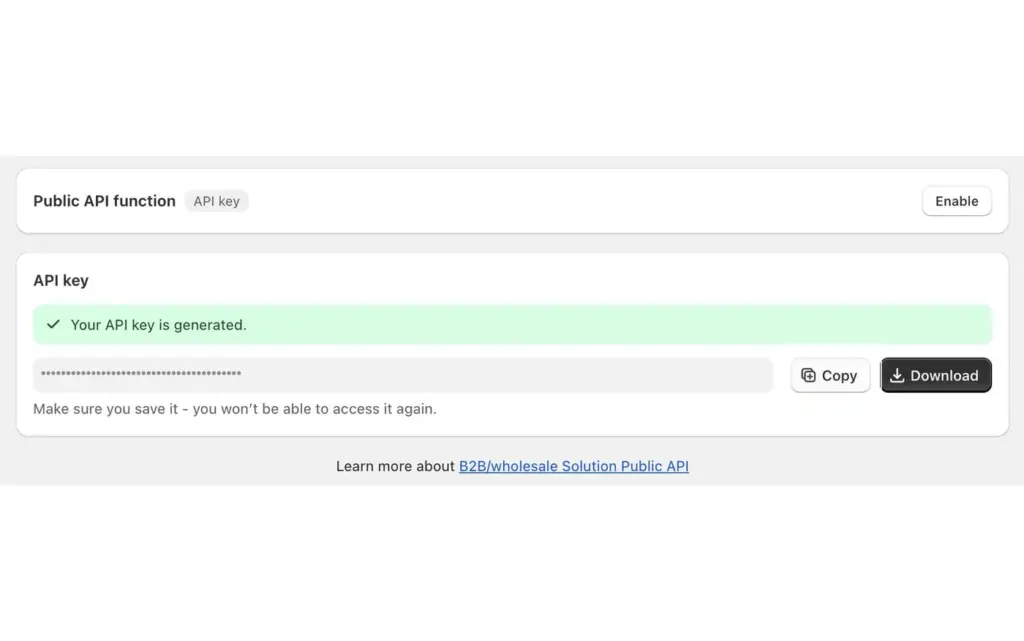
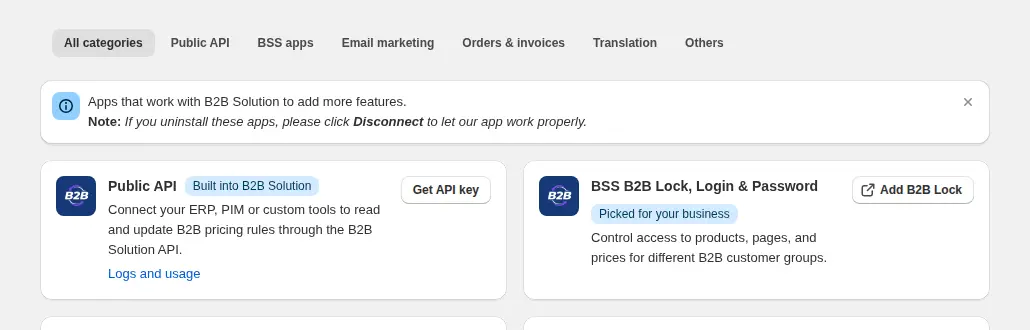
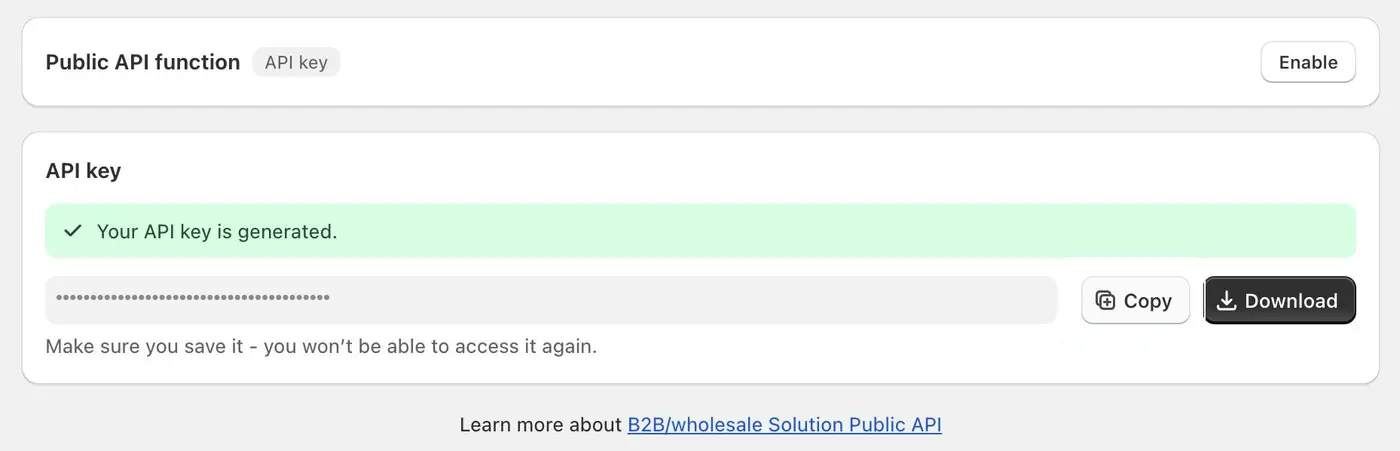
In the app, open Integrations, find the Public API card and choose Get API key. The key is shown once, so copy or download it at that moment and put it in a password manager or a server environment variable. If it leaks, delete it on the same card, which stops every client that uses it, then generate a new one.
Step 3: Authenticate your first request
Version 1 endpoints take your `myshopify.com` domain and the key, either as `accessKey` in the request body or in the `x-bss-b2b-api-key` header. The version 2 volume pricing endpoint uses the `x-api-key` header. A Bearer token is not supported and returns 401, so do not build the client around the `Authorization` header.
Step 4: Write rules from your ERP data
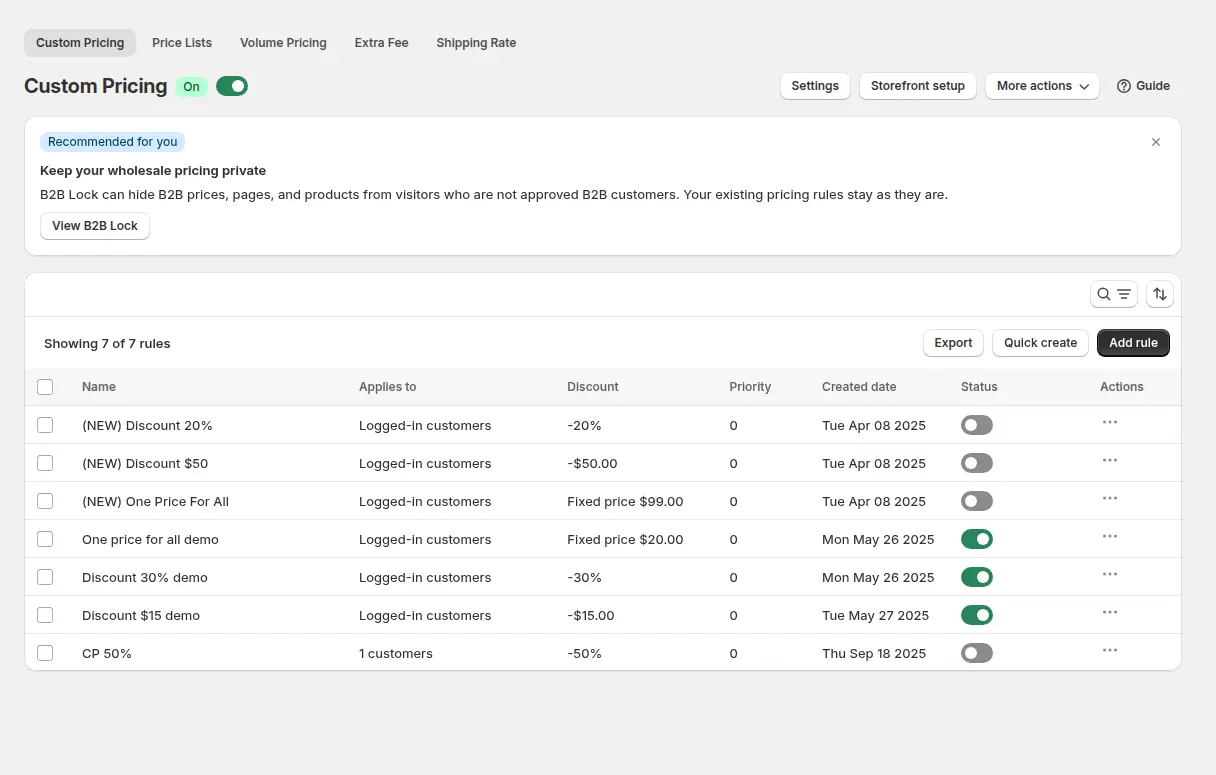
Map each ERP price class to a rule target, such as a customer tag, and call the endpoint group for the module you use. The API manages Custom Pricing, Price List and Volume Pricing rules, discount code rules, registration form records and order limit rules, with create, update, delete and bulk operations where the endpoint allows them. Customer and product endpoints are read-only lookups that help you build rule payloads, for example finding customers by tag or listing products and collections. Requests are processed one at a time, so a client should queue its calls.
Step 5: Upload once, then verify
After a batch of changes, call the upload endpoint for the module so all enabled rules are written to your active theme. Upload endpoints allow one request per module every five minutes, so upload once at the end of a sync run, not after every row. A request over the limit returns `429`, and only enabled rules are uploaded. If your rules exceed the metafield capacity, the API saves what fits and returns a `partial_success` report with HTTP 200, so read the response body and not only the status code. Then check the result in the Logs and usage card under Advanced Settings > Public API, which lists recent requests with time, method, path and status, and shows the full request and response when something fails. The API can also return the price a given customer gets for given products, which is useful for comparing the app against the ERP.

Example: a distributor with three price classes
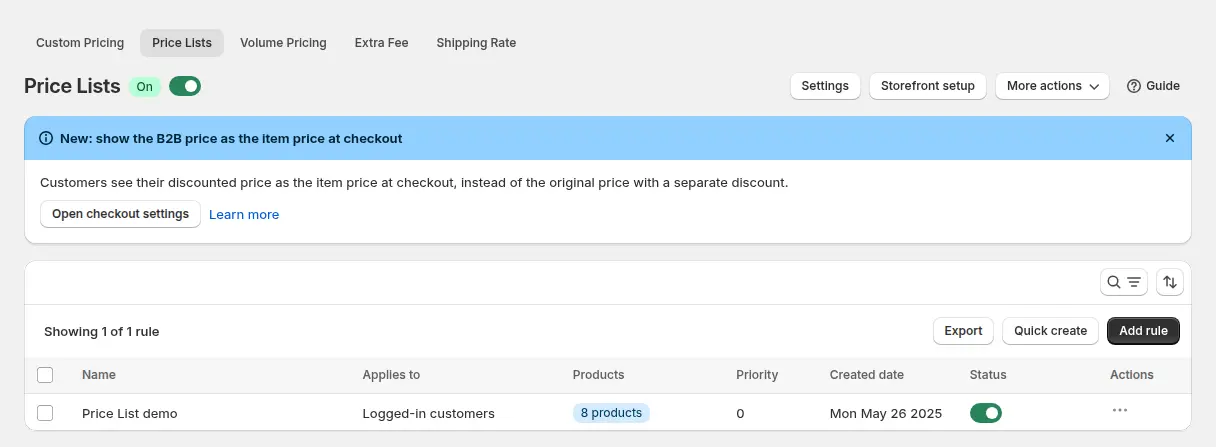
This example uses illustrative numbers, not results from a real store. A distributor keeps three price classes in its ERP: Retail Partner, Trade and Key Account. In BSS B2B Solution each class is a Price List rule that targets one customer tag. A nightly job exports the changed price rows, groups them by class, and calls the bulk save endpoint for each Price List. When all three finish, the job calls the Price List upload endpoint once.
On a Monday the ERP shows 3,200 changed prices. Instead of an analyst re-entering them, the job runs at 02:00, uploads once, and checks the Logs and usage card for any failed request. By morning a Trade buyer who logs in sees the Monday prices on product and collection pages. A failed request leaves an entry in the log with its status and body, and the job retries it after a short wait.
Works well with
The API is one input path for the pricing engine. Other pages cover what happens to those rules once they exist:
- CSV instead of code: import wholesale prices from CSV covers the import window for smaller catalogs.
- Price lists per buyer group: B2B price list per buyer group shows the rule type most ERP syncs write.
- Quantity breaks: tiered quantity break pricing explains the Volume Pricing rules the API can also manage.
- Rule order: which B2B rule wins explains priority, so a synced rule does not clash with a hand-made one.
The wholesale pricing hub collects the pricing guides. Useful glossary entries are price list, wholesale price and customer tag.
Limits and common mistakes
- There is no orders endpoint. The API manages pricing and discount rules, registration records and order limit rules, plus read-only customer, product and collection lookups. Keep order sync in your ERP connector for Shopify, and use this API for prices and customer groups.
- One key per shop. Deleting the key stops every client that uses it, so rotate it on a plan and update the integration immediately.
- Upload is rate limited. Upload endpoints allow one request per module every five minutes. The version 2 volume pricing endpoint allows 60 requests per 60 seconds for each shop.
- Pricing data has caps. Rules are stored in Shopify metafields with at most 10 keys and 2,000,000 characters per key. Content over the caps is skipped and reported as `partial_success`, so prune inactive rules or split a very large rule set before you upload again.
- Retries need a pause. Requests are processed one at a time, and after a server error the guide says to wait up to three minutes before retrying.
- The API does not replace rule design. Targeting, priority and exclusions still follow the same rules as hand-made rules, so test one rule in the admin first.
- The API feeds a theme storefront. Prices appear through the BSS B2B Solution app embed in your Shopify theme, so confirm the embed is on after any theme change.
Setup checklist
- Confirm the shop is on the Platinum plan.
- Decide the system of record for each price class and which customer tag each class maps to.
- Generate the API key and store it in a password manager or environment variable.
- Build the client with `accessKey` or the `x-bss-b2b-api-key` header, and queue requests.
- Test one rule end to end in a development store, then check it in the admin.
- Plan one upload call per module at the end of each sync run.
- Add alerting on `429` and server errors, and read the Logs and usage card after the first runs.
- Keep order sync in a separate connector.
Plans and requirements
The Public API needs the Platinum plan of BSS B2B Solution, one key per shop, and the app embed on your theme. The other plans and the 14-day free trial on paid plans are on the BSS B2B pricing page. The exact payloads are in the Public API guide, the uploading API guide and the Custom Pricing API guide. Install BSS B2B Solution from the Shopify App Store and ask your developer to start with one Price List.