


Casco Antiguo USA distributes professional diving equipment for commercial divers, public-safety teams and technical divers, and its Shopify store includes a “Pro Customer Portal”. Professionals apply through a wholesale signup form, and products offer both Add to cart and Add to quote. This spotlight walks through what the public storefront shows and how BSS apps support it.
At a glance
- Store: Casco Antiguo USA Inc, United States, professional and technical diving equipment
- Model: hybrid. Public prices for everyone, with a pro portal and wholesale signup for professional accounts
- How professionals get in: a wholesale signup form that creates an account and collects tax information
- What buyers can do on a product page: add to cart, or add to quote
- App named in the merchant’s review: BSS B2B Solution (BSS B2B Quote scripts are also on the storefront)
About Casco Antiguo USA
Casco Antiguo says on its About page that it is a company with more than 40 years of experience in the manufacture, sale, distribution and marketing of professional, technical and recreational diving equipment. Its professional and technical side serves commercial diving and underwater technology, military diving, and search and rescue divisions, plus an oceanography division for underwater research. Equipment is used by law enforcement, firefighters and rescue units, according to the company.
The company also describes its own factory with a repair and maintenance workshop, and branches in Chile, Panama, Colombia and Portugal. The United States entity is described as a recent addition, which is the Shopify store we look at here. The catalog reflects the divisions: tek diving, public safety, commercial diving and spare parts, with deeper collections for regulators, buoyancy harnesses, drysuits, umbilicals, compressors, helmets and band masks, and spare parts for named manufacturers. Brand names such as Kirby Morgan appear as distributed lines.
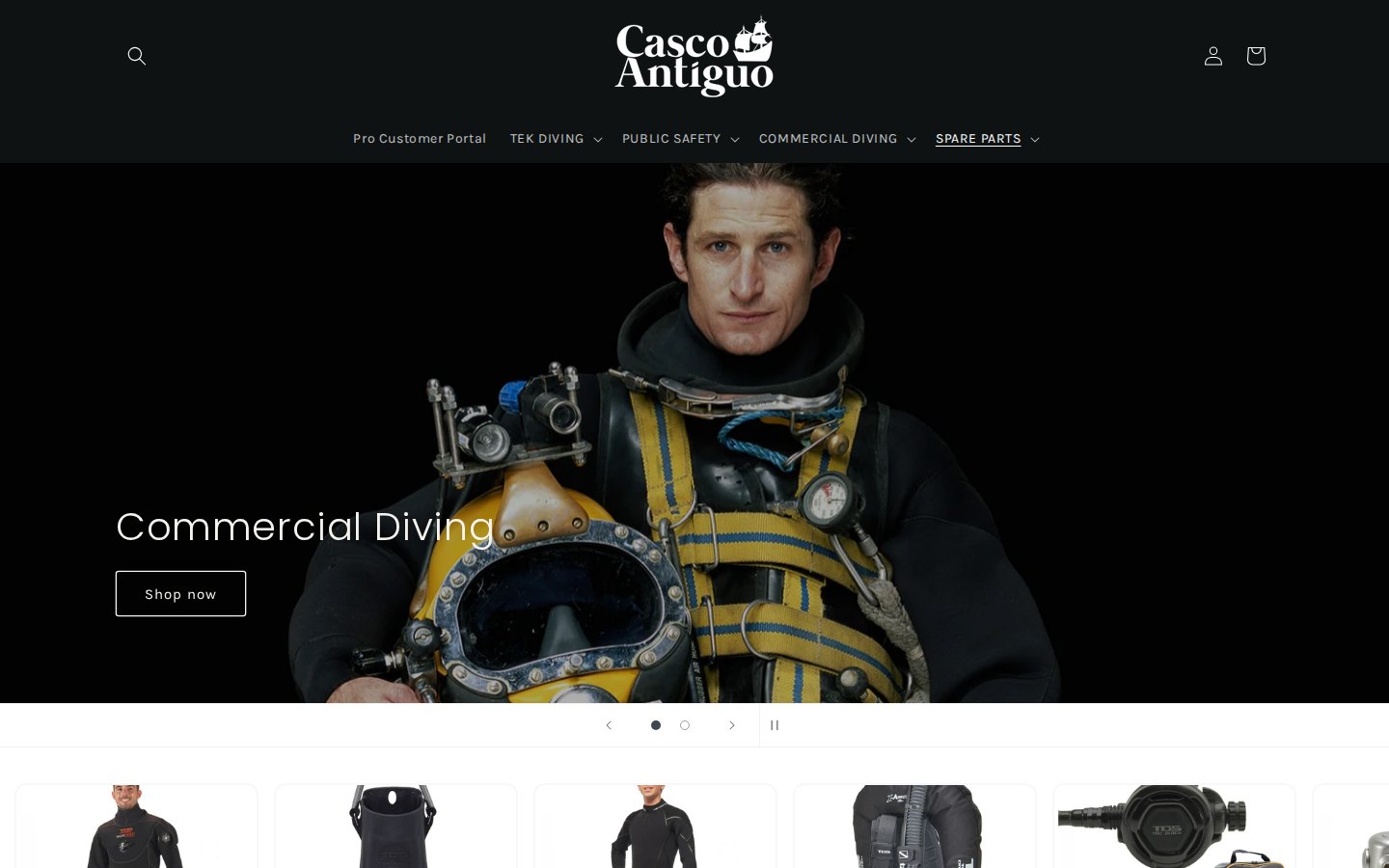
The first item in the main menu is not a product category. It is the Pro Customer Portal, a link to the customer account area, placed before Tek Diving, Public Safety and Commercial Diving. A professional who arrives with a purchase order in mind finds the way in without searching.
Their B2B model: public prices, professional accounts
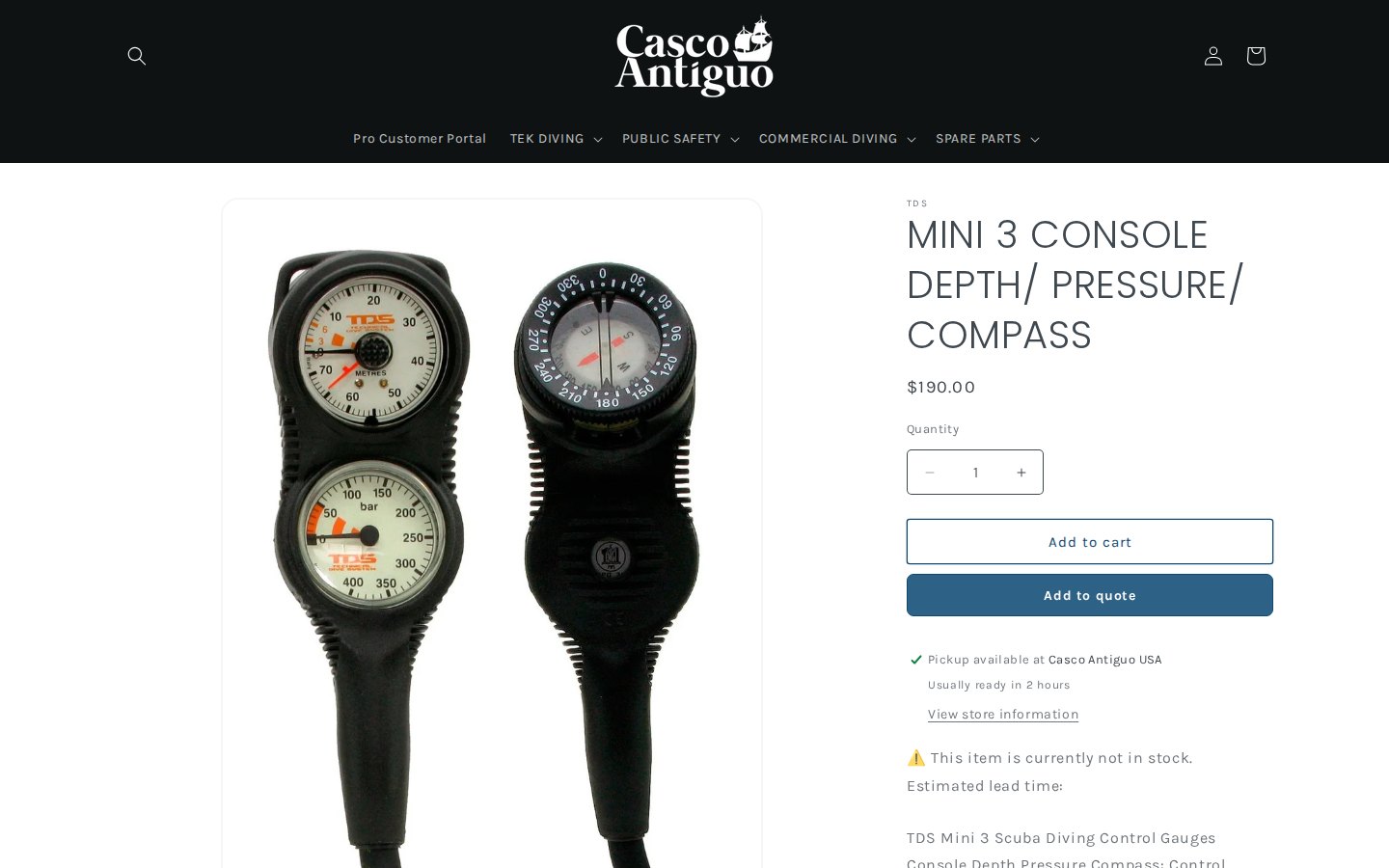
Casco Antiguo is not a hidden-price store. Product prices are visible to everyone, for example a console with depth gauge, pressure gauge and compass is listed at a US dollar price on its product page. Professional accounts are an extra layer, applied through the signup form and associated with tags that drive special pricing. The About page and the catalog both explain why this suits the business: the same gauge or regulator is bought by a recreational technical diver and by a public-safety dive team, and the store has to serve both.
A second dimension is that many professional items are not always in stock. The product page we looked at tells the buyer that the item is currently not in stock and mentions an estimated lead time, and it also offers pickup availability at the company’s US location with a note about readiness. In that situation, a quote is a sensible alternative to a straight purchase, which leads to the Add to quote button.
How the storefront handles wholesale
1. A wholesale signup form that creates the account
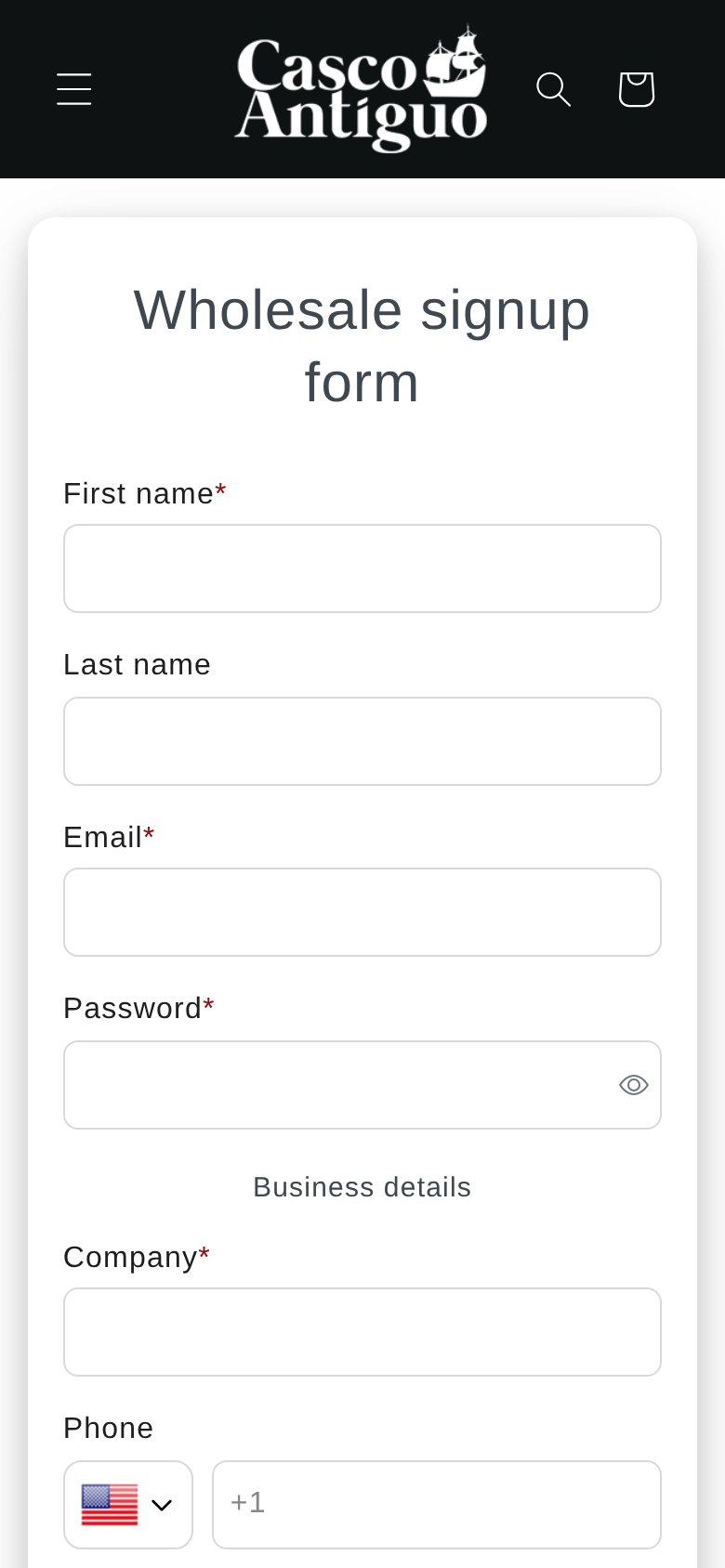
The “Wholesale signup form” asks for first name, last name, email and password, then business details: company, phone with a country selector, address, city, country, zip code, tax ID, and a “Tax Except” dropdown (with a yes/no choice) that tells the merchant whether the buyer claims a tax exemption. It ends with a privacy-policy consent checkbox and a submit button, with space above the button for spam protection.
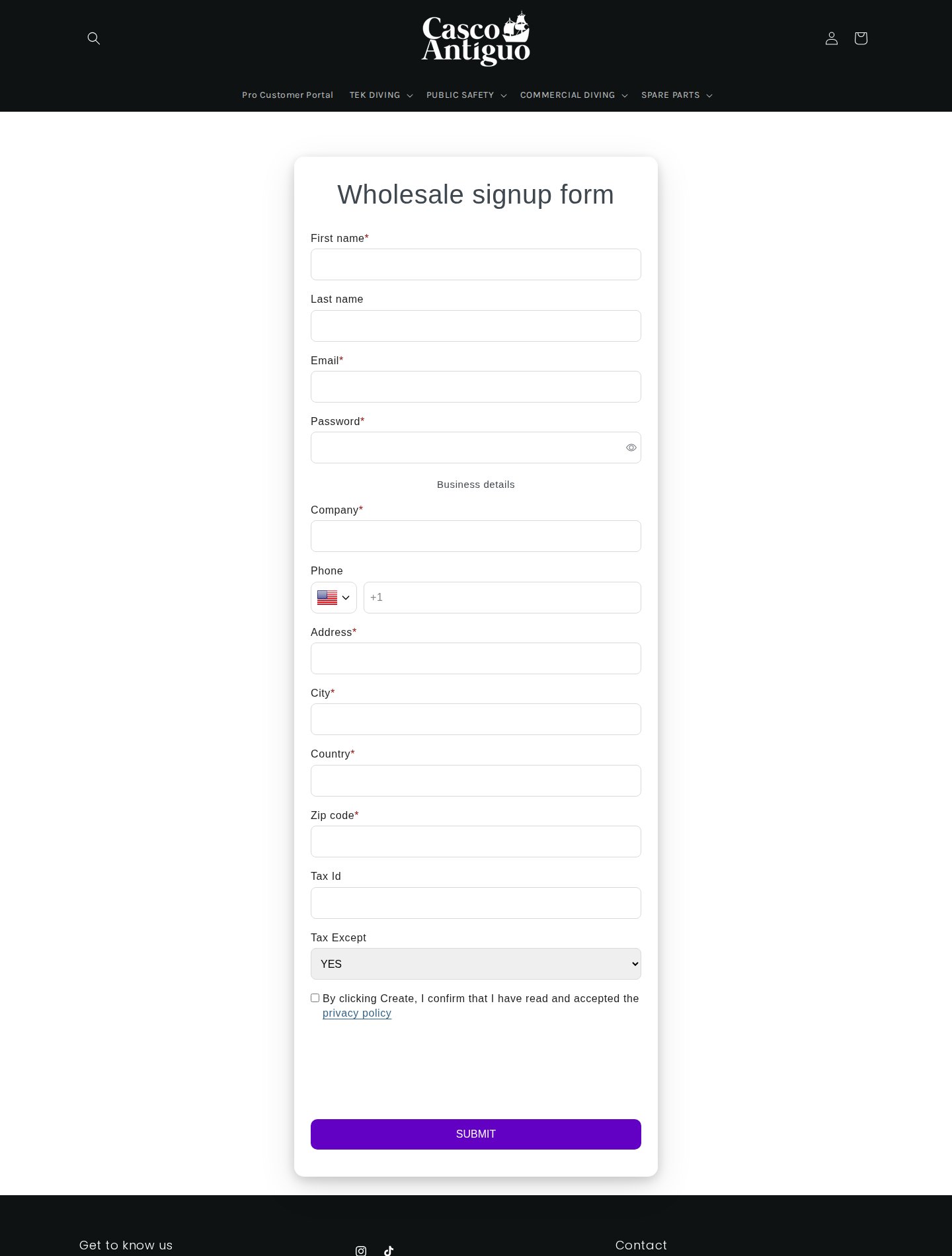
Production data for this store matches the form. It is active, it asks for privacy consent, it has spam protection on, it sends email notifications, and it assigns a customer tag to applicants. It is also set to accept applicants who already have a Shopify customer record, which matters for a merchant whose existing retail buyers later become professionals. The password field means that the account is created at submission, so the buyer does not need a second signup after approval.
2. Tag-based professional pricing and discount codes
Once an applicant is approved and tagged, pricing rules take over. In production data, BSS B2B Solution has enabled Custom Pricing rules that apply a percentage discount to customers with a specific tag and are limited to products with particular tags. That structure lets a merchant discount one family of products, for example a brand or product line, for professional accounts while leaving everything else at list price.
The store also has enabled discount code rules and has used the manual order module. Discount code rules let the merchant define codes that work with B2B pricing, and manual orders let staff create an order on behalf of a professional customer, for instance after a phone call or a quote. For a distributor with technical products and personal service, these are the tools that connect the web store to how deals are actually closed.
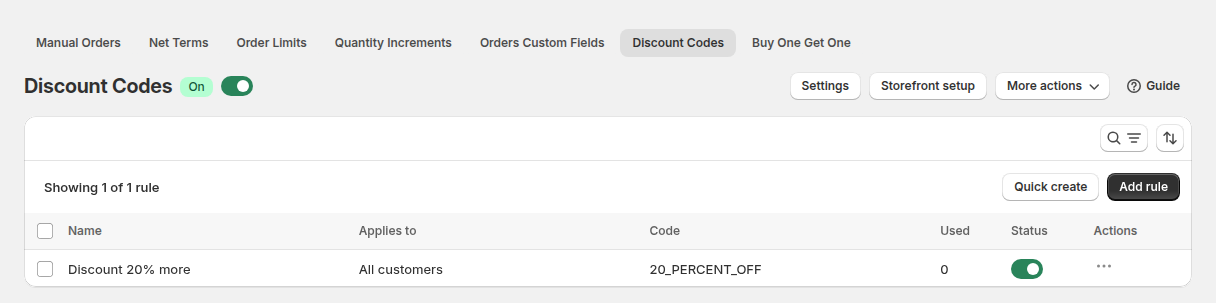
BSS documents these modules in its guides on discount codes and manual orders. Our use cases on wholesale discounts by collection or product tag and placing orders on behalf of customers show how they work in practice.
3. Add to quote beside Add to cart
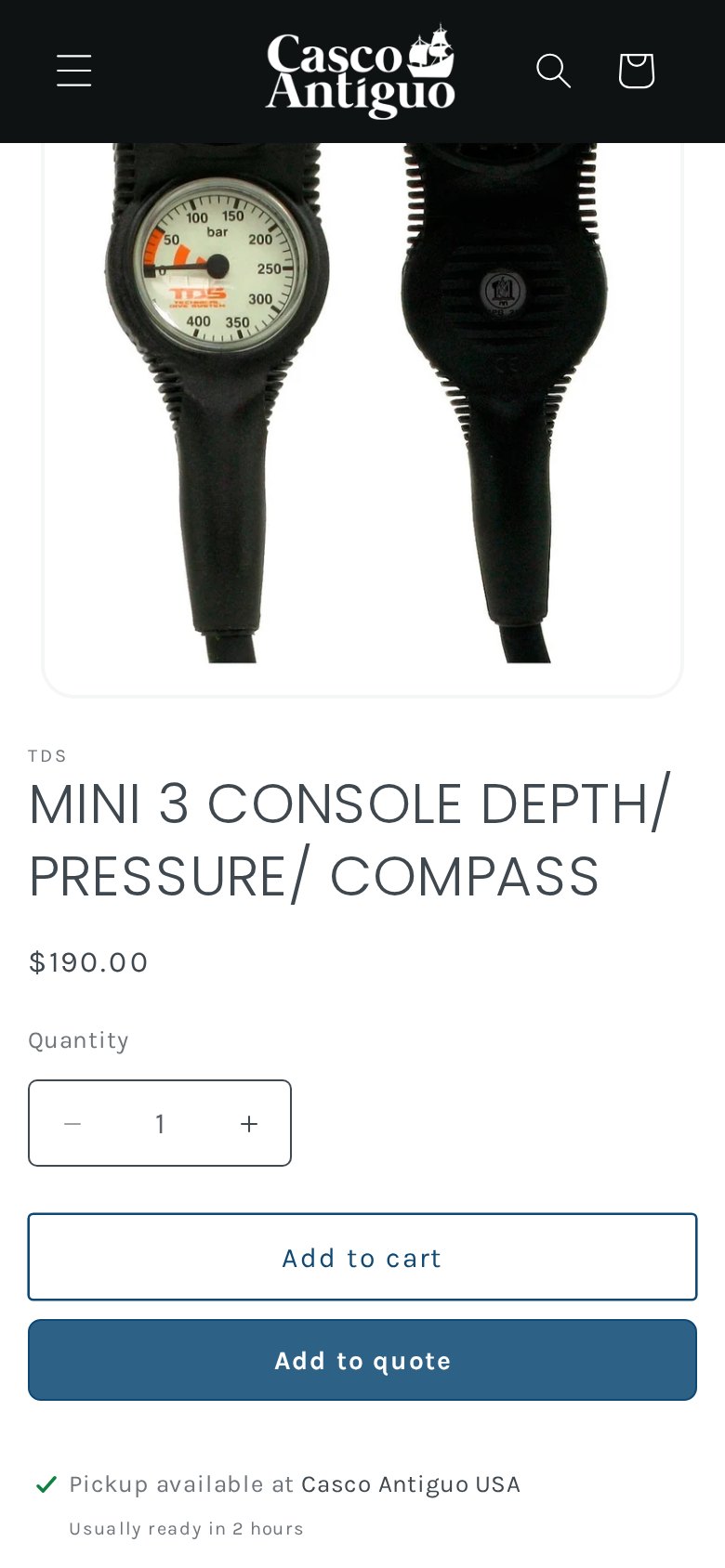
On the product page, two buttons sit under the quantity field: “Add to cart” and a filled “Add to quote”. The page loads BSS B2B Quote scripts, which is what places the second button. Quote lets a buyer collect items in a quote list and send a request; the merchant can then set prices, shipping and an expiry and send a proposal, and a signed-in buyer who approves it gets a draft order and invoice.
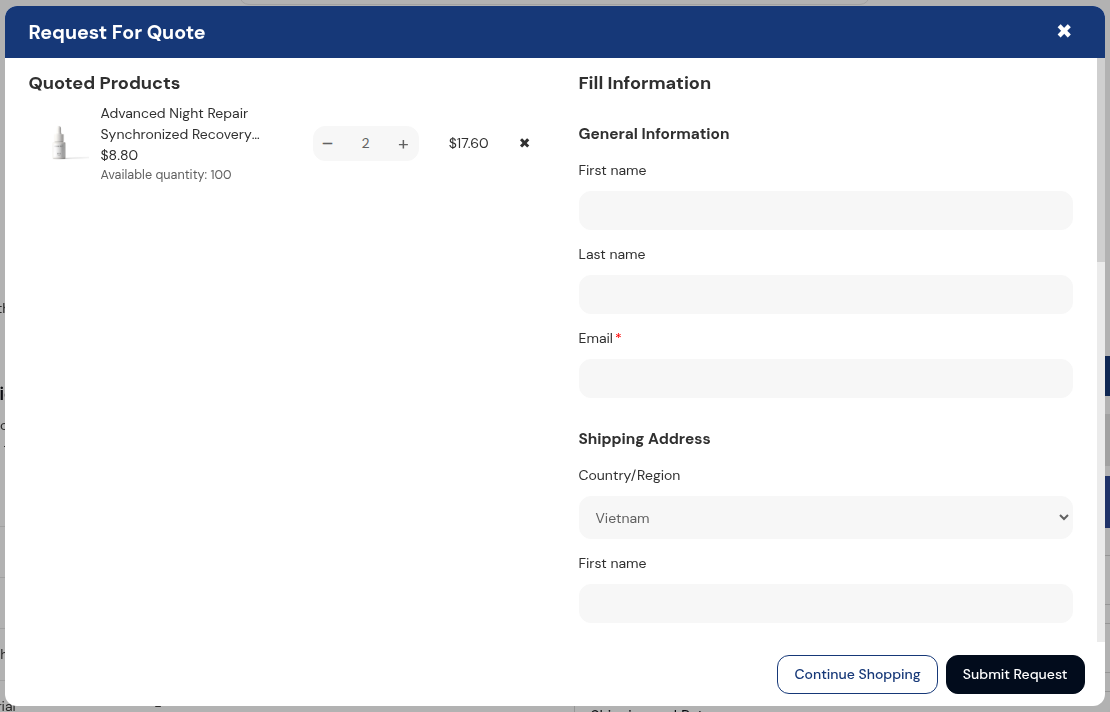
The merchant’s own review names only BSS B2B Solution, so the Quote behavior here is based on what the storefront loads and shows, not on usage data. If you want to see the pattern, our use case on adding a Request a Quote button describes the button, and approving a quote and turning it into a draft order covers the flow after a proposal. The BSS guide to using Quote with B2B Solution explains how quotes can use Solution’s prices.
Which BSS features power it
| Visible or configured | BSS feature | How we know |
|---|---|---|
| Wholesale signup form with tax ID and exemption choice | BSS B2B Solution, Registration Form | Public form; form active in production data |
| Applicants tagged, existing customers allowed to apply | BSS B2B Solution, tags on the form | Form settings in production data |
| Percentage discounts for tagged professionals on selected product tags | BSS B2B Solution, Custom Pricing | Enabled rules targeted by customer tag |
| Codes for professional customers | BSS B2B Solution, Discount Codes | Enabled rules |
| Orders created on behalf of customers | BSS B2B Solution, Manual Orders | Module used in production data |
| Add to quote button | BSS B2B Quote | Quote scripts and button on the storefront |
The pieces connect through the customer tag. The signup form tags the applicant, Custom Pricing reads the tag, and discount codes and manual orders support the sales process around it. Quote adds a way to ask for a price when an item is on back order or a project needs a custom quantity.
A buyer’s path on this kind of setup
The steps below are illustrative. They show how the pieces that are visible on the storefront and in the configuration data fit together, and they are not a record of any real order.
- Discovery. A buyer finds a regulator or gauge through search or the division menu and sees a public price, stock status and pickup information.
- Application. A dive shop or a public-safety purchaser follows the Pro Customer Portal link, fills in the wholesale signup form and states its tax ID and whether it claims an exemption.
- Tagging. The merchant approves the application. The customer tag that the form assigns now identifies the buyer as a professional.
- Pricing. After login, Custom Pricing rules read the tag and apply a percentage discount to the product families they cover.
- Special cases. For an item on back order or a project quantity, the buyer adds the items to a quote instead of the cart, and the merchant answers with a proposal. For phone deals, staff create a manual order with the same pricing rules.
Each step maps to one module, and each module can be switched on separately. A merchant that starts with the signup form and tag-based pricing can add quotes or discount codes later without rebuilding anything, which is the main practical advantage of working with tags.
What other merchants can copy
- Put the portal link first in the menu. “Pro Customer Portal” tells professionals where to go before they browse.
- Collect tax information at signup. A tax ID and an exemption choice save a round of emails later.
- Let existing customers apply. Retail buyers often become professional accounts, and the form should not turn them away.
- Limit professional discounts by product tag. Discount one line or brand and keep the rest at list price.
- Offer a quote when stock is uncertain. An Add to quote button next to Add to cart captures demand that a back-order message would lose.
- Use manual orders for phone and email deals. Orders created by staff keep the pricing rules in one place.
- Keep prices public if your market compares them. You do not have to hide prices to offer professional pricing.
The merchant’s review
Casco Antiguo USA published a five-star review on the BSS B2B Solution reviews on July 9, 2025, after about five months of use. It is short and about support.
I had issues with the custom pricing Emma from support was very helpful and solved it instantly.
Casco Antiguo USA Inc, public Shopify App Store review of BSS B2B Solution, 5 stars, July 9, 2025
The review is the merchant’s opinion and covers one support case. It does point at the module that matters most to this store, Custom Pricing, which is the one that turns an approved professional tag into prices.
FAQ: public prices and professional accounts on Shopify
Do I have to hide prices to offer professional pricing?
No. You can keep list prices public and give approved, tagged customers a percentage discount through BSS B2B Solution Custom Pricing. Casco Antiguo USA shows prices to everyone and uses accounts for professional pricing.
How do I limit a discount to one product family?
Create a Custom Pricing rule for the customer tag and select the products by product tag or collection. Only those products receive the discount for customers with the tag.
Can a signup form ask about tax exemption?
Yes. A BSS B2B Solution registration form can include a tax ID field and a choice such as the Tax Except dropdown on this store’s form. BSS B2B Solution also has a Tax Exempt module for the cart, available on certain plans.
How do I handle products that are out of stock but still quotable?
Add a quote button with BSS B2B Quote so buyers can request a price and lead time. The merchant replies with a proposal, and an approved quote becomes a draft order.
Can staff place an order for a customer who phoned in?
Yes. The Manual Orders module in BSS B2B Solution lets staff create a draft order with B2B prices and discounts on behalf of a customer.
This store spotlight is based on Casco Antiguo USA’s public website and its public review on the Shopify App Store, as of October 5, 2026. Screenshots show the public storefront. Configuration screenshots labeled “Example configuration” come from BSS documentation and do not show the merchant’s admin. Casco Antiguo USA has not reviewed this article.