


Caventura roasts organic, fairtrade specialty coffee in Berlin and sells it in German and English. Its bulk coffee collection is locked for business customers: cafes, restaurants and offices register, get approved, then see wholesale prices. BSS B2B Lock hides the collection and BSS B2B Solution handles the form and pricing.
About Caventura
Caventura (caventura.com) sells specialty coffee under the promise Direct. Fair. Organic. The beans come from Colombian smallholder farmers and are roasted fresh in Berlin. The shop sells filter coffees and espressos, capsules, special edition coffees, accessories, fully automatic machines and a coffee subscription. A home page banner describes the idea as Coffee as a Service: fresh coffee, accessories and workshops in one relationship.
The storefront is bilingual. The default language is German and an English version lives under the /en path, so a cafe owner in Berlin and a buyer elsewhere in Europe can read the same shop. The company also publishes a sustainability strategy and a transparency report, which fits the brand’s focus on traceable sourcing and is the kind of detail a business buyer checks before choosing a supplier.
A banner on the home page speaks to a second audience directly: your company deserves the best coffee. It describes an exclusive B2B coffee selection for cafes, restaurants and offices, with direct trade sourcing, deliveries that can be adapted to the business’s needs and a link to the B2B shop.
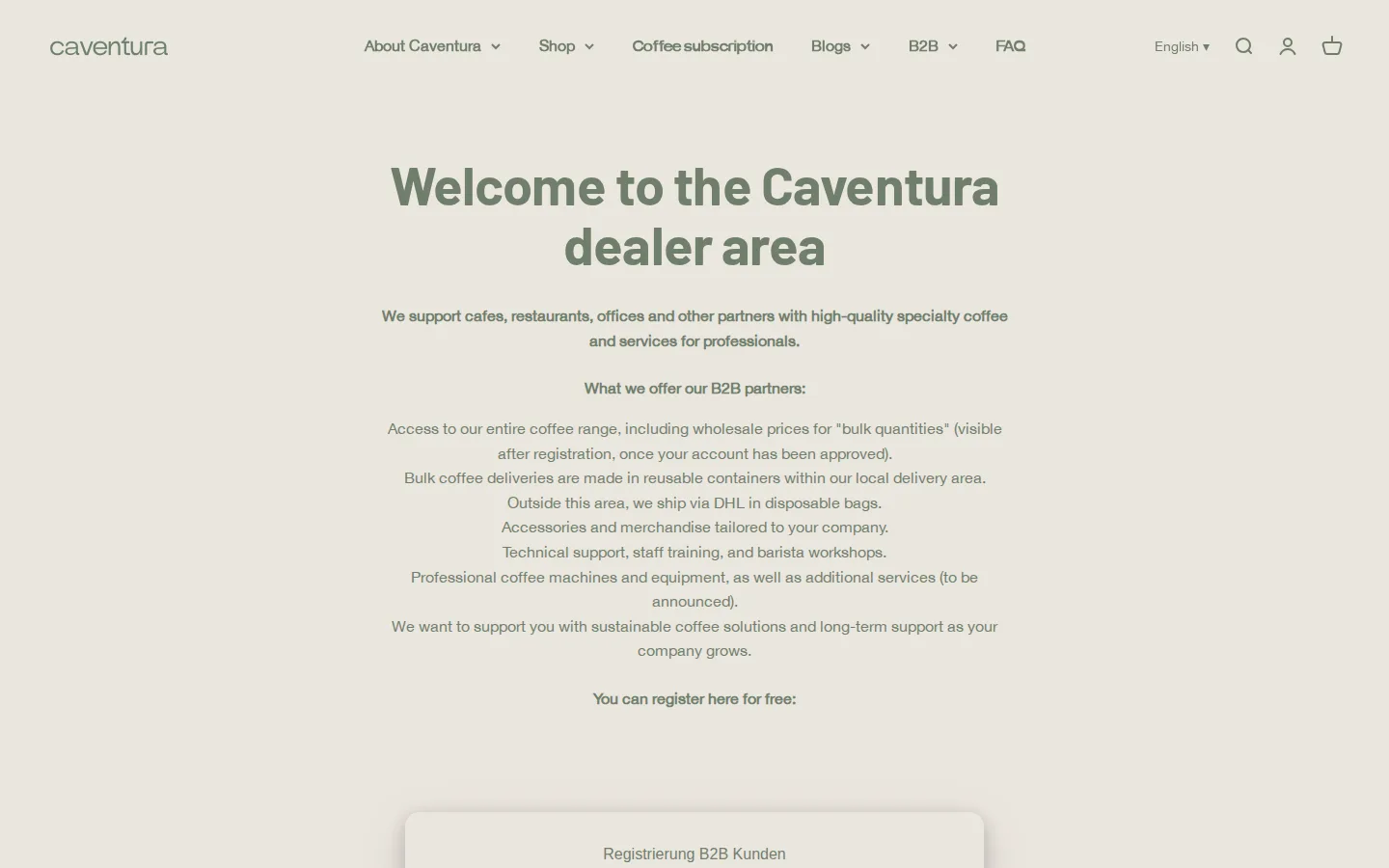
The B2B model: a locked bulk shop behind an approval
Caventura runs a hybrid store with a dedicated business area. Consumers shop the normal collections. Business customers use a B2B area page that lists what a partner gets: access to the entire coffee range, wholesale prices for bulk quantities that become visible after registration once the account has been approved, bulk deliveries in reusable containers within the local delivery area and by DHL in disposable bags elsewhere, accessories and merchandise for the business, and technical support, staff training and barista workshops.
The sentence that matters most for the store setup is the one about visibility. Wholesale prices for bulk quantities are visible only after registration and approval. That is two things to build: a way to apply and a way to keep unapproved visitors out of the bulk collection. Caventura uses a registration form for the first and a collection lock for the second.
How the storefront handles wholesale
The registration form
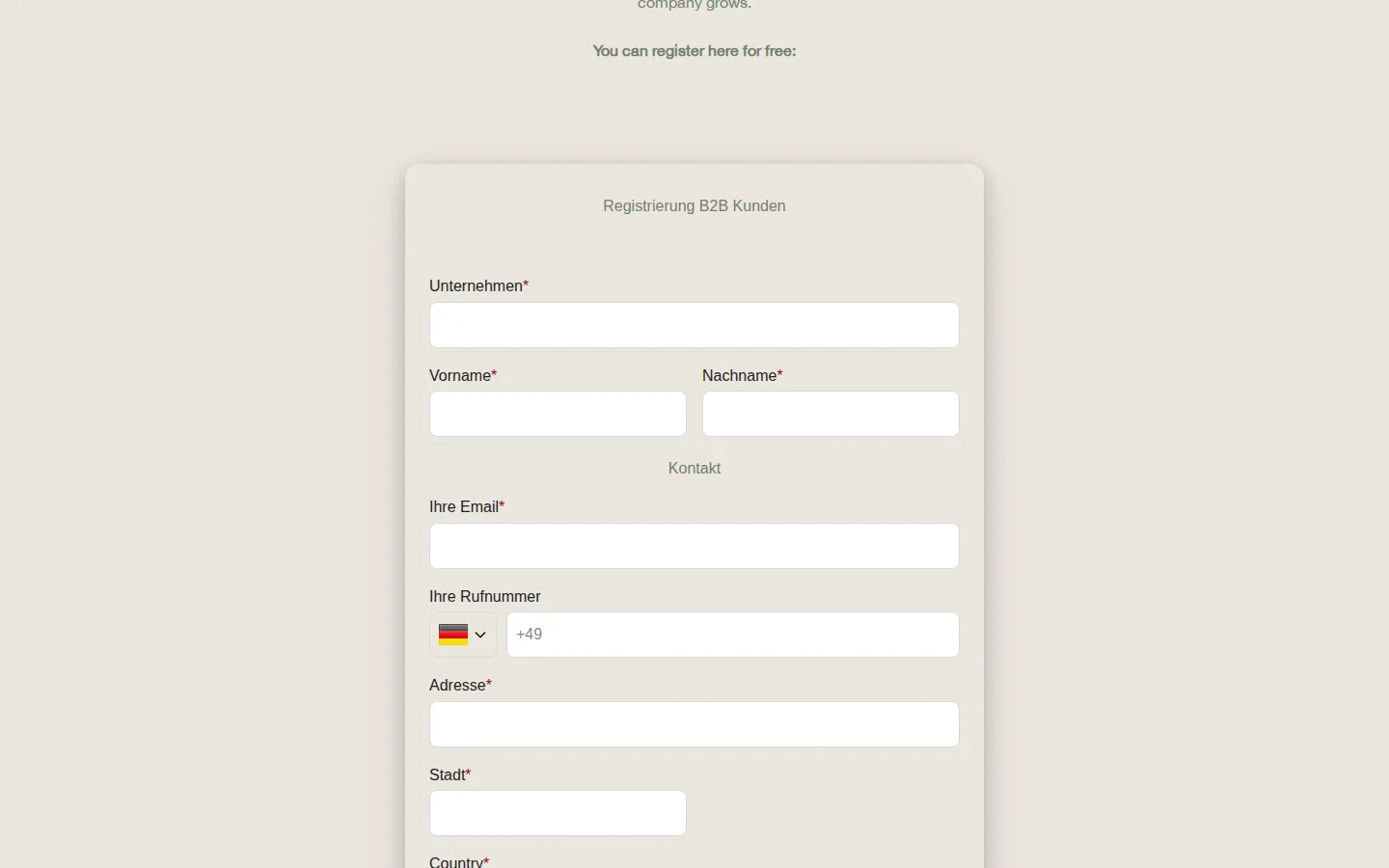
The B2B area page ends with an invitation to register for free. The form is titled Registrierung B2B Kunden and asks for company, first name, last name, email, phone with a country code, address, city and country. The form labels are in German even on the English page. BSS B2B Solution can translate a registration form for cross-border buyers, which is the fix when an English page should show English labels.
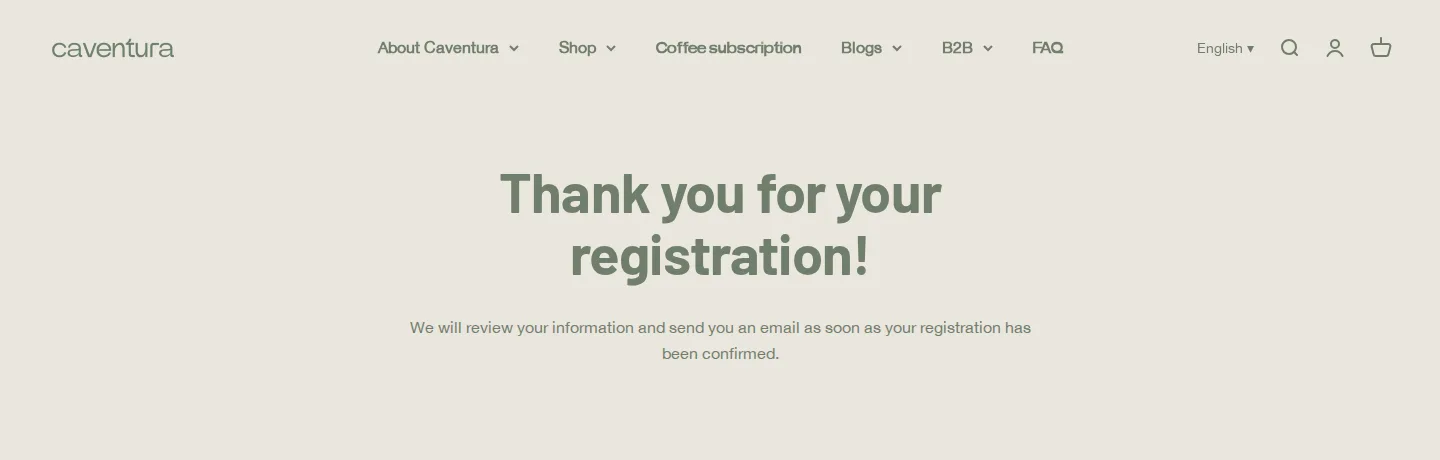
Production data confirms the form is active and assigns a customer tag on approval. The site also promises what happens next in a thank you message: the application is reviewed and the applicant receives an email once the registration is confirmed.
A locked collection
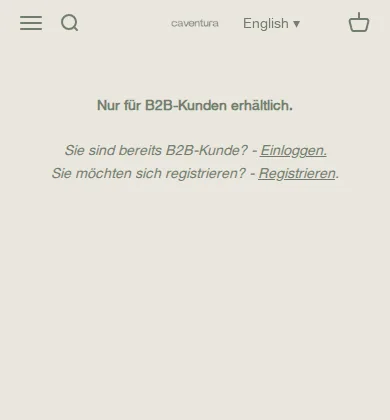
The bulk collection, titled Bulk-Produkte (B2B), is the other half. A visitor who opens it sees a short message, in German: Nur für B2B-Kunden erhältlich, which means only available for B2B customers (translated). Below it are a Log in link for existing B2B customers and a Register link for everyone else. The page markup carries the BSS B2B Lock container, which confirms the lock comes from the Lock app. The message appears in German even on the English URL, a point worth checking on any bilingual store.
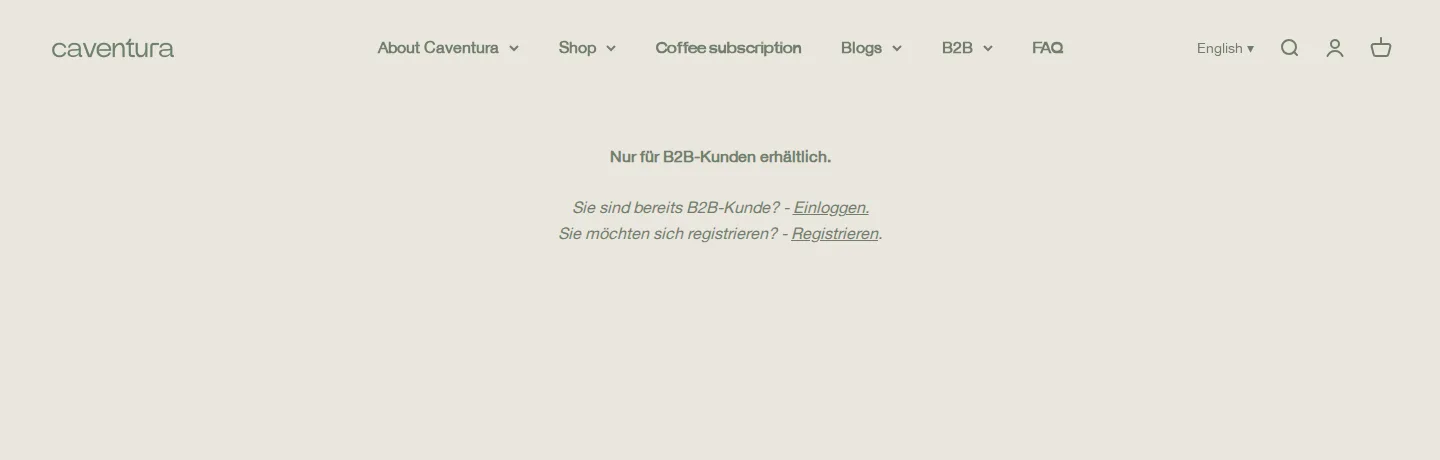
A collection lock is more than a banner. When a collection is locked, the product content is not included in the page, so a guest cannot read bulk prices by viewing the source. Treat any storefront lock as a barrier for normal browsing, not as a guarantee. What it does is stop the default route to bulk prices for people who are not approved.
A checklist for a bilingual B2B area
Caventura’s storefront shows what to verify when a B2B area runs in more than one language. Each item below is a place where a German and an English visitor can see different text:
- The registration form labels. They are set in the form editor, and the user guide explains how to translate a registration form for cross-border wholesalers.
- The lock message. Lock content is translated separately, and the guide on lock page content translation shows where.
- The thank you page. Caventura has one in each language, so an applicant is told what happens next in the language they used.
- The links in the message. Log in and Register should lead to the page in the same language, not to the default language.
- The notification emails. An applicant who registers in English should not receive a German approval email by accident.
The list is short, and it is the kind of check that takes ten minutes once and prevents a confusing first impression for a business buyer. Caventura’s German messages on the English URL show why it is worth doing after any change to the store.
On a phone
The lock message stays short enough for a small screen.
Which BSS features power it
Caventura reviewed two BSS apps, BSS B2B Solution and BSS B2B Lock, so this is a two-app setup. Evidence comes from the public storefront and from production data for the Solution app. Lock is identified from the page markup, because the Lock app keeps its own database that this research could not read.
| What the buyer sees | BSS app and feature | Evidence |
|---|---|---|
| Bulk collection with a login or register message | BSS B2B Lock, collection lock with a custom message | Lock container and message in the page markup of the bulk collection |
| Registration form with a thank you page | BSS B2B Solution, registration form with approval | Public pages in German and English; an active form that assigns a tag in production data |
| Wholesale prices for approved customers | BSS B2B Solution, custom pricing for customer tags | Active custom pricing rules for customer tags, on collections and on selected products |
| Payment terms for logged-in customers | BSS B2B Solution, net terms rule | A net terms rule for logged-in customers is switched on |
| Customers tagged automatically | BSS B2B Solution, auto tags | Active auto tag rules in production data |
| Buy one get one offers | BSS B2B Solution, BOGO rules | Active BOGO rules in production data |
To copy the pattern, read Lock the entire store for approved wholesale customers and Hide wholesale collections from guests for the lock, then Wholesale registration form with approval for the form. Coffee roasters have a dedicated use case, Coffee roaster: a self-service wholesale portal, and Offer Net 30 and other payment terms covers the payment side. The Lock guide for hiding wholesale collections from guests shows each setting.
Where the settings live
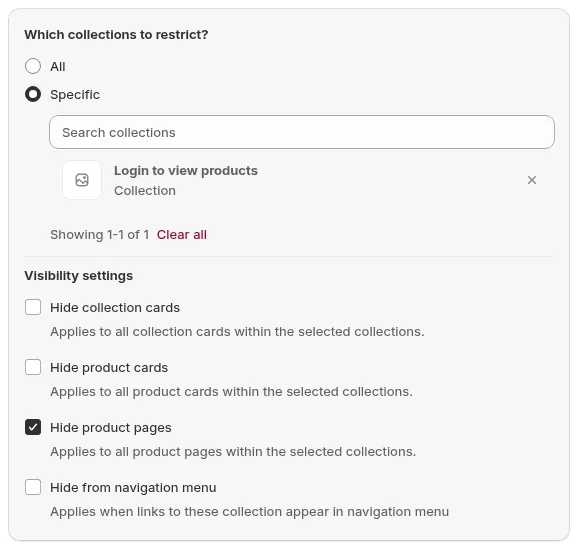
These three images are documentation examples, not Caventura’s admin. In Lock, you pick the collections to restrict and choose what to hide: collection cards, product cards, product pages and navigation links.
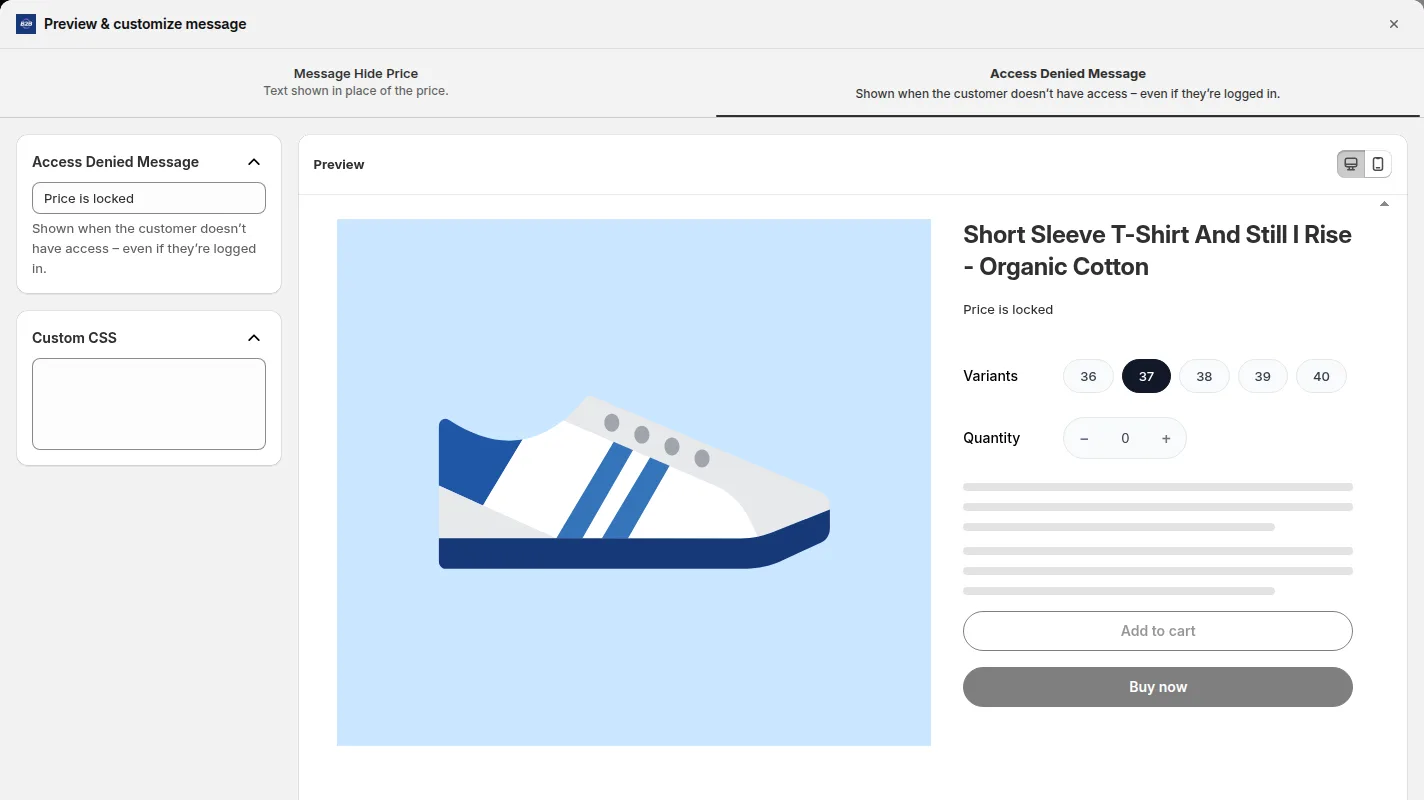
The message a visitor sees is customizable, with a preview. A bilingual store should check the message in every language.
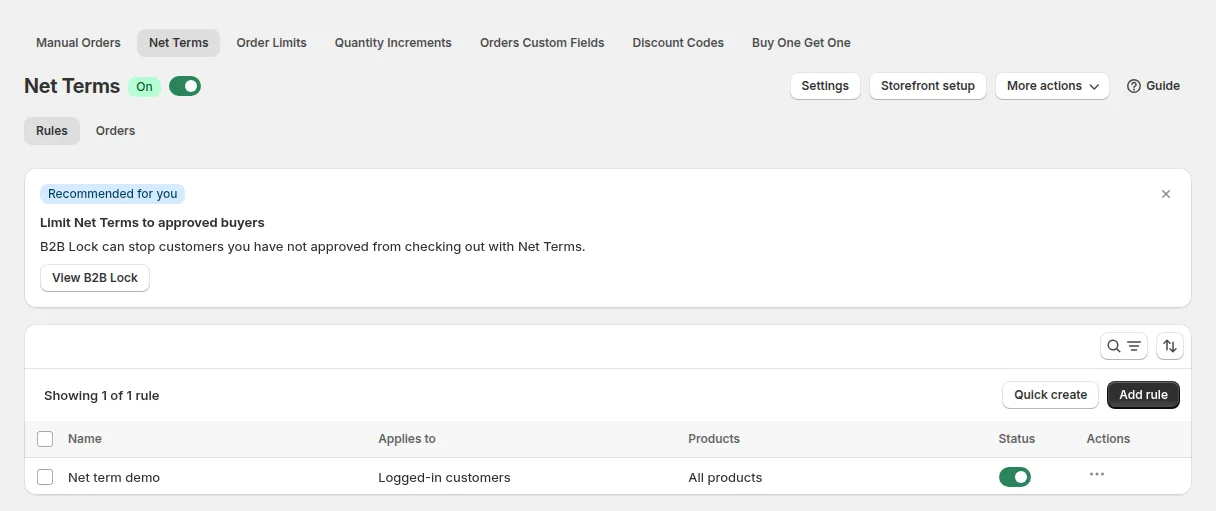
Net terms are set as rules for customer groups. On a coffee store, payment terms suit regular cafe and office accounts that reorder each month.
What other merchants can copy
- Lock one collection, not the whole store. The consumer shop stays open for search and sales while the bulk range waits behind approval.
- Tell buyers what they get. The B2B area page lists delivery options, merchandise, training and workshops, which is a stronger reason to register than a price list.
- Say when prices appear. Wholesale prices for bulk quantities are visible after registration once approved. A sentence like that removes a common support question.
- Write the lock message as a call to action. Log in for existing customers and Register for everyone else, side by side.
- Add a thank you page. Tell an applicant that you will review and email them. It reduces duplicate applications.
- Translate the forms and the messages. Check the registration form and the lock message in every language the store serves.
- Use tags to connect the pieces. The approval adds a tag, the tag unlocks the collection and the price, and the same tag can drive payment terms.
Caventura’s reviews on the Shopify App Store
Caventura reviewed both apps. The first review is for BSS B2B Solution, left on November 10, 2025 after about four months of use, on the Solution listing’s review page:
Awesome Support. Our Support-Manager Lux was supporting us through complex and very detailed requirements (from our side).
We ware very happy to have you as a Partner and would always choose BSS again.
Caventura Shop, Germany, review of BSS B2B Wholesale Pricing (BSS B2B Solution) on the Shopify App Store, November 10, 2025, 5 stars
The second review is for BSS B2B Lock, left on February 5, 2026, also after about four months, on the Lock listing’s review page:
We had very good experiences with BSS Lock and constantly enjoy new features that enhance our websites.
We would like to thank Lux for their first-class support.
Caventura Shop, Germany, review of BSS B2B Lock, Login and Password on the Shopify App Store, February 5, 2026, 5 stars
Both reviews single out support. The Solution review mentions complex and detailed requirements, which is consistent with a setup that combines a bilingual store, a locked collection, tag pricing and payment terms.
FAQ: a locked bulk collection on Shopify
Can I lock only the bulk collection and keep the rest of the store public?
Yes. In BSS B2B Lock you can restrict specific collections, products or pages, and leave everything else open. Caventura locks its bulk collection and keeps the consumer shop public.
Is the locked content hidden from Google?
A collection lock removes the protected content from the page markup for visitors who lack access, and you can add a noindex tag for the locked pages. Prices hidden from Google search results is a separate option in the Lock settings. Do not treat any storefront lock as a guarantee, and keep sensitive data out of the theme.
How does a buyer get access?
The buyer applies with the registration form, you approve the application, and the approval adds a customer tag. The lock rule then allows customers with that tag. Existing customers can log in from the same message.
Can the form and the lock message be shown in German and English?
Yes. The apps support 20 languages. Translate the registration form in BSS B2B Solution and the lock message in BSS B2B Lock, and check both on every language version of the store.
Is this the same as the checkout lock?
No. Caventura uses a collection lock, which controls what a visitor can see. The checkout lock is a different lock type that blocks checkout by condition, and it is available only on Shopify Plus.
This store spotlight is based on Caventura’s public website and its public reviews on the Shopify App Store, as of October 5, 2026. Screenshots show the public storefront. Admin screenshots are examples of BSS B2B Solution and BSS B2B Lock settings from the product documentation. Caventura has not reviewed this page.
Install BSS B2B Solution for the registration form and prices, and BSS B2B Lock for the locked collection. Both are free to try on development stores.
Install BSS B2B Solution See the app