


Dkhoni-Alsultan, a Netherlands-based fragrance store selling across Europe, keeps its consumer catalog open and adds a Become a Retailer route for businesses. Retailers apply with a form that asks for Dutch VAT and Chamber of Commerce details plus a document upload. This spotlight shows how the storefront works and which BSS features sit behind it.
Key takeaways
- The store is a hybrid: public consumer prices in euros for everyone, and a Wholesale access badge that leads to a retailer application.
- The retailer form asks for a BTW (VAT) number, a KVK (Chamber of Commerce) number and a required KVK extract upload, so applicants prove they are registered businesses.
- Production data shows active Custom Pricing, Price List, Quantity Increment and Order Limit rules, all in BSS B2B Solution.
- The merchant says in a public review that it uses the app on two stores, and the review is posted on both the BSS B2B Solution and BSS B2B Quote listings.
About Dkhoni-Alsultan
The storefront presents the company as Al Sultan Company, the official exclusive agent of Dukhoni in Europe. It sells original Dkhoni perfumes to buyers in the Netherlands and across Europe, with free shipping inside the Netherlands and free EU shipping on orders over 50 euros. The store title and description are bilingual, with Arabic and English text, which tells you who the brand is talking to: Arabic-speaking and international fragrance buyers in Europe.
The catalog has 44 products in the main collection. It is organised into men’s, women’s and unisex fragrances, gift sets, best sellers and special collections. Most items are 100 ml eau de parfum bottles and gift sets, priced in euros with the tax included and shown with a regular price struck through next to the sale price. A product page lists fragrance notes in three levels, top, heart and base, which is how a fragrance retailer helps a shopper choose.
This is the kind of business where wholesale appears naturally. An exclusive agent for a brand in a region has a stock of finished goods and every perfume shop, concept store and gift retailer in that region is a potential reseller. The question is how to take those retailers on without a second website.
Dkhoni-Alsultan’s B2B model: one store, retail first, retailers by application
Dkhoni-Alsultan does not hide its catalog or its prices. A visitor who lands on the store sees the same consumer shop as everyone else, with prices, a cart and a checkout. What is different is a small badge on the homepage hero that reads Wholesale access, with a button: Become a retailer.
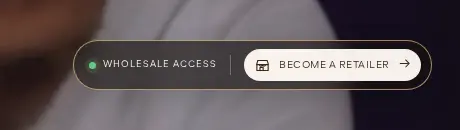
The badge is the whole front door of the B2B channel, and it is a smart one. It does not interrupt the consumer experience, it appears at the first screen, and it leads straight to one page and one form. A retailer who arrives from a trade fair or a referral can find it in seconds, and a consumer who does not need it can ignore it.
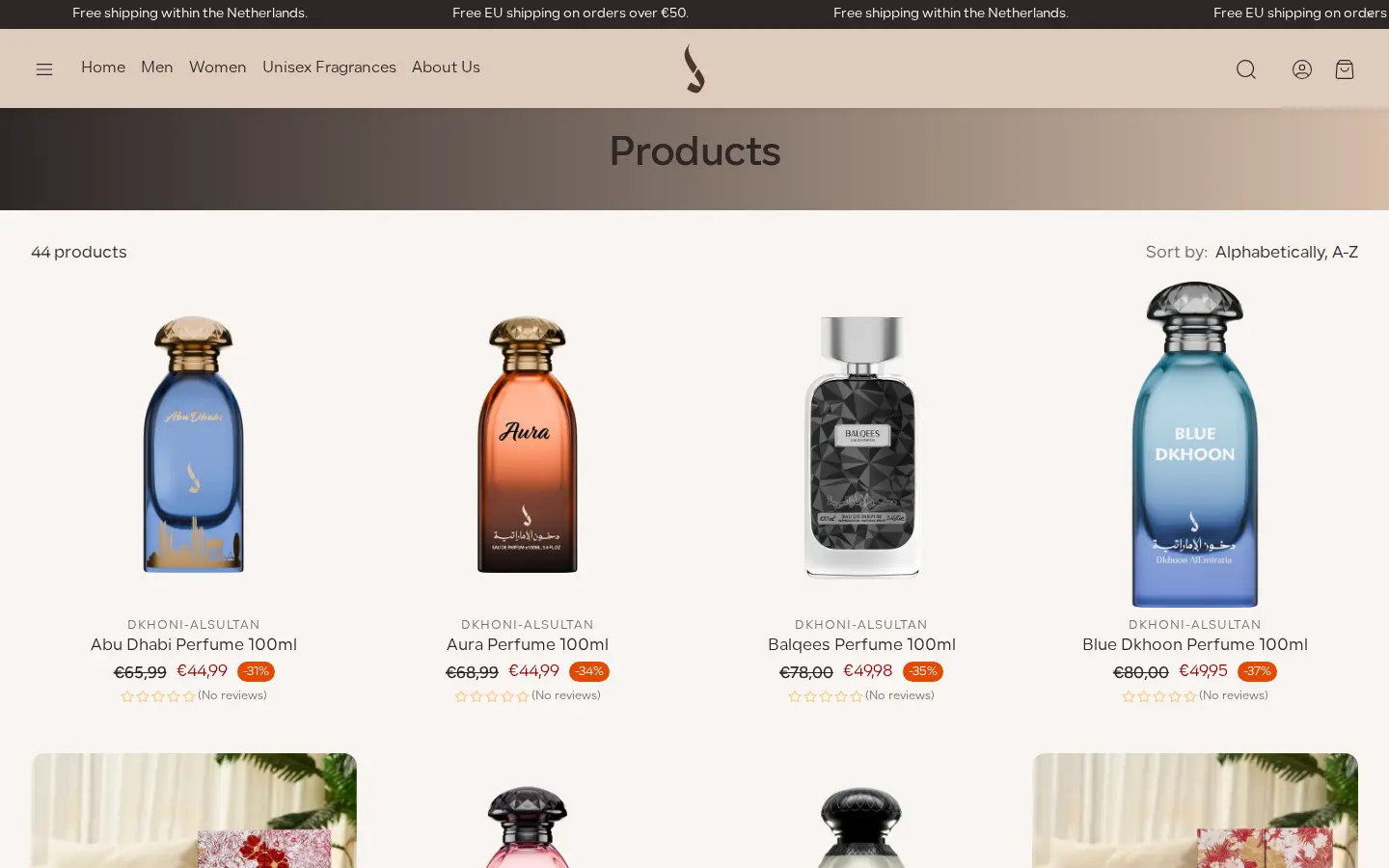
Below the hero, the store looks like any consumer fragrance shop. Because the prices are public, this is a retail price display, not a locked catalog. Approved retailers presumably see their own terms after they log in; production data shows that Custom Pricing and Price List rules are active in the store, which is how BSS B2B Solution gives approved customers different prices from guests. We cannot see the rules, so we do not describe them.
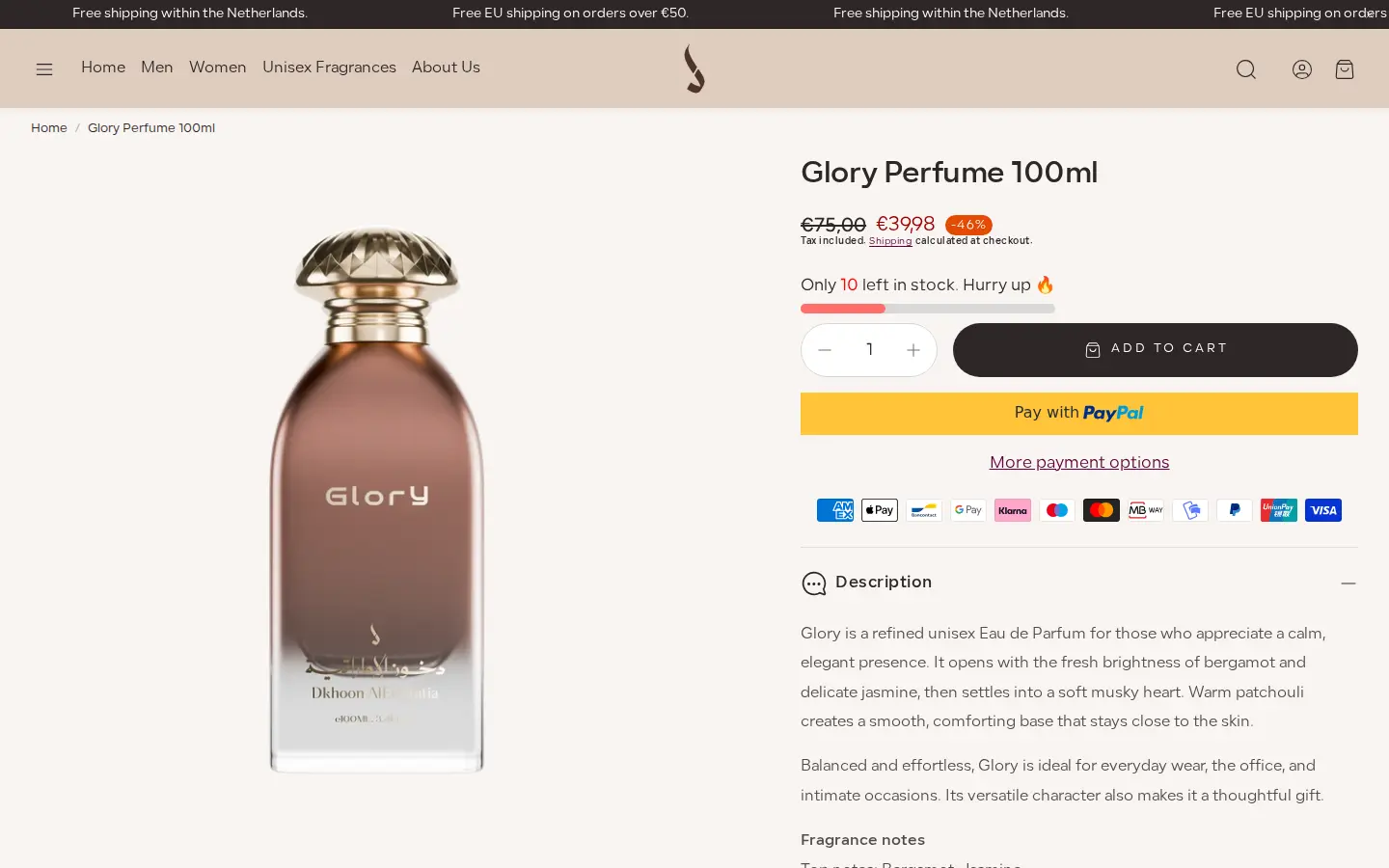
How the storefront handles wholesale
A signup page, not a pop-up
The Become a retailer button opens a normal Shopify page called Wholesale signup form. It has a short title and the form, with no marketing copy around it. A page like this is easy to share as a link in an email or a message.
A form that asks for Dutch business proof
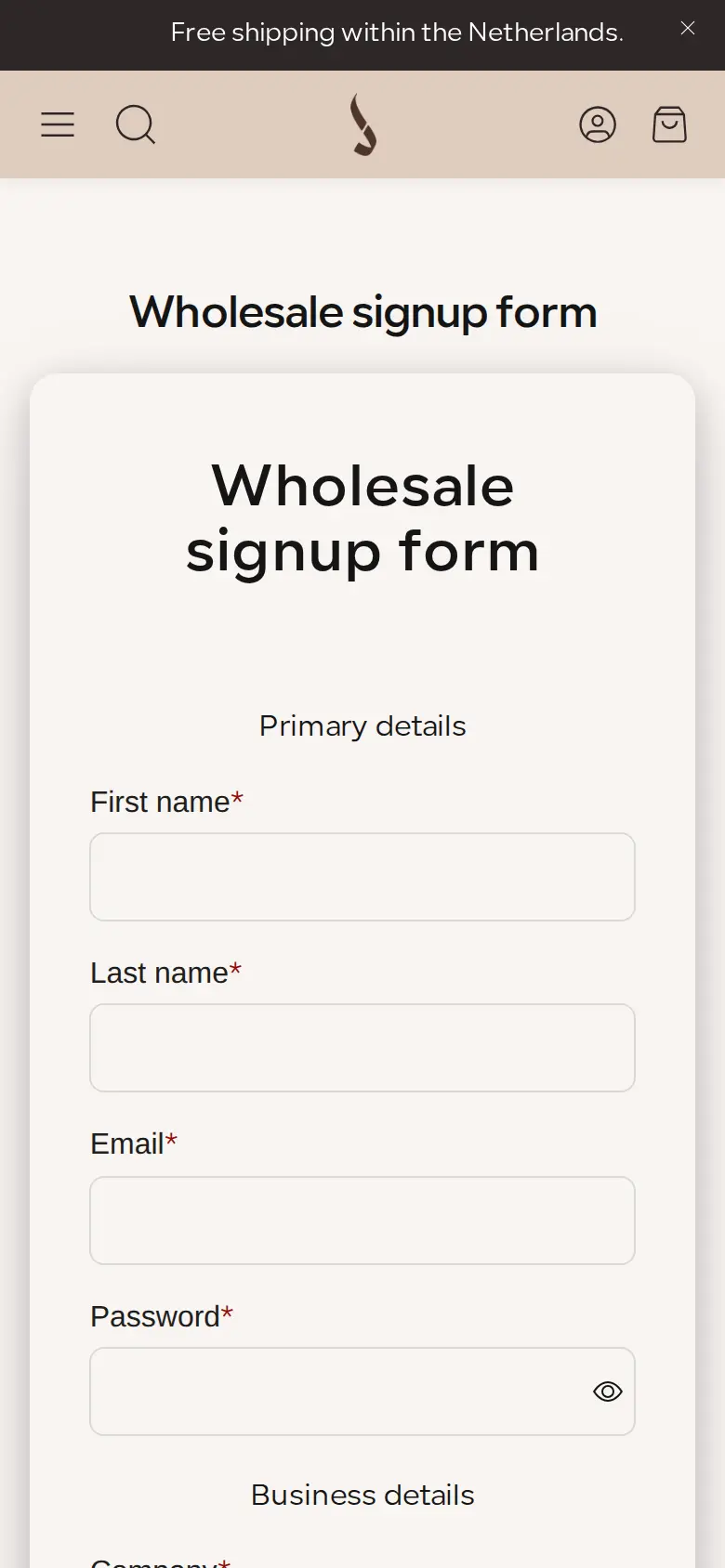
The form is split into primary details and business details. Primary details are first name, last name, email and password. Business details are company, phone with a +31 prefix, address, city, country and zip code. Then come three fields that are specific to the Netherlands: a BTW number, which is the Dutch VAT number, a KVK number, which is the Chamber of Commerce registration number, and a required KVK extract upload, the official extract that proves a company is registered.
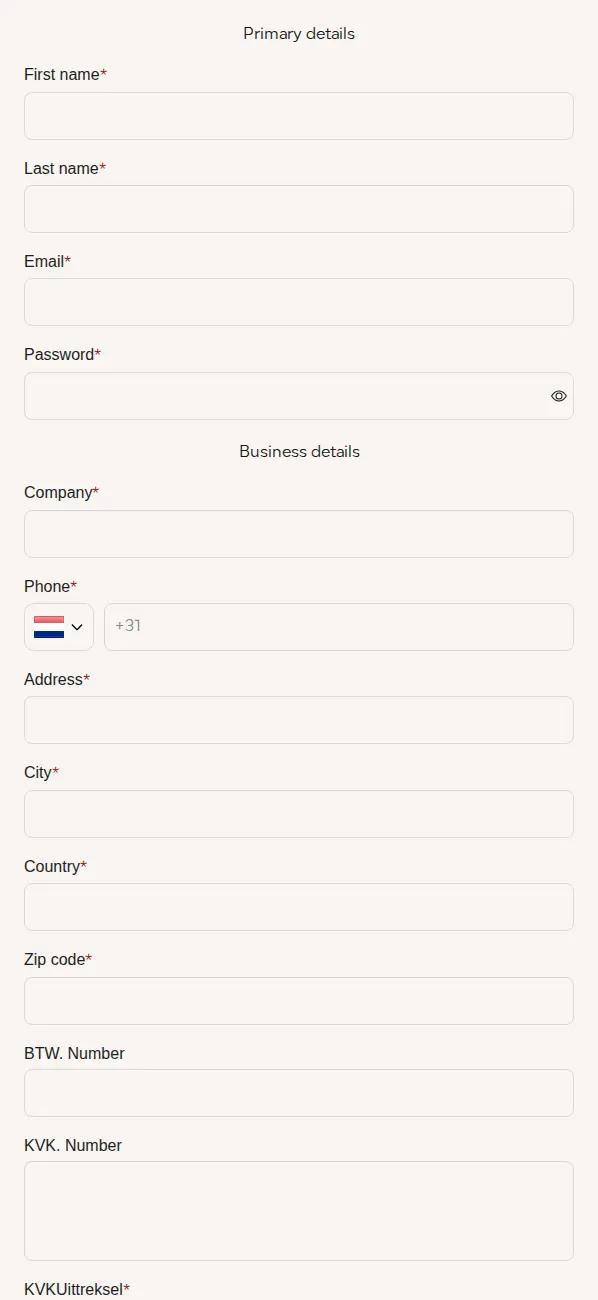
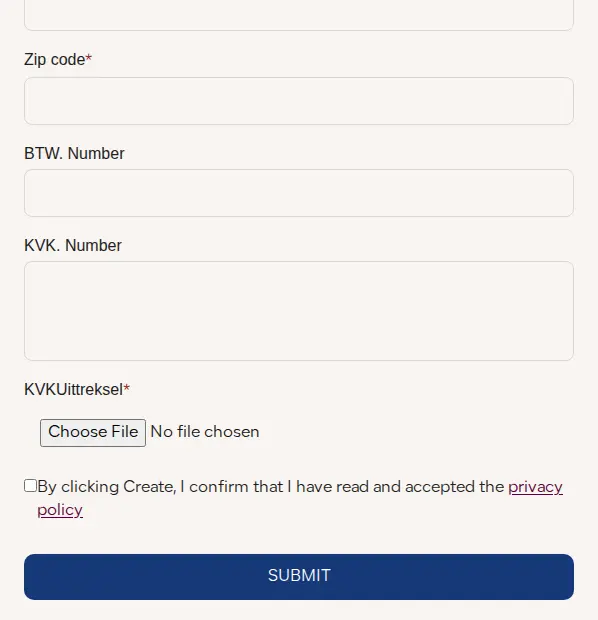
The structure is worth copying. Name and email are required, but the proof of business is a document, not a promise. The extract upload is the only required business field beyond the company details, so an applicant who is not a registered business cannot finish the form. At the bottom, a checkbox confirms that the applicant has read the privacy policy.
BSS registration forms support a file upload field with a limit of 10 MB per file, and tax ID fields that validate live for several countries. The Dutch fields here are plain text and upload fields, which is the right choice when the number you need, a KVK number, is not one of the supported tax ID types. The form also accepts conditional logic on eligible plans, so a store with several buyer types could show different fields to each.
For the steps behind a form like this, see the BSS guide on building a wholesale registration form and the use cases on conditional logic and document upload in registration and verifying a business tax ID at registration.
On a phone
On a phone the form stacks into one column, with the labels above the fields.
Which BSS features power it
We checked the storefront source and read-only configuration flags in BSS production data, which say whether a feature has an active rule, not what it is set to. We did not read prices, orders or customers.
| What buyers see | BSS feature | How we know |
|---|---|---|
| Wholesale signup form with company, business numbers and document upload | Registration form (BSS B2B Solution) | The form uses the BSS form container; production data shows a form was created and edited |
| Retailer prices that differ from public prices | Custom Pricing and Price List | Production data shows active rules for both; we cannot see the values |
| Selling in set multiples such as cartons | Quantity Increment | Production data shows an active rule |
| Minimum or maximum quantities or amounts | Order Limit | Production data shows an active rule |
| Quote requests | BSS B2B Quote | The merchant posted its review on the Quote listing as well; we did not see a quote button on the public pages |
Production data shows the Platinum plan, which is where Price Lists are available. The pricing table on the BSS B2B Solution page lists what each plan includes.
Custom pricing and price lists
A Custom Pricing rule gives a chosen group a fixed price or a discount on chosen products. A Price List rule is a set of prices that belongs to a group of customers. Both choose who gets them: logged-in customers, specific customers, customer tags or company locations. For a retailer program, the usual choice is a customer tag that the registration form applies on approval.
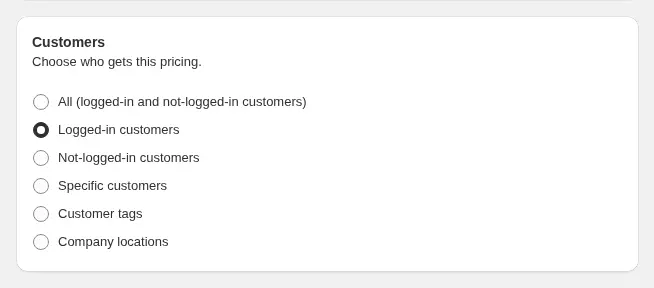
The use case on a B2B price list per buyer group shows the pattern, and the BSS guide on customized pricing per product per customer explains the settings. If your retailers are salons or perfume boutiques, beauty brand price lists and VAT for salons is the closest example.
Quantity increments and order limits
Fragrance brands often sell to retailers in cartons or in set multiples of six or twelve. A Quantity Increment rule makes the storefront ask for multiples, and an Order Limit rule sets a minimum or a maximum. Both are active in the store’s production data. They are not visible to a guest, but a retailer would meet them on the product page.
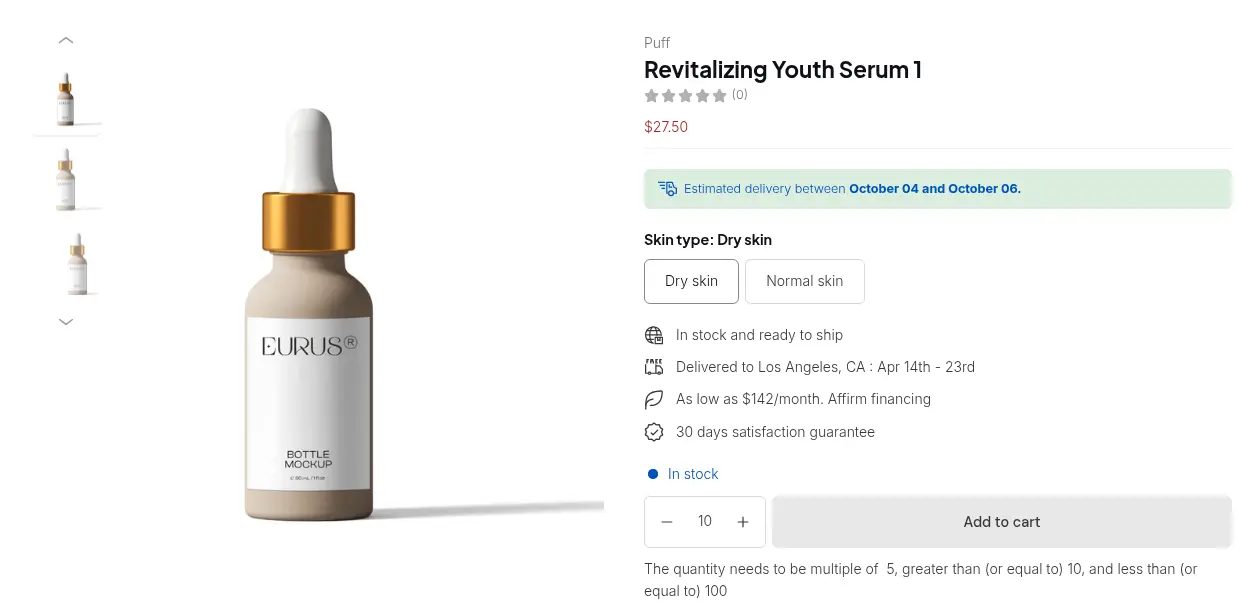
See the use cases on selling in case packs with quantity increments and minimum order quantity and value, and the BSS guides to quantity increments and order limits.
The registration form builder
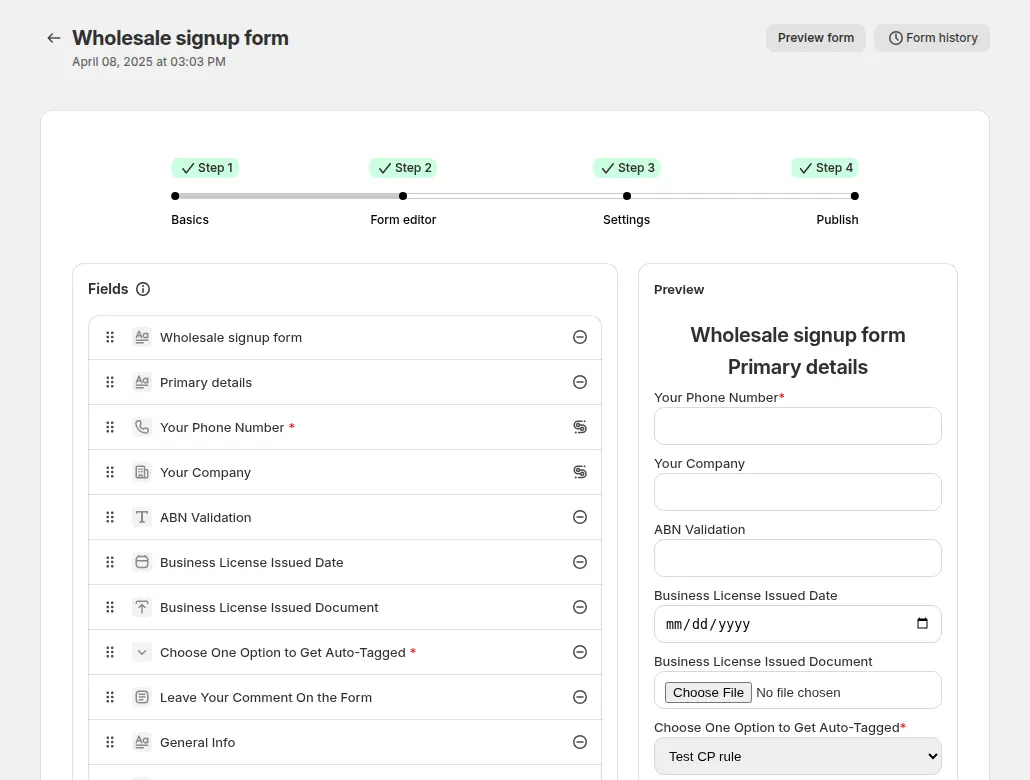
The form editor lists the fields on one side and shows a live preview on the other. A store can add a document upload, a tax ID field, a dropdown that tags the customer, a comment box and conditional logic, and then decide what happens on approval.
What other merchants can copy
- Add a retailer entry point to a consumer store. One badge on the first screen is enough to start a trade channel without a second site.
- Ask for local business proof. In the Netherlands that means a BTW number, a KVK number and a KVK extract. In your country it may be a company number or a resale certificate.
- Make the proof a document. A required file upload is harder to fake than a typed number and gives your team something to check.
- Use plain text fields for numbers the app cannot validate. Reserve live validation for formats it supports, such as EU VAT.
- Put retailer prices behind login. Keep consumer prices public and apply a price list to approved customers by tag.
- Sell wholesale in cartons. Quantity increments and minimums stop a retailer from ordering a quantity that does not ship well.
If you run retail and trade from one store, read running B2B and B2C on one Shopify store, or start from the Shopify B2B guide.
Dkhoni-Alsultan’s review
Dkhoni-Alsultan’s public review of BSS B2B Wholesale Pricing, which is the App Store name of BSS B2B Solution, is a five-star review from April 3, 2026, written after 23 days of use. The same text was posted on the BSS B2B Quote listing. We quote selected sentences and omit the signature line and the sentence about support.
The BSS B2B Wholesale Solution app is simply outstanding. Extremely well-organized, powerful, and built perfectly for wholesale businesses.
[…] Every request I had was handled smoothly and exactly as needed. I’m using it on two stores, and the experience has been flawless on both. Highly recommended.
Dkhoni-Alsultan (Netherlands), 5-star review of BSS B2B Solution (listed as BSS B2B Wholesale Pricing), April 3, 2026, 23 days using the app. Read it on the Shopify App Store
The review says the app is well-organized and built for wholesale, which is consistent with a form-led setup that needs several rules to work together. The note that it runs on two stores matters for agencies and multi-brand merchants: BSS B2B Solution is installed per Shopify store, so each store gets its own forms and rules.
FAQ
Can I show consumer prices and still run a retailer program on one Shopify store?
Yes. Dkhoni-Alsultan shows public euro prices and adds a Become a retailer button for businesses. In BSS B2B Solution, Custom Pricing and Price List rules can target logged-in customers or customer tags, so approved retailers can see different prices after they log in.
What business documents can a registration form collect?
A BSS registration form can include a file upload field with a limit of 10 MB per file, plus text fields for numbers. Dkhoni-Alsultan asks for a BTW number, a KVK number and a required KVK extract, which is the Dutch Chamber of Commerce extract.
Does BSS validate Dutch VAT numbers?
BSS B2B Solution validates EU VAT numbers live as the buyer types and blocks submission only if the field is marked required. A form can also keep the number as plain text, as Dkhoni-Alsultan does for its BTW and KVK numbers.
How do I sell perfume or cosmetics to retailers in cartons?
Use a quantity increment rule so the storefront asks for multiples of a number, and an order limit rule for a minimum amount or quantity. Both can apply to chosen products or customers.
Can one merchant use BSS on more than one store?
Yes. The app is installed per Shopify store, and each store has its own forms, rules and plan. Dkhoni-Alsultan’s review says it uses the app on two stores.
This store spotlight is based on Dkhoni-Alsultan’s public website and its public review on the Shopify App Store, as of 2026-10-05. Screenshots show the public storefront. Images labelled Example configuration in BSS B2B Solution come from the BSS user guide and are not the merchant’s admin.