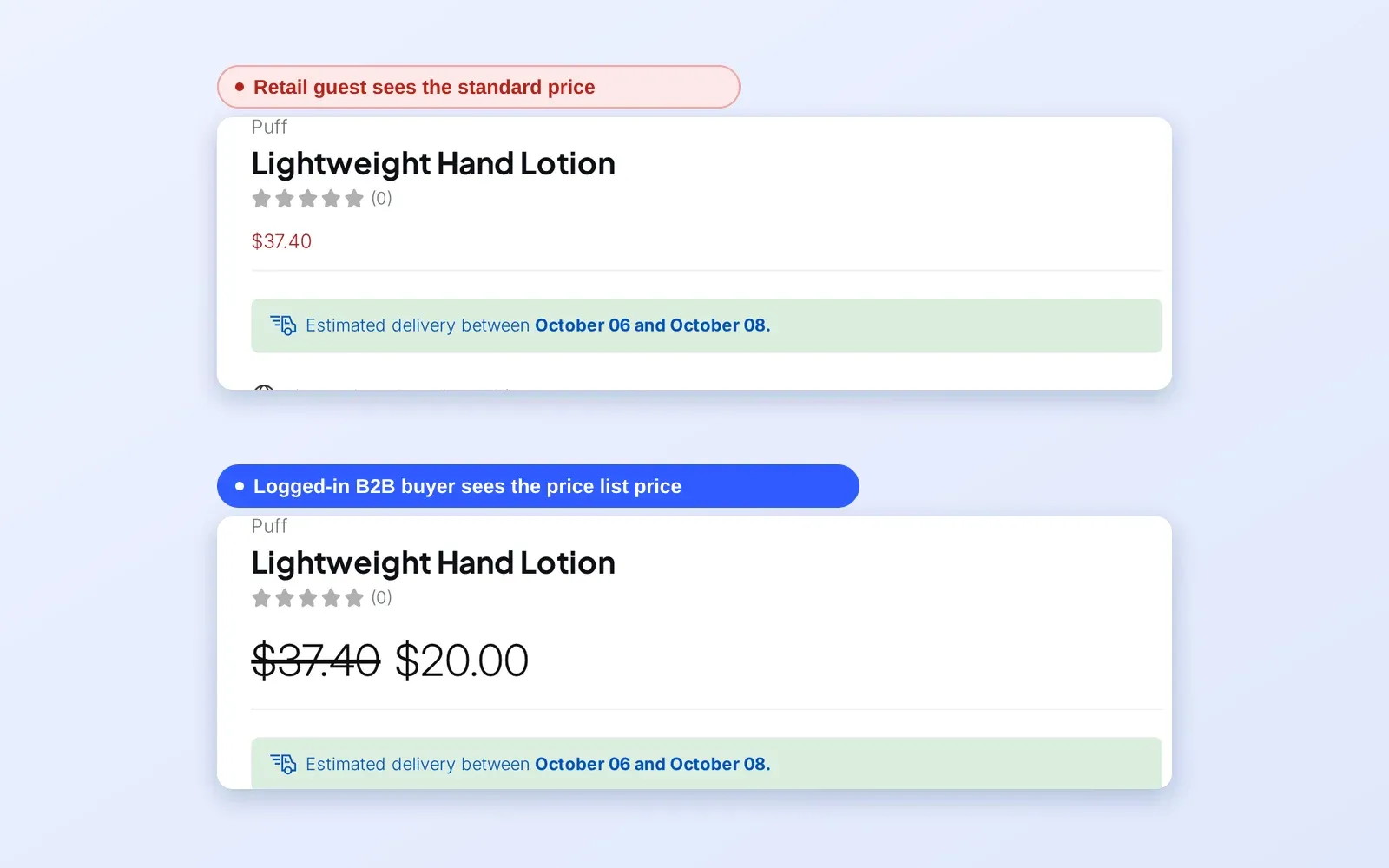
To run trade accounts with tiered pricing for consumer electronics on one Shopify store, use BSS B2B Solution to combine a trade registration form with manual approval, a Custom Pricing rule for the approved tag, Volume Pricing tiers on top, a minimum order with Order Limits, and trade shipping tiers with Shipping Rate. Consumers keep seeing retail prices, while approved resellers see trade prices, quantity breaks and their own rules.
This guide is for hardware brands, accessory makers and distributors that sell to consumers and to resellers from the same storefront. It explains who this fits, the setup in six steps, an example with trade prices and tiers, and the limits to know, especially that minimums are a storefront check and that Auto Tags does not tag existing customers on its own.
Who this is for
The trade account setup fits you if several of these are true:
- You sell phones, accessories, components or devices to consumers and also to resellers, repairers or installers.
- Resellers expect trade prices and volume tiers, but consumers should not see or receive them.
- A reseller who must email for each quote tends to buy from a competitor.
- You want a minimum order size for trade accounts, so small orders do not eat your margin.
- Keeping a second wholesale store would double your catalog, stock and support work.
If you only need to hide prices from logged-out visitors, see hide wholesale prices from guest visitors.
Why this matters
Resellers buy in volume and expect trade pricing. If they find only the retail price, they either email for a quote, which costs your team a reply for each product, or leave. If consumers can see trade prices, retail margin disappears. And a second store for resellers doubles everything from catalog maintenance to customer support.
Electronics merchants in our case studies solve this on one store. ORQA, a Croatian FPV technology brand, uses a registration form, tag-based pricing, quantity breaks, shipping rates, Auto Tag and order quantity limits for its B2B customers. Pisen Australia, a distributor of phone accessories, uses manual approval, minimum quantities, pack sales and login-based prices. Screenshelf, an Irish phone and accessories retailer serving both B2B and B2C, combines a trade registration form with Custom Pricing for logged-in business buyers, and shows retail buyers a prompt to register for a trade account. See the ORQA, Pisen Australia and Screenshelf case studies.
How to set it up with BSS B2B Solution
The sequence below builds a trade flow in the order a reseller experiences it.
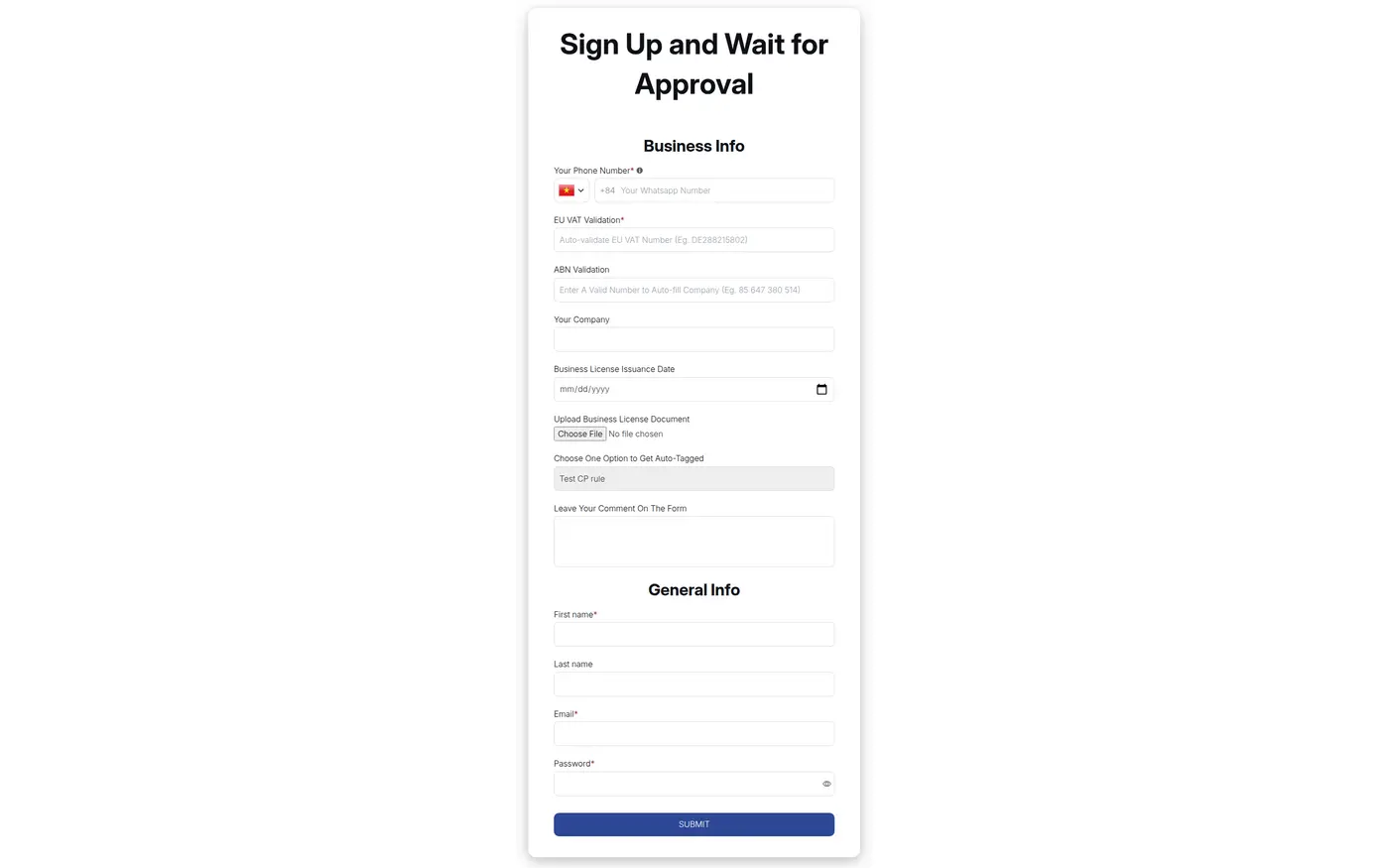
Step 1: Add a trade registration form
Build a registration form that collects business details, such as company name, address and a tax ID if you sell cross-border, and choose manual approval. Assign a tag such as `trade` that is added when you approve an account. Resellers apply through the form, and you approve or reject each application. The page wholesale registration form with approval shows the form in detail.
Fields that help you qualify resellers include the business name, a website or marketplace store, a tax ID, a document upload for a trade licence, and a dropdown for expected monthly volume. A tax ID field is checked live as the buyer types, and file upload fields accept documents up to 10 MB per file.
Step 2: Set tag-based trade prices
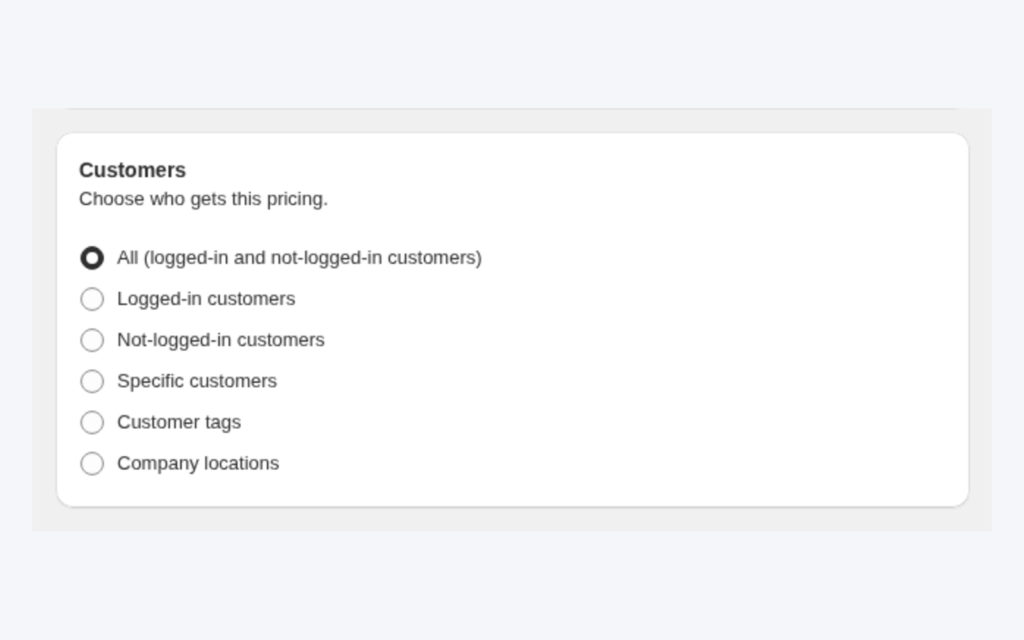
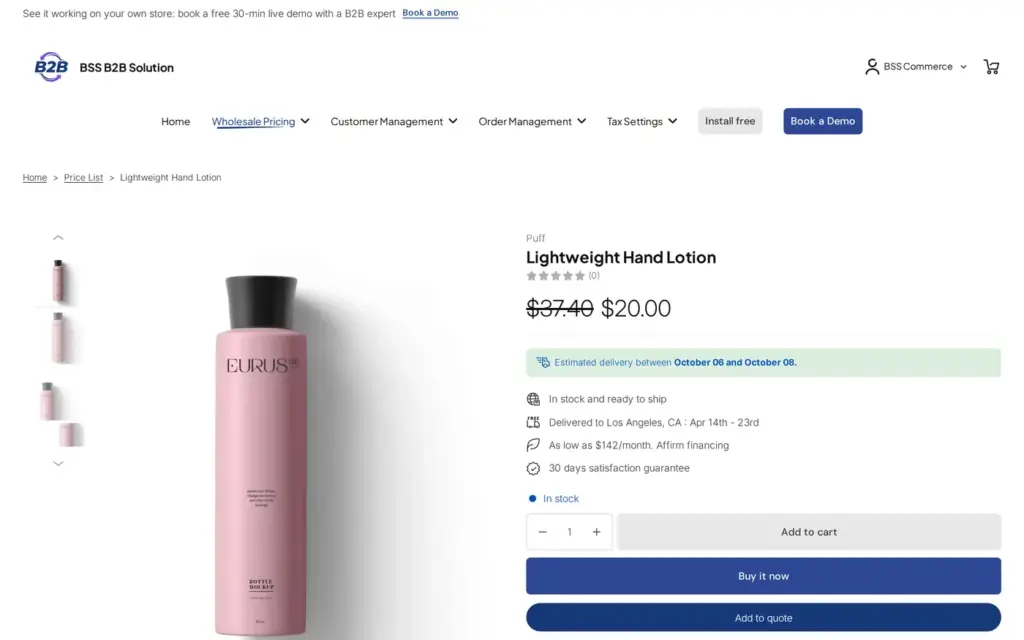
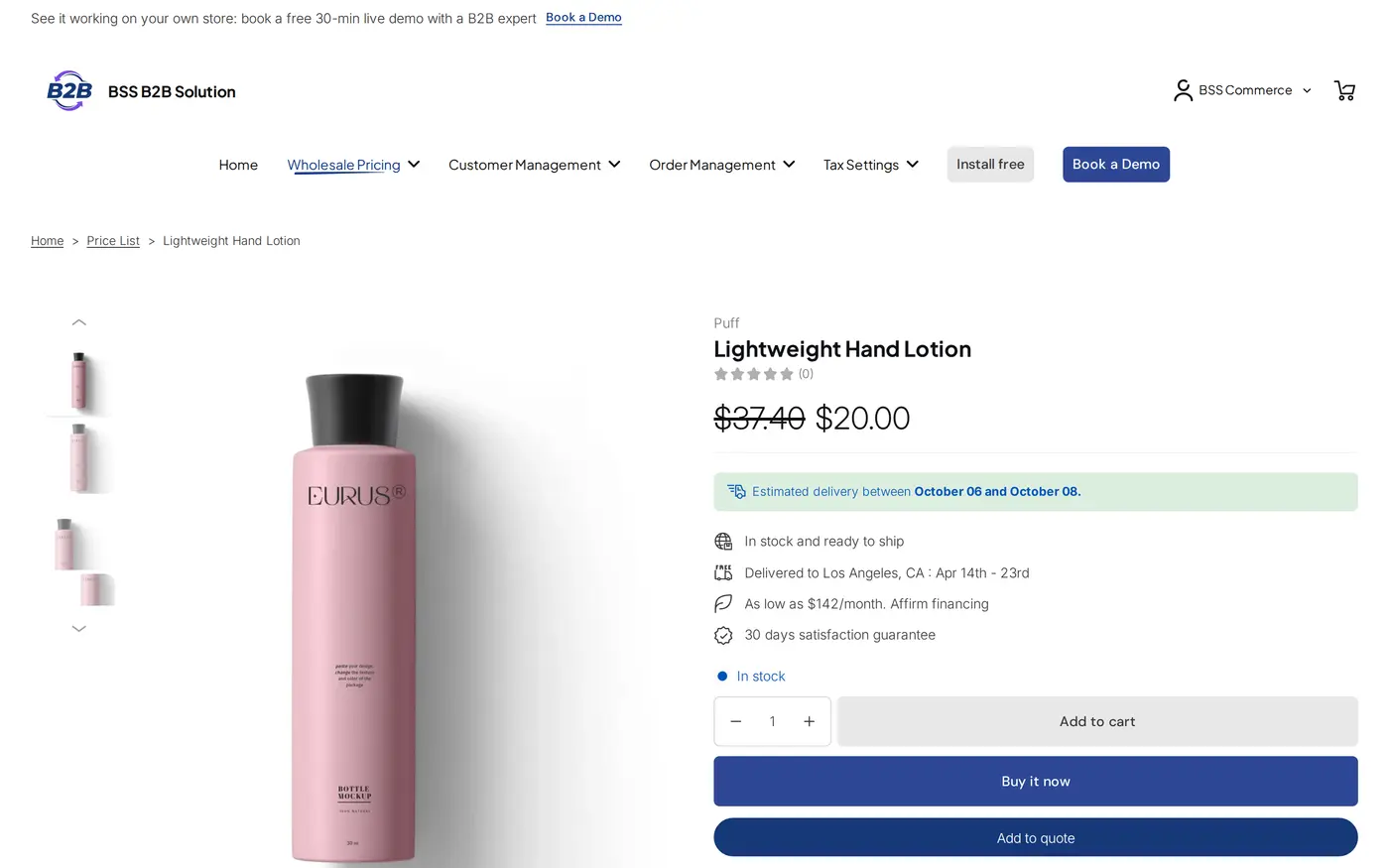
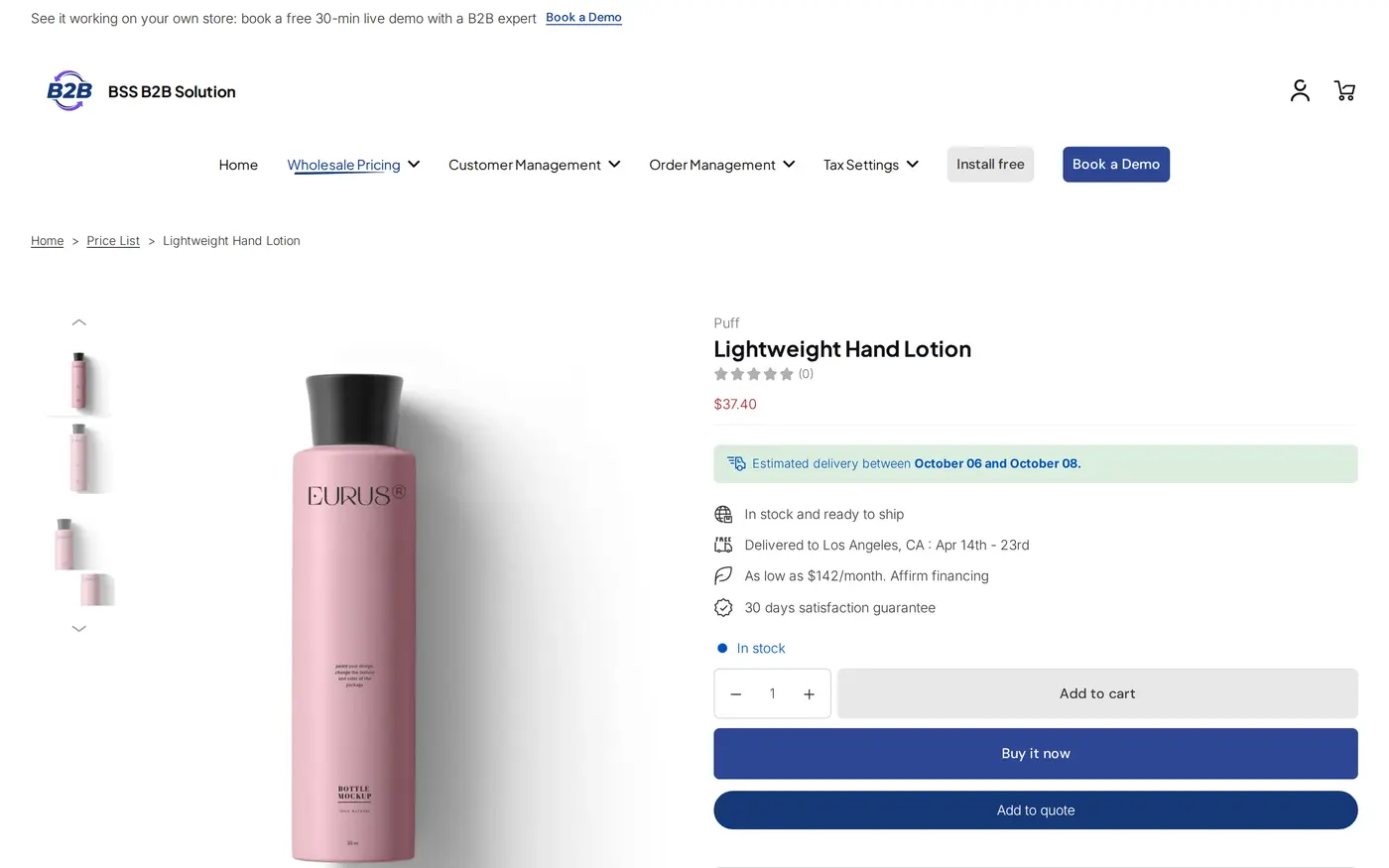
Create a Custom Pricing rule that targets the `trade` tag, for example a percentage off every product or a fixed price per product. A guest or an untagged consumer keeps the normal Shopify price. The rule shows trade prices only to logged-in customers who carry the tag. Add a short message on product pages that invites consumers to apply for a trade account, which is what Screenshelf does, so the visitors who should become resellers know where to go.
Step 3: Add quantity breaks
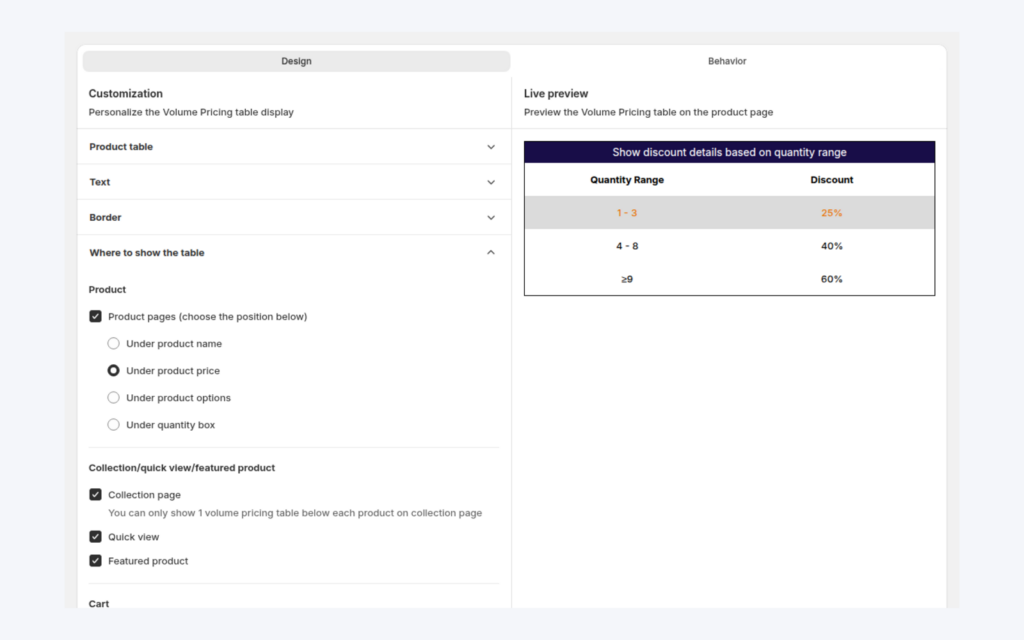
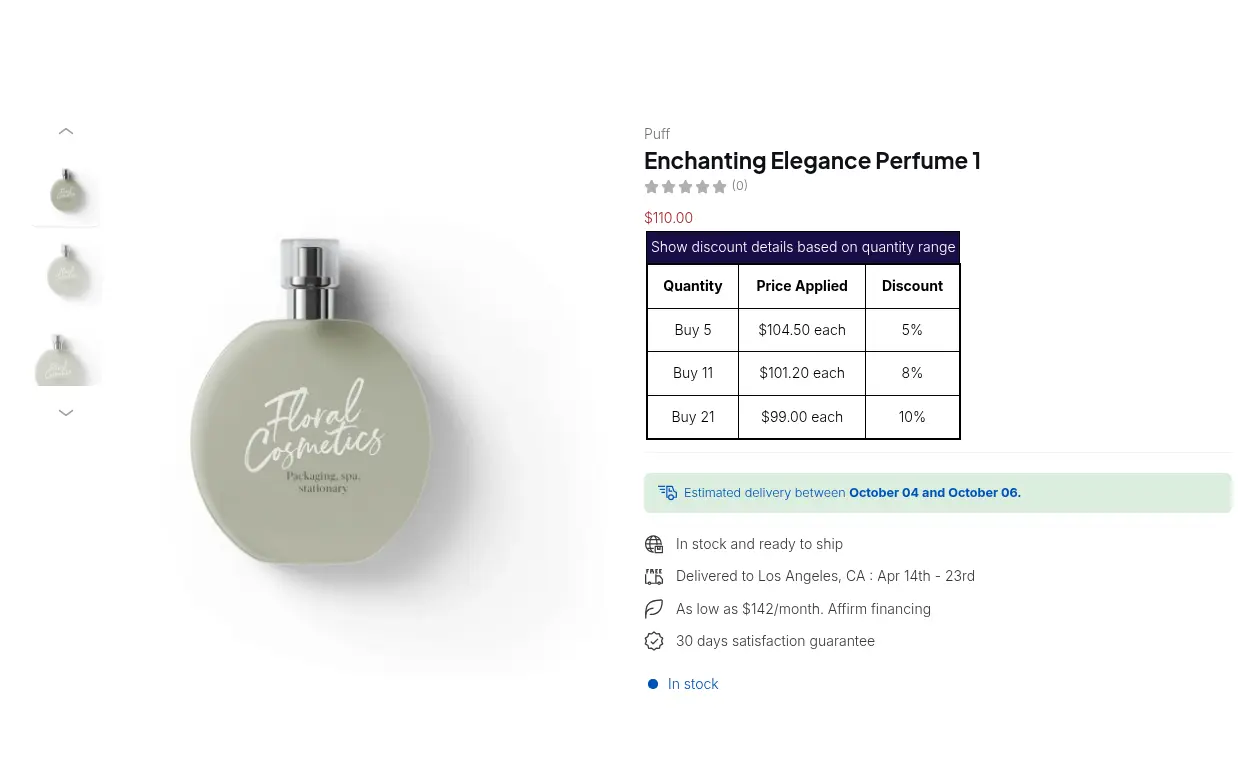
Create a Volume Pricing rule so larger orders get a better unit price. The tiers are calculated on the trade price, so a quantity break stacks on the trade price and not on retail. Show the tier table on product pages so resellers see the incentive before they add to cart.
Step 4: Set minimums and trade shipping
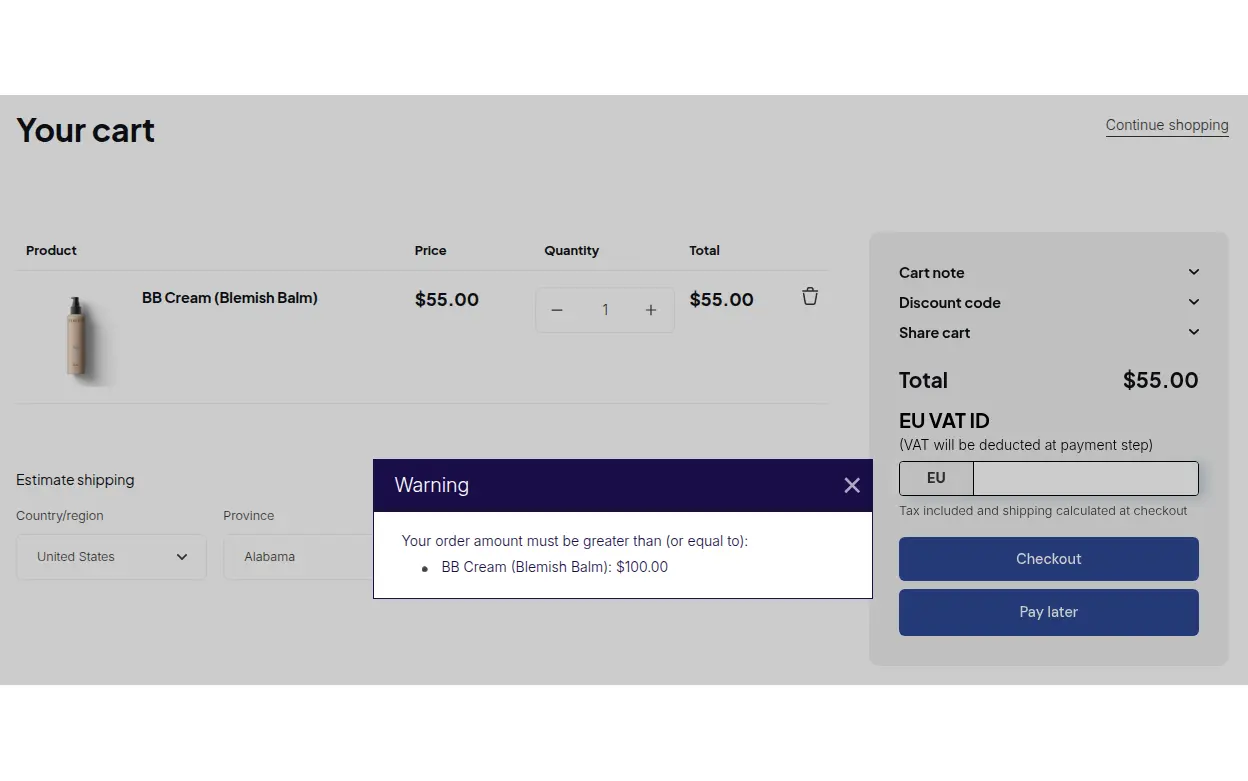
Use Order Limits to set a minimum order quantity or amount for the trade tag, and Shipping Rate to charge trade shipping tiers by quantity, amount or weight. Order Limits warn buyers whose cart is below the minimum at the cart or on Buy it now.
Step 5: Automate tags if you need to
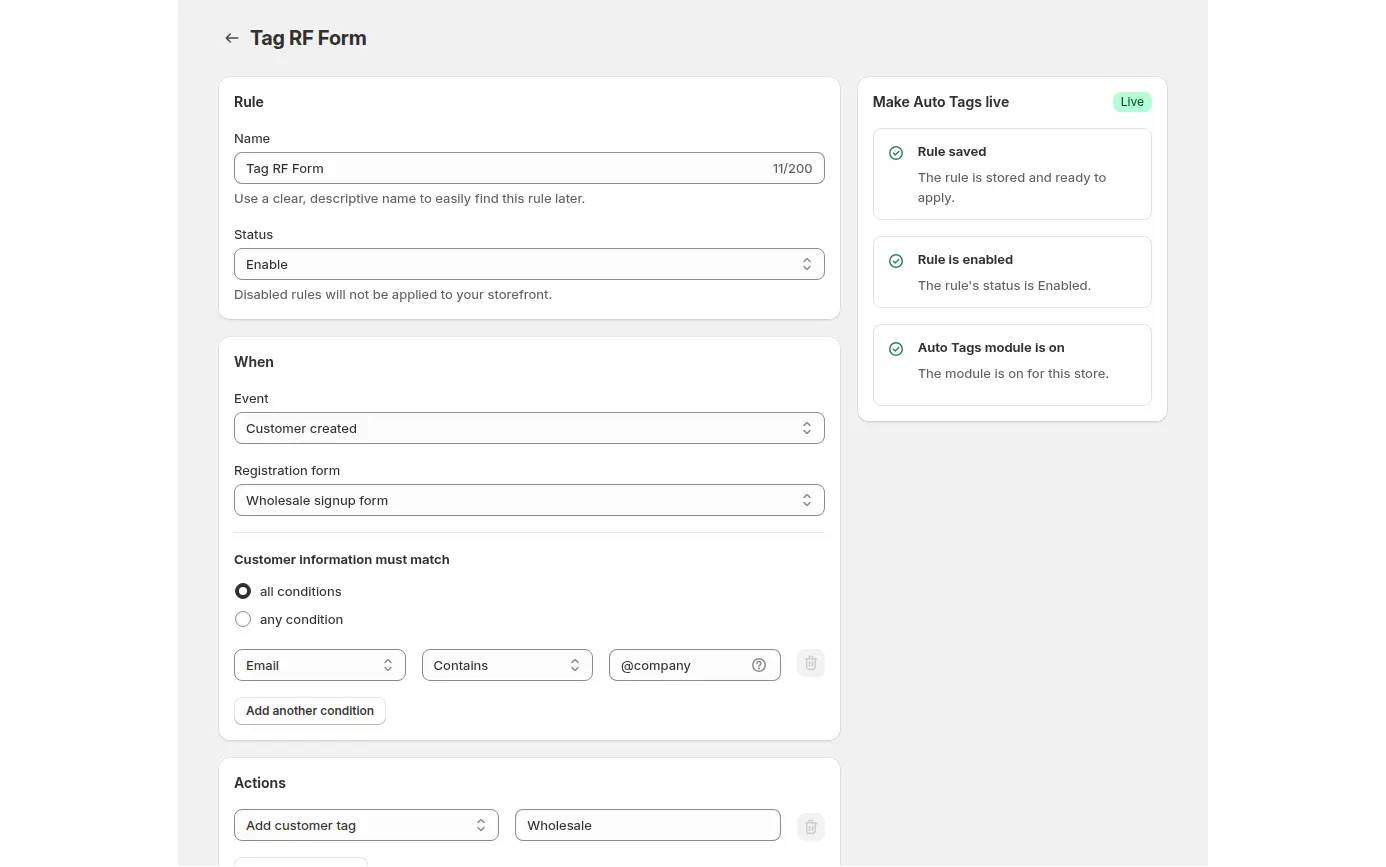
If tags should change by event, add an Auto Tags rule, for example a rule that adds a tag when a customer is created through the registration form. Auto Tags runs when a Shopify event happens, so it does not tag customers who already exist. Use the bulk apply option once for existing accounts.
Step 6: Test three buyers
Test with a guest, a consumer account and a tagged reseller, in that order, so you see each version of a product page. Check the product page, the collection page, the cart and the minimum-order warning for each.
Example: a phone accessory brand
This example uses illustrative numbers, not results from a real store. A brand sells a 65 W charger at a retail price of $40. A Custom Pricing rule takes 25% off for customers tagged `trade`, so the trade price is $30. A Volume Pricing rule takes 5% off from 10 units and 10% off from 50 units, calculated on the trade price: $28.50 at 10 units and $27.00 at 50 units. An Order Limits rule sets a minimum order amount of $300 for the trade tag, and a Shipping Rate rule charges a flat $12 for 1 to 9 items and nothing from 10 items.
A reseller orders 12 chargers: 12 x $28.50 = $342, above the $300 minimum, and free shipping applies from 10 items. A second reseller tries 9 chargers at $30, which is $270, and the cart shows the minimum-order warning. A consumer who visits the same product page sees $40 and a prompt to register for a trade account.
Works well with
Trade accounts connect several parts of a wholesale store:
- Registration: wholesale registration form with approval covers approval and tags.
- Prices by tag: wholesale price by customer tag shows the Custom Pricing rule in detail.
- Quantity breaks: tiered quantity break pricing explains Volume Pricing.
- Minimums: enforce minimum order quantity and value covers Order Limits.
- Retail and trade together: B2B and B2C on one Shopify store explains the hybrid model.
- Shipping tiers: handling fees and custom shipping for wholesale covers Shipping Rate.
The wholesale pricing hub and the customer onboarding hub collect the guides. Useful glossary entries are tiered pricing, MOQ and trade account.
Limits and common mistakes
- Order Limits run in the storefront, not in Shopify checkout. They are checked on the cart and Buy it now, so a buyer who opens a direct checkout URL skips them, and Manual Orders are not limited. Treat the minimum as a rule for normal buying, not a hard barrier.
- Auto Tags does not tag existing customers. It runs on events, so use the bulk apply option once for current accounts. A customer is not untagged automatically when they stop matching, so plan any demotion rule on purpose.
- Quantity breaks stack on the trade price. Check the final unit price on a cart that has both the tag rule and a tier.
- Shipping Rate is hidden on the newest storefront bundle (v4). It is also on the Advanced and Platinum plans, so confirm both before you promise trade shipping.
- Page builders can drop price displays. If you rebuild product or collection pages, test them again as a tagged reseller, as Screenshelf found when it moved to a page builder.
- Approve, then tag. Prices follow the tag, so manual approval is your control point: an applicant who has not been approved and tagged stays on retail prices, and you can review their business details first.
- Hiding prices needs a second app. If consumers should not see prices at all, add BSS B2B Lock.
Setup checklist
- Install BSS B2B Solution and switch the app embed on in your theme.
- Build the trade registration form with manual approval and a `trade` tag.
- Create the Custom Pricing rule for the tag.
- Add a Volume Pricing rule and show the tier table on product pages.
- Set a minimum order with Order Limits and test the warning in the cart.
- Add a Shipping Rate rule for trade shipping tiers.
- Add an Auto Tags rule if tags should change by event, and run the bulk apply once.
- Test as a guest, a consumer and an approved reseller.
Plans and requirements
The pieces sit on different plans of BSS B2B Solution: Custom Pricing, Volume Pricing and the registration form are available with limits on the free plan, Order Limits and Shipping Rate need Advanced or Platinum, and Auto Tags needs a paid plan. See the BSS B2B pricing page for the exact table and the 14-day free trial on paid plans. The tagged pricing guide walks through the rule steps. Install BSS B2B Solution from the Shopify App Store and start with the registration form.